
Struggling with spam and privacy concerns online? A temporary email inbox offers a simple, instant solution for one-time signups and suspicious websites. It shields your real email address, prevents inbox clutter, and enhances your digital security without any registration hassle.
Key Takeaways
- Privacy Shield: A temporary email inbox acts as a disposable barrier, keeping your primary email address hidden from websites and services you don’t fully trust.
- Spam Defense: It effectively stops unwanted marketing emails, newsletters, and potential phishing attempts from ever reaching your main inbox.
- Disposable & Instant: Create a new, unique email address in seconds, typically without any signup or personal information required.
- Time-Limited Access: Most temporary inboxes automatically expire after a short period (minutes to days), ensuring addresses aren’t reused long-term.
- Security Boost: Reduces the risk of your primary email being compromised in data breaches on less secure third-party sites.
- Convenience for Testing: Perfect for quickly signing up for free trials, downloading resources, or testing website forms without commitment.
- Not for Important Accounts: Never use a temporary email inbox for banking, social media, or any service where you need permanent, reliable access.
📑 Table of Contents
- Is Your Inbox Overflowing? Discover the Magic of a Temporary Email Inbox
- What Exactly is a Temporary Email Inbox? (It’s Simpler Than You Think)
- Why You Absolutely Need a Temporary Email Inbox (Top Benefits)
- How to Use a Temporary Email Inbox: A Step-by-Step Guide
- Pros and Cons: Is a Temporary Email Inbox Right for You?
- Best Practices for Safe and Effective Use
- Conclusion: Take Control of Your Digital Life with a Temporary Email Inbox
Is Your Inbox Overflowing? Discover the Magic of a Temporary Email Inbox
Let’s be honest: your main email inbox is probably a chaotic mess. It’s flooded with promotional blasts from that one store you bought socks from six months ago, endless newsletter subscriptions you forgot you signed up for, and maybe even some sketchy messages from websites you barely remember visiting. You’ve probably hesitated to sign up for a new app or download a free guide because you dread adding *another* sender to the spam avalanche. What if there was a simple, instant way to interact online without sacrificing your privacy or cluttering your primary inbox? Enter the temporary email inbox – your new secret weapon for safer, cleaner online browsing.
This isn’t some complex tech wizardry. Think of it as a disposable alias for your email. You get a brand-new, random email address that exists just long enough for you to receive that one confirmation link, download that free resource, or complete a quick signup. Once you’re done, the inbox vanishes (or becomes inaccessible), taking all that potential spam and privacy risk with it. It’s like having a temporary PO Box for the digital world – perfect for one-off interactions where you don’t want to give out your home address (your real email). In this guide, we’ll dive deep into exactly what a temporary email inbox is, how it works, why you absolutely need one, and how to use it safely and effectively. Get ready to reclaim control of your inbox!
What Exactly is a Temporary Email Inbox? (It’s Simpler Than You Think)
At its core, a temporary email inbox is a short-lived, disposable email address provided by a specialized online service. Unlike your permanent Gmail, Outlook, or Yahoo account, this address isn’t meant to be used long-term. Its sole purpose is to act as a middleman for receiving emails during a specific, temporary interaction online. You don’t need to register for the temporary service itself (usually), and you don’t provide any personal details. It’s generated on the fly, used once or a few times, and then discarded.

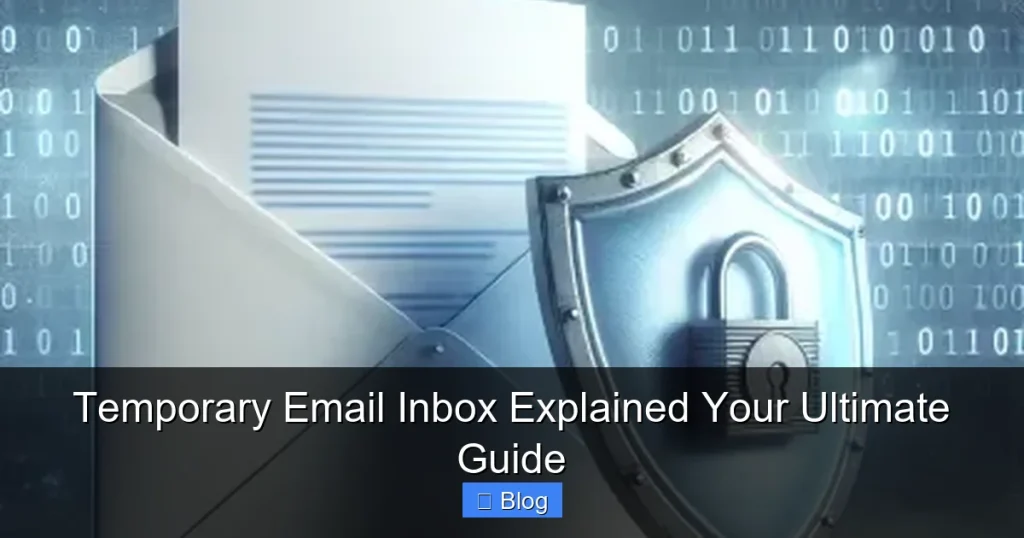
Visual guide about Temporary Email Inbox Explained Your Ultimate Guide
Image source: clean.email
How Does a Temporary Email Inbox Actually Work?
The magic happens behind the scenes through web-based services. Here’s the simple breakdown:
- You Visit a Temp Email Site: You go to a website like TempMail, 10MinuteMail, Guerrilla Mail, or Mail.tm.
- Instant Address Generation: The site automatically creates a unique, random email address for you (e.g.,
fuzzybanana789@tempmail.com). This happens instantly, often without you even clicking a button. - Use the Address: You copy this new address and paste it wherever you need an email – signing up for a forum, downloading an ebook, accessing a limited-time offer, or verifying an account on a site you’re unsure about.
- Receive Emails: Any emails sent to that temporary address appear in the inbox on the temp email website. You can read them, download attachments, and even click links directly within the browser interface of the temp email service.
- The Inbox Expires: After a set period (ranging from 10 minutes to 48 hours, depending on the service), the inbox is automatically deleted. The email address becomes invalid and can’t receive new messages. All emails within it are permanently erased.
Crucially, you never interact with the email server directly. Everything happens through the web interface of the temporary email provider. There’s no app to install or account to manage for the *temporary* part – it’s all handled by the service’s infrastructure.
The Key Difference: Temp Inbox vs. Alias Services
It’s easy to confuse temporary email inboxes with email alias services (like SimpleLogin or Firefox Relay). While both hide your real email, they work very differently:
- Temporary Email Inbox: Truly disposable. The address and inbox vanish completely after a short time. No forwarding to your real inbox. Purely for receiving emails *during* that brief window. Ideal for one-off signups where you don’t expect ongoing communication.
- Email Alias Service: Creates a permanent or long-lasting alias (e.g.,
yourname@simplelogin.com) that *forwards* emails to your real inbox. You can often reply from the alias. The alias persists until you delete it. Better for ongoing interactions where you want to mask your real address but still receive replies long-term.
For quick, anonymous interactions where you just need to get a confirmation link or download something, a temporary email inbox is almost always the faster, simpler, and more secure choice. Alias services are great for more sustained privacy, but they require setup and management.
Why You Absolutely Need a Temporary Email Inbox (Top Benefits)
Using a temporary email inbox isn’t just a neat trick; it’s a fundamental practice for modern digital hygiene. Here’s why incorporating it into your routine is a game-changer:
1. Fort Knox for Your Primary Email Privacy
Your primary email address is a goldmine for marketers, data brokers, and potential scammers. Every time you hand it out, you’re potentially signing up for a lifetime of tracking and profiling. A temporary email inbox acts as an impenetrable shield. The website only sees the disposable address. Your real email remains completely hidden, significantly reducing your digital footprint and making it much harder for your personal information to be aggregated and sold. It’s the simplest step you can take to take back control of your online identity.
2. Annihilate Spam and Unwanted Marketing
Remember that “free webinar” signup? Or the “exclusive discount” from a new app? Chances are, your inbox is now peppered with follow-up emails you never wanted. A temporary email inbox stops this dead in its tracks. Since the address expires quickly, any marketing emails sent *after* your initial interaction bounce back or are simply never delivered to a functioning inbox. You avoid the endless cycle of unsubscribe links and lingering promotions cluttering your main account. Your primary inbox stays clean and focused on *important* communications.
3. Enhanced Security Against Phishing and Data Breaches
Not all websites are created equal. Some have lax security practices. If you use your real email on a site that later suffers a data breach, your address (and potentially password) is now in the hands of criminals. They can use it for credential stuffing attacks on *other* sites where you might have reused the password. By using a temporary email inbox for these lower-trust sites, you isolate the risk. Even if that site is breached, the compromised address is useless to attackers because it’s already expired. It adds a crucial layer of separation between your identity and potentially vulnerable third parties.
4. Effortless Convenience for One-Time Actions
How often do you need an email address just to:
- Download a free checklist or template?
- Access a single article behind a “signup wall”?
- Verify an account for a service you’re just testing?
- Sign up for a short free trial?
Filling out a form with your real email for these minor actions feels like overkill and invites future spam. A temporary email inbox solves this instantly. Generate an address, paste it, get your confirmation link or download, and forget about it. No commitment, no follow-up emails, no hassle. It’s the ultimate tool for frictionless online interaction.
5. Perfect for Testing and Development
Developers, marketers, and QA testers use temporary email inboxes constantly. Need to test a signup flow? Create multiple unique temp addresses instantly. Verifying email delivery for a campaign? Use a temp inbox to catch the test emails without polluting real user inboxes. Checking how a website handles email verification? Temp inboxes provide the perfect, disposable test environment. It streamlines workflows and keeps testing isolated from production systems.
How to Use a Temporary Email Inbox: A Step-by-Step Guide
Using a temporary email inbox is incredibly straightforward. You don’t need any technical skills. Here’s exactly what to do:
Step 1: Choose a Reputable Temporary Email Service
Start by picking a reliable provider. Some popular and trusted options include:
- TempMail.org: Very user-friendly, offers custom domains (sometimes), decent expiration times.
- 10MinuteMail.com: Exactly what it says – addresses last about 10 minutes. Simple and fast.
- GuerrillaMail.com: Offers disposable addresses with optional 1-hour expiration. Also has a “spam” folder feature.
- Mail.tm: Provides addresses that last up to 48 hours, often with a clean interface.
- Temp-Email.org: Simple, no-frills service with addresses lasting around 10 minutes.
Pro Tip: Bookmark your favorite 1-2 services for quick access. Avoid services that seem overly cluttered with ads or ask for unnecessary permissions.
Step 2: Generate Your Disposable Address
Navigate to your chosen service’s website. In most cases, the process is automatic:
- The site will instantly generate a random email address (e.g.,
jollypenguin42@tempmail.org) and display it prominently on the page. - Sometimes, you might see a “Generate” or “New Email” button to click, but often it’s instant.
- Look for the address field – it’s usually already selected for easy copying.
Pro Tip: Some services let you create a *custom* address (e.g., mydownload@tempmail.org), but this is less common and the address might still be random. Don’t spend too much time on this; the randomness is part of the security.
Step 3: Use the Address Where Needed
This is the crucial step:
- Copy the generated temporary email address (usually with a single click button next to it).
- Go to the website or service where you need to provide an email (signup form, download page, etc.).
- Paste the temporary address into the email field.
- Complete the action (click “Sign Up,” “Download,” “Verify,” etc.).
Pro Tip: Keep the temporary email service tab open! You’ll need it to check for incoming emails (like verification links) within the short expiration window.
Step 4: Check the Inbox and Retrieve What You Need
Switch back to the tab/window of your temporary email service:
- Emails sent to your disposable address will appear in the inbox list, usually within seconds.
- Click on the email to open it and view the content.
- If it’s a verification link, click the link *directly within the temp email service’s interface* (it often handles the redirection safely).
- If it’s a download link, click it to start the download.
- If it’s a confirmation code, copy it and paste it where needed.
Pro Tip: Refresh the inbox page periodically if you don’t see the email immediately. Some services have slight delays.
Step 5: Let It Expire (Or Manually Delete)
Once you’ve gotten what you needed (the link, the code, the download), you’re done! Most services will automatically delete the inbox after the set time (e.g., 10 minutes, 1 hour, 24 hours). You don’t need to do anything. If you want to be extra cautious, some services have a “Delete” or “Destroy” button you can click to wipe the inbox immediately.
Important: Do *not* use this address for anything important after you’ve retrieved your item. Assume it will stop working at any moment. If you need ongoing access to something, you must use your real email address.
Pros and Cons: Is a Temporary Email Inbox Right for You?
Like any tool, temporary email inboxes have strengths and limitations. Understanding both helps you use them effectively.
The Undeniable Advantages
- Instant Privacy: Hide your real email address in seconds, no setup required.
- Spam Elimination: Prevent unwanted emails from ever reaching your main inbox.
- Enhanced Security: Minimize damage from data breaches on untrusted sites.
- Zero Commitment: Perfect for one-off interactions; no long-term consequences.
- Extremely Easy to Use: Generate and use an address in under 30 seconds.
- Free: Almost all reputable services are completely free to use.
The Important Limitations
- Short Lifespan: The biggest drawback. You *must* check the inbox within the expiration window (often 10-60 mins). Miss it, and you lose access to that email/link.
- No Sending/Replying: You generally *cannot* send emails *from* the temporary address or reply to emails within the inbox. It’s receive-only.
- Not for Important Accounts: Absolutely never use a temp inbox for banking, social media, email, cloud storage, or any service where you need permanent, reliable access and password recovery. If you lose access to the temp inbox, you lose access to the account forever.
- Potential for Blocking: Some websites actively block known temporary email domains to prevent spam signups or abuse. You might encounter “email not allowed” errors on certain platforms.
- Limited Storage: Inboxes are tiny. Don’t expect to store important attachments long-term; download what you need immediately.
- Security of the Provider: While generally safe, you’re trusting a third-party service with your temporary communications. Stick to well-known, reputable providers.
The Verdict: The pros overwhelmingly outweigh the cons for the *specific use cases* they’re designed for: quick signups, downloads, and interactions where you don’t need ongoing communication. Just be mindful of the expiration time and never use them for critical accounts.
Best Practices for Safe and Effective Use
To get the most out of your temporary email inbox while staying safe, follow these essential tips:
1. Choose the Right Expiration Time
Match the inbox lifespan to your task:
- Need a verification link *right now*? Use a 10-minute service (like 10MinuteMail).
- Downloading a large file that might take time? Opt for a service with 1-24 hour expiration (like Mail.tm).
- Avoid very short expirations (under 5 mins) unless absolutely necessary – you might miss the email.
Pro Tip: If a service offers adjustable expiration, set it slightly longer than you think you’ll need for a buffer.
2. Never Use for Sensitive or Permanent Accounts
This cannot be stressed enough. A temporary email inbox is **NOT** suitable for:
- Bank accounts, investment platforms, or payment services (PayPal, etc.)
- Social media accounts (Facebook, Instagram, Twitter/X)
- Your primary email account (Gmail, Outlook, iCloud)
- Cloud storage (Google Drive, Dropbox, iCloud)
- Government services or official communications
- Any account where you might need password recovery in the future
Using a temp inbox here is a guaranteed path to permanently losing access. Always use your real, secure, and *recovery-enabled* email for these.
3. Download Attachments Immediately
If an email contains a file you need (a PDF guide, a software installer, a coupon code image), download it *right away* as soon as you open the email. Don’t wait. The inbox could expire before you get back to it, and the attachment will be gone forever. Save it directly to your computer or cloud storage you control.
4. Be Wary of Suspicious Links (Even in Temp Inboxes)
Just because an email arrives in your temporary inbox doesn’t mean it’s safe. Phishing attempts can still target temp email users. Always:
- Hover over links to see the *actual* destination URL before clicking.
- Be extra cautious with links asking for login credentials, even if they seem to come from a service you’re signing up for.
- If something feels off, don’t click. Delete the email and abandon the signup if necessary.
Pro Tip: Most reputable temp email services have basic spam filtering, but don’t rely on it completely.
5. Use Reputable Services Only
Stick to well-known, established temporary email providers. Avoid obscure sites with excessive pop-up ads, requests for personal information, or strange permissions. Research a service briefly if you’re unsure. Popular options like TempMail, 10MinuteMail, and Guerrilla Mail have been around for years and have good reputations.
6. Understand the “No Reply” Limitation
Remember, you generally cannot reply to emails sent to your temporary address. If a service sends a confirmation email and expects you to reply (e.g., “Reply to verify”), a temp inbox won’t work. In these cases, you *must* use your real email address.
Conclusion: Take Control of Your Digital Life with a Temporary Email Inbox
Your email inbox should be a tool for connection and productivity, not a dumping ground for spam and a source of privacy anxiety. A temporary email inbox is a simple, powerful, and free solution that puts you back in charge. It’s the digital equivalent of using a disposable cup for a quick drink – perfect for the occasion, no cleanup required, and it protects your favorite mug (your real email).
By understanding how a temporary email inbox works – its instant generation, receive-only nature, and automatic expiration – you unlock a world of safer, cleaner online interactions. Use it for downloading that free resource, signing up for a fleeting discount, testing a new app, or accessing content behind a signup wall. Shield your primary email from unnecessary exposure, slash your spam load, and add a valuable layer of security against data breaches on less trustworthy sites.
Don’t let the minor limitations (like the short expiration window) deter you. With a little practice and by following the best practices outlined – especially avoiding critical accounts and downloading attachments immediately – using a temporary email inbox becomes second nature. It’s a small habit with massive benefits for your privacy, security, and inbox sanity. Bookmark a reliable service today, and the next time you’re tempted to hand over your real email for something trivial, remember: you have a disposable alias ready in seconds. Give your primary inbox the break it deserves and embrace the simplicity of the temporary email inbox. Your future, spam-free self will thank you!
Frequently Asked Questions
Is using a temporary email inbox safe and legal?
Yes, using a temporary email inbox is completely legal and generally safe when used for its intended purpose (one-time signups, downloads). Reputable services don’t engage in illegal activities. However, avoid using them for anything fraudulent or to bypass legitimate security measures, as that could be against a website’s terms of service.
Can websites detect and block temporary email addresses?
Yes, some websites actively maintain lists of known temporary email domains and block signups from them. This is common on platforms trying to prevent spam accounts or abuse. If you encounter a block, you’ll need to use your real email address for that specific service.
What happens if I miss the expiration time of my temporary inbox?
If the inbox expires before you check it, all emails within it are permanently deleted and cannot be recovered. The email address also becomes invalid. This is why it’s crucial to check the inbox promptly after signing up and to choose an expiration time that gives you enough buffer.
Can I send emails from a temporary email inbox?
Almost never. Temporary email inboxes are designed solely for *receiving* emails. They typically lack the functionality to send messages or reply to incoming emails. If you need to send or reply, you must use your regular email account.
Are temporary email inboxes good for password recovery?
Absolutely not. Never use a temporary email inbox for password recovery on any important account. Since the inbox expires quickly and you lose access, you will be permanently locked out of the account if you need to reset the password later. Always use a permanent, secure email with reliable recovery options for critical accounts.
Do temporary email services store my data?
Reputable temporary email services are designed to be ephemeral. Emails are usually stored only in memory (RAM) on their servers for the short duration of the inbox’s life and are permanently deleted upon expiration. They shouldn’t retain your emails or personal data long-term, but always review the privacy policy of any service you use.