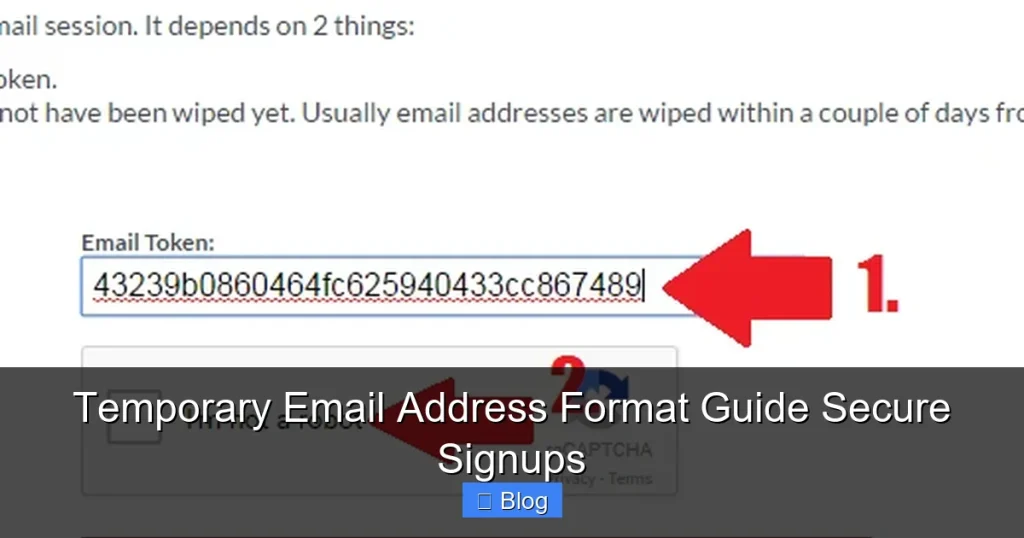

Discover how temporary email address formats work to shield your real inbox from spam and phishing. This guide breaks down common patterns, security benefits, and smart usage tips for safe one-time signups. Stop sacrificing privacy for free trials or forums today.
Key Takeaways
- Format Basics: Most follow “username@domain.com” patterns, often with random numbers or prefixes for uniqueness.
- Security Shield: They act as a buffer, keeping your primary email safe from data breaches and unwanted marketing.
- Short Lifespan: Addresses typically expire in minutes to days, automatically deleting received messages.
- Not for Everything: Avoid using them for banking, important accounts, or services requiring long-term verification.
- Format Variations: Services use different structures like “user+service@domain.com” or fully randomized strings.
- Risk Awareness: Some sites block disposable emails; malicious actors might exploit expired addresses.
- Smart Usage: Pair with strong passwords and 2FA on critical accounts for layered security.
📑 Table of Contents
- Why Your Inbox Deserves a Bodyguard: The Temporary Email Revolution
- How Temporary Email Addresses Actually Work (It’s Simpler Than You Think)
- Decoding the Anatomy: Common Temporary Email Address Formats
- Why Format Matters: Security Benefits You Can’t Ignore
- When NOT to Use a Temporary Email: Critical Limitations
- Choosing the Right Service: Format Features That Actually Matter
- Best Practices: Using Temporary Emails Safely and Effectively
- Conclusion: Your Inbox, Reclaimed
Why Your Inbox Deserves a Bodyguard: The Temporary Email Revolution
Let’s be honest: your primary email address is probably drowning in spam. Every time you sign up for a free trial, download an ebook, or join a forum, you’re handing over your digital identity like a free sample. Suddenly, your inbox is flooded with promotional noise, and worse, your real email becomes a target for phishing scams if that site gets hacked. It’s exhausting. What if you could create a disposable alias—a temporary email address format—that shields your main account? That’s exactly what temporary email services offer. They’re not magic, but they’re a powerful, simple tool for taking back control.
Think of a temporary email address as a one-time-use mask. You wear it for a specific interaction (like signing up for a streaming service trial), and when you’re done, you toss it. The mask protects your real face (your primary email) from being recognized or tracked. This isn’t just about avoiding annoying newsletters; it’s a critical layer of privacy in an age where data breaches are commonplace. Whether you’re a casual internet user or a security-conscious professional, understanding temporary email address formats empowers you to navigate the web more safely. Let’s dive into how they work and why you should care.
How Temporary Email Addresses Actually Work (It’s Simpler Than You Think)
At their core, temporary email services operate like a sophisticated mailroom for your digital life. When you visit a site like 10MinuteMail or TempMail.org, the service instantly generates a unique email address for you—often with a random string of letters and numbers followed by a specific domain (like @tempmail.com). This address isn’t tied to your real identity. Instead, it acts as a forwarding proxy. Any emails sent to this temporary address get routed to the service’s servers, where you can view them through their website or app. Crucially, these addresses have a built-in expiration timer.
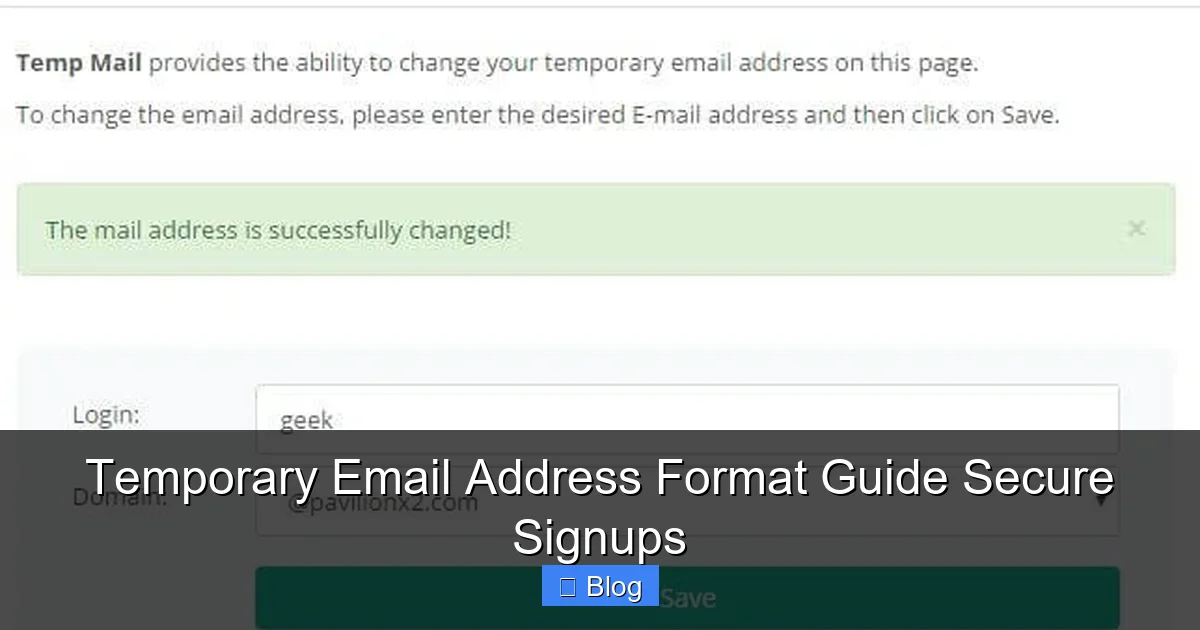
Visual guide about Temporary Email Address Format Guide Secure Signups
Image source: bouncegeek.com
The Tech Behind the Magic: Proxies and Expiration
Here’s the clever part: the temporary email address format itself is just a label. The real work happens on the service’s backend. When someone sends an email to “random123@tempmail.net,” the service checks if that address is “active” (i.e., within its lifespan). If yes, it stores the email and lets you access it via their interface. If the address has expired, the email is typically discarded immediately—no trace left behind. This isn’t encryption or complex coding; it’s efficient mail handling with a self-destruct mechanism. Most services use simple algorithms to generate addresses, ensuring uniqueness without requiring user input. For example, a service might combine a base word (“user”) with a timestamp or random number (“user_7b3f@temp.inbox”).
Why Expiration is Non-Negotiable
The short lifespan—ranging from 10 minutes to 48 hours—is what makes these addresses “temporary.” This isn’t arbitrary; it’s a security feature. If an address lived forever, it would become just another spam target. By expiring quickly, the service ensures that even if a hacker intercepts the address (say, through a data leak), it’s useless after a short window. Imagine signing up for a coupon site: you get the discount code via the temporary email, use it, and the address vanishes. The site can’t bombard you later because the mailbox no longer exists. This automatic cleanup is why temporary email address formats are so effective for one-off interactions.
Decoding the Anatomy: Common Temporary Email Address Formats
Not all temporary emails look the same. Different services use distinct patterns, but they all follow the fundamental “local-part@domain” structure of standard emails. The magic lies in how they generate the “local-part” (the part before the @). Let’s break down the most common formats you’ll encounter.
Randomized String Formats: The Most Common Approach
This is the bread and butter of temporary email services. The local-part is a completely random mix of letters (upper and lower case), numbers, and sometimes symbols. For instance:
- Example 1: k9Fg7!qL@tempmail.io
- Example 2: aBc123XyZ@10minutemail.net
- Example 3: p@ssw0rd_2024@temp-mail.org
Why random? It ensures near-zero chance of duplication and makes the address unpredictable. Hackers can’t easily guess valid addresses to scrape data. Services like Guerrilla Mail and Mail.tm heavily rely on this format. The randomness also means you rarely see “user-friendly” names here—it’s all about functionality over memorability.
Prefix + Random Suffix: A Slightly More Organized Look
Some services add a slight structure for usability. They might use a fixed prefix (like “temp” or “user”) followed by random characters:
- Example 1: temp_8j4k@disposable.inbox
- Example 2: user+7b3f@throwawaymail.com
- Example 3: inbox_2024a1@mailnesia.com
This format is marginally easier to read and type manually (though you’ll usually copy-paste it). The “+” symbol in Example 2 is particularly interesting—it’s a standard email feature (supported by Gmail, Outlook, etc.) where everything after the “+” is ignored by the receiving server. So “you+service@gmail.com” delivers to “you@gmail.com.” While not truly temporary (it doesn’t expire), this “plus addressing” is a DIY alternative for categorizing signups. However, true temporary services use the “+” within their *own* randomized structures for added uniqueness.
Service-Specific Naming Conventions
Certain platforms have their own quirks. TempMail.org often generates addresses like “yourname@temp-mail.org,” but the “yourname” part is still randomized upon request. Others, like YOPmail, let you choose a custom prefix (e.g., “mycustomname@yopmail.com”), though this increases collision risk. The key takeaway? The domain part (after @) is always controlled by the temporary email provider—like @tempmail.com or @maildrop.cc. This is how they route the mail. Never trust a “temporary” email using a major provider’s domain (like @gmail.com); those are just aliases, not disposable addresses.
Why Format Matters: Security Benefits You Can’t Ignore
Choosing the right temporary email address format isn’t just about convenience—it’s a direct line to better security. Let’s explore how these formats actively protect you.
Shielding Your Primary Email from Breaches
Data breaches happen constantly. When you use your real email for a sketchy forum or a free app, that address gets added to a leak database. Hackers then use these lists for credential stuffing (trying your email/password combo on other sites) or targeted phishing. A temporary email address format acts as a sacrificial lamb. If the service you signed up for gets hacked, *only* the disposable address is exposed. Your primary email remains untouched in the breach data. This simple format choice drastically reduces your attack surface.
Stopping the Spam Avalanche Before It Starts
Marketers love harvesting emails. Sign up for one newsletter, and suddenly you’re on ten lists. Temporary emails cut this off at the source. Since the address expires quickly, spammers can’t build a long-term profile of your interests. Even if they scrape the address from a signup form, it’s useless within hours. Compare this to using your real email: you’d need to constantly unsubscribe or drown in promotions. The temporary format’s inherent transience is its spam-killing superpower.
Preventing Tracking and Profiling
Many websites use your email address as a unique identifier to track your behavior across sessions or even sites (via data sharing). A temporary email address format breaks this chain. Each signup uses a fresh, untraceable address. Advertisers and data brokers can’t link your activity on Site A to Site B because the identifiers are completely separate and short-lived. This format choice is a quiet rebellion against pervasive online tracking.
When NOT to Use a Temporary Email: Critical Limitations
Temporary emails are fantastic tools, but they’re not a one-size-fits-all solution. Misusing them can cause real headaches. Here’s where you should avoid them.
Important Accounts: Banking, Work, and Primary Services
Never use a temporary email for anything requiring long-term access or verification. This includes:
- Bank accounts or financial services
- Work or professional email accounts
- Your primary social media (Facebook, LinkedIn)
- Cloud storage (Google Drive, iCloud)
- Password reset emails for critical accounts
Why? If the temporary address expires and you need to recover your account (e.g., “Forgot password?”), you’re locked out permanently. Services also often flag disposable emails as suspicious, triggering extra security hurdles or even blocking signups. Your real email is irreplaceable for these; treat it like your house key.
Services That Require Ongoing Communication
Need regular updates from a subscription service? A temporary email won’t cut it. Examples:
- Monthly billing statements
- Shipping notifications for orders
- Important app updates or security alerts
- Membership renewals
If the address expires before you see the email, you might miss a payment deadline or a critical security patch. For anything with recurring touchpoints, use a dedicated, long-term alias (like a Gmail filter label) or your real email with strong spam filters.
When Sites Block Disposable Emails (And How to Bypass)
Many reputable services—especially financial institutions, government sites, and large platforms—actively block known temporary email domains. They see them as high-risk for fraud or fake accounts. If you hit a block:
- Try a different provider: Some services have less-blocked domains (e.g., @maildrop.cc might work where @10minutemail.com fails).
- Use “plus addressing” on your real email: Sign up as “yourname+service@gmail.com”. It’s not temporary, but it’s trackable and avoids spam if you filter it.
- Create a dedicated long-term alias: Services like SimpleLogin or Firefox Relay generate permanent, forwardable aliases that mask your real email but don’t expire.
Never lie about your email domain—it violates terms of service and can get your account suspended.
Choosing the Right Service: Format Features That Actually Matter
Not all temporary email providers are equal. The best one for you depends on how you plan to use it. Here’s what to prioritize when evaluating services.
Lifespan Flexibility: Minutes vs. Days
Consider your use case:
- Ultra-short (5-60 mins): Ideal for instant downloads, coupon codes, or one-page signups (e.g., 10MinuteMail). Format example: xY7!qL@10minutemail.net.
- Medium (1-24 hours): Good for free trials needing email verification (e.g., TempMail.org). Format example: user_8j4k@tempmail.org.
- Longer (2-7 days): Useful for multi-step signups or slower services (e.g., Mail.tm). Format example: inbox_2024a1@mail.tm.
Check if the service lets you extend the lifespan—some do with a button click. Avoid services with *only* fixed, very short timers if you need flexibility.
Domain Reputation and Blocking Rates
A service’s domain (e.g., @tempmail.com) affects deliverability. Some domains are heavily blacklisted. Test a few:
- Try signing up for a major service (like Amazon) using the temporary email. Does the verification email arrive?
- Look for reviews mentioning “blocked by [Service Name]”.
- Prefer services offering multiple domain options (e.g., @temp-mail.org, @tempmail.io).
Services like Guerrilla Mail have maintained decent reputations over time, while newer ones might face more blocks initially.
Extra Features: Encryption, Attachments, and Customization
Beyond basic format, look for:
- End-to-end encryption: For sensitive signups (e.g., medical info), though rare in free temp mail.
- Attachment handling: Can you download files sent to the temp address? Crucial for some verifications.
- Custom address generation: Some let you pick a prefix (e.g., “mybrand@tempmail.com”), useful for testing.
- API access: Developers might need this for automated testing.
For most users, reliable delivery and a reasonable lifespan matter more than bells and whistles.
Best Practices: Using Temporary Emails Safely and Effectively
Even the best tool can backfire if misused. Follow these rules to maximize security and avoid pitfalls.
Pair with Strong, Unique Passwords
A temporary email is only as secure as the password protecting the *account* you’re signing up for. If you reuse a weak password, a breach on that site could still compromise other accounts—even if the email was temporary. Always use a password manager to generate and store unique, complex passwords for every service. The temporary email shields your identity; a strong password shields your access.
Never Use for Sensitive Data Transmission
Temporary emails are for signups and verifications—not for sending or receiving confidential information. Avoid:
- Sharing financial details
- Sending personal documents (IDs, contracts)
- Using as a recovery method for important accounts
While the service might encrypt emails in transit, the temporary nature means you have no control over the provider’s security practices. Treat all content in a temp inbox as potentially public.
Verify Before Trusting: Beware of Phishing Traps
Scammers know people use temp emails. They might send fake “account verification” or “security alert” emails *to* your temporary address, hoping you’ll click a malicious link. Always:
- Check the sender’s *full* email address—not just the display name.
- Never enter passwords or payment info via links in temp emails.
- Go directly to the official website to check account status.
Remember: legitimate services won’t ask for sensitive data via email, temporary or not.
Clean Up and Move On
Once you’ve used the temporary email for its purpose (e.g., got the coupon code), don’t linger. Close the temp mail tab or let the address expire. Don’t use it for multiple unrelated signups—this increases the chance of accidental exposure. Treat each temp address as truly disposable.
Conclusion: Your Inbox, Reclaimed
Temporary email address formats are more than just random strings—they’re a deliberate strategy for digital self-defense. By understanding how they work, their common structures, and their limitations, you transform from a passive spam victim into an empowered user. You learn to deploy these disposable shields precisely where they matter most: for one-time signups, free trials, and low-stakes interactions that would otherwise clutter your primary inbox or expose your real email to risk.
The beauty lies in simplicity. You don’t need technical expertise to generate a “k9Fg7!qL@tempmail.io” or a “user+promo@10minutemail.net.” A few clicks, and you’ve created a barrier between your identity and the vast, often messy, online world. Yes, they have limits—don’t use them for your bank account—but for the countless minor signups that populate our digital lives, they’re indispensable. Start small: next time you download a free guide or join a forum, reach for a temporary email. Feel the relief of keeping your main inbox clean and your data safer. In a landscape where privacy is increasingly scarce, mastering the temporary email address format is a small act with significant returns. Your future spam-free self will thank you.
Frequently Asked Questions
How long do temporary email addresses typically last?
Lifespans vary by service but usually range from 10 minutes to 48 hours. Most popular providers (like 10MinuteMail) default to 60 minutes, while others (like Mail.tm) offer up to 7 days. Always check the service’s settings—some let you extend the timer.
Are temporary email addresses secure against hackers?
They significantly improve security by isolating your real email from breaches, but aren’t foolproof. The main risk is if you use them for sensitive accounts (which you shouldn’t). Always pair them with strong, unique passwords for the service you’re signing up for.
Can I use a temporary email for Gmail or Facebook signup?
Major platforms like Google and Meta often block known disposable email domains to prevent fake accounts. You’ll likely get an error saying “This email isn’t valid” or face extra verification steps. Use your real email or a permanent alias service instead.
Do temporary emails work on mobile phones?
Absolutely! Most services have mobile-friendly websites or dedicated apps (like Temp Mail for iOS/Android). You can generate and check emails directly from your phone browser—no desktop needed. The format works identically across devices.
What happens to emails sent to an expired temporary address?
They’re typically discarded immediately by the service’s server. You won’t receive them, and there’s no way to recover them. This is why it’s crucial to check the inbox *before* the address expires if you’re waiting for something important.
Can I create my own temporary email format without a service?
Partially. Using “plus addressing” (e.g., yourname+service@gmail.com) on Gmail creates trackable aliases, but they don’t expire automatically. For true temporary addresses with auto-deletion, you need a dedicated service—self-hosting is complex and unreliable for most users.