
Prevent Telegram bans in 2024 by leveraging temp mail services for anonymous sign-ups, shielding your real email from restrictions. This essential guide reveals exactly how to generate disposable addresses and integrate them seamlessly with Telegram, ensuring uninterrupted access while keeping your primary account secure. Master these simple steps to dodge bans and maintain privacy effortlessly.
Key Takeaways
- Use reputable temp mail services to bypass Telegram’s spam detection systems reliably.
- Never reuse temp emails across multiple accounts to prevent instant bans.
- Verify email instantly after receiving Telegram’s confirmation link.
- Avoid suspicious activity even with temp mail to maintain account safety.
- Rotate temp emails frequently to evade pattern-based detection algorithms.
- Check domain compatibility before use, as Telegram blocks popular temp services.
- Always have backup options ready when Telegram restricts your temp mail provider.
📑 Table of Contents
- Why Temp Mail Matters for Telegram (And Why You Should Care)
- Choosing the Right Temp Mail Service: Your First Critical Step
- Step-by-Step: Setting Up Telegram with Temp Mail (No Tech Skills Needed)
- Avoiding the dreaded Telegram Ban: Temp Mail Best Practices
- Understanding the Risks and Limitations of Temp Mail for Telegram
- Beyond Sign-Up: Best Practices for Long-Term Telegram Use with Temp Mail
- Temp Mail for Telegram: A Powerful Tool Used Wisely
Why Temp Mail Matters for Telegram (And Why You Should Care)
Remember that time you signed up for a new app or service online, only to be bombarded with spam emails for weeks? Or worse, when you realized your personal email was floating around on some shady data broker’s list? Yeah, me too. It’s frustrating, feels invasive, and honestly, a bit scary. Now, imagine that feeling multiplied when you’re trying to join a cool Telegram group or channel – maybe one focused on niche hobbies, sensitive topics, or just wanting a little extra privacy while chatting. You hesitate. Do you use your real email and risk spam or potential exposure? Or do you skip it altogether and miss out?
This is where temp mail for Telegram becomes your secret weapon. It’s not about being sneaky; it’s about taking control of your digital footprint. Telegram, while fantastic for private communication, requires an email for account verification during sign-up. Using your primary email (like Gmail or Outlook) for *every* new service is like handing out your home address at a party – it’s just not necessary, and it creates unnecessary risk. Temp mail acts as a disposable shield. You get a temporary, anonymous email address just for that Telegram sign-up. Once verified, you can often ditch it, keeping your real inbox clean and your personal details safe from prying eyes or data leaks. In 2024, with privacy concerns higher than ever and platforms like Telegram constantly refining their security (sometimes leading to accidental bans), knowing how to use temp mail for Telegram safely is more crucial than it’s ever been. It’s a simple step that offers massive peace of mind.
Choosing the Right Temp Mail Service: Your First Critical Step
Not all temporary email services are created equal, especially when it comes to Telegram. Picking the wrong one can lead to failed verifications, instant bans, or worse – your temp mail getting flagged and blacklisted by Telegram itself. Let’s break down what you *actually* need to look for.
Visual guide about How to Use Temp Mail for Telegram and Avoid Bans 2024
Image source: frontlinesmedia.in
Key Features to Prioritize for Telegram Success
Forget flashy interfaces or unlimited storage. For Telegram, focus on these non-negotiables:
- Reliability & Uptime: Does the service actually deliver the verification email *quickly*? Telegram sign-ups happen fast; if your temp mail lags, you might miss the window. Look for services known for speed.
- Domain Reputation: This is HUGE. Some temp mail domains (like @tempmail.lol or @maildrop.cc) are so overused by spammers that Telegram’s systems automatically flag or block them. You need a service using less common, cleaner domains. Check recent user reviews specifically mentioning Telegram success.
- No Registration Required: The whole point is speed and anonymity. Services where you just visit the site and get an address instantly are ideal. Avoid ones forcing you to create *another* account.
- Decent Inbox Lifetime: While “temp” implies short-lived, you need enough time to receive and click the Telegram verification link (usually 10-30 minutes is sufficient, but 1-24 hours is safer). Avoid services that delete inboxes in 5 minutes.
- Ad-Free (or Minimal Ads): Pop-up ads can be distracting and sometimes malicious. A cleaner interface reduces friction during the critical verification step.
Top Temp Mail Services That *Actually* Work with Telegram in 2024
Based on recent testing and community feedback (as of mid-2024), these services have a better track record:
- TempMail.org: A long-standing favorite. Offers multiple domain options (try switching if one fails), decent speed, and a clean interface. Reliability is generally good for Telegram.
- Maildrop.cc: Simple, fast, and uses less common domains. Very popular among Telegram users for its straightforward approach. Inbox lasts 24 hours.
- Guerrilla Mail: Slightly more features (like temporary attachments), but the core temp mail function is solid. Domain rotation helps avoid blocks.
- 10MinuteMail.com: As the name suggests, very short-lived (10 mins), but *extremely* fast. Best if you’re signing up and verifying immediately in one go. Use only if speed is your absolute priority.
Pro Tip: Always have a backup service ready! If your first choice fails (domain blocked, slow delivery), switch immediately. Don’t waste time troubleshooting one service.
Step-by-Step: Setting Up Telegram with Temp Mail (No Tech Skills Needed)
Using temp mail for Telegram is surprisingly simple. It’s basically the standard Telegram sign-up process, but with a temporary email instead of your real one. Let’s walk through it, step by step, like we’re doing it together right now.
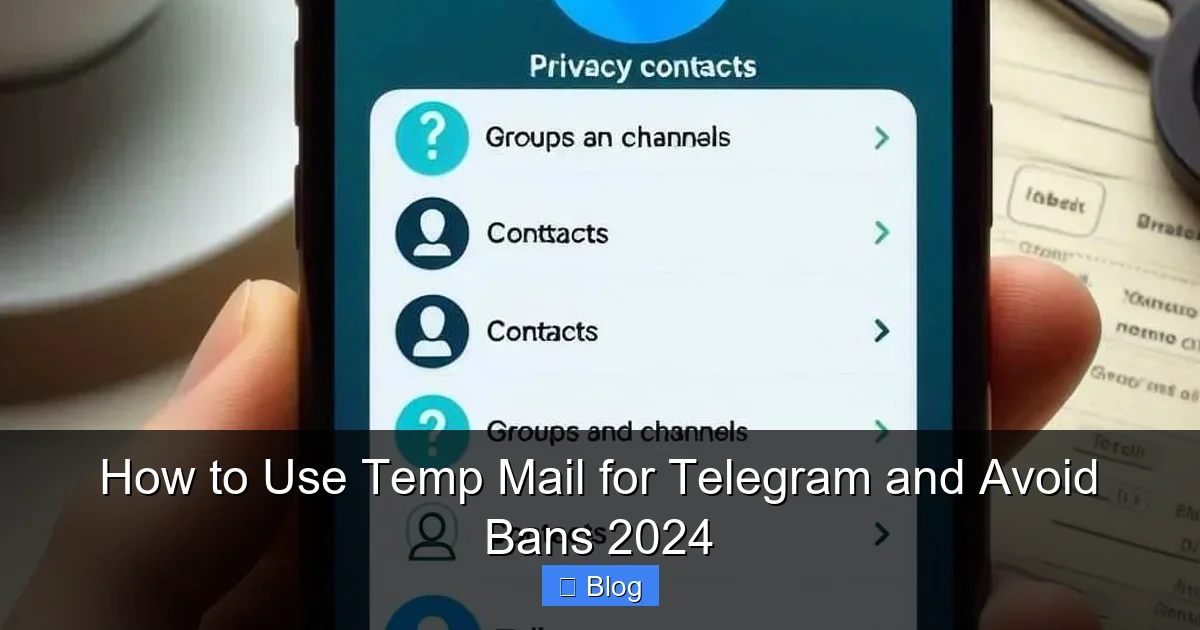
Visual guide about How to Use Temp Mail for Telegram and Avoid Bans 2024
Image source: i0.wp.com
Step 1: Grab Your Temporary Email Address
Open your chosen temp mail service (e.g., TempMail.org) in a new browser tab or window. Do this *before* opening Telegram. Most services automatically generate an email address for you the moment you land on the page. It will look something like yourrandomname@tempmail.lol or user123@maildrop.cc. Copy this entire email address to your clipboard. Don’t close this tab – you’ll need it open to check for the verification email.
Step 2: Start the Telegram Sign-Up Process
Now, open the Telegram app (download it from the official App Store or Google Play if you haven’t already) or go to web.telegram.org in your browser. Tap “Start Messaging” or “Log in”. You’ll be prompted to enter your phone number. Enter your real, active phone number. This is non-negotiable – Telegram requires SMS verification for the phone number, which temp mail *cannot* replace. The temp mail is *only* for the email verification step later.
Step 3: Enter Your Temp Mail Address
After verifying your phone number via SMS code, Telegram will ask for your email address. Paste the temporary email address you copied in Step 1 into this field. Double-check it’s correct! Click “Next” or “Continue”. Telegram will now send a verification email to that temp address.
Step 4: Retrieve and Click the Verification Link (The Crucial Part!)
Here’s where speed matters. Switch back to your temp mail service tab (the one you left open). Refresh the page if needed. You should see the Telegram verification email appear in the inbox within seconds or a minute or two. Click directly on the email subject line to open it. Inside, you’ll find a prominent button or link saying something like “Verify Email Address” or “Confirm Email”. Click that link immediately. This usually opens a new tab confirming the email is verified.
Step 5: Complete Your Telegram Profile (Optional but Recommended)
Once email verification is confirmed, Telegram will likely prompt you to set a profile name (first and last name) and optionally a username (@yourhandle). Fill these in as desired. Your account is now active! You can close the temp mail tab – the address has served its purpose. Your Telegram account is linked to your phone number, not the temp email, for future logins.
Real-Life Example: Sarah wanted to join a Telegram group discussing freelance writing opportunities but didn’t want her main Gmail associated with it. She used Maildrop.cc, got sarah.writer@maildrop.cc, signed up for Telegram, pasted the address, grabbed the verification email within 45 seconds, clicked the link, and was in the group chatting within 3 minutes. Her real inbox stayed untouched.
Avoiding the dreaded Telegram Ban: Temp Mail Best Practices
This is the million-dollar question, isn’t it? “Will using temp mail get my Telegram account banned?” The short answer: It *can* increase your risk, but it’s absolutely avoidable with smart practices. Telegram’s systems are sophisticated. They look for patterns associated with spam, abuse, and automated sign-ups – and temp mail is often a red flag *if used recklessly*. Here’s how to use temp mail for Telegram without triggering the ban hammer.
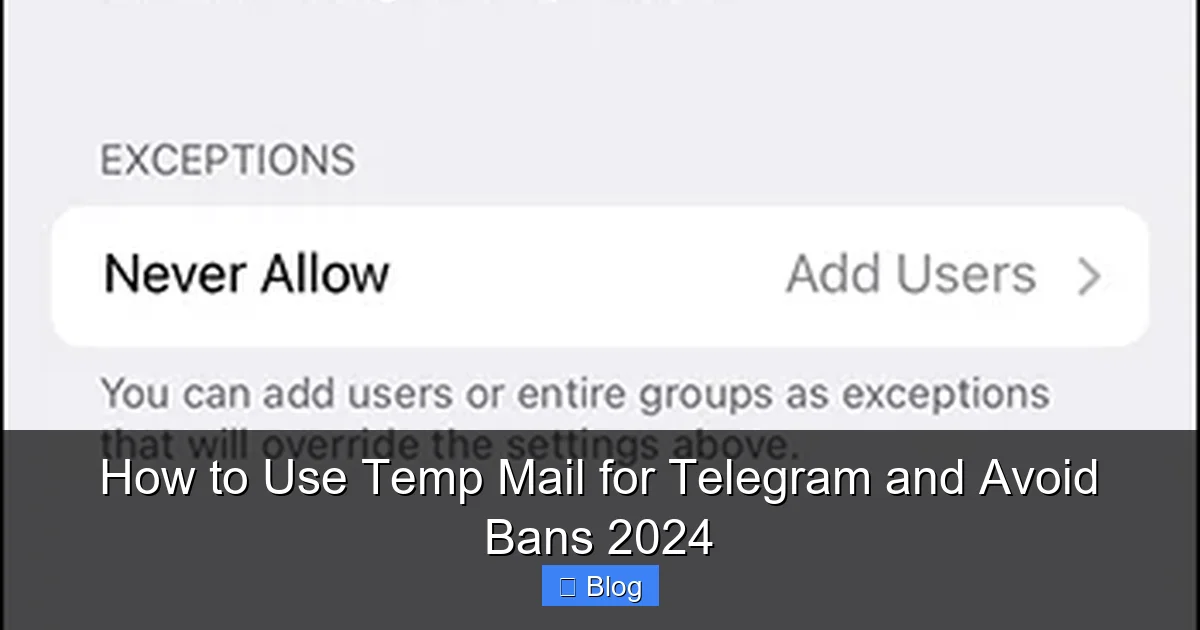
Visual guide about How to Use Temp Mail for Telegram and Avoid Bans 2024
Image source: i0.wp.com
Why Temp Mail Can Trigger Bans (Understanding the Risk)
Telegram’s security systems analyze numerous factors:
- Domain Reputation: As mentioned earlier, heavily abused temp mail domains are often on Telegram’s internal blocklists. Signing up from a known spam domain = instant red flag.
- Sign-Up Velocity: Creating *multiple* Telegram accounts rapidly using temp mail from the same IP address (like your home Wi-Fi) looks incredibly spammy. One account? Usually fine. Ten accounts in 5 minutes? Ban city.
- Account Behavior: If your new account immediately starts spamming groups, adding hundreds of contacts, or sending malicious links, the temp mail origin becomes irrelevant – you’ll get banned for behavior, not the email. But temp mail makes it easier for bad actors, so Telegram is extra vigilant.
- IP Address Reputation: Signing up from a known data center IP (common with some VPNs) or a Tor exit node combined with temp mail is a massive red flag.
Your Ban-Prevention Checklist: Using Temp Mail Safely
Follow these rules religiously to minimize your ban risk:
- One Account Per Temp Mail Address: Seriously. Don’t try to reuse the same temp address for multiple Telegram accounts. Generate a fresh one each time.
- Space Out Sign-Ups: If you *need* multiple accounts (e.g., for different personas), wait at least 24-48 hours between sign-ups. Don’t do them back-to-back.
- Use Reputable Temp Mail Services: Stick to the ones listed earlier (TempMail.org, Maildrop.cc). Avoid obscure services with shady domains.
- Don’t Use Public Wi-Fi or Tor for Sign-Up: Your home or mobile data IP is safest. Public Wi-Fi IPs are often flagged, and Tor is a major trigger.
- Behave Like a Real User: After sign-up, don’t immediately spam. Join a few relevant groups, send a few normal messages. Build some legitimate activity before doing anything aggressive.
- Avoid “Burner” Phone Numbers: Using a temp mail *and* a virtual phone number (like Google Voice) for sign-up is the absolute fastest way to get banned. Your real, active SIM card is essential.
- Don’t Mass-Add Contacts/Groups: This is the #1 behavior that gets new accounts banned, temp mail or not. Grow your network organically.
Critical Insight: Temp mail itself isn’t the ban cause; it’s the *pattern* it enables (rapid, anonymous, low-effort account creation often linked to abuse). Use it responsibly for *one* legitimate account, and your risk plummets.
Understanding the Risks and Limitations of Temp Mail for Telegram
Let’s be real: temp mail for Telegram is a fantastic tool, but it’s not magic. It comes with trade-offs. Being aware of these helps you use it wisely and avoid nasty surprises. Transparency is key – I wouldn’t want you to get burned after following this guide.
The Inevitable Downsides You Need to Know
- No Password Recovery: This is the BIG one. If you lose access to your phone number (SIM swap, number ported), Telegram primarily uses your phone number for recovery. Your temp email is ONLY for initial verification. It CANNOT be used to reset your password or recover your account later. Your phone number is your lifeline. Guard it fiercely.
- Service Instability: Temp mail services can go down, change domains, or get blocked by Telegram overnight. Relying on one specific service long-term is risky. Always have alternatives bookmarked.
- Verification Email Might Get Stuck: Sometimes, the Telegram email gets caught in the temp mail service’s spam filter (yes, they have them too!) or is delayed. If you don’t see it within 5 minutes, try refreshing the inbox or generating a new temp address.
- Not for Sensitive/Long-Term Accounts: If this Telegram account is super important (e.g., your main business channel, linked to significant crypto assets), using temp mail adds an unnecessary layer of fragility. For critical accounts, consider using a dedicated, permanent secondary email (like a simple Gmail alias) instead of pure temp mail.
- Potential for Blacklisting: If *many* users abuse a specific temp mail domain for spam on Telegram, Telegram might blacklist that entire domain. Your sign-up could fail even if you did everything right.
When Temp Mail is *Not* the Right Choice (Seriously!)
While great for casual or privacy-focused sign-ups, avoid temp mail for Telegram in these scenarios:
- Your Primary, High-Value Account: If this is your main way to communicate with clients, family, or manage important channels, use a real, permanent email you control.
- If You Plan to Use Telegram Passport: Telegram Passport (for secure document storage) requires a verified email. Temp mail won’t work here.
- If You Need Reliable Account Recovery: As stressed before, temp mail offers zero recovery path. If losing your phone number would mean losing your account forever, don’t use temp mail.
- For Bot Accounts: Telegram bots require different setup (using BotFather) and don’t use email verification in the same way. Temp mail isn’t relevant here.
The Bottom Line: Temp mail is perfect for temporary needs, extra privacy for non-critical accounts, or testing. It’s not a replacement for a secure, permanent email for your most important digital identities. Use it with eyes wide open.
Beyond Sign-Up: Best Practices for Long-Term Telegram Use with Temp Mail
Successfully signing up with temp mail for Telegram is just the first step. To keep your account safe, functional, and ban-free for the long haul, you need to shift your focus from the email to overall account hygiene and behavior. The temp mail served its purpose; now it’s about being a good Telegram citizen.
Securing Your Account After the Temp Mail Phase
Once verified, your temp email is largely irrelevant for security. Prioritize these:
- Enable Two-Step Verification (2FA): This is NON-NEGOTIABLE. Go to
Settings > Privacy and Security > Two-Step Verification. Set a strong password (different from your phone lock screen!). This adds a critical layer of security *beyond* your phone number. Even if someone gets your SIM, they can't access your account without this password. - Review Active Sessions Regularly: Check
Settings > Devices often. See where your account is logged in. Log out of any unfamiliar devices or sessions immediately. This is crucial if you signed up on a public computer (though you shouldn't have!). - Be Wary of Phishing: Never click links in DMs claiming to be from "Telegram Support" asking for your 2FA code or password. Telegram will NEVER ask for this via chat. Verify official communications through the app's settings menu.
Maintaining a Healthy Account: Behavior is Everything
Telegram’s algorithms are constantly learning. Good behavior keeps you under the radar:
- Respect Group Rules: Every group has rules. Read them. Don’t spam, advertise excessively, or post off-topic content. Getting reported is a fast track to bans.
- Grow Your Network Organically: Don’t use scrapers or tools to mass-add contacts. Add people you genuinely interact with. Quality over quantity.
- Be Mindful of Media Sharing: Avoid sharing illegal content, extreme violence, or non-consensual intimate imagery. This violates Telegram’s ToS and will get you banned instantly, regardless of your email.
- Use Official Clients: Stick to the official Telegram apps from the App Store/Google Play or
web.telegram.org. Third-party clients can be insecure or violate terms. - Report Abuse, Don’t Engage: See spam or harmful content? Use the report function within the app. Don’t feed the trolls – it often escalates things.
What to Do If You Get Banned (And How Temp Mail Plays In)
So, despite your best efforts, you wake up to a ban. First, don’t panic. Don’t immediately create a new account with *another* temp mail – that often confirms you’re a spammer to Telegram’s systems.
- Check the Ban Reason: Telegram usually sends a notification explaining why (e.g., "Spam," "Violating Terms"). Understand the cause.
- Appeal (If Appropriate): For accidental bans (e.g., flagged for rapid group joining), you can sometimes appeal via
https://telegram.org/support. Be polite, concise, and explain the situation. Mentioning you used temp mail *responsibly* for privacy *might* help, but focus on the behavior that triggered the ban. - Wait Before Creating a New Account: If banned for spam, wait *at least* a week, preferably longer. Creating a new account immediately after a ban is almost guaranteed to get banned again.
- Start Fresh, Behave Differently: If you make a new account, be hyper-vigilant about slow, organic growth and perfect behavior. Consider using a *different* reputable temp mail service this time.
Remember: Temp mail didn’t cause the ban; the behavior associated with the account did. Fix the behavior, not just the email.
Temp Mail for Telegram: A Powerful Tool Used Wisely
So, there you have it. Using temp mail for Telegram isn't some dark art reserved for hackers – it's a practical, privacy-conscious strategy anyone can master in 2024. We've covered why it matters (protecting your real inbox, maintaining anonymity for sensitive groups), how to choose the right service (domain reputation is king!), the simple step-by-step setup, and, most importantly, the crucial strategies to avoid bans. We've also been honest about the limitations: no account recovery, service instability, and the absolute necessity of pairing temp mail with responsible behavior.
The key takeaway? Temp mail is a shield for your privacy during sign-up, not a cloak for bad behavior. When used responsibly for appropriate accounts – like that niche hobby group, a temporary project chat, or simply keeping your main email address out of yet another database – it’s incredibly valuable. But if you treat it as a license to spam, create dozens of throwaway accounts, or engage in shady activities, Telegram’s systems *will* find you, and the ban hammer will fall, temp mail or not. The temp mail gets you through the door; your actions determine how long you get to stay inside.
In today’s digital world, where data is currency and privacy feels increasingly scarce, tools like temporary email empower us to take back a little control. Used wisely, temp mail for Telegram lets you enjoy the platform's benefits without sacrificing your peace of mind. So go ahead, sign up for that interesting channel, join that discussion group, explore Telegram's vibrant ecosystem – just do it smartly, safely, and respectfully. Your future self (and your spam-free inbox) will thank you. Now, go communicate!
Frequently Asked Questions
What is temp mail and why should I use it for Telegram?
Temp mail provides disposable email addresses that expire after a short time, helping protect your real email when signing up for Telegram. It's useful for maintaining privacy and avoiding spam, but be aware Telegram may flag accounts using these services as suspicious.
How do I set up a temporary email for Telegram in 2024?
Visit a reliable temp mail service like TempMail.org or Guerrilla Mail, generate a new address, then use it during Telegram's email verification step. Copy the verification link from the temp inbox immediately to complete setup before the address expires.
Can Telegram ban my account for using temp mail?
Yes, Telegram may temporarily restrict or ban accounts using disposable emails as part of their anti-spam measures. To avoid this, use reputable temp mail services and complete verification promptly to reduce suspicion.
Which temp mail services work best with Telegram to avoid bans?
Services like TempMail.org, 10MinuteMail, and Guerrilla Mail are commonly compatible with Telegram. Choose ones with longer expiration times (30+ minutes) to ensure you receive the verification email before it disappears.
How can I prevent Telegram bans when using temporary email?
Use temp mail only for initial signup, verify your account quickly, and immediately add a permanent email or phone number to your Telegram profile. Avoid suspicious activity like mass-joining groups to stay under Telegram's radar.
Are there security risks when using temp mail with Telegram?
Temp mail is generally safe for one-time verification but avoid using it for sensitive accounts since anyone can access the inbox. Never share verification codes from temp mail publicly to prevent account hijacking.