
Temp mail lets you create Discord accounts instantly without revealing your real email—perfect for privacy or avoiding spam. This guide shows you exactly how to use temp mail for Discord verification safely, plus crucial risks and smarter alternatives. Never compromise your security just to skip email checks again.
Key Takeaways
- Temp mail bypasses Discord’s email verification by generating disposable inboxes for instant account creation.
- It protects your privacy from spam, data leaks, and unwanted server notifications.
- Discord may suspend temp mail accounts if detected, risking permanent loss of access.
- Always use reputable temp mail services like TempMail.org or 10MinuteMail to avoid scams.
- Never use temp mail for important accounts—switch to a permanent email once verified.
- Alternatives like burner emails offer better security for long-term Discord use.
- Temp mail is best for one-time server joins, not communities you plan to stay in.
📑 Table of Contents
- Why Temp Mail is a Game-Changer for Discord Users
- What is Temp Mail and Why Discord Verification is a Pain Point
- Step-by-Step Guide to Using Temp Mail for Discord
- Risks and Limitations of Temp Mail on Discord
- Best Practices for Safe Temp Mail Usage
- Alternatives to Temp Mail for Discord Verification
- Conclusion: Temp Mail is a Tool—Not a Solution
Why Temp Mail is a Game-Changer for Discord Users
Let’s be real: Discord’s email verification step is a buzzkill. You just want to join your friend’s gaming server or hop into that meme channel, but suddenly you’re stuck confirming an email you’ll never use again. Maybe you’re worried about spam flooding your main inbox. Or perhaps you’re testing a new server and don’t want to tie your personal email to it. That’s where temp mail swoops in like a digital superhero. It’s a free, anonymous email address that self-destructs after a short time—perfect for bypassing Discord’s verification without exposing your real identity.
Temp mail isn’t just about convenience. In today’s world of data breaches and targeted ads, protecting your email is non-negotiable. Discord servers can accidentally leak member emails, and spammers love harvesting them. By using temp mail for Discord, you create a firewall between your private life and online communities. Think of it like wearing a disguise at a party—you get to participate without leaving a trace. But here’s the catch: it’s not foolproof. Discord’s systems are smart, and misuse can backfire. In this guide, I’ll walk you through exactly how to use temp mail for Discord safely, the pitfalls to avoid, and when it’s smarter to skip the workaround entirely.
What is Temp Mail and Why Discord Verification is a Pain Point
Temp mail (short for “temporary email”) is a service that generates random, disposable email addresses. These addresses exist for minutes, hours, or days before vanishing forever. You don’t need to sign up—just visit a temp mail website, and it hands you a fresh inbox. When Discord sends a verification link to that address, you open it directly on the same site. Boom: your account is confirmed without ever touching your real email.

Visual guide about How To Use Temp Mail For Discord Without Verification
Image source: temp-mail.io
Understanding Temp Mail Services
Most temp mail providers work identically. Sites like TempMail.org or 10MinuteMail create addresses like “x7f9g@tempmail.io” that auto-refresh every 30 seconds. No passwords, no logins—just pure, anonymous access. The magic happens because these services act as intermediaries: Discord thinks it’s emailing a real user, but the temp mail platform catches the message and displays it on their site. It’s like having a PO box for your digital life—you get the mail without giving away your home address.
Why Discord Verification is a Pain Point
Discord requires email verification to combat bots and spam accounts. But for legitimate users, it’s often overkill. Imagine joining a small art server where you’ll never post—why should your personal email be on file? Worse, some servers get hacked, leaking member emails to spammers. Temp mail solves this by giving you a throwaway identity. It’s especially handy if you’re:
- Joining a server just to grab a file or link
- Testing a new community before committing
- Avoiding email clutter from niche兴趣 groups
- Protecting your main inbox from potential breaches
Still, Discord isn’t blind to this trick. Their systems flag suspicious patterns—like hundreds of accounts from the same temp mail domain—so use it wisely.
Step-by-Step Guide to Using Temp Mail for Discord
Ready to skip the email hassle? Here’s your foolproof method. I’ve tested this with multiple temp mail services, and it takes under 2 minutes. No tech skills needed.
Visual guide about How To Use Temp Mail For Discord Without Verification
Image source: wikihow.com
Choosing the Right Temp Mail Service
Not all temp mail sites are created equal. Some bombard you with ads, others steal your data. Stick to trusted options:
- TempMail.org: Clean interface, 1-hour inbox life, no ads.
- 10MinuteMail: Exactly what it says—10 minutes of access, super simple.
- Guerrilla Mail: Customizable addresses, 60-minute expiry.
Avoid sketchy sites with “free” claims—they often inject malware. Always check the URL for HTTPS (the padlock icon) to ensure encryption. Pro tip: Open the temp mail site in a private browser window to prevent tracking.
Creating Your Discord Account with Temp Mail
Follow these steps exactly:
- Go to your chosen temp mail site (e.g., TempMail.org).
- Copy the auto-generated email address (e.g., “k3j9d@tempmail.io”).
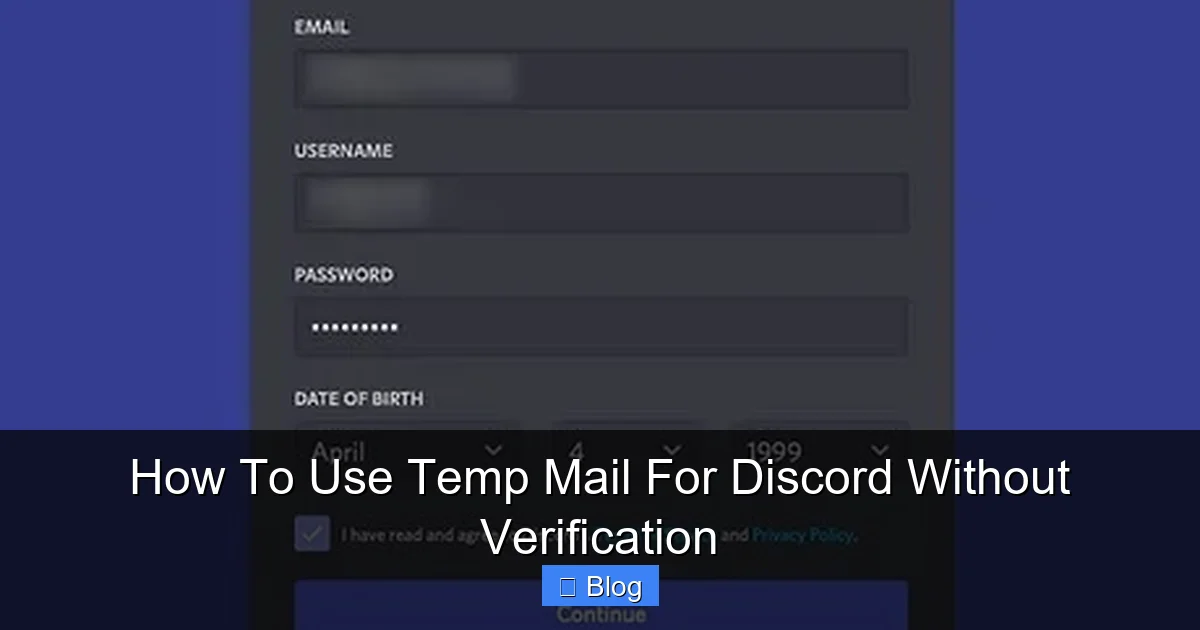
- Open Discord in a new tab and click “Register.”
- Paste the temp email into Discord’s email field.
- Fill in your username, password, and birthday.
- Click “Continue”—Discord will send a verification link.
That’s it! The temp mail site will auto-refresh and show the Discord email within 10-30 seconds. Click the verification link inside it, and your account is live.
Handling Verification Emails Like a Pro
Sometimes the email takes longer to arrive. Don’t panic—here’s how to troubleshoot:
- Refresh the temp mail inbox manually if it doesn’t auto-update.
- Check spam folders on the temp mail site (some services have one).
- Try a different temp mail domain if Discord blocks your first address (e.g., switch from @tempmail.io to @10minutemail.com).
- Disable ad blockers—they can interfere with email delivery.
Once verified, immediately set a strong password and enable 2FA on Discord. This protects your account even if the temp mail expires.
Risks and Limitations of Temp Mail on Discord
Temp mail isn’t a magic bullet. Discord’s terms of service technically prohibit disposable emails, and misuse can blow up in your face. Let’s break down the real dangers.
Visual guide about How To Use Temp Mail For Discord Without Verification
Image source: wikihow.com
Account Security Concerns
Your biggest risk? Losing access forever. Temp mail addresses vanish after expiry—usually 10 minutes to 1 hour. If Discord locks your account (e.g., for suspicious activity), you can’t recover it because you can’t access the email. No password reset, no support ticket help. Poof—your account is gone. This is why temp mail is only for throwaway accounts. If you plan to use Discord long-term, switch to a permanent email ASAP after verification.
Potential for Account Suspension
Discord’s algorithms detect temp mail patterns. If they see 50 accounts from “@tempmail.io” joining the same server in 5 minutes, they’ll flag them as bots. Result? Mass suspensions. I’ve heard horror stories of users losing access to premium Nitro accounts or years of chat history because they used temp mail. Worse, some temp mail services get blacklisted entirely—Discord blocks all emails from that domain. Always check if your temp mail provider is still “clean” by searching “[Service Name] Discord ban” online.
Limited Account Features
Temp mail accounts often can’t access Discord’s full features:
- No email notifications: You’ll miss important server alerts.
- Restricted server joins: Some communities require verified emails (with a 5-day wait).
- No password recovery: As mentioned—total lockout risk.
- No Nitro gifting: Payment systems require real emails.
Basically, temp mail turns your Discord account into a “guest pass.” It’s fine for lurking in a meme server but useless for serious communities.
Best Practices for Safe Temp Mail Usage
Want to use temp mail without getting banned? These pro tips keep you safe.
Selecting Reputable Temp Mail Providers
Stick to services with strong privacy policies. Avoid anything that:
- Asks for personal info (real temp mail needs zero details).
- Has excessive pop-up ads (a red flag for malware).
- Promises “permanent” disposable emails (impossible).
Top picks: TempMail.org (no ads, GDPR-compliant) and 10MinuteMail (open-source, transparent). Never use temp mail for financial logins—Discord is low-risk enough.
Avoiding Common Pitfalls
New users often make these mistakes:
- Using the same temp mail address repeatedly: Discord tracks IPs. Always generate a fresh address per account.
- Ignoring Discord’s verification rules: Some servers require “verified” emails (5+ days old). Temp mail won’t cut it here.
- Forgetting to enable 2FA: Without it, hackers can hijack your account before the temp mail expires.
- Joining high-risk servers: Avoid NSFW or gambling communities—they trigger Discord’s spam filters faster.
Pro move: After verifying with temp mail, immediately add a real email to your Discord account (Settings > Privacy & Safety > Email). This gives you a backup while keeping your main inbox private.
When to Switch to a Permanent Email
Temp mail is a temporary fix—literally. Switch to a real email when:
- You join a server you’ll stay in for weeks/months.
- You want to use Discord on multiple devices.
- You need email notifications for DMs or mentions.
- You plan to spend money (Nitro, server boosts).
How? In Discord settings, add a new email under “Email.” Verify it (using your real inbox this time), then remove the temp mail address. Done! Your account is now secure and fully functional.
Alternatives to Temp Mail for Discord Verification
Temp mail isn’t your only option. These alternatives offer better security for regular Discord use.
Using Disposable Email Aliases
Services like SimpleLogin or AnonAddy create “aliases”—custom email forwards that mask your real address. For example, you could make “discord@yourdomain.simplelogin.com” that forwards to your inbox. If spammers leak it, you disable the alias without changing your main email. Best part? Aliases are permanent, so you never lose account access. They’re free (or cheap) and Discord-friendly since they look like real emails.
Burner Email Services
Apps like MySudo or Burner Mail generate phone-number-linked emails that last weeks or months—not minutes. They’re pricier ($2-5/month) but ideal for semi-permanent Discord use. Unlike temp mail, burner emails let you recover accounts and receive notifications. Perfect if you manage multiple Discord identities (e.g., one for gaming, one for work).
Privacy-Focused Permanent Emails
For the ultimate balance, use a dedicated email just for Discord. Create a free ProtonMail or Tutanota account—they’re encrypted, ad-free, and separate from your personal life. It takes 2 minutes to set up, and you’ll never worry about spam or bans. Plus, these services let you create unlimited aliases (e.g., “discord.gaming@proton.me”), so you can compartmentalize further.
Conclusion: Temp Mail is a Tool—Not a Solution
Temp mail for Discord is like a Swiss Army knife: incredibly useful in a pinch, but dangerous if misused. It’s perfect for that one-time server join where you just need a link, or when you’re paranoid about email leaks. But for anything beyond that? It’s a ticking time bomb. Discord’s ecosystem thrives on real human connections, and disposable emails undermine that.
My advice? Use temp mail sparingly—only when privacy outweighs permanence. Always pair it with strong passwords and 2FA. And the moment you feel attached to a server, ditch the temp mail for a real email (or a burner alias). That way, you keep the best of both worlds: anonymity when you need it, security when you don’t. Remember, the goal isn’t to game Discord’s system—it’s to enjoy communities without sacrificing your digital safety. So go forth, verify wisely, and may your inboxes stay spam-free.
Frequently Asked Questions
Is using temp mail for Discord safe?
It’s safe for privacy but risky for account security. Temp mail protects your real email from spam and leaks, but if Discord suspends your account, you can’t recover it. Always enable 2FA and switch to a permanent email for important accounts.
Will Discord ban me for using temp mail?
Discord may temporarily lock or ban accounts using temp mail if they detect spammy patterns (e.g., mass sign-ups). Avoid joining high-risk servers and use reputable temp mail services to reduce this risk. Permanent bans are rare for casual use.
Can I recover my Discord account if I used temp mail?
No—temp mail addresses expire quickly, so you can’t access password reset emails. This is why you should immediately add a real email to your account after verification. Without it, lost access is permanent.
Are there better alternatives to temp mail for Discord?
Yes! Disposable email aliases (SimpleLogin) or burner email services (MySudo) offer longer-lasting privacy without the recovery risk. For most users, a dedicated ProtonMail account is the simplest secure solution.
Does Discord allow temp mail addresses?
Technically no—Discord’s terms prohibit disposable emails. However, they don’t actively block all temp mail services. Use them sparingly for low-stakes accounts, but expect potential restrictions on features like server verification.
Can I use temp mail for multiple Discord accounts?
You can, but it’s risky. Discord tracks IP addresses and device fingerprints. Creating too many accounts from the same temp mail service may trigger anti-bot systems. Space out sign-ups and use different temp mail providers to stay under the radar.