Ignoring temporary email retention rules can trigger massive fines and legal nightmares. Businesses must proactively set clear policies for how long emails are kept before deletion. This guide shows you exactly how to implement compliant retention rules and avoid costly penalties.
Key Takeaways
- Legal Requirement: Most businesses face mandatory email retention periods under laws like GDPR, HIPAA, or industry regulations – ignoring them risks severe fines.
- Deletion = Danger: Accidentally deleting emails during litigation or audits can lead to “spoliation” sanctions, including default judgments against you.
- Retention Periods Vary: There’s no universal timeframe; periods depend on email content (e.g., contracts vs. newsletters) and applicable laws (often 3-7 years).
- Policy is Paramount: You need a written, enforced policy detailing *what* emails are kept, *how long*, and *who* manages the process.
- Automation is Essential: Manual retention is error-prone; use email archiving or security platforms with automated retention rules to ensure compliance.
- Regular Review is Crucial: Laws and business needs change; audit and update your retention policy at least annually.
📑 Table of Contents
- The Email Avalanche: Why Your Inbox is a Legal Time Bomb
- What Exactly Are Temporary Email Retention Rules? (It’s Not Just “Keep Everything Forever”)
- The High-Stakes Legal Landscape: Why Retention Rules Are Non-Negotiable
- Crafting Your Winning Temporary Email Retention Policy: A Step-by-Step Guide
- Automating Compliance: Leveraging Technology for Reliable Retention
- Avoiding the Costliest Mistakes: Pitfalls That Trigger Fines
- Conclusion: Turn Email Retention from Risk to Responsibility
The Email Avalanche: Why Your Inbox is a Legal Time Bomb
Let’s be honest: your business email inbox is probably overflowing. Promotional blasts, meeting confirmations, project updates, client queries – it piles up faster than dirty laundry on a Monday morning. Most of us hit “delete” without a second thought, relieved to clear the clutter. But here’s the scary truth lurking in that digital pile: **ignoring temporary email retention rules could cost your business hundreds of thousands, even millions, in fines and legal fees.**
Think of every email you send or receive as a potential piece of evidence. A contract negotiation email? A customer complaint? An internal discussion about a product defect? These aren’t just digital dust bunnies. They are legally significant records. Governments, regulators, and courts increasingly demand access to these communications during investigations, audits, or lawsuits. If you’ve deleted them because you didn’t have clear **temporary email retention rules** in place, you’re not just messy – you’re potentially committing a serious compliance violation. The cost of non-compliance isn’t just a slap on the wrist; it’s a financial wrecking ball aimed squarely at your bottom line. Fines under regulations like GDPR can reach 4% of global annual turnover. HIPAA violations can exceed $1.5 million per year. The risk is real, immediate, and incredibly expensive.
What Exactly Are Temporary Email Retention Rules? (It’s Not Just “Keep Everything Forever”)
So, what are these elusive **temporary email retention rules** everyone’s talking about? Simply put, they are the specific, documented policies dictating *how long* different types of business emails must be preserved *before* they can be securely deleted. It’s the crucial middle ground between hoarding every single “Thanks!” email for decades and recklessly purging vital records the moment they hit your inbox.
Beyond “Keep It All” and “Delete It Now”
The biggest mistake businesses make is falling into one of two traps: the “hoarder” mentality (keeping everything forever, creating massive storage costs and security risks) or the “deletion derby” (purging emails aggressively to save space, risking non-compliance). **Temporary email retention rules** provide the smart, legal middle path. They recognize that not all emails are created equal. A routine internal chat about lunch plans has a very different legal lifespan than an email confirming a major sales contract or documenting a safety incident.
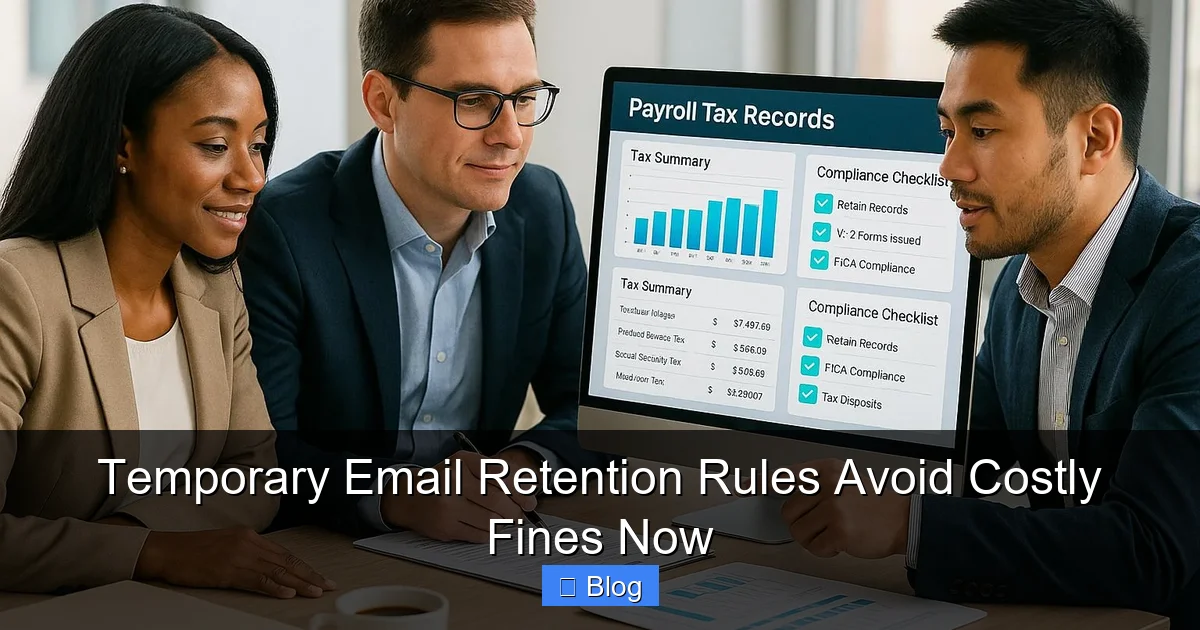
Visual guide about Temporary Email Retention Rules Avoid Costly Fines Now
Image source: assets.seobotai.com
The Core Principle: Retain Only What’s Legally Required (and For the Right Time)
The foundation of effective **temporary email retention rules** is understanding the *legal and business justification* for keeping an email. Why must this specific communication be preserved? Is it:
- Required by law (e.g., tax records, financial transactions, healthcare data)?
- Part of an active or anticipated legal matter (litigation hold)?
- Necessary for business operations (e.g., contract terms, project documentation)?
- Subject to industry-specific regulations (e.g., FINRA for finance, HIPAA for healthcare)?
Once you know *why* an email needs keeping, you determine *how long*. This is the “temporary” part – the defined retention period. After that period expires, and *only* if no legal hold applies, the email can be securely deleted. This isn’t about arbitrary timelines; it’s about aligning your policy with concrete legal obligations and business needs.
The High-Stakes Legal Landscape: Why Retention Rules Are Non-Negotiable
The days of treating email like disposable paper memos are long gone. A complex web of laws and regulations now governs how long businesses must preserve electronic communications, including email. Ignoring these rules isn’t an oversight; it’s a direct path to severe penalties.
Key Regulations Driving Email Retention Requirements
Understanding the specific rules applicable to *your* business is step one. Here’s a snapshot of major frameworks mandating **temporary email retention rules**:
- GDPR (General Data Protection Regulation – EU/UK): While focused on privacy, GDPR requires organizations to retain personal data (which includes email content) *only as long as necessary* for the purpose it was collected. However, it also mandates retention for legal claims (statutes of limitations vary, often 3-6 years). Fines are massive – up to €20 million or 4% of global turnover.
- HIPAA (Health Insurance Portability and Accountability Act – US): Healthcare providers and related entities must retain protected health information (PHI), including emails containing patient data, for *at least 6 years* from the date of creation or last effective date of the record, whichever is later. Violations can exceed $1.5 million annually.
- SEC/FINRA (Financial Industry – US): Broker-dealers and investment advisors face strict recordkeeping rules. Emails related to client communications, transactions, and supervision typically must be retained for *3-6 years*, with some records kept for 7 years or longer. FINRA fines for recordkeeping failures are routine and substantial.
- SOX (Sarbanes-Oxley Act – US): Public companies must retain audit and review workpapers, including related email communications, for *at least 5 years*. Destruction of evidence related to federal investigations can lead to criminal charges.
- State Laws & Industry-Specific Rules: Many US states have their own data retention laws (e.g., California’s CCPA/CPRA), and industries like legal, insurance, and construction have unique requirements. Labor laws often dictate retaining employee communications for specific periods.
The common thread? Regulators expect you to know the rules applicable to you and have a system (your **temporary email retention rules**) to follow them. “I didn’t know” is almost never a valid defense when fines are levied.
The Litigation Landmine: Spoliation and Adverse Inferences
Beyond regulatory fines, the biggest immediate threat often comes from lawsuits. When litigation is reasonably anticipated or filed, a legal duty called a “litigation hold” (or “preservation order”) kicks in. This requires you to *preserve all potentially relevant evidence*, including emails.
If emails covered by a litigation hold are deleted – even accidentally because your general **temporary email retention rules** purged them before the hold was issued – you face “spoliation” sanctions. Courts take this incredibly seriously. Consequences can include:
- Monetary fines against your company.
- Precluding you from using certain evidence at trial.
- Jury instructions telling them to assume the deleted evidence would have been harmful to your case (an “adverse inference”).
- In extreme cases, default judgment against you – meaning you lose the lawsuit automatically.
Having robust, well-communicated **temporary email retention rules** that include a clear litigation hold process is your best defense against these devastating sanctions. It shows the court you took preservation seriously.
Crafting Your Winning Temporary Email Retention Policy: A Step-by-Step Guide
Knowing you need **temporary email retention rules** is one thing. Building an effective, compliant policy is another. This isn’t about copying a template; it’s about creating a living document tailored to your specific legal obligations and business realities.
Step 1: Conduct a Thorough Legal & Business Requirements Audit
This is the critical foundation. Don’t guess – investigate:
- Consult Your Legal Counsel: They are your best resource for identifying *all* applicable federal, state, and industry-specific retention requirements relevant to your operations. Ask specifically about statutes of limitations for contracts, employment disputes, tax audits, etc.
- Map Business Processes: Identify key areas generating critical emails: Sales (contracts, quotes), Finance (invoices, payments), HR (hiring, performance reviews, terminations), Customer Support (complaints, resolutions), Product Development (specs, bug reports), Compliance (audit trails).
- Categorize Email Types: Group emails by their nature and associated retention needs. Examples:
- High-Risk/Long Retention (7+ years): Signed contracts, financial transaction records, tax-related communications, employee personnel files (post-termination), litigation-related emails, certain healthcare records (HIPAA).
- Medium-Risk/Standard Retention (3-7 years): General business correspondence, project documentation, customer service interactions (post-resolution), most internal operational emails, marketing campaign data.
- Low-Risk/Short Retention (30-365 days): Routine internal announcements (non-policy), meeting invites/notes (if not critical project docs), promotional newsletters, spam/trash.
This audit reveals the *why* and *how long* for your **temporary email retention rules**. A one-size-fits-all period (like “keep everything 5 years”) is almost always non-compliant.
Step 2: Define Clear Retention Periods and Triggers
Based on your audit, establish specific timeframes for each email category. Be precise:
- Start Date: When does the retention clock begin? Common triggers: Date sent/received, date of contract signing, date of employee termination, date of customer interaction resolution, date of fiscal year-end.
- Duration: The exact period (e.g., “7 years from date of contract execution,” “6 years from date of last patient interaction,” “3 years from date of invoice payment”).
- End Date & Action: What happens when the period expires? “Securely delete,” “Archive to cold storage,” “Review for potential legal hold.” Define “secure deletion” (e.g., permanent purge, not just moving to trash).
Example: *”Emails containing signed sales contracts must be retained for 7 years from the date of contract expiration or termination. Retention begins on the date the signed contract is received via email. After 7 years, these emails must be securely purged from all systems, unless subject to an active litigation hold.”
Avoid vague terms like “as long as necessary.” Specificity is key for enforceability and demonstrating good faith to regulators.
Step 3: Build in the Litigation Hold Safeguard
Your **temporary email retention rules** are useless if they override a legal duty to preserve. A robust litigation hold process is non-negotiable:
- Clear Trigger: Define what constitutes “reasonably anticipated litigation” (e.g., receipt of a lawsuit, a formal demand letter, a credible threat of suit from counsel).
- Immediate Action: Outline steps: Notify IT/Compliance immediately, suspend *all* automated deletion rules for potentially relevant custodians/data, issue formal hold notices to employees.
- Scope Definition: Specify how to identify relevant custodians (people) and data (keywords, date ranges, matter types).
- Ongoing Management: Assign responsibility for monitoring the hold, communicating updates, and ensuring compliance until the hold is formally released.
- Release Protocol: Define the process for securely resuming normal retention rules *only* after the hold is officially lifted and all relevant data is preserved.
This process must be documented, trained on, and tested. It’s your shield against spoliation claims.
Step 4: Assign Roles, Responsibilities, and Communication
A policy is just paper without ownership and awareness:
- Ownership: Designate a clear owner (e.g., Compliance Officer, Legal Counsel, IT Security Lead) responsible for policy creation, maintenance, and oversight.
- IT/Email Admin Role: Define exactly what IT needs to do: Configure retention rules in the email system/archiver, manage litigation holds, ensure secure deletion, provide audit logs.
- Employee Responsibilities: Employees must understand: What emails they send/receive are business records, their duty to preserve during holds, how to identify potentially sensitive emails, and where to find the policy. *This is where most failures happen.*
- Communication & Training: Roll out the policy with mandatory training. Explain *why* it matters (fines, lawsuits), *what* they need to do (basic awareness, hold procedures), and *where* to get help. Repeat training annually and when policies change. Make the policy easily accessible (intranet, employee handbook).
Silence is compliance failure. Everyone involved needs to know their part in the **temporary email retention rules** process.
Automating Compliance: Leveraging Technology for Reliable Retention
Trying to manage **temporary email retention rules** manually across hundreds or thousands of employees is a recipe for disaster. Human error, inconsistent application, and the sheer volume of email make automation not just helpful, but essential for reliable compliance.
Why Manual Retention Fails (and Fails Costly)
Relying on employees to manually sort, tag, and delete emails based on complex retention rules is unrealistic:
- Inconsistent Application: One employee keeps contract emails for 5 years, another for 2. Critical records get deleted prematurely.
- Human Error: Accidental deletion of emails under litigation hold is common, especially during high-stress periods.
- Lack of Audit Trail: Proving *when* and *how* an email was deleted (or preserved) is nearly impossible manually, destroying your defense in disputes.
- Scalability Issues: As your business grows, manual processes become utterly unmanageable.
- Missed Legal Holds: Employees often don’t recognize when a hold applies or know the procedure.
The cost of these failures – fines, sanctions, lost lawsuits – far outweighs the investment in automation.
Key Features of Effective Email Retention & Archiving Solutions
Modern email security and archiving platforms are built to enforce **temporary email retention rules** reliably. Look for these capabilities:
- Granular Policy Engine: Ability to create complex rules based on sender, recipient, subject keywords, date ranges, folder location, and custom metadata (e.g., “Contract,” “HR,” “Patient Record”). Apply different retention periods to different categories.
- Automated Retention & Deletion: System automatically applies retention periods and securely deletes emails *only* after the defined period expires *and* no litigation hold is active. No manual intervention needed.
- Integrated Litigation Hold Management: One-click hold activation that instantly suspends deletion rules for specified custodians/data. Centralized dashboard to manage active holds, track compliance, and generate hold reports.
- Immutable Storage & Audit Logs: Emails are stored in a tamper-proof archive. Comprehensive, immutable logs record every action: when an email was received, when retention started, when deletion occurred (or was blocked by a hold), who accessed it. This is your proof of compliance.
- eDiscovery Capabilities: Fast, efficient search and export of emails for legal requests or internal investigations, often with redaction tools.
- Secure Deletion Verification: Confirmation that deleted emails are permanently erased from all systems, not just moved to a recycle bin.
Platforms like Microsoft Purview (part of M365), Google Vault (for Workspace), Mimecast, Proofpoint, and specialized archiving vendors (e.g., Smarsh, Global Relay) offer these features. Choosing the right tool depends on your email platform, size, industry, and budget, but automation is the cornerstone of sustainable compliance.
Implementing Automation: Best Practices
Simply buying a tool isn’t enough. Implement it correctly:
- Map Policies to the Tool: Work with IT and the vendor to precisely configure the retention rules defined in your policy within the platform. Test thoroughly.
- Phased Rollout: Start with critical high-risk categories (e.g., finance, HR) before expanding to all email.
- Employee Communication: Explain *what* the tool does (automates retention/deletion based on policy) and *what it doesn’t do* (it doesn’t read your personal emails; it enforces business rules). Address privacy concerns transparently.
- Regular Audits: Periodically check that the tool is applying rules correctly, holds are functioning, and deletion is happening as scheduled. Review audit logs.
- Integrate with Legal Hold Process: Ensure the tool is the central mechanism for activating and managing holds.
Automation transforms **temporary email retention rules** from a theoretical policy into a consistently enforced reality.
Avoiding the Costliest Mistakes: Pitfalls That Trigger Fines
Even with the best intentions, missteps in implementing **temporary email retention rules** can lead straight to regulatory wrath or courtroom defeat. Knowing the common traps is half the battle.
Mistake #1: Having No Policy (The “We’ll Figure It Out Later” Approach)
This is the most fundamental and dangerous error. Regulators and courts expect you to have a documented, reasonable policy. Operating without one is seen as willful negligence. “We didn’t have a policy” is not a defense when your deleted emails are needed for an audit or lawsuit. The fine or sanction will be significantly harsher. **Action:** Draft and implement a policy *now*, even if it’s basic. Refine it over time.
Mistake #2: A Policy That’s Too Vague or Generic
A policy stating “keep business emails for 5 years” is almost certainly non-compliant. It ignores the critical variation in retention requirements based on email content and applicable laws. A generic policy demonstrates a lack of due diligence. **Action:** Conduct the legal/business audit (Step 1 above). Define specific categories with specific retention periods and triggers. Tailor it to *your* business.
Mistake #3: Ignoring the Litigation Hold Process
Failing to have a clear, practiced litigation hold procedure is a direct path to spoliation sanctions. Automated deletion systems *must* be suspended the moment a hold is triggered. Relying on employees to “just not delete” relevant emails is unreliable. **Action:** Build a detailed litigation hold protocol into your policy. Train managers and key staff. Ensure your email system can instantly suspend deletion rules.
Mistake #4: Poor Employee Training and Communication
Employees are your first line of defense (and potential failure point). If they don’t understand what constitutes a business record, why retention matters, or how to respond to a litigation hold, your policy fails. **Action:** Implement mandatory, role-specific training. Use real examples. Make the policy easy to find. Reinforce the message regularly. Explain the *consequences* of non-compliance (fines, job risk).
Mistake #5: Relying Solely on Native Email Client Features (Outlook/ Gmail Retention)
While Outlook and Gmail have basic retention tags, they are often insufficient for robust compliance:
- Lack granular policy control based on complex criteria.
- Deletion often only moves to “Recoverable Items,” not true secure purge.
- Litigation hold management is rudimentary or non-existent.
- Audit trails are limited.
- Employees can easily bypass or misconfigure settings.
**Action:** For any business subject to significant regulation (which is most), invest in a dedicated email archiving or security platform with enterprise-grade retention and hold capabilities. Native features are a starting point, not the solution.
Mistake #6: Never Reviewing or Updating the Policy
Laws change. Businesses evolve. New risks emerge (e.g., new regulations, major litigation trends). A policy frozen in time becomes outdated and non-compliant. **Action:** Schedule an annual policy review with Legal and IT. Trigger reviews immediately after significant legal changes, major business events (acquisitions, new product lines), or after any compliance incident.
Conclusion: Turn Email Retention from Risk to Responsibility
Let’s face it: managing email retention isn’t the most glamorous part of running a business. It lacks the buzz of a new product launch or a big sales win. But the consequences of getting it wrong are undeniably glamorous – in the worst possible way. Those “costly fines” mentioned in the title aren’t hypothetical scare tactics; they are daily realities for businesses that treat **temporary email retention rules** as an afterthought.
The good news? Implementing effective retention rules isn’t about complex bureaucracy or stifling productivity. It’s about smart risk management. It’s about having the confidence that when a regulator knocks or a lawsuit lands, you can demonstrate you took reasonable steps to preserve evidence. It’s about avoiding the devastating financial and reputational damage that comes from spoliation sanctions or regulatory penalties. It’s about turning a potential legal landmine into a simple, automated business process.
Start by understanding your specific obligations. Audit your legal requirements and business needs. Craft a clear, specific policy with defined retention periods for different email types. Build in a rock-solid litigation hold process. Most importantly, leverage technology to automate enforcement – this is where true reliability and scalability lie. Train your team, communicate the “why,” and commit to regular reviews.
Don’t wait for a fine notice or a court sanction to force your hand. The time to establish and refine your **temporary email retention rules** is now. It’s not just about avoiding costly penalties; it’s about building a foundation of compliance and responsibility that protects your business every single day. Take control of your email lifecycle – your future self (and your bank account) will thank you.
Frequently Asked Questions
What exactly is a “temporary email retention rule”?
A temporary email retention rule is a specific policy defining how long a particular type of business email must be preserved before it can be securely deleted. It’s “temporary” because the retention period has a defined end date based on legal or business requirements, not forever. These rules ensure you keep emails only as long as necessary and legally mandated.
How long should I keep business emails?
There is no single answer. Retention periods vary significantly: Financial/contract emails often need 7+ years, HR records 3-7 years post-employment, routine operational emails 1-3 years, and spam/promotions may be deleted in 30-90 days. You must determine periods based on specific laws (GDPR, HIPAA, SEC rules) and business needs for *each email category*.
What happens if I accidentally delete an email under a litigation hold?
This is called “spoliation” and is treated very seriously by courts. Consequences can include monetary fines, being barred from using certain evidence, jury instructions assuming the deleted email would have hurt your case, or even losing the lawsuit outright (default judgment). Having automated retention rules that suspend during holds is critical to prevent this.
Do I need special software for email retention rules?
For most regulated businesses, yes. Native email client features (like Outlook retention tags) are often insufficient for complex policies, secure deletion, litigation hold management, and robust audit trails. Dedicated email archiving or security platforms (e.g., Mimecast, Proofpoint, Microsoft Purview) provide the automation and compliance features necessary to reliably enforce retention rules.
Can I just keep all emails forever to be safe?
No, this creates significant problems. It vastly increases storage costs, complicates eDiscovery (making searches slower and more expensive), heightens data breach risks (more data to expose), and can actually *harm* you legally. Regulations like GDPR require you to delete personal data when no longer necessary – keeping everything forever can itself be a violation.
Who is responsible for enforcing email retention rules in my company?
Ultimate accountability typically lies with senior management and the Board. However, day-to-day responsibility is usually shared: Legal/Compliance defines the policy requirements, IT/Email Admins configure and manage the technical systems, and *all employees* have a duty to understand the policy, preserve emails during litigation holds, and follow procedures. Clear role definitions in the policy are essential.