Temporary email expiration policies automatically delete disposable addresses after set periods, often without warning. This can lock you out of services you signed up for using these emails. Understanding these rules is crucial to prevent lost access and protect your privacy in the digital world.
Key Takeaways
- Expiration is automatic: Temporary emails vanish based on provider rules, not your usage. You rarely get a heads-up.
- Timeframes vary wildly: Expiration can be minutes (10-60), hours (1-24), or days (7-30). Always check your provider’s policy.
- Lost access is the main risk: If your email expires, you can’t reset passwords or verify accounts signed up with it. Your access is gone.
- Security & spam drive policies: Providers expire emails to stop abuse, reduce spam, and keep their systems clean and secure.
- You usually can’t extend it: Most services don’t let you renew or recover an expired temporary address. Plan accordingly.
- Check provider details first: Never assume expiration time. Always read the fine print before using a temporary email for anything important.
- Use wisely for low-risk tasks: Reserve temporary emails for one-off sign-ups (newsletters, forums) – never for banking, email, or critical accounts.
📑 Table of Contents
- Why Your “Disposable” Email Might Disappear (And Why It Matters)
- What Exactly is a Temporary Email Expiration Policy?
- Decoding the Clock: Common Expiration Timeframes Explained
- The Real Cost of Ignoring Expiration: What Happens When Your Temp Email Vanishes?
- Mastering the Clock: Practical Tips to Navigate Expiration Policies
- The Future of Temporary Emails: Will Expiration Policies Change?
- Conclusion: Expiration Isn’t the Enemy – Ignorance Is
Why Your “Disposable” Email Might Disappear (And Why It Matters)
You’ve probably used a temporary email address. Maybe you signed up for a free trial, downloaded an ebook, or joined a forum without wanting to share your real inbox. You typed in something like “quick123@tempmail.com” and moved on. Easy, right? But here’s the catch: that email address likely has a ticking clock. Understanding the temporary email expiration policy is the single most important thing you need to know before using one of these services. Ignoring it can lead to frustrating lockouts and potential security headaches.
Imagine this: You use a temporary email to sign up for a new fitness app. It works great for a week. Then, you forget your password. You click “Forgot Password,” expecting the reset link to hit your inbox. But… nothing arrives. You check the temporary email service again. Poof! Your address is gone. Expired. Deleted. Your access to the fitness app? Gone forever. This isn’t a glitch; it’s the core function of the temporary email expiration policy. These policies aren’t just technical details buried in terms of service – they fundamentally shape how you can (and cannot) use disposable emails. Getting locked out isn’t just annoying; it can mean losing access to valuable content, services, or even proof of transactions. The good news? Knowing the rules upfront saves you massive headaches.
What Exactly is a Temporary Email Expiration Policy?
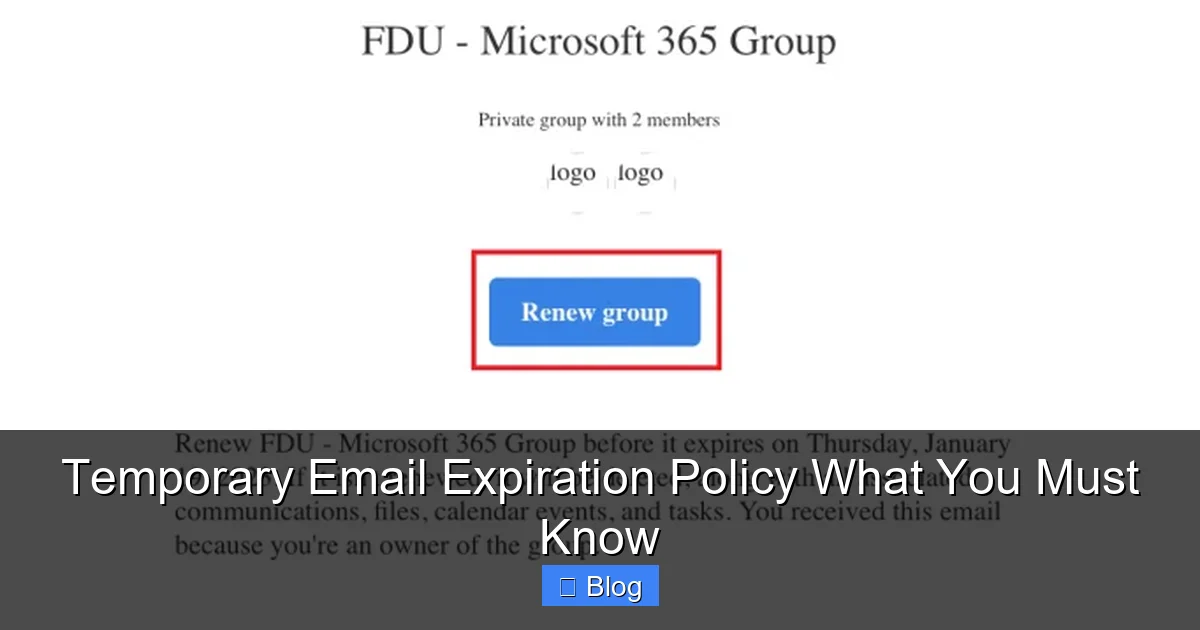
At its heart, a temporary email expiration policy is the set of rules a disposable email service uses to determine when and how an email address it created for you will stop working and be permanently deleted. Think of it as the built-in self-destruct mechanism for your disposable inbox. Unlike your permanent Gmail or Outlook account, which you control indefinitely, temporary emails are designed to be, well, temporary. The expiration policy defines the lifespan of that address.
Visual guide about Temporary Email Expiration Policy What You Must Know
Image source: it.fdu.edu
The Core Mechanics: How Expiration Actually Works
When you generate a temporary email address (often with a single click), the service creates a unique inbox linked to that address on their server. The expiration policy kicks in immediately, starting a countdown. This countdown is usually based on one of two main triggers:
- Time-Based Expiration: This is the most common type. The address expires after a fixed period, regardless of whether you use it or not. Examples include 10 minutes, 1 hour, 24 hours, 7 days, or 30 days. The clock starts ticking the moment the address is created.
- Activity-Based Expiration: Less common, but some services expire the address after a certain period of inactivity (e.g., no emails received or accessed for 48 hours) or after a specific number of emails are received (e.g., after 5 messages). However, pure time-based expiration dominates the market.
Crucially, expiration is almost always automatic and irreversible. Once the timer runs out or the activity threshold is met, the address is typically purged from the system. Any emails sent to it after expiration will bounce back to the sender as undeliverable. Your access to view those emails? Gone. There’s usually no “undo” button or customer support to recover it. This is a fundamental aspect of the temporary email expiration policy you must accept.
Why Do Providers Implement These Policies? (It’s Not Personal!)
You might wonder, “Why can’t they just let the email exist forever?” The reasons are practical and tied to the very purpose of these services:
- Combating Spam and Abuse: This is the #1 driver. Without expiration, temporary email addresses become permanent spam traps. Spammers would flock to them, using them to sign up for thousands of services, verify fake accounts, and send malicious links. Expiration drastically reduces the window for abuse, making these services less attractive to bad actors and helping keep the wider internet cleaner.
- Resource Management: Running email servers costs money (storage, bandwidth, processing power). Millions of permanent, unused temporary inboxes would quickly overwhelm a free service. Expiration ensures server resources are used efficiently for active, short-term needs.
- Preventing Email Verification Loops: Many services require email verification to activate an account. If temporary emails lasted forever, users could create endless fake accounts for fraud or manipulation. Expiration forces a degree of accountability – if you want long-term access, use a real email.
- Maintaining Service Quality: A bloated system full of dead addresses slows down performance for everyone. Expiration keeps the service fast and reliable for legitimate users needing quick, disposable inboxes.
- Compliance and Security: While not always the primary reason, having a clear expiration policy helps providers manage data retention in line with evolving privacy regulations, reducing their liability for storing unnecessary user data.
Understanding these motivations helps frame the temporary email expiration policy not as a limitation, but as a necessary feature for the service to function at all. It’s a trade-off: extreme convenience for short-term use in exchange for a finite lifespan.
Decoding the Clock: Common Expiration Timeframes Explained
Here’s the tricky part: there is no universal standard for how long a temporary email lasts. The expiration timeframe is entirely at the discretion of the individual service provider. This is why knowing the specific temporary email expiration policy of the service you’re using is non-negotiable. Let’s break down the most common timeframes you’ll encounter:
The Ultra-Short Lifespan: Minutes (10-60 Minutes)
Services like TempMail.org or 10MinuteMail.com (as the name suggests) often operate in this range. Why so short?
- Use Case: Perfect for one-off verifications where you need an email *right now* and won’t need it again. Think signing up for a single download, verifying a social media account just to browse, or accessing a limited-time offer.
- Pros: Maximizes security against abuse. Minimizes server load. Very effective at stopping spammers who need longer access.
- Cons: Extremely risky for anything requiring follow-up. If the verification email takes 5 minutes to arrive (common with some services), you might already be locked out! Never use these for anything where you might need to reset a password later.
- Real-World Example: You find a coupon code on a forum that requires email sign-up. You use a 15-minute temp email. You get the code instantly and use it. Done. If you tried to go back to the forum a week later and forgot your password? Your temp email is long gone, and so is your forum access.
The “Workday” Window: Hours (1-24 Hours)
This is a very popular middle ground used by services like Guerrilla Mail (offers 60 minutes by default, extendable) or Mail.tm (often 24 hours). It strikes a balance between usability and security.
- Use Case: Ideal for signing up for services where you might need to check the email once or twice within a day, but don’t plan long-term use. Examples include accessing a free webinar replay, downloading a resource that requires email, or testing a new app’s sign-up flow.
- Pros: Gives enough time for most verification emails to arrive and for you to act. Still significantly reduces spam potential compared to longer timeframes.
- Cons: Still too short for anything requiring ongoing access. If you sign up for a free trial that lasts 7 days, you’ll be locked out after 24 hours when your temp email expires.
- Real-World Example: You sign up for a free project management tool trial using a 24-hour temp email. You get the welcome email and start exploring. Two days later, you want to invite a teammate. You need to verify your email again? Too late – your temp address expired after 24 hours, and you can’t receive the new verification link.
The “Weekender” Option: Days (7-30 Days)
Some services, like certain features of TempMail.app or EmailOnDeck, offer longer durations, sometimes up to a month. These are less common for pure free services due to the resource and abuse risks.
- Use Case: Suitable for slightly longer engagements where you might need intermittent access over a week or two. Examples could include participating in a multi-day online course that sends daily updates, accessing a limited-time beta program, or managing a short-term project collaboration.
- Pros: Provides more flexibility for slightly longer tasks. Reduces the immediate panic of a short timer.
- Cons: Still not permanent. High risk of forgetting the expiration date. Significantly increases the service’s attractiveness to spammers, which is why many providers avoid this timeframe for free tiers. Often requires a paid subscription for longer durations.
- Real-World Example: You use a 7-day temp email to sign up for a niche newsletter you’re curious about. You receive the first few issues. On day 6, you decide you like it and want to subscribe properly. But when you try to click a link in the newsletter to upgrade, your temp email expires the next day, and you lose access to that link.
The Critical Takeaway on Timeframes
Never assume the expiration time. Always, always, check the provider’s website or FAQ *before* generating an address. Look for phrases like “expires in,” “lifetime,” “valid for,” or “how long does it last.” The temporary email expiration policy is the first thing you should investigate. If it’s not clearly stated, assume the shortest possible timeframe (10-60 minutes) and proceed with extreme caution. Relying on guesswork is a surefire path to getting locked out.
The Real Cost of Ignoring Expiration: What Happens When Your Temp Email Vanishes?
It’s easy to dismiss expiration as a minor inconvenience. “I’ll just generate a new one if I need it,” you might think. But the reality is often much more disruptive. The consequences of an expired temporary email address can range from mildly annoying to completely blocking access to something important. Understanding these risks is key to using temporary emails wisely.
The Password Reset Nightmare (The Most Common Pain Point)
This is the scenario that trips up countless users. You sign up for a service (a forum, a game, a SaaS tool) using a temporary email because you don’t want to use your main inbox. Everything works fine… until you forget your password. You click “Forgot Password.” The system dutifully sends a reset link to the email address you provided – your temporary one. But if that address has expired:
- The reset link bounces back to the service as undeliverable.
- You have no way to receive the link.
- You cannot reset your password.
- Your account is effectively orphaned and inaccessible, forever.
This isn’t theoretical. It happens daily. The temporary email expiration policy directly causes this lockout. There is usually no alternative recovery method tied to that account because the only verified contact point (the temp email) is gone. Your data, progress, or access is lost. This is why using temporary emails for *any* account where you might need future access (which is almost everything beyond a one-time download) is a dangerous gamble.
Losing Access to Time-Sensitive Content or Offers
Many services send critical information or limited-time opportunities via email:
- Verification Links: Beyond initial sign-up, some services require re-verification for security (e.g., logging in from a new device). An expired temp email blocks this.
- Download Links: Free ebooks, software trials, or resource packs often send the download link via email. If your temp email expires before you check it, the link might be invalid or you simply can’t access it.
- Event Access: Webinar confirmations, meeting links (Zoom, Teams), or conference access codes are frequently emailed. Miss the email window due to expiration, and you miss the event.
- Exclusive Offers: “First-time user discount” codes or limited-time promotions sent via email vanish with the address.
Imagine signing up for a free masterclass. The confirmation email with the Zoom link arrives 30 minutes later. But you used a 15-minute temp email. Expired. No link. No class. The temporary email expiration policy just cost you that opportunity.
The Illusion of Security (A Hidden Risk)
Using a temporary email can feel like a privacy win – you’re not giving away your real address. But expiration introduces a different security quirk:
- Data Trapped, Then Deleted: Any sensitive information sent to the temp email (like a password reset link, personal data from a form, or even just your name) exists on the provider’s server until expiration. While reputable providers delete it promptly after expiry, there’s always a window where that data resides externally.
- No Long-Term Audit Trail: If you *do* use a temp email for something semi-important and need to reference an email later (e.g., proof of sign-up terms), you lose that record when it expires. Your main email provides a searchable history; temp emails do not.
- Phishing Confusion: If a service you signed up for with a temp email gets hacked and your temp address is leaked, spammers might target it. But since it’s expired, those phishing attempts bounce. While this protects your *real* inbox, it doesn’t mitigate the initial data exposure risk during the temp email’s lifespan.
The temporary email expiration policy ensures data doesn’t linger indefinitely, which is good. However, it also means you have zero control over or access to that data once the clock runs out, which can be problematic if you later realize you needed it.
The “But I Can Just Make a New One!” Fallacy
This is the most common misconception. Generating a *new* temporary email address is easy. But it’s useless for recovering an *existing* account. Here’s why:
- Accounts are tied to the *specific* email address used at sign-up. Creating a new “quick123@tempmail.com” doesn’t magically link to the old “quick123@tempmail.com” account. They are completely separate.
- Services don’t recognize “you” by your temp email username. They only recognize the exact email string used during registration.
- There’s no central registry or linking mechanism. Temp email services don’t track which user generated which address; they’re anonymous by design.
So, if your old temp email expires and you’re locked out of an account, generating a brand new one does absolutely nothing to regain access to that specific account. You’d have to start over completely, if the service even allows it (some block known temp email domains).
Mastering the Clock: Practical Tips to Navigate Expiration Policies
Knowing the risks is half the battle. The other half is developing smart habits to work *with* the temporary email expiration policy, not against it. Here’s how to use disposable emails effectively while minimizing the chance of getting burned:
Tip #1: Treat Every Temp Email Like It Expires in 10 Minutes (Even If It Doesn’t)
This is the golden rule. Adopt a mindset of extreme urgency. The moment you generate the address:
- Complete the sign-up IMMEDIATELY. Don’t browse the web, don’t check your main email, don’t get distracted. Go straight to the service you need the email for and enter the temp address.
- Refresh the temp email inbox constantly. Don’t wait. Check for the verification email *as you’re signing up*. Many services send it within seconds, but some take minutes. Refresh every 15-30 seconds until it arrives.
- Act on the email the moment it lands. Click verification links, download resources, or complete the process *right then*. Don’t say “I’ll do it later.” “Later” might be after expiration.
By operating under the assumption of a very short lifespan, you’ll be prepared even if the actual temporary email expiration policy allows more time. This habit alone prevents 90% of lockout scenarios.
Tip #2: Ruthlessly Audit What You Use Temp Emails For (The Critical Filter)
Not all sign-ups are created equal. Implement a strict filter before generating a temp email:
- ✅ DO Use For: One-time downloads (ebooks, templates), newsletter sign-ups you’ll likely unsubscribe from immediately, forum registrations for *reading only* (not posting), accessing limited-time content (a single article behind a paywall), testing sign-up flows, any service where you have zero intention of ever logging in again or needing password reset.
- ❌ ABSOLUTELY DO NOT Use For: Banking, financial services, email accounts (Gmail, Outlook), social media (Facebook, Instagram, Twitter/X), cloud storage (Google Drive, Dropbox), e-commerce accounts (Amazon, eBay), government services, healthcare portals, any account holding valuable data (photos, documents), or any service where you might need to reset a password, update billing, or access historical data later.
Ask yourself: “If I lose access to this account tomorrow, will it cause significant problems, cost me money, or expose sensitive data?” If the answer is *anything* other than a firm “no,” use your real email. The temporary email expiration policy makes recovery impossible for these critical accounts.
Tip #3: Become a Provider Policy Detective (Before You Click “Generate”)
Don’t be lazy. Spend 30 seconds investigating:
- Check the Provider’s Website: Look for “FAQ,” “How It Works,” “Terms of Service,” or “Privacy Policy” sections. Search for “expire,” “lifetime,” “duration,” or “valid.”
- Look for On-Screen Clues: Many services display the expiration time prominently *after* you generate the address (e.g., “This email expires in 60 minutes”). Note it down!
- Test with a Low-Stakes Sign-up: If unsure, use the temp email for something trivial first (like signing up for a low-importance newsletter) and see how long it lasts before expiring. Observe the process.
- Beware of “Unlimited” Claims: Be highly skeptical of services promising emails that never expire. They are prime targets for abuse and often have hidden limitations or quickly change policies. True “unlimited” free temp email is rare and risky.
Knowing the specific temporary email expiration policy upfront lets you plan. If it’s only 15 minutes, you know you need to act lightning-fast. If it’s 24 hours, you have a tiny bit more breathing room, but still shouldn’t delay.
Tip #4: Leverage Forwarding (When Available and Appropriate)
Some temporary email services offer a forwarding feature. This allows you to automatically send any incoming mail from the temp address to your *real*, permanent email inbox.
- How it Helps: Even if the temp address expires, the forwarded emails remain safely in your main inbox. You retain access to verification links, download URLs, or important messages long after the temp address is gone.
- Crucial Caveats:
- Not all providers offer forwarding (many free ones don’t).
- Forwarding might be a paid feature.
- Only use this for low-risk sign-ups. Forwarding means the temp email provider (and potentially your main email provider) sees the content. Avoid forwarding anything sensitive.
- Ensure the forwarding is set up *before* you sign up for the service, so the first verification email gets forwarded.
- Best Use Case: Signing up for a newsletter you *might* want to keep for a while, but don’t want cluttering your main inbox. The initial sign-up confirmation forwards to you, and you can unsubscribe later from your real email.
Forwarding is a powerful tool to mitigate the impact of the temporary email expiration policy, but it’s not a silver bullet and comes with its own considerations.
Tip #5: Embrace the “Burner” Mentality (No Sentimentality!)
Temporary emails are digital burner phones. Their entire purpose is short-term, disposable use. Cultivate this mindset:
- Don’t get attached: That clever username you generated? It’s gone soon. Don’t waste time customizing it for longevity.
- Assume immediate deletion: After you’ve gotten what you needed from the email (the verification link, the download), mentally delete the address. Don’t expect to use it again.
- No long-term planning: Never structure a workflow or project around the assumption that a specific temp email will be available next week. It won’t be.
Accepting the inherent impermanence defined by the temporary email expiration policy reduces frustration. Use it for the immediate task, extract the value, and let it go. Trying to force a temporary solution into a permanent role is where problems start.
The Future of Temporary Emails: Will Expiration Policies Change?
The landscape of temporary email services is constantly evolving, driven by the ongoing battle between user convenience and security/spam prevention. While the core concept of expiration is likely here to stay, we might see some shifts:
Increased Sophistication in Abuse Detection
Providers are getting smarter. Instead of just rigid time-based expiration, future policies might incorporate:
- Behavioral Analysis: Expiration triggered by suspicious activity patterns (e.g., receiving hundreds of emails in minutes, rapid sign-ups to multiple services).
- Reputation Scoring: Addresses used for legitimate sign-ups (detected via interaction) might get slightly longer lifespans, while those showing spam traits expire faster.
- Dynamic Timeframes: Expiration time adjusting based on the perceived risk of the service you’re signing up for (e.g., shorter for financial services, longer for a blog comment).
However, the fundamental need for expiration to combat abuse means the temporary email expiration policy won’t disappear. It might just become more nuanced.
The Rise of “Semi-Temporary” and Paid Tiers
To cater to users needing slightly longer access without the full spam risk of permanent addresses, we might see:
- Extended Free Tiers: More services offering 24-72 hour windows as standard, balancing usability and security.
- Premium Long-Duration Options: Paid subscriptions specifically for temporary emails lasting weeks or months, with enhanced features like forwarding, custom domains, or higher storage. This monetizes the need for slightly longer lifespans while keeping the free tier short and secure.
- Ephemeral Addresses for Specific Tasks: Services generating addresses valid *only* for a single transaction (e.g., one verification link), expiring immediately after use.
These models acknowledge user needs but still operate within the framework of controlled expiration. The core principle – disposable addresses shouldn’t be permanent – remains.
Integration with Privacy-Focused Ecosystems
As privacy concerns grow, temporary email services might integrate more tightly with:
- Password Managers: Auto-generating and storing temp emails directly within your password vault, with clear expiration reminders.
- Privacy Browsers/Extensions: Built-in temp email generation with policy transparency.
- Decentralized Identity Systems: Future systems might offer verifiable, short-lived credentials that reduce the *need* for email verification altogether, potentially diminishing the role of traditional temp emails (though this is likely years away).
Even in these scenarios, the concept of limited lifespan for disposable identifiers is probable. The temporary email expiration policy might evolve in form, but the underlying need for controlled data retention and abuse prevention ensures some version of expiration will persist.
Conclusion: Expiration Isn’t the Enemy – Ignorance Is
Let’s be clear: the temporary email expiration policy isn’t some malicious trick designed to frustrate you. It’s the essential lifeblood of these services, enabling them to exist as free, accessible tools for privacy-conscious users like yourself. Without expiration, the spam and abuse would be overwhelming, and the services would collapse under their own weight or become unusable for everyone.
The real problem isn’t the policy itself; it’s using temporary emails without understanding or respecting that policy. Getting locked out of an account because you assumed a 24-hour email would last a week is avoidable. Losing access to a critical download link because you didn’t check the inbox immediately is preventable. The power lies in your awareness. By treating every temp email as critically short-lived, rigorously filtering what you use them for, and always checking the provider’s specific rules, you turn a potential pitfall into a powerful privacy tool.
So, the next time you reach for a temporary email, pause for 10 seconds. Ask: “How long does this *actually* last?” and “Can I afford to lose access to this account forever?” If the answer to the second question is “no,” use your real email. If it’s “yes,” proceed with urgency, act immediately, and embrace the burn. Master the temporary email expiration policy, and you master the safe, effective use of disposable emails. Your inbox – and your peace of mind – will thank you.
Frequently Asked Questions
Can I extend the expiration time of my temporary email?
Almost always, no. The expiration is automated based on the provider’s policy and cannot be manually extended by the user. Some services might offer a one-time “renew” button for a short period (e.g., adding 30 minutes), but this is rare and not guaranteed. Plan your actions within the initial timeframe.
What happens to the emails sent to my expired temporary address?
Once expired, any new emails sent to that address will bounce back to the sender as undeliverable. The emails that were received *before* expiration are typically deleted along with the address itself. You lose all access to the inbox content permanently.
Is using a temporary email for signing up to services safe?
It’s safe for low-risk, one-time interactions where you don’t need future access (like downloading a free guide). However, it’s **not safe** for important accounts (banking, email, social media) because you risk permanent lockout due to the expiration policy. Always prioritize your real email for critical services.
Why do some temporary email services have different expiration times?
Expiration times are set by each provider based on their security needs, server capacity, and target user base. Services aiming for maximum spam prevention use shorter times (minutes), while those targeting slightly longer usability might offer hours or days. Always check the specific policy.
Can I recover an account if my temporary email expired?
Generally, no. Since the temporary email was the only verified contact method, and it’s permanently deleted, there’s usually no way to prove ownership or receive a password reset link. Account recovery is typically impossible once the temp email expires.
Are temporary email services legal to use?
Yes, using temporary email services is legal. However, using them for fraudulent activities (like creating fake accounts for scams or spam) is illegal. The services themselves are legitimate tools for privacy, but their misuse violates laws and platform terms of service.