Temporary email addresses are powerful cybersecurity tools that shield your primary inbox from spam, phishing, and data breaches. By using disposable addresses for online sign-ups, you drastically reduce exposure to malicious actors while maintaining privacy. This simple habit is an essential layer of defense in today’s threat-filled digital world.
Key Takeaways
- Spam & Phishing Shield: Temporary emails absorb unwanted emails and malicious links, keeping your real inbox clean and safe from scams.
- Privacy Preservation: They prevent companies and data brokers from linking your real identity to every online activity, limiting your digital footprint.
- Data Breach Protection: If a service you signed up for gets hacked, your primary email remains uncompromised, reducing account takeover risks.
- Convenience for Sign-Ups: Perfect for one-time registrations, trials, or suspicious websites where you’d hesitate to use your real email.
- Reduced Tracking: Stops marketers and trackers from building detailed profiles of your behavior across different sites using your email.
- Not a Complete Solution: They don’t protect against malware or secure your actual accounts; strong passwords and 2FA are still essential.
- Choose Reputable Services: Use well-known temporary email providers to avoid privacy risks from shady operators logging your data.
📑 Table of Contents
- Why Your Inbox is a Cybersecurity Battleground (And How to Win)
- What Exactly is a Temporary Email Address?
- The Cybersecurity Superpowers of Temporary Emails
- How to Use Temporary Emails Safely and Effectively
- Understanding the Limitations: What Temporary Emails DON’T Do
- When Should You Definitely Use a Temporary Email?
- Conclusion: Empower Your Inbox, Empower Your Security
Why Your Inbox is a Cybersecurity Battleground (And How to Win)
Let’s be honest: your primary email inbox is probably a mess. It’s flooded with promotional fluff, expired trial reminders, and worse – suspicious links disguised as legitimate offers. Every time you sign up for a new app, newsletter, or online store using your real email, you’re essentially handing a piece of your digital identity to strangers. This isn’t just annoying; it’s a significant cybersecurity risk. Hackers and spammers actively harvest email addresses, using them for phishing campaigns, credential stuffing attacks, and building detailed profiles of your online habits. The simple act of using your real email everywhere creates a massive attack surface.
Enter the unsung hero of personal cybersecurity: the temporary email address. Think of it as a disposable shield for your real identity. Instead of giving out your precious personal or work email for every single online interaction, you use a short-lived, anonymous address generated specifically for that one purpose. It’s like using a fake name at a crowded party – you get the interaction you need without revealing who you really are. This seemingly small habit is a surprisingly powerful and accessible cybersecurity practice that anyone can implement immediately. It directly tackles some of the most common entry points for cyber threats: spam, phishing, and data breaches. Let’s dive into exactly how temporary emails fortify your digital life.
What Exactly is a Temporary Email Address?
A temporary email address (also known as a disposable email, burner email, or one-time email) is a short-lived, anonymous email account created specifically for a single use or a limited time period. Unlike your permanent Gmail, Outlook, or Yahoo account, these addresses aren’t meant to be used long-term. They typically exist for anywhere from a few minutes to a few days, after which they automatically expire and become unusable.
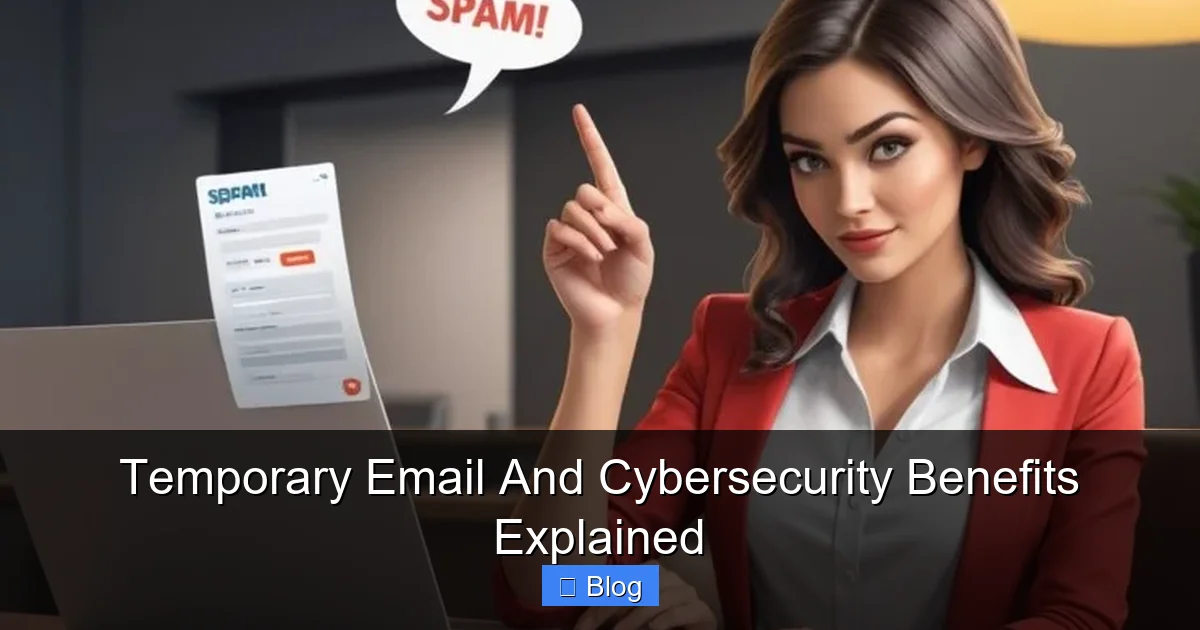
Visual guide about Temporary Email And Cybersecurity Benefits Explained
Image source: hcmfolks.com
How They Work: The Simple Magic
The magic happens through specialized online services or browser extensions. Here’s the basic flow:
- You Need an Address: You visit a temporary email service website (like TempMail, 10MinuteMail, Guerrilla Mail) or activate a browser extension.
- Instant Generation: The service instantly creates a random, unique email address for you (e.g.,
bluecat789@tempmail.io). - Use It: You use this generated address to sign up for the website, service, or download you need.
- Receive Mail: Any emails sent to that temporary address (like a verification link or welcome message) appear in the service’s web interface or extension popup. You can read them there.
- Expiration: After the set time (e.g., 10 minutes, 1 hour, 24 hours), the address vanishes. Any emails sent after expiration bounce back or are deleted. Your real inbox remains untouched.
Crucially, you don’t need to create an account with the temporary email service itself. The address is generated on the fly, often without any personal information required from you. This anonymity is key to its security benefits.
Types of Temporary Email Services
Not all temporary email services are created equal. Understanding the main types helps you choose the right tool:
- Web-Based Services: The most common type. You visit a website (e.g., temp-mail.org), and it instantly generates an address displayed on the page. Mail appears in the same browser window. Simple and free, but requires an active internet connection.
- Browser Extensions: Tools like “Temp Mail” for Chrome or Firefox integrate directly into your browser. They often provide one-click address generation and inbox viewing without leaving the site you’re on. Very convenient for frequent use.
- API-Based Services: Used by developers to automate sign-ups for testing or specific workflows. Less relevant for everyday personal cybersecurity.
- Self-Hosted Solutions: Tech-savvy users might set up their own mail server with catch-all rules and short-lived aliases, but this is complex and generally unnecessary for most people.
For the average user focused on cybersecurity, web-based services or reputable browser extensions offer the perfect balance of ease, anonymity, and effectiveness.
The Cybersecurity Superpowers of Temporary Emails
Now, let’s get to the heart of why temporary emails are such a valuable cybersecurity tool. They directly mitigate several major threats:
1. Slaying the Spam Dragon (And Its Phishing Cousins)
This is the most immediate and noticeable benefit. Every time you use your real email for a sign-up, you’re potentially adding yourself to marketing lists, data broker databases, and worse – lists sold to spammers. Temporary emails act as a spam sponge.
- How it Works: You give the temporary address to the website. Any subsequent promotional emails, newsletters, or (crucially) unsolicited spam go straight to the temporary inbox, not your real one.
- Phishing Protection: Spammers often use phishing emails disguised as legitimate offers or security alerts. By keeping these malicious emails out of your primary inbox, you significantly reduce the chance of accidentally clicking a dangerous link or falling for a scam. Your real inbox stays focused on important communications from people and services you genuinely trust.
- Real-World Example: You sign up for a free ebook download on a new blog using a temp email. Later, the blog owner sells their email list. Hundreds of spam emails flood the *temporary* address, which expires in 24 hours. Your personal Gmail remains pristine and safe from that deluge and any phishing attempts disguised as follow-up offers from that blog.
Tip: Make it a habit to use a temp email *whenever* you encounter a sign-up form where you’re unsure about the site’s legitimacy or privacy policy, or for anything non-essential like a one-time discount code.
2. Shielding Your Identity: Privacy Preservation
Your email address is a cornerstone of your online identity. Companies constantly track and link your activity across different sites using your email. Temporary emails break this chain.
- Limiting the Digital Footprint: By using a unique, disposable address for each sign-up (or category of sign-ups), you prevent a single entity (or data broker) from building a comprehensive profile of *all* your online activities. Signing up for a fitness app with one temp email and a news site with another means those activities aren’t directly linked back to *you* via your primary email.
- Preventing Profiling: Marketers and advertisers love to track behavior. Using temp emails makes it much harder for them to correlate your actions across different platforms using your email as the key identifier.
- Real-World Example: You use a temp email for a gaming forum, another for a recipe website, and another for a travel deal site. Even if these sites share data (or get breached), there’s no single email address connecting all three activities back to your core identity. Your real email remains private.
Tip: Consider using different temporary email addresses for different *types* of sites (e.g., one for shopping, one for forums, one for downloads) to further compartmentalize your activity, though even one temp email per sign-up is vastly better than using your real one.
3. Your First Line of Defense Against Data Breaches
Data breaches are terrifyingly common. Millions of email addresses and passwords are leaked online every year. Temporary emails provide a crucial buffer.
- The Breach Scenario: You signed up for “ShopFastDeals” using your *real* email and a password (maybe even reused elsewhere). ShopFastDeals gets hacked. Your email and password are now on the dark web.
- The Temp Email Shield: If you had used a temporary email for ShopFastDeals, the hackers would only get the *disposable* address. Your real email address remains unknown to them. This has two massive benefits:
- No Account Takeover (ATO) Risk: Hackers can’t use the leaked credentials (temp email + password) to try logging into *your* real email, bank, or social media accounts because the temp email isn’t associated with those.
- No Targeted Phishing: You won’t receive highly personalized phishing emails (“Hi [Your Real Name], your ShopFastDeals account is locked!”) because the hackers don’t know your real email or name from that breach.
- Real-World Example: A popular coupon site you used once suffers a massive breach. Because you signed up with a 10-minute temp email, the breach is irrelevant to your security. Your primary accounts remain safe, and you avoid the flood of breach-related phishing scams targeting real users.
Tip: This is arguably the *most critical* cybersecurity benefit. Always use a temp email for any service where you’re not 100% certain about its security practices or longevity, especially for free trials or one-off purchases.
4. Dodging Unwanted Tracking and Profiling
Beyond spam, many websites embed trackers that monitor your behavior. Your email address is a prime identifier for these trackers.
- How Trackers Use Email: When you sign up with your real email, that address becomes a persistent identifier. Trackers can follow you across sites that share the same advertising network, building a detailed profile of your interests, habits, and even location.
- Temp Email Interruption: Using a unique temporary address for each site breaks this persistent identifier. The tracker on Site A sees “userX@temp.com”, while the tracker on Site B sees “userY@temp.com”. They can’t easily link these activities back to a single real person.
- Reduced Targeted Ads (Slightly):strong> While not a complete ad-blocker, this fragmentation makes it harder for ad networks to build a cohesive profile, potentially leading to less invasive (though not eliminated) targeted advertising based on that specific sign-up.
Tip: Combine temporary emails with other privacy tools like ad blockers and tracker blockers (e.g., Privacy Badger) for maximum effect against pervasive online tracking.
How to Use Temporary Emails Safely and Effectively
Using temporary emails is simple, but doing it right maximizes the cybersecurity benefits and avoids potential pitfalls.
Choosing a Reputable Temporary Email Service
Not all temp email providers are trustworthy. Some might log your activity, inject ads, or even be honeypots. Prioritize:
- Privacy Policy: Look for services that explicitly state they do not log the content of your emails or your IP address beyond what’s necessary for basic operation. Avoid services with vague or non-existent policies.
- Reputation: Stick with well-known, established services like TempMail (temp-mail.org), 10MinuteMail, or Guerrilla Mail. Check recent reviews for any red flags.
- No Registration Required: The best services generate addresses instantly without needing you to create an account, minimizing your exposure.
- Ad Experience: Some free services show intrusive ads. Browser extensions often provide a cleaner experience. Be wary of services that seem overly aggressive with ads or pop-ups.
Avoid: Services that ask for your real email to “verify” the temp address or require excessive permissions (like full access to your real inbox).
Best Practices for Maximum Security
Follow these habits to get the most out of your temporary emails:
- Use for EVERY Non-Essential Sign-Up: Make it your default for newsletters, free trials, downloads, forum registrations, and shopping sites you’re not sure about. Reserve your real email only for critical communications (banks, government, close family/friends, essential work).
- Don’t Use for Sensitive Accounts: Never use a temp email for your primary email account, banking, social media (Facebook, Instagram), or any service where recovery is critical. If you lose access to the temp email, you lose access to that account forever.
- Check the Inbox Promptly: If you need a verification link (e.g., to activate a download), check the temp email inbox immediately after signing up. Links often expire quickly.
- Don’t Click Suspicious Links *Even in Temp Mail:* While the risk to your *real* accounts is lower, clicking malicious links in *any* email can still lead to malware infection on your device. Treat links in temp mail with the same caution as your real inbox.
- Understand the Expiration: Know how long your chosen service keeps the address active (10 mins? 1 hour? 24 hours?). Plan accordingly if you expect important mail.
- Combine with Other Security: Temp emails are a layer, not the whole armor. Always use strong, unique passwords and enable Two-Factor Authentication (2FA) on your *real*, critical accounts.
Pro Tip: For recurring but non-critical services (like a weekly newsletter you actually read), consider using a dedicated, *longer-lived* alias service (like Firefox Relay or SimpleLogin) that forwards mail to your real inbox but still masks your actual address. This offers more permanence than a pure temp email while maintaining privacy.
Understanding the Limitations: What Temporary Emails DON’T Do
It’s crucial to have realistic expectations. Temporary emails are a fantastic tool, but they aren’t a magic bullet for all cybersecurity woes.
They Don’t Secure Your Actual Accounts
This is paramount. A temporary email only protects the *sign-up process* and *incoming mail* for that specific service. It does nothing to:
- Protect the password you used for that service (if it’s weak or reused).
- Prevent malware from infecting your device if you download something malicious.
- Secure your primary email account, bank accounts, or social media profiles.
- Stop someone from hacking the *service* itself (though it limits the damage *to you* from that breach, as explained earlier).
Remember: Strong, unique passwords and 2FA on your *real* accounts remain non-negotiable fundamentals.
They Aren’t for Long-Term Communication
Temporary emails are, by design, short-lived. You cannot:
- Use them for ongoing conversations.
- Rely on them for account recovery (if you lose access to the service you signed up for).
- Expect to receive important updates months later (e.g., a yearly subscription renewal notice).
If you need ongoing access to a service, you’ll eventually need to provide a more permanent (though still potentially aliased) email address.
Potential Reliability Issues
Free temporary email services can sometimes be unreliable:
- Delivery Failures: Occasionally, legitimate emails (like verification links) might not reach the temp inbox due to spam filters on the *sending* side or issues with the temp service.
- Service Downtime: Free services might experience outages.
- Address Collision: Extremely rare, but theoretically possible that someone else gets the same temp address you used moments later.
Mitigation: If a critical verification email doesn’t arrive, try generating a *new* temp address and re-submitting the sign-up form. Have a backup plan (like using a trusted alias service for slightly more critical sign-ups).
Not All Services Accept Them (But Most Do)
Some websites, particularly financial institutions or highly secure platforms, actively block known temporary email domains to prevent fraud. However, the vast majority of websites, especially for general sign-ups, downloads, and newsletters, accept them without issue. If a site blocks temp emails, it’s often a sign you should be extra cautious about providing *any* email address there.
When Should You Definitely Use a Temporary Email?
Making temp emails a habit is wise, but here are the absolute prime scenarios:
- One-Time Downloads or Free Trials: Need a software trial, ebook, or template? Use a temp email. You likely won’t need ongoing access.
- Unfamiliar or Suspicious Websites: If a site looks sketchy, has poor design, or you’ve never heard of it, a temp email is your best friend. Protect your real identity.
- Newsletters You Might Unsubscribe From: Signed up for a promo newsletter but aren’t sure you’ll keep it? Temp email prevents future spam.
- Online Forums or Comment Sections: Engaging in discussions often only requires an email for registration. Keep your real email out of public view.
- Flash Sales or Limited-Time Offers: Many require quick sign-ups. Use a temp email to avoid post-sale spam.
- Testing Websites or Services: Developers and testers frequently use temp emails to simulate user sign-ups without cluttering real inboxes.
- Avoiding Mandatory Sign-Ups: Some sites force an email just to view content or download a resource. A temp email lets you bypass this barrier safely.
When to Avoid Them: Banking, government portals, your primary email provider, social media accounts (unless using a dedicated alias service for privacy), any service where you need reliable long-term access and recovery options.
Conclusion: Empower Your Inbox, Empower Your Security
Temporary email addresses are far more than just a convenience for avoiding spam. They are a fundamental, accessible, and highly effective cybersecurity practice that puts you back in control of your digital identity. By acting as a disposable shield, they directly combat the pervasive threats of spam, phishing, data breaches, and unwanted tracking that plague our online lives. The simple act of generating a unique, short-lived address for every non-essential sign-up significantly reduces your attack surface and protects your most valuable asset: your primary email account and the sensitive information it guards.
Implementing this habit requires minimal effort – a quick visit to a trusted temp mail website or a browser extension click – but yields substantial security rewards. It complements, rather than replaces, other essential practices like strong unique passwords and two-factor authentication. Think of it as adding a crucial layer of armor to your digital self. In a world where data breaches are routine and phishing scams are increasingly sophisticated, taking proactive steps to shield your real identity isn’t just smart; it’s necessary. Start using temporary emails today. Your inbox (and your peace of mind) will thank you. Make it your default for the next sign-up you encounter, and experience the immediate relief of a cleaner, safer, and more private online experience. Your cybersecurity journey begins with this simple, powerful step.
Frequently Asked Questions
Are temporary email addresses safe to use?
Yes, when used correctly with reputable services, temporary emails are very safe for their intended purpose: shielding your real email. The main risks come from using untrustworthy providers that might log data or from clicking malicious links *within* the temp inbox. Stick to well-known services and practice standard email caution.
Can I use a temporary email for important accounts like banking?
Absolutely not. Temporary emails expire quickly and offer no recovery options. Never use them for banking, your primary email, social media, or any account where losing access would be catastrophic. Reserve them only for non-essential, short-term sign-ups.
Do temporary emails stop all spam?
They drastically reduce spam *in your primary inbox* by absorbing it into the disposable address. However, you might still see spam sent *to* the temporary address within its interface. The key benefit is keeping that spam away from your real, important email account.
What happens if I need to access an account later but used a temp email?
You generally can’t. If the service requires ongoing access (like a subscription), you’ll need to provide a more permanent email address during sign-up. Temporary emails are designed for one-time or short-term use only. For recurring but non-critical services, consider a forwarding alias service instead.
Are temporary emails legal?
Yes, using temporary email addresses is perfectly legal. They are a legitimate privacy and security tool. However, using them for fraudulent activities (like signing up for services with intent to scam) is illegal, just as using a real email for fraud would be.
Can businesses detect and block temporary emails?
Yes, some businesses, especially in finance or high-security sectors, use services to detect and block known temporary email domains to prevent fraud. However, the vast majority of websites accept them without issue. If a site blocks temp emails, it’s often a red flag about the site’s own security practices.