
Stop giving away your primary email address online. A temporary email custom domain lets you create branded, disposable inboxes that expire automatically—keeping your real email private and spam-free. It’s the smart, professional way to control your digital footprint without sacrificing convenience.
Key Takeaways
- Privacy Shield: Hide your real email from websites, reducing spam and data breach risks by using short-lived custom aliases.
- Brand Consistency: Use your own domain (e.g., `contact@yourdomain.com`) for temporary addresses, maintaining professionalism even for disposable signups.
- Spam Elimination: Automatically expire addresses after use, preventing long-term spam accumulation and inbox clutter.
- Breach Protection: If a service you signed up for gets hacked, your primary email remains uncompromised since you used a temporary alias.
- Effortless Setup: Most services integrate with existing domains via simple DNS records—no coding needed.
- Cost-Effective Security: Affordable plans (often under $10/month) offer enterprise-grade privacy for individuals and small businesses.
- Full Control: Revoke or extend aliases anytime, giving you complete authority over your digital identity.
📑 Table of Contents
- Why Your Email Privacy Is Under Attack (And What You Can Do)
- What Exactly Is a Temporary Email Custom Domain?
- The Shocking Risks of Using Your Real Email Everywhere
- Why a Custom Domain Beats Generic Temporary Emails
- How to Set Up Your Temporary Email Custom Domain (Step-by-Step)
- Real-Life Use Cases: Where This Shines
- Maximizing Security: Pro Tips and Pitfalls to Avoid
- Conclusion: Take Back Control of Your Inbox Today
Why Your Email Privacy Is Under Attack (And What You Can Do)
Imagine this: You sign up for a free recipe newsletter. A week later, your inbox floods with ads for kitchen gadgets. A month after that, you’re getting phishing emails disguised as “order confirmations” from that same site. Sound familiar? This isn’t just annoying—it’s a direct result of handing out your real email address like digital candy. Every website, app, or forum that collects your email becomes a potential vulnerability. Data breaches happen daily. Spammers buy and sell email lists. And once your address is out there, it’s nearly impossible to reel it back in.
The truth is stark: Your primary email is a treasure trove for hackers. It’s often the key to resetting passwords for your bank, social media, or cloud storage. When you use it everywhere, you’re essentially building a map of your digital life—one that cybercriminals can follow straight to your front door. Traditional “disposable” email services (like those random `@tempmail.net` addresses) offer a quick fix, but they come with downsides. They look unprofessional, lack control, and often get blocked by legitimate services. What if you could enjoy disposable email’s privacy benefits while keeping your brand intact? Enter the temporary email custom domain—a game-changer for anyone serious about privacy.
What Exactly Is a Temporary Email Custom Domain?
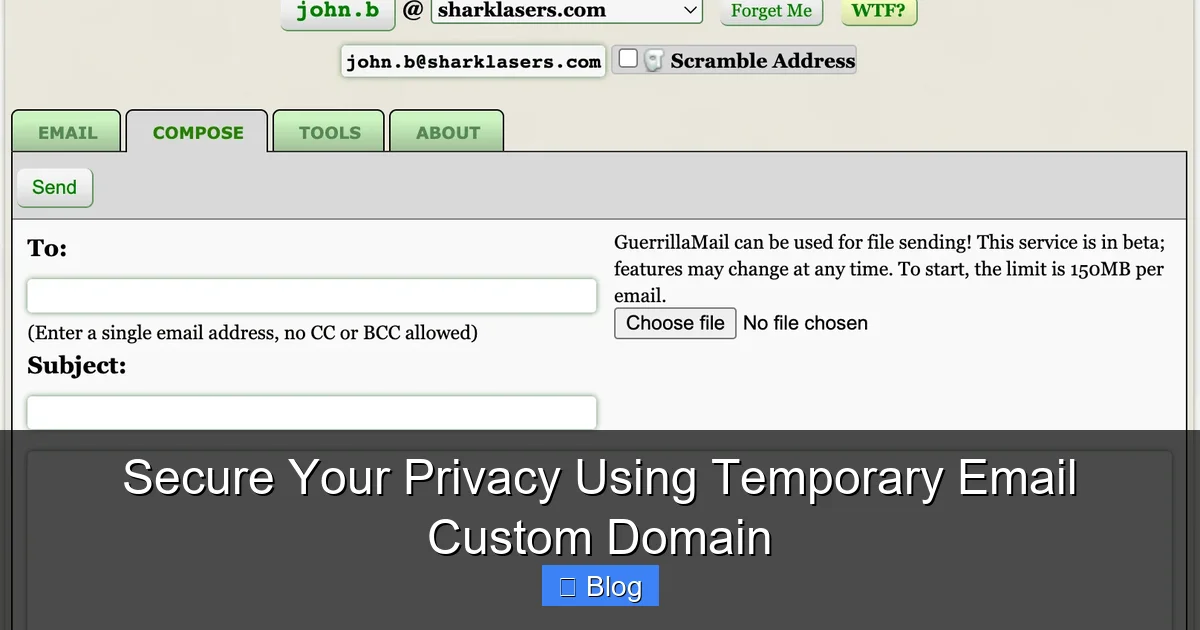
Let’s break it down simply. A temporary email custom domain is a service that lets you create short-lived email addresses using your own domain name. Instead of `random123@tempmail.com`, you get aliases like `newsletter@yourbusiness.com` or `shopping@yourname.com`. These addresses forward messages to your real inbox but automatically expire after a set time—hours, days, or weeks—depending on your needs. Think of it as a disposable phone number for your email: useful for the moment, then gone forever.
Visual guide about Secure Your Privacy Using Temporary Email Custom Domain
Image source: assets-global.website-files.com
How It Differs from Regular Disposable Email Services
Most free temporary email tools (e.g., 10MinuteMail or Mailinator) generate addresses on their domains. You get `user789@mailtemp.org`—a dead giveaway that you’re hiding your identity. This often triggers spam filters or gets rejected by sites requiring “real” emails. A custom domain solution flips the script. Because you’re using your domain (e.g., `contact@yourdomain.com`), it appears legitimate. Sites see a professional address, not a red flag. Plus, you own the domain, so you control everything: expiration rules, forwarding, and security settings. No more worrying about the temp service shutting down or selling your data.
The Tech Behind the Magic (No Jargon, Promise!)
Here’s the beautiful part: Setting up a temporary email custom domain is easier than you think. Services like SimpleLogin, AnonAddy, or Firefox Relay handle the heavy lifting. You point your domain’s DNS records to their servers (a 5-minute process). Then, whenever you need a new alias, you either:
- Use a browser extension to generate one instantly (e.g., `amazon@yourdomain.com` for shopping).
- Create aliases manually via a dashboard for recurring needs (e.g., `support@yourdomain.com` for customer inquiries).
Incoming emails to these aliases get forwarded to your real inbox. Outgoing replies? The service masks your real address, so replies go back to the alias. When the alias expires, it stops working—no more spam, no more tracking. All without touching your primary email’s security.
The Shocking Risks of Using Your Real Email Everywhere
We’ve all done it: typed our personal email into a sketchy website just to download a PDF. But the consequences go far beyond annoying newsletters. Let’s look at the real dangers lurking in your inbox.
Visual guide about Secure Your Privacy Using Temporary Email Custom Domain
Image source: assets-global.website-files.com
Data Breaches: Your Email Is the #1 Target
According to Verizon’s 2023 Data Breach Report, 83% of breaches involved external actors—and email addresses are their favorite entry point. When a service you signed up for gets hacked (and it will happen; have you checked HaveIBeenPwned lately?), your email is often the first thing stolen. If you used your real address, hackers now have:
- Your email + password combo (if you reused passwords—don’t!).
- A list of services you use (they’ll try credential stuffing on your bank, PayPal, etc.).
- Your name, location, and behavior patterns (for targeted phishing).
With a temporary email custom domain, you sidestep this entirely. Even if `newsletter@yourdomain.com` gets leaked, it’s useless to attackers—it’s expired, unlinked to your real identity, and can’t reset other accounts.
Spam Avalanche: The Inbox That Never Stops
Every time you share your email, you’re signing up for a lifetime of spam. Marketing teams sell lists. Data brokers aggregate your info. And once spammers have your address, they’ll never let go. A study by Statista found the average office worker receives 121 spam emails daily. That’s 30% of your inbox clutter—time and mental energy wasted sifting through junk. Temporary aliases solve this by design. Use `event@yourdomain.com` for a conference signup. When the event ends, the alias dies. No more “exclusive offers” from vendors you forgot you contacted.
Tracking and Profiling: The Invisible Stalkers
Websites embed trackers in emails to monitor your behavior. Open an email? They know. Click a link? They log it. Over time, this builds a detailed profile of your habits—sold to advertisers without your consent. A temporary email custom domain breaks this chain. Since aliases are unique per service, trackers can’t connect your activity across sites. Your digital footprint shrinks from a highway to a single path.
Why a Custom Domain Beats Generic Temporary Emails
Generic disposable email services feel like a duct-tape fix: quick but flimsy. A custom domain solution is the reinforced steel beam of email privacy. Here’s why it’s superior.
Visual guide about Secure Your Privacy Using Temporary Email Custom Domain
Image source: simplelogin.io
Professionalism That Builds Trust
Picture this: You’re a freelancer pitching to a client. You sign up for a project management tool using `freelancer123@tempmail.net`. The client sees it and thinks, “Is this person legit?” Now imagine using `projects@yourportfolio.com`. Instant credibility. Custom domains signal you’re serious, organized, and privacy-conscious—traits clients and partners value. For businesses, this is non-negotiable. Using `@gmail.com` for customer support screams “amateur.” A custom alias like `support@yourbrand.com` (even if temporary) aligns with your brand identity.
Total Control Over Your Digital Identity
With generic services, you’re at the mercy of their rules. They might:
- Delete your aliases unexpectedly.
- Inject ads into forwarded emails.
- Shut down without warning (happens often with free services).
A temporary email custom domain puts you in charge. Need an alias to last 30 days for a trial? Set it. Want to block replies after 48 hours? Done. See suspicious activity? Revoke it instantly. Services like AnonAddy even let you set custom expiration rules per alias—perfect for one-time verifications versus ongoing subscriptions.
Seamless Integration with Your Workflow
No more copying/pasting random addresses or juggling multiple inboxes. Browser extensions for custom domain services (e.g., SimpleLogin’s) auto-generate aliases as you browse. Click the extension icon on a signup form, and it fills `service@yourdomain.com`—all in one click. Replies? They go through the alias, so your real email stays hidden. It’s frictionless privacy that fits into your existing routine, not a disruptive add-on.
How to Set Up Your Temporary Email Custom Domain (Step-by-Step)
Ready to take control? Setting up a temporary email custom domain takes 15 minutes and costs less than your daily coffee. Here’s how.
Choosing the Right Service Provider
Not all providers are equal. Look for:
- Custom domain support: Essential (obviously!). Avoid services that only offer their domains.
- Alias management: Easy creation, expiration settings, and revocation.
- Security features: PGP encryption, 2FA, and no-logs policies.
- Pricing: Most charge $2–$10/month for custom domains. Free tiers often lack this feature.
Top picks:
- SimpleLogin: User-friendly, unlimited aliases, $3/month for custom domains.
- AnonAddy: Advanced rules, self-hostable, $4/month.
- Firefox Relay: Free for basic use, $2/month for custom domains (great for beginners).
Connecting Your Domain (The Simple Way)
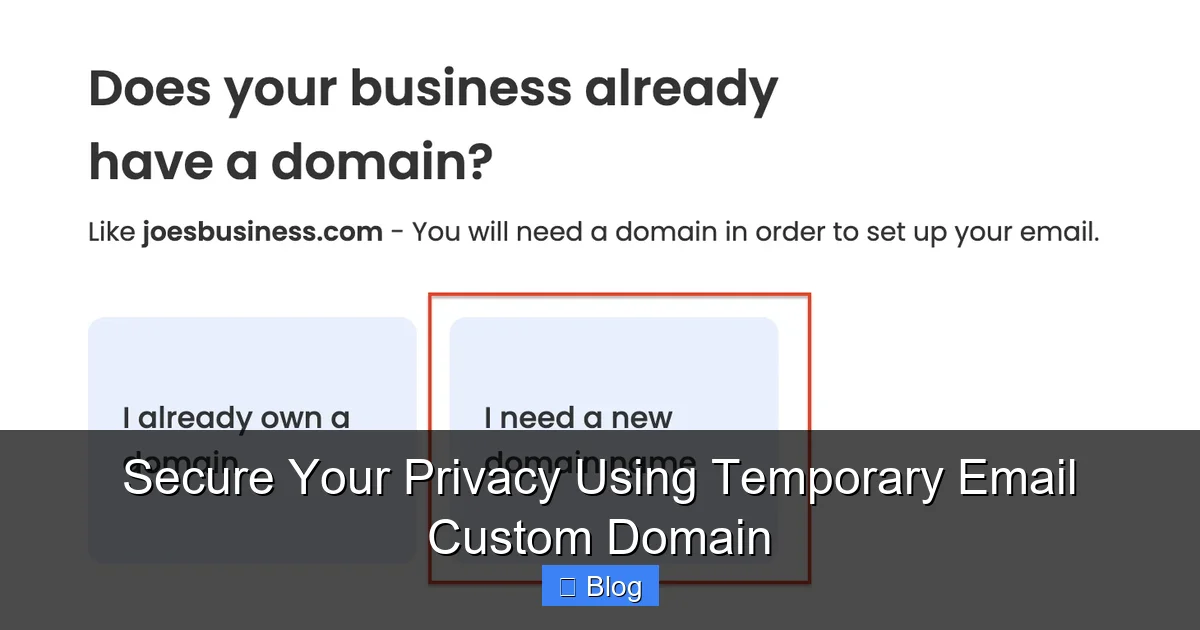
Assuming you own a domain (e.g., via Namecheap or Google Domains):
- Sign up for your chosen service (e.g., SimpleLogin).
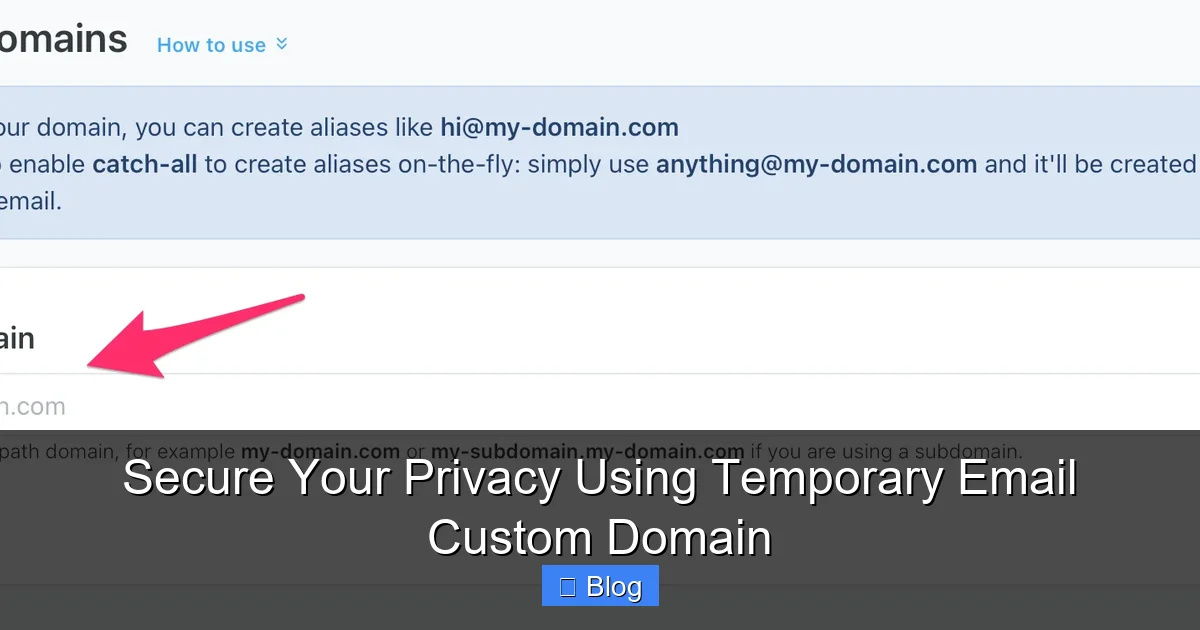
- Go to “Domains” in the dashboard and add your domain (e.g., `yourdomain.com`).
- The service provides DNS records (MX, TXT, CNAME). Log into your domain registrar’s site.
- Paste these records into your DNS settings. This tells email servers to route `*@yourdomain.com` to the service.
- Verify ownership (usually via a TXT record). Takes 5–60 minutes to propagate.
That’s it! No coding, no server setup. Once verified, you can create aliases instantly.
Creating and Managing Aliases Like a Pro
Now for the fun part:
- One-time use: Install the browser extension. On a signup page, click the icon → “Create alias.” It auto-fills `random@yourdomain.com`. Set expiration to 1 hour (ideal for verifications).
- Recurring use: In your dashboard, create `support@yourdomain.com` for customer inquiries. Set expiration to “Never” or “30 days” (renew as needed).
- Advanced rules: Block emails from certain senders, auto-delete after reading, or forward only to specific folders.
Pro tip: Name aliases descriptively! `netflix@yourdomain.com` is clearer than `alias_7x9b`. When an alias expires, all associated spam dies with it—no cleanup needed.
Real-Life Use Cases: Where This Shines
Theory is great, but how does this work in the wild? Let’s explore practical scenarios.
Online Shopping Without the Spam Tsunami
You buy shoes from a new site. Instead of `yourname@gmail.com`, use `shoes@yourdomain.com`. The order confirmation arrives. Later, the site gets hacked—but your real email is safe. When the alias expires after 7 days, you stop getting “exclusive deals” from the retailer or its data brokers. No more inbox clutter from sites you’ll never revisit.
Signing Up for Free Trials Risk-Free
Want to test a SaaS tool? Generate `trial@yourdomain.com` with a 14-day expiration. If you love it, keep the alias. If not, let it die—no cancellation emails, no spam. Bonus: If the service sells your data, attackers get a dead end.
Protecting Your Business Communications
Freelancers and small businesses, listen up. Use `inquiry@yourdomain.com` for client leads. If a lead goes cold, expire the alias—no more “check-in” emails cluttering your inbox. For job applications, create `jobs@yourdomain.com`. When you land the role, forward important emails to your real address and let the alias expire. Your primary inbox stays focused on high-value work.
Social Media and Forums: Stay Anonymous, Stay Safe
Joining a niche forum? Use `forum@yourdomain.com`. If the site gets doxxed or spammed, your real identity stays hidden. On social media, create unique aliases for each platform (e.g., `twitter@yourdomain.com`). If one gets compromised, others remain safe. No more “We noticed suspicious activity on your account” panic.
Maximizing Security: Pro Tips and Pitfalls to Avoid
A temporary email custom domain is powerful, but only if used wisely. Avoid these mistakes.
Never Use It for Critical Accounts
This is crucial: Do not use temporary aliases for:
- Your bank, email, or password manager.
- Government services (e.g., tax portals).
- Primary recovery emails.
Why? If an alias expires or gets revoked, you lose access forever. Reserve custom domain aliases for low-stakes signups—newsletters, shopping, trials. Keep your real email (or a permanent alias) for anything tied to your identity or finances.
Combine with Other Privacy Tools
For bulletproof security, layer your custom domain with:
- Unique passwords: Use a password manager (Bitwarden, 1Password) so a breach on one site doesn’t compromise others.
- 2FA: Always enable two-factor authentication—even on temporary accounts.
- Email encryption: Services like SimpleLogin offer PGP for sensitive replies.
Example: Sign up for a medical portal using `health@yourdomain.com`. The alias expires after 30 days, but you’ve also used a unique password and 2FA. Even if hacked, attackers hit a dead end.
Beware of “Free” Traps
Some services offer “free custom domains” but monetize your data. Read privacy policies! Avoid providers that:
- Inject ads into forwarded emails.
- Retain logs of your alias activity.
- Require excessive permissions.
Stick with reputable paid services—they’re cheap (often $3–$5/month) and prioritize your privacy. Your data isn’t the product.
Conclusion: Take Back Control of Your Inbox Today
Your email address is too valuable to treat like a disposable phone number. Every time you hand it out, you’re gambling with your privacy, security, and sanity. A temporary email custom domain isn’t just a tool—it’s a mindset shift. It’s about reclaiming ownership of your digital identity: using your own domain to create aliases that protect your real inbox while projecting professionalism.
The setup is trivial. The cost is minimal. The payoff? Peace of mind. No more waking up to 50 spam emails. No more panic when a service you forgot about gets breached. No more feeling like your data is a commodity. Whether you’re a solopreneur shielding client communications, a shopper dodging promotional floods, or just someone tired of inbox chaos, this solution scales to your needs. Start small: protect your next online purchase with a custom alias. Feel the relief when the spam never arrives. Then expand—your future self will thank you.
Privacy isn’t about hiding. It’s about choosing what to share, with whom, and for how long. A temporary email custom domain puts that power back in your hands. Ready to try? Pick a service, connect your domain, and generate your first alias in under 10 minutes. Your inbox—and your peace of mind—deserve it.
Frequently Asked Questions
How does a temporary email custom domain actually work?
It uses your own domain (e.g., yourname.com) to create disposable aliases like newsletter@yourname.com. Emails sent to these aliases forward to your real inbox, but the alias automatically expires after a set time—blocking future spam. You control everything via a simple dashboard.
Is this different from regular temporary email services?
Yes! Generic services (e.g., @tempmail.net) look unprofessional and often get blocked. A custom domain uses your branded address, so it appears legitimate while keeping your real email hidden. You also get full control over expiration and security settings.
Can hackers still access my real email through this?
No. Since aliases are separate from your primary address, a breach on a site you signed up with only exposes the temporary alias—not your real email. Even if the alias is active, replies are masked, so your primary inbox stays protected.
How much does it cost to set up?
Most services charge $2–$10/month for custom domain features. You’ll also need to own a domain (typically $10–$15/year). Setup is free and takes under 15 minutes using DNS records—no technical skills required.
What happens if I need to reply to an email sent to a temporary alias?
The service handles it seamlessly! When you reply, it masks your real address, so the recipient sees the alias (e.g., support@yourdomain.com). Replies come back to the alias and forward to you—no one ever sees your primary email.
Can I use this for business or client communications?
Absolutely! It’s ideal for professional use. Create aliases like contact@yourbusiness.com for leads or invoices@yourbusiness.com for vendors. Expire them when projects end to avoid spam, while maintaining a polished brand image. Just avoid using it for critical accounts like banking.