Stop giving out your real email address! Get a temporary email random address instantly free today to shield your inbox from spam and scams. These disposable addresses work in seconds, keep your personal information safe, and are perfect for one-time signups, trials, or suspicious websites. Protect your privacy effortlessly – no strings attached.
Key Takeaways
- Instant Privacy Shield: Generate a temporary email random address in seconds to keep your primary inbox clean and secure from unwanted mail.
- Spam & Scam Defense: Use disposable emails for risky signups, free trials, or unknown sites to prevent your real address from being sold or spammed.
- Zero Registration Required: Most services offer completely free temporary email random addresses with no signup, login, or personal details needed.
- Time-Limited & Self-Destructing: These addresses automatically expire after a set period (minutes to days), ensuring they can’t be used against you later.
- Easy to Use Anywhere: Access your temporary inbox instantly via web browser on any device – no apps or downloads necessary.
- Ideal for Testing & Verification: Perfect for developers testing email flows or users verifying accounts without committing their real email.
- Understand the Limits: Not suitable for important communications, account recovery, or services requiring long-term email verification.
📑 Table of Contents
- Why Your Real Email Address is a Privacy Nightmare (And What to Do About It)
- What Exactly is a Temporary Email Random Address? (It’s Simpler Than You Think)
- Why You Absolutely Need a Temporary Email Random Address (Top Benefits)
- Top Free Services to Get Your Temporary Email Random Address Instantly
- How to Use a Temporary Email Random Address: A Step-by-Step Guide
- Important Limitations and When NOT to Use a Temporary Email
- Conclusion: Take Control of Your Inbox Privacy Today
Why Your Real Email Address is a Privacy Nightmare (And What to Do About It)
Let’s be honest: your primary email address is probably getting hammered. Every time you sign up for a new app, download a free guide, or even just check a store’s newsletter, you’re handing over your digital identity. Think about it. That cute little online boutique? They might sell your address. That “free” webinar? Your inbox is now fair game for follow-up spam. Even reputable services can suffer data breaches, leaking your email to cybercriminals. The result? A flooded inbox, constant phishing attempts, and a gnawing feeling that your privacy is out of your control. It’s exhausting, frustrating, and frankly, unnecessary in today’s world.
The good news? You don’t have to surrender your real email address anymore. There’s a simple, powerful, and completely free solution sitting right at your fingertips: a temporary email random address. Imagine having a disposable, instantly generated email address that you can use for exactly one purpose – signing up for that trial, grabbing that coupon, or verifying an account on a sketchy site – and then it vanishes. No trace left behind. No spam cluttering your main inbox. No risk of your personal email being harvested. This isn’t some futuristic concept; it’s available right now, works in seconds, and costs you absolutely nothing. It’s the ultimate privacy hack for the modern internet user.
What Exactly is a Temporary Email Random Address? (It’s Simpler Than You Think)
A temporary email random address is exactly what it sounds like: a short-lived, randomly generated email address that you can use for a brief period. Think of it as a disposable phone number for your inbox. Instead of giving out your real email (like your.name@gmail.com), you generate a unique, random address (like x7f9k2@tempmail.io) specifically for that one interaction. The magic happens because this random address forwards any incoming mail to a temporary inbox you can access online, usually through a simple web page. Once you’re done with it, or after a set time, the address simply stops working. Poof! Gone.

Visual guide about Get a Temporary Email Random Address Instantly Free Today
Image source: askpython.com
How Does This Random Magic Work?
The process is incredibly straightforward, often requiring just a single click:
- Generate: You visit a temporary email service website (like TempMail, 10MinuteMail, or Guerrilla Mail). Instantly, it creates a completely random email address for you – something like “bluecat42@fakemail.net”. This randomness is key; it’s not tied to you in any way.
- Use: You copy that random address and paste it wherever you need an email – signing up for a service, downloading a file, or verifying an account.
- Receive: Any emails sent to that random address appear in the service’s online inbox, which you can refresh to see. You can read them, download attachments, or even click verification links – all without revealing your real email.
- Expire: After a predetermined time (ranging from 10 minutes to several days, depending on the service), the address automatically deactivates. Any future emails sent to it bounce back or are discarded. Your real inbox remains untouched.
This entire cycle happens in seconds, with no registration, no password, and no personal information required from you. It’s the epitome of convenience and privacy.
Why You Absolutely Need a Temporary Email Random Address (Top Benefits)
Using a temporary email random address isn’t just a neat trick; it’s a fundamental shift in how you protect your digital life online. The benefits are substantial and directly address the pain points of modern internet usage:
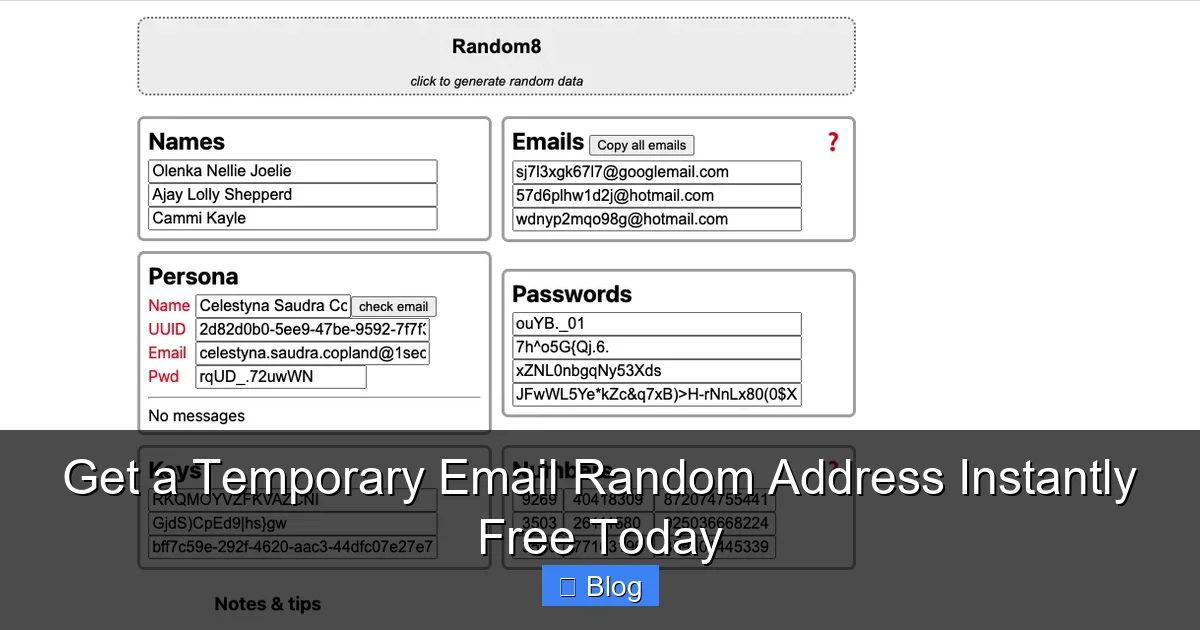
Visual guide about Get a Temporary Email Random Address Instantly Free Today
Image source: repository-images.githubusercontent.com
1. Slay the Spam Dragon (For Good)
This is the biggest win. Every time you use your real email for a low-stakes signup (like a one-time forum comment or a free recipe download), you’re potentially opening the floodgates for spam. Companies sell email lists, websites get hacked, and “free” offers often come with hidden mailing list subscriptions. A temporary email random address acts as a sacrificial lamb. Any spam, promotional emails, or follow-up junk gets sent to the disposable address, which vanishes shortly after. Your primary inbox stays pristine, focused only on the important stuff from people and services you truly care about. Imagine checking your email and seeing only genuine messages – no more sifting through piles of irrelevant offers.
2. Fort Knox-Level Privacy Protection
Your email address is a direct line to you. It’s often used as a username, linked to social media, and can be a starting point for identity thieves. By using a random, temporary address, you sever that direct link. You prevent websites from building a profile of your interests based on where you sign up. You stop data brokers from easily harvesting your primary address. You maintain anonymity when interacting with services where you don’t want to reveal your identity. It’s a simple step that significantly reduces your digital footprint and makes it much harder for anyone to track your online activities back to your real persona.
3. Dodge Scams and Phishing Traps
Not all websites are created equal. Some are outright scams designed to steal your information. Others might be poorly secured, making your data vulnerable. When you sign up for something suspicious or unknown, using your real email is like rolling out the red carpet for trouble. A temporary email random address creates a critical buffer. If the site turns out to be malicious and tries to send phishing emails later, they hit the dead end of your expired disposable address. Your real email remains safe from their clutches. It’s an essential layer of security when exploring the wilder corners of the internet.
4. Effortless Management of Free Trials & One-Time Offers
We’ve all been there: you want to test a service with a free trial, but you dread the inevitable spam flood after the trial ends. Or you need a one-time access code from a website that requires email verification. A temporary email random address is perfect for these scenarios. Use it for the trial signup. Get your access code. Once the trial ends or you have what you need, the address expires. No lingering spam, no need to remember to unsubscribe, no risk of forgetting and getting charged. It’s the ultimate tool for hassle-free exploration.
5. Developer & Tester’s Best Friend
If you’re a developer, tester, or just someone who likes to poke around, temporary emails are indispensable. Need to test an email signup flow on your website? Generate a new random address for each test. Verifying how a service handles password resets? Use a fresh disposable inbox. Checking spam filters? Send test emails to temporary addresses. It eliminates the need to clutter your real inbox or create numerous fake accounts, streamlining your workflow significantly.
Top Free Services to Get Your Temporary Email Random Address Instantly
The beauty of temporary email services is their simplicity and accessibility. Most are completely free, require no signup, and work directly in your browser. Here are some of the most reliable and user-friendly options to get a temporary email random address instantly:

Visual guide about Get a Temporary Email Random Address Instantly Free Today
Image source: yttags.com
1. TempMail (temp-mail.org)
A giant in the space, TempMail offers a clean, ad-supported interface. It generates a random address instantly upon visiting the site. You can choose from various domain options (like @tempmail.com, @maildrop.cc, etc.) and even set a custom prefix if you want something slightly more memorable (though randomness is better for privacy). Emails appear in real-time in the inbox panel. Addresses typically last for an hour, but you can extend the session by refreshing. It’s incredibly fast and reliable, making it a top choice for most users needing a temporary email random address.
2. 10MinuteMail (10minutemail.com)
True to its name, 10MinuteMail gives you an address that lasts for… you guessed it, 10 minutes. It’s perfect for ultra-quick verifications where you know the email will arrive fast. The interface is minimalist and straightforward – just generate, use, and check the inbox. No frills, just speed. If you need something done in under 10 minutes, this is your go-to. It’s ideal for those “I just need to click this link right now” moments.
3. Guerrilla Mail (guerrillamail.com)
Guerrilla Mail is another veteran service known for its reliability. It offers a random address instantly and provides a unique, private inbox. One standout feature is the ability to set a custom email address (for a short time) if you prefer, though the random option is recommended. Emails are stored for one hour by default, and you can refresh to keep the session alive longer. It has a slightly more feature-rich interface than some competitors but remains very easy to use.
4. Mail.tm (mail.tm)
Mail.tm provides a modern, sleek interface and generates high-quality random addresses (often using domains like @mail.tm or @monemail.net). It offers a generous 60-minute session by default, which is great for slightly longer processes. The inbox updates automatically, and you can easily copy the address or view email source code if needed. It’s a great balance of usability and session length.
Choosing Your Service: What to Consider
When picking where to get your temporary email random address, consider:
- Session Length: How long do you need the address? (10 min, 1 hour, 24 hours?)
- Domain Options: Does it offer domains that might be less likely to be blocked by certain services?
- Interface: Is it easy to copy the address and see incoming mail?
- Ads: Most free services have ads; some are more intrusive than others.
- Reliability: Does the inbox update promptly? Are emails delivered?
For most everyday uses (signing up for a newsletter, verifying an account), TempMail or Mail.tm are excellent starting points. For lightning-fast verifications, 10MinuteMail is perfect.
How to Use a Temporary Email Random Address: A Step-by-Step Guide
Using a temporary email random address is incredibly simple. You don’t need any technical skills. Follow these easy steps to get started instantly:
Step 1: Choose Your Service & Generate Your Address
Open your web browser and go to a reputable temporary email service like TempMail (temp-mail.org), 10MinuteMail (10minutemail.com), or Mail.tm (mail.tm). The second the page loads, it will automatically generate a brand new, completely random email address for you. This address will be displayed prominently on the screen, usually in a large, easy-to-copy box. It will look something like “k9j3m7@tempmail.org” or “bluecat42@mail.tm”. This is your disposable address – your temporary email random address for this session.
Step 2: Copy Your Random Address
Click the “Copy” button next to the generated address (most services have this). Alternatively, you can manually select the entire address with your mouse and press Ctrl+C (Cmd+C on Mac). Make sure you copy the *entire* address, including the “@” and domain part (like @tempmail.org).
Step 3: Use It Wherever You Need an Email
Now, navigate to the website or service where you need to provide an email address. This could be:
- A signup form for a free trial
- A download page requiring email verification
- A forum registration
- A newsletter subscription you’re unsure about
- Any site you consider “sketchy” or untrustworthy
Paste the copied temporary email random address into the email field on that site (Ctrl+V or Cmd+V).
Step 4: Check Your Temporary Inbox for Verification
After submitting the form on the other site, go back to your temporary email service tab (or window). You should see the inbox automatically refresh or update. Look for the verification email, welcome message, or download link. It usually arrives within seconds, but sometimes takes a minute or two. Click on the email to open it. You can now:
- Click verification links directly within the email
- Download attachments (like a PDF guide or software)
- Read the content
All of this happens within the temporary email service’s interface – your real email is never involved.
Step 5: Done? The Address Expires (Automatically!)
Once you’ve completed your task (verified the account, downloaded the file, etc.), you’re done! You don’t need to do anything else. The temporary email random address will automatically stop working after its set time limit (e.g., 10 minutes, 1 hour). Any future emails sent to that specific random address will not reach you – they’ll bounce or be discarded by the service. Your primary inbox remains completely safe and spam-free. If you need another disposable address later, just revisit the service and generate a brand new one – it’s that simple.
Pro Tips for Smoother Use
- Keep the Tab Open: Don’t close the temporary email service tab until you’re sure you’ve received and acted on the email you needed.
- Refresh if Needed: If an email doesn’t appear immediately, refresh the inbox page on the temporary email service.
- Use Multiple Addresses: Need to sign up for two different things at once? Generate a new address on a different service or in a new browser tab.
- Don’t Use for Important Stuff: Remember, this is temporary! Never use it for bank accounts, primary social media, or anything requiring long-term access or recovery.
Important Limitations and When NOT to Use a Temporary Email
While temporary email random addresses are incredibly useful, they aren’t a one-size-fits-all solution. Understanding their limitations is crucial to avoid frustration or security issues:
1. Not for Account Recovery or Primary Services
This is the biggest rule: Never use a temporary email random address for:
- Your primary email account (Gmail, Outlook, etc.)
- Bank accounts or financial services
- Important social media accounts (Facebook, Twitter/X)
- Cloud storage (Google Drive, iCloud)
- Any service where you might need to recover access later via email
Why? Because if you lose access to the account (forgot password, got hacked), the recovery process almost always relies on sending a reset link to the email address on file. If that address is temporary and expired, you are permanently locked out. There is no way to recover it. Your temporary email random address is for *disposable* interactions only.
2. Potential for Address Blocking
Some websites and services are savvy to temporary email domains. They maintain blacklists of known disposable email providers. If you try to sign up using an address from a blacklisted domain (like @10minutemail.com or @tempmail.org), the site might:
- Reject the signup outright
- Flag the account as suspicious
- Require additional verification steps
While many services work fine, be prepared for this possibility, especially with more reputable or security-conscious platforms. Trying a different temporary email service (with a different domain) might solve it.
3. Limited Session Time = Urgency Required
The temporary nature is a feature, but it can be a bug if you’re not ready. If you generate an address and then get distracted, the session might expire before you use it. More critically, if you need to receive an email *after* the session expires (e.g., a welcome email that takes 15 minutes to send, but your address only lasts 10), you’re out of luck. Always generate the address *just before* you need it and keep the inbox tab open until the process is complete.
4. No Long-Term Storage or History
Temporary email inboxes are, by design, ephemeral. Once the session ends, all emails in that inbox are gone forever. You cannot go back and retrieve an old verification email or download link from a previous session. If you think you might need access to an email later (which you generally shouldn’t for disposable signups), a temporary address isn’t the right tool. Use your real email for anything requiring long-term access to communications.
5. Security Isn’t Absolute (But It’s Still Good)
While temporary emails significantly reduce spam and protect your primary address, they aren’t 100% foolproof against all threats. The service itself could potentially be compromised (though reputable ones are generally secure). More importantly, if you click a malicious link *within* an email received to your temporary address, you could still get malware on your device. The temporary email protects your *inbox*, not your entire system. Always practice general internet safety: don’t click suspicious links, even in temporary inboxes.
Conclusion: Take Control of Your Inbox Privacy Today
Your email address is too valuable to hand out freely like candy. Every unnecessary signup is a potential gateway for spam, scams, and privacy invasions. The solution isn’t to stop using the internet – it’s to use smarter tools. A temporary email random address is that tool: simple, free, instantaneous, and incredibly effective.
By generating a disposable address in seconds, you create an instant barrier between your real identity and the vast, often messy, online world. You reclaim control over your inbox, silencing the noise of unwanted promotions and protecting yourself from the fallout of data breaches. Whether you’re grabbing a one-time discount, testing a new app, or just being cautious on an unfamiliar site, using a temporary email random address is a small action with massive privacy benefits.
Don’t wait for your inbox to become overwhelming or for a scam to target you. The power to protect yourself is literally one click away. Visit TempMail, 10MinuteMail, or Mail.tm right now. Generate your first temporary email random address. Use it for your next low-stakes signup. Experience the relief of a clean, spam-free primary inbox. It’s free, it’s instant, and it’s one of the easiest privacy upgrades you can make today. Take that first step – your digital peace of mind is worth it.
Frequently Asked Questions
Is using a temporary email random address safe?
Yes, using a reputable temporary email service is generally safe for its intended purpose: disposable signups. It protects your *real* email from spam and harvesting. However, remember the service itself could theoretically be compromised (though rare with top providers), and clicking malicious links *within* emails you receive (even to a temp address) can still harm your device. Always use common sense.
How long does a temporary email random address last?
Session lengths vary by service. Common durations are 10 minutes (like 10MinuteMail), 60 minutes (like Mail.tm or TempMail), or sometimes up to 24 hours. The address automatically expires after this time, and any future emails sent to it will not be delivered. Always check the service’s details before generating your address.
Can I use a temporary email for important accounts like banking?
Absolutely not. Never use a temporary email random address for critical accounts requiring long-term access or recovery (banks, primary social media, cloud storage, your main email). If you lose access, the recovery process relies on the email on file. Since the temp address expires, you will be permanently locked out with no way to recover the account.
Will websites block my temporary email address?
Yes, it’s possible. Some websites actively block known disposable email domains to prevent spam signups or fake accounts. If you encounter a block, try generating a new address from a different temporary email service (using a different domain) or, if the service is important, use your real email. Reputable services often work fine, but blocking does happen.
Can I send emails from a temporary email random address?
Most free temporary email services are designed primarily for *receiving* emails only. They typically do not offer a way to send outgoing mail from the temporary address. Their core function is providing a disposable inbox for verification and signups. If you need to send mail, you’ll need to use your regular email client.
Do temporary email services store my data?
Reputable services state they do not store your personal data (like your real IP or identity) beyond what’s necessary for the temporary session. Emails received are usually stored only for the duration of the active session (e.g., 1 hour) and then deleted. However, always review the privacy policy of any service you use. Avoid services that seem overly intrusive or demand personal information.