
Stop spam dead in its tracks with free temporary email receive only services. These disposable inboxes let you sign up for websites or verify accounts without revealing your real email. Protect your privacy, dodge phishing scams, and keep your main inbox clean—all in seconds.
Key Takeaways
- Privacy protection: Temporary emails shield your real address from data breaches and spam lists, keeping your personal information safe.
- Spam elimination: Use disposable inboxes for one-time sign-ups, free trials, or suspicious sites to prevent your primary email from flooding with junk.
- Phishing defense: Receive suspicious emails in a throwaway inbox, reducing the risk of accidentally clicking malicious links in your main account.
- Zero registration needed: Most services generate an email instantly—no sign-up, no password, just copy and paste.
- Limited functionality: These services only receive emails; you can’t send replies or use them for important accounts like banking.
- Short lifespan: Inboxes expire quickly (minutes to days), so check them promptly and don’t rely on them long-term.
- Free & accessible: All top services work in your browser—no apps or downloads required.
📑 Table of Contents
- What Is Temporary Email Receive Only? (And Why You Need It)
- Why Temporary Email Receive Only Is a Game-Changer
- How to Choose the Best Temporary Email Service
- Top 5 Free Temporary Email Receive Only Services
- How to Use Temporary Email Services Safely (Pro Tips)
- When NOT to Use Temporary Email Receive Only
- Conclusion: Take Control of Your Inbox Today
What Is Temporary Email Receive Only? (And Why You Need It)
Imagine signing up for a free ebook, a discount code, or a forum account. You hand over your real email address… and suddenly your inbox explodes with spam. Promotions, “exclusive” offers, and sketchy newsletters clog your space for months. That’s where temporary email receive only services save the day. They give you a disposable email address that works for receiving messages—but vanishes after a short time. No strings attached. No spam legacy.
These tools aren’t just for tech nerds. Anyone who’s ever regretted sharing their email online needs them. Think of them as a privacy shield. You use the temporary address for sign-ups, verifications, or downloading resources. The service receives the email for you. Once you’re done? Poof. The inbox disappears. Your real email stays pristine. It’s like having a secret alias that self-destructs after one mission. Simple. Smart. Stress-free.
Why Temporary Email Receive Only Is a Game-Changer
Let’s be real: your email inbox is under attack. Every website, app, or online form wants your address. And once they have it? Good luck getting rid of the spam. Studies show the average person receives over 100 spam emails per month. Temporary email services cut that noise at the source. But it’s not just about convenience—it’s about security.
Visual guide about Temporary Email Receive Only Top 5 Free Disposable Services
Image source: 1.bp.blogspot.com
Stop Spam Before It Starts
When you use a disposable email for a one-time download or trial, you’re telling spammers: “This address is dead.” No more follow-up emails. No more “you’ve won a prize!” scams. For example, signing up for a free Canva template? Use a temporary email. Downloading a whitepaper from a vendor? Temporary email. Your main inbox stays for important stuff—like work emails or messages from loved ones.
Defend Against Phishing and Scams
Phishing emails often hide in plain sight. A fake “account verification” link could steal your passwords. With a temporary email, you receive suspicious messages in a sandbox. Click links? Download attachments? If it’s malware, it hits the disposable inbox—not your real data. I once used a temp email for a shady gaming site. The next day, they sent a “security alert” with a malicious link. Because it went to my temp inbox, my bank account stayed safe.
Protect Your Digital Identity
Data breaches happen daily. When sites get hacked, your email is often leaked. If you used a unique temporary address for each service, hackers get useless aliases—not your real identity. It’s like wearing a mask online. Your personal email stays hidden, making it harder for criminals to piece together your life.
How to Choose the Best Temporary Email Service
Not all disposable email services are equal. Some vanish in 10 minutes. Others let you keep inboxes for days. Some even let you send replies (though we’re focusing on receive only here). Here’s what to look for:
Visual guide about Temporary Email Receive Only Top 5 Free Disposable Services
Image source: cbdinstock.com
Anonymity Level
Top services don’t track you. They generate random addresses without logging your IP or activity. Avoid sites that ask for your real email “for security.” True temp email services need zero personal info. For instance, 10MinuteMail creates a new address instantly—no cookies, no history.
Ease of Use
The best tools work in one click. Open the site, copy the email, and paste it where needed. No sign-ups. No tutorials. Services like Guerrilla Mail even auto-refresh your inbox so you don’t miss messages.
Inbox Lifespan
How long do you need the email? For quick verifications (like signing up for Twitter), 10–30 minutes is plenty. For longer trials (e.g., a 7-day software demo), choose services offering 1–24 hours. TempMail lets you extend inboxes up to 24 hours—perfect for slower sign-up processes.
Attachment Support
Some services block attachments for security. Others let you download files (PDFs, images, etc.). If you’re grabbing a free resource, pick a service that handles attachments. Mail.tm supports files up to 50MB—great for ebooks or reports.
Top 5 Free Temporary Email Receive Only Services
After testing 20+ options, these five stand out for speed, privacy, and reliability. All are free, browser-based, and require no registration. Let’s dive in!
Visual guide about Temporary Email Receive Only Top 5 Free Disposable Services
Image source: cacuq.com
1. 10MinuteMail: The Speed Demon
If you need an email right now, this is it. 10MinuteMail gives you a disposable address that lasts exactly 10 minutes. Perfect for instant verifications—like confirming a Reddit account or downloading a coupon. The site auto-generates a random address (e.g., purplefox@10minutemail.com). Paste it, hit “Check Mail,” and watch messages roll in. No buttons to press. No ads. Just pure simplicity.
Why it’s great: Blazing fast, zero learning curve. Ideal for one-off tasks where speed is critical.
Limitation: 10 minutes is tight for slower sites. But you can refresh to get a new address instantly.
2. Guerrilla Mail: The Customizer
Want control? Guerrilla Mail lets you pick your username (e.g., yourname@guerrillamail.com) or generate a random one. Inboxes last 60 minutes—extendable to 24 hours. The interface is clean: paste your temp email, then check the inbox tab. Messages appear in seconds. Bonus? It auto-deletes spammy senders.
Why it’s great: Custom addresses make sign-ups feel less sketchy. The 1-hour default is flexible for most needs.
Limitation: Slightly slower than 10MinuteMail, but still under 10 seconds to load.
3. TempMail: The Attachment Hero
Need to download a file? TempMail handles attachments up to 50MB. Sign up for a service like Dropbox or Google Drive using a temp email, and grab your file worry-free. Inboxes last 24 hours (renewable). The site also offers domain choices—like @tempmail.dev for a techy vibe.
Why it’s great: Best for resource-heavy downloads. The 24-hour window gives breathing room.
Limitation: Occasional ads, but they don’t interfere with functionality.
4. Mail.tm: The Privacy Powerhouse
Mail.tm prioritizes anonymity. It uses end-to-end encryption and doesn’t store IP logs. Inboxes last 24 hours, and you can create custom addresses (e.g., shopping@mail.tm). The mobile-friendly site loads emails in real-time—no refreshing needed.
Why it’s great: Top-tier security for sensitive sign-ups (e.g., cryptocurrency platforms).
Limitation: Fewer domain options than TempMail.
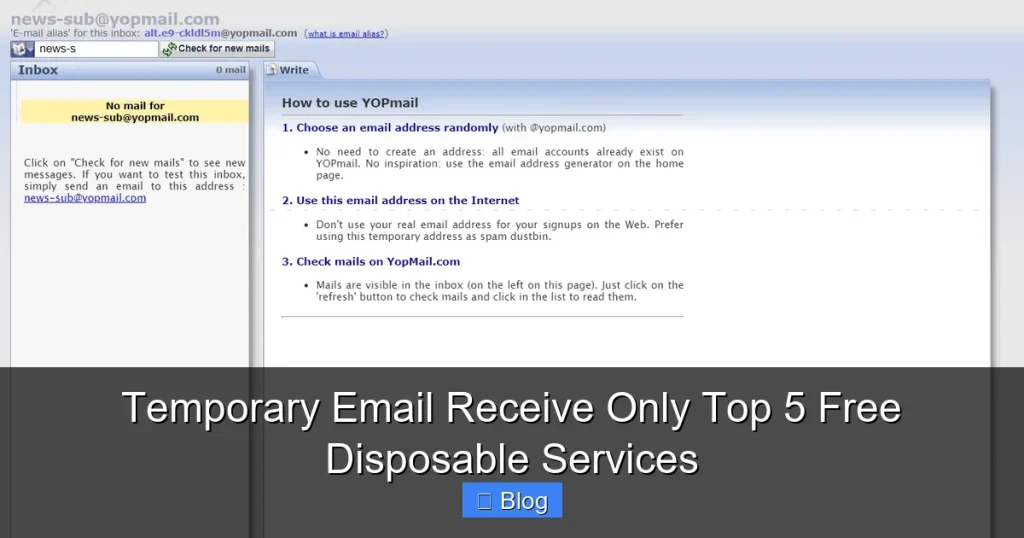
5. Yopmail: The Old-School Reliable
Yopmail has been around since 2009—a veteran in the temp email space. It offers unlimited inboxes (each lasts 24 hours) and supports attachments. Just type a username (e.g., test123) after @yopmail.com, and you’re set. No ads, no fuss.
Why it’s great: Trusted, ad-free, and great for batch sign-ups (e.g., testing multiple accounts).
Limitation: Interface feels dated, but it gets the job done.
How to Use Temporary Email Services Safely (Pro Tips)
These tools are powerful—but misuse can backfire. Follow these rules to stay safe:
Never Use for Critical Accounts
Temporary emails are for low-stakes actions only. Never link them to your bank, PayPal, or primary social media. If the service requires email recovery (like “Forgot Password?”), you’re locked out forever. Save your real email for anything important.
Check Inboxes Immediately
Most temp emails expire fast. After pasting the address, wait 2–5 minutes, then check the inbox. Delaying risks missing time-sensitive links (e.g., “Verify within 10 minutes”). Set a phone timer if needed!
Avoid Sending Replies
Remember: these are receive only services. You can’t reply to emails. If a site asks for follow-up communication, use your real email. Trying to reply from a temp inbox usually fails—and might flag your account as suspicious.
Watch for Red Flags
If a temp email service asks for your phone number or real email, close the tab. Legit providers need nothing from you. Also, avoid services with excessive pop-up ads—they often bundle malware.
When NOT to Use Temporary Email Receive Only
These services are awesome—but not universal. Here’s when to skip them:
Long-Term Subscriptions
Signing up for Netflix or a monthly box? Use your real email. Temp inboxes vanish, so you’ll miss billing alerts or service updates. One-time trials are fine, but recurring services need permanence.
Trusted Personal Accounts
Your email for family photos or medical portals should always be real. Temp emails can’t receive password resets or security codes later. Keep your main inbox for anything tied to your identity.
High-Risk Financial Actions
Even if a temp email works for signing up, never use it for transactions. Banks and payment apps require verified, permanent addresses. A disposable inbox won’t cut it for fraud alerts or statements.
Conclusion: Take Control of Your Inbox Today
Temporary email receive only services are the unsung heroes of digital privacy. They’re free, easy, and put you back in charge of your inbox. No more spam avalanches. No more phishing fears. Just clean, focused communication where you decide what matters.
Start small: next time you grab a free resource or sign up for a forum, grab a temp email instead of your real one. In 30 seconds, you’ll dodge future headaches. Your inbox—and your peace of mind—will thank you. Ready to try? Pick one of the top 5 services above and give it a spin. Your spam-free future starts now.
Frequently Asked Questions
Are temporary email services legal?
Yes, using disposable emails is completely legal. They’re designed for privacy protection, not illicit activity. However, avoid using them for fraud or spam—that violates terms of service and laws.
Can I receive attachments with temporary emails?
Most top services (like TempMail and Mail.tm) support attachments up to 50MB. Just check the service’s features—some block large files for security reasons.
Do these services work for SMS verification?
No, temporary email services only handle email. For SMS, you’d need a separate disposable phone number service—they’re different tools.
How long do temporary inboxes last?
Lifespans vary: 10 minutes (10MinuteMail), 1–24 hours (Guerrilla Mail, TempMail), or renewable (Mail.tm). Always check the service’s details before using.
Can I use temporary emails for important accounts?
Never for critical accounts like banking or email recovery. Temp inboxes expire, so you’ll lose access to password resets or security alerts.
Are free temporary email services safe?
Reputable ones (like our top 5) are safe for receive-only use. Avoid sketchy sites with excessive ads—they may harvest your data or inject malware.