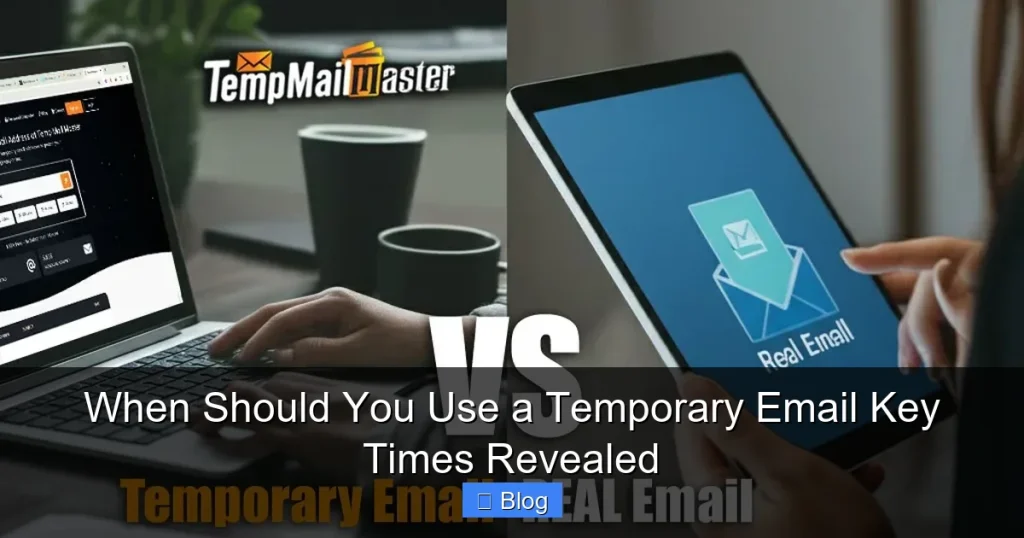

Temporary emails aren’t just for sketchy sites! Use them strategically when signing up for one-time services, testing platforms, or avoiding spam. They’re your secret weapon for inbox hygiene and digital safety without compromising real accounts.
Key Takeaways
- Spam Shield: Block promotional floods from newsletters or freebies by using disposable addresses for one-time signups.
- Test Drive Safely: Evaluate new apps or websites without linking your primary email to untrusted platforms.
- Data Harvesting Defense: Prevent companies from building detailed profiles of your behavior by using unique temp emails per service.
- Disposable Accounts: Create burner accounts for forums, contests, or services you’ll likely abandon.
- Travel & Public Wi-Fi: Safeguard your main inbox when accessing accounts on unsecured networks abroad.
- Avoid Confirmation Clutter: Skip inbox pollution from mandatory verification emails for low-value services.
- Never for Critical Accounts: Avoid temp emails for banking, healthcare, or anything requiring long-term access or recovery.
📑 Table of Contents
- Your Inbox Is Under Siege: Why Temporary Emails Are Your Secret Weapon
- When Temporary Emails Shine: Top 5 Strategic Use Cases
- When NOT to Use a Temporary Email: Critical Exceptions
- How to Choose the Right Temporary Email Service
- Step-by-Step: Using a Temporary Email Like a Pro
- The Future of Email Privacy: Beyond Temporary Addresses
- Conclusion: Take Control of Your Inbox Today
Your Inbox Is Under Siege: Why Temporary Emails Are Your Secret Weapon
Let’s be honest: your primary email inbox is a disaster zone. It’s flooded with promotional spam from that free ebook you downloaded months ago, forgotten newsletter subscriptions, and verification emails from services you tried once and never used again. You’ve probably hesitated to sign up for a new app because you dread the inevitable spam tsunami. Sound familiar? You’re not alone. Most of us have sacrificed our inbox sanity for convenience, but there’s a smarter solution hiding in plain sight: temporary email addresses.
Temporary emails aren’t just sketchy tools for shady websites (though they excel there!). They’re legitimate, privacy-focused instruments anyone can use to take control of their digital life. Think of them as disposable aliases for your inbox—perfect for situations where you need email functionality without the long-term commitment. The magic lies in knowing exactly when to deploy them. Using a temporary email at the right moment saves you time, protects your privacy, and keeps your main inbox pristine. In this guide, we’ll reveal the key scenarios where a temporary email isn’t just helpful—it’s essential.
When Temporary Emails Shine: Top 5 Strategic Use Cases
Forget the myth that temporary emails are only for questionable activities. In reality, they’re practical tools for everyday digital hygiene. Here’s when they truly earn their place in your toolkit:
Visual guide about When Should You Use a Temporary Email Key Times Revealed
Image source: inspirationfeed.com
1. One-Time Signups & Free Trials
This is the golden rule of temporary email usage. Ever signed up for a free trial of a streaming service, productivity app, or online course only to realize you’ll never use it again? That’s the perfect moment for a disposable address. Companies often require email verification to activate trials, but they’ll also bombard you with “special offers” the second you sign up. By using a temporary email, you:
- Complete the signup process instantly without touching your real inbox
- Receive the trial access link or download without spam follow-ups
- Let the address expire automatically after 24-72 hours (most services auto-delete)
Real-world example: You spot a free Canva template pack requiring email signup. Instead of using your personal Gmail, grab a temp email from Mailinator. Download the templates, then forget about it. No more “Canva Pro Discount!” emails cluttering your promotions tab.
2. Testing New Apps or Websites
Curious about a new social media platform, project management tool, or e-commerce site? Before committing your real email—and potentially your contact list—use a temporary address to explore. This is crucial for:
- Privacy protection: Prevent new services from harvesting your email for marketing databases
- Security testing: Check if the site has basic security (e.g., does it leak emails in URLs?)
- Feature evaluation: Determine if the service is worth your time without spam consequences
Pro tip: If a site demands your real email for a simple demo, that’s a red flag. Legitimate services respect user privacy and allow temp email testing. Walk away if they insist.
3. Avoiding Data Brokers & Profile Builders
Every email signup is a data point for companies building detailed user profiles. When you use the same email everywhere, you create a permanent digital fingerprint. Temporary emails shatter this pattern by:
- Giving each service a unique, untraceable identifier
- Preventing cross-site tracking (e.g., if Site A sells your email to Site B)
- Limiting how much behavioral data companies can aggregate about you
Why it matters: Data brokers like Acxiom or LiveRamp buy and sell email-linked profiles. Using temp emails for non-essential services starves these entities of your data. It’s digital self-defense in action.
4. Forum Registrations & Contest Entries
Online forums, comment sections, and social media contests often require email verification. But do you really want your primary address associated with that niche gardening forum or a sweepstakes for a $20 Amazon gift card? Temporary emails solve this elegantly:
- Participate without linking your identity to low-value communities
- Avoid “forum spam” if the site gets hacked (temp emails = no real damage)
- Keep your main inbox free from contest winner notifications you’ll likely ignore
Real-world example: You enter a Reddit giveaway requiring email verification. Use a 10-minute temp email from TempMail. If you win, the organizer contacts you via the temp address—no spam, no fuss. If not, the address vanishes.
5. Travel & Public Wi-Fi Security
When traveling, you’re often forced to use sketchy hotel Wi-Fi or airport networks. Signing into accounts with your real email on these networks risks interception. A temporary email acts as a buffer:
- Access travel apps (e.g., flight check-ins) without exposing your primary account
- Receive boarding passes or confirmations via disposable addresses
- Prevent hackers from harvesting your real email if the network is compromised
Critical note: Never use temp emails for banking or sensitive logins—even on public Wi-Fi. Always use 2FA and a password manager. But for low-risk travel tasks? Temp emails are ideal.
When NOT to Use a Temporary Email: Critical Exceptions
Temporary emails are powerful, but they’re not universal. Misusing them can cause serious headaches. Avoid temp emails in these scenarios:
Visual guide about When Should You Use a Temporary Email Key Times Revealed
Image source: i.pcmag.com
1. Financial or Healthcare Accounts
Banks, investment platforms, insurance providers, and medical portals require permanent, verifiable email addresses. Why? Because:
- They need reliable communication channels for security alerts (e.g., fraud warnings)
- Legal compliance often mandates traceable contact information
- Account recovery is impossible if your temp email expires
Consequence example: If you use a temp email for your PayPal account and it expires, you’ll lose access forever. Recovery requires proving identity through other means—a nightmare if you’ve moved or changed phone numbers.
2. Long-Term Subscriptions
Services you’ll use for months or years—like Netflix, Adobe Creative Cloud, or your employer’s Slack—demand stable email addresses. Temporary emails fail here because:
- Password reset links won’t reach you after expiration
- Service updates or billing notices get lost
- You risk permanent account lockout
Smart alternative: Use a dedicated “junk” email folder or a separate permanent address (e.g., yourname.junk@gmail.com) for subscriptions. Keep it organized but isolated from your main inbox.
3. Professional Communications
Job applications, client correspondence, or networking emails require credibility. A temp email address (e.g., “user123@temp-mail.org”) screams “unprofessional” and may get your application rejected. Hiring managers and clients expect:
- Consistent, branded email addresses (e.g., first.last@gmail.com)
- Reliable communication channels for follow-ups
- Trust signals—temp emails feel anonymous and untrustworthy
Pro tip: If you must use a temp email for a job portal signup, immediately update the account with your professional address once verified.
How to Choose the Right Temporary Email Service
Not all temp email providers are created equal. Picking the right one ensures security and usability. Here’s what to look for:
Visual guide about When Should You Use a Temporary Email Key Times Revealed
Image source: anonymmail.net
Security & Privacy Features
Avoid services that log your IP address or sell metadata. Prioritize providers with:
- No registration required: Truly disposable addresses (e.g., TempMail, 10MinuteMail)
- End-to-end encryption: For sensitive signups (e.g., SimpleLogin)
- Automatic deletion: Addresses vanish after 10 mins to 48 hours
Red flag: Services asking for your real email to “create” a temp address. That defeats the purpose!
Ease of Use & Reliability
The best temp email tools work seamlessly:
- Browser extensions: Like Firefox Relay or Chrome’s “Temp Mail” add-ons for one-click generation
- Mobile apps: For on-the-go use (e.g., MySudo)
- Custom domains: Premium services like AnonAddy let you create addresses like “amazon@yourdomain.com”
Beginner-friendly pick: 10MinuteMail.com—no install, works on any device, addresses last 10 minutes. Perfect for quick signups.
Advanced Options for Power Users
If you handle sensitive data regularly, consider:
- SimpleLogin: Creates unique aliases (e.g., “netflix@simplelogin.com”) that forward to your real inbox. You can disable aliases anytime.
- Firefox Relay: Free tier offers 50 masked emails/month. Great for privacy-conscious users.
- Burner Email: Paid service with custom domains and longer address lifespans (up to 30 days).
Why upgrade? Free temp email services often have ads or limited features. Paid tools offer better security and customization for frequent users.
Step-by-Step: Using a Temporary Email Like a Pro
Ready to try it? Follow this foolproof process:
1. Identify the Right Moment
Ask yourself: “Will I need access to this account again in 30 days?” If the answer is no, use a temp email. Examples:
- Downloading a free resource (ebook, template)
- Signing up for a one-time webinar
- Accessing a limited-time discount code
If you’ll use the service weekly (e.g., Spotify), skip the temp email.
2. Generate Your Disposable Address
Visit a trusted temp email site like TempMail.org or 10MinuteMail.com. Most auto-generate an address—no clicks needed. For browser extensions:
- Install the extension (e.g., “Temp Mail” for Chrome)
- Click the icon when on a signup page
- It auto-fills a fresh address
Pro tip: Use a different temp email for each service. This prevents cross-site tracking.
3. Complete the Signup & Verify
Paste the temp email into the signup form. Check the temp email inbox (refresh the page) for the verification link. Click it—you’re in! Most services deliver emails instantly.
4. Use the Service & Forget
Access what you needed (e.g., download the file, watch the webinar). Once done, close the tab. The temp email will expire automatically—no cleanup required.
5. Advanced: Forwarding for Critical Temp Emails
Occasionally, you might need a temp email for something semi-important (e.g., a contest you actually want to win). Use forwarding services like SimpleLogin:
- Create an alias (e.g., “contest@simplelogin.com”)
- Emails forward to your real inbox
- Disable the alias if spam arrives
This gives you control without permanent commitment.
The Future of Email Privacy: Beyond Temporary Addresses
Temporary emails are just one piece of the privacy puzzle. As data harvesting intensifies, smarter solutions are emerging:
Masked Emails: The Next Evolution
Services like Apple Hide My Email or Firefox Relay create unique, forwardable aliases that aren’t temporary but are disposable per service. Benefits:
- Addresses never expire (but can be disabled)
- All emails route to your real inbox
- See exactly which service leaked your email if spam arrives
Why it’s better: You get temp email privacy with permanent account access. Ideal for services you might use long-term but want to monitor.
Regulatory Shifts & User Empowerment
Laws like GDPR and CCPA are forcing companies to respect email privacy. Soon, we may see:
- Built-in OS features for disposable emails (like Apple’s Hide My Email)
- Standardized “privacy mode” signup options on websites
- Reduced spam as data brokers face stricter regulations
Your role: Demand better privacy options. Support companies that offer masked email signups—it signals the market is changing.
Balancing Convenience & Security
The goal isn’t to abandon real emails—it’s to use the right tool for the job. Temporary emails excel for fleeting interactions, while masked emails handle semi-permanent needs. Together, they create a layered defense:
- Layer 1: Temp emails for one-time, low-value signups
- Layer 2: Masked emails for subscriptions you might keep
- Layer 3: Your primary email for critical accounts only
This strategy keeps your digital life organized, secure, and spam-free.
Conclusion: Take Control of Your Inbox Today
Temporary emails aren’t a hack—they’re a fundamental privacy tool for the modern internet. By using them strategically, you reclaim your inbox from spam, protect your data from brokers, and interact online with confidence. Remember: the best time to use a temporary email is whenever you’d otherwise shrug and think, “Ugh, fine, I’ll use my real email… again.”
Start small. Next time you download a free resource or sign up for a trial, grab a temp email instead. Notice how your main inbox stays calm. Notice how you avoid that nagging guilt of “I’ll unsubscribe later.” That’s the power of intentional email use. You’re not just avoiding spam—you’re voting for a cleaner, more respectful internet. So go ahead: generate that disposable address. Your future self (and your inbox) will thank you.
Frequently Asked Questions
Are temporary email services legal?
Yes, using temporary emails is completely legal and ethical. They’re legitimate privacy tools endorsed by security experts. Avoid services that promote illegal activity, but standard providers like TempMail are perfectly lawful.
Can temporary emails be traced back to me?
Reputable services don’t log your IP address or personal data, making tracing impossible. However, avoid using temp emails for illegal activities—law enforcement can still investigate through other means if needed.
Why do some websites block temporary emails?
Websites block temp emails to prevent fraud, spam accounts, or abuse of free trials. If a site rejects your temp email, it likely has strict security policies—consider whether the service is worth using your real email.
Do temporary emails work for password resets?
Only if the account was created with that temp email. Since most expire quickly, they’re useless for resetting passwords on existing accounts. Never use them for services requiring long-term access.
What’s the best free temporary email service?
10MinuteMail.com is ideal for most users: no signup, 10-minute addresses, and mobile-friendly. For more control, SimpleLogin offers free masked emails with forwarding.
Can I use temporary emails for social media?
Possible, but risky. Platforms like Facebook or Instagram often ban temp email accounts for violating terms of service. Use them only for one-time actions (e.g., viewing a profile), not for creating permanent profiles.