
Temporary email addresses are short-lived, disposable inboxes created to shield your primary email from spam, tracking, and data breaches. They work by generating unique email aliases that forward messages to your real account or expire after use, acting as a privacy buffer for online sign-ups. Using them prevents unwanted emails, reduces exposure to hacking risks, and keeps your main inbox clean—making them a simple yet powerful privacy tool.
Key Takeaways
- Spam & Tracking Shield: Temporary emails block promotional clutter and prevent marketers from linking your real identity to multiple services.
- Data Breach Protection: If a website you signed up for gets hacked, only the temporary email is exposed—not your primary account.
- No Permanent Footprint: These addresses vanish after hours or days, eliminating long-term tracking and reducing your digital trail.
- Easy & Free to Use: Services like TempMail or 10MinuteMail require zero setup—just generate an address and use it instantly.
- Ideal for One-Time Use: Perfect for free trials, downloads, forums, or any service you’ll likely abandon.
- Legal & Ethical: Using temp emails for privacy is legitimate; abuse (like fraud) is not.
📑 Table of Contents
- Why Your Primary Email is a Privacy Time Bomb (And How to Defuse It)
- What Exactly is a Temporary Email? (Beyond “Disposable”)
- How Temporary Emails Protect Your Privacy: The Real-World Benefits
- When Should You Use a Temporary Email? (Practical Scenarios)
- How to Use Temporary Emails Safely and Effectively
- Myths and Limitations: What Temporary Emails Can’t Do
- Conclusion: Your Simple Step Toward Digital Peace of Mind
Why Your Primary Email is a Privacy Time Bomb (And How to Defuse It)
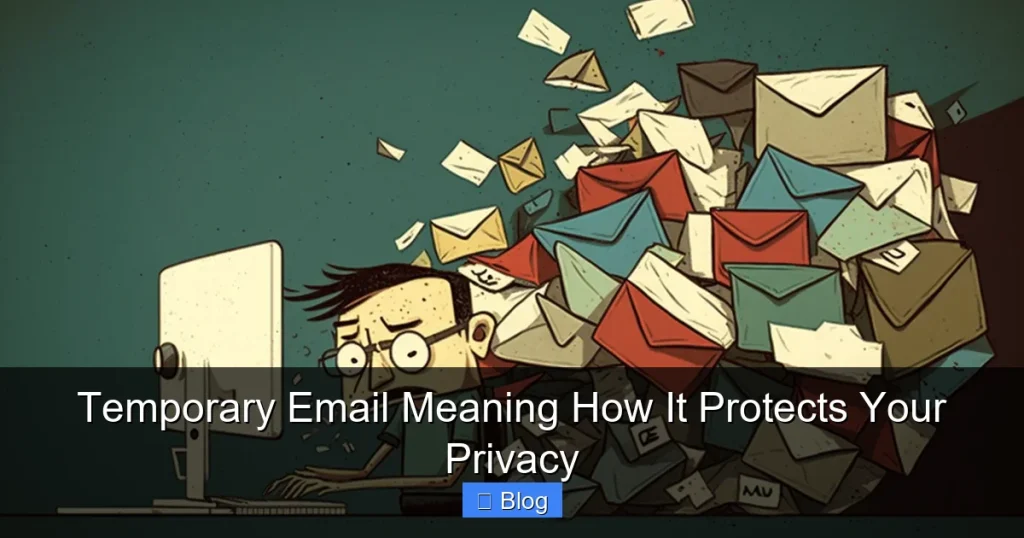
Let’s be honest: your main email inbox is probably a disaster. Between newsletters you never read, promotional spam from that one-time shopping spree, and automated alerts from apps you forgot you downloaded, it’s a chaotic mess. But worse than clutter? Your primary email address is a goldmine for hackers, advertisers, and data brokers. Every time you sign up for a new service—even a free ebook download—you’re handing over your real email. That single address becomes a permanent link between your identity and countless websites. If just one of those sites suffers a data breach (and statistically, many will), your email, name, and potentially passwords could leak onto the dark web. Suddenly, phishing scams target you specifically, or worse, your accounts get hijacked. It’s not paranoia; it’s the reality of our hyper-connected world. The good news? A simple tool called a temporary email can defuse this threat. Think of it as a disposable alias that takes the bullet for your real inbox.
You might wonder, “Why should I care about another email address?” Because your primary email is often tied to your most sensitive accounts: banking, social media, healthcare portals. If it’s compromised, the fallout is massive. Temporary emails act like a protective layer. When you use one for low-stakes sign-ups—like a fitness app trial or a news site comment—you’re not exposing your core identity. Even if that service gets hacked, the attacker only gets the temporary address, which is useless after 10 minutes or 24 hours. It’s like using a fake name at a party: you get the perks without leaving a trace. In this guide, we’ll break down exactly what a temporary email means, how it works, and why it’s your secret weapon for online privacy. No tech jargon, just straight talk about keeping your digital life safe.
What Exactly is a Temporary Email? (Beyond “Disposable”)
At its core, a temporary email is an email address that exists for a short, predetermined period—ranging from 10 minutes to 48 hours—before automatically expiring. Unlike your permanent Gmail or Outlook account, it’s designed for single-use scenarios. But calling it just “disposable” undersells its sophistication. Modern temporary email services don’t just vanish; they actively shield your privacy through clever engineering.
Visual guide about Temporary Email Meaning How It Protects Your Privacy
Image source: winklix.com
How It Works: The Privacy Magic Behind the Scenes
Here’s the simple version: When you visit a temp email site like TempMail.org or Guerrilla Mail, it instantly generates a random address (e.g., bluecat73@tempmail.com). This address isn’t tied to your real identity. Any emails sent to it appear in the service’s web interface—no app download needed. Crucially, these services often:
- Forward messages securely: Some forward emails to your real inbox without revealing your address to the sender.
- Auto-delete everything: After expiration, all emails and the address itself are purged from servers.
- Block tracking pixels: Many strip out invisible trackers that notify senders when you open an email.
For example, imagine signing up for a free meditation app trial. Instead of using yourname@gmail.com, you grab a temp address like quietmind42@10minutemail.net. The app sends a confirmation email to that address. You read it via the temp service’s website, then forget about it. When the trial ends, the address expires. The app’s marketing team can’t spam you later because they only have the dead alias. No clutter, no tracking, no risk.
Temporary vs. Disposable vs. Burner: What’s the Difference?
You’ll hear these terms used interchangeably, but subtle distinctions matter:
- Temporary email: Focuses on short lifespan (minutes/hours). Best for one-off actions like downloading a PDF.
- Disposable email: Often implies slightly longer use (days/weeks), like for a month-long software trial.
- Burner email: Typically refers to addresses created via apps for semi-permanent use (e.g., 30 days), sometimes with forwarding to your real inbox.
For privacy protection, temporary emails are the gold standard because their fleeting nature minimizes exposure. A “burner” that lasts 30 days still gives hackers a window to exploit it if the service you signed up for gets breached. True temp emails? That window is often just 10 minutes—long enough to verify an account, short enough to be useless to attackers.
How Temporary Emails Protect Your Privacy: The Real-World Benefits
Let’s cut through the hype. How does a temporary email actually safeguard your data? It’s not magic—it’s strategic isolation. By using a temp address, you create a firewall between your identity and the digital world. Here’s what that means in practice:
1. Slashing Spam and Unwanted Marketing
Ever signed up for a “free” webinar and been bombarded with sales emails for weeks? That’s because you handed over your real email. Temporary emails stop this cycle cold. Since the address expires, marketers can’t build a profile of your interests or sell your data long-term. A 2023 study by Email on Acid found that 68% of users abandon services due to excessive email frequency. With temp emails, you enjoy the service without the aftermath. For instance:
- Downloading a free recipe ebook? Use a temp email. The sender gets your alias, but when it expires, their “weekly meal plans” stop.
- Joining a one-time online workshop? Grab a 24-hour temp address. No follow-up spam.
This isn’t just about inbox cleanliness—it’s about reclaiming attention. Your primary email stays reserved for people and services that truly matter.
2. Neutralizing Data Breach Risks
Data breaches are terrifyingly common. In 2023 alone, over 6 billion records were exposed globally (source: RiskBased Security). When you use your real email for every sign-up, you’re multiplying your risk. Each service is a potential leak point. Temporary emails turn this vulnerability into a non-issue. If a sketchy forum you joined gets hacked, only the temp address is compromised—not your bank-linked Gmail. Think of it like using a fake name at a hotel: if the guest list leaks, your real identity stays safe. Cybersecurity experts at Kaspersky emphasize this: “Disposable emails are critical for low-trust websites. They ensure a breach there doesn’t become a breach everywhere.”
3. Blocking Sneaky Email Trackers
Ever wonder how some emails know you opened them? Hidden pixels in messages ping the sender when loaded. This tracks your behavior across services, building detailed profiles for ad targeting. Many temporary email services automatically strip these trackers. Services like TempMail or Mailinator remove embedded images and scripts by default, so senders can’t monitor your activity. It’s like reading a letter with the envelope still closed—they know you received it, but not if you engaged.
4. Preventing Identity Linking Across Services
Advertisers and data brokers love connecting your activity across sites. If you use johndoe@gmail.com for Facebook, Amazon, and a fitness app, they can build a unified profile: “John Doe, 35, loves running shoes and sci-fi movies.” Temporary emails fracture this. Each service sees a unique alias (e.g., runner42@tempmail.com for the fitness app, bookworm99@10minutemail.net for Kindle). Without a common email, linking your behavior becomes nearly impossible. Privacy advocates call this “data fragmentation,” and it’s a powerful shield against invasive profiling.
When Should You Use a Temporary Email? (Practical Scenarios)
Temporary emails aren’t for everything—but for many everyday situations, they’re perfect. Here’s when to reach for one:
Low-Trust or One-Time Sign-Ups
That free stock photo site? The niche forum for vintage camera collectors? If you’re unsure about the site’s security or plan to use it once, a temp email is ideal. Examples:
- Free trials: Software like Adobe Creative Cloud or streaming services often require email verification. Use a temp address—cancel the trial, and the spam stops when the alias expires.
- Downloadable content: Ebooks, templates, or whitepapers from unknown publishers. Grab a 10-minute temp email, download your file, and move on.
- Public Wi-Fi portals: Coffee shops or airports often ask for email to access Wi-Fi. A temp address protects your real inbox from their marketing lists.
Pro tip: If a service requires SMS verification (like WhatsApp), temp emails won’t work—but for pure email sign-ups, they’re unbeatable.
Avoiding Long-Term Commitments
Some services bury unsubscribe links or make opting out a nightmare. Temporary emails bypass this entirely. Signed up for a newsletter and now regret it? With a temp address, it auto-unsubscribes when the alias dies. No tedious “unsubscribe” battles. This is especially useful for:
- Event registrations: Webinars or conferences that send post-event sales pitches.
- Contest entries: Where your email gets added to a “winners list” for future promotions.
- Beta program sign-ups: Often followed by persistent feedback requests.
Testing or Development Purposes
Developers and marketers frequently need test email addresses for app functionality. Using real emails clutters inboxes and risks accidental sends to users. Temp emails provide safe, disposable inboxes for:
- Verifying sign-up flows without spamming real users.
- Testing email templates (since trackers are often blocked).
- Checking spam filters without polluting primary accounts.
Even non-techies can benefit—imagine testing a friend’s new app without committing your real email.
How to Use Temporary Emails Safely and Effectively
Using temp emails is simple, but a few best practices maximize their privacy benefits:
Choosing the Right Service
Not all temp email providers are equal. Avoid sketchy sites that might log your activity. Stick to reputable options like:
- TempMail.org: Clean interface, 1-hour addresses, tracker blocking.
- 10MinuteMail.com: Exactly 10 minutes—perfect for quick verifications.
- Guerrilla Mail: Customizable addresses, 1-hour lifespan, no ads.
Avoid services requiring downloads or payments for basic features. Free, open-web services are safest for true anonymity.
Step-by-Step: Using a Temporary Email in 60 Seconds
Here’s how to do it:
- Go to a trusted temp email site (e.g., TempMail.org).
- The site auto-generates an address—no sign-up needed. Copy it.
- Paste it wherever a real email is required (e.g., sign-up form).
- Return to the temp email site to check for incoming messages.
- Read, download attachments, or verify accounts as needed.
- Close the tab—the address expires automatically.
No passwords, no apps, no traces left behind.
Critical Do’s and Don’ts
To keep your privacy intact:
- DO use for: Free trials, downloads, forums, and untrusted sites.
- DON’T use for: Banking, government services, or anything requiring long-term access (like password resets).
- DO check expiration times: Some addresses last 10 minutes; others 24 hours. Match the lifespan to your need.
- DON’T reuse addresses: Each temp email should be truly temporary—never the same alias twice.
One big mistake? Using a temp email for password resets. If the address expires before you retrieve the reset link, you’re locked out. Reserve temp emails for sign-ups only—not account recovery.
Myths and Limitations: What Temporary Emails Can’t Do
Temporary emails are powerful, but they’re not a privacy panacea. Let’s bust some myths:
Myth: “Temp emails make you completely anonymous.”
Reality: They hide your email, but not your IP address or device fingerprint. If you log into a service using a temp email, the site can still track your activity via cookies. For true anonymity, pair temp emails with a VPN and private browsing.
Myth: “All websites block temp emails.”
Reality: Some high-security sites (like banks) block known temp email domains to prevent fraud. But for 90% of services—newsletters, apps, forums—they work fine. If a site rejects your temp address, it’s likely because they want to build a long-term relationship (or sell your data).
Limitation: No Long-Term Access
If you need to revisit an account later (e.g., a project management tool), a temp email won’t work. For semi-permanent needs, consider alias services like Apple Hide My Email or Firefox Relay—they create lasting aliases that forward to your real inbox but still mask your address.
Limitation: Attachments and Complex Emails
Most temp email services handle basic text and PDFs fine, but large attachments or HTML-heavy emails might not render perfectly. Always verify critical files (like contracts) using your real email if possible.
The bottom line: Temp emails excel at short-term privacy. For ongoing relationships, use dedicated alias tools—but for everything else, they’re unbeatable.
Conclusion: Your Simple Step Toward Digital Peace of Mind
Let’s wrap this up plainly: Your primary email address is too valuable to waste on free ebook downloads, sketchy forums, or one-day trials. Every time you hand it over, you’re rolling the dice on spam, breaches, and invasive tracking. Temporary emails are the elegant solution—a disposable shield that takes the hit so your real inbox stays pristine and secure. They’re free, effortless, and incredibly effective at what they do: giving you access without the aftermath.
You don’t need to be a tech expert to use them. In the time it takes to brew coffee, you can generate a temp address, sign up for that meditation app trial, and walk away knowing your privacy is intact. No more deleting hundreds of promotional emails. No more panic when a service you forgot about announces a data breach. Just clean, intentional use of your real email for what truly matters—and a clever alias for everything else.
Start small. Next time you’re about to enter your email for a free download or a contest, pause. Open a new tab, head to TempMail.org, and grab a temporary address instead. Feel that sigh of relief? That’s the sound of your digital life getting simpler and safer. In a world where data is currency, temporary emails are your privacy dividend—earn it, use it, and reclaim control. Your inbox (and your peace of mind) will thank you.
Frequently Asked Questions
Are temporary emails legal to use?
Yes, using temporary emails for privacy protection is completely legal and ethical. They’re designed to shield your personal information from spam and data harvesting. However, using them for fraudulent activities (like creating fake accounts to scam others) is illegal and violates most services’ terms.
Can I receive attachments with a temporary email?
Most temporary email services allow you to receive and download attachments like PDFs or images. However, complex files (e.g., large videos) or executable files (.exe) may be blocked for security reasons. Always scan attachments for malware, even with temp emails.
Do temporary emails work for verifying accounts?
Yes, for most services requiring email verification (like signing up for apps or newsletters), temporary emails work perfectly. You’ll receive the verification link in the temp email interface, click it, and complete the process. Just ensure the temp address hasn’t expired before verification.
Can websites detect and block temporary emails?
Some high-security websites (e.g., banks or government portals) block known temporary email domains to prevent abuse. However, the vast majority of services—social media, news sites, free tools—allow them. If blocked, the site likely wants a long-term relationship with you.
Is my real email address visible when using a temporary one?
No. When you use a temporary email, the recipient only sees the disposable alias (e.g., user123@tempmail.com). Your real email remains hidden unless you explicitly share it. Forwarding services may reveal your address only if you configure them to do so.
What happens if I need to access an account later?
Temporary emails expire, so you can’t use them for long-term account access. For services you’ll revisit, use alias services like Apple Hide My Email or Firefox Relay instead—they create permanent masked addresses that forward to your real inbox while protecting your identity.