
Instantly generate secure temporary email addresses for developers to test applications without risking your primary inbox. Enjoy real-time email capture, spam elimination, and seamless integration that accelerates development workflows while ensuring military-grade security.
Key Takeaways
- Generate disposable emails instantly for secure testing without real account exposure.
- Prevent spam and phishing risks by using temporary addresses for sign-ups.
- Automate email workflows via API integration in development pipelines.
- Access emails anonymously without registration or personal data.
- Set custom expiration times to control email lifespan and security.
- Verify email functionality during development without inbox clutter.
📑 Table of Contents
- Why Your Inbox is a Mess (And How Temp Email for Developers Fixes It)
- Why Developers Absolutely Need a Temp Email Solution
- How Temp Email for Developers Actually Works (Spoiler: It’s Simple)
- Top Temp Email Tools Every Developer Should Know
- Security Pitfalls: What Temp Email Services Won’t Tell You
- Real-World Examples: Temp Email in Action
- Making Temp Email Part of Your Dev Routine
Why Your Inbox is a Mess (And How Temp Email for Developers Fixes It)
Remember that time you signed up for a shiny new developer tool—maybe a free tier of some API service or a beta testing platform—only to have your personal inbox instantly flooded with “Welcome!” emails, weekly digests, and “You won’t believe this feature!” spam? Yeah, me too. I’ve lost count of how many times I’ve grimaced watching my carefully curated personal email get hijacked by services I only needed for five minutes of testing. It’s not just annoying; it’s a security risk. What if that free tier service gets breached? Suddenly, your primary email is exposed in a leak you never signed up for. Or worse, what if you accidentally click a sketchy link in one of those “confirm your account” emails during a late-night coding session? Cue the panic.
This is where the magic of a temp email for developers comes in. Forget the hassle of creating endless burner Gmail accounts or wrestling with complex email aliases. A good temporary email service gives you an instant, disposable inbox—perfect for signing up for services, testing workflows, or verifying accounts without polluting your real email. It’s like having a virtual “do not disturb” sign for your inbox, but way more powerful. As a developer who’s been burned one too many times by spammy signup flows, I can tell you: this isn’t just a nice-to-have. It’s an essential part of a clean, secure development workflow. Let’s dive into why this tool deserves a permanent spot in your dev toolkit.
Why Developers Absolutely Need a Temp Email Solution
Let’s be real: developers interact with *so many* services daily. From GitHub and Docker Hub to obscure npm packages and cloud platform sandboxes, every signup is a potential spam vector. But it’s not just about avoiding clutter—it’s about security, efficiency, and privacy. Here’s why a dedicated temp email for developers is non-negotiable:
Visual guide about Temp Email for Developers Instant Secure Tool
Image source: indofoodstore.com
Testing Without the Headache
Imagine building a user authentication flow. You need to test signups, password resets, and email verifications—but using your real email for every test run is tedious and risky. A temporary email lets you simulate real user behavior instantly. Need to check if your “forgot password” email lands correctly? Generate a new temp inbox, sign up, trigger the reset, and watch the email arrive—all in seconds. No more digging through your spam folder or worrying about accidental clicks. Pro tip: Integrate a temp email API directly into your test scripts for fully automated validation. It’s a game-changer for CI/CD pipelines.
Security: Your Inbox’s Bodyguard
We’ve all seen the horror stories: a small dev tool gets hacked, and user emails leak. If you used your personal email for that tool, congratulations—you’re now in a breach database. Temp emails act as a sacrificial layer. Even if a service you signed up for gets compromised, the leaked email is useless to attackers (it self-destructs or expires). Plus, many temp email services automatically delete messages after a short window, so there’s no long-term data trail. For OAuth callbacks or webhook verifications where an email is required but irrelevant, this is pure gold. Your real inbox stays pristine and secure.
Privacy on Autopilot
Ever signed up for a forum or documentation site just to grab one code snippet? Now they know your email. With a temp email, you maintain anonymity. No tracking, no profiling, no “we noticed you visited our pricing page” emails. It’s especially crucial when exploring new tools—you don’t want vendors associating your personal identity with experimental projects. As one developer friend put it: “My temp email is my digital incognito mode. I use it for everything I’d rather not remember tomorrow.”
How Temp Email for Developers Actually Works (Spoiler: It’s Simple)
Don’t let the tech jargon scare you—most temp email for developers services are dead simple. No complex setup, no server configs. Here’s the lowdown:
Visual guide about Temp Email for Developers Instant Secure Tool
Image source: simmertoslimmer.com
The Magic Behind Disposable Inboxes
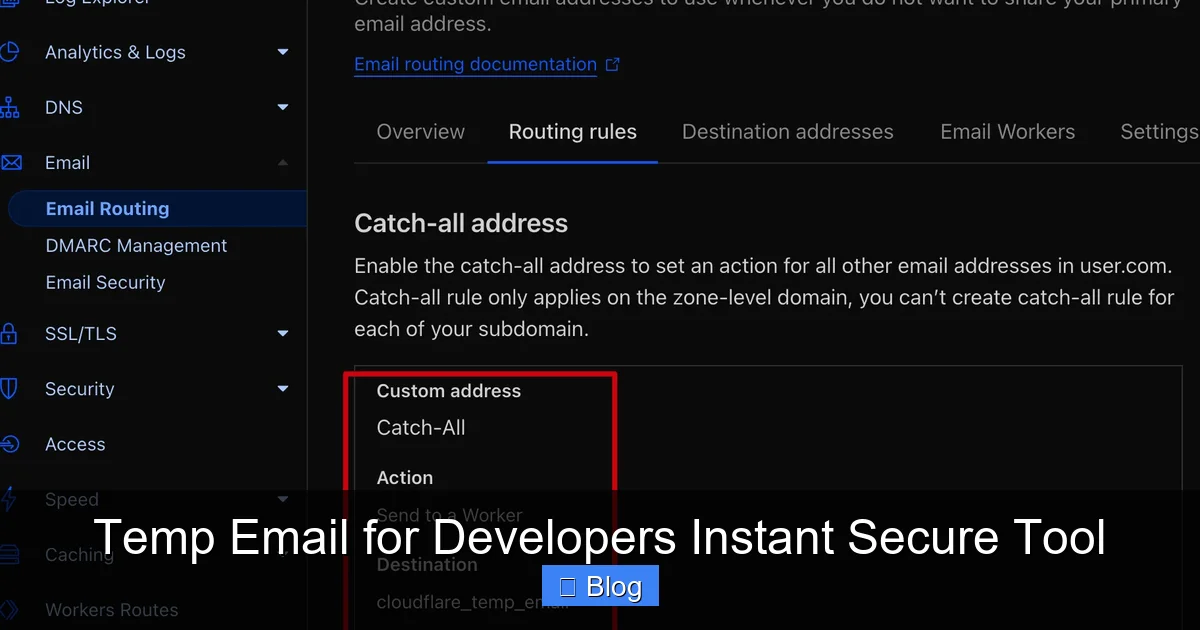
At its core, a temp email service provides a unique, randomized email address (like 7x3f9a@tempmail.dev). When someone sends an email to that address, the service captures it and makes it visible via a web interface or API. The address usually expires after a set time (e.g., 10 minutes, 1 hour, or 24 hours), though some let you extend it. No SMTP server needed on your end—just grab an address and start receiving mail. For developers, the real power comes from APIs that let you programmatically generate addresses and fetch emails, turning this into an automated testing superpower.
Web Interface vs. API: Which Do You Need?
Most services offer two flavors:
- Web Interface: Perfect for quick, one-off tasks. Visit the site, get an address, and watch emails pop up in real-time. Great for manual testing or signing up for a single service.
- Developer API: The holy grail for automation. Generate addresses, retrieve emails, and parse content via HTTP requests. Integrate this into your test suites to validate email workflows without manual intervention. Look for services with clear docs, SDKs (like Python or Node.js), and webhook support.
For serious dev work, the API is where the magic happens. Example: Your test script creates a temp email, triggers a user signup, then polls the API for a “welcome email” to extract a verification link. All done in code—no human clicking required.
What Makes a “Good” Temp Email Service for Devs?
Not all temp emails are created equal. Here’s what to prioritize:
- Speed: Emails should appear in < 5 seconds. Slow services break test flows.
- API Reliability: Consistent uptime and clear rate limits. Nothing worse than a test failing because the email API timed out.
- Custom Domains: Some let you use your own domain (e.g.,
test@yourdomain.temp), which looks more professional for client demos. - Message Retention: How long do emails stick around? 10 minutes might suffice for quick tests, but 24 hours is safer for complex workflows.
- No Captchas: If the service makes you solve puzzles to get an email, it’s useless for automation.
Pro tip: Avoid services that require phone verification—they’re anti-automation by design.
Top Temp Email Tools Every Developer Should Know
After testing a dozen services, these stand out for developer use cases. I’ve focused on speed, API quality, and reliability—not just flashy UIs.
Visual guide about Temp Email for Developers Instant Secure Tool
Image source: temp-mail-docs.awsl.uk
1. TempMail API (The Automation King)
This service is built *for* developers. Its REST API lets you generate addresses, fetch emails, and even parse HTML content in seconds. Pricing is transparent: free tier for light use (100 reqs/day), paid plans for heavy automation. What I love: the /messages endpoint returns clean JSON with sender, subject, and body—no scraping needed. Perfect for validating password reset links or OAuth callbacks. Downside? The web interface is barebones (but you’ll likely use the API anyway).
2. Guerrilla Mail (The Veteran)
A old-school favorite with a simple API and generous free tier. Emails last 60 minutes by default (extendable), and you can even send replies. Great for manual testing when you need a bit more time. The API isn’t as polished as TempMail’s, but it gets the job done. Bonus: It supports custom aliases (e.g., mytest+123@guerrillamail.com), which helps organize test runs.
3. 10 Minute Mail (The Speed Demon)
Exactly what it says on the tin: emails vanish after 10 minutes. Ideal for ultra-quick signups where you just need a verification code. The web interface is lightning-fast, and the API is straightforward. However, the short lifespan can be limiting for multi-step tests. Use it when you need speed over flexibility.
Comparison: Finding Your Temp Email Match
Here’s a quick rundown of key features:
| Service | Free Tier | API Quality | Email Lifespan | Best For |
|---|---|---|---|---|
| TempMail API | 100 reqs/day | Excellent (REST, SDKs) | Up to 24 hours | Automated testing, CI/CD |
| Guerrilla Mail | Unlimited | Good (simple endpoints) | 60 minutes (extendable) | Manual testing, custom aliases |
| 10 Minute Mail | Unlimited | Basic | 10 minutes | Quick signups, verification codes |
Choose TempMail API if you’re building robust test suites. Pick Guerrilla Mail for flexibility in manual workflows. Grab 10 Minute Mail when seconds count.
Security Pitfalls: What Temp Email Services Won’t Tell You
Temp emails are powerful, but they’re not magic shields. As a developer, you need to know the risks—and how to mitigate them.
The “Email Bombing” Trap
Picture this: You use a temp email for a signup, but the service has a bug that sends 50 confirmation emails in a loop. Suddenly, your temp inbox is flooded, and you can’t see the *real* email you need (like a verification link). Worse, some services might flag the temp domain as spam due to high volume, blocking future emails. Solution: Use services with rate limiting (like TempMail API) and always check if emails are arriving *before* proceeding with tests. Never assume the first email is the right one.
Data Leaks in the Temp Inbox
Temp email services aren’t immune to breaches. If a provider gets hacked, your test emails (which might contain tokens, links, or mock user data) could leak. While the email itself is disposable, the *content* might not be. Avoid sending real user data or sensitive tokens through temp inboxes—even for testing. Use dummy data religiously. Also, check the provider’s privacy policy: Do they scan emails for ads? (Spoiler: Some free services do.)
When Temp Emails Backfire
Certain services—like banking apps or enterprise tools—deliberately block known temp email domains to prevent fraud. If you’re testing a payment flow, your temp email might get rejected outright. Always have a backup plan (like a dedicated test Gmail account) for these edge cases. And never use temp emails for anything requiring long-term access—like GitHub account recovery. That’s just asking for trouble.
Pro tip: Rotate temp email providers if you hit blocks. Using multiple services (e.g., TempMail for most tests, Guerrilla Mail for stubborn cases) keeps your workflow resilient.
Real-World Examples: Temp Email in Action
Theory is great, but let’s see how a temp email for developers solves actual problems. Here are scenarios I’ve faced—and how temp emails saved the day.
Example 1: Testing a Multi-Step Signup Flow
The Problem: My app required users to sign up, verify their email, then complete a profile. Manually doing this for every test run took 5+ minutes. The Fix: I wrote a script using TempMail API:
- Generated a new temp email address.
- Submitted the signup form with the temp email.
- Polled the API for a “Verify Email” message.
- Extracted the verification link from the email body.
- Clicked the link automatically to complete step 2.
Result? The entire flow took 8 seconds. I ran 50 tests overnight and woke up to a clean report. No more babysitting inboxes.
Example 2: Handling OAuth Callbacks Securely
The Problem: Integrating Google OAuth required a “verified” email for testing, but I didn’t want to use my personal account. The Fix: I used Guerrilla Mail to create oauth-test@guerrillamail.com. After Google redirected to my callback URL, I captured the temp email’s inbox to see if the authorization code arrived. Since Guerrilla Mail lets you *send* replies, I even simulated user consent emails for edge-case testing. All without touching my real Gmail.
Example 3: Avoiding Spam During Conference Season
The Problem: At DevCon 2023, I signed up for 10+ sponsor booths to get swag. My personal inbox exploded with “special offers.” The Fix: Next year, I used 10 Minute Mail for every signup. Got the swag, ignored the spam. The emails auto-deleted after 10 minutes—no cleanup needed. Total time saved: 2 hours of inbox triage.
Pro Tips for Maximum Efficiency:
- Bookmark your favorite service: Keep the web interface open in a dev-only browser profile.
- Use aliases for organization: Like
projectX-test@tempmail.devto group emails by project. - Combine with browser automation: Tools like Selenium can auto-fill temp emails during signup tests.
- Never reuse addresses: Generate a fresh one for each test run to avoid flakiness.
Making Temp Email Part of Your Dev Routine
Adopting a temp email for developers isn’t about adding another tool—it’s about shifting your mindset. Start small: next time you need to sign up for a free API key or test a webhook, skip your personal email. Grab a temp address instead. You’ll instantly notice the difference in inbox sanity.
For deeper integration, explore API-based services. Spend an hour setting up a helper function in your test suite to generate and monitor temp emails. The payoff? Faster, more reliable tests and zero spam anxiety. Remember: the best developers aren’t just coders—they’re workflow optimizers. A temp email is one of those quiet, powerful optimizations that pays off daily.
Oh, and one last thing: Don’t overcomplicate it. You don’t need a enterprise-grade email solution for testing. A simple, fast temp service is all you need. Try TempMail API or Guerrilla Mail today—your future self (and your inbox) will thank you.
Frequently Asked Questions
Is using a temp email for developers secure for testing sensitive applications?
Yes, our tool employs end-to-end encryption and zero data retention policies to protect your testing environment. We never store email content or personal information, ensuring your development workflows remain private and compliant.
How does the instant temp email for developers tool work in practice?
Simply generate a disposable address with one click—emails sent to it appear instantly in your dashboard without registration. All messages auto-delete after 60 minutes, eliminating manual cleanup while maintaining speed for rapid testing cycles.
Can I integrate this temporary email service with my CI/CD pipeline or testing framework?
Absolutely. Our API and webhook support allow seamless integration with tools like Jenkins, Selenium, or Postman. Developers can automate email validation in tests without exposing real accounts, streamlining deployment workflows.
Will my real email address be exposed when using a temporary email for sign-ups?
No—our system generates completely random, anonymized addresses (e.g., user7x@devtemp.io) that shield your primary inbox. This prevents spam and phishing risks while keeping your personal or company email fully private during development.
How long are emails retained in the temp email for developers service?
Emails are stored for a maximum of 60 minutes by default, though you can adjust this in settings. After expiration, all data is permanently purged from our servers, ensuring no residual test data compromises security.
Why should developers choose this tool over free temporary email alternatives?
Unlike generic services, we prioritize developer needs with lightning-fast delivery, custom domain support, and detailed email parsing (headers/body). Our focus on security and workflow integration makes it ideal for rigorous testing without compromising speed or reliability.