Stop letting spam and data trackers invade your inbox. Temporary email for anonymity shields your real address during sign-ups, downloads, and risky online interactions. It’s your simple, instant shield against unwanted emails and privacy breaches you can’t afford to ignore.
Key Takeaways
- Spam & Scam Defense: Use a disposable address for one-time sign-ups to keep your primary inbox clean and safe from phishing attempts.
- Privacy Preservation: Prevent websites and services from linking your real identity to every account you create, stopping invasive tracking.
- Avoid Unwanted Tracking: Stop companies from building detailed profiles of your online behavior simply by using a different email each time.
- Secure Risky Sign-Ups: Safely access forums, download files, or use services you distrust without compromising your main email security.
- Bypass Geographic Restrictions: Some services allow temporary emails to access region-locked content during initial sign-up.
- Effortless Disposal: Discard the temporary address instantly after use – no cleanup, no lingering spam, no data trails.
- Free & Instant Setup: Most temporary email services require zero registration; get a new address in seconds, ready to use immediately.
📑 Table of Contents
- Why Your Inbox is Under Attack (And How to Fight Back)
- What Exactly is a Temporary Email for Anonymity?
- Why Anonymity Online Isn’t Just for Hackers Anymore
- Real-Life Scenarios: When You Absolutely Need a Temporary Email
- Choosing Your Temporary Email Shield: Key Features to Look For
- Your Step-by-Step Guide to Using Temporary Email Safely & Effectively
- Understanding the Limits: What Temporary Email Can’t Do
- Conclusion: Take Control of Your Digital Footprint Today
Why Your Inbox is Under Attack (And How to Fight Back)
Let’s be honest: your primary email inbox is probably a disaster zone. It’s flooded with promotional spam you never signed up for, newsletters you forgot you subscribed to, and worse – phishing attempts disguised as legitimate messages. Every time you sign up for a new app, download a free guide, or comment on a forum, you’re potentially handing over your real email address. And that address? It’s a golden ticket for spammers, data brokers, and cybercriminals. They track your activity, build profiles, and bombard you with unwanted content. The simple truth is, sharing your real email everywhere is like leaving your front door wide open in a busy neighborhood. You wouldn’t do that in real life, so why risk it online?
The solution isn’t to stop using the internet – it’s to be smarter about how you share your identity. Enter the temporary email for anonymity. This isn’t some complex tech tool reserved for hackers; it’s a straightforward, free, and incredibly effective method to protect your privacy during everyday online interactions. Think of it as a disposable mask for your email. You wear it for a specific task, then toss it away, leaving no trace of your real identity behind. In a world where data is the new oil, and your email is a primary identifier, using a temporary email for anonymity isn’t just convenient – it’s becoming essential digital hygiene. Let’s dive into why you absolutely need this shield.
What Exactly is a Temporary Email for Anonymity?
At its core, a temporary email for anonymity is a short-lived, disposable email address generated instantly by a specialized service. Unlike your permanent Gmail, Outlook, or Yahoo account, this address exists only for a limited time – usually minutes, hours, or a few days – before it self-destructs or becomes inaccessible. The key magic lies in how it works: you don’t create an account or provide any personal information. You simply visit a temporary email website (like 10MinuteMail, TempMail, or Guerrilla Mail), and it instantly generates a random, unique email address for you. This address receives emails, which you can view directly on the service’s website. Once you’re done, you walk away. The address vanishes, along with any emails sent to it.
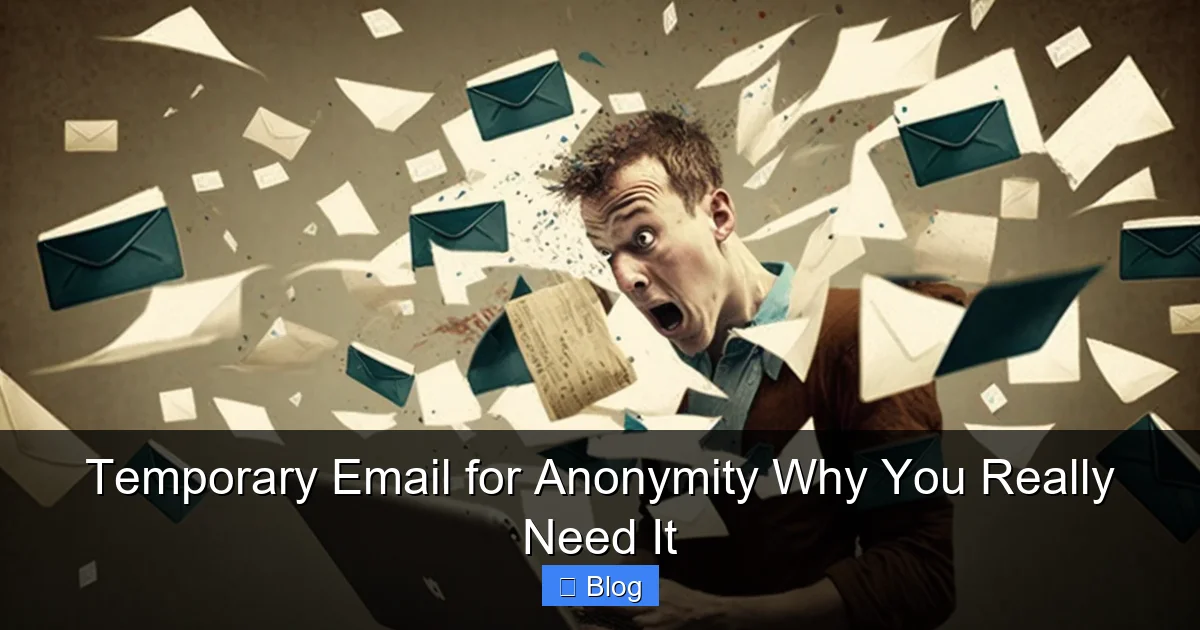
Visual guide about Temporary Email for Anonymity Why You Really Need It
Image source: anonymmail.net
How Does It Actually Work? (The Simple Mechanics)
The process is remarkably straightforward, designed for maximum ease and zero commitment:
- Visit a Service: Open your browser and go to a reputable temporary email provider (more on choosing one later).
- Get Your Address: The site automatically generates a random email address (e.g.,
fuzzy-panda789@tempmail.io) and displays it prominently. No sign-up, no password, nothing. - Use It Anywhere: Copy that address and paste it wherever you need to provide an email – signing up for a free trial, downloading a resource, commenting on a blog, or accessing a forum.
- Check Incoming Mail: Return to the temporary email service’s website. Any emails sent to your disposable address will appear in a simple inbox interface on that page. You can read them, download attachments, or even forward them to your real email if absolutely necessary (though this defeats some anonymity).
- Walk Away: When you’re finished, simply close the browser tab or navigate away. The address and its inbox are typically deleted after a set period (e.g., 10 minutes, 1 hour, 24 hours) or when you manually refresh the page. Poof! Gone.
This entire cycle happens in seconds, requiring no technical skill. It’s the ultimate “set it and forget it” privacy tool for the modern web surfer.
Why Anonymity Online Isn’t Just for Hackers Anymore
We often associate online anonymity with illicit activities, but the reality is far more mundane and crucial for everyday users. Your email address is a direct line to your identity. When you use it freely, you enable a vast ecosystem of tracking and data collection that impacts your privacy, security, and even your wallet. Here’s why demanding temporary email for anonymity is a legitimate and necessary practice for everyone:
The Data Broker Nightmare
Every email address you use online is a potential data point. Companies, and the shadowy data brokers who sell information, constantly scrape websites, compile sign-up lists, and track your activity across the web. They build incredibly detailed profiles: your interests, location, shopping habits, political leanings, and more. Using your real email everywhere makes this profiling effortless for them. A temporary email acts as a firewall, preventing these brokers from linking *all* your online actions back to *your* real identity. It fragments your digital footprint, making you much harder to track and profile at scale.
Spam: The Never-Ending Torment
Remember that “free” ebook you downloaded? Or that new app you tried for a week? Chances are, the company harvested your email and either spammed you directly or sold it to others. Your inbox becomes a landfill of unwanted promotions, fake security alerts, and outright scams. Temporary email for anonymity stops this at the source. Provide a disposable address for that one-time download, and the spam goes to the void, not your primary inbox. Your real email stays reserved for communication that actually matters – family, friends, essential services.
Phishing & Account Takeover: A Real Danger
Cybercriminals constantly craft convincing phishing emails designed to steal your login credentials or install malware. They often target users who have reused passwords across multiple sites. If a service you signed up for with your real email suffers a data breach (and they happen *all the time*), your email and password combo could end up on the dark web. Attackers then try that same combo on your bank, email, or social media accounts. Using a unique temporary email for each low-trust service means a breach there *only* compromises that disposable address, not your entire digital life. It’s an essential layer of security.
The Creepy Factor: Targeted Advertising & Profiling
Ever talked about a product in real life and then seen ads for it everywhere online? That’s not magic; it’s sophisticated tracking. By linking your real email to numerous services, you allow companies to build an unnervingly accurate picture of your life. Temporary email disrupts this. Signing up for a fitness app with a disposable address means your workout habits aren’t tied back to your main identity for ad targeting. It reclaims a bit of mystery and reduces the feeling of being constantly watched online.
Real-Life Scenarios: When You Absolutely Need a Temporary Email
The beauty of a temporary email for anonymity is its sheer versatility. It’s not just for shady corners of the web; it’s perfect for countless legitimate, everyday situations where you want to keep your real identity private. Here are the most common and valuable use cases:
1. Downloading Free Resources (Ebooks, Templates, Software Trials)
You find the perfect free marketing ebook or a useful Excel template. The download page demands your email “to send the link.” Giving your real address means instant subscription to their (likely aggressive) newsletter. Use a temporary email. Get your resource, read the confirmation email if needed, and walk away. No spam, no commitment.
2. Signing Up for Free Trials & Limited Offers
Want to test a new streaming service, project management tool, or online course platform? Most require an email for the free trial. Using your real email sets you up for relentless “your trial is ending!” reminders and promotional emails long after you cancel. A temporary email lets you evaluate the service purely on its merits, free from future marketing noise.
3. Accessing Forums, Comment Sections & Community Sites
Many forums, news sites, and comment sections require an email for registration or posting. Some are notorious for selling user data or having lax security. Using a temporary email protects your identity if the forum gets hacked or if you simply want to participate without linking your real name/email to potentially controversial discussions.
4. Verifying Accounts on Questionable or New Websites
Stumbled upon a brand-new app, a niche forum, or a site offering something too good to be true? Before handing over your real email (which could be harvested immediately), use a temporary one. If the site turns out to be spammy or malicious, your primary inbox is safe. If it’s legit and you want to keep using it, *then* consider creating a dedicated, permanent (but still separate) email for that specific service.
5. Bypassing Basic Geographic or Access Restrictions
Some services restrict sign-ups based on location or require an email from a specific domain. While not foolproof, using a temporary email from a different provider (e.g., a .io address instead of Gmail) *might* help bypass very basic initial checks during sign-up, allowing you to access content or features temporarily. (Note: This doesn’t work for services with strict KYC like banking).
6. Protecting Your Identity During Sensitive Interactions
Need to contact customer support for a minor issue without revealing your main email? Researching a sensitive health topic on a forum? Using a temporary email adds a layer of separation, keeping your core identity private during potentially vulnerable interactions.
Choosing Your Temporary Email Shield: Key Features to Look For
Not all temporary email services are created equal. While the core concept is simple, some offer features that significantly enhance usability, security, and the effectiveness of your temporary email for anonymity. Here’s what to prioritize:
Essential Must-Haves
- True Disposability & Short Lifespan: The address should vanish quickly after inactivity (e.g., 10-60 minutes is ideal for true anonymity). Avoid services that keep addresses active for days unless you specifically need that (which is rare for anonymity).
- No Registration Required: The whole point is instant, anonymous access. If you have to create an account, it defeats the purpose for most anonymity use cases.
- Web-Based Inbox: You should be able to check mail directly on the service’s website without needing to configure an email client. Simplicity is key.
- Decent Uptime & Reliability: The service needs to be accessible when you need it. Check recent reviews for uptime complaints.
Highly Recommended Features
- Custom Domain Options (Sometimes): Some services let you choose from multiple domains (e.g., @tempmail.io, @mailtemp.org). This can help bypass simple domain blacklists on certain sites.
- Attachment Viewing/Download: Essential if you’re using it to get download links or resources that come via email.
- Auto-Refresh Inbox: Saves you manually refreshing to see if that confirmation email arrived.
- Privacy-Focused: Look for services that explicitly state they don’t log your IP address or the content of your temporary emails (though absolute anonymity is never guaranteed).
Features to Be Wary Of
- Long Address Lifespans (Days/Weeks): While convenient for some uses, this increases the risk of the address being discovered, reused, or linked back to you over time. True anonymity thrives on short lifespans.
- Mandatory Registration: Creates a link between your temporary use and an account, reducing anonymity.
- Ads Overload or Malicious Ads: Some free services bombard you with intrusive or potentially harmful ads. Stick to well-reviewed providers.
- “Premium” Upsells for Basic Functionality: Be cautious if core features like receiving mail are locked behind a paywall; reputable free services exist.
Popular, generally reliable options known for strong anonymity include 10MinuteMail (very short lifespan), TempMail (multiple domains, good features), and Guerrilla Mail (long-standing, simple). Always check recent user feedback!
Your Step-by-Step Guide to Using Temporary Email Safely & Effectively
Using a temporary email for anonymity is incredibly easy, but following best practices ensures you get the maximum privacy and security benefit. Here’s exactly what to do:
Step 1: Pick a Reputable Service (Do This First!)
Don’t just Google “temp mail” and click the first result. Search for “[current year] best temporary email services for anonymity” and read recent reviews. Prioritize services known for privacy, reliability, and short lifespans. Bookmark your chosen service(s) for quick access.
Step 2: Generate Your Disposable Address
Open the temporary email service in a new browser tab (or incognito/private window for extra caution). The address should appear instantly – no clicking needed on most sites. **Copy this address immediately.** It’s usually highlighted or has a prominent “Copy” button.
Step 3: Use It Strategically
Paste the temporary address wherever you need to provide an email. **Crucial Tip:** Only use it for interactions where you genuinely don’t want your real email linked long-term – free downloads, trials, forums, questionable sites. **Never** use it for:
- Your bank, primary email, or critical financial accounts.
- Services where you need long-term access or recovery (you *will* lose access).
- Anything requiring SMS verification (most temp emails can’t receive texts).
Step 4: Monitor the Inbox (Patiently)
After submitting the form (e.g., signing up for a trial), switch back to the temporary email service tab. **Do not refresh immediately.** Wait 30-60 seconds, then refresh the inbox page. Confirmation emails, download links, or welcome messages should appear. If nothing shows up after 2-3 minutes, the service might have blocked the temp email – try a different provider or domain if available.
Step 5: Retrieve What You Need & Walk Away
Read the email, click the download link, or complete the verification *within the temporary email service’s web interface*. If you absolutely must have the content in your real inbox (rarely necessary), you *can* forward it, but this links the temp address to your real one – **only do this if the content is critical and you accept the reduced anonymity.** Once done, simply close the browser tab. The address and its contents will expire shortly.
Pro Tips for Maximum Anonymity
- Use Incognito/Private Mode: Prevents browser cookies from potentially linking your temp email session to your regular browsing.
- Don’t Log Into Other Accounts: Avoid using the temp email tab while logged into your Google, Facebook, etc., accounts in other tabs – this can create indirect links.
- One Task, One Address: Generate a *new* temporary address for each distinct sign-up or download. Don’t reuse the same temp address for multiple things.
- Assume It’s Not 100% Anonymous: While highly effective for casual privacy, determined adversaries *might* find ways to link activity. It’s a powerful tool, not an invisibility cloak.
Understanding the Limits: What Temporary Email Can’t Do
While a temporary email for anonymity is a fantastic tool, it’s crucial to understand its boundaries. Overestimating its power can lead to false confidence and security risks. Here’s what it *doesn’t* protect you from:
It Won’t Make You Completely Anonymous Online
Temporary email shields your *email identity* for that specific interaction. It does **not** hide your IP address, which can still reveal your approximate location and ISP. It doesn’t prevent browser fingerprinting (websites identifying your unique browser/device setup). For true, comprehensive anonymity (like accessing the dark web safely), you need additional tools like a reputable VPN combined with privacy-focused browsers (Tor). Temp email is just one piece of the privacy puzzle.
It’s Not Secure for Sensitive Communications
Emails sent to your temporary address travel over the internet just like any other email. While reputable temp mail services don’t *intentionally* snoop, the communication itself isn’t encrypted end-to-end by default. **Never** use a temporary email to send or receive highly sensitive information like passwords, financial details, or personal identification documents. It’s for low-stakes interactions only.
Some Services Actively Block Temporary Emails
Many reputable companies (banks, major social media platforms, government services) have sophisticated systems that detect and block known temporary email domains. They do this to prevent fraud, fake accounts, and abuse. If you encounter a “domain not allowed” error, the service has likely blacklisted temp mail providers. In these cases, you *must* use a real email (consider creating a dedicated, permanent secondary email just for such services, not your primary one).
You Will Lose Access Permanently
This is by design, but it’s a limitation. If you sign up for a service with a temp email and later want to access your account (e.g., you actually liked that free trial app), you’re out of luck. The address is gone. Only use temp email for truly disposable interactions where you have no intention of long-term engagement.
It Doesn’t Protect Against All Malware or Phishing
If you click a malicious link *within* an email sent to your temp address, you’re still vulnerable to malware or phishing attacks targeting your *device* or *browser*. The temp email protects your inbox from spam, but not you from interacting with dangerous content. Always practice safe browsing habits.
Conclusion: Take Control of Your Digital Footprint Today
Your email address is far more than just a login credential; it’s a cornerstone of your online identity. Every time you hand it out freely, you’re potentially inviting spam, enabling invasive tracking, and increasing your vulnerability to scams and data breaches. The digital world doesn’t need to know your real email for every single interaction – downloading a guide, trying a free tool, or commenting on a news article shouldn’t come at the cost of your inbox’s sanity or your privacy.
Using a temporary email for anonymity is the simplest, most effective step you can take to reclaim control. It’s free, instantaneous, requires zero technical skill, and delivers immediate results: a cleaner inbox, reduced tracking, and enhanced security for your primary accounts. It transforms risky sign-ups into safe, disposable transactions. You wouldn’t give your house key to a stranger; why give your email address to every website you visit?
Don’t wait for your inbox to become a spam-filled nightmare or for a data breach to compromise your real accounts. Make temporary email your go-to tool for any online interaction where your long-term identity isn’t essential. Bookmark a reliable service right now. The next time you’re about to enter your email on a site you don’t fully trust, pause. Generate a disposable address instead. It takes seconds, costs nothing, and pays dividends in peace of mind. Your future self – and your pristine inbox – will thank you. Start using temporary email for anonymity today; it’s the smart, essential shield your digital life deserves.
Frequently Asked Questions
Is using a temporary email for anonymity legal?
Yes, absolutely. Using a temporary email service to protect your privacy during standard online activities like signing up for free trials or downloading resources is completely legal and a common privacy practice. It’s not about hiding illegal activity, but about controlling your personal data.
Can temporary email services read my emails?
Reputable temporary email providers state they do not monitor or store the content of your disposable inbox emails. However, since the emails transit through their servers, absolute privacy isn’t guaranteed. Stick to well-reviewed services with clear privacy policies for the best assurance.
Will I receive spam on my temporary email address?
You might receive spam *to the temporary address itself*, but that’s the whole point! The spam goes to the disposable inbox, not your real one. Once the address expires, that spam is gone forever, protecting your primary email from the deluge.
Can I use temporary email for important accounts like banking?
No, never. Temporary emails are designed to be discarded. Banks, financial institutions, and critical services require long-term, verifiable email addresses for security, account recovery, and legal reasons. Using a temp email here will lock you out permanently.
Do temporary emails work for all websites and services?
Most do, but some services (especially banks, major social media, and government sites) actively block known temporary email domains to prevent fraud. If you get an error saying the domain isn’t allowed, you’ll need to use a real email address for that specific service.
How long do temporary email addresses typically last?
Lifespans vary by service but are generally short for true anonymity: 10 minutes to 1 hour is common. Some services offer longer durations (up to 24 hours or a week), but shorter lifespans provide better privacy as the address vanishes quickly, leaving no trace.