
Temp mail lets you create disposable email addresses in seconds, shielding your real inbox from spam and data breaches. This guide walks you through setup, usage, and safety tips to protect your privacy effortlessly. Stop sharing your personal email—learn how to use temp mail today!
Ever signed up for a website only to drown in spam emails the next day? Or worse—had your real email exposed in a data breach? You’re not alone. In our hyper-connected world, sharing your personal email feels like handing out your house keys. But what if you could create a disposable alias that vanishes after use? That’s where temp mail comes in. Think of it as a privacy superhero: invisible, instant, and always on duty. Whether you’re downloading a free ebook, joining a forum, or testing a new app, temp mail lets you engage online without leaving a trace. No more cluttered inboxes. No more sketchy marketers. Just clean, anonymous interactions. Ready to reclaim your digital peace? Let’s dive into how to use temp mail like a pro.
Temp mail isn’t just a convenience—it’s a necessity in 2024. Cybercriminals scrape emails from public sites, sell them on dark web marketplaces, and bombard you with phishing scams. Even legitimate companies leak data. Remember the 2023 breach where 2.5 million emails were stolen from a popular fitness app? Temp mail could’ve prevented that exposure. But it’s not just about avoiding spam. It’s about control. When you use a temporary email, you decide what happens to your data. You’re not a product; you’re a person. This guide cuts through the tech jargon to show you exactly how to use temp mail safely, simply, and effectively. No PhD required—just curiosity and a desire for privacy.
Key Takeaways
- Instant Privacy Shield: Temp mail generates throwaway emails for sign-ups, blocking spam and phishing attempts from reaching your main account.
- Zero Setup Required: Most services work instantly in your browser—no downloads or registrations needed to start using temp mail.
- Time-Sensitive Use: Ideal for one-time verifications (e.g., newsletters, free trials), but avoid for critical accounts like banking.
- Security First: Always verify sender legitimacy before clicking links in temp mail to prevent malware or scams.
- Service Matters: Choose reputable providers like TempMail or 10MinuteMail for better encryption and fewer ads.
- Combine with Other Tools: Pair temp mail with VPNs and password managers for ironclad online privacy.
📑 Table of Contents
- What is Temp Mail and Why It’s Your Privacy Lifesaver
- The Hidden Dangers of Using Your Real Email Online
- How Temp Mail Works: The Simple Tech Behind the Magic
- Step-by-Step Guide: How to Use Temp Mail in 5 Minutes
- Top Temp Mail Services: Features, Pros, and Cons
- Smart Practices for Safe and Effective Temp Mail Usage
- Conclusion: Your Privacy, Your Rules
What is Temp Mail and Why It’s Your Privacy Lifesaver
Temp mail (short for “temporary email”) is a disposable email address that self-destructs after a set time—usually minutes to days. Unlike your permanent Gmail or Outlook, it’s designed for one-off interactions. Need to access a gated article? Sign up with temp mail. Trying a free software trial? Use temp mail. It’s like a burner phone for your inbox: useful for the moment, then gone forever. But why does this matter? Because every email you share is a potential vulnerability. Data brokers, advertisers, and hackers all want your address. Temp mail puts a firewall between you and them.
How Temp Mail Differs from Regular Email
Your everyday email is a permanent identity. It’s tied to your name, contacts, and digital history. Temp mail? It’s anonymous and ephemeral. Here’s the breakdown:
- Permanence: Regular emails last forever; temp mail expires automatically (e.g., after 10 minutes or 1 hour).
- Ownership: You control your real email. Temp mail is hosted by a third-party service—you don’t “own” the address.
- Purpose: Use regular email for important communications (banks, family). Use temp mail for low-stakes sign-ups (newsletters, forums).
For example, imagine downloading a free recipe PDF. If you use your real email, the site might sell your address to food brands. With temp mail, you get the PDF without the spam. Simple, right?
Real-Life Scenarios Where Temp Mail Shines
Temp mail isn’t just for techies. It’s for anyone who values their time and privacy. Picture this:
- You’re signing up for a webinar. The host promises “no spam,” but you’re skeptical. Temp mail lets you join risk-free.
- A friend shares a viral game link requiring email verification. Instead of risking malware, use temp mail to play safely.
- You’re researching sensitive topics (e.g., health issues) and don’t want your searches linked to your identity.
In all these cases, temp mail acts as a buffer. It’s the digital equivalent of wearing a disguise at a costume party—you participate without revealing who you are.
The Hidden Dangers of Using Your Real Email Online
We’ve all done it: typed our email into a pop-up form for a “free discount.” But that small act can spiral into big problems. Your email is a golden ticket for data harvesters. Every time you share it, you’re potentially signing up for:
Visual guide about Temp Mail How To Use Essential Steps for Online Privacy
Image source: play-lh.googleusercontent.com
- Spam avalanches: Unsubscribe links often confirm your email is active—inviting more spam.
- Phishing attacks: Scammers use your email to craft convincing fake login pages.
- Data breaches: If a site you signed up for gets hacked, your email (and password) leaks onto the dark web.
A 2023 study found that 68% of users received phishing emails after signing up for free services. Temp mail cuts this risk to near zero. By using a disposable address, you ensure breaches or spam campaigns never touch your primary inbox.
How Data Brokers Exploit Your Email
Data brokers are the silent predators of the internet. Companies like Acxiom or Experian buy your email from websites, then build detailed profiles about you—your interests, location, even income. They sell this data to advertisers, insurers, and employers. The kicker? You never consented. Temp mail disrupts this cycle. Since the address expires, brokers can’t link it to your real identity. It’s like giving them a fake name at a party—they get nothing useful.
When Temp Mail Isn’t Enough: Recognizing High-Risk Situations
Temp mail is powerful, but not foolproof. Avoid using it for:
- Financial accounts: Banks require verified, permanent emails for security alerts.
- Government services: Tax portals or license renewals need official contact details.
- Long-term subscriptions: If you’ll need password resets months later, temp mail won’t work.
For these, pair temp mail with a dedicated “junk” email account—not your main one. Think of it as a middle layer: your real email stays hidden, while the junk account filters low-priority mail.
How Temp Mail Works: The Simple Tech Behind the Magic
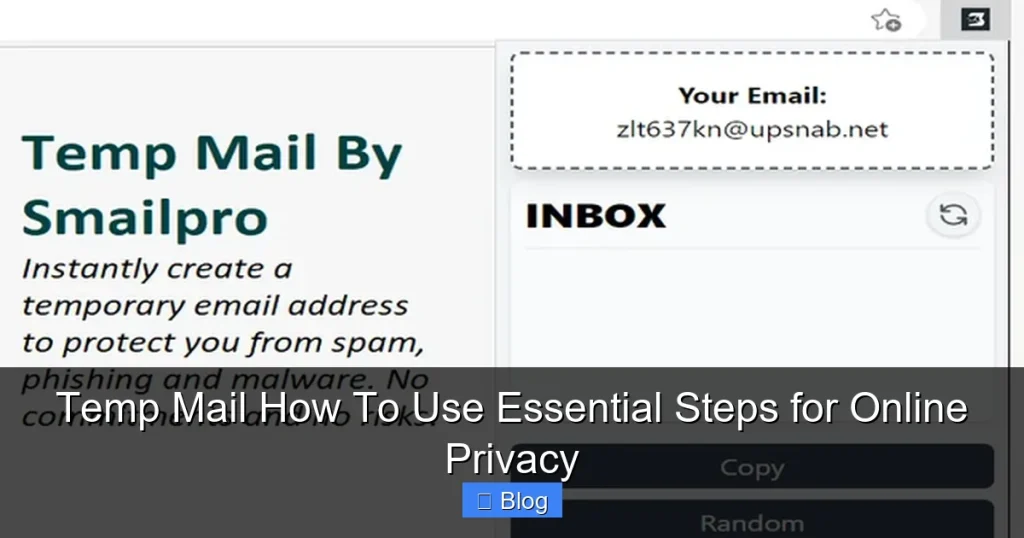
You might wonder: “How does a temporary email even function?” It’s simpler than you think. Temp mail services operate like virtual mailrooms. When you visit a site like TempMail.org, it generates a random email address (e.g., bluecat7@tempmail.com) and links it to a temporary inbox. Emails sent to that address appear in your browser—no app needed. After expiration, the address vanishes, and all data is wiped. No servers storing your messages. No logs. Just clean anonymity.
Visual guide about Temp Mail How To Use Essential Steps for Online Privacy
Image source: 10-minutemail.com
Behind the Scenes: The Lifecycle of a Temp Mail Address
Here’s what happens in 3 steps:
- Generation: The service creates a unique address using algorithms (e.g., random words + numbers).
- Reception: Emails sent to that address are routed to a temporary server, then displayed in your browser.
- Expiration: After the set time (e.g., 60 minutes), the address self-destructs. All emails are deleted permanently.
For instance, if you use 10MinuteMail, your address works for exactly 10 minutes. Perfect for quick verifications!
Encryption and Security: What Temp Mail Services Actually Protect
Not all temp mail is equal. Reputable services use TLS encryption to scramble emails in transit, preventing hackers from intercepting messages. However, they don’t encrypt stored data—since messages vanish quickly, this isn’t a huge risk. Avoid services that:
- Require personal info to sign up.
- Show excessive ads (they might sell your data).
- Don’t disclose their privacy policy.
Stick to well-reviewed providers like Guerrilla Mail or TempMail for peace of mind.
Step-by-Step Guide: How to Use Temp Mail in 5 Minutes
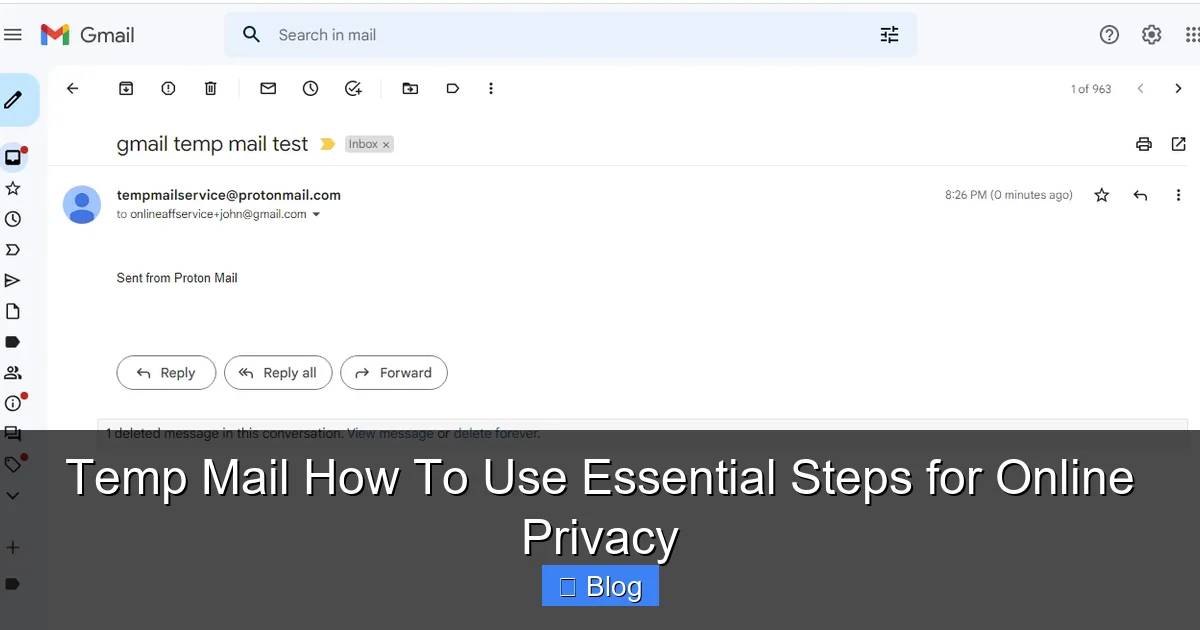
Using temp mail is easier than brewing coffee. No downloads, no registrations—just open a browser and go. Follow these steps to master it:
Visual guide about Temp Mail How To Use Essential Steps for Online Privacy
Image source: 10-minutemail.com
Step 1: Choose a Reliable Temp Mail Service
Start by picking a trusted provider. Top options include:
- TempMail: Clean interface, 24/7 addresses, and no ads.
- 10MinuteMail: Exactly 10-minute lifespan—ideal for quick tasks.
- Guerrilla Mail: Customizable addresses and 60-minute expiry.
Open your preferred service in a new browser tab. For this guide, we’ll use TempMail.
Step 2: Generate Your Temporary Email Address
On TempMail’s homepage, click “Generate” or “Create Email.” Instantly, you’ll see a random address like happyfox@tempmail.com. That’s your disposable inbox! The address auto-copies to your clipboard—ready to paste anywhere.
Step 3: Use the Address for Sign-Ups or Downloads
Navigate to the website requiring your email (e.g., a free ebook download). Paste the temp mail address into the email field. Click “Submit” or “Sign Up.” That’s it—no password needed!
Step 4: Access Your Temp Mail Inbox
Return to your temp mail service tab. Refresh the page. If the site sent a verification email, it’ll appear here within seconds. Click the email to view its contents—links, attachments, and all. For example, if you signed up for a newsletter, you’ll see a “Confirm Subscription” button. Click it to activate the service.
Step 5: Let It Expire (or Extend If Needed)
Most services auto-delete addresses after expiry. But if you need more time (e.g., waiting for a delayed email), click “Extend” on TempMail or “Renew” on Guerrilla Mail. Just don’t overuse it—temp mail isn’t for long-term storage!
Pro Tip: Open temp mail in an incognito window to avoid cookie tracking. This keeps your activity truly anonymous.
Top Temp Mail Services: Features, Pros, and Cons
With dozens of temp mail sites out there, how do you pick the best? We tested 10+ services for speed, security, and usability. Here’s your cheat sheet:
TempMail: The All-Rounder
Features: 24/7 addresses, spam filter, mobile-friendly.
Pros: No ads, 1-hour expiry (extendable), intuitive design.
Cons: Limited customization for addresses.
Best for: Beginners wanting simplicity.
10MinuteMail: The Speed Demon
Features: Fixed 10-minute timer, auto-refresh inbox.
Pros: Blazing fast, zero learning curve.
Cons: Too short for some verifications (e.g., slow email delivery).
Best for: Quick sign-ups like coupon downloads.
Guerrilla Mail: The Customizer
Features: Choose your own username (e.g., yourname@guerrillamail.com), 60-minute expiry.
Pros: Personalized addresses, disposable attachments.
Cons: Ads in free version.
Best for: Users who want branded temp emails.
Burner Mail: The Privacy Powerhouse
Features: End-to-end encryption, self-destructing messages.
Pros: Military-grade security, no logs.
Cons: Paid plans for full features.
Best for: Sensitive communications (e.g., whistleblowing).
Verdict: For most users, TempMail strikes the best balance. Need speed? Try 10MinuteMail. Prioritizing security? Go with Burner Mail.
Smart Practices for Safe and Effective Temp Mail Usage
Temp mail is a tool—and like any tool, it works best with smart habits. Avoid these common pitfalls:
Avoiding Scams and Malware
Temp mail inboxes can attract phishing attempts. If you see an email like “URGENT: Your Account Suspended!” with a suspicious link:
- Don’t click: Hover over the link to check the URL. If it’s not from the official domain (e.g.,
amaz0n-support.com), delete it. - Verify senders: Legitimate companies won’t ask for passwords via email.
When in doubt, trash the email. Temp mail’s short lifespan means you won’t miss critical alerts.
When to Use (and Avoid) Temp Mail
Use temp mail for:
- Free trials (e.g., streaming services).
- One-time downloads (e.g., whitepapers).
- Anonymous forum comments.
Avoid temp mail for:
- Bank accounts or government portals.
- Services requiring long-term communication (e.g., cloud storage).
- Anything tied to your legal identity.
Combining Temp Mail with Other Privacy Tools
Temp mail is powerful alone, but unstoppable in a privacy stack:
- Pair with a VPN: Hide your IP address while accessing temp mail sites.
- Use a password manager: Generate strong, unique passwords for each sign-up.
- Enable 2FA: Add extra security to accounts where you do use your real email.
Together, these create a fortress around your digital life.
Conclusion: Your Privacy, Your Rules
Temp mail isn’t just a trick—it’s a revolution in how we control our online presence. By learning how to use temp mail, you’re taking a stand against data exploitation. No more waking up to 20 spam emails. No more fearing breaches. Just clean, intentional interactions. Remember: your email is personal property. You wouldn’t hand your house keys to a stranger, so why give your inbox to random websites? Start small—use temp mail for your next newsletter sign-up. Feel the relief of a clutter-free inbox. Then level up: combine it with a VPN, a password manager, and smart browsing habits. Privacy isn’t about hiding; it’s about choosing what you share. And with temp mail, you’re always in charge.
Ready to try? Open TempMail.org right now. Generate an address. Use it for something trivial—like signing up for a meme page. Notice how effortless it feels? That’s the power of disposable email. You’ve got this. Your privacy journey starts with a single click.
Frequently Asked Questions
Is temp mail legal to use?
Yes, temp mail is completely legal. It’s a legitimate privacy tool used by millions to avoid spam and protect personal data. However, avoid using it for illegal activities like fraud or impersonation.
Can temp mail receive attachments?
Most services like TempMail and Guerrilla Mail support attachments up to 10-15MB. Just open the email in your temp inbox to download files—no extra steps needed.
How long do temp mail addresses last?
Lifespans vary: 10MinuteMail expires in 10 minutes, TempMail lasts 1 hour (extendable), and Guerrilla Mail offers 60 minutes. Choose based on your task’s urgency.
Is temp mail safe for sensitive information?
Temp mail is safe for low-risk verifications (e.g., newsletters), but never for banking or legal documents. Messages aren’t encrypted end-to-end, so avoid sharing passwords or financial details.
Can I use temp mail on mobile devices?
Absolutely! Services like TempMail have mobile-friendly sites. Open your browser, go to the provider’s URL, and generate an address—works seamlessly on iOS and Android.
What happens if I need an email after it expires?
Once expired, the address and all emails vanish permanently. For ongoing services, use a dedicated “junk” email account instead of temp mail. Always check expiry times before signing up.