
Secure temp mail is your digital shield against spam and privacy invasions. This guide reveals how disposable email addresses keep your real inbox clean while safeguarding personal data during online sign-ups. Master safe usage to prevent phishing and identity theft risks.
Key Takeaways
- What it solves: Secure temp mail blocks spam, prevents email harvesting, and stops companies from selling your data during one-time registrations.
- Core security features: Look for end-to-end encryption, no-logs policies, and automatic deletion to ensure your temporary inbox stays truly private.
- Critical limitations: Never use temp mail for banking, sensitive accounts, or anything requiring long-term access—it’s disposable by design.
- Smart selection tips: Prioritize services with custom domain options, spam filtering, and mobile compatibility for maximum convenience.
- Usage best practices: Always generate new addresses per service, avoid clicking suspicious links, and delete inboxes immediately after use.
- Privacy trade-offs: While great for spam reduction, some free services may scan emails—opt for reputable paid options for true security.
📑 Table of Contents
- Why Your Real Email Address is a Privacy Nightmare
- What Exactly is Secure Temp Mail?
- Why You Absolutely Need Secure Temp Mail in 2024
- How to Choose a Truly Secure Temp Mail Service
- Step-by-Step: Using Secure Temp Mail Safely
- Critical Limitations and Risks to Avoid
- Conclusion: Take Control of Your Digital Privacy Today
Why Your Real Email Address is a Privacy Nightmare
Let’s be honest: your primary email inbox is probably drowning in spam. Every time you sign up for a newsletter, download an ebook, or create an account on a sketchy website, you’re handing over your real email address like a golden ticket. And what happens? Suddenly, your inbox floods with promotional junk, phishing attempts, and unwanted subscriptions. Worse yet, data breaches at these services can expose your email to hackers who then target you with sophisticated scams. It’s not just annoying—it’s a serious privacy risk.
The problem goes deeper than clutter. Many companies actively sell your email to data brokers, turning your personal address into a commodity. Marketing firms scrape websites for emails, building profiles that track your behavior across the internet. Before you know it, your inbox becomes a battleground for attention, and your privacy erodes with every new sign-up. You might think, “I’ll just use a different password,” but if your email is compromised, attackers can reset passwords for all your accounts. That’s where secure temp mail steps in as your digital bodyguard.
What Exactly is Secure Temp Mail?
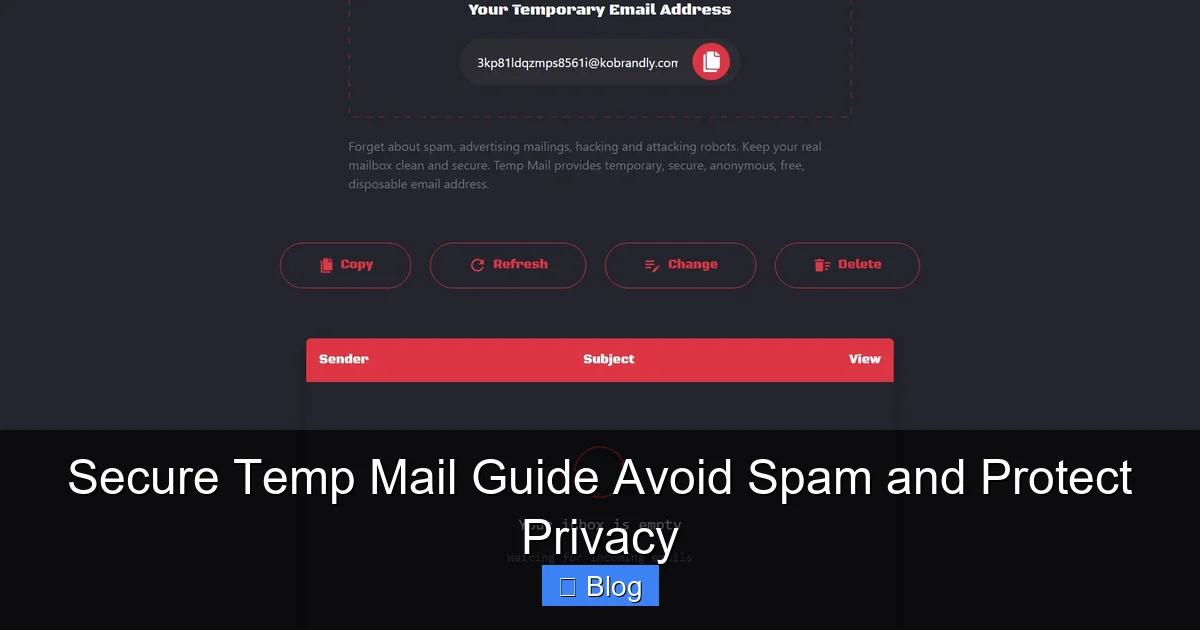
Secure temp mail (short for temporary email) is a disposable email address you create on the fly for one-time use. Think of it like a burner phone number for your inbox—it forwards messages to you temporarily, then vanishes. But not all temp mail services are created equal. “Secure” temp mail specifically refers to platforms that prioritize your privacy with features like encryption, no data retention, and protection against email scraping.
Visual guide about Secure Temp Mail Guide Avoid Spam and Protect Privacy
Image source: user-images.githubusercontent.com
The Evolution from Basic Disposable to Secure Temp Mail
Early temp mail services were simple: generate a random address, check messages for a few hours, and watch it expire. But they often lacked security. Some logged your IP address, stored emails indefinitely, or even injected ads into your messages. Modern secure temp mail fixes these flaws. Reputable providers now offer:
- End-to-end encryption so only you read your messages
- Automatic deletion after 1 hour, 24 hours, or custom timeframes
- No-logs policies meaning they don’t track your activity
- Spam filtering to block malicious content before it reaches you
This evolution turns a basic tool into a privacy powerhouse. For example, when signing up for a free trial on a new app, you’d use a secure temp mail address instead of your personal Gmail. If the app gets hacked or starts spamming you, your real email stays untouched. The temp address self-destructs, cutting off all future contact.
How Secure Temp Mail Actually Works
Here’s the magic in simple terms: when you visit a secure temp mail website (like TempMail.org or Guerrilla Mail), it instantly creates a unique email address—say, bluecat789@tempmail.io. This address isn’t tied to your identity. Any emails sent to it get routed through the service’s servers. If security features are enabled, those emails are encrypted. You then access them via the temp mail site or app without revealing your real email.
Crucially, the service doesn’t store your data long-term. Once the temp address expires (or you manually delete it), all emails vanish permanently. No backups, no logs. Compare this to signing up with your real email: even if you delete an account later, your email remains in the company’s database—vulnerable to future breaches. Secure temp mail ensures your digital footprint disappears completely.
Why You Absolutely Need Secure Temp Mail in 2024
We’re sharing more personal data online than ever. From social media quizzes to free PDF downloads, every interaction risks exposing your email. Secure temp mail isn’t just convenient—it’s becoming essential for basic digital hygiene. Let’s break down why.
Visual guide about Secure Temp Mail Guide Avoid Spam and Protect Privacy
Image source: addons.mozilla.org
Stop Spam Before It Starts
Spam isn’t just irritating; it’s dangerous. Phishing emails impersonating banks or Netflix trick millions yearly. By using a temp address for non-critical sign-ups (like a restaurant’s loyalty program), you isolate the risk. If that business gets hacked, spammers only get the disposable address—not your primary inbox. I once used temp mail for a fashion site trial. Two weeks later, my real email remained clean while the temp address flooded with “50% off” scams. Deleting it took one click.
Shield Your Identity from Data Brokers
Data brokers like Acxiom or Experian buy and sell your email to advertisers. Every time you use your real address, you feed this machine. Secure temp mail acts as a decoy. When a website asks for your email to access a whitepaper, give them a temp address instead. Brokers get useless data, and your real identity stays hidden. Tools like SimpleLogin take this further by creating unique aliases (e.g., whitepaper@yourdomain.com) that forward to your inbox—but temp mail is faster for one-off uses.
Prevent Email-Based Targeting and Profiling
Marketers track which emails you open to build behavioral profiles. If you consistently click travel deals sent to your personal address, you’ll see more ads for flights. Temp mail breaks this cycle. Use a fresh address for each service: one for shopping, another for news sites. This fragments your digital trail, making it harder for algorithms to build a detailed profile of you. It’s like wearing a disguise in the online world.
Avoid “Free” Service Traps
Many “free” apps monetize by selling user data. Signing up with your real email hands them your contact info on a silver platter. Temp mail lets you test services risk-free. Tried a new meditation app? Use a temp address. If you love it, create a dedicated alias later. If it spams you or leaks data, no harm done—your main inbox is safe. This is especially vital for apps with poor privacy policies.
How to Choose a Truly Secure Temp Mail Service
Not all temp mail providers protect your privacy. Some free services scan your emails for ads or sell metadata. Here’s how to spot the real deal.
Visual guide about Secure Temp Mail Guide Avoid Spam and Protect Privacy
Image source: modernlivingfurnishings.com
Must-Have Security Features
When evaluating a service, prioritize these non-negotiables:
- End-to-end encryption: Emails should be encrypted in transit and at rest. Look for “TLS” or “SSL” in the URL, but also check if the provider mentions encryption in their privacy policy.
- Strict no-logs policy: The service shouldn’t store IP addresses, email content, or metadata beyond the temp address’s lifespan. Avoid providers vague about data retention.
- Automatic deletion: Emails should vanish after a set time (e.g., 1 hour) or when you close the session. Manual deletion isn’t enough—some services keep backups.
- No email scanning: Steer clear of services that admit to “analyzing” emails for advertising. True privacy means zero access to your content.
For example, TempMail.org offers 1-hour auto-deletion and encryption but admits to scanning for spam. Better options like AnonAddy (paid) or Firefox Relay provide full encryption and zero data retention.
Usability Matters Too
Security is useless if the service is clunky. Test these aspects:
- Mobile-friendliness: Can you check emails on your phone? Apps like Burner provide seamless mobile temp mail.
- Custom domains: Services like SimpleLogin let you use your own domain (e.g.,
contact@yourname.com), making addresses look professional. - Spam filtering: Does it block phishing links or malicious attachments automatically? This is critical for safety.
- Forwarding options: Some let you forward important emails to your real inbox—handy for legitimate sign-ups.
I prefer AnonAddy for its balance: custom domains, strong encryption, and a clean interface. For quick one-offs, Guerrilla Mail works but lacks mobile optimization.
Free vs. Paid: The Privacy Trade-Off
Free temp mail services often monetize through ads or data collection. They might:
- Inject tracking pixels into emails
- Sell anonymized metadata (e.g., “users opened travel deals”)
- Have weaker security, risking email interception
Paid services (typically $2-$5/month) eliminate these risks. They fund operations through subscriptions, not your data. If privacy is your priority, investing $30/year is cheaper than dealing with identity theft. Free options are okay for low-risk tasks like downloading a coupon, but never for anything involving personal info.
Step-by-Step: Using Secure Temp Mail Safely
Using temp mail seems simple, but mistakes can compromise your security. Follow this foolproof process.
Generating Your First Secure Temp Address
1. Pick a reputable service: Start with AnonAddy, Firefox Relay, or SimpleLogin. Avoid random websites popping up in Google ads.
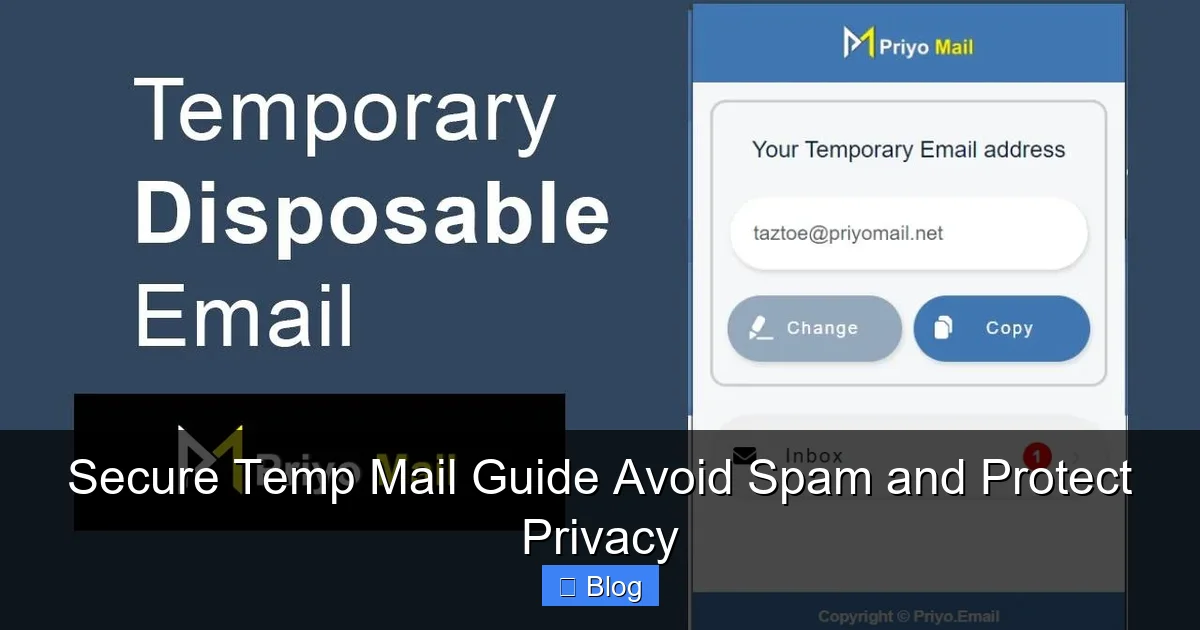
2. Create without signing up: Many services (like TempMail) generate addresses instantly—no account needed. For added security, use a private browsing window.
3. Customize if possible: Services like SimpleLogin let you create readable addresses (e.g., netflix-trial@yourdomain.com). This helps track which service leaked your email later.
4. Set expiration: Choose the shortest timeframe needed (e.g., 1 hour for a one-time download).
Pro tip: Always generate a new address per service. Reusing addresses defeats the purpose—if one gets hacked, all linked accounts are exposed.
Checking and Managing Emails
When you receive an email:
- Never click links blindly: Hover to see the real URL. If it looks suspicious (e.g., “amaz0n-security.com”), delete immediately.
- Disable remote content: Temp mail services often block images by default—keep it that way to avoid tracking pixels.
- Download attachments cautiously: Scan files with VirusTotal before opening. Most temp mail services block .exe files for safety.
For important emails (like a verification code), forward them to your real inbox only if you trust the sender. But remember: forwarding creates a permanent link. Better to complete the action within the temp mail session.
When to Delete and Move On
Don’t linger. Once you’ve:
- Downloaded your ebook
- Verified your account
- Received the coupon code
…delete the temp address immediately. Most services have a “Delete Inbox” button. This ensures no one else can access it if the service is compromised later. I make it a habit to close the tab after use—no digital breadcrumbs left behind.
Critical Limitations and Risks to Avoid
Secure temp mail is powerful, but it’s not a magic bullet. Misusing it can backfire.
When NOT to Use Temp Mail
Never use temp mail for:
- Financial accounts: Banks require verifiable emails for security alerts. A temp address could lock you out during fraud.
- Primary communication: Job applications, healthcare portals, or government services need stable, traceable emails.
- Long-term subscriptions: If you plan to keep an account (like Netflix), use a dedicated alias—not a disposable address.
I learned this the hard way when I used temp mail for a PayPal sandbox test. When I needed to recover the account later, the expired address caused a 3-day support nightmare. Always match the tool to the task.
The “Trusted Service” Trap
Some websites detect temp mail domains and block sign-ups. They’ll show errors like “Disposable emails not allowed.” This is common with banking or high-security sites. Workarounds:
- Use a custom domain alias (e.g., via SimpleLogin) that doesn’t look disposable
- For essential services, create a permanent secondary email (like Outlook) just for trusted sign-ups
But if a site rejects temp mail, treat it as a red flag—they likely value security, which is good! Don’t force it.
Security Gaps Even Good Services Have
Even reputable providers have weaknesses:
- Man-in-the-middle attacks: If you use public Wi-Fi, hackers could intercept unencrypted emails. Always use a VPN.
- Session hijacking: If you don’t log out, someone else might access your temp inbox. Close tabs after use.
- Limited support: Free services won’t help if you lose access. Paid options offer better assistance.
No tool is 100% foolproof. Combine temp mail with other habits: use strong passwords, enable 2FA, and monitor your real email for breaches via HaveIBeenPwned.
Conclusion: Take Control of Your Digital Privacy Today
Secure temp mail isn’t just a convenience—it’s a necessary shield in our data-hungry world. By replacing your real email for low-stakes interactions, you slash spam, outsmart data brokers, and keep your identity safe from breaches. It’s like having a disposable mask for your inbox: use it when you need anonymity, then toss it without leaving traces.
Start small. Next time you download a free guide or sign up for a trial, generate a temp address instead of handing over your Gmail. Notice how your real inbox stays peaceful. As you get comfortable, explore advanced features like custom domains. Remember: privacy isn’t about hiding—it’s about controlling who gets access to your digital life. With secure temp mail, you hold the keys. So why wait? Your spam-free, private inbox is just one click away.
Frequently Asked Questions
Is secure temp mail legal to use?
Yes, using temp mail is completely legal. It’s a privacy tool, not a hacking method. However, avoid using it for illegal activities like fraud—that’s where problems arise. Legitimate services comply with laws while protecting your anonymity.
Can businesses detect and block temp mail addresses?
Absolutely. Many companies use services like Kickbox to flag disposable domains. If a site blocks temp mail, it’s often because they prioritize security—don’t force it. For business-critical sign-ups, use a permanent email instead.
Do secure temp mail services read my emails?
Reputable paid services (like AnonAddy) promise not to scan content. Free services often do for ads or spam filtering. Always check the privacy policy—if it’s vague about email access, assume they might peek.
How long do temp mail addresses last?
It varies: free services often expire in 1-60 minutes, while paid options let you set custom durations (e.g., 24 hours). For maximum security, choose the shortest timeframe needed—like 10 minutes for a verification code.
Can I use temp mail on my phone?
Yes! Apps like Burner or Firefox Relay offer mobile temp mail. They work just like desktop versions: generate addresses, check emails, and delete on the go. Perfect for signing up for apps while traveling.
What happens if I lose access to my temp inbox?
That’s the point—it’s temporary! If you close the tab or the address expires, the inbox vanishes permanently. Important emails should be forwarded to your real account immediately. Never rely on temp mail for critical communications.