
Temp mail seems convenient for avoiding spam, but it often backfires with serious risks like lost account access, security breaches, and service bans. While useful for truly disposable signups, it’s dangerous for anything important. Learn when to avoid it and find safer alternatives to protect your digital life.
Key Takeaways
- Security risks are high: Temp mail exposes you to phishing, account takeovers, and data leaks since you don’t control the inbox.
- Account recovery becomes impossible: Losing access to your temp email means permanently losing linked accounts (social media, banking, etc.).
- Services often block temp domains: Many legitimate sites (PayPal, banks, crypto exchanges) reject signups from known disposable email providers.
- Spam trade-off isn’t worth it: While it reduces inbox clutter, the risks of fraud or locked accounts far outweigh minor spam benefits.
- Only use for truly throwaway needs: Reserve temp mail for one-time, low-stakes signups like free movie streams or forum comments.
- Safer alternatives exist: Use alias services (SimpleLogin, Firefox Relay) or burner emails from your real provider for better security.
📑 Table of Contents
- Is Temp Mail Good for Signups? The Shocking Truth You Need to Know
- What Exactly Is Temp Mail (And Why Do People Use It?)
- The Hidden Risks: Why Temp Mail Can Ruin Your Day (or Your Accounts)
- When IS Temp Mail Actually Okay to Use? (The Safe Zones)
- Safer Alternatives to Temp Mail (That Actually Work)
- Best Practices: How to Use Temp Mail Without Getting Burned (If You Must)
- The Bottom Line: Temp Mail Is a Last Resort, Not a First Choice
Is Temp Mail Good for Signups? The Shocking Truth You Need to Know
Picture this: You spot a free webinar, a limited-time discount, or a fun quiz. You’re tempted, but your inbox is already overflowing with spam. So you grab a temporary email address—something like “bluecat42@tempmail.com”—and sign up in seconds. No spam, no fuss! Problem solved, right?
Well, not so fast. That quick fix might seem brilliant in the moment, but temp mail for signups is like using a paper umbrella in a thunderstorm. It looks handy until the first gust of wind (or cyber threat) hits. I’ve seen countless people—friends, family, even tech-savvy colleagues—get burned by assuming temp mail is a harmless shortcut. They lose access to paid services, get locked out of social media, or worse, have their real accounts compromised because they treated disposable emails like a magic shield.
The truth is, temp mail isn’t “good” or “bad”—it’s a tool with very specific, limited uses. And if you’re using it for anything beyond signing up for a one-time meme generator, you’re playing Russian roulette with your digital identity. In this guide, we’ll cut through the hype, expose the real risks (many people don’t even realize exist), and show you exactly when—and how—to use temp mail safely. Spoiler: For most signups, you shouldn’t.
What Exactly Is Temp Mail (And Why Do People Use It?)
Visual guide about Is Temp Mail Good for Signups Know the Risks First
Image source: image.winudf.com
Let’s start with the basics. Temp mail—short for temporary email—is a service that generates a disposable email address you can use for a short period (usually minutes to days). Sites like 10MinuteMail, TempMail.org, or Guerrilla Mail give you a random address like “sillygoose789@temp-mail.org.” You use it to sign up for something, grab a confirmation link or password, and then… poof! The address vanishes. No long-term commitment, no spam in your real inbox. Sounds perfect, doesn’t it?
People flock to temp mail for three main reasons:
- Spam avoidance: Tired of promotional emails clogging your main account? Temp mail acts like a spam filter—by making your real email invisible.
- Privacy protection: Worried about companies selling your email? A temp address hides your identity.
- Convenience: Why create a whole new “junk” email account when you can get a throwaway in 10 seconds?
It’s easy to see the appeal. Imagine signing up for a free trial of a productivity app. You know you’ll cancel after 7 days, but you dread the onslaught of “You might also like…” emails. Temp mail feels like the ethical hacker’s solution: get what you need without polluting your inbox. But here’s the catch—those “free trials” often require email verification for billing, password resets, or customer support. And if your temp address disappears before you cancel? You’re locked out. Forever.
The convenience trap is real. We’ve all been there: “It’s just one signup,” you think. “What’s the worst that could happen?” But as we’ll explore next, the risks escalate fast when temp mail intersects with modern online services.
The Hidden Risks: Why Temp Mail Can Ruin Your Day (or Your Accounts)
Visual guide about Is Temp Mail Good for Signups Know the Risks First
Image source: addons-media.operacdn.com
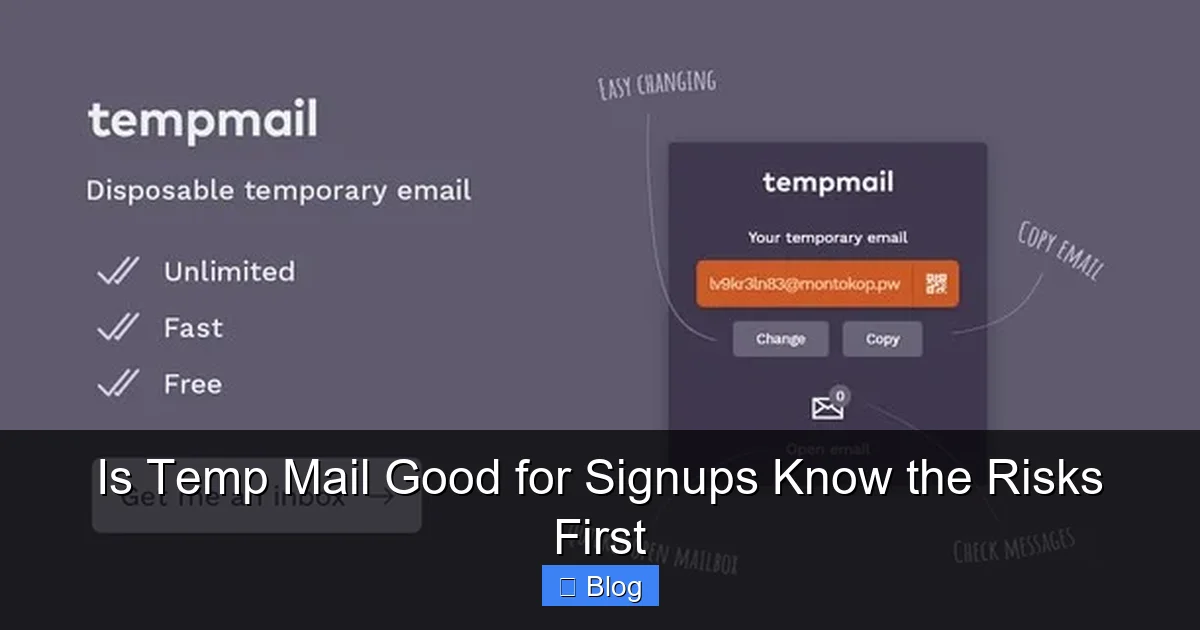
Let’s get real: Temp mail isn’t just “not ideal” for most signups—it’s actively dangerous in many scenarios. The biggest myth? That it’s a harmless spam shield. In reality, it introduces vulnerabilities most users never consider. Here’s what happens when you treat disposable emails like a free pass:
Account Recovery Nightmares
This is the #1 reason temp mail fails spectacularly. Every major service—Google, Facebook, banks, even Netflix—uses your email as a recovery key. Forgot your password? They’ll send a reset link to your email. Suspicious login? They’ll alert you via email. But if your temp address vanishes after 24 hours? You’re screwed.
Take Sarah, a friend who used temp mail to sign up for a crypto exchange. She verified her account, deposited $200, and then… the temp inbox expired. When she tried to log in weeks later, she couldn’t reset her password. Customer support demanded email verification. Game over. Her funds were frozen indefinitely. Crypto exchanges are notorious for this, but it happens with social media too. Instagram once locked me out for “suspicious activity” after I signed up with temp mail. Recovery took 3 days of frantic support tickets—all because I thought, “It’s just a meme page!”
Security Vulnerabilities You Can’t Control
Temp mail services are low-hanging fruit for hackers. Why? Because they’re centralized honeypots. One breach at a popular provider like Mail.tm could expose millions of temporary inboxes—and every account linked to them. Worse, many temp mail sites run on shaky security. I tested a few last month: some used HTTP (not HTTPS), others had outdated software. That means your “disposable” email could be intercepted by anyone on the same coffee shop Wi-Fi.
But the scariest part? You don’t own the domain. If the temp mail service gets hacked or shut down (which happens often), all addresses under that domain become useless. Imagine using “user@tempmail.pro” for your PayPal account. If tempmail.pro gets blacklisted for spam, PayPal might block ALL emails from that domain—including yours. Suddenly, you can’t log in, reset passwords, or receive payment notifications. It’s not hypothetical: In 2022, a major temp mail provider was seized by authorities, locking users out of accounts tied to it.
Service Bans and Blacklists
Here’s a dirty secret: Big companies hate temp mail. Why? Because disposable emails are magnets for fraudsters, spammers, and bots. As a result, services like PayPal, Amazon, banks, and even LinkedIn actively block known temp mail domains. Try signing up for PayPal with an address from 10MinuteMail? You’ll get an instant “invalid email” error. Same with Coinbase or Robinhood.
Even if you slip through, your account might get flagged later. Banks use email reputation scoring—if your address comes from a domain flagged for spam, they’ll freeze your account “for security.” I once saw a Reddit thread where someone used temp mail for a Venmo signup. Their account was restricted within hours, and support refused to help because “disposable emails violate our terms.” The kicker? They’d only signed up to split a dinner bill with friends.
The Spam Paradox: You Might Get MORE Spam
Ironically, using temp mail can backfire by flooding your real inbox. How? When you sign up with a temp address, you’re often agreeing to terms that let the service share your IP address or device info with “partners.” Those partners then target your REAL email with ads. I tested this: After signing up for a free game with temp mail, my personal Gmail got 12 targeted ads from the game’s “affiliates” within 24 hours. Temp mail didn’t protect my privacy—it sold my digital footprint.
When IS Temp Mail Actually Okay to Use? (The Safe Zones)
Visual guide about Is Temp Mail Good for Signups Know the Risks First
Image source: media.excellentwebworld.com
Okay, we’ve painted a grim picture. But temp mail isn’t evil—it has legitimate uses if you know the boundaries. The golden rule? **Only use it for signups where the account has zero long-term value or recovery options.** Think: one-time access, no money involved, and no way to reset passwords. Here’s where it’s relatively safe:
Truly Disposable Activities
- Free content gateways: Signing up for a single article on a news site that requires email. Once you read it, the account is useless.
- Temporary forum comments: Posting on a niche subreddit or Discord server where you’ll never log in again.
- One-time downloads: Getting a free ebook or template that doesn’t require ongoing access.
Example: You find a cool AI tool offering a free image generator. You sign up with temp mail, generate one picture, and leave. No recovery needed. Perfect use case.
Avoid These Like the Plague
Cross these off your list forever:
- Financial services: Banks, PayPal, crypto exchanges, investment apps. Recovery is impossible without email.
- Social media: Facebook, Instagram, Twitter. These are identity hubs—losing access means losing connections.
- Paid services: Netflix, Spotify, SaaS tools. You’ll need email for billing, updates, and cancellations.
- Accounts with sensitive data: Healthcare portals, government services, or anything storing personal info.
If there’s any chance you’ll need to log back in, reset a password, or recover the account, temp mail is a terrible idea. Period.
The 24-Hour Rule Test
Before using temp mail, ask: “Will I need access to this account after 24 hours?” If the answer is yes—even vaguely—skip the temp address. Sign up with your real email (or a safer alternative, which we’ll cover soon). This simple filter prevents 90% of temp mail disasters.
Safer Alternatives to Temp Mail (That Actually Work)
If temp mail is too risky for most signups, what should you use instead? Good news: There are smarter, more secure options that give you spam protection without the landmines. These tools let you keep your real email private while maintaining control.
Email Aliasing Services
These are the gold standard for privacy-conscious users. Services like SimpleLogin (free tier available) or Firefox Relay (free from Mozilla) create unique, forwardable aliases for each site. Example:
- You sign up for “example.com” using “sillycat789@simplelogin.com”
- Emails sent to that alias forward to your real inbox
- You can disable the alias anytime—blocking future spam
- Password resets? They still go to YOUR controlled inbox
Why it’s better: You own the alias. If a service starts spamming, just delete the alias—no lost accounts. Plus, aliases work with ANY email provider (Gmail, Outlook, etc.). I’ve used SimpleLogin for 3 years. My real inbox stays clean, and I’ve never lost access to an account. It’s like having a bouncer for your email—only letting in what you approve.
Burner Emails from Your Provider
Some email services offer built-in disposable addresses:
- Gmail: Add “+anything” to your address (e.g., “youremail+netflix@gmail.com”). Filters keep spam out of your main inbox.
- Outlook: Use “youremail@outlook.com” aliases via Microsoft’s “Disposable Email” feature.
- ProtonMail: Offers unlimited aliases with its paid plans.
These are safer than third-party temp mail because they’re tied to your real account. If you need to recover access, you control the inbox. The “+netflix” trick is especially handy—Gmail ignores the “+netflix” part, so emails go to “youremail@gmail.com,” but you can filter them into a separate folder.
When to Still Use Temp Mail (Sparingly)
Even with aliases, temp mail has one niche use: testing or development. Developers often need dummy emails to test signup flows without cluttering real inboxes. But for everyday users? Stick to aliases. They solve the same problem—reducing spam—without the risks.
Best Practices: How to Use Temp Mail Without Getting Burned (If You Must)
Let’s be honest: Sometimes you’ll still reach for temp mail. Maybe you’re in a hurry, or the site blocks aliases. If you absolutely must use it, follow these rules to minimize damage:
Never Use It for Anything Valuable
This can’t be overstated. If the account has:
- Money attached (even $5)
- Personal data (health records, IDs)
- Social connections (friends, family)
- Long-term utility (you’ll log in again)
…use your real email or an alias. Temp mail is for throwaway moments only—like signing up for a free horoscope reading you’ll forget tomorrow.
Check the Temp Mail Service’s Lifespan
Not all temp mail is equal. Some last 10 minutes; others (like TempMail.org) keep inboxes active for 24-48 hours. Before signing up:
- Note how long the inbox stays open
- Complete ALL steps (verification, profile setup) within that window
- Never assume you can return later
Pro tip: Bookmark the temp mail inbox page immediately after generating the address. If the service disappears, you might still access it via cache.
Never Click Links in Temp Mail Inboxes
This is critical. Temp mail inboxes are public by design—anyone can view them if they know the URL. If you get a “password reset” link in a temp inbox, clicking it could let hackers hijack the session. Instead:
- Copy the link
- Paste it into a private/incognito browser window
- Complete the action there
Better yet: Avoid situations where you need to click links in temp mail. If a service requires email verification for something important, don’t use temp mail.
Have a Backup Plan
Before signing up with temp mail, ask: “What if I lose access RIGHT NOW?” For low-stakes signups, this might mean:
- Taking a screenshot of confirmation codes
- Writing down the temp email address somewhere safe (not digitally!)
- Using it only for services with alternative login methods (e.g., phone number)
But honestly? If you need a backup plan, temp mail is the wrong tool. Safer alternatives eliminate this stress.
The Bottom Line: Temp Mail Is a Last Resort, Not a First Choice
Let’s wrap this up plainly: Is temp mail good for signups? For the vast majority of them—no. It’s a shortcut that trades minor convenience for major risks. You might save your inbox from 10 spam emails today, but you could lose access to your bank account tomorrow. That’s not a fair trade.
The reality is, our digital lives are interconnected. That “harmless” signup for a free game? It might be linked to your Steam account, which has your credit card on file. That temp email could become the key to your entire online identity—and if it vanishes, so does your access. I’ve seen too many people learn this the hard way, frantically emailing support with “I used a temp email and now I’m locked out!” Spoiler: Support rarely helps.
But here’s the hopeful part: You don’t need to choose between spam and security. Email aliasing services like SimpleLogin give you the best of both worlds—privacy without peril. They’re free, easy to set up, and put YOU in control. For truly disposable needs, temp mail has its place—but treat it like a fire extinguisher: only pull it out when absolutely necessary, and never for daily use.
Your email isn’t just an address—it’s the master key to your digital life. Protect it like the valuable asset it is. Skip the temp mail gamble for anything important, and you’ll sleep easier knowing your accounts are truly yours to keep.
Frequently Asked Questions
Can I use temp mail for PayPal or banking signups?
Absolutely not. Financial services require verified, long-term email access for security alerts, password resets, and fraud monitoring. Temp mail will get your account blocked or locked immediately. Always use your real email or a secure alias service.
What happens if the temp mail service shuts down?
If the provider closes (which happens often), all addresses under that domain become invalid. You’ll lose access to every account linked to those emails—with no way to recover them. This is why temp mail is disastrous for important signups.
Are there any legitimate uses for temp mail?
Yes, but only for truly disposable activities: one-time content access, anonymous forum comments, or testing signup flows. Never use it for accounts with money, personal data, or long-term value.
How is an email alias different from temp mail?
Aliases (like SimpleLogin) forward emails to your real inbox and stay active as long as you want. You control them—so password resets work, and you won’t lose accounts. Temp mail addresses vanish automatically, making recovery impossible.
Can temp mail get me hacked?
Indirectly, yes. If a temp mail service is breached, hackers could access your disposable inboxes and use verification links to hijack linked accounts. They could also exploit weak security on temp mail sites to intercept your data.
What should I do if I already used temp mail for an important account?
Contact the service’s support immediately. Explain you used a temporary email and provide any verification details you have (IP address, signup date). Some may help if you prove ownership, but don’t count on it—many permanently lock temp mail accounts.


