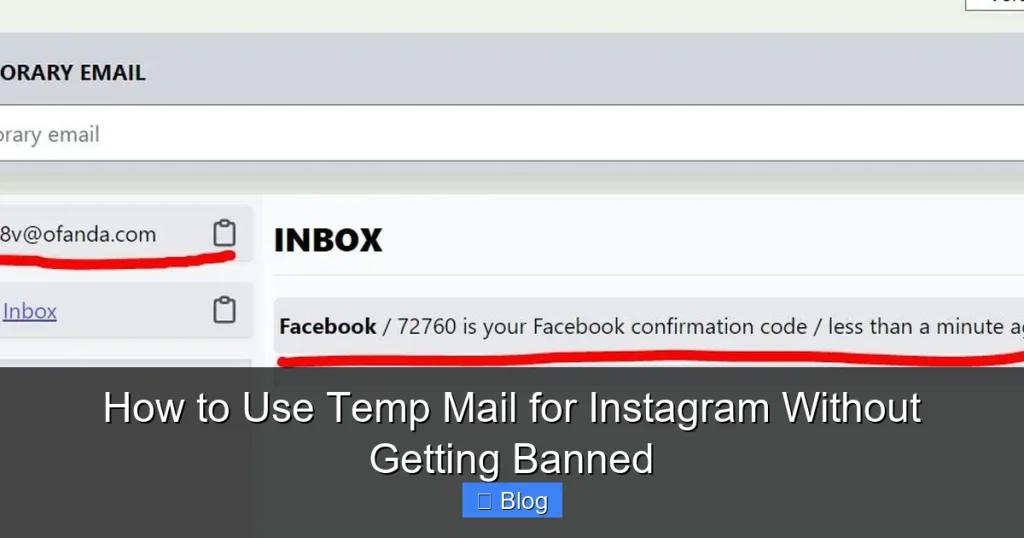

Using temp mail for Instagram can protect your privacy but risks account bans if done carelessly. This guide reveals legitimate use cases, how to choose safe services, and critical steps to verify your account properly. Follow these expert strategies to avoid Instagram’s detection systems and keep your account secure.
Key Takeaways
- Temp mail is high-risk for Instagram: Instagram actively flags disposable emails, making bans likely without careful verification steps.
- Only use for legitimate privacy needs: Avoid spam, fake engagement, or mass account creation – these guarantee bans.
- Verification is non-negotiable: Always complete Instagram’s email verification step immediately after signup to reduce ban risk.
- Choose reputable temp mail services: Avoid sketchy free sites; opt for established providers with better deliverability.
- Complete your profile fully: Add a profile photo, bio, and follow real accounts to signal a genuine user to Instagram’s AI.
- Gradual activity is essential: Don’t post or follow aggressively on a new temp mail account – mimic human behavior slowly.
- Consider safer alternatives: Burner email apps or alias services are often more reliable than pure temp mail for Instagram.
📑 Table of Contents
- Why Would Anyone Use Temp Mail for Instagram? (And Should You?)
- The Real Risks: Why Temp Mail Often Leads to Instagram Bans
- Choosing the *Least* Risky Temp Mail Service (It’s Still Risky!)
- Step-by-Step: Using Temp Mail for Instagram *Safely* (The Verification Imperative)
- Critical Strategies to Avoid Bans After Signup (Beyond Verification)
- Safer Alternatives to Temp Mail for Instagram Privacy
- Conclusion: Temp Mail for Instagram – Proceed with Extreme Caution
Why Would Anyone Use Temp Mail for Instagram? (And Should You?)
Let’s be real: Instagram knows everything about us. Your real name, location, interests, and even who you interact with – it’s all tracked. For some users, that level of exposure feels invasive. Maybe you’re a journalist protecting sources, a small business testing a new brand identity, or just someone who values digital privacy. This is where temporary email (temp mail) services often come up as a supposed “solution.” The idea is simple: sign up for Instagram using a disposable email address that vanishes after a short time, keeping your primary inbox clean and your identity somewhat obscured.
But here’s the harsh truth Instagram doesn’t advertise: using temp mail for Instagram is walking a tightrope over a ban pit. Instagram’s systems are incredibly sophisticated. They don’t just look at your email; they analyze your device, IP address, behavior patterns, and a dozen other signals. Disposable emails are a massive red flag in their algorithm. They’re strongly associated with spam, fake accounts, and fraudulent activity. So, while the *desire* for privacy is understandable, the *method* of using standard temp mail often backfires spectacularly. This guide isn’t about encouraging risky behavior; it’s about explaining the realities, the legitimate (but limited) use cases, and crucially, how to use temp mail for Instagram without getting banned – if you absolutely must.
The Real Risks: Why Temp Mail Often Leads to Instagram Bans
Before you even think about grabbing a random temp email link, understand why Instagram hates them so much. It’s not personal; it’s about platform integrity. Instagram invests billions in combating fake accounts. These accounts spread spam, manipulate engagement, scam users, and erode trust. Temp mail is the lifeblood of these operations because it’s cheap, anonymous, and easy to generate in bulk. As a result, Instagram’s automated systems (powered by AI) are primed to treat *any* signup from a known disposable email domain with extreme suspicion.
Visual guide about How to Use Temp Mail for Instagram Without Getting Banned
Image source: assets.hongkiat.com
How Instagram’s Ban Hammer Works with Temp Mail
Here’s the typical sequence when you use a standard temp mail service:
- Signup Trigger: You enter a temp email (e.g., `user789@mailtemp.org`) during Instagram registration.
- Instant Flag: Instagram’s system instantly checks the domain against its massive database of known disposable email providers. If it’s on the list (which most are), your signup is flagged as “high risk.”
- Verification Hurdle: Instagram *might* still send a verification email, but often, it won’t even bother, or the email gets blocked/delayed by Instagram’s filters.
- The Ban (Temporary or Permanent): If you somehow verify, the account is likely placed under intense scrutiny. Any minor deviation from “normal” human behavior – like following 50 accounts in 5 minutes – triggers an immediate temporary ban (requiring phone verification) or, worse, a permanent ban. Even if you verify and seem normal initially, the underlying “disposable email” flag can cause bans weeks or months later during routine sweeps.
This isn’t theoretical. Countless users report accounts banned within hours or days of signing up with temp mail, often without ever posting anything. The risk is simply too high for casual use.
When Temp Mail *Might* Be Justifiable (Rare Cases)
It’s critical to stress that temp mail should be an absolute last resort for Instagram. Legitimate scenarios are few:
- Extreme Privacy Concerns: You’re in a high-risk situation (e.g., activism in a restrictive region) where linking *any* email to your identity is dangerous, and you have no safer alternative.
- Testing a New Feature/App Integration: A developer briefly testing how an app interacts with Instagram signups *might* use temp mail for a single, throwaway test account (not for real user activity).
- Recovering a Hacked Account (Temporary Step):strong> If your *real* email was compromised and you need a *very short-term* way to regain access to Instagram *while* securing your main email (this is risky and not ideal).
Forget about: Creating multiple accounts for “personal use” (Instagram’s Terms forbid this without permission), avoiding spam (use filters instead), or “just because.” These uses almost guarantee bans and violate Instagram’s policies. If your reason isn’t critical privacy or security, skip the temp mail.
Choosing the *Least* Risky Temp Mail Service (It’s Still Risky!)
If you’ve weighed the risks and *still* decide temp mail is necessary for a legitimate reason, your choice of service matters immensely. Not all temp mail is created equal. Some are outright malicious (stealing data), while others are so widely abused that Instagram blocks them instantly. Here’s how to pick the “safest” option, understanding that “safest” still means “high risk”:
Visual guide about How to Use Temp Mail for Instagram Without Getting Banned
Image source: wjmediagroup.com
Avoid These Temp Mail Traps at All Costs
- Free Public Temp Mail Sites (e.g., TempMail.org, GuerillaMail.com): These are the absolute worst. They are the most commonly abused, have terrible email deliverability (Instagram’s verification emails often bounce or get blocked), and are instantly flagged by Instagram’s systems. Using these is basically a ban guarantee. Don’t waste your time.
- Services with Suspicious Ads/Pop-ups: If the temp mail site is plastered with “FREE ROBUX!” or “DOWNLOAD HACKS!” ads, it’s sketchy. These sites often inject malware or sell your data. Instagram also associates these domains with fraud.
- Services Offering “Unlimited” or “Premium” for Free: If it sounds too good to be true, it is. These are usually scams or have hidden malware.
Relatively “Better” (But Still Risky) Options
Focus on services known for slightly better reliability and less immediate abuse. They aren’t “safe,” but they *might* have a lower instant-block rate:
- Mail.tm: Generally has better deliverability than free public sites. Offers a clean interface and temporary inboxes that last a bit longer (hours/days). Still flagged by Instagram, but verification emails *sometimes* get through.
- Temp-Mail.io: Another service with a decent reputation among *some* users for receiving verification emails. Offers custom aliases. Still high risk, but marginally better than the free-for-all sites.
- 10MinuteMail.com: The classic. Simple, no frills. Deliverability is hit-or-miss with Instagram, but it’s a known entity. Don’t expect the email to last long.
Critical Tip: Always check if the specific domain Instagram is trying to send the verification email to (e.g., `user@mail.tm`) is *currently* working on the temp mail service. Some domains get blocked by email providers intermittently. If the verification email doesn’t arrive within 5 minutes, try generating a new temp email address on the same service – sometimes a different subdomain works.
Step-by-Step: Using Temp Mail for Instagram *Safely* (The Verification Imperative)
This is where most people fail. Simply signing up with temp mail isn’t enough. The absolute, non-negotiable key to avoiding an instant ban is completing Instagram’s email verification process. Skipping this is the fastest route to a banned account. Here’s the detailed, safe(ish) process:
Visual guide about How to Use Temp Mail for Instagram Without Getting Banned
Image source: gologin.com
Step 1: Prepare Your Environment (Crucial!)
- Use a Clean Device/Browser: If possible, use a device you haven’t used for Instagram before, or at least clear your browser cookies/cache thoroughly. Using the same device/IP for multiple accounts (even with temp mail) is a major red flag.
- Consider a Different Network: If signing up from home, try using mobile data instead of your home Wi-Fi (or vice versa). A new IP address helps slightly.
- Have a Backup Verification Method Ready: Instagram *will* likely ask for phone verification later (especially if flagged). Have a real, unused phone number ready (a friend’s or a cheap VOIP number like Google Voice – though VOIP numbers are also scrutinized). Do not use another temp service for phone!
Step 2: Sign Up & Verify IMMEDIATELY
- Go to your chosen *reputable* temp mail service (e.g., Mail.tm).
- Generate a new temporary email address. **Copy it exactly**.
- Open Instagram’s signup page (app or web). Enter the temp email, a strong password, and your desired username.
- THE MOST IMPORTANT STEP: As soon as you hit “Sign Up,” **switch BACK to your temp mail inbox**. Refresh it constantly.
- Look for an email from “Instagram” with the subject “Confirm your email.” It might take 1-5 minutes. **DO NOT LEAVE THIS PAGE.**
- Click the verification link **INSIDE** the temp mail inbox. This should redirect you back to Instagram, confirming your email.
- DO NOT SKIP THIS. If the email doesn’t arrive within 10 minutes, generate a *new* temp email address and restart the signup process. Persistence is key here.
Step 3: Complete Your Profile Thoroughly (Signal “Real Human”)
Once verified, Instagram is still suspicious. You need to make the account look undeniably legitimate:
- Add a Profile Photo: Use a real (but perhaps non-identifying) photo, or a high-quality, non-generic image. Avoid blank profiles or default icons.
- Write a Bio: Add a simple, genuine-sounding bio. “Exploring IG” or “Just joined!” works. Avoid spammy keywords.
- Follow 5-10 Real Accounts: Follow friends, family, or reputable brands/pages *slowly* over the first hour. Don’t mass-follow.
- Like 2-3 Posts: Engage minimally with content from the accounts you followed.
- Connect Phone Number (If Prompted): When Instagram asks (and it likely will), add that real phone number you prepared. Verify it via SMS. This is often the final hurdle to avoid an immediate ban.
This profile completion step is vital. An empty, unverified account with a temp email is a sitting duck for Instagram’s ban bots.
Critical Strategies to Avoid Bans After Signup (Beyond Verification)
Verification and profile setup get you past the initial hurdle, but the danger doesn’t end there. Instagram continues monitoring new accounts closely. Here’s how to behave like a real human and stay under the radar:
Mimic Human Activity Patterns (Slow & Steady Wins)
- First 24-48 Hours: Do almost nothing. Maybe check your feed once or twice. Avoid posting, following, or liking aggressively. Let the account “settle.”
- Gradual Engagement: Over the next week, slowly increase activity. Follow 1-2 new accounts per day. Like 3-5 posts per day. Comment sparingly and meaningfully (“Great photo!”). **Never** automate this.
- Posting Strategy: Wait at least 3-5 days before posting your first photo. Make it high-quality and relevant. Post infrequently at first (once a week), then gradually increase if needed. Avoid posting multiple times in an hour.
- Avoid “Suspicious” Behavior: Never use follow/unfollow apps, engagement pods, or automation tools. Don’t comment generic spam (“Nice pic! Check my profile!”). Don’t mass-like posts from unrelated hashtags.
Remember: Instagram’s AI learns what “normal” looks like. A brand-new account suddenly following 200 people and liking 500 posts in an hour is screaming “FAKE ACCOUNT.”
Protect Your Account Long-Term
- Use Strong, Unique Passwords: Never reuse passwords. Use a password manager.
- Enable Two-Factor Authentication (2FA): Use an authenticator app (like Google Authenticator) or a *real* phone number. **Do not use SMS from a temp number!** This adds crucial security and signals legitimacy.
- Be Wary of Third-Party Apps: Only authorize apps you absolutely trust. Revoke access for unused apps regularly.
- Don’t Share Login Details: Ever. Not with “growth services,” not with friends.
- Monitor Account Status: Check Settings > Security > Login Activity regularly for suspicious logins.
Even with these steps, understand that using temp mail inherently makes your account more vulnerable to future scrutiny or bans during platform-wide sweeps. There is no permanent “safe” state.
Safer Alternatives to Temp Mail for Instagram Privacy
Given the high ban risk with temp mail, **seriously consider these more reliable alternatives** for protecting your privacy on Instagram:
Burner Email Apps (The Best Compromise)
Apps like SimpleLogin, AnonAddy, or Firefox Relay (for email) create unique, forwardable email aliases. You sign up for Instagram using `yourname.instagram@simplelogin.com`. Emails sent to this alias forward to your real inbox. You can reply directly from the alias, and if Instagram ever bans the alias, you simply disable it – your main email remains untouched. These services:
- Use reputable, non-disposable domains (less likely to be instantly flagged).
- Offer reliable email delivery and forwarding.
- Allow you to maintain control and verify easily.
- Are designed for privacy without the “spam” stigma of temp mail.
This is overwhelmingly the recommended approach if privacy is your main goal. The small monthly fee (often $2-5) is worth avoiding the headache of a banned Instagram account.
Dedicated “Burner” Email Accounts
Create a *real*, dedicated Gmail, Outlook, or Yahoo account *solely* for Instagram and a few other low-risk services. Use a unique password and enable 2FA. While not truly anonymous, it:
- Uses a standard, trusted email provider (low ban risk).
- Keeps Instagram activity completely separate from your personal/professional life.
- Is free and easy to set up.
This is a simple, effective solution for most users who just want separation, not total anonymity.
Why These Alternatives Beat Temp Mail
Both burner apps and dedicated accounts solve the core privacy problem (keeping Instagram separate from your main identity) without triggering Instagram’s anti-fraud systems. They provide reliable email verification, which is the absolute foundation of account safety. Temp mail, by its very nature, undermines this foundation. Unless you have an extreme, critical need for near-total anonymity that burner apps can’t satisfy (which is rare for typical Instagram use), these alternatives are vastly superior and safer.
Conclusion: Temp Mail for Instagram – Proceed with Extreme Caution
Let’s cut through the noise: using temp mail for Instagram is inherently risky and should be avoided whenever possible. Instagram’s systems are designed to detect and eliminate accounts using disposable emails, and bans are common, often swift, and sometimes permanent. The potential consequences – losing access to your content, connections, and even business – usually far outweigh the perceived privacy benefits for the average user.
If you have a legitimate, critical need for enhanced privacy (beyond simple separation), prioritize safer alternatives like burner email apps (SimpleLogin, AnonAddy) or a dedicated secondary email account. These provide robust privacy protection without the high probability of triggering Instagram’s ban algorithms. They ensure you can reliably verify your email, complete your profile, and maintain account security – the absolute essentials for staying active on the platform.
If, after careful consideration, you still decide to use temp mail, treat it as a high-stakes operation. Choose the least sketchy service possible, verify your email IMMEDIATELY and completely, build a fleshed-out profile, mimic human behavior meticulously from day one, and have a real phone number ready for verification. Understand that even with perfect execution, the risk of a ban remains significantly higher than using a standard email. Your Instagram account’s longevity is too valuable to gamble on a disposable email address. Protect it wisely.
Frequently Asked Questions
Is using temp mail for Instagram illegal?
No, using a temporary email service itself isn’t illegal. However, violating Instagram’s Terms of Service (which prohibit fake accounts, spam, and often multiple personal accounts) by using temp mail for those purposes can lead to account bans. The service itself is a tool; misuse is the problem.
Why does Instagram ban accounts using temp mail so quickly?
Instagram’s AI systems flag disposable email domains because they are overwhelmingly used for spam, fake engagement, scams, and mass account creation – activities that harm the platform. A signup from a known temp mail domain is a major red flag triggering immediate scrutiny or automated bans.
What’s the best temp mail service for Instagram verification?
There is no “best” safe option, as all carry high risk. Among the *less risky* choices, Mail.tm and Temp-Mail.io sometimes have better deliverability for verification emails than free public sites like TempMail.org. However, **burner email apps (SimpleLogin, AnonAddy) are significantly safer and more reliable alternatives.**
Can I use temp mail to create multiple Instagram accounts?
Instagram’s Terms strictly prohibit creating multiple personal accounts without permission. Using temp mail for this purpose is a guaranteed way to get all accounts banned quickly. If you need multiple accounts for business, use Instagram’s official Business or Creator tools with real, verified emails.
My Instagram account got banned after using temp mail. Can I recover it?
Recovery is difficult. If banned for “inauthentic behavior” linked to the temp email, appeals often fail. Your best chance is if you completed phone verification *before* the ban and can prove the account is genuine via the appeal process. Prevention (using safer methods) is far easier than recovery.
Are there any completely safe ways to use temp mail for Instagram?
No. The fundamental nature of disposable email addresses conflicts with Instagram’s security requirements. While careful steps (immediate verification, profile completion, human-like activity) can *reduce* the risk, they cannot eliminate it. Safer alternatives like burner email apps provide privacy without the high ban probability.