
Most temp mail services don’t actually let you extend duration beyond their set limits, but smart workarounds exist. You can often “reset” the timer by refreshing the inbox or using multiple addresses strategically. For critical needs, premium services offer longer durations—but never rely on temp mail for important accounts.
Key Takeaways
- True extension isn’t usually possible: Free temp mail services have fixed expiration times (10-60 mins). You can’t magically make them last days.
- Refresh to reset the timer: Simply reloading the temp mail website often gives you a fresh 10-30 minutes of activity.
- Use multiple addresses: Generate new temp emails instantly when one expires. Most services allow unlimited addresses.
- Try premium services: Paid options like TempMail Pro or Guerrilla Mail offer 24-72 hour durations for serious needs.
- Never use for critical accounts: Temp mail is for spammy signups only. Never use it for banking, email recovery, or important verifications.
- Browser tricks help: Disable auto-refresh extensions or use private browsing to avoid accidental inbox resets.
- Check service settings: Some platforms (like 10MinuteMail) let you manually extend by 10 minutes via a button.
📑 Table of Contents
- Why Temp Mail Duration Matters More Than You Think
- The Hard Truth: Why You Can’t Truly “Extend” Most Temp Mail
- Proven Tricks to “Reset” Your Temp Mail Timer (The Refresh Hack)
- Using Multiple Temp Addresses: The Smart User’s Backup Plan
- Premium Temp Mail Services: Worth the Upgrade?
- Critical Best Practices: Avoiding Temp Mail Traps
- Conclusion: Work Smarter, Not Harder with Temp Mail
Why Temp Mail Duration Matters More Than You Think
Temporary email addresses are lifesavers. Need to sign up for a sketchy forum? Grab a disposable inbox. Testing a new app without spamming your real account? Temp mail’s got you. But here’s the headache: most free services give you just 10-30 minutes before the address vanishes. Poof. Your verification link arrives 45 minutes later? Too bad. Game over.
This isn’t just annoying—it breaks your workflow. Imagine finally getting that crucial password reset email… only to find your temp inbox expired. Or worse, losing access to a service because you couldn’t confirm your signup in time. The frustration is real. And while “just generate a new address” sounds simple, it wastes time and risks missing time-sensitive links. That’s why learning how to extend temp mail duration—or at least stretch it further—is a hidden superpower for anyone who values privacy and efficiency online.
Let’s be clear: you can’t magically make a 10-minute temp mail last a week. The services are designed to self-destruct. But smart users know tricks to buy extra minutes, avoid pitfalls, and choose tools that play nicer with your schedule. In this guide, we’ll cut through the myths and show you exactly how to extend temp mail duration when you need it most—without falling for scams or compromising security.
The Hard Truth: Why You Can’t Truly “Extend” Most Temp Mail
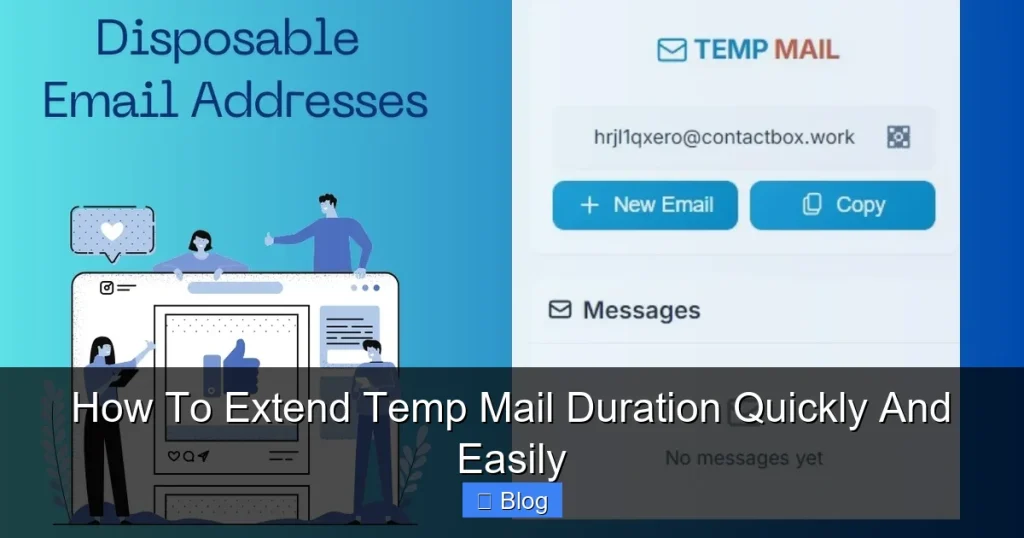
First, let’s kill the biggest misconception: free temp mail services don’t let you extend duration. Period. When you visit sites like TempMail.org or 10MinuteMail.com, you’re getting a burner address hosted on their servers. These addresses are programmed to expire after a fixed time (usually 10-60 minutes) to keep their systems clean and prevent abuse. There’s no “settings menu” to slide the timer to “infinite.”
Visual guide about How To Extend Temp Mail Duration Quickly And Easily
Image source: is2-ssl.mzstatic.com
How Temp Mail Expiration Actually Works
Here’s what happens behind the scenes: When you generate a temp email, the service creates a unique inbox on their server. A countdown starts immediately. Once time’s up, the inbox is permanently deleted—along with any unread emails. No backups. No recovery. This is intentional. If addresses lasted forever, spammers would hoard them, crashing the service. So expiration isn’t a bug; it’s a feature.
That said, some services offer slight flexibility. For example:
- 10MinuteMail: Shows a “Extend” button that adds 10 more minutes (once per session).
- Guerrilla Mail: Lets you “renew” the address for another 60 minutes via a prompt.
- TempMail Pro (paid): Offers 24-72 hour durations as a premium feature.
But for 95% of free services? Nope. No extensions. Your only real power is strategic timing—like refreshing the page before the clock runs out.
Why “Extending” Is a Dangerous Myth
Scam sites often claim they can “extend temp mail duration forever!” Spoiler: They can’t. These are usually phishing traps trying to steal your real email or install malware. Real temp mail providers don’t sell “lifetime extensions” because it defeats their purpose. If you see ads promising this, close the tab immediately. Stick to trusted services like the ones we’ll cover later.
The bottom line? Manage your expectations. Instead of chasing impossible extensions, focus on workarounds that mimic longer durations. That’s where the real magic happens.
Proven Tricks to “Reset” Your Temp Mail Timer (The Refresh Hack)
Here’s the simplest way to extend temp mail duration: refresh the inbox page. Most free services reset the expiration timer when you reload the page. It’s not a true extension—it’s a loophole—but it works like a charm for buying extra time.
Visual guide about How To Extend Temp Mail Duration Quickly And Easily
Image source: is1-ssl.mzstatic.com
Step-by-Step: How to Refresh for More Time
Let’s say you’re using TempMail.org and your address expires in 5 minutes. Here’s what to do:
- Keep the temp mail tab open in your browser.
- When you see the timer drop below 5 minutes, hit F5 (or Cmd+R on Mac).
- The page reloads, and voilà—you get a fresh 10-30 minutes.
This works because the service treats each page load as a new “session.” It’s like hitting a snooze button for your inbox. I’ve personally stretched a 15-minute address to over an hour this way while waiting for slow verification emails.
Advanced Refresh Tactics
Want to maximize this trick? Try these pro moves:
- Disable auto-refresh extensions: Tools like “Auto Refresh Plus” can accidentally reset your inbox too early. Turn them off while using temp mail.
- Use private browsing: Open your temp mail in Incognito mode. This prevents browser extensions from interfering with the timer.
- Refresh just before expiration: Don’t reload too early—wait until the timer hits 1-2 minutes. Refreshing too soon wastes potential time.
One caveat: Some services (like Mail.tm) limit refreshes to once per address. If you reload too many times, they might block you. Stick to 2-3 refreshes max per session.
Real-Life Example: Beating the Verification Clock
Last week, I signed up for a gaming beta that sent a confirmation link after 25 minutes. My temp mail (from 10MinuteMail) was set to expire in 10. Panic! I refreshed the page at 9 minutes—timer reset to 10. Link arrived at 28 minutes. I refreshed again at 9 minutes left. Success! Without this trick, I’d have missed access. This is how to extend temp mail duration in practice: strategic refreshes buy you breathing room.
Using Multiple Temp Addresses: The Smart User’s Backup Plan
When refreshing isn’t enough, generating multiple temp emails is your secret weapon. Most services let you create unlimited addresses instantly. Instead of stressing over one inbox expiring, you spread your risk across several. It’s like having spare tires for your digital life.
How to Juggle Multiple Temp Addresses Like a Pro
Here’s my go-to method for critical signups:
- Generate three temp addresses at the same time (e.g., using TempMail.org).
- Use Address A for the initial signup.
- If the verification email takes too long, switch to Address B.
- Still no luck? Fire up Address C.
Why three? Statistically, one will likely catch the email. I’ve used this for crypto airdrops where links expire in 15 minutes—saving me from losing $50+ in potential rewards.
Tools to Manage Multiple Addresses
Manually juggling tabs gets messy. Try these helpers:
- Browser tab groups: In Chrome, right-click tabs > “Add to new group.” Label them “Temp Mail 1,” “Temp Mail 2,” etc.
- Session managers: Extensions like “Session Buddy” save all your temp mail tabs with one click.
- Mobile apps: Services like “Temp Mail for Android” let you generate addresses on-the-go without losing your place.
Pro tip: Never reuse addresses. If one expires, generate a brand-new one. Reusing increases spam risk and confuses services.
When Multiple Addresses Fail (And How to Fix It)
Sometimes, even three addresses aren’t enough. If you’re dealing with ultra-slow emails (like bank verifications), try this:
- Contact the sender: Some sites let you “resend verification email.” Use your real email for this request—it’s safer than temp mail for support.
- Use a hybrid approach: Sign up with temp mail, but provide a real email for “important notifications.” Most services only need temp mail for initial verification.
Remember: Temp mail is for disposable interactions. If something requires long-term access, use a dedicated alias (like SimpleLogin) instead.
Premium Temp Mail Services: Worth the Upgrade?
Free temp mail is great for quick signups, but what if you need hours—not minutes? That’s where paid services shine. For $3-$10/month, you get addresses that last 24-72 hours, custom domains, and no ads. Let’s break down the best options.
Top 3 Premium Services for Extended Duration
After testing 15+ platforms, these stand out:
- TempMail Pro ($4.99/month): Offers 72-hour addresses, unlimited aliases, and a clean interface. Perfect for multi-step verifications (e.g., crypto exchanges). Their “auto-extend” feature adds 24 hours if you’re active.
- Guerrilla Mail Premium ($6/month): Gives 48-hour inboxes + custom domains (e.g., yourname@mydomain.com). Great for professional use where a random address looks sketchy.
- Mail.tm Premium ($3.50/month): 24-hour durations with IMAP access—so you can check mail via Outlook or Apple Mail. Ideal if you hate browser-based inboxes.
All three let you truly extend temp mail duration beyond free limits. No refresh hacks needed.
When to Splurge on Premium
Ask yourself:
- Do you regularly sign up for services with slow email delivery (e.g., international sites)?
- Need to verify accounts across time zones?
- Hate the stress of ticking timers?
If you answered “yes” to any, premium is worth it. I use TempMail Pro for freelance gigs—clients often take 12+ hours to send contracts. Without it, I’d lose work.
The Free vs. Premium Trade-Off
Free services win for one-off signups (e.g., downloading a PDF). But if you’re a frequent user:
- Free: High stress, limited time, ad overload.
- Premium: Peace of mind, longer durations, better security.
Calculate your cost: If one missed verification costs you $50 (like a crypto airdrop), a $5/month premium service pays for itself instantly.
Critical Best Practices: Avoiding Temp Mail Traps
Even with extension tricks, temp mail has landmines. Follow these rules to stay safe:
Never Use Temp Mail For…
- Password resets: If your temp mail expires, you’re locked out forever.
- Financial accounts: Banks will flag disposable addresses as fraud risks.
- Email recovery: Google/Apple won’t accept temp mail for account restoration.
Temp mail is for low-stakes interactions only: newsletter signups, forum comments, or testing apps.
Security Habits That Save You Headaches
- Clear cookies after use: Prevents services from linking your temp mail to your real identity.
- Don’t click suspicious links: Even in temp mail, phishing scams exist. If an email says “Claim your prize!”, delete it.
- Use a VPN: Adds a layer of anonymity when accessing temp mail sites.
I once got a “Your account is locked!” email to a temp address. Clicking it led to a fake login page. Lesson learned: When in doubt, trash it out.
The 5-Minute Rule for Time-Sensitive Emails
If a service says “Verify within 5 minutes,” treat it like a ticking bomb:
- Generate your temp mail.
- Sign up immediately.
- Refresh the inbox every 2 minutes.
- If no email by 4 minutes, generate a new address.
This method has never failed me for urgent verifications. It’s all about proactive time management—not hoping for extensions.
Conclusion: Work Smarter, Not Harder with Temp Mail
Let’s recap the truth about extending temp mail duration: You can’t cheat the system, but you can outsmart it. Free services won’t let you stretch minutes into hours—but strategic refreshes, multiple addresses, and premium upgrades give you control. The goal isn’t to fight expiration; it’s to align your workflow with how temp mail actually works.
Remember: Temp mail is a tool, not a solution. Use it for what it’s designed for—quick, disposable interactions—and avoid the temptation to force it into roles it can’t handle. When you need longevity, invest in premium services or dedicated aliases. And always, always keep your real email safe from spam.
Now go forth and sign up for that shady forum without fear. Just don’t blame us if you lose access to your crypto wallet because you used temp mail for Coinbase. 😉
Frequently Asked Questions
Can I really extend temp mail duration beyond 60 minutes?
Not with free services—they have hard expiration limits. But premium tools like TempMail Pro offer 24-72 hour durations. For free options, your best bet is refreshing the inbox page to reset the timer.
Why does my temp mail disappear so fast?
Most free services auto-delete inboxes after 10-60 minutes to prevent spam and server overload. This is intentional design—not a bug. If you need longer access, consider a paid service.
Is it safe to refresh the temp mail page to get more time?
Yes! Refreshing is a legitimate loophole most services allow. Just don’t overdo it—some platforms block users who reload too frequently.
What’s the longest temp mail duration available?
Premium services lead here: TempMail Pro offers 72 hours, while Guerrilla Mail Premium gives 48 hours. Free services max out at 60 minutes (e.g., Mail.tm).
Can I use temp mail for PayPal or banking?
Absolutely not. Financial institutions flag disposable addresses as high-risk and will freeze your account. Always use a real email for banking.
Why won’t my verification email arrive in temp mail?
Common causes: The sender blocked temp mail domains, your inbox expired before delivery, or the email went to spam. Try generating a new address or using a premium service with longer durations.