Temp mail is your secret weapon against spam! By using disposable email addresses for sign-ups, you keep your real inbox clean and safe. It’s fast, free, and stops annoying spam before it starts.
Key Takeaways
- Temp mail blocks spam instantly: Disposable addresses catch junk mail so your real inbox stays pristine
- Choose reliable services: Pick temp mail providers with strong privacy policies and no data selling
- Never use for important accounts: Reserve temp mail for trials, forums, and low-risk sign-ups only
- Check expiration settings: Set short lifespans (1-24 hours) to auto-delete risky addresses
- Avoid linking to real accounts: Never connect temp mail to banking, social media, or email
- Combine with other tools: Use temp mail alongside spam filters for maximum protection
📑 Table of Contents
- Why Your Inbox Feels Like a Spam Dumpster (And How to Fix It)
- What Exactly Is Temp Mail? (Spoiler: It’s Not Magic, But Close)
- Why Temp Mail Is Your Ultimate Spam Shield
- How to Choose the Best Temp Mail Service (Avoid These Traps!)
- 5 Pro Tips to Use Temp Mail Like a Spam-Slaying Ninja
- What Temp Mail Can’t Do (And How to Fill the Gaps)
- Real-Life Temp Mail Success Stories
- Your Spam-Free Future Starts Now
Why Your Inbox Feels Like a Spam Dumpster (And How to Fix It)
Let’s be real: your email inbox is probably a warzone. Every day, it gets flooded with fake promotions, phishing scams, and newsletters you never signed up for. You click “unsubscribe” until your finger hurts, but the spam keeps coming. It’s exhausting. And dangerous. That “urgent invoice” email? Could be malware. That “free iPhone” offer? Definitely a scam. Spam isn’t just annoying—it’s a security risk that steals time and peace of mind.
What if I told you there’s a simple trick to stop 90% of this nonsense before it hits your real inbox? Enter temp mail—your new spam-fighting sidekick. Temp mail (short for temporary email) gives you a disposable address that self-destructs after use. Think of it like a decoy mailbox: spammers dump their junk there, and poof! It vanishes. No more clutter. No more stress. Best part? It takes 10 seconds to set up and costs nothing. Let’s dive into how this magic works and how you can use it to reclaim your inbox.
What Exactly Is Temp Mail? (Spoiler: It’s Not Magic, But Close)
Temp mail is a temporary email address that exists for a short time—usually minutes to days—before disappearing forever. You use it to sign up for websites, download freebies, or verify accounts without giving away your real email. Once the temp address expires, all emails sent to it vanish. No traces left. No spam following you home.
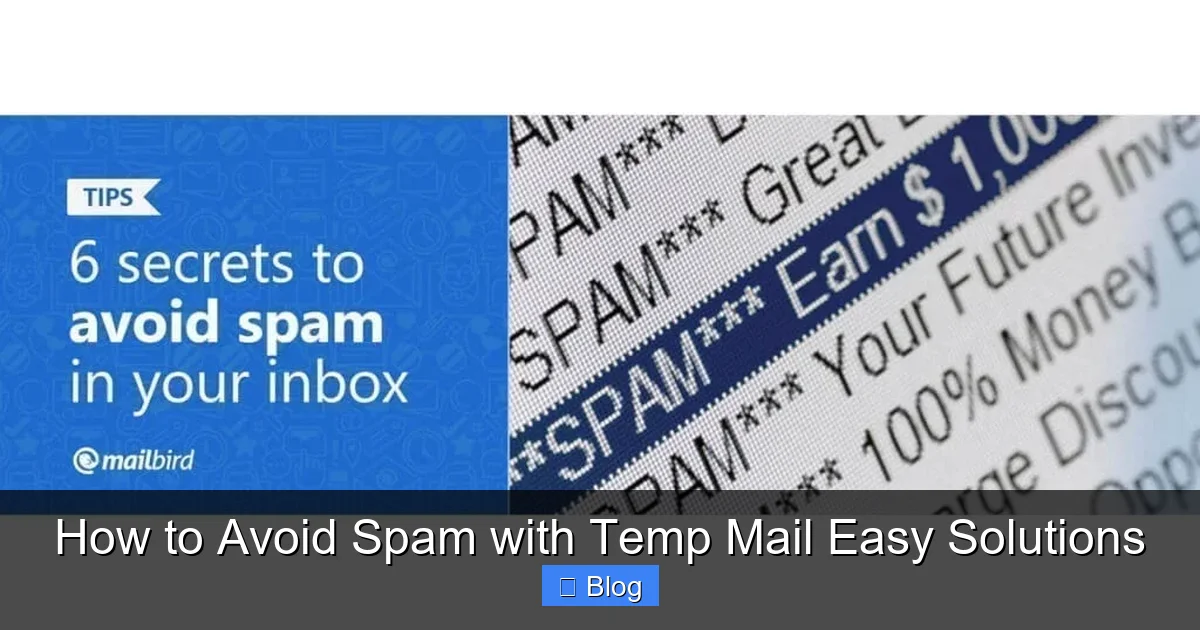
Visual guide about How to Avoid Spam with Temp Mail Easy Solutions
Image source: getmailbird.com
How Temp Mail Works in 3 Simple Steps
Imagine you’re signing up for a free Netflix trial. Instead of using your personal Gmail, you:
- Generate a temp address: Visit a temp mail site like TempMail.org or 10MinuteMail.com. Click “Create Email”—it instantly gives you a random address (e.g., bluecat789@tempmail.com).
- Use it for sign-up: Paste that address into Netflix’s registration form. Netflix sends a verification email to your temp inbox.
- Check and expire: Open the temp mail site again, see the Netflix email, click the link to verify. Done! The address self-destructs after 10 minutes (or whatever timeframe you set).
That’s it. The spam Netflix might send later? It goes to the void. Your real inbox stays clean. No more “special offers” clogging your space.
Why Temp Mail Beats Traditional Spam Filters
Most people rely on spam filters alone. But here’s the problem: filters aren’t perfect. They miss new scams, and spammers constantly evolve. Temp mail is proactive—it stops spam at the source. By never giving spammers your real address, you cut off their access entirely. It’s like building a moat around your castle instead of just hiring guards. Plus, temp mail requires zero setup on your end. No complex rules to configure. Just generate, use, and forget.
Why Temp Mail Is Your Ultimate Spam Shield
Temp mail isn’t just convenient—it’s a game-changer for security and sanity. Let’s break down why it’s the smartest way to dodge spam.

Visual guide about How to Avoid Spam with Temp Mail Easy Solutions
Image source: salesblink.io
It Stops Spam Before It Starts
Spammers thrive on harvesting real email addresses. Every time you sign up for a sketchy website, you’re handing them your digital ID. Temp mail breaks that cycle. When you use a disposable address, spammers get nothing useful. They can’t sell your data or target you later because the address vanishes. It’s like wearing an invisibility cloak for your inbox.
Real-world example: You download a free Photoshop plugin from a forum. The site asks for your email “to send the download link.” Instead of using your real address, you grab a temp mail link. The plugin sends the file to your temp inbox. You grab it, and the address expires. The forum owner can’t spam you later because there’s no address to spam. Simple. Effective.
It Protects You From Phishing and Scams
Phishing emails often look legit—they mimic banks, Amazon, or PayPal. But they’re designed to steal passwords. Temp mail adds a layer of safety. If a phishing scam targets the temp address you used for, say, a gaming forum, your real accounts stay safe. Even if you accidentally click a bad link in that temp inbox, the damage is contained. No risk to your primary email or connected services.
Pro tip: Always check the sender’s address in your temp inbox. If it’s from “support@amaz0n-security.com” (with a zero instead of ‘o’), delete it immediately. Temp mail makes spotting these fakes easier since you expect only legitimate emails from the service you signed up for.
It Saves You Hours of Unsubscribing
We’ve all been there: you sign up for one free ebook, and suddenly your inbox is flooded with “related offers.” Unsubscribing takes forever, and some sites make it nearly impossible. Temp mail nips this in the bud. Since the address expires, you never see those follow-up emails. No more wrestling with tiny “unsubscribe” links or fake confirmation pages. Your time stays yours.
How to Choose the Best Temp Mail Service (Avoid These Traps!)
Not all temp mail services are created equal. Some are sketchy, some sell your data, and others barely work. Here’s how to pick a winner.
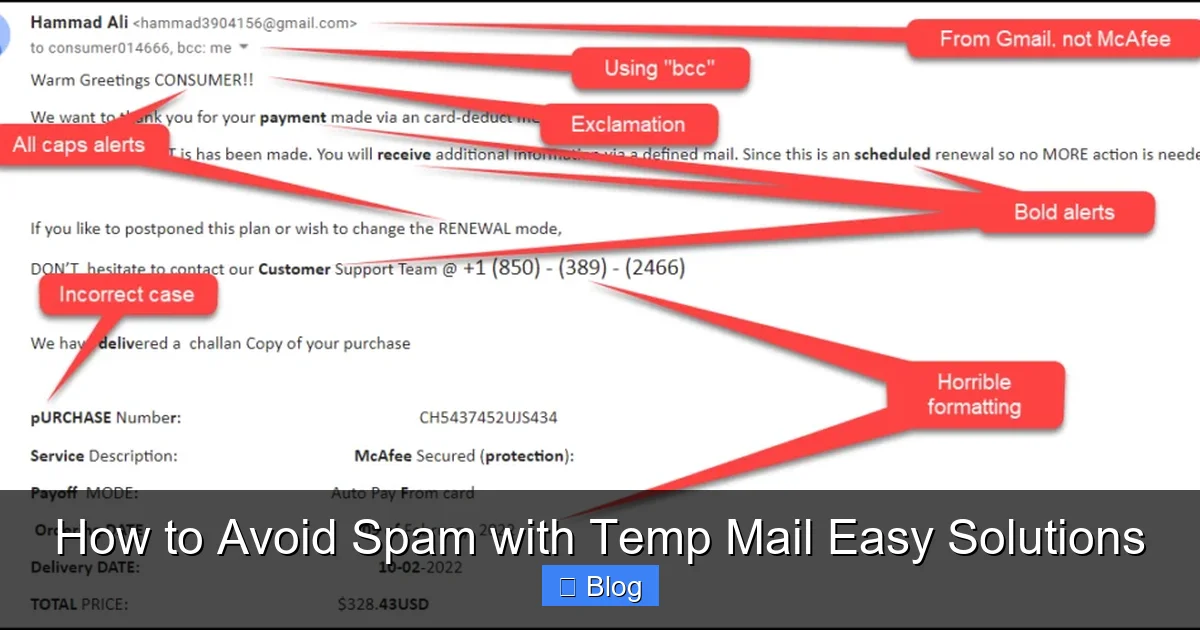
Visual guide about How to Avoid Spam with Temp Mail Easy Solutions
Image source: inboxally.com
Top 3 Must-Have Features
When testing temp mail sites, look for:
- No registration required: The best services let you generate an address instantly—no sign-ups, no passwords. If it asks for your real email first, run.
- Custom expiration times: Choose how long the address lasts (e.g., 10 minutes, 1 hour, 24 hours). Shorter = safer for one-time use.
- Strong privacy policy: Avoid sites that say “we may share data with partners.” Your temp emails should be deleted forever, not stored or sold.
Trusted examples: TempMail.org (simple, no ads), 10MinuteMail.com (fast, reliable), and GuerrillaMail.com (custom domains).
Red Flags to Avoid
Steer clear of services that:
- Show excessive ads: Pop-ups and banners often hide malware. If the site feels spammy, it probably is.
- Require downloads: Legit temp mail works in your browser—no apps or extensions needed. Downloads = potential spyware.
- Ask for personal info: Why would a temp mail service need your name or phone number? It shouldn’t.
Fun fact: Some “free” temp mail apps on the Play Store secretly mine your data. Stick to browser-based sites for safety.
Mobile vs. Desktop: Which Works Better?
Temp mail shines on mobile. Why? Most spam comes from apps and mobile sites. Use a browser-based temp mail site (like TempMail.org) on your phone. Generate an address, paste it into an app’s sign-up form, and verify—all in under a minute. No app installs needed. Desktop works too, but mobile is where temp mail really saves the day.
5 Pro Tips to Use Temp Mail Like a Spam-Slaying Ninja
Temp mail is powerful, but only if you use it right. These tricks maximize your spam-blocking power.
Tip 1: Match Temp Mail to the Risk Level
Not all sign-ups are equal. Use temp mail strategically:
- High-risk sites (e.g., pirated content, gambling): Use a 5-minute temp address. If it’s shady, the address dies fast.
- Medium-risk (e.g., free trials, forums): Go for 1-2 hours. Enough time to verify, but not long enough for spam to pile up.
- Low-risk (e.g., reputable newsletters): Skip temp mail—use your real address. Save disposables for sketchier stuff.
Example: Signing up for a free Canva trial? Medium risk. Use a 1-hour temp address. Signing up for a random meme generator site? High risk. Use 5 minutes.
Tip 2: Never Forward Temp Emails to Your Real Inbox
Some temp mail services let you forward emails. Don’t do it. If you forward a “confirmation” email to your real inbox, you’ve just handed spammers your primary address. Keep temp mail isolated. Check it directly on the service’s site, then let it expire.
Tip 3: Use Unique Addresses for Different Services
Don’t reuse the same temp address for multiple sites. If one site leaks your address, spammers could target the others. Generate a fresh address for every sign-up. It takes seconds and adds serious security.
Tip 4: Pair Temp Mail with a Password Manager
Temp mail + password manager = spam-proof sign-ups. When creating an account:
- Generate a temp email address.
- Use your password manager (like Bitwarden or 1Password) to create a strong, unique password.
- Save both in the manager under the temp address.
If the temp address expires, you won’t need the password again. No lost logins!
Tip 5: Set Expiration Alerts
Some temp mail sites (like GuerrillaMail) let you set reminders. If you’re waiting for an important email (e.g., a download link), set a 5-minute alert. This way, you don’t miss the email before the address dies. Perfect for time-sensitive sign-ups.
What Temp Mail Can’t Do (And How to Fill the Gaps)
Temp mail is awesome, but it’s not a magic bullet. Know its limits to stay fully protected.
Limitation 1: Not for Important Accounts
Never use temp mail for:
- Banking or financial services
- Social media (Facebook, Instagram)
- Email accounts (Gmail, Outlook)
- Work-related logins
Why? If you lose access to the temp address, you lose access to the account forever. Imagine using temp mail for PayPal—then the address expires. Good luck recovering your money!
Limitation 2: Some Sites Block Temp Mail
Certain services (like Amazon or government sites) detect and block temp mail addresses. They see them as “disposable” and untrustworthy. If a site rejects your temp address, it’s usually a sign it’s legit—so use your real email here. Don’t force it.
Limitation 3: No Long-Term Communication
Temp mail is for one-off interactions only. Need ongoing support from a service? Use your real email. Temp mail won’t work for customer service chats or subscription updates.
How to Cover These Gaps
Combine temp mail with other tools:
- For important accounts: Use a dedicated “junk” email address (e.g., a separate Gmail just for sign-ups).
- When temp mail is blocked: Try a masked email service like Firefox Relay or SimpleLogin. They forward emails to your real inbox without revealing it.
- For newsletters: Use Unroll.me to manage subscriptions—but never with temp mail!
This layered approach keeps you safe without over-relying on temp mail.
Real-Life Temp Mail Success Stories
Let’s see temp mail in action. These scenarios show how ordinary people beat spam daily.
Case Study: The Free Software Download
Sarah wanted a free PDF editor. The download site demanded her email “for the link.” She used TempMail.org to generate pdfqueen@tempmail.com with a 15-minute expiration. The site sent the download link to her temp inbox. She grabbed it, and the address vanished. Result? Zero spam. Her real inbox stayed clean. Without temp mail, she’d have gotten weekly “upgrade” emails forever.
Case Study: The Online Forum Sign-Up
David joined a gaming forum. New members had to verify their email. He used 10MinuteMail.com for gamerdude42@10minutemail.com. The forum sent a verification link. David clicked it, and the address expired after 10 minutes. When the forum later got hacked, spammers had no access to David’s real email. His primary inbox was untouched.
Case Study: The E-Commerce Trial
Maria signed up for a 30-day free trial at a fashion site. She used GuerrillaMail.com for stylemaven@guerrillamail.com with a 24-hour lifespan. The site sent a promo code to her temp inbox. She used it, and the address died. When the trial ended, no renewal emails followed her home. She saved $20 and avoided inbox clutter.
Your Spam-Free Future Starts Now
Spam doesn’t have to rule your inbox. Temp mail is the easiest, fastest way to take back control. It’s free, requires no tech skills, and works in seconds. By using disposable addresses for low-risk sign-ups, you stop spam at the source—before it ever reaches your real email.
Remember: temp mail isn’t for everything. Keep it for trials, downloads, and sketchy sites. For important accounts, stick with your real address or a masked service. Pair it with a password manager for maximum security. And always check privacy policies—your data is worth protecting.
Ready to try? Next time you’re asked for your email, pause. Ask: “Is this worth risking my inbox?” If not, head to TempMail.org, generate an address, and watch spam vanish. Your future self will thank you. No more clutter. No more scams. Just a clean, calm inbox. That’s the temp mail promise—and it works.
Frequently Asked Questions
Is temp mail legal to use?
Yes, temp mail is completely legal. It’s a privacy tool used by millions to protect their real email addresses. Just avoid using it for illegal activities—like signing up for services with fake identities to commit fraud.
Can I receive important emails with temp mail?
Only if you check the temp inbox before it expires. For critical emails (like bank verifications), use your real address. Temp mail is best for one-time sign-ups where you expect immediate action.
Do temp mail services sell my data?
Reputable ones don’t. Always choose services with clear privacy policies stating they delete emails immediately. Avoid sites with excessive ads—they often monetize your data.
What happens if I lose access to my temp mail?
You lose any unread emails—but that’s the point! Temp mail is designed to be temporary. If you need long-term access, don’t use temp mail for that account.
Can spammers trace temp mail back to me?
No. Temp mail addresses are random and unlinked to your identity. Even if a site leaks the temp address, spammers can’t connect it to your real email or personal details.
Are there free temp mail apps I can trust?
Stick to browser-based sites like TempMail.org. Most “free” apps on app stores contain malware or spyware. If it requires a download, skip it—legit temp mail works in your browser.