Temporary email services create disposable addresses that forward messages to your real inbox before vanishing. They work by generating unique email aliases on-demand, blocking spam and protecting your primary email from data breaches. This instant privacy shield lets you sign up anywhere without compromising your main account.
Key Takeaways
- Disposable Protection: Temporary emails act as one-time shields, generating unique addresses that expire after use or time limits.
- Zero Setup Required: Most services work instantly in your browser—no downloads or account creation needed.
- Spam & Tracker Defense: They block unwanted emails and prevent websites from linking your real identity across platforms.
- Ideal for Low-Trust Sites: Perfect for newsletters, free trials, or forums where you’d hesitate to share your primary email.
- Not for Sensitive Data: Avoid using them for banking, healthcare, or accounts requiring long-term access.
- Choose Wisely: Opt for reputable services with encryption and clear privacy policies to avoid data harvesting.
📑 Table of Contents
- Why Your Inbox Feels Like a Digital Battlefield (And How to Fix It)
- What Exactly Is a Temporary Email? (Beyond the Buzzwords)
- How Does Temporary Email Work? The Simple Mechanics
- Why Use Temporary Email? Your Privacy Power-Up
- Real-World Uses: Where Temporary Email Shines
- Choosing the Right Temporary Email Service: A Quick Guide
- Limitations and Risks: What Temporary Email Can’t Do
- Conclusion: Take Back Control of Your Inbox Today
Why Your Inbox Feels Like a Digital Battlefield (And How to Fix It)
Remember that sinking feeling when you realize you’ve given your email address to another sketchy website? You click “Sign Up for Updates,” and suddenly your inbox explodes with spam. Promotional blasts, phishing attempts, and newsletters you never wanted flood your carefully curated space. It’s exhausting. Worse, you’ve handed your real email—your digital fingerprint—to companies that might sell it, leak it, or use it to track your online behavior. This isn’t just annoying; it’s a privacy nightmare waiting to happen.
Enter temporary email: your instant privacy bodyguard. Imagine having a disposable alias that takes the bullet for your real email address. Sign up for that free webinar, download that PDF, or join that forum—all while keeping your primary inbox pristine and anonymous. No more deleting 50 spam emails a day. No more worrying if your email ends up on a hacker’s list. Temporary email services make this possible in seconds, with zero technical skills required. In this guide, we’ll pull back the curtain on how these clever tools work, why they’re a game-changer for privacy, and how you can start using them today to reclaim control of your digital life.
What Exactly Is a Temporary Email? (Beyond the Buzzwords)
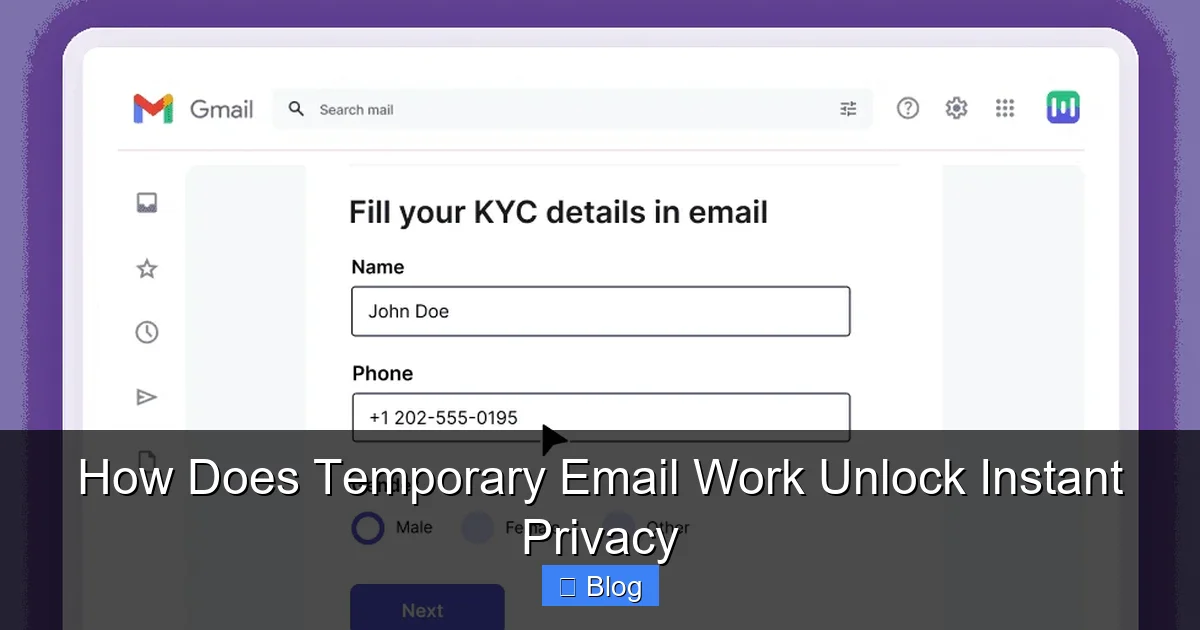
Temporary email—also called disposable email, burner email, or one-time email—is a short-lived email address created specifically for a single use or a limited time. Think of it like a disposable coffee cup: you use it once, then toss it. Unlike your permanent email (like yourname@gmail.com), a temporary email has no long-term value. It’s designed to be discarded after fulfilling its purpose, whether that’s receiving a verification link, a download code, or a one-off newsletter.
Visual guide about How Does Temporary Email Work Unlock Instant Privacy
Image source: res.cloudinary.com
The Evolution: From Manual Hacks to Instant Privacy
Before temporary email services existed, people used clunky workarounds. Some created endless Gmail aliases (yourname+random@gmail.com), but this still tied everything to your real account. Others used burner email domains they owned, which required technical setup. Then came dedicated temporary email platforms in the early 2010s, born from the need to combat spam and protect user privacy. Today’s services are lightning-fast, often browser-based, and prioritize anonymity. They’ve evolved from niche tools to essential privacy armor for anyone navigating the modern web.
How It Differs From Regular Email Aliases
Don’t confuse temporary email with email aliases (like Gmail’s “+” trick). Aliases still route to your main inbox and are permanent. If you use “yourname+shopping@gmail.com” for Amazon, that address lives forever—and if Amazon leaks it, spammers know it’s linked to your real account. Temporary email, however, is truly ephemeral. The address vanishes after 10 minutes, 1 hour, or one use. Even if it’s leaked, it’s useless to attackers because it no longer exists. This critical difference makes temporary email the superior choice for true privacy.
How Does Temporary Email Work? The Simple Mechanics
Here’s the magic: temporary email services act as a middleman between you and the website you’re signing up for. You never share your real email. Instead, you generate a random, unique address through the temporary email service. When someone sends an email to that address, the service catches it and forwards it to your actual inbox—or lets you view it directly on their platform. Once the address expires, it’s deleted forever. No traces left behind.
Visual guide about How Does Temporary Email Work Unlock Instant Privacy
Image source: techshergole.com
Step-by-Step: Creating and Using a Temporary Email
Let’s walk through a real example. Say you want to download a free ebook from a new website but don’t trust them with your email.
- Step 1: Visit a temporary email service (e.g., TempMail, 10MinuteMail, or Guerrilla Mail).
- Step 2: Click “Generate Email”—the site instantly creates a random address like “x7f9k@tempmail.io”.
- Step 3: Copy that address and paste it into the website’s sign-up form instead of your real email.
- Step 4: Check the temporary email inbox (usually on the same page). When the website sends a confirmation email, it appears here within seconds.
- Step 5: Click verification links or download resources directly from the temporary inbox.
- Step 6: Done! The address expires after the set time (e.g., 10 minutes), and all emails vanish.
No downloads, no accounts, no fuss. The whole process takes under 30 seconds.
The Tech Behind the Scenes: Servers, Forwarding, and Expiry
Ever wonder how these services manage millions of disposable addresses? It’s all about smart server infrastructure. When you generate a temporary email, the service’s servers reserve a unique address in their domain (e.g., @tempmail.io). This address isn’t tied to any real user—it’s just a placeholder. When an email arrives for that address, the server checks its database:
- If the address is active (within its expiry window), it forwards the email to your real inbox or displays it in your temporary inbox.
- If the address has expired, the email is automatically deleted—no storage, no backups.
Most services use automated cleanup scripts that purge expired addresses hourly or daily. This ensures no residual data lingers. Reputable providers also implement TLS encryption during email transit, so messages aren’t intercepted. However, remember: the temporary email service itself can see your messages while they’re active. That’s why choosing a trustworthy provider matters.
Why Use Temporary Email? Your Privacy Power-Up
Temporary email isn’t just a spam filter—it’s a strategic privacy tool. By masking your real email, you break the chain of data collection that fuels targeted ads, identity theft, and email bombing. Let’s explore the concrete benefits.
Visual guide about How Does Temporary Email Work Unlock Instant Privacy
Image source: selzy.com
Slay the Spam Dragon (For Good)
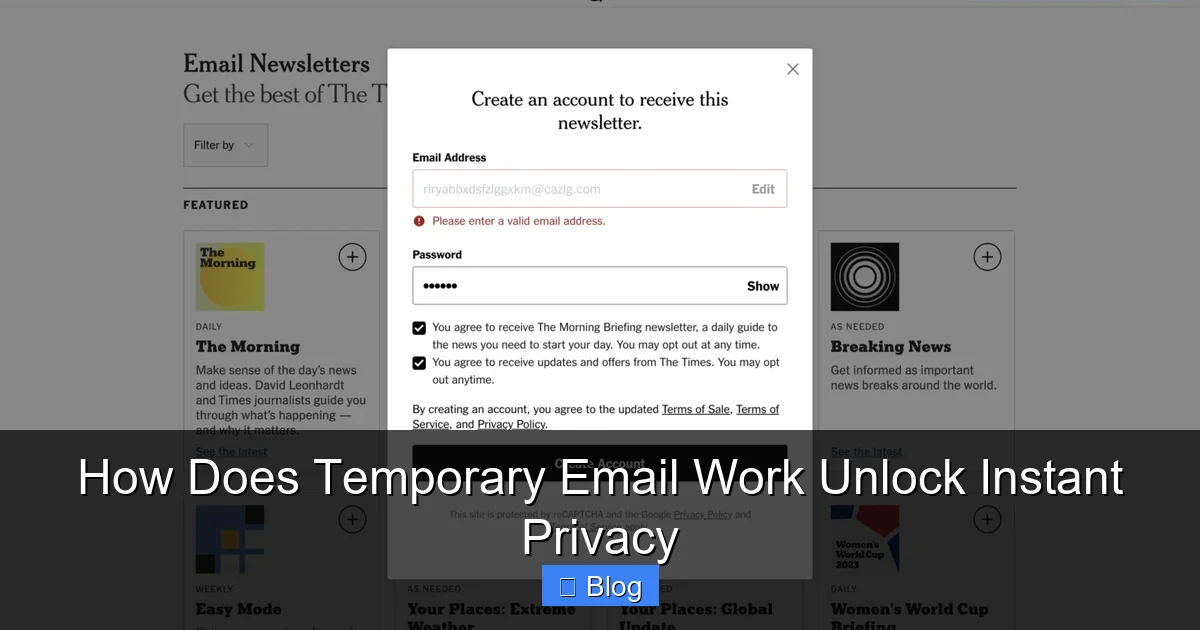
We’ve all been there: you sign up for a free trial, and suddenly your inbox is drowning in “exclusive offers” from companies you’ve never heard of. Temporary email stops this at the source. Since you used a disposable address, spammers can’t harvest your real email. Even if the website sells your temporary address, it’s worthless after expiry. Result? Your primary inbox stays clean, focused, and free from promotional chaos. No more wasting time deleting junk—or worse, accidentally clicking phishing links disguised as “special deals.”
Break the Tracking Chain
Websites and advertisers love to track you across the internet using your email as a unique identifier. Sign up for Service A with your real email? Now Service B can link your activity to build a detailed profile. Temporary email shatters this. Each disposable address is a fresh start—no history, no connections. When you use a new temporary email for every low-trust site, you prevent companies from stitching together your digital footprint. It’s like wearing an invisibility cloak for your online identity.
Shield Against Data Breaches
Data breaches happen constantly. In 2023 alone, over 6 billion records were leaked. If you used your real email on a compromised site, hackers now have your address—and they’ll try it on other platforms (like banking or social media). But if you used a temporary email? The breach reveals only a dead-end address. Your real email remains safe, unlinked, and uncompromised. It’s a simple step that dramatically reduces your risk in our leaky digital world.
Real-World Uses: Where Temporary Email Shines
Temporary email isn’t just for techies—it’s for anyone who values their privacy. Here’s where it makes a tangible difference in everyday life.
Free Trials and Downloads Without the Hassle
Want to test a new app or download a resource? Many sites require an email for “access.” Instead of handing over your primary address, generate a temporary one. You’ll get the download link or trial access instantly, and when the address expires, so does the spam risk. Example: Signing up for a free Canva template library? Use a temp email—you’ll receive the template link without future promotional emails cluttering your inbox.
Newsletters and Updates (Without Commitment)
Curious about a niche newsletter but unsure if you’ll like it? Temporary email lets you sample it risk-free. Subscribe with a disposable address. If you enjoy the content, you can switch to your real email later. If not? Unsubscribe is irrelevant—the address is already gone. No awkward “I’m not interested” emails, no lingering subscriptions.
Forums, Comments, and Community Sites
Participating in online discussions often requires an email for registration. But forums can be spam magnets or targets for hackers. Using a temporary email protects your identity while letting you engage. Example: Joining a Reddit community for a one-time question? A temp email ensures your main account stays anonymous and secure.
Avoiding Location-Based Targeting
Some websites customize content based on your email domain (e.g., country-specific offers). A temporary email with a neutral domain (like @tempmail.io) can help you bypass geo-targeting for unbiased access. While not foolproof, it adds a layer of anonymity when exploring region-locked content.
Choosing the Right Temporary Email Service: A Quick Guide
Not all temporary email services are created equal. Some prioritize speed over security, while others might log your data. Here’s how to pick a trustworthy option.
Top Features to Look For
When evaluating a service, prioritize these non-negotiables:
- No Registration Required: The best services work instantly in your browser—no sign-ups, no passwords.
- Custom Domain Options: Some let you choose domains (e.g., @mytemp.email), adding flexibility.
- Encryption: Look for TLS/SSL encryption to secure emails in transit.
- Clear Expiry Settings: Adjustable time limits (e.g., 10 mins to 24 hours) give you control.
- No Ads or Tracking: Avoid services that inject ads into your temporary inbox—they’re often data harvesters.
Reputable options include TempMail (user-friendly, multiple domains), 10MinuteMail (simple, no-frills), and Guerrilla Mail (offers custom addresses). Avoid obscure services with excessive ads—they might sell your data.
Red Flags: What to Avoid
Steer clear of services that:
- Require your real email to “verify” the temporary address (defeats the purpose!).
- Have vague or non-existent privacy policies.
- Display intrusive ads or pop-ups in the inbox.
- Don’t clearly state how long emails are stored.
If a service feels sketchy, close the tab and try another. Your privacy is worth the extra 10 seconds of research.
Limitations and Risks: What Temporary Email Can’t Do
Temporary email is powerful, but it’s not a magic bullet. Understanding its boundaries keeps you safe.
Not for Sensitive or Long-Term Accounts
Never use temporary email for:
- Banking, healthcare, or government accounts (you’ll lose access forever).
- Services requiring password resets (if the address expires, you’re locked out).
- Important communications (e.g., job applications or legal documents).
If you need ongoing access, use a dedicated secondary email (like a free ProtonMail account) instead. Temporary email is for one-offs only.
Security Gaps to Know
While temporary email hides your real address, it doesn’t encrypt email content end-to-end. If a service doesn’t use TLS, messages could be intercepted. Also, some providers might log your IP address or metadata—though reputable ones don’t. For highly sensitive tasks (e.g., whistleblowing), combine temporary email with a VPN and encrypted services like ProtonMail.
The “Anonymous” Myth
Temporary email makes you harder to track, but it’s not 100% anonymous. Your IP address can still be logged by the service or the website you’re visiting. For true anonymity, pair it with privacy tools like Tor Browser. Remember: temporary email protects your inbox, not your entire digital footprint.
Conclusion: Take Back Control of Your Inbox Today
Your email address is one of your most valuable digital assets—it’s the key to your online identity. Yet we hand it out like candy, inviting spam, tracking, and breaches into our lives. Temporary email flips the script. It’s a simple, free, and instant way to shield your real inbox while navigating the web on your terms. No more anxiety about sketchy sign-ups. No more inbox clutter. Just clean, private browsing.
You don’t need to be a tech expert to use it. In the time it takes to brew coffee, you can generate a disposable address and sign up for anything without compromising your privacy. Start small: next time you download a free resource or join a forum, skip your real email. Use a temporary one instead. Feel the relief as your primary inbox stays peaceful. As you make this a habit, you’ll wonder how you ever managed without it. Privacy isn’t about hiding—it’s about choosing what you share, with whom, and for how long. Temporary email puts that power back in your hands. Ready to unlock instant privacy? Your spam-free future starts now.
Frequently Asked Questions
Is using a temporary email legal?
Yes, using temporary email is completely legal and widely accepted for legitimate privacy protection. It’s commonly used by journalists, researchers, and everyday users to avoid spam. However, it shouldn’t be used for illegal activities, which could still be traced through other means like IP addresses.
Can temporary email services read my messages?
Reputable services claim not to store or read your emails, but technically, they could access messages while they’re active in the inbox. Always choose providers with clear no-logging policies and encryption. For highly sensitive content, avoid temporary email altogether.
What happens if I need to recover an account signed up with a temporary email?
You can’t recover it—that’s the point of temporary email! If you signed up for something important (like a paid service), use your real email or a dedicated secondary account. Temporary email is only for disposable, low-stakes interactions.
Do temporary emails work with all websites?
Most sites accept them, but some (like banking platforms or government services) block known temporary email domains to prevent fraud. If a site rejects your temp email, it’s a sign you should use your real address—or reconsider if you trust the site.
How long do temporary emails last?
It varies by service: some expire in 10 minutes (e.g., 10MinuteMail), others last up to 24 hours (e.g., TempMail). You can often extend the time manually. Once expired, the address and all emails are permanently deleted.
Can I send emails from a temporary address?
Most services only let you receive emails, not send them. A few (like Guerrilla Mail) offer limited sending capabilities, but it’s not their primary function. For outgoing privacy, use encrypted email services like ProtonMail instead.