

Discover how temporary email services let you send emails without exposing your real identity, perfect for one-time sign-ups, avoiding spam, and protecting personal data. This guide covers everything from choosing reliable services to understanding limitations, so you can communicate safely online. Master anonymous emailing while staying secure and compliant.
Key Takeaways
- Temp mail hides your identity: It uses disposable addresses that forward emails to you without revealing your real inbox, shielding your personal details during sign-ups or contact.
- Ideal for one-time use: Perfect for free trials, forum registrations, or contacting sellers where you don’t want long-term exposure to spam or data harvesting.
- Not for sensitive communication: Avoid using temp mail for banking, legal matters, or anything requiring verification—it’s unreliable for receiving replies or critical alerts.
- Security risks exist: Free services may log data or inject ads; always research providers and never share passwords or financial info through temp addresses.
- Legitimate and legal: Using temp mail for privacy is ethical and legal, but never for fraud, harassment, or bypassing security measures.
- Combine with other tools: For stronger anonymity, pair temp mail with a VPN and avoid linking it to your real identity across platforms.
📑 Table of Contents
- Why Sending Emails Anonymously Matters More Than Ever
- What Exactly Is Temp Mail and How Does It Work?
- Top Reasons You Should Send Emails From Temp Mail
- Step-by-Step: How to Send Emails From Temp Mail (Without Revealing Identity)
- Critical Limitations and Risks of Temp Mail
- Best Practices for Safe and Effective Temp Mail Use
- Temp Mail Alternatives: When Disposable Isn’t Enough
- Conclusion: Temp Mail as Your Privacy Sidekick
Why Sending Emails Anonymously Matters More Than Ever
We’ve all been there: you’re signing up for a free webinar, downloading an ebook, or joining a forum, and you’re hit with a mandatory email field. Do you use your personal Gmail? Your work address? The thought of spam flooding your inbox or your data being sold makes your stomach drop. In today’s digital world, protecting your identity isn’t just smart—it’s essential. That’s where temporary email services come in. They let you send emails from temp mail without revealing who you really are, acting like a privacy shield between you and the online world.
Think of temp mail as a disposable phone number for your inbox. You get a random, short-lived email address (like “bluecat42@tempmail.com”) that forwards messages to you. When you send emails from temp mail, the recipient sees only this alias—not your real name, location, or primary email. It’s a simple, free tool for everyday privacy. But it’s not magic. Understanding how it works, when to use it, and its limits is key to staying safe. Let’s dive into why this matters and how you can leverage it without headaches.
What Exactly Is Temp Mail and How Does It Work?
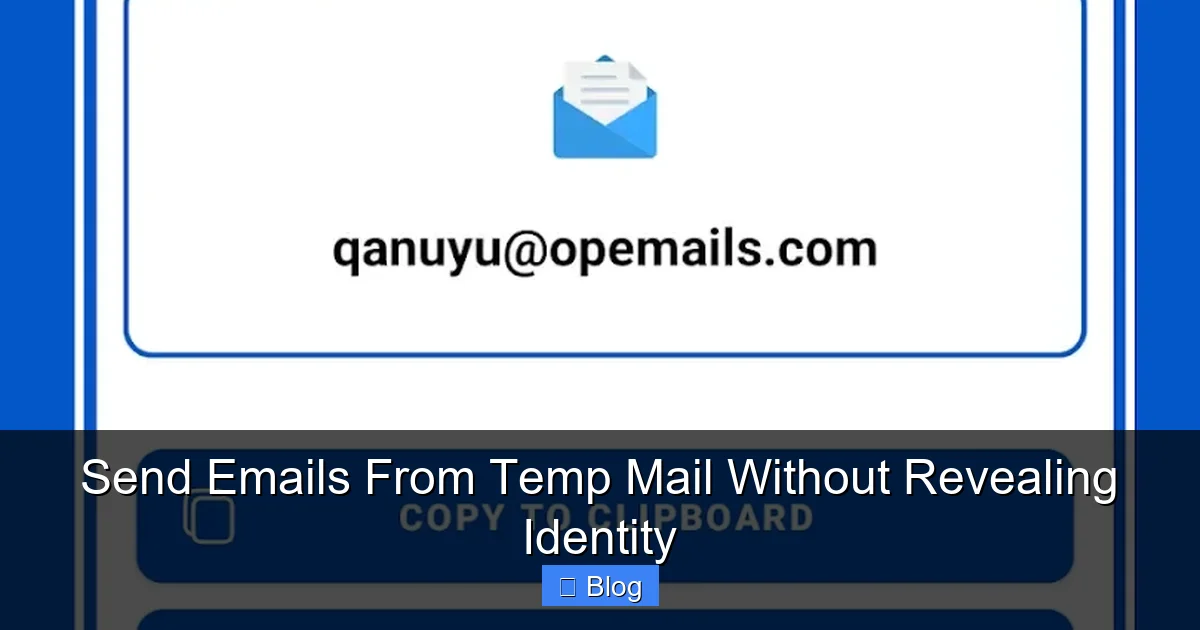
Temporary email, or “temp mail,” is a service that generates short-lived email addresses for one-time or limited use. Unlike your permanent Gmail or Outlook account, these addresses expire after a set time—usually minutes, hours, or days—or after a certain number of messages. The magic happens behind the scenes: when someone sends an email to your temp address, the service forwards it to your real inbox (or lets you view it on their website). When you send emails from temp mail, it appears to come from the disposable address, not your personal one.
Visual guide about Send Emails From Temp Mail Without Revealing Identity
Image source: d4.alternativeto.net
The Simple Mechanics Behind Temp Mail
Here’s how it typically works in three easy steps:
- Generate: You visit a temp mail site (like TempMail.org or 10MinuteMail.com), and it instantly creates a random address for you—no sign-up needed.
- Use: You use this address to sign up for a service, contact a seller, or send an email. Any replies go to the temp inbox.
- Expire: After time runs out or you close the tab, the address vanishes. No trace left in your real inbox.
Most services operate via web browsers, though some offer browser extensions or mobile apps. Crucially, when you send emails from temp mail, the “From” field shows the disposable address. The recipient can’t see your real email unless you accidentally reveal it in the message body. It’s like wearing a mask in a crowded room—you can interact without being recognized.
Why Temp Mail Isn’t “Hacking” or Illegal
A common misconception is that temp mail is shady or used only for fraud. In reality, it’s a legitimate privacy tool. Companies like Google and Apple even encourage disposable addresses for low-stakes sign-ups. Temp mail services comply with laws like GDPR—they don’t sell your data (usually), and their terms explicitly forbid illegal use. The key is intent: using it to avoid spam during a one-time download is fine; using it to scam someone is not. Always stay ethical.
Top Reasons You Should Send Emails From Temp Mail
Why bother with temp mail? Because your privacy is worth protecting. Every time you hand over your real email, you risk:
Visual guide about Send Emails From Temp Mail Without Revealing Identity
Image source: temp-mail.best
- Spam floods that clutter your inbox for years.
- Data brokers harvesting your info to build invasive profiles.
- Hackers targeting your primary account if a service you signed up for gets breached.
Temp mail solves these problems by acting as a buffer. Here are the most common, practical scenarios where sending emails from temp mail shines:
Avoiding Spam and Unwanted Marketing
Picture this: you download a free recipe ebook from a food blog. They require an email to send it. If you use your personal address, you’ll likely get weekly newsletters about “10 Keto Hacks” forever. With temp mail, you get the ebook instantly, and the spam dies when the address expires. No more unsubscribing from endless lists. For example, services like Mailinator or Guerrilla Mail let you grab a temp address in seconds—perfect for one-off downloads.
Signing Up for Free Trials Safely
Free trials are great until you forget to cancel and get charged $50/month. Temp mail adds a layer of safety. When you sign up for a trial (like a streaming service or software demo), use a temp address. If the company sends annoying reminder emails, they’ll go to the disposable inbox—not your real one. Plus, if the trial site gets hacked, your primary email stays safe. Just remember: if you need to recover the account later, temp mail won’t work (more on limitations soon).
Contacting Strangers Without Exposure
Buying something on Craigslist? Messaging a seller on Facebook Marketplace? Temp mail lets you communicate without giving away your personal email. You can send an inquiry like, “Is the bike still available?” from a temp address. If the conversation goes south, you can ditch the address guilt-free. No awkward “Sorry, wrong person!” emails cluttering your real inbox.
Testing Websites or Apps Anonymously
Developers and content creators often use temp mail to test sign-up flows. Need to check if a contact form works? Generate a temp address, submit the form, and see if the confirmation email arrives. Since the address is disposable, you avoid polluting your real inbox with test messages. It’s a developer’s secret weapon for quick, anonymous checks.
Step-by-Step: How to Send Emails From Temp Mail (Without Revealing Identity)
Ready to try it? Sending emails from temp mail is easier than making coffee. Follow this foolproof guide using a popular service like TempMail.org—no tech skills needed.
Visual guide about Send Emails From Temp Mail Without Revealing Identity
Image source: temp-mail.best
Choosing a Reliable Temp Mail Service
Not all temp mail services are created equal. Avoid sketchy sites with pop-up ads or suspicious permissions. Stick to trusted names:
- TempMail.org: Clean interface, custom address options, and 24-hour expiry.
- 10MinuteMail.com: Simple, no-frills, addresses last 10 minutes (extendable).
- Guerrilla Mail: Offers temporary inboxes with spam filtering.
Always check reviews and avoid services asking for personal info. For maximum privacy, use these sites in incognito mode.
Generating Your First Temp Address
Here’s how to do it on TempMail.org:
- Open your browser and go to temp-mail.org.
- The site auto-generates an address (e.g., “sunnyTiger@tempmail.dev”). You can click “Change” to pick a custom name if allowed.
- Copy the address—it’s ready to use!
Pro tip: Bookmark the site so you can revisit the inbox later if needed. Most services keep the inbox active as long as you have the URL.
Sending an Email Anonymously
Now for the fun part—sending emails from temp mail without revealing identity:
- Go to the temp mail site’s inbox page (e.g., TempMail.org/en/inbox).
- Click “Compose” or “New Message.”
- In the “To” field, enter the recipient’s email (e.g., a seller’s address).
- Write your message. Crucially: Never include your real name, email, or personal details in the body.
- Hit send! The recipient sees only your temp address as the sender.
Example: You’re contacting a seller on eBay. Your message might say, “Hi, is the camera still available? Thanks!”—no names, no links to your real identity. If they reply, it lands in your temp inbox.
Managing Replies and Expiry
Replies come to your temp inbox, which you can refresh on the service’s website. But remember:
- Addresses expire—usually after 1 hour to 1 day. Set a reminder if you expect a reply.
- If the address dies, you lose access to replies. Don’t use temp mail for time-sensitive chats.
- Some services let you extend expiry (e.g., 10MinuteMail’s “Extend” button).
Never forward temp mail replies to your real inbox—that defeats the purpose!
Critical Limitations and Risks of Temp Mail
Temp mail is powerful, but it’s not a privacy panacea. Knowing its weaknesses prevents nasty surprises.
You Can’t Receive Replies Long-Term
This is the biggest limitation. Temp addresses are short-lived. If you sign up for a service requiring email verification (like creating an account), you might get the confirmation email—but if you need to reset your password weeks later, the temp address is gone. Result? You lose access forever. Temp mail works best for:
- One-time downloads (e.g., PDFs, coupons).
- Contact forms where replies aren’t expected.
- Situations where you control the interaction (e.g., messaging a seller briefly).
Avoid it for anything requiring ongoing communication.
Security and Privacy Concerns
Free temp mail services aren’t all trustworthy. Risks include:
- Data logging: Some record your IP address or email content. Always read privacy policies.
- Ad injections: Sketchy sites might add tracking pixels or malware to emails.
- Domain blocking: Many services (like PayPal or banks) block known temp mail domains. Your sign-up might fail.
Mitigate this by using reputable services, avoiding sensitive topics, and never entering passwords or financial info.
Not Foolproof Against Tracking
Temp mail hides your email, but not your IP address. If you send an email from a temp service while logged into Google, the recipient might still link it to you. For true anonymity:
- Use a VPN to mask your IP.
- Access temp mail in incognito mode.
- Never sign into personal accounts while using temp mail.
It’s a layer of privacy—not invisibility.
Best Practices for Safe and Effective Temp Mail Use
Maximize benefits and minimize risks with these pro tips.
Choose the Right Service for Your Needs
Match the service to your task:
- Quick sign-ups: Use 10MinuteMail for ultra-short tasks (e.g., downloading a whitepaper).
- Longer interactions: TempMail.org’s 24-hour expiry suits multi-step processes.
- Custom addresses: Services like TempMail.org let you pick a name (e.g., “projectX@tempmail.dev”), making emails look less spammy.
Bookmark your preferred service for speed.
Never Compromise Your Real Identity
When sending emails from temp mail, double-check:
- Your real email isn’t in the “From” field (it shouldn’t be—temp services handle this).
- You haven’t slipped personal details into the message (“Hi, it’s Sarah from NYC…”).
- You’re not attaching files with metadata revealing your name (e.g., a Word doc with your username).
If in doubt, paste your message into a plain text editor first to strip hidden data.
Combine with Other Privacy Tools
Temp mail is just one piece of the puzzle. For robust anonymity:
- Use a VPN to hide your location and IP.
- Enable ad blockers to avoid malicious scripts on temp mail sites.
- For sensitive tasks, pair with burner phone numbers (e.g., Google Voice).
This layered approach keeps you safer than temp mail alone.
Know When to Avoid Temp Mail
Steer clear for:
- Financial transactions (banks require verified emails).
- Legal documents or contracts.
- Account recovery options (you’ll lock yourself out).
- Anything requiring trust (e.g., job applications).
When in doubt, ask: “Will I need this email address again in 24 hours?” If yes, use your real one.
Temp Mail Alternatives: When Disposable Isn’t Enough
Temp mail is great for quick anonymity, but sometimes you need more control. Here are alternatives:
Alias Email Services
Services like SimpleLogin or Firefox Relay create permanent aliases (e.g., “amazon@yourdomain.simplelogin.com”). When you send emails from these aliases, they forward to your real inbox. Key perks:
- Aliases never expire—great for recurring services.
- You can disable aliases anytime (stop spam instantly).
- Custom domains make emails look professional.
Ideal for: Frequent sign-ups where you want long-term control without exposing your real email.
Dedicated Privacy-Focused Email Providers
For heavy privacy needs, consider providers like Proton Mail or Tutanota. They offer:
- End-to-end encryption.
- No personal data required for sign-up.
- Built-in alias features.
These are overkill for one-off sign-ups but perfect if you handle sensitive communications regularly.
Browser-Based Privacy Tools
Extensions like Chrome’s “Hide My Email” (for Apple users) or Firefox Relay integrate directly with your browser. Generate aliases on the fly during sign-ups—no separate site needed. Convenient, but less flexible than dedicated alias services.
Conclusion: Temp Mail as Your Privacy Sidekick
Sending emails from temp mail without revealing identity is a simple, powerful way to take back control of your digital life. It’s not about hiding from the world—it’s about setting boundaries. Use it for free trials, one-time downloads, or casual contacts, and you’ll dodge spam, protect your data, and keep your real inbox clean. Just remember: temp mail has limits. It won’t replace your primary email for important stuff, and you must stay vigilant about security.
The internet doesn’t have to be a privacy minefield. With tools like temp mail in your arsenal—and a dash of common sense—you can navigate it safely. So next time you’re about to hand over your email for a 5-minute task, pause. Generate a temp address instead. Your future self (and your spam folder) will thank you.
Frequently Asked Questions
Is it legal to send emails from temp mail?
Yes, using temp mail for legitimate privacy purposes is completely legal. It’s a standard tool for avoiding spam and protecting personal data during low-risk interactions. However, using it for fraud, harassment, or bypassing security measures is illegal and against most services’ terms.
Can I receive replies when I send emails from temp mail?
Yes, replies go to your temporary inbox on the service’s website. But addresses expire quickly—usually within hours or days—so you must check the inbox before it disappears. Temp mail isn’t reliable for ongoing conversations requiring long-term access.
Do temp mail services read my emails?
Reputable services like TempMail.org claim not to monitor content, but free platforms may log metadata (like sender IPs) for analytics. Always review a service’s privacy policy, and never send sensitive information (passwords, financial details) through temp mail.
Why do some websites block temp mail addresses?
Many sites (especially banks or payment processors) block known temp mail domains to prevent fraud, spam accounts, or abuse. If a sign-up fails, try a different temp service or use an alias provider like SimpleLogin, which uses custom domains less likely to be blocked.
Can I use temp mail for account recovery?
No—this is a critical limitation. If you lose access to an account tied to a temp address (e.g., for password reset), you’ll be locked out permanently. Always use a permanent email or alias service for accounts requiring recovery options.
Is temp mail safe for contacting strangers?
It’s safer than sharing your real email, as it hides your identity. But remain cautious: avoid sharing personal details in messages, and never click suspicious links in replies. For high-risk interactions (e.g., financial deals), use additional tools like a VPN.


