
Temp mail creates instant, disposable email addresses that vanish after use, shielding your real inbox from spam and privacy risks. It works through temporary inboxes hosted by specialized services, letting you receive verification codes or sign up for services without revealing your primary email. Use it wisely for one-time needs, but avoid critical accounts due to security limitations.
Key Takeaways
- What Temp Mail Is: A service providing short-lived, disposable email addresses generated on-demand to protect your primary inbox.
- How It Works: Specialized servers create a temporary inbox; emails sent here are stored briefly before automatic deletion, with no login required.
- Primary Uses: Signing up for newsletters, accessing free content, testing apps, or avoiding spam—any scenario where you need a one-time email.
- Security Reality: Offers privacy from spammers but lacks encryption; never use for banking, sensitive data, or accounts requiring recovery.
- Key Limitations: Addresses expire quickly (minutes to days), can’t send emails, and may be blocked by some services as suspicious.
- Best Practices: Use reputable providers, avoid critical accounts, and never share temp mail links publicly.
📑 Table of Contents
- Why Your Inbox Deserves a Bodyguard (And How Temp Mail Steps In)
- What Exactly Is Temp Mail? (Beyond the Buzzword)
- The Tech Behind the Scenes: How Temp Mail Actually Works
- Why People Use Temp Mail: Real-Life Scenarios
- Is Temp Mail Safe? Navigating the Security Minefield
- How to Use Temp Mail: A Step-by-Step Walkthrough
- The Limits of Temp Mail: When Not to Use It
- Conclusion: Temp Mail—Your Inbox’s Best Friend (With Boundaries)
Why Your Inbox Deserves a Bodyguard (And How Temp Mail Steps In)
Let’s be honest: your main email address is probably drowning in spam. You signed up for that “free” ebook months ago, and now your inbox is a landfill of promotional noise. Or worse, you hesitated to grab a discount code because you didn’t want your real email harvested by shady sites. Sound familiar? You’re not alone. In our hyper-connected world, sharing your primary email feels like handing out your home address at a crowded concert. Enter temp mail—your digital bodyguard for the inbox.
Temp mail, short for temporary email, is the unsung hero of online privacy. It’s not magic, but it’s brilliantly simple: instead of giving away your real email, you use a throwaway address that self-destructs after a short time. Think of it like a disposable coffee cup for your digital communications—perfect for one-time use, then gone without a trace. Whether you’re testing a new app, downloading a whitepaper, or just avoiding that relentless “50% off” spam, temp mail keeps your main inbox clean and your peace of mind intact. In this guide, we’ll pull back the curtain on exactly how temp mail works, why it’s useful, and how to use it safely.
What Exactly Is Temp Mail? (Beyond the Buzzword)
At its core, temp mail is a disposable email address generated instantly by a third-party service. Unlike your Gmail or Outlook account, it’s not meant to be permanent. You don’t create a username or password—you just visit a temp mail website, and it hands you a random email address (like bluecat73@tempmail.io). Use it once, and poof—it vanishes. No sign-up, no commitment, no clutter.
Visual guide about How Does Temp Mail Work Your Guide to Disposable Emails
Image source: tempmail.email
The Anatomy of a Disposable Address
A temp mail address looks like any other email (e.g., randomstring@providerdomain.com), but its lifespan is measured in minutes or hours, not years. The “randomstring” part is usually auto-generated—think gibberish like k9f3m@mailtemp.org—to ensure uniqueness and anonymity. The domain (e.g., mailtemp.org) belongs to the temp mail service provider, not you. This is crucial: you don’t “own” the address; you’re just borrowing a slot in their inbox pool.
How It Differs from Regular Email
Regular email services (Gmail, Yahoo) are built for long-term communication. They store your emails indefinitely, let you send replies, and integrate with calendars or contacts. Temp mail? It’s the opposite. It’s a dead-end inbox: emails come in, you read them, and they disappear. You can’t send emails from it, recover it later, or use it for anything requiring ongoing interaction. It’s purely a shield for your real identity.
The Tech Behind the Scenes: How Temp Mail Actually Works
You might wonder: “How does a random website just *give* me an email address?” It’s not sorcery—it’s clever server infrastructure. Here’s the step-by-step breakdown:
Visual guide about How Does Temp Mail Work Your Guide to Disposable Emails
Image source: is3-ssl.mzstatic.com
Step 1: Generating the Address
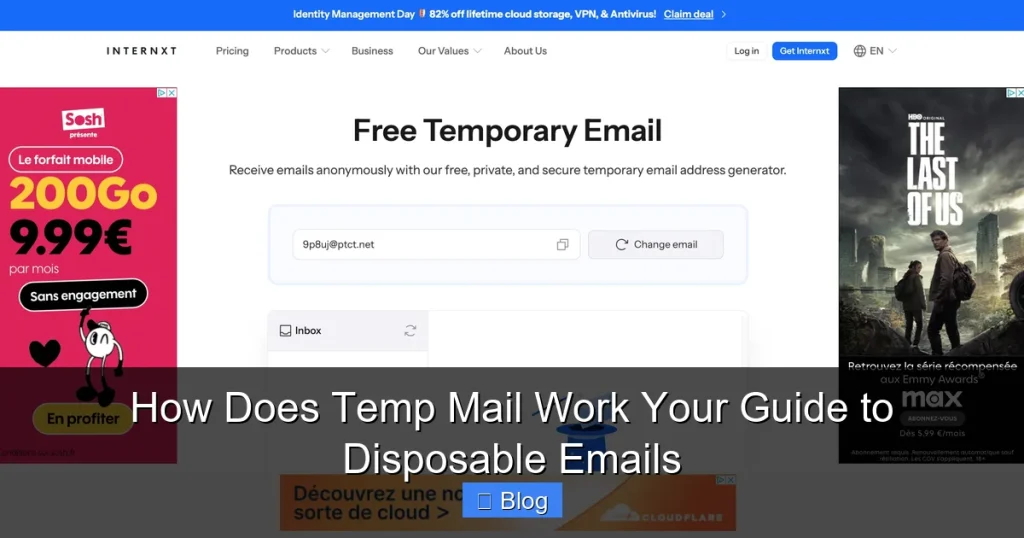
When you visit a temp mail site (like TempMail.org or 10MinuteMail.com), its servers instantly create a unique email address. This happens in milliseconds using algorithms that mash up random letters, numbers, and sometimes words (e.g., happyfox42@tempmail.net). The address is linked to a temporary inbox on the provider’s server—no action required from you.
Step 2: Receiving Emails
When someone sends an email to your temp address, it routes to the provider’s mail server. Instead of storing it in a permanent mailbox, the server dumps it into a short-lived folder tied to your session. Most services display these emails in real-time on their website—no refreshing needed. You’ll see sender, subject, and even the full body (minus attachments, usually).
Step 3: The Great Disappearing Act
This is where temp mail earns its name. After a set time—ranging from 10 minutes to 48 hours, depending on the service—the entire inbox (including your address) is purged. Servers automatically delete all data, freeing up space for new users. Some providers let you extend the time manually, but the default is “use it and lose it.” No backups, no recovery—just digital dust.
Behind the Curtain: Server Magic
Temp mail services run massive server farms handling thousands of simultaneous inboxes. They use lightweight databases (like Redis) to track active addresses and expiration timers. When your time’s up, a background process wipes your data clean. It’s efficient, scalable, and deliberately low-friction—no user accounts mean no storage costs for you or them.
Why People Use Temp Mail: Real-Life Scenarios
Temp mail isn’t just for tech nerds. It’s a practical tool for everyday internet users. Here’s where it shines:
Visual guide about How Does Temp Mail Work Your Guide to Disposable Emails
Image source: tempmail.email
Avoiding Spam Avalanches
Signed up for a free trial? Downloaded a template? Temp mail catches the inevitable “Welcome!” email and subsequent促销 blasts. Example: You need a PDF guide from a marketing site. Instead of using your work email (risking HR flags) or personal Gmail (inviting spam), you grab a temp address. The guide arrives, you read it, and the address expires—no trace left behind.
Testing Apps and Websites
Developers and QA testers live for temp mail. When building a sign-up flow, they need dummy emails to verify functionality without cluttering real inboxes. A tester might generate 50 temp addresses in minutes to stress-test user registration—something impossible with personal emails.
Accessing Geo-Restricted Content
Some free services (like news sites or streaming previews) require an email to bypass regional blocks. Temp mail lets you “prove” you’re a user without committing your identity. Just grab an address, paste it, and enjoy the content—no strings attached.
Protecting Your Identity on Sketchy Sites
Found a forum or tool with dubious privacy policies? Temp mail acts as a buffer. If the site gets hacked or sells your data, only the disposable address is exposed. Your real email stays safe. (Pro tip: Never use temp mail for sites handling payments—more on risks later!)
Is Temp Mail Safe? Navigating the Security Minefield
Temp mail is great for privacy from spammers, but it’s not a security silver bullet. Let’s unpack the realities:
The Privacy Win
By masking your real email, temp mail prevents companies from building profiles around your identity. No more “We noticed you signed up for X—here’s 10% off!” emails cluttering your main inbox. It also stops websites from harvesting your email for data brokers.
The Security Gaps
Here’s the catch: temp mail services can see your emails. While reputable providers claim not to log data, there’s no encryption guarantee. If you receive a password reset link via temp mail, that link is exposed to the provider’s servers. Never use temp mail for:
- Banking or financial accounts
- Email recovery options
- Government services
- Anything requiring long-term access
Reputable Providers vs. Shady Operators
Stick to well-known services like TempMail.org, 10MinuteMail, or Guerrilla Mail. Avoid obscure sites—they might inject ads into your emails or sell your data. Check their privacy policy: good ones explicitly state they don’t store emails beyond the session. If a site asks for your real email to “extend” your temp address, run.
How to Use Temp Mail: A Step-by-Step Walkthrough
Using temp mail is easier than brewing coffee. Here’s how:
Step 1: Pick a Provider
Open your browser and search for “temp mail.” Choose a trusted site (we recommend TempMail.org for simplicity). No downloads needed—it works right in your browser.
Step 2: Grab Your Address
On the provider’s homepage, you’ll see a randomly generated email address (e.g., purplecar88@tempmail.io). Click “Copy” to save it to your clipboard. Some sites auto-refresh the address every few minutes—don’t panic if it changes!
Step 3: Use It Anywhere
Paste the address into any sign-up form—newsletters, free tools, forums. When the site sends a verification email, return to the temp mail site. Refresh the page, and the email will appear in your inbox within seconds.
Step 4: Read and Expire
Click the email to view its contents. Grab any links or codes you need (like a download key). Once done, close the tab. The address will expire automatically—usually in 10-60 minutes. No cleanup required!
Pro Tips for Smooth Sailing
- Bookmark your provider: Save the temp mail site for quick access.
- Use browser extensions: Tools like “Temp Mail for Chrome” auto-fill disposable addresses.
- Check spam folders: Some services route emails to a “Spam” tab on their site—don’t miss important messages!
- Don’t refresh obsessively: Most sites update in real-time; refreshing might reset your session.
The Limits of Temp Mail: When Not to Use It
Temp mail is powerful, but it’s not universal. Know these boundaries:
Expiration Is Non-Negotiable
If you need long-term access (e.g., a course login), temp mail fails. Addresses vanish, so you’ll lose access to critical emails. Use it only for one-off interactions.
No Sending Capability
You can’t reply to emails or send messages from a temp address. It’s receive-only. Need two-way communication? Stick with your real email.
Blacklisted by Some Services
Big platforms like Facebook or PayPal often block known temp mail domains to prevent fraud. If a site rejects your address, try a different provider—or use your real email (with caution).
Not for Sensitive Data
As mentioned earlier, never use temp mail for financial transactions. If a hacker intercepts the email (e.g., a bank OTP), they could access your account. When in doubt, err on the side of your primary email.
Conclusion: Temp Mail—Your Inbox’s Best Friend (With Boundaries)
Temp mail isn’t a cure-all, but it’s an indispensable tool for modern digital life. By understanding how it works—generating disposable addresses, receiving emails temporarily, and auto-deleting them—you can leverage it to slash spam, protect your identity, and test services risk-free. Just remember: it’s a shield, not armor. Use it for newsletters, free downloads, and low-stakes sign-ups, but keep banking, recovery emails, and critical accounts tied to your real address.
The next time you’re tempted to hand over your Gmail for a “free” webinar, pause. Fire up a temp mail service, grab a throwaway address, and enjoy the content without the aftermath. Your inbox (and your sanity) will thank you. Stay curious, stay cautious, and keep your digital life clutter-free—one disposable email at a time.
Frequently Asked Questions
Is temp mail safe to use?
Temp mail is safe for low-risk activities like signing up for newsletters or accessing free content, as it protects your real email from spam. However, it’s not secure for sensitive tasks—emails aren’t encrypted, and providers can technically view them. Avoid using it for banking, password resets, or any account requiring long-term access.
How long do temp mail addresses last?
Most temp mail addresses expire between 10 minutes and 48 hours, depending on the service. Popular providers like 10MinuteMail default to 60 minutes, while others (e.g., TempMail.org) let you extend time manually. Once expired, the address and all emails are permanently deleted.
Can I recover an email if I accidentally close the tab?
No—temp mail inboxes are session-based. If you close the browser tab or the address expires, you lose access forever. Always copy important links or codes immediately. Some services offer “save inbox” features for a fee, but free versions don’t retain data.
Why do some websites block temp mail addresses?
Websites block temp mail domains (like @tempmail.io) to prevent spam, fraud, or fake accounts. Platforms like Facebook or PayPal use blacklists to stop disposable emails, as they’re often abused for scams. If blocked, try a different provider or use your real email cautiously.
Can temp mail be traced back to me?
Generally, no. Temp mail services don’t link addresses to your identity—they’re randomly generated and anonymous. However, if you use the same temp address repeatedly or pair it with other identifiable data (like your IP), limited tracing might be possible. For true anonymity, pair temp mail with a VPN.
Are there mobile apps for temp mail?
Yes! Many providers (e.g., TempMail, 10MinuteMail) offer iOS and Android apps. They work the same as web versions: generate addresses, receive emails, and auto-expire. Apps often include extras like push notifications for new emails, making them handy for on-the-go use.