Temp emails are disposable addresses that vanish after use, shielding your real inbox from spam and data harvesting. They’re perfect for one-time signups, free trials, or testing services without commitment. Simple, fast, and essential for modern digital privacy.
Key Takeaways
- Disposable Privacy Shield: Temporary emails act as a protective layer between your real identity and online services, preventing spam and unwanted tracking.
- Zero Commitment Signups: Use them for free trials, downloads, or one-time access without giving away your permanent email address.
- Spam Firewall: They automatically filter promotional clutter, keeping your main inbox clean and focused on important messages.
- Limited Lifespan: Most expire within minutes to days, ensuring temporary access without long-term exposure risks.
- Not for Critical Accounts: Avoid using temp emails for banking, social media, or services requiring identity verification.
- Easy & Free Access: Generate them instantly via web services or browser extensions—no registration needed.
- Security Awareness: While great for privacy, they lack encryption and aren’t foolproof against sophisticated attacks.
📑 Table of Contents
- What Is a Temporary Email? Your Digital Privacy Bodyguard
- How Does a Temporary Email Actually Work?
- Why Should You Use a Temporary Email? Real-Life Privacy Wins
- Step-by-Step: How to Use a Temporary Email in 60 Seconds
- The Flip Side: Limitations and Risks of Temporary Emails
- Best Practices: Maximizing Your Temporary Email Experience
- Conclusion: Your Inbox, Your Rules
What Is a Temporary Email? Your Digital Privacy Bodyguard
Ever felt uneasy handing over your real email address just to download a free recipe PDF or join a webinar? You’re not alone. In our hyper-connected world, your inbox is a goldmine for spammers, data brokers, and even hackers. Enter the temporary email—a simple, brilliant solution that’s like a disposable mask for your digital identity. It’s not magic, but it’s incredibly clever. Think of it as a burner phone for your email: use it once, then toss it when you’re done. No traces left behind. No spam following you home.
So, what exactly is a temporary email? At its core, it’s a short-lived, auto-generated email address that forwards messages to your real inbox (or lets you check them online) before self-destructing. Unlike your permanent Gmail or Outlook account, it has no long-term value. Services like TempMail, 10MinuteMail, or browser extensions create these addresses instantly—often with a single click. They’re free, anonymous, and designed for one purpose: to keep your primary email safe from the chaos of the internet. Whether you’re signing up for a sketchy forum, testing a new app, or grabbing a limited-time discount, a temporary email lets you engage without consequences. Let’s dive deeper into how this privacy powerhouse works.
How Does a Temporary Email Actually Work?
You might wonder: “Is this some complex tech wizardry?” Nope! Temporary emails operate on straightforward principles anyone can grasp. Here’s the behind-the-scenes magic:
Visual guide about What Is a Temporary Email Your Quick Privacy Solution
Image source: omnitos.com
The SMTP Relay System Simplified
When you generate a temporary email (say, bluecat42@tempmail.io), the service creates a unique inbox on their server. Any email sent to that address gets routed through their system—like a postal sorting facility. Instead of landing in your personal Gmail, it’s held in a temporary “holding zone.” You can then access those messages via the temp email service’s website or app. Once the address expires (usually after 10 minutes to 48 hours), the inbox vanishes. Poof! No data stored, no spam legacy.
Pro tip: Most services use SMTP (Simple Mail Transfer Protocol) relays to handle forwarding. This means emails aren’t “stored” long-term—they’re just paused briefly before delivery or deletion. It’s efficient, low-cost, and perfect for disposable use.
Types of Temporary Email Services
Not all temp emails are created equal. Here’s how they differ:
- Web-Based Platforms: Sites like TempMail.org or Guerrilla Mail let you generate addresses instantly in your browser. No downloads needed—just visit, grab an email, and check messages on their site. Ideal for quick, one-off tasks.
- Browser Extensions: Tools like “Temp Email” for Chrome or Firefox auto-fill signup forms with a fresh temp address. They integrate seamlessly with your workflow, saving time during registrations.
- API-Driven Services: Developers use APIs from providers like Mailosaur to automate temp emails for testing apps. Great for tech-savvy users building software.
- Mobile Apps: Apps like “Temp Mail” (iOS/Android) offer push notifications for incoming messages, making them handy for on-the-go use.
Fun fact: Some services even let you customize your temp email’s username (e.g., yourname@tempmail.io), though randomness is usually safer for anonymity.
Why Should You Use a Temporary Email? Real-Life Privacy Wins
Let’s be real: your inbox is probably drowning in promotional emails, phishing attempts, and “we value your feedback” surveys. A temporary email is your secret weapon against this chaos. Here’s why millions rely on them daily:

Visual guide about What Is a Temporary Email Your Quick Privacy Solution
Image source: softzone.es
Shield Your Real Identity from Data Harvesters
Every time you sign up for a service, you’re often trading your email for access. Companies sell this data to advertisers, creating a trail of your online behavior. A temporary email breaks that chain. For example:
- Signing up for a free ebook? Use a temp email. The author gets your “address,” but it’s useless after 24 hours.
- Joining a gaming forum? Temp email prevents your real address from being scraped by bots.
- Testing a new SaaS tool? Avoid cluttering your work inbox with trial confirmations.
Result? Fewer targeted ads, less data profiling, and peace of mind. It’s like wearing an invisibility cloak in a surveillance-heavy world.
Slay the Spam Dragon Forever
Spam isn’t just annoying—it’s dangerous. Malicious links in promotional emails can lead to malware or identity theft. Temporary emails act as a spam filter:
- One-time offers: Grab a discount code for a flash sale without future emails.
- Free trials: Use services like Netflix or Adobe Creative Cloud without commitment. When the trial ends, so does the spam.
- Event signups: Register for a conference webinar without your inbox blowing up with “related events.”
Case in point: Sarah, a freelance writer, uses temp emails for every client pitch. She avoids 90% of industry spam, keeping her professional inbox pristine. “It’s saved me hours of email triage,” she says.
Test Services Risk-Free
Curious about a new app but wary of hidden fees? Temporary emails let you explore without strings attached. Try out:
- Crypto exchanges (many require email verification)
- Dating apps (protect your personal details)
- Newsletters (sample content before subscribing)
No more “oops, I forgot to cancel that subscription” moments. If you dislike the service, ignore the temp inbox—it’ll expire anyway.
Step-by-Step: How to Use a Temporary Email in 60 Seconds
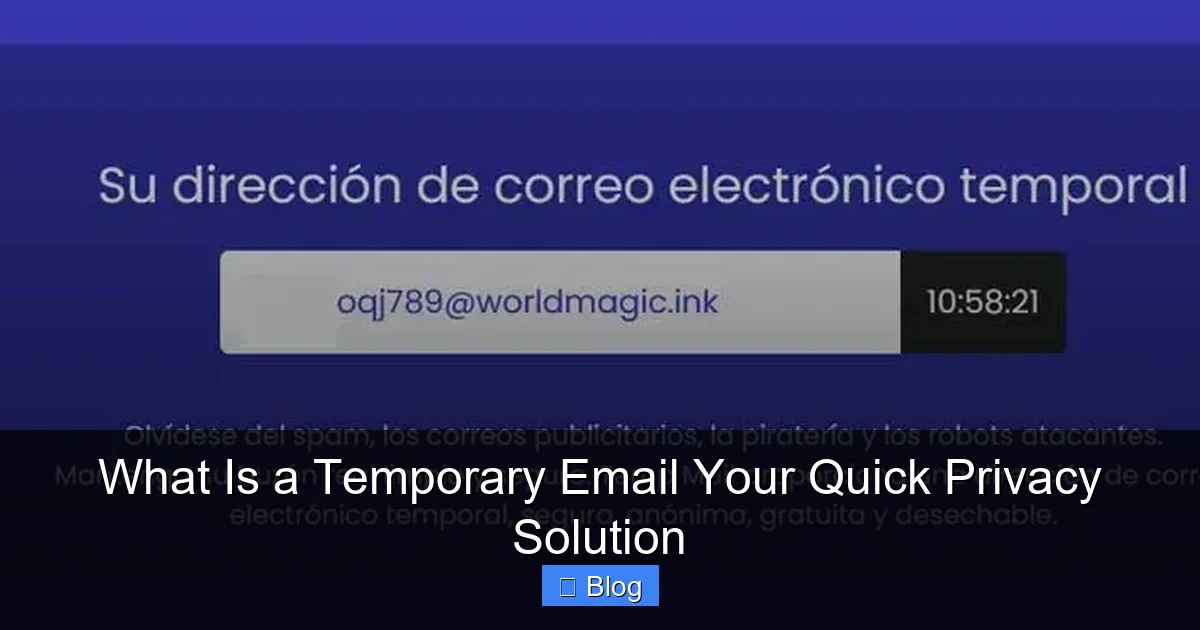
Using a temporary email is easier than making coffee. Follow this foolproof guide:
Visual guide about What Is a Temporary Email Your Quick Privacy Solution
Image source: softzone.es
Method 1: Web-Based Services (Fastest for Beginners)
- Go to a trusted site like Temp-Mail.org or 10MinuteMail.com.
- Click “Generate Email” or similar. A random address like
jollypanda7@tempmail.ioappears instantly. - Copy that address and paste it into any signup form.
- Return to the temp email site to check for verification emails (e.g., “Confirm Your Account”).
- Click links or download attachments directly from their interface.
- Done! The address self-destructs after the set time (usually 10-60 minutes).
Pro tip: Bookmark your favorite temp email site for one-click access. No apps, no logins—just pure simplicity.
Method 2: Browser Extensions (Best for Frequent Users)
- Install a free extension like “Temp Email” from the Chrome Web Store.
- Click the extension icon when on a signup page—it auto-fills a fresh temp email.
- Complete the registration as usual.
- Click the extension again to view incoming messages without leaving the site.
Why this rocks: It works on 99% of websites, including tricky ones with anti-bot measures. Plus, extensions often let you extend the email’s life if needed.
Method 3: Mobile Apps (On-the-Go Convenience)
- Download “Temp Mail” from your app store.
- Open the app—it generates an address immediately.
- Use it for app signups (e.g., Instagram or TikTok).
- Enable push notifications to get alerts for new emails.
Real-world example: When Mark signed up for a food delivery app while traveling, he used a temp email via mobile app. He got his promo code, ordered dinner, and the address expired before he even finished eating.
The Flip Side: Limitations and Risks of Temporary Emails
Temporary emails aren’t perfect. Like any tool, they have boundaries. Knowing these helps you use them wisely:
They’re Not for Important Accounts
Never use a temp email for:
- Banking or financial services (password resets require permanent access)
- Social media (platforms like Facebook ban disposable addresses)
- Work-related tools (IT departments often block them)
Why? If you lose access to the temp inbox, you’re locked out forever. Imagine forgetting your Netflix password—without a real email, recovery is impossible.
Potential Security Gaps
While temp emails boost privacy, they don’t encrypt messages. If a service gets hacked, your temp email data could leak. Also:
- Some providers scan emails for advertising (check their privacy policy!)
- Attachments might carry malware—always scan files.
- Public Wi-Fi + temp email = higher risk. Use a VPN for safety.
Bottom line: Temp emails protect against spam, not sophisticated cyberattacks. Pair them with strong passwords and 2FA for full security.
Service Reliability Issues
Free temp email sites can be flaky:
- Messages might not forward instantly (delays of 5-10 minutes)
- Popular services get overloaded, causing timeouts
- Some sites bombard you with ads (stick to reputable ones like TempMail)
Workaround: Have a backup temp email service ready. If one fails, switch to another in seconds.
Best Practices: Maximizing Your Temporary Email Experience
Want to use temp emails like a pro? Follow these golden rules:
Choose the Right Service for Your Task
Match the temp email tool to your need:
- Quick signups (under 5 mins): Use 10MinuteMail—it’s literally designed for short bursts.
- Multi-day trials: Try Guerrilla Mail (emails last 1 hour, but you can extend).
- Developer testing: Opt for Mailosaur’s API for automated workflows.
Avoid sketchy sites with excessive pop-ups. Stick to well-reviewed platforms with clear privacy policies.
Never Share Sensitive Info
Temp emails are great for low-stakes interactions, but never:
- Send passwords or credit card details to a temp address
- Use them for legal documents or contracts
- Rely on them for account recovery (e.g., “Forgot Password” links)
Remember: Anyone with the temp email link can access its inbox. Treat it like a public bulletin board—not a vault.
Combine with Other Privacy Tools
Temp emails work best as part of a privacy toolkit:
- Use a password manager (like Bitwarden) to create strong, unique passwords
- Enable 2FA on critical accounts
- Pair with a privacy-focused browser (Brave or Firefox)
Example: When signing up for a new fitness app, use a temp email + a unique password from your manager. Even if the app leaks data, your other accounts stay safe.
Conclusion: Your Inbox, Your Rules
Temporary emails aren’t just a tech gimmick—they’re a fundamental shift in how we control our digital lives. In an era where your email address is as valuable as your phone number, these disposable shields empower you to engage online without surrendering your privacy. They turn frustrating spam floods into manageable trickles, transform risky signups into stress-free experiments, and put you back in the driver’s seat.
Yes, they have limits. They won’t replace your primary email for important communications, and they’re not a silver bullet against all cyber threats. But for the everyday moments—grabbing a free template, joining a webinar, or testing a new game—they’re unbeatable. So next time you’re about to hand over your real address, pause. Ask yourself: “Do I really need this email to last forever?” If the answer is no, generate a temp one. In 60 seconds, you’ll have a cleaner inbox, fewer spam headaches, and the quiet satisfaction of outsmarting the data hunters. Your privacy is worth it.
Frequently Asked Questions
Are temporary emails legal to use?
Absolutely! Using temporary emails is 100% legal and widely accepted for privacy protection. They comply with anti-spam laws like CAN-SPAM by preventing misuse of your real address. Just avoid illegal activities—like fraud—while using them.
How long do temporary emails typically last?
Most last between 10 minutes and 48 hours, depending on the service. 10MinuteMail expires in 60 minutes, while TempMail.org offers up to 24 hours. Some let you extend the time if needed.
Can I send emails from a temporary email address?
Rarely. Most temp email services only let you receive messages—not send them. This prevents abuse (like spamming). If you need to reply, use your real email or a dedicated service like Guerrilla Mail’s “Send” feature.
Will websites block temporary emails?
Sometimes. Sites like Facebook, PayPal, or banking platforms often block known temp email domains to prevent fraud. For these, use your real email. For low-risk signups (e.g., news sites), temp emails usually work fine.
Are temporary emails secure against hackers?
They protect against spam and data harvesting but aren’t encrypted. Avoid sharing sensitive info. For higher security, pair them with a VPN and strong passwords. Never use them for financial accounts.
Can I recover a temporary email if it expires?
No—once expired, the inbox is permanently deleted. That’s the whole point! If you need ongoing access (e.g., for a trial), use a real email or note down critical links before the temp address vanishes.