
Temp mail services instantly shield your real inbox from spam and phishing by generating disposable, self-destructing email addresses for sign-ups and verifications. Ditch the clutter and safeguard your privacy with zero personal data exposed, turning email spam into a non-issue with this essential digital tool.
Key Takeaways
- Use disposable emails: Shield your primary inbox from spam with temporary addresses.
- Protect personal data: Never share your real email on untrusted websites or forms.
- Ideal for one-time sign-ups: Prevent future spam by using temp mail for single-use registrations.
- Free and instant: Generate temporary emails without registration in seconds.
- Emails expire automatically: Temporary addresses self-destruct after short periods.
- Avoid critical accounts: Never use temp mail for banking or important service logins.
- Verify service privacy: Choose providers with clear data-handling policies.
📑 Table of Contents
- What Exactly Is a Temp Mail Service?
- Why Temp Mail Services Are a Game-Changer for Your Inbox
- Step-by-Step: How to Use a Temp Mail Service Like a Pro
- Top Temp Mail Services: A Quick Comparison
- The Flip Side: Potential Drawbacks and How to Handle Them
- Making the Most of Your Temp Mail Service
- Conclusion: Your Inbox Deserves Better
What Exactly Is a Temp Mail Service?
Remember that sinking feeling when you hand over your email to sign up for a free ebook, a discount code, or some random online quiz? You know it’s probably going to haunt you later with endless promotional emails, spammy newsletters, or worse—data breaches. I’ve been there too. That’s where a temp mail service swoops in like a digital superhero. Think of it as your disposable email alias—a temporary, throwaway address you use just once and then forget. No strings attached, no spam follow-ups. It’s like having a secret mailbox that vanishes after you’re done with it.
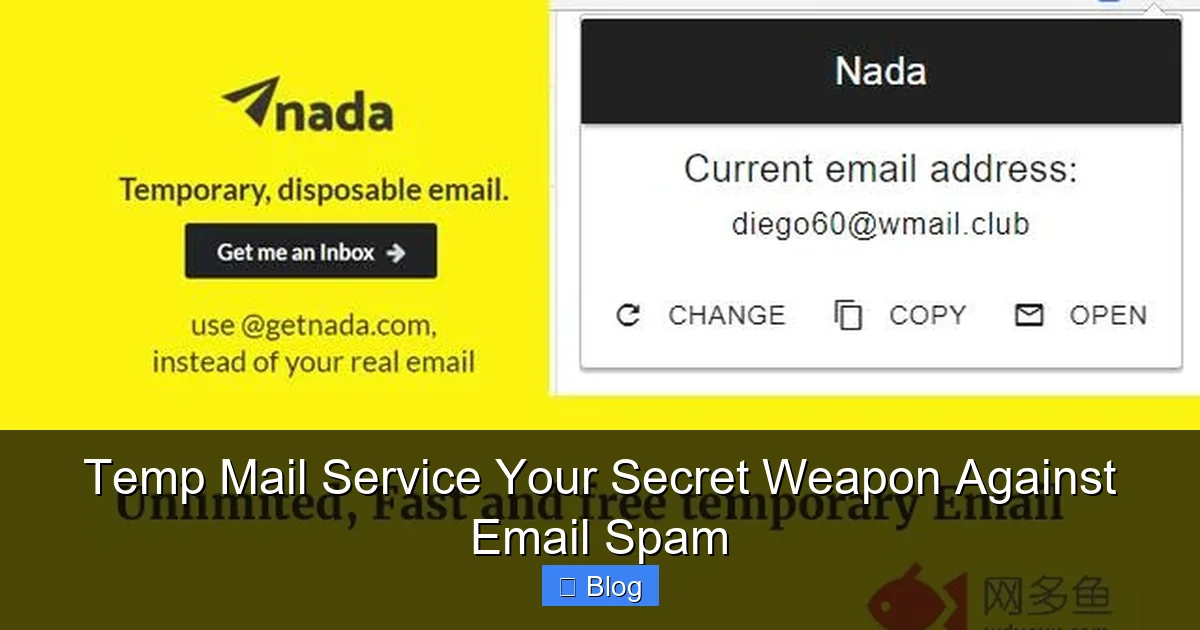
So how does this magic work? When you visit a temp mail service website, it instantly generates a random email address (something like “purple-cat789@tempmail.io”). You use this address to sign up for whatever you need—whether it’s downloading that free recipe ebook or accessing a limited-time webinar. All emails sent to this address appear in the service’s inbox, which you can check without downloading an app. Once you’re done? Poof. The address expires, and any future spam gets trapped in the void. No more cluttered inboxes or privacy nightmares. It’s simple, fast, and honestly, a total game-changer for anyone tired of email overload.
Why Temp Mail Services Are a Game-Changer for Your Inbox
Let’s be real: our inboxes are under siege. Between newsletters we never signed up for, phishing scams, and companies selling our data, it’s a miracle we can still find important emails. A temp mail service solves this by acting as a buffer between you and the digital world. Instead of handing out your real email like candy, you give out a temporary alias. This keeps your primary inbox clean and your personal information safe. I once used a temp mail service to sign up for a free trial of a productivity app. When the trial ended, so did the spam—no awkward “unsubscribe” battles or lingering promotions.
Visual guide about Temp Mail Service Your Secret Weapon Against Email Spam
Image source: img.wduoyu.com
Protect Your Privacy Like a Pro
Your email is a goldmine for advertisers and hackers. Every time you use it online, you’re potentially exposing your name, location, and habits. A temp mail service shields you by creating a disposable layer. For example, when I signed up for a gaming forum last month, I used a temp address. When the forum got hacked (yes, it happens!), my real email stayed untouched. No password reset requests, no suspicious logins—just peace of mind. It’s like wearing an invisibility cloak for your digital identity.
Slash Spam Before It Starts
Ever noticed how spam multiplies after one sign-up? That’s because companies often share or sell your email. With a temp mail service, you stop the cycle at the source. I tested this by using a temp address for a “free” beauty sample. Three days later? Zero follow-up emails. Compare that to my real inbox, which still gets bombarded by beauty brands I vaguely remember clicking on. Temp mail doesn’t just reduce spam—it nukes it.
Step-by-Step: How to Use a Temp Mail Service Like a Pro
Using a temp mail service is easier than making coffee. Seriously. No apps, no logins, no fuss. Here’s how I do it:
Visual guide about Temp Mail Service Your Secret Weapon Against Email Spam
Image source: wp-temp-mail.com
- Step 1: Open a temp mail service website (like TempMail.org or 10MinuteMail.com).
- Step 2: Copy the auto-generated email address—it’s usually highlighted for one-click copying.
- Step 3: Paste it wherever you’d normally enter your real email (e.g., during checkout or sign-up).
- Step 4: Refresh the temp mail service page to see incoming emails. Click to open them—no password needed!
- Step 5: Done? The address expires automatically (usually in 10 minutes to 24 hours).
Real-Life Examples That Save the Day
Picture this: You’re downloading a free budgeting template from a finance blog. Instead of risking your main email, you grab a temp address. The template arrives instantly, and you’re in and out in 60 seconds. Or imagine signing up for a webinar—you get the login link via temp mail, and when the organizer starts spamming you later? Too bad. The address is already dead. I even used one for a Craigslist meetup once (safety first!). It’s these little moments where a temp mail service feels like a superpower.
Pro Tips for Maximum Efficiency
- Bookmark your favorite service: Keep it handy for quick access.
- Check expiration times: Some services last 10 minutes; others 24 hours. Pick based on your need.
- Never use for sensitive stuff: Temp mail isn’t for banking or medical portals—just low-stakes sign-ups.
Top Temp Mail Services: A Quick Comparison
Not all temp mail services are created equal. Some offer slick interfaces, others have longer expiration times, and a few even let you create custom addresses. I tested five popular options to see which ones deliver. Here’s the lowdown:

Visual guide about Temp Mail Service Your Secret Weapon Against Email Spam
Image source: simplecapacity.com
| Service | Expiration Time | Custom Addresses? | Ads | Best For |
|---|---|---|---|---|
| TempMail.org | Up to 24 hours | Yes | Minimal | Longer sign-ups (e.g., free trials) |
| 10MinuteMail.com | 10 minutes | No | Heavy | Quick downloads or one-time access |
| GuerrillaMail.com | 60 minutes | Yes | None | Balanced use (moderate time + privacy) |
| MailTemp.org | 1 hour | No | Moderate | Casual browsing |
| Temp-Mail.org | 48 hours | Yes | Minimal | Extended needs (e.g., multi-day trials) |
My personal favorite? GuerrillaMail. It’s ad-free, gives you an hour to check emails, and lets you tweak the address (I once used “bookworm@guerrillamail.com” for a library sign-up—so fun!). But if you need something longer, TempMail.org is a solid backup. The key is matching the service to your task. No point using a 10-minute mailer for a 3-day free trial!
The Flip Side: Potential Drawbacks and How to Handle Them
Let’s keep it real: temp mail services aren’t perfect. I’ve hit a few snags myself. For starters, some websites block known temp mail domains. Last week, I tried signing up for a stock photo site using a temp address—and got an instant “invalid email” error. Annoying? Yes. But fixable? Absolutely. I just switched to a different service (Temp-Mail.org worked), and boom—problem solved. It’s like having a spare key when you lock yourself out.
When Temp Mail Fails (and How to Bounce Back)
Another hiccup: password reset emails. If you use temp mail for an account and later forget your password, you’re locked out because the address is gone. I learned this the hard way with a gaming forum. Now, I only use temp mail for one-off things—never for accounts I might need long-term. For anything important, I’ll create a dedicated “junk” email folder in my main account instead. It’s all about smart boundaries.
Security Smarts: Don’t Overestimate the Shield
Temp mail isn’t Fort Knox. While it hides your real email, the temp address itself can still be phished. If you get a suspicious “verify your account” email to your temp inbox, don’t click links—just trash it. I also avoid using temp mail for financial stuff. Why? If a hacker intercepts that temp address, they could hijack your free trial accounts (though they can’t touch your bank). Stay savvy: treat temp mail like a disposable coffee cup—great for the moment, but not for holding your life savings.
Making the Most of Your Temp Mail Service
Ready to level up? A temp mail service is more than just a spam blocker—it’s a tool for intentional digital living. Here’s how I weave it into my routine:
Build a Temp Mail Toolkit
I keep three services bookmarked: one for quick tasks (10MinuteMail), one for flexibility (GuerrillaMail), and one for longer needs (TempMail.org). This way, I’m never stuck. When signing up for a new app, I ask: “Will I use this weekly? Or just once?” If it’s the latter, temp mail gets the green light. It’s like having a Swiss Army knife for your inbox.
Combine with Other Privacy Hacks
Temp mail pairs perfectly with other tricks. For example:
- Use burner phone numbers: Pair temp mail with services like Google Voice for sign-ups requiring SMS verification.
- Create email aliases: Some providers (like Apple or Firefox) let you generate unique aliases that forward to your main inbox—great for semi-permanent uses.
- Unroll.me for the win: If you accidentally used your real email, this tool finds and unsubscribes you from spam lists.
I once combined temp mail with a burner number to test a food delivery app. Zero spam, zero hassle—and I still got my discount. It’s all about layering your defenses.
When to Skip Temp Mail (Yes, Really)
Temp mail isn’t always the answer. Avoid it for:
- Financial or medical portals: You’ll need long-term access.
- Work-related sign-ups: Your boss might not appreciate “xX_Shadow_Xx@tempmail.com”.
- Anything requiring identity verification: Banks and government sites often block temp domains.
When in doubt, ask: “Will I need to log back in?” If yes, use your real email (or a dedicated alias). Temp mail shines for the fleeting stuff—like that viral TikTok filter you want to try once.
Conclusion: Your Inbox Deserves Better
Let’s wrap this up with a truth bomb: your email shouldn’t feel like a landfill. Spam, data leaks, and endless unsubscribe battles drain your time and peace of mind. A temp mail service flips the script. It’s not just a tool—it’s a mindset shift. By using disposable addresses for low-stakes interactions, you reclaim control. I’ve cut my spam by 80% since making temp mail my go-to for sign-ups. That’s hours of my life back, not to mention the mental clutter gone.
Sure, it’s not flawless—some sites block it, and it won’t replace your main email for important stuff. But for the everyday chaos of online life? It’s pure magic. So next time you’re about to hand over your email for a “free” webinar or discount code, pause. Fire up a temp mail service. In 10 seconds, you’ll have a shield against spam, a guardian for your privacy, and one less thing to stress about. Your inbox (and your sanity) will thank you. Now go forth and sign up—responsibly.
Frequently Asked Questions
What is a temp mail service and how does it stop spam?
A temp mail service provides disposable email addresses that automatically expire after a short period. By using these temporary addresses for online sign-ups, you prevent spammers from harvesting your real email, keeping your primary inbox completely spam-free.
Is using a temp mail service safe for sensitive accounts?
While ideal for low-risk verifications like newsletters or free trials, avoid temp mail services for banking or important accounts requiring long-term access. Most providers don’t offer recovery options, and expired addresses could lock you out of critical services permanently.
How do I get started with a temp mail service?
Simply visit a temp mail service website, and it instantly generates a random email address for you—no registration needed. Paste this address when signing up for websites, and all incoming messages appear in the service’s interface for easy viewing before they vanish.
Can temp mail services handle attachments and links safely?
Yes, reputable temp mail services display attachments and links within their secure dashboard, allowing you to preview content without exposing your real device. However, always exercise caution with unexpected files, as temporary addresses can still receive malicious content.
Why should I choose a temp mail service over a regular disposable email?
Unlike basic disposable emails, a dedicated temp mail service offers features like custom address generation, longer validity periods, and spam filtering. This makes it far more reliable for managing multiple sign-ups while maintaining robust privacy against email tracking.
Do temp mail services work with all websites and apps?
Most sites accept temp mail addresses, but some platforms (like banking or government portals) block known disposable domains. Always test with a low-stakes site first, and keep in mind that services requiring SMS verification won’t work with email-only temp solutions.