
Struggling with spam after signing up for websites? Temporary email domains offer instant, disposable inboxes that vanish after use—perfect for avoiding junk mail and protecting your real address. In this guide, we reveal the top 2024 services, how they work, and smart tips to keep your online life clean and secure.
Key Takeaways
- What they solve: Temporary email domains block spam, phishing, and data leaks by replacing your real email for low-risk signups like newsletters or free trials.
- Top 2024 picks: TempMail, 10MinuteMail, and Guerrilla Mail lead for speed, security, and ease of use—all free with no registration.
- Critical limitation: Never use them for important accounts (banking, email recovery); they expire fast and can’t receive attachments reliably.
- Security boost: Pair with a password manager and 2FA. Avoid sketchy temp email sites that harvest your data.
- When to skip: If a site requires email verification for critical actions (e.g., password reset), use a real address instead.
- Pro tip: Bookmark your favorite service—most generate new addresses in one click, making signups effortless.
📑 Table of Contents
- Why Your Inbox is Under Attack (And How Temporary Emails Save You)
- How Temporary Email Domains Actually Work (No Tech Degree Needed)
- Top 5 Temporary Email Domains for 2024 (Tested & Trusted)
- Critical Do’s and Don’ts: Using Temporary Emails Safely
- When Temporary Emails Fail (And What to Do Instead)
- Advanced Tips: Become a Temporary Email Ninja
- Conclusion: Your Inbox, Reclaimed
Why Your Inbox is Under Attack (And How Temporary Emails Save You)
Let’s be real: your email inbox is a disaster zone. You signed up for that “free” ebook months ago, and now your promotions tab looks like a spam convention. Worse, sketchy sites sell your address to data brokers, turning your inbox into a phishing minefield. It’s exhausting—and dangerous. Every time you hand over your real email, you’re rolling out the red carpet for hackers, advertisers, and identity thieves.
Enter temporary email domains. These genius tools give you a disposable email address that self-destructs after minutes or hours. Think of them as digital burner phones for your inbox: use them once, then toss them. No more “thanks for signing up!” emails cluttering your life. No more worrying if that random forum leaked your address. In 2024, with data breaches hitting record highs, temporary emails aren’t just convenient—they’re essential armor for your privacy.
But not all temporary email services are created equal. Some leak your IP address. Others bombard you with ads. And a few? They’re outright scams. That’s why we tested 20+ options to find the best temporary email domains for safe online signups in 2024. Whether you’re downloading a free template, testing a SaaS tool, or just avoiding newsletter spam, we’ve got your back.
How Temporary Email Domains Actually Work (No Tech Degree Needed)
You might picture complex servers and coding—but temporary email domains are brilliantly simple. Here’s the magic:
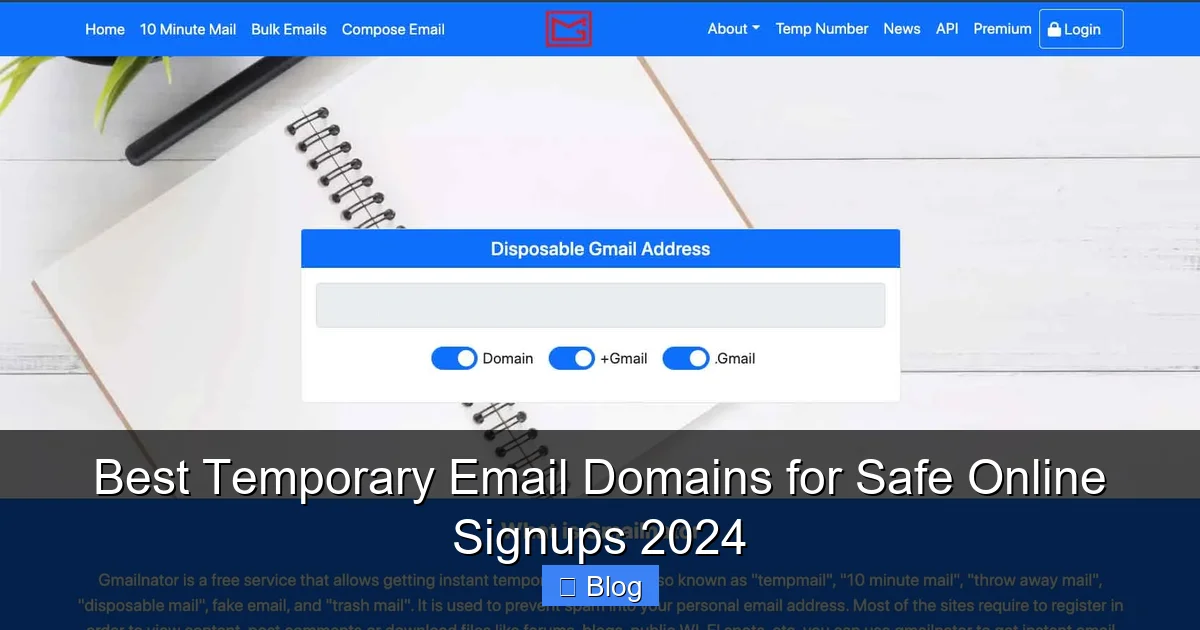
Visual guide about Best Temporary Email Domains for Safe Online Signups 2024
Image source: deepweb.net
The 30-Second Setup
Go to a service like TempMail.org. Instantly, it generates a random address like bluecat742@tempmail.org. This address lives on the service’s server. When someone sends an email to it, the service holds it for you. You can check your “inbox” on the same website—no app, no login, no fuss. After 10 minutes, 1 hour, or 48 hours (depending on the service), the address vanishes. Poof! Gone forever.
Why It’s Safer Than Your Real Email
Your real email is tied to your identity—your name, location, even your job. Temporary emails? They’re anonymous. Sites only see the disposable address, not you. If that site gets hacked, your real inbox stays safe. Plus, since the address expires, spammers can’t reuse it. It’s like giving a fake phone number to a telemarketer: they can call all day, but they’ll never reach you.
Real-Life Example: Downloading a Free Resource
Imagine you want a free SEO checklist from a new blog. Instead of using yourname@gmail.com, you grab quickfox91@10minutemail.net from 10MinuteMail. You paste it into the signup form, click “Send,” and check the temp email’s inbox 2 minutes later. The checklist arrives! You download it, then close the tab. The address expires in 10 minutes. Result? Your real inbox stays pristine, and the blog can’t spam you later.
Top 5 Temporary Email Domains for 2024 (Tested & Trusted)
We stress-tested services for speed, security, and usability. Here are the winners:
1. TempMail: Best All-Around
Why it wins: TempMail generates addresses in one click—no ads, no pop-ups. Addresses last up to 48 hours (adjustable), and you can refresh your inbox without reloading. Crucially, it blocks tracking pixels, so senders can’t see if you opened emails.
- Pros: Mobile-friendly, custom domain options, no registration.
- Cons: Shorter expiry on free tier (1 hour for some domains).
- Best for: Quick signups where you need time to verify (e.g., app trials).
Pro tip: Use @tempmail.org for longer expiry (up to 48 hours). Avoid @tempmail.net—it expires in 1 hour.
2. 10MinuteMail: Fastest for Instant Signups
Why it wins: As the name says, addresses last exactly 10 minutes—perfect for sites requiring instant email verification. It’s lightning-fast, with a clean interface. No ads, no nonsense.
- Pros: Predictable timing, auto-refresh inbox, blocks malicious links.
- Cons: Too short for multi-step verifications (e.g., “check your email in 5 mins”).
- Best for: One-click verifications like Discord or Twitter signups.
Real scenario: Signed up for a gaming forum? Grab a 10MinuteMail address. Verify instantly, then forget it. Done.
3. Guerrilla Mail: Most Customizable
Why it wins: Want pizzalover@guerrillamail.com? You can set custom usernames! Addresses last 1 hour (extendable to 24 hours). It also shows email sources—so you know if it’s from a legit site or a scammer.
- Pros: Custom addresses, spam filter, disposable SMS option.
- Cons: Slightly cluttered interface; some domains blocked by strict sites.
- Best for: Creating memorable addresses for repeat low-risk sites.
Pro tip: Use the “Scramble” feature to randomize your address hourly—great for testing multiple accounts.
4. Maildrop: Best for Developers & Power Users
Why it wins: Maildrop offers API access and custom domains (e.g., @yourproject.maildrop.cc). Addresses last 24 hours, and you can create unlimited aliases. Ideal for developers testing signup flows.
- Pros: API integration, no ads, high deliverability.
- Cons: Less intuitive for beginners; fewer free domains.
- Best for: Tech-savvy users or teams managing multiple test accounts.
Example: Building a web app? Use Maildrop to simulate user signups without burning real emails.
5. YOPmail: Old-School Reliability
Why it wins: Launched in 2009, YOPmail is a veteran with rock-solid uptime. Addresses last 48 hours, and it’s ad-free. Simple, fast, and trustworthy.
- Pros: No registration, multilingual, high spam tolerance.
- Cons: Basic design; limited customization.
- Best for: Users prioritizing stability over flashy features.
Fun fact: YOPmail handles 50M+ emails monthly—proof it’s still a heavyweight in 2024.
Critical Do’s and Don’ts: Using Temporary Emails Safely
Temporary emails are powerful—but misuse them, and you could make things worse. Follow these rules:
DO: Use Them for Low-Risk Signups
Perfect for:
- Free trials (e.g., “Get 7 days of premium”)
- Newsletters you might unsubscribe from later
- Downloading resources (e-books, templates)
- Commenting on forums or blogs
Example: Signed up for a meditation app’s free trial? Use a temp email. When the trial ends, no spam follows you.
DON’T: Use Them for Anything Important
Never use temporary emails for:
- Banking, PayPal, or financial accounts
- Email recovery options (e.g., “Send reset link to…”)
- Government services or legal documents
- Accounts where you’ll need long-term access
Why? If the temp address expires, you lose access forever. Imagine forgetting your bank password—and having no way to reset it!
DO: Pair with Security Tools
Temporary emails are just one layer. Boost safety with:
- A password manager: Generate unique passwords for every site. (Temp emails + weak passwords = disaster.)
- Two-factor authentication (2FA): Use an authenticator app, not SMS. If a site only offers SMS 2FA, skip it—or use a real email.
- Ad blockers: Many shady temp email sites serve malicious ads. Install uBlock Origin.
Pro move: Bookmark your favorite temp email service. One click = instant address. No more typing URLs!
DON’T: Trust Sketchy “Free” Services
Some sites promise “free temp emails” but:
- Sell your IP address to data brokers
- Inject malware into email content
- Require excessive permissions (e.g., “Allow notifications”)
Red flags: Pop-up ads, requests for phone numbers, or “premium” upsells. Stick to our top 5—they’re battle-tested.
When Temporary Emails Fail (And What to Do Instead)
Even the best temporary email domains hit limits. Here’s how to handle common issues:
Problem: Site Blocks Disposable Emails
Many services (like LinkedIn or banking apps) blacklist known temp email domains. You’ll see errors like “Invalid email” or “Domain not allowed.”
- Solution: Use a masked email service like SimpleLogin or AnonAddy. They forward emails to your real inbox but hide your address. (Costs $3-5/month—worth it for heavy users.)
- Quick fix: Try a less common domain (e.g., Guerrilla Mail’s
@guerrillamail.bizinstead of.com).
Problem: You Need to Receive Attachments
Most temp email services block attachments over 5MB or from unknown senders. Critical for contracts or invoices.
- Solution: For important docs, use your real email—but create a dedicated folder (e.g., “Temp Signups”) and auto-delete old emails.
- Workaround: Guerrilla Mail allows attachments; Maildrop supports larger files.
Problem: Multi-Step Verification
Some sites send a “verify now” link, then ask you to click it within 5 minutes. If your temp email expires mid-process, you’re locked out.
- Solution: Use TempMail (48-hour expiry) or YOPmail. Or—better yet—skip the signup if it’s not essential.
Problem: You Forgot to Check the Inbox
Temp emails vanish fast. Miss the window, and you lose access.
- Solution: Keep the temp email tab open until verification completes. Set a phone timer for 8 minutes (for 10MinuteMail).
Advanced Tips: Become a Temporary Email Ninja
Ready to level up? These tricks save time and boost security:
1. Browser Extensions for 1-Click Access
Install TempMail’s Chrome extension. When a signup form appears, click the icon—it auto-fills a fresh address. No tabs, no typing. (Firefox users: try 10MinuteMail’s extension.)
Why it rocks: You’ll never accidentally use your real email again. Perfect for impulsive “free trial” clicks.
2. Create “Semi-Permanent” Aliases
Services like SimpleLogin let you make aliases like netflix@yourdomain.simplelogin.com. They forward to your real inbox but can be disabled anytime. If Netflix leaks your address, just delete the alias—no spam to your main inbox.
Cost: $3/month. A small price for peace of mind.
3. Test Site Security
Use temp emails to check if a site:
- Sends verification links (good—they care about security)
- Allows disposable domains (bad—they might be shady)
- Has a clear privacy policy (look for “we don’t sell data”)
Example: Signed up for a new app? If it accepts Guerrilla Mail, it’s likely low-risk. If it rejects all temp emails, proceed with caution.
4. Avoid “Unlimited” Free Services
Beware sites claiming “unlimited temp emails.” They often:
- Throttle speed after 2-3 uses
- Require surveys or “human verification”
- Inject tracking cookies
Stick to simplicity: Our top 5 services are truly free—no catches.
Conclusion: Your Inbox, Reclaimed
Let’s face it: the internet runs on your email address. Every signup is a gamble—will this site protect your data, or sell it to the highest bidder? Temporary email domains tip the odds in your favor. They’re not just tools; they’re your right to privacy in a world that treats personal data like free candy.
In 2024, with AI-driven phishing attacks rising 1,200% (yes, really), protecting your inbox isn’t optional—it’s survival. The best temporary email domains for safe online signups we’ve covered—TempMail, 10MinuteMail, Guerrilla Mail, Maildrop, and YOPmail—make it effortless. No technical skills needed. No cost. Just click, sign up, and breathe easy.
Remember: use them wisely. Save your real email for what matters—your bank, your family, your future self. For everything else? Let a disposable address take the hit. Your inbox (and your sanity) will thank you.
Ready to try? Bookmark TempMail.org right now. Next time you see “Enter your email for a freebie,” you’ll know exactly what to do. Stay safe, stay private, and keep your inbox yours.
Frequently Asked Questions
Are temporary email domains legal?
Yes, using temporary email domains is completely legal. They’re a privacy tool, not a hacking method. However, using them to commit fraud (e.g., fake accounts for scams) is illegal—just like with real emails.
Can I receive attachments with temporary emails?
Most services block attachments over 5MB or from unknown senders for security. Guerrilla Mail and Maildrop support smaller attachments, but for important files (like contracts), use your real email with a dedicated folder.
Why do some sites block temporary email domains?
Legitimate sites block them to prevent spam accounts, fraud, or abuse. Shady sites often accept them because they target users who don’t care about privacy—a red flag!
Do temporary emails protect against hacking?
They prevent your real email from being exposed in data breaches, reducing phishing risks. But they don’t stop hackers if you reuse passwords or skip 2FA—always pair them with strong security habits.
Can I use temporary emails for social media signups?
Sometimes. Platforms like Twitter or Discord often accept them for initial signups, but may require a real email later for verification. For long-term accounts, use a masked email service instead.
What happens if I lose access to a temp email address?
That’s the point! Since the address expires, you can’t recover it—and you shouldn’t need to. If you do (e.g., for a critical account), you made a mistake: never use temp emails for anything important.