
Temporary email forwarding creates disposable addresses that forward messages to your real inbox, shielding your primary email from spam and tracking. It’s a simple, free privacy hack for signing up to websites, apps, or services you don’t fully trust. Follow our step-by-step guide to set it up in minutes and take control of your digital footprint.
Key Takeaways
- Privacy Shield: Temporary email forwarding hides your real address, preventing spam, phishing, and data harvesting from sketchy sites.
- Easy Setup: Most email providers (Gmail, Outlook) and free services (SimpleLogin, AnonAddy) let you create forwarding aliases in seconds.
- Zero Cost: Basic temporary email forwarding is completely free; premium features like custom domains cost little.
- Smart Usage: Use it for newsletters, free trials, online shopping, and forums—never for banking or critical accounts.
- Auto-Expire: Set aliases to vanish after use or a timeframe, stopping future spam instantly.
- Track & Block: See who sells your data and block senders directly from the forwarding service.
- Not Anonymous: It protects your inbox but doesn’t make you anonymous online; combine with other privacy tools.
📑 Table of Contents
- Why Your Inbox Needs a Bodyguard (And What Temporary Email Forwarding Is)
- How Temporary Email Forwarding Actually Works (The Simple Version)
- Top Ways to Set Up Temporary Email Forwarding (Free & Easy)
- When to Use (and When to Avoid) Temporary Email Forwarding
- Advanced Tips: Level Up Your Email Privacy Game
- Common Pitfalls (And How to Avoid Them)
- Conclusion: Your Inbox, Reclaimed
Why Your Inbox Needs a Bodyguard (And What Temporary Email Forwarding Is)
Remember that time you signed up for a “free” ebook or a discount coupon and suddenly your inbox became a spam circus? You know, the kind where promotional emails from shady sites drown out messages from your mom? Yeah, we’ve all been there. That’s where temporary email forwarding swoops in like a digital superhero. It’s not magic, but it’s pretty close—and it’s dead simple to use.
At its core, temporary email forwarding creates a disposable email address that forwards all incoming messages straight to your real inbox. Think of it like a secret mailbox: you give out the fake address (e.g., book123@yourdomain.com), but every email sent there lands safely in your actual Gmail or Outlook. The “temporary” part means you can ditch that fake address anytime—poof, gone—so spammers can’t bother you again. No more deleting 50 unwanted newsletters a week. No more worrying if that random app sold your email to the highest bidder. It’s privacy, simplified.
But here’s the best part: you don’t need tech skills to set this up. Whether you’re a busy parent, a student, or just someone tired of email chaos, temporary email forwarding works for everyone. In this guide, we’ll break it down step by step—no jargon, no fluff. By the end, you’ll know exactly how to shield your inbox, stop spam in its tracks, and finally breathe easy when signing up for that new app. Let’s dive in!
How Temporary Email Forwarding Actually Works (The Simple Version)
Okay, let’s get nerdy for a second—but I promise to keep it light. Temporary email forwarding isn’t some complex server magic. It’s basically a middleman. When someone sends an email to your disposable address (like newsletter@temp-mail.org), the forwarding service catches it and instantly sends it to your real inbox (say, yourname@gmail.com). You reply normally, and the service makes it look like it came from the disposable address. Easy peasy.

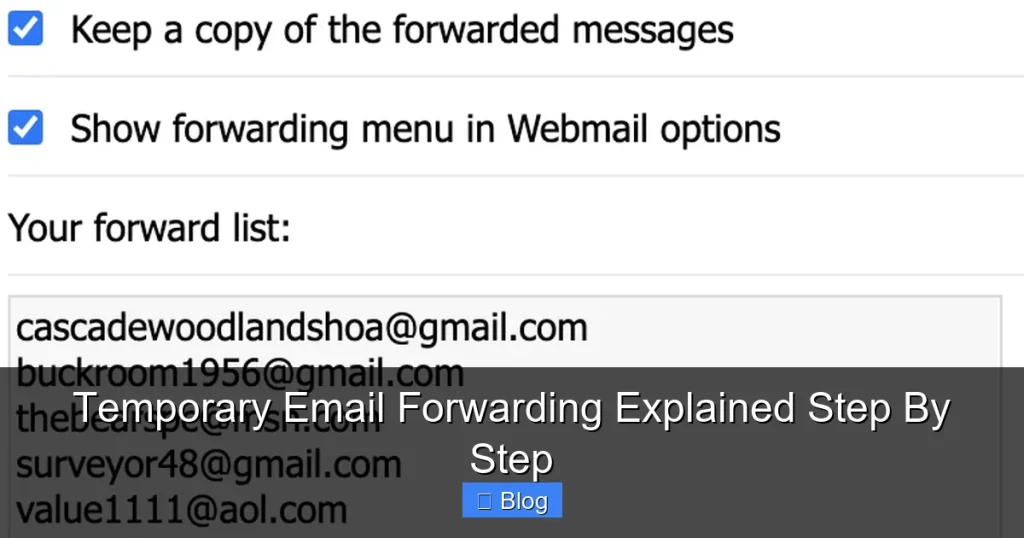
Visual guide about Temporary Email Forwarding Explained Step By Step
Image source: atozserver.com
The 3 Parts of the Puzzle
Here’s what happens behind the scenes:
- The Disposable Address: This is the fake email you give out. It could be random (like
7x9f@temp-mail.org) or custom (likenetflix-trial@yourdomain.com). - The Forwarding Service: This is the tool doing the heavy lifting—whether it’s built into your email provider (Gmail’s “plus addressing”) or a third-party app like SimpleLogin.
- Your Real Inbox: Where all forwarded emails end up. You manage everything from here, just like normal.
Why This Beats Using Your Real Email Every Time
Imagine signing up for a fitness app. With your real email, you’re handing over your digital ID to a company that might:
- Spam you with “exclusive” offers forever.
- Sell your email to data brokers (yes, that’s a thing).
- Get hacked, leaking your email to criminals.
With temporary email forwarding, you give them fitness-app@temp.yourdomain.com instead. If they spam you? Delete the alias. Problem solved. If they get hacked? Your real email stays safe. It’s like wearing an invisibility cloak for your inbox.
Top Ways to Set Up Temporary Email Forwarding (Free & Easy)
Ready to try it? Good news: you probably already have everything you need. Most major email providers include basic forwarding features, and free third-party tools make it even slicker. Let’s walk through your options.
Option 1: Use Your Email Provider’s Built-In Tools (Gmail, Outlook, etc.)
If you use Gmail, Outlook, or Yahoo, you’re in luck—they all support “plus addressing” or “dot addressing.” Here’s how it works:
- Gmail: Add a
+and any word to your address (e.g.,yourname+netflix@gmail.com). Emails sent here go toyourname@gmail.com. You can even use dots (likeyour.name@gmail.com)—Gmail ignores them! - Outlook: Similar to Gmail, use
+(e.g.,yourname+shopping@outlook.com).
Pro Tip: Create filters to auto-label these emails (e.g., “Netflix Trials”) so they don’t clutter your main inbox. In Gmail: Settings > See all settings > Filters and Blocked Addresses > Create new filter.
Option 2: Free Third-Party Services (SimpleLogin, AnonAddy, etc.)
Want more control? Services like SimpleLogin or AnonAddy are game-changers. They let you:
- Create unlimited disposable addresses.
- Set aliases to expire after 1 day, 1 week, or forever.
- Block senders with one click.
How to set up SimpleLogin (in 3 steps):
- Sign up for free at simplelogin.io.
- Connect your real email (Gmail, etc.).
- Click “New Alias” > type a name (e.g., “Amazon”) > copy the address (like
amazon@simplelogin.com).
Now use amazon@simplelogin.com when shopping. All emails forward to you—and if Amazon starts spamming, delete the alias. Done!
Option 3: Custom Domains (For the Extra Privacy-Minded)
Want aliases like netflix@yourname.com instead of netflix@simplelogin.com? Use a custom domain with SimpleLogin or AnonAddy. It costs ~$30/year for the domain, but it looks professional and keeps your identity extra hidden. Perfect if you run a small business or just love clean branding.
When to Use (and When to Avoid) Temporary Email Forwarding
Temporary email forwarding is awesome—but it’s not a one-size-fits-all solution. Use it wisely, and it’ll save you headaches. Misuse it, and you might lock yourself out of important accounts. Let’s break it down.
✅ Perfect Use Cases: Sign Up Without the Spam
These are the golden moments for temporary email forwarding:
- Free Trials: Netflix, Spotify, or app trials often spam you after the trial ends. Use an alias that expires in 30 days—auto-cleanup!
- Online Shopping: Give
amazon@temp.yourdomain.comat checkout. If they leak your email, your real inbox stays safe. - Newsletters: Subscribing to a blog? Use an alias. If they sell your data, delete it and never see their emails again.
- Forums & Social Media: Sign up for Reddit or Discord with a disposable address. No more “welcome” spam flooding your main inbox.
Real-Life Example: You sign up for a recipe site with recipes@simplelogin.com. They start sending daily spam. Instead of unsubscribing (which rarely works), you delete the alias. Instant peace.
❌ When to Skip It: Critical Accounts Only
Never use temporary email forwarding for:
- Banking or Financial Apps: If you lose access to the alias, you could get locked out of your account. Use your real email here.
- Primary Work Email: Your boss won’t accept
hr@temp-mail.orgfor payroll docs. - Government Services: Tax portals or DMV sites require verified, permanent addresses.
Pro Tip: If an account needs 2FA or password resets, stick to your real email. Temporary aliases are for low-stakes signups only.
Advanced Tips: Level Up Your Email Privacy Game
You’ve got the basics down—now let’s make temporary email forwarding work smarter for you. These pro moves turn a simple tool into a privacy powerhouse.
Auto-Expire Aliases: Set It and Forget It
Most services (like SimpleLogin) let you set aliases to self-destruct. Example:
- Sign up for a 7-day free trial → set alias to expire in 8 days.
- Use an alias for a one-time purchase → set it to expire in 24 hours.
No more manual cleanup. Spammers get nothing after the timer runs out.
Track Who Sells Your Data (Yes, Really!)
See that alias newsletter@simplelogin.com? If you start getting spam from “TravelDeals Inc.,” you know the newsletter site sold your alias. SimpleLogin shows you exactly who forwarded the email—so you can block them forever. It’s like having a spam detective in your pocket.
Combine with Other Privacy Tools
Temporary email forwarding is great, but pair it with:
- Password Managers: Generate unique passwords for each alias-linked account.
- VPNs: Hide your IP address when signing up for services.
- Tracker Blockers: Stop sites from following you across the web.
Together, they create a fortress around your digital life.
Common Pitfalls (And How to Avoid Them)
Even the best tools have quirks. Here’s what to watch for with temporary email forwarding:
Pitfall 1: Forgetting Which Alias You Used
Signed up for 10 sites with random aliases? You’ll forget which is which. Solution: Name aliases clearly (e.g., udemy-course, not alias123). SimpleLogin lets you add notes like “Used for Python course on 5/10.”
Pitfall 2: Losing Access to the Forwarding Service
What if SimpleLogin shuts down? Solution: Use your email provider’s built-in tools (like Gmail’s + addressing) as a backup. They’re less likely to disappear.
Pitfall 3: Over-Reliance on “Temporary”
Some services (like disposable email sites) delete aliases after 1 hour—useless for newsletters. Solution: Stick with reliable services like SimpleLogin that let you control expiration dates.
Conclusion: Your Inbox, Reclaimed
Let’s be real: your email inbox is a mess. Spam, phishing scams, and data leaks turn what should be a simple tool into a daily headache. But temporary email forwarding changes the game. It’s not about being paranoid—it’s about being smart. By creating disposable addresses for sketchy signups, you take back control. No more deleting 20 promotional emails a day. No more worrying if that random app sold your data. Just a clean, calm inbox that works for you.
And the best part? You can start today—for free. Whether you use Gmail’s + trick or sign up for SimpleLogin, it takes less than 5 minutes. So next time you’re about to hand over your real email for a “free” webinar or discount code, pause. Create an alias. Give out webinar-may2024@simplelogin.com instead. If they spam you, delete it. If they’re legit, keep it. Simple as that.
Your digital life doesn’t have to feel like a spam-filled battlefield. With temporary email forwarding, you’ve got a secret weapon. Try it once, and you’ll wonder how you ever lived without it. Ready to give your inbox the break it deserves? Go set up your first alias now—you’ve got this.
Frequently Asked Questions
Is temporary email forwarding safe to use?
Yes, when used correctly. Reputable services like SimpleLogin or AnonAddy use encryption and don’t store your emails. Avoid sketchy “disposable email” sites that might scan your messages—stick with trusted tools.
Can I use temporary email forwarding for important accounts like banking?
No. Never use it for financial, government, or critical accounts where you might need password resets or 2FA. Save aliases for low-risk signups like newsletters or free trials.
How much does temporary email forwarding cost?
Basic features are free (Gmail’s + addressing, SimpleLogin’s free tier). Premium plans with custom domains or unlimited aliases cost $20-$50/year—still cheaper than identity theft cleanup!
What happens if I delete an alias? Can I recover it?
Once deleted, the alias is gone forever—and so are any future emails sent to it. You can’t recover it, but that’s the point! It stops spam dead. Just recreate a new alias if needed.
Do temporary email addresses work with all websites?
Most do, but some sites block disposable domains. If a signup fails, try your email provider’s + addressing (e.g., you+site@gmail.com)—it’s less likely to be blocked.
How is this different from a regular email alias?
Regular aliases (like support@yourdomain.com) are permanent. Temporary email forwarding creates short-lived aliases you can delete anytime—perfect for one-off signups where permanence is a risk.