
Temporary email for personal use is your instant shield against spam, phishing, and data breaches. Create disposable addresses in seconds to sign up for services without revealing your real inbox. It’s free, requires no registration, and keeps your personal email safe from unwanted clutter and security risks.
Key Takeaways
- Privacy Protection: Temporary email for personal use hides your real address from websites, reducing exposure to data leaks and targeted tracking.
- Spam Elimination: Stop junk mail from flooding your primary inbox by using disposable addresses for one-time signups like coupons or trials.
- Phishing Defense: Shield yourself from malicious links by using temporary emails for suspicious sites—compromised addresses won’t harm your real account.
- Zero Commitment: No signup needed! Generate and use temporary emails instantly, with most services auto-deleting messages after 1-24 hours.
- Free & Accessible: Top tools like TempMail or 10MinuteMail offer completely free temporary email for personal use via web or mobile apps.
- Smart Limitations: Avoid using temporary emails for critical accounts (banking, social media) since you can’t recover passwords or send replies.
📑 Table of Contents
- Why Your Inbox Is Under Attack (And How to Fight Back)
- What Exactly Is Temporary Email for Personal Use?
- Why You Absolutely Need Temporary Email for Personal Use
- Top 5 Use Cases for Temporary Email in Daily Life
- How to Use Temporary Email: A Step-by-Step Guide
- Choosing the Best Temporary Email Service for You
- Potential Drawbacks (And How to Avoid Them)
- Conclusion: Take Control of Your Inbox Today
Why Your Inbox Is Under Attack (And How to Fight Back)
Imagine this: You sign up for a discount code at a new online store. Suddenly, your peaceful inbox becomes a warzone. Promotional emails, fake “security alert” scams, and relentless newsletters bombard you daily. Sound familiar? You’re not alone. Over 74% of all emails sent globally are spam, and your personal email address is the prime target. Every website signup, free trial, or contest entry hands your real email to data brokers, hackers, and marketers. The result? A cluttered inbox, heightened phishing risks, and potential identity theft. But what if you could sign up for anything—without ever revealing your true email? That’s where temporary email for personal use becomes your secret weapon.
We live in a world where sharing your email feels unavoidable. Need a PDF converter? Sign up. Want a restaurant coupon? Sign up. Curious about a new app? Sign up. Each interaction chips away at your privacy. Data breaches at major companies like Yahoo or Marriott have exposed billions of real email addresses, making them low-hanging fruit for cybercriminals. Even legitimate businesses sell your data to third parties, turning your inbox into a digital billboard. Temporary email services solve this by acting as a disposable buffer. They generate a random, short-lived email address just for that one transaction. When the address expires—poof!—so does the spam risk. No more “unsubscribe” battles. No more anxiety about where your email ends up. Just clean, private browsing. Let’s explore how this simple tool can transform your digital life.
What Exactly Is Temporary Email for Personal Use?
At its core, temporary email for personal use is a disposable email address that self-destructs after a short period. Think of it as a digital alias: You use it to interact with websites or services, but it forwards messages to a temporary inbox you control—without ever touching your real email. Once the address expires (usually in minutes or hours), all associated data vanishes. No traces left behind.

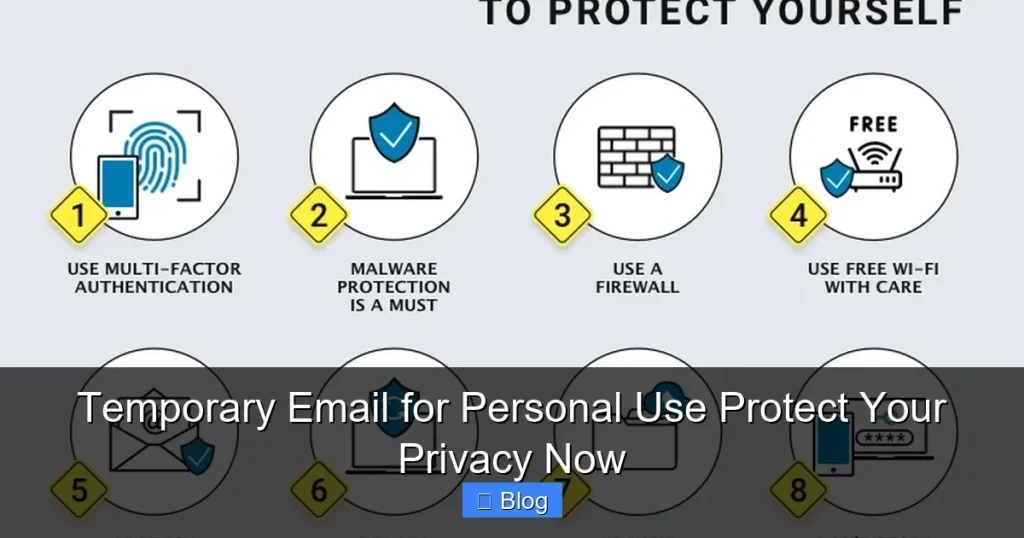
Visual guide about Temporary Email for Personal Use Protect Your Privacy Now
Image source: eyerys.com
How Does It Actually Work?
Here’s the magic in three simple steps:
- Generate: Visit a temporary email service (like TempMail.org). It instantly creates a random address—e.g., bluecat789@tempmail.com—just for you.
- Use: Enter this address when signing up for a newsletter, downloading a file, or claiming a promo code. Any emails sent to it appear in the service’s web-based inbox.
- Expire: After your set time (e.g., 10 minutes, 1 hour, or 24 hours), the address deactivates. New emails bounce back, and old messages delete automatically.
Unlike forwarding services, temporary emails don’t require linking your real account. There’s no registration, no password, and no personal info needed. It’s pure, anonymous privacy. For instance, if you’re testing a new meditation app’s free trial, use a temporary email. If the app later gets hacked, your real address stays safe. If they spam you, the temporary address dies with the spam—no cleanup required.
Real-Life Example: The Coupon Code Scenario
Picture this: You spot a “20% off” pop-up on a fashion site. To get the code, you must “subscribe.” Instead of using your personal Gmail, you:
- Open TempMail.org on your phone.
- Copy the auto-generated address like sparklyunicorn@10minutemail.net.
- Paste it into the site’s email field and hit “Subscribe.”
- Watch the temporary inbox refresh—your coupon code arrives instantly!
- Use the code, then close the tab. In 10 minutes, the address expires. Future spam? Gone.
This is temporary email for personal use in action: frictionless, secure, and utterly private.
Why You Absolutely Need Temporary Email for Personal Use
Your email address is more valuable than you think. It’s the key to your digital identity—linked to social media, banking, and cloud storage. When you hand it out freely, you’re gambling with your security. Here’s why temporary email for personal use isn’t just convenient—it’s essential.
The Privacy Nightmare of Real Emails
Every time you use your real email, you leave a digital footprint. Data brokers scrape websites to build detailed profiles of your habits, interests, and location. They then sell this info to advertisers, insurers, or even employers. A 2023 study found that 87% of consumers have had their email data leaked in breaches. Temporary email breaks this chain. By using a disposable address, you:
- Prevent websites from linking your activity across platforms.
- Stop data brokers from building a profile around your real identity.
- Reduce targeted ads that feel “creepy” (e.g., ads for baby products after a single pregnancy test purchase).
For example, signing up for a parenting forum with your real email might trigger baby-product ads for years. With a temporary address? The forum gets an anonymous alias—and your ad profile stays clean.
Spam: The Silent Productivity Killer
Spam isn’t just annoying—it wastes time and mental energy. The average person spends 3.2 hours per week managing unwanted emails. Temporary email slashes this to zero. Consider these common spam triggers:
- Free Trials: “Sign up for 7 days free!” often leads to endless renewal reminders.
- E-commerce Sites: One purchase = lifelong promotional emails.
- Newsletters: You clicked “yes” once—now you’re on 10 mailing lists.
With temporary email for personal use, you enjoy the perk (the discount, the trial, the article) without the aftermath. If a site tries to spam you, the address is already dead. No unsubscribe links. No guilt. Just peace.
Phishing Scams: Your Real Email’s Biggest Threat
Phishing attacks often start with a single compromised email. Hackers send fake “security alert” emails to your inbox, tricking you into clicking malicious links. If they get your real address from a breached site, they know exactly who to target. Temporary email acts as a sacrificial lamb:
- If a sketchy site gets hacked, only the temporary address is exposed.
- Phishing attempts sent to the disposable address can’t reach your real account.
- You avoid the stress of “Was my real email leaked?” after every signup.
Imagine downloading a free ebook from an unfamiliar site. Using a temporary email means if that site is later used for phishing, your primary inbox stays untouched. It’s like wearing a digital helmet in a spam-filled battlefield.
Top 5 Use Cases for Temporary Email in Daily Life
Temporary email for personal use isn’t just for techies—it’s for anyone who values their time and privacy. Here are the most practical ways to use it:
1. Online Shopping & Discount Hunting
Retailers love collecting emails for “exclusive deals.” But those “exclusive” emails often become daily spam floods. Use temporary email to:
- Claim one-time promo codes without commitment.
- Sign up for flash sales (e.g., “First 100 subscribers get 50% off!”).
- Avoid post-purchase marketing emails after buying a single item.
Pro Tip: Pair temporary email with browser incognito mode for maximum anonymity. Example: Need a discount for shoes? Generate a temp address, grab the code, and checkout. Done.
2. Free Trials & Software Downloads
Most free trials require an email—but canceling can be a nightmare. Temporary email solves this:
- Test apps like Canva or Adobe Spark without spamming your inbox.
- Download utilities (e.g., PDF converters) that demand email signups.
- Access limited-time content (e.g., “Free webinar access for subscribers!”).
Real Example: You want to try a new budgeting app’s 14-day trial. Use a 24-hour temporary email. If you love it, switch to your real address later. If not? The trial reminders vanish when the temp address expires.
3. Social Media & Forum Registrations
Creating accounts on niche forums or social platforms often requires email verification. But these sites may sell your data or get hacked. Temporary email keeps you safe:
- Join Reddit communities or Discord servers anonymously.
- Participate in polls or contests without revealing your identity.
- Avoid “Welcome email” spam from low-traffic sites.
Pro Tip: For platforms requiring email replies (e.g., forum notifications), use a longer-lived temp address (e.g., 1 week). Most services let you extend the expiration time.
4. Newsletter Sampling
Curious about a newsletter but wary of commitment? Temporary email lets you “test drive” content:
- Read 2-3 issues of a finance or travel newsletter before deciding.
- Avoid cluttering your inbox with “free” newsletters that become paid later.
Example: Sign up for a cooking blog’s newsletter with a temp address. If you enjoy the recipes, switch to your real email. If not? The spam stops when the temp address dies.
5. Public Wi-Fi & Travel Signups
When traveling, you might need to sign up for airport Wi-Fi, hotel apps, or local deals. These often harvest emails aggressively. Temporary email protects you:
- Access free Wi-Fi at cafes or airports without spamming your inbox.
- Claim location-based discounts (e.g., “Tourist special: 10% off!”) anonymously.
Safety Note: Public networks are hacker hotspots. Using a temp email adds a layer of security—if the network logs your activity, it’s tied to a disposable address, not your real identity.
How to Use Temporary Email: A Step-by-Step Guide
Using temporary email for personal use takes less time than brewing coffee. No tech skills required. Here’s how:
Choosing the Right Service
Not all temporary email providers are equal. Look for:
- No Registration: Avoid services requiring phone numbers or social logins.
- Mobile-Friendly: Apps like TempMail (iOS/Android) let you generate addresses on the go.
- Custom Domains: Some (e.g., Guerrilla Mail) let you pick your own domain for a personal touch.
- Message Retention: Pick 10-minute, 1-hour, or 24-hour expiration based on your need.
Top Picks:
- TempMail.org: Best for speed—generates addresses instantly with 1-hour expiry.
- 10MinuteMail.com: Perfect for quick tasks (e.g., coupon codes).
- Guerrilla Mail: Offers custom addresses and 60-minute inboxes.
Step 1: Generate Your Temporary Email
Open your chosen service in a browser or app. Most auto-create an address like jollypanda@tempmail.net. No clicks needed—it’s ready instantly. For Guerrilla Mail, you can type a custom name (e.g., traveldeals@guerrillamail.com).
Step 2: Use It Anywhere
Copy the address and paste it into any website’s email field. Examples:
- Signing up for a free Grammarly trial? Paste the temp email.
- Downloading a whitepaper? Use the temp address.
- Claiming a “new user” discount? Temp email = instant access.
Pro Tip: Bookmark your temp email service for one-click access. On mobile, add it to your home screen like an app.
Step 3: Check Your Messages (If Needed)
Most services auto-refresh the inbox. If you need to verify an email (e.g., for a download link):
- Stay on the temp email page.
- Wait 30-60 seconds for the message to appear.
- Click the link or download the file directly from the inbox.
No logging in. No passwords. Just pure convenience.
Step 4: Let It Expire (Or Extend)
When you’re done, close the tab. The address self-destructs after its set time. Some services (like TempMail) let you click “Extend” for more time—ideal if you’re waiting for a slow email.
Choosing the Best Temporary Email Service for You
With dozens of options, picking the right temporary email for personal use depends on your needs. Here’s what to prioritize:
Privacy-First Features
Avoid services that:
- Require personal info (e.g., phone numbers).
- Log your IP address or browsing history.
- Sell anonymized data (check their privacy policy).
Top Privacy Picks: TempMail and 10MinuteMail don’t store messages after expiry and claim zero data collection.
Expiration Time Flexibility
Match the service to your task:
- 10-60 minutes: For instant downloads or coupon codes (e.g., 10MinuteMail).
- 1-24 hours: For free trials or newsletters (e.g., TempMail).
- Custom: Guerrilla Mail lets you set exact durations.
Pro Tip: For multi-step processes (e.g., verifying an email then downloading a file), choose 24-hour expiry.
Mobile vs. Desktop Experience
Need temp email on the go? Prioritize:
- Dedicated Apps: TempMail’s iOS/Android app generates addresses in one tap.
- Browser Extensions: Tools like “Temp Mail for Chrome” add a temp email button to your toolbar.
Real-World Use: At a coffee shop, use the TempMail app to sign up for free Wi-Fi. No laptop needed.
Security Red Flags to Avoid
Steer clear of services that:
- Ask for payment (legit temp email is free).
- Have excessive ads or pop-ups (may contain malware).
- Don’t auto-delete messages (risks data retention).
Stick to well-reviewed platforms with HTTPS encryption. When in doubt, search “[Service Name] + scam” before using.
Potential Drawbacks (And How to Avoid Them)
Temporary email for personal use is powerful—but not perfect. Know these limits:
You Can’t Send Replies
Most services only let you receive emails. Need to respond? Use your real email or a dedicated burner service like SimpleLogin. Workaround: For two-way communication (e.g., forum replies), switch to your real email after initial signup.
Some Sites Block Temp Domains
Major platforms (Gmail, Facebook, banks) often reject emails from known temp domains. Solution: Use services with less common domains (e.g., Guerrilla Mail’s custom addresses) or try a different provider.
No Password Recovery
If you use a temp email for an important account (e.g., a shopping site), you can’t reset passwords later. Golden Rule: Never use temp email for banking, social media, or email accounts. Reserve it for low-stakes signups.
Limited Attachment Access
Some services restrict large file downloads. Tip: Use TempMail for attachments—it supports up to 100MB files.
Short Expiry Times
A 10-minute address won’t work for slow email delivery. Fix: Choose 24-hour services for time-sensitive tasks (e.g., waiting for a confirmation email).
Despite these quirks, temporary email for personal use remains unmatched for quick, anonymous interactions. Just use it wisely!
Conclusion: Take Control of Your Inbox Today
Your email inbox should be a sanctuary—not a spam-filled battlefield. Temporary email for personal use puts you back in charge. It’s free, effortless, and transforms how you interact online. No more dreading “Did I just sign up for spam?” No more panic after data breach news. Just clean, private browsing.
Start small: Next time you need a coupon code or free trial, grab a temp email instead of your real address. Feel the relief when your inbox stays peaceful. Share this tool with friends—they’ll thank you when their inboxes stop exploding. In a world where privacy is a luxury, temporary email is your everyday superpower. Protect yourself now. Your future self (and your inbox) will thank you.
Frequently Asked Questions
Is using a temporary email legal?
Yes, temporary email for personal use is completely legal. It’s a privacy tool, not a hacking method. Avoid using it for illegal activities, but signing up for newsletters or trials with disposable addresses is perfectly legitimate.
How long do temporary email addresses last?
Most last 10 minutes to 24 hours, depending on the service. Short-lived options (like 10MinuteMail) expire quickly for instant tasks, while others (like TempMail) offer 1-hour or extendable inboxes for longer needs.
Can I receive attachments with a temporary email?
Yes! Services like TempMail support attachments up to 100MB. Just open the email in the temporary inbox and download files as you would with a regular email.
Will companies block my temporary email?
Some major sites (e.g., Google, Facebook) may reject emails from known temporary domains. If blocked, try a different provider with less common domains or use a custom address service like Guerrilla Mail.
Can I use temporary email for important accounts?
No. Avoid using it for banking, social media, or email accounts—you can’t recover passwords later. Reserve temporary email for low-risk signups like newsletters or free trials.
Do temporary email services sell my data?
Reputable services (e.g., TempMail, 10MinuteMail) claim they don’t store or sell data. Always check a provider’s privacy policy and avoid ad-heavy sites that may track your activity.


