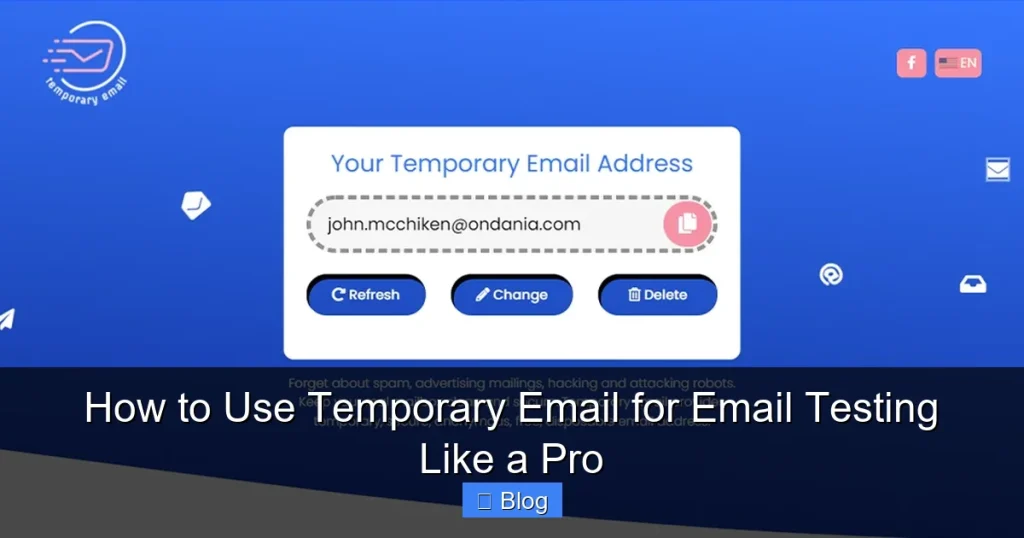

Stop risking your real inbox during email testing! Temporary email services let you validate signups, forms, and workflows instantly without spam or privacy risks. Discover how developers and marketers use these tools to catch bugs early, ensure deliverability, and keep personal emails clean—all while saving hours of manual cleanup.
Key Takeaways
- Protect Your Privacy: Temporary emails shield your real address from spam, phishing, and data breaches during testing.
- Test Faster & Smarter: Generate unlimited test inboxes in seconds to validate forms, signups, and transactional emails without manual cleanup.
- Boost Email Deliverability: Identify spam triggers (like certain keywords or HTML) before sending to real subscribers.
- Choose the Right Tool: Compare features like inbox lifespan, API access, and domain options (e.g., 10MinuteMail vs. TempMail).
- Avoid Critical Mistakes: Never use temp emails for production systems—they break user trust and violate terms of service.
- Combine with Real Testing: Use temp emails for initial checks, but always validate with real addresses before launch.
📑 Table of Contents
- Why Your Inbox is a Testing Nightmare (And How to Fix It)
- What is a Temporary Email (And Why It’s Not “Just Another Disposable Address”)
- Top 5 Temporary Email Tools Compared (2024 Edition)
- Step-by-Step: Testing Emails Like a Pro (With Real Examples)
- Advanced Tactics: Beyond Basic Testing
- Critical Mistakes to Avoid (Even Pros Make These!)
- When NOT to Use Temporary Emails
- Conclusion: Your Inbox Will Thank You
Why Your Inbox is a Testing Nightmare (And How to Fix It)
Remember that time you signed up for a new app using your personal email? Suddenly, your inbox flooded with “Welcome!” emails, password reset confirmations, and promotional blasts—all while you were just trying to test a checkout flow. You spent hours deleting test emails, worried one might slip into a client’s hands. Sound familiar? You’re not alone. Most developers and marketers dread email testing because it turns their real inbox into a spam graveyard.
The real cost isn’t just clutter—it’s risk. One accidental “Reply All” on a test email could expose internal systems. Worse, if your test email gets flagged as spam by providers like Gmail, it could blacklist your domain for real users. And let’s be honest: manually creating fake Gmail accounts for every test? That’s a productivity black hole. There’s a better way. Enter temporary email services—your secret weapon for stress-free, professional email testing. In this guide, you’ll learn exactly how to use them like a pro.
What is a Temporary Email (And Why It’s Not “Just Another Disposable Address”)
Temporary email services generate short-lived, anonymous inboxes you can use for testing. Unlike old-school disposable email providers (which often get blocked by modern systems), today’s tools are designed specifically for developers and QA teams. They give you a real email address—like testuser7@tempmail.io—that works with any website or app. But here’s the magic: the inbox auto-expires after minutes, hours, or days (you choose!). No signup. No passwords. Just pure testing power.

Visual guide about How to Use Temporary Email for Email Testing Like a Pro
Image source: htmlemailtemplates.net
How Temp Emails Actually Work (No Tech Degree Needed)
When you visit a service like TempMail or 10MinuteMail, it instantly creates a random email address for you. Behind the scenes, the service:
- Generates a unique address using its own domain (e.g.,
@tempmail.dev) - Reroutes all incoming emails to a secure, temporary inbox
- Automatically deletes everything after your set timeframe
Think of it like a pop-up mailbox. You get a real address to receive mail (emails), but the mailbox vanishes when you’re done. No traces left behind. This is fundamentally different from “burner” email apps—those require downloads and logins. Temp email services are browser-based, instant, and require zero commitment.
Real-World Use Cases: When Temp Emails Save the Day
Here’s where temporary email for email testing shines:
- Form Validation: Test signup flows without creating fake user accounts. Did the “Welcome” email trigger? Did the confirmation link work?
- Transactional Emails: Check password resets, order confirmations, or notification emails without spamming real customers.
- Spam Score Testing: Send test emails through services like Mail-Tester.com using a temp address to check spam triggers.
- API/Integration Checks: Verify if your CRM or marketing tool (e.g., Mailchimp) processes test data correctly.
Example: A developer testing a Shopify store uses a temp email to simulate a customer checkout. They instantly see if the “Order Confirmed” email arrives, contains the right details, and avoids spam folders. If it fails, they fix it before real customers see errors.
Top 5 Temporary Email Tools Compared (2024 Edition)
Not all temp email services are equal. Some are great for quick checks; others offer APIs for automated testing. Here’s a head-to-head comparison:
1. TempMail (Best for Beginners)
TempMail is the Swiss Army knife of temp emails. It gives you a new address instantly, with inboxes lasting up to 24 hours. The interface is dead simple: just visit the site, and your address appears. You can even refresh the inbox without reloading. Perfect for manual testing of signup forms or email templates. Downside? Limited customization—you can’t choose your own domain.
2. 10MinuteMail (Best for Short Tests)
True to its name, 10MinuteMail gives you a 10-minute inbox (extendable to 60 minutes). It’s ideal for quick validations like testing a “Forgot Password” flow. The clean UI shows emails in real-time, and you can forward messages to your real inbox if needed. Great for solo developers who need speed over features.
3. Guerrilla Mail (Best for Customization)
Want to test how your system handles specific email formats? Guerrilla Mail lets you set custom usernames (e.g., test_user@guerrillamail.com) and choose inbox lifespans from 1 hour to 1 week. It also supports attachments—handy for testing file upload confirmations. The downside? The free version shows ads.
4. Mail.tm (Best for Privacy)
If GDPR or data security keeps you up at night, Mail.tm is your friend. It’s open-source, encrypted, and doesn’t log IP addresses. Inboxes last 24 hours, and you get a clean, ad-free interface. Bonus: it offers IMAP access for advanced users who want to integrate with email clients like Thunderbird.
5. YOPmail (Best for Enterprise Teams)
YOPmail stands out with its “domain aliasing” feature. Create addresses like yourname@yopmail.com to mimic real branding during tests. Inboxes persist for 24 hours, and the service handles high volumes—ideal for QA teams testing multiple scenarios simultaneously. The only catch? No mobile app.
Which Should YOU Choose?
For most people, TempMail or 10MinuteMail is enough. But if you’re testing complex workflows (like multi-step onboarding), Guerrilla Mail’s customization shines. Always check if your target platform blocks the service’s domain—some enterprise systems blacklist common temp email providers.
Step-by-Step: Testing Emails Like a Pro (With Real Examples)
Let’s walk through a practical test using TempMail. We’ll validate a newsletter signup form to ensure the “Welcome” email works correctly.
Step 1: Generate Your Temp Email
Go to temp-mail.org. Your new address appears instantly—something like user83@tempmail.dev. Copy it.
Step 2: Trigger the Email
Paste the address into your newsletter signup form. Click “Subscribe.” Watch the TempMail inbox—it should refresh automatically. Within seconds, you’ll see the “Welcome” email arrive.
Step 3: Validate Critical Elements
Don’t just check if the email *arrives*. Dig deeper:
- Subject Line: Does it avoid spam triggers like “FREE!!!” or excessive emojis?
- Content: Are links working? Is the unsubscribe button visible?
- Technical Health: Click “View Source” in TempMail to check HTML validity and spam score indicators.
Example: If the “Confirm Subscription” link is broken, you’ll catch it here—not after 1,000 real users complain.
Step 4: Test Edge Cases
Push your system to its limits:
- Sign up with the same temp email twice—does it handle duplicates gracefully?
- Test special characters in the address (e.g.,
test+filter@tempmail.dev). - Check how your system behaves if the temp inbox expires mid-test.
Pro Tip: Use TempMail’s “Forward to Real Email” feature to send test emails to your actual inbox for deeper analysis (e.g., checking Gmail’s spam folder).
Advanced Tactics: Beyond Basic Testing
Once you’ve mastered the basics, level up with these pro strategies:
Automate with APIs
Services like Mail.tm offer APIs to generate temp emails programmatically. Integrate them into your CI/CD pipeline:
// Example: Generate temp email via Mail.tm API
fetch('https://api.mail.tm/accounts', {
  method: 'POST',
  headers: { 'Content-Type': 'application/json' },
  body: JSON.stringify({ address: 'test_user', domain: 'mail.tm' })
})
.then(response => response.json())
.then(data => console.log(data.address)); // Returns test_user@mail.tm
Now your tests auto-create inboxes, trigger emails, and validate responses—no manual steps.
Test Deliverability Like a Marketer
Temp emails help you diagnose deliverability issues:
- Send test campaigns through your ESP (e.g., SendGrid) to a temp address.
- Use tools like GlockApps or Mail-Tester to analyze spam scores.
- If emails land in spam, check for missing DKIM/SPF records or blacklisted keywords.
Example: A/B test two subject lines. If “You’ve Won a Prize!” goes to spam but “Your Monthly Update” delivers, you’ve found a trigger.
Security Testing: Don’t Skip This!
Temp emails are perfect for penetration testing:
- Verify if password reset links expire after use.
- Check if sensitive data (like account numbers) leaks in emails.
- Test for open redirects in confirmation links.
Never assume your email templates are secure—test them.
Critical Mistakes to Avoid (Even Pros Make These!)
Temporary email for email testing is powerful, but misuse causes headaches:
Mistake #1: Using Temp Emails in Production
This is a cardinal sin. If your app allows signups with temp emails, real users might exploit it for fake accounts. Worse, services like PayPal or Amazon block temp domains—your “users” will fail verification. Always restrict temp emails to staging/test environments.
Mistake #2: Ignoring Inbox Lifespan
Testing a 7-day onboarding sequence with a 10-minute inbox? Disaster. Match the temp email’s lifespan to your test duration. Guerrilla Mail’s 1-week option saves the day for long workflows.
Mistake #3: Overlooking Domain Reputation
Some ESPs (like Constant Contact) block emails from certain temp domains. If your tests fail, try a different service. Mail.tm’s custom domains often bypass filters.
Mistake #4: Skipping Real-Email Validation
Temp emails catch 80% of issues, but not all. Always run final tests with real addresses (e.g., your personal Gmail) to check spam folder placement and rendering on actual devices.
When NOT to Use Temporary Emails
Temp emails are incredible—but they’re not a silver bullet. Avoid them for:
- User Onboarding Tests: Real users won’t use temp emails. Test signup flows with actual addresses.
- Compliance-Critical Emails: GDPR or HIPAA requires real recipient data. Temp emails can’t simulate consent tracking.
- Long-Term Engagement: Testing a 30-day email course? Temp inboxes expire too soon.
Rule of thumb: Use temp emails for technical validation (does the email *send*?), but use real addresses for user experience testing (does the email *work* for humans?).
Conclusion: Your Inbox Will Thank You
Temporary email for email testing isn’t just a convenience—it’s a professional necessity. By shielding your real inbox from spam, accelerating validation cycles, and catching deliverability issues early, you save hours of frustration and prevent costly launch-day fires. Whether you’re a solo developer testing a side project or a QA lead managing a team, these tools turn email testing from a chore into a superpower.
Start simple: pick one service (TempMail is great for beginners), test a signup form today, and see how fast you spot issues. As you get comfortable, explore APIs and advanced tactics. Remember, the goal isn’t just to *send* emails—it’s to ensure they land where they should, every time. Your future self (and your spam folder) will thank you.
Frequently Asked Questions
Is using a temporary email for testing legal?
Yes, using temporary email services for legitimate testing is completely legal. These tools exist specifically for developers and marketers to validate systems without risking real user data. Just avoid using them for fraudulent activities like creating fake accounts.
Can temporary emails receive attachments?
Most modern services like Guerrilla Mail and Mail.tm support attachments, making them ideal for testing file upload confirmations or document delivery. However, always check the specific tool’s features—some free versions limit attachment size or types.
Will temporary emails affect my sender reputation?
No, because emails sent to temporary addresses don’t interact with real recipient servers. Your sender reputation (SPF/DKIM/DMARC) is only impacted when emails reach actual inboxes like Gmail or Outlook.
How long do temporary email inboxes usually last?
Inbox lifespans vary: 10MinuteMail offers 10-60 minutes, TempMail provides up to 24 hours, and Guerrilla Mail extends to 1 week. Choose based on your test duration—shorter for quick checks, longer for multi-step workflows.
Can I use temporary emails with services like Mailchimp?
Yes, but with caution. Mailchimp allows temp emails in test campaigns, but sending bulk emails to disposable addresses may trigger spam filters. Always use them for validation, not as “real” subscribers in production lists.
Are temporary email services safe from hackers?
Reputable services like Mail.tm use encryption and don’t store data, making them very secure for testing. Avoid obscure providers that might log your activity. Never send sensitive real-world data to temp inboxes.


