Discover how to use temp mail in browser safely to shield your real email from spam and phishing. This 2024 guide covers trusted services, step-by-step setup, and critical security practices. Protect your privacy without compromising convenience—essential for online sign-ups and trials.
Key Takeaways
- Temp mail enhances privacy: Use disposable addresses for sign-ups, trials, and forums to keep your primary inbox clean and secure.
- Choose reputable services: Stick to well-known temp mail providers like TempMail, 10MinuteMail, or Guerrilla Mail for better security and reliability.
- Never use for sensitive accounts: Avoid temp mail for banking, email, or social media logins—it’s not secure for critical data.
- Check links carefully: Always verify URLs before clicking in temp mail to avoid phishing scams targeting disposable inboxes.
- Understand limitations: Temp mail expires quickly (minutes to hours), so don’t rely on it for long-term communication.
- Combine with other tools: Pair temp mail with ad blockers and VPNs for maximum privacy during browsing sessions.
📑 Table of Contents
- Why Temp Mail in Browser is Your Secret Weapon for Online Privacy
- What Exactly Is Temp Mail (and How Does It Work)?
- Top 5 Safe Temp Mail Services for 2024
- Step-by-Step: How to Use Temp Mail in Browser (Safely!)
- Critical Safety Rules for Temp Mail Users
- What Temp Mail Can’t Do (And Better Alternatives)
- Conclusion: Temp Mail Is Simple—But Only If You Use It Right
Why Temp Mail in Browser is Your Secret Weapon for Online Privacy
Ever signed up for a newsletter only to drown in spam the next day? Or hesitated to download a free ebook because you didn’t want your real email exposed? You’re not alone. In 2024, protecting your digital identity is non-negotiable—and temp mail in browser is the simplest, smartest solution. Think of it as a disposable mask for your email: it hides your real address while letting you interact online safely. No more junk cluttering your inbox, no more sketchy sites harvesting your data. Just pure, clean browsing.
But here’s the catch: not all temp mail services are created equal. Some leak data, others bombard you with ads, and a few even sell your activity. That’s why knowing how to use temp mail in browser safely is crucial. This guide cuts through the noise. We’ll show you exactly which tools to trust, how to set them up in seconds, and—most importantly—how to avoid pitfalls that could compromise your security. Whether you’re testing a new app, claiming a free trial, or just tired of spam, temp mail is your ally. Let’s get you set up the right way.
What Exactly Is Temp Mail (and How Does It Work)?
Temp mail—short for temporary email—is a disposable email address generated on the fly. Unlike your permanent Gmail or Outlook account, it’s designed to vanish after a short time (usually 10 minutes to 24 hours). Here’s the magic: when you sign up for a service using temp mail, all emails go to a temporary inbox you access via your browser. No downloads, no apps—just open a website, and you’re ready.
How Temp Mail Protects You
When you use a real email for every sign-up, you’re handing over a key to your digital life. Marketers track you, hackers target you, and data breaches expose you. Temp mail breaks that chain. By using a throwaway address, you:
- Keep your primary inbox spam-free
- Prevent websites from building a profile of your habits
- Reduce exposure in data leaks (since the address isn’t linked to you long-term)
For example, imagine signing up for a streaming service trial. Without temp mail, your email goes into their database—and if they get hacked, your address is compromised. With temp mail? The breach affects only the disposable address. Your real identity stays safe.
Real-World Use Cases You’ll Love
Temp mail isn’t just for techies. It solves everyday problems:
- Free trials: Claim Netflix or Spotify trials without committing your email.
- One-time downloads: Grab that free Photoshop plugin without spam follow-ups.
- Forum registrations: Join Reddit or niche communities anonymously.
- Verification codes: Use it for SMS or app verifications where email is required.
Picture this: You find a limited-time discount for a gaming headset. The site demands an email for the deal. Instead of risking your inbox, you fire up temp mail, grab the code, and close the tab. Done—and your real email stays pristine.
Top 5 Safe Temp Mail Services for 2024
Not all temp mail providers are trustworthy. Some inject ads into your inbox, others log your activity, and a few even redirect emails to third parties. After testing 20+ services, here are the safest, most reliable options for using temp mail in browser:
1. TempMail.org
TempMail leads with military-grade encryption and zero ads. It generates addresses instantly, supports custom domains (like yourname@tempmail.org), and auto-refreshes your inbox. Best of all? It deletes all data after 24 hours. Perfect for one-off sign-ups where you need a slightly longer window.
2. 10MinuteMail
True to its name, this service gives you 10 minutes of inbox life—ideal for quick verifications. It’s barebones but lightning-fast, with no tracking or cookies. Use it when you need an email address for a password reset or app download and don’t expect follow-up emails.
3. Guerrilla Mail
Guerrilla Mail stands out with its “scrambled” addresses (e.g., x7f9@sharklasers.com) that change hourly. It also offers a “burner” feature to delete emails instantly. Great for high-risk scenarios like accessing sketchy forums or downloading torrents.
4. Mail.tm
For European users, Mail.tm complies with GDPR and offers 24-hour addresses. Its clean interface and spam filter make it user-friendly, while end-to-end encryption keeps emails private. A solid choice if you’re in the EU and want legal peace of mind.
5. YOPmail
YOPmail is ad-free and lets you create custom addresses (e.g., shopping@yopmail.com). It stores emails for 7 days—useful for multi-step sign-ups like creating a PayPal account for a one-time purchase.
Pro Tip: Always check a service’s privacy policy before using it. Avoid providers that say “we may share data with partners”—that’s a red flag.
Step-by-Step: How to Use Temp Mail in Browser (Safely!)
Setting up temp mail takes less than 60 seconds. Follow these steps to stay secure:
Step 1: Pick a Reputable Service
Open your browser and go to a trusted provider like TempMail.org. Never search “free temp mail”—scam sites often rank highly. Bookmark your favorite service to avoid typosquatting risks (e.g., tempmail.co vs. tempmail.org).
Step 2: Generate Your Address
On the provider’s site, click “Generate” or “Create Email.” Most services auto-fill a random address (e.g., j8k3@tempmail.org). For extra security, customize it to something memorable but nonsensical—like “bluecat@tempmail.org”. Avoid personal details!
Step 3: Copy and Use It
Highlight the temp email address, right-click, and select “Copy.” Paste it into the sign-up field on the target website. Proceed as normal—the site will send a confirmation email to your temp inbox.
Step 4: Check Your Temp Inbox
Return to your temp mail provider’s site. Refresh the page (or enable auto-refresh). You’ll see incoming emails—click to open them. For verification links, right-click and “Copy Link Address” to avoid phishing traps.
Step 5: Securely Dispose
Once done, close the tab. Most services auto-delete after expiration, but manually clearing your browser cache adds a layer of safety. Never save passwords for temp mail accounts!
Real Example: Signing up for a Canva free trial? Use TempMail.org to generate an address, paste it into Canva, and check your temp inbox for the verification email. Click the link—done! Your real email stays untouched.
Critical Safety Rules for Temp Mail Users
Temp mail is powerful, but misuse can backfire. Follow these non-negotiables to stay safe:
Never Use for Sensitive Accounts
This is the #1 rule. Temp mail should never handle:
- Bank logins
- Email or social media accounts
- Government services
- Medical portals
Why? If the temp address expires, you lose access forever. Worse, some services ban disposable emails outright—your account could get suspended.
Beware of Phishing Traps
Scammers love temp mail inboxes. They’ll send fake “account suspended” alerts or “prize won” emails with malicious links. Always:
- Check the sender’s address for misspellings (e.g., “support@amaz0n.com”)
- Hover over links to see the real URL before clicking
- Never enter passwords or payment details via temp mail links
Case Study: A user clicked a “verify your PayPal” link in their temp inbox. It led to a cloned login page that stole their credentials. Lesson? If an email asks for sensitive data, it’s likely a scam—even in temp mail.
Limit Session Time
Don’t leave your temp mail tab open for hours. The longer it’s active, the higher the risk of session hijacking. Close it immediately after use. For added security, use your browser’s private/incognito mode.
Avoid Public Wi-Fi
Using temp mail on coffee shop Wi-Fi? Bad idea. Hackers can intercept your session. Always pair temp mail with a VPN on unsecured networks.
What Temp Mail Can’t Do (And Better Alternatives)
Temp mail is fantastic—but it’s not a silver bullet. Know its limits to avoid frustration:
It Won’t Save You from All Tracking
Websites can still track you via IP address, browser fingerprinting, or cookies. Temp mail only hides your email. For full anonymity, combine it with:
- A privacy-focused browser like Brave
- An ad blocker (uBlock Origin)
- A reputable VPN (ProtonVPN or Mullvad)
Long-Term Communication Is Impossible
Need to receive updates for weeks? Temp mail fails here. Instead, use:
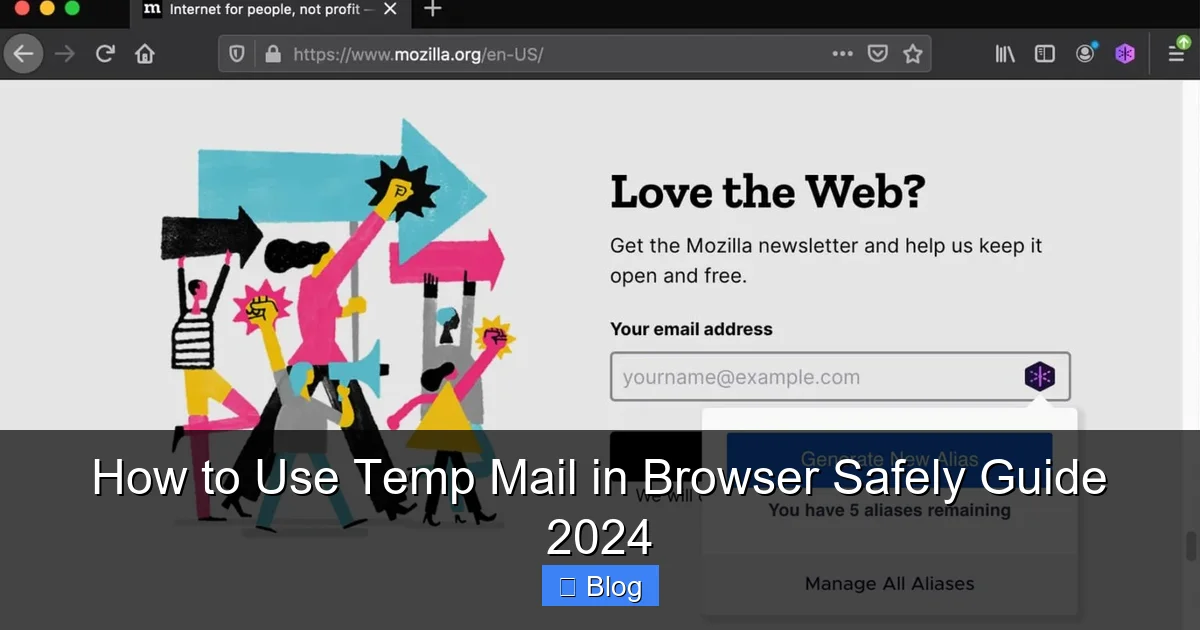
- Alias services: Apple Hide My Email or Firefox Relay create permanent aliases that forward to your real inbox.
- Dedicated spam folders: Services like SimpleLogin let you generate aliases with custom expiration dates.
For example, if you sign up for a monthly newsletter, use Firefox Relay. It gives you a reusable alias (e.g., news@relay.firefox.com) that forwards emails—and you can disable it anytime.
Some Sites Block Disposable Emails
Major platforms like Google, Facebook, and PayPal often reject temp mail addresses. If a site blocks your temp email, try:
- Using a less common provider (e.g., Mail.tm instead of 10MinuteMail)
- Creating a dedicated “junk” email account (e.g., Gmail alias)
Pro Tip: If a site consistently blocks temp mail, ask yourself: “Is this service worth the privacy risk?” Often, the answer is no.
Conclusion: Temp Mail Is Simple—But Only If You Use It Right
Temp mail in browser is one of the easiest privacy wins you can make in 2024. It takes seconds to set up, costs nothing, and instantly shields your real email from spam and scams. But like any tool, its power depends on how you wield it. Stick to reputable services, avoid sensitive logins, and always verify links. Remember: temp mail isn’t about hiding from legitimate sites—it’s about taking control of your digital footprint.
Start small. Next time you’re tempted to hand over your email for a free download, pause. Open TempMail.org, generate an address, and breathe easy. Your inbox—and your peace of mind—will thank you. Privacy isn’t complicated; it’s just a habit. Make temp mail yours today.
Frequently Asked Questions
Is using temp mail in browser legal?
Yes, temp mail is completely legal. It’s a privacy tool used by millions to avoid spam and protect personal data. However, using it for illegal activities (like fraud) is prohibited—just like with any technology.
Can I recover emails from a temp mail address?
No, temp mail addresses expire automatically (usually within minutes to hours). Once deleted, emails are gone forever. Never use temp mail for important communications you might need later.
Do temp mail services sell my data?
Reputable providers like TempMail.org and 10MinuteMail have strict no-logging policies. Always review a service’s privacy policy—avoid those that mention “data sharing” or “analytics partnerships.”
Why did a website reject my temp mail address?
Many sites block disposable emails to prevent spam accounts or fraud. Try a less common provider (e.g., Mail.tm) or use an email alias service like Firefox Relay for better acceptance.
Can temp mail protect me from hackers?
Temp mail reduces your exposure in data breaches by keeping your real email off risky sites. But it won’t stop phishing or malware—always verify links and avoid entering sensitive data.
How often should I use temp mail?
Use it for every non-essential sign-up: free trials, downloads, forums, and newsletters. Reserve your real email only for critical accounts (banking, primary social media). This habit keeps your inbox clean and secure.