Discover how temp mail for newsletters lets you enjoy free content without spamming your real inbox. This guide shows you step-by-step how to use disposable emails safely and effectively. Say goodbye to unwanted promotions forever!
Key Takeaways
- Temp mail blocks spam instantly: Disposable emails catch all newsletter clutter so your main inbox stays clean
- Setup takes 60 seconds: Generate temp addresses with one click using free services like TempMail or 10MinuteMail
- Never share real emails again: Use temp mail for newsletters, trials, and downloads to protect your privacy
- Avoid spam traps: Always check temp mail spam folders and never click suspicious links
- Know the limits: Temp mail won’t work for banking or important accounts – save those for real emails
- Free services work great: Premium options exist but free temp mail for newsletters handles 95% of needs
- You control the flow: Delete temp addresses anytime to stop future emails instantly
📑 Table of Contents
- Why Your Inbox Deserves a Vacation (And How Temp Mail Delivers)
- What Exactly Is Temp Mail and How Does It Work?
- Step-by-Step: How to Use Temp Mail for Newsletters in 5 Minutes
- Pro Tips to Avoid Spam and Stay Safe
- Top Temp Mail Services Compared (Free vs. Paid)
- When NOT to Use Temp Mail (Critical Exceptions)
- Real-Life Examples: Temp Mail in Action
- Conclusion: Your Inbox, Reclaimed
Why Your Inbox Deserves a Vacation (And How Temp Mail Delivers)
Let’s be honest: your email inbox is a disaster zone. Between genuine work messages, family updates, and that avalanche of newsletters you never wanted, it’s chaos. You signed up for one free recipe PDF last Tuesday and now your inbox looks like a spam convention. Sound familiar? You’re not alone. Millions of people drown in unwanted emails daily. But what if I told you there’s a simple trick to enjoy free content without the spam headache? Enter temp mail for newsletters – your new secret weapon.
Temp mail (short for temporary email) is like a disposable phone number for your inbox. You create a fake email address that lasts minutes or days, use it for signups, then poof – it vanishes. No more “special offers” cluttering your main account. No more worrying about companies selling your data. Just pure, spam-free access to the content you actually want. And the best part? It takes less time than making coffee. In this guide, we’ll show you exactly how to use temp mail for newsletters safely, effectively, and without any tech headaches. Ready to reclaim your inbox? Let’s dive in.
What Exactly Is Temp Mail and How Does It Work?
Temp mail is a temporary email address that self-destructs after a set time. Think of it as a hotel room for your emails – you check in, use it briefly, then check out forever. These addresses aren’t tied to your real identity. When you sign up for a newsletter using temp mail, all emails go to that disposable inbox instead of your personal account. Once the temp address expires (usually after 10 minutes to 48 hours), it disappears. Any future emails sent to it bounce back to the sender. Magic, right?

Visual guide about How to Use Temp Mail for Newsletters Without Spam Now
Image source: i0.wp.com
The Simple Tech Behind the Magic
Here’s the cool part: temp mail services act as middlemen. When you generate a temp address like “bluecat789@tempmail.com”, the service creates a unique inbox behind the scenes. Emails sent to that address get routed to their server. You access them through the temp mail website or app – no special software needed. It’s like having a virtual mailbox that only you can open. The tech is straightforward, but the privacy benefits are huge. No more wondering if that fashion brand sold your email to 20 other companies. With temp mail for newsletters, you control the flow.
Why Temp Mail Beats Your Real Email for Newsletters
Let’s compare:
- Your real email: Permanent, tied to your identity, spammers love it
- Temp mail: Disposable, anonymous, vanishes after use
When you use your real email for newsletters, you’re handing spammers a golden ticket. They track your activity, sell your data, and flood you with ads. Temp mail breaks that cycle. You get the newsletter content without the baggage. Plus, if a company starts sending spam, you can delete the temp address instantly. No unsubscribing, no hassle. It’s the ultimate “set it and forget it” solution for casual signups.
Step-by-Step: How to Use Temp Mail for Newsletters in 5 Minutes
Using temp mail for newsletters is easier than ordering pizza online. Follow these steps and you’ll be spam-free in minutes.
Visual guide about How to Use Temp Mail for Newsletters Without Spam Now
Image source: mod-website.com
Step 1: Pick Your Temp Mail Service
Start by choosing a reliable free service. My top picks:
- TempMail.org: Clean interface, 24-hour addresses, mobile-friendly
- 10MinuteMail.com: Exactly what it says – addresses last 10 minutes (great for quick signups)
- GuerrillaMail.com: Customizable addresses, spam filtering
All are free, no signup required. Open one in your browser – we’ll use TempMail.org for this example.
Step 2: Generate Your Temp Address
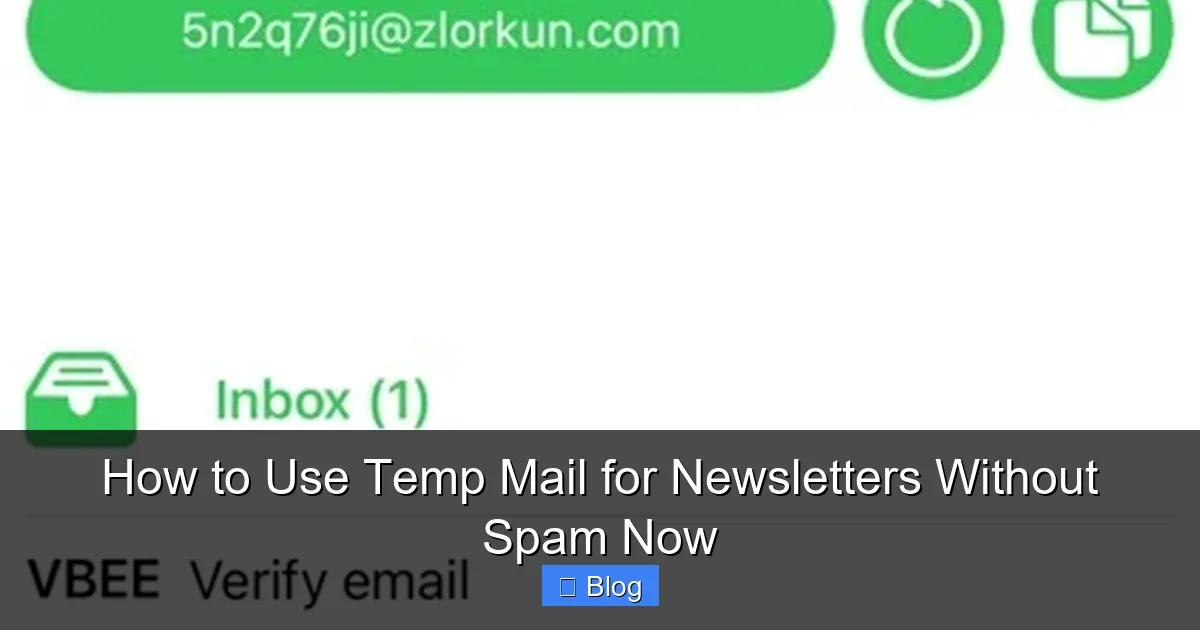
On TempMail.org, click “Generate” or “Create Email”. Boom – you get a random address like “sunny.panda42@tempmail.org”. This is your disposable inbox for the next 24 hours. Copy it to your clipboard (most sites have a one-click copy button).
Step 3: Sign Up for That Newsletter
Go to the newsletter site (say, a free cooking blog). Paste your temp address into the email field. Complete the signup – no need to use your real name or details. The confirmation email will land in your temp inbox instantly.
Step 4: Access Your Newsletters
Return to your temp mail service. Refresh the page. You’ll see the confirmation email and future newsletters right there. Click to read them – no logging into your main email. Pro tip: Bookmark the temp mail page so you can check back easily.
Step 5: Let It Expire (Or Delete Early)
After 24 hours, the address vanishes. All emails stop coming. If you want to stop sooner, just click “Delete” on the temp mail site. Instant spam shutdown. No more “unsubscribe” battles.
Pro Tips to Avoid Spam and Stay Safe
Temp mail is powerful, but a few smart habits make it bulletproof. Here’s how to use it like a pro.
Visual guide about How to Use Temp Mail for Newsletters Without Spam Now
Image source: is1-ssl.mzstatic.com
Never Click Suspicious Links
Even with temp mail, sketchy newsletters might contain malware links. If an email looks fishy (urgent language, weird sender), delete it immediately. Temp mail protects your inbox but not your device. When in doubt, throw it out.
Check the Spam Folder Regularly
Temp mail services have spam folders too! Legit newsletters sometimes get flagged. Check this folder weekly to avoid missing content. In TempMail.org, it’s under “Spam” – easy to miss if you’re new.
Use Different Addresses for Different Sites
Create a new temp address for each newsletter. Why? If one site gets hacked, only that address is compromised. Your other temp addresses stay safe. It’s like using different passwords – basic hygiene for digital life.
Avoid Important Accounts
Temp mail is perfect for newsletters but terrible for banking or social media. Why? If you lose access to the temp address, you lose access to your accounts forever. Reserve real emails for anything tied to money or identity.
Bookmark Your Temp Mail Service
Don’t rely on memory. Save the temp mail site URL in your browser bookmarks. When you need a new address, it’s one click away. Saves time and frustration.
Top Temp Mail Services Compared (Free vs. Paid)
Not all temp mail services are created equal. Here’s a quick comparison to find your perfect match.
Free Services: The Workhorses
- TempMail.org: Best all-rounder. 24-hour addresses, clean ads, mobile app. Ideal for most newsletter needs.
- 10MinuteMail.com: Perfect for instant signups (like one-time downloads). Short lifespan = zero spam risk.
- GuerrillaMail.com: Custom addresses (e.g., “my.cooking@guerrillamail.com”). Great if you want memorable temp emails.
All free services show ads, but they’re usually harmless banners. No hidden costs.
Paid Services: When You Need More
- Burner App ($4.99/month): Permanent disposable addresses, SMS forwarding. Overkill for newsletters but great for dating apps.
- AnonAddy ($25/year):strong> Custom domains, unlimited aliases. Best for tech-savvy users who sign up for 50+ sites monthly.
For 95% of newsletter users, free services suffice. Save paid options for heavy-duty privacy needs.
Which Should You Choose?
Ask yourself:
- Do you sign up for 1-2 newsletters monthly? → Use TempMail.org (free)
- Need addresses for years? → Consider AnonAddy (paid)
- Just want to grab a free PDF fast? → 10MinuteMail.com (free)
Start free. Upgrade only if you hit limits.
When NOT to Use Temp Mail (Critical Exceptions)
Temp mail is awesome, but it’s not universal. Avoid it in these cases:
Financial or Legal Accounts
Banks, tax services, or government portals require verified emails. Temp mail addresses often get rejected or flagged as fraud. Your real email is non-negotiable here.
Long-Term Subscriptions
Got a paid newsletter you love? Temp mail won’t work. Payment systems need stable emails for receipts and updates. Use your real address but enable spam filters.
Accounts Tied to Your Identity
Social media, email providers, or cloud storage? Never use temp mail. If you lose access, recovering your account becomes impossible. Your identity is too valuable to risk.
High-Security Sites
Some sites (like corporate logins) block known temp mail domains. You’ll get an error: “Disposable emails not allowed.” Have a backup real email ready.
The rule of thumb: If it involves money, identity, or long-term access, skip temp mail. For everything else? Go wild.
Real-Life Examples: Temp Mail in Action
Let’s see how this plays out in everyday scenarios.
Scenario 1: The Free Recipe Ebook
You find a blog offering a free “30 Healthy Dinners” PDF. Instead of using your real email (and getting 50 spam emails later), you:
- Open TempMail.org
- Generate “tasty.chef77@tempmail.org”
- Paste it into the blog’s signup form
- Download the PDF from your temp inbox
- Delete the address after reading
Result: You got the ebook. Your main inbox stayed clean. The blog can’t spam you because the address is gone.
Scenario 2: Testing a New App
A fitness app offers a free trial. You want to test it without commitment. Using 10MinuteMail.com:
- Create “fit.tester@10minutemail.com”
- Sign up for the trial
- Use the app for 10 minutes
- If you like it, create a real account. If not, let the temp address expire.
Result: Zero spam, zero risk. You explored risk-free.
Scenario 3: Avoiding Retailer Spam
You shop at Store X and get a “10% off” newsletter signup at checkout. Use GuerrillaMail.com to make “storex.junk@guerrillamail.com”. Get your discount code, then ignore future emails. When the address expires, the spam stops automatically.
These examples prove temp mail for newsletters isn’t just theory – it’s a daily hack for smarter internet use.
Conclusion: Your Inbox, Reclaimed
Temp mail for newsletters isn’t just a trick – it’s a revolution in inbox management. By using disposable emails, you take back control from spammers and data brokers. No more waking up to 20 “exclusive offers” you never wanted. No more tedious unsubscribe battles. Just pure, uncluttered access to the content you choose.
Remember: temp mail shines for casual signups – newsletters, free downloads, app trials. It’s not for banking or social media, but for everything else? Absolutely. Start with a free service like TempMail.org today. Generate an address, sign up for that cooking newsletter, and feel the relief as your real inbox stays peaceful. You’ve got this. Your email sanity is just one temp address away.
Frequently Asked Questions
Is temp mail safe to use for newsletters?
Yes, temp mail is very safe for newsletters. These services don’t store your personal data, and disposable addresses prevent spammers from targeting your real inbox. Just avoid clicking suspicious links in any emails.
Can companies detect and block temp mail addresses?
Some companies do block known temp mail domains, but most free services update their domains regularly to avoid this. If one service gets blocked, simply try another like TempMail.org or GuerrillaMail.com.
How long do temp mail addresses last?
It varies by service: 10MinuteMail lasts 10 minutes, TempMail.org offers 24-hour addresses, and some paid services provide permanent aliases. Choose based on how long you need the newsletter access.
Will I miss important emails if I use temp mail?
Only if you use temp mail for critical accounts (which you shouldn’t). For newsletters and casual signups, temp mail ensures you only get what you signed up for – no more, no less.
Do temp mail services sell my data?
Reputable free services like TempMail.org don’t sell user data. They sustain themselves through non-intrusive ads. Always check a service’s privacy policy before using it.
Can I reply to emails sent to my temp mail address?
Most free temp mail services don’t support sending replies – they’re receive-only. If you need to respond, use your real email. This limitation actually enhances privacy by preventing accidental data sharing.