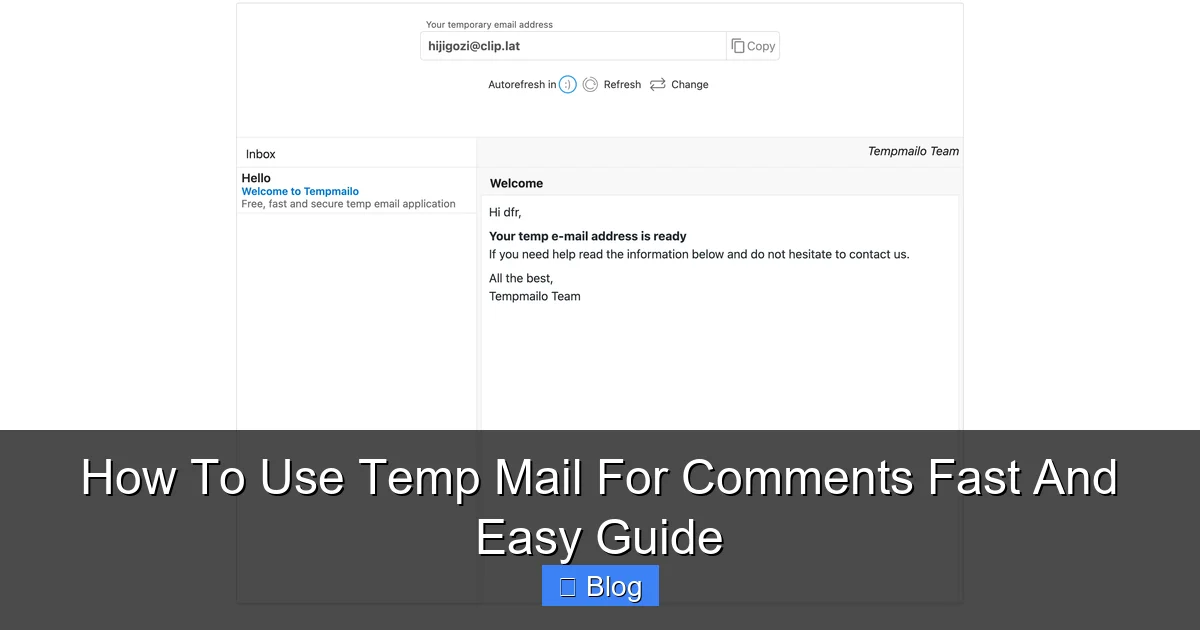
Stop giving away your real email address every time you comment online! Temp mail provides instant, disposable email addresses that vanish after use. This simple trick shields your primary inbox from spam, phishing, and unwanted tracking while letting you participate freely in discussions. It’s free, takes seconds, and requires zero commitment – perfect for safer, smarter commenting.
Key Takeaways
- Privacy Protection: Temp mail hides your real email, preventing spammers and data brokers from harvesting your personal address when commenting.
- Spam Elimination: Comments often trigger endless promotional emails; temp mail catches this junk, keeping your main inbox clean and focused.
- Instant Setup: Generate a disposable email in 5-10 seconds – no registration, no password, just click and go for immediate commenting.
- Zero Commitment: These addresses expire automatically (usually in 10 mins to 24 hours), so you never manage them or worry about long-term spam.
- Enhanced Security: Reduces phishing risks; even if a comment site gets hacked, your real email remains safe from exposure.
- Versatile Use: Works for blog comments, forum signups, social media interactions, and testing websites without revealing your identity.
- Free & Accessible: Most reliable temp mail services are completely free and work directly in your browser – no apps or downloads needed.
📑 Table of Contents
- Why Your Real Email is a Liability When Commenting Online
- What Exactly is Temp Mail (And How Does It Work for Comments)?
- The Undeniable Benefits of Using Temp Mail for Comments
- Your Step-by-Step Guide: Using Temp Mail for Comments in 5 Minutes (or Less!)
- Pro Tips & Best Practices for Maximum Temp Mail Effectiveness
- When Temp Mail Isn’t the Right Tool (And What to Use Instead)
- Conclusion: Take Control of Your Commenting Experience Today
Why Your Real Email is a Liability When Commenting Online
Think about the last time you left a comment on a blog, news site, or forum. Did you hesitate before typing in your email address? Maybe you used a slightly altered version of your real one, or worse, your actual primary email. Here’s the uncomfortable truth: every time you comment using your real email, you’re potentially handing over a golden ticket to spammers, data scrapers, and malicious actors. Comment sections are notorious hunting grounds. Automated bots constantly scan these areas, harvesting email addresses to fuel massive spam campaigns, sell on the dark web, or use for phishing attempts. You might get flooded with irrelevant newsletters, targeted ads based on your comments, or even sophisticated scams pretending to be from the site you commented on.
Beyond spam, there’s a deeper privacy concern. Your email address is often a unique identifier linked to your online identity. When you use it consistently across comment sections, it becomes easier for companies and trackers to build a detailed profile of your interests, opinions, and browsing habits. This data is frequently sold or used for manipulative advertising. The simple act of sharing your thoughts on a recipe blog or a tech review shouldn’t come with the cost of losing control over your digital footprint. Temp mail for comments solves this exact problem by providing a disposable shield between your identity and the public comment thread. It’s not about being secretive; it’s about practicing smart digital hygiene.
What Exactly is Temp Mail (And How Does It Work for Comments)?
Temp mail, short for temporary email, is a service that generates a brand-new, random email address on the fly. This address exists only for a short period – typically ranging from 10 minutes to 24 hours – before it automatically disappears. Think of it like a disposable coffee cup for your inbox: you use it once, then toss it away without a second thought. The magic happens entirely in your web browser. You visit a temp mail website (like TempMail.org, 10MinuteMail.com, or GuerrillaMail.com), and it instantly creates a unique address for you, usually something like fuzzy-panda-789@tempmail.com. This address is yours to use immediately.
Visual guide about How To Use Temp Mail For Comments Fast And Easy Guide
Image source: blogger.googleusercontent.com
The Simple Mechanics Behind the Magic
Here’s the beauty of it: you don’t need to sign up, create a password, or verify anything. The temp mail service handles all the backend work. When someone (or a website) sends an email to your temporary address, the service receives it and displays it in their simple web interface. You can read the email directly on their site. Crucially, this temporary address is completely disconnected from your real, personal email account. There’s no link back to your Gmail, Outlook, or Yahoo inbox. If the comment site you used it on gets hacked and emails are leaked, your real address remains safe. The temporary address, having served its purpose (letting you post that comment), vanishes into the digital ether, taking any potential spam with it. It’s a brilliant, frictionless layer of protection specifically designed for situations like commenting where you need an email but don’t want to commit your real one.
Why Temp Mail is PERFECT for Commenting Scenarios
Comment systems universally require an email address for verification (to prevent bots) and often for notifications (like replies). Temp mail fits this need perfectly:
- Verification Done: The comment platform sees a valid email format and sends its verification link or code. You grab it from the temp mail inbox instantly.
- Notifications Handled (Temporarily): If you want to see replies, the notifications go to the temp mail inbox. You check it within the address’s lifespan.
- Zero Long-Term Impact: Once the temp address expires, any further emails (spam, newsletters) sent to it bounce or are discarded by the temp mail service. Your real inbox stays pristine.
This makes temp mail for comments the ideal solution: it fulfills the technical requirement without the long-term baggage.
The Undeniable Benefits of Using Temp Mail for Comments
Switching to temp mail for your online comments isn’t just a minor convenience; it delivers significant, tangible advantages that directly improve your online experience. Let’s break down why this simple habit is a game-changer for anyone who engages in discussions online.
1. Bulletproof Privacy Shield
Your email address is personal data. By using a unique, random temp mail address for each comment section (or even each site), you prevent the aggregation of your commenting activity. Data brokers and advertisers can’t easily link your comment on a gardening forum to your comment on a political news site because different disposable addresses were used. This fragmentation makes it exponentially harder to build a comprehensive profile of you based solely on your public comments. It’s like wearing an invisibility cloak for your digital identity in comment threads.
2. Say Goodbye to Comment-Induced Spam Forever
This is arguably the biggest win. Countless websites, especially smaller blogs or forums, have poor security or sell their user data. The moment you comment with your real email, it’s potentially in the hands of spammers. You might start receiving:
- Unsolicited newsletters from the site itself (even if you unchecked “subscribe”)
- Promotional emails from “partner” companies the site shares data with
- Generic spam blasts harvested from leaked comment databases
- Phishing attempts impersonating the site (“Your comment was removed, click here!”)
Temp mail acts as a spam firewall. All this unwanted mail goes to the disposable address, which expires. Your primary inbox remains a sanctuary for important messages from real people and trusted services. No more frantic deleting or managing filters for comment-related junk.
3. Fort Knox-Level Security for Your Primary Account
Comment sections are prime targets for hackers. If a site you commented on suffers a data breach, and you used your real email, that address is now exposed. Hackers use this list for credential stuffing (trying your email/password combo on other sites) and targeted phishing. Using temp mail for comments ensures that even if a comment site is compromised, your real email address – the key to your entire digital life – remains untouched and uncompromised. It’s a critical layer of defense in an era of constant data breaches.
4. Effortless Speed and Zero Hassle
Forget creating endless “comment@mydomain.com” aliases or managing complex email forwarding rules. Temp mail is ridiculously fast:
- Visit the temp mail site (takes 2 seconds).
- Copy the auto-generated address (1 click).
- Paste it into the comment form (1 click).
- Refresh the temp mail inbox if needed for verification (1 click).
All done in under 10 seconds, with no passwords to remember, no accounts to create, and no settings to configure. It’s the ultimate low-effort, high-reward privacy tool.
5. Total Anonymity (Within the Comment System)
While your IP address might still be visible to the site admin (depending on their setup), using a random temp mail address makes it much harder for other commenters or casual observers to link your comment back to your real identity or other online profiles. This fosters more open and honest discussion, especially on sensitive topics, without fear of your personal email being exposed in the thread.
Your Step-by-Step Guide: Using Temp Mail for Comments in 5 Minutes (or Less!)
Ready to ditch the spam? Using temp mail for comments is incredibly straightforward. Follow this simple guide, and you’ll be commenting anonymously in seconds. We’ll use a popular, reliable service like TempMail.org for this example, but the process is nearly identical across most platforms.
Step 1: Choose Your Temp Mail Service (It’s Free!)
Open your web browser and go to a reputable temp mail provider. Some top choices known for reliability and ease of use include:
- TempMail.org: Very popular, clean interface, good address lifespan (up to 24 hours).
- 10MinuteMail.com: Exactly what it says – addresses last 10 minutes (great for quick verifications).
- GuerrillaMail.com: Offers slightly longer durations and a “random address” feature.
- Temp-Mail.org: Another solid option with a straightforward layout.
Tip: Bookmark your favorite temp mail site for instant access whenever you need to comment. No need to search every time!
Step 2: Generate Your Disposable Address (Instantly!)
Once you land on the temp mail site (e.g., TempMail.org), you’ll see a randomly generated email address already displayed prominently on the page – something like sparkly-unicorn-456@tempmail.org. This is your temporary address for this session.
- No Clicking Needed (Usually): Most services auto-generate an address the moment you load the page.
- Copy It: Simply click the copy icon (usually next to the address) or highlight the address and press
Ctrl+C(Windows) /Cmd+C(Mac).
That’s it! You now have a valid email address ready for commenting. The address is active immediately.
Step 3: Paste It Into the Comment Form
Navigate to the blog post, news article, or forum thread where you want to leave a comment. Fill in your name (you can use a pseudonym here too if you prefer) and paste the temporary email address you just copied into the “Email” field of the comment form.
- Double-Check: Ensure you pasted the *entire* address correctly (e.g.,
sparkly-unicorn-456@tempmail.org, not justsparkly-unicorn-456). - Ignore “Invalid Email” Warnings: Some poorly coded comment forms might flag the domain. Temp mail addresses are 100% valid – proceed anyway! The form should accept it.
Example: You’re commenting on a TechCrunch article about AI. Name: “CuriousReader”, Email: sparkly-unicorn-456@tempmail.org (pasted from TempMail.org).
Step 4: Handle Verification (If Required)
Many comment systems require email verification to prevent spam bots. Here’s what to do:
- Submit Your Comment: Click the “Post Comment” or “Submit” button as usual.
- Check the Temp Mail Inbox: Immediately switch back to your temp mail tab (TempMail.org). You should see a new email arrive within seconds – usually from the comment platform (e.g., “Confirm your comment on TechCrunch”).
- Click the Verification Link: Open that email in the temp mail interface and click the verification link inside. This confirms you “own” the email address.
- Refresh the Comment Page: Go back to the article/forum. Your comment should now appear (or be marked as “pending moderation” if the site uses it).
Pro Tip: Keep the temp mail tab open for a few minutes after posting. If you want to see replies, check back there before the address expires.
Step 5: Let It Expire (No Action Needed!)
This is the best part. Once you’ve verified your comment (if needed) and potentially checked for replies, simply close the temp mail tab. The address will automatically become inactive after its set time (e.g., 10 minutes, 1 hour, 24 hours – depending on the service). Any future emails sent to that address will be discarded. You never have to delete anything or manage it. Your next comment? Just revisit the temp mail site for a brand new address. Effortless!
Pro Tips & Best Practices for Maximum Temp Mail Effectiveness
While temp mail is incredibly simple, a few smart habits will make your experience even smoother and more secure. Avoid common pitfalls and get the most out of this powerful tool.
Choose the Right Service for the Job
Not all temp mail services are created equal, especially for commenting:
- Short Lifespan (10-60 mins): Ideal for sites with instant comment posting (no moderation) where you don’t expect replies, or for quick verifications. (e.g., 10MinuteMail.com). Best for: News sites, large blogs with fast approval.
- Medium Lifespan (1-24 hours): The sweet spot for most commenting. Gives you time to check for replies if you want. (e.g., TempMail.org, GuerrillaMail.com). Best for: Forums, community sites, blogs with moderation.
- Avoid “Unlimited” or Very Long Lifespans: Services promising addresses that last days or weeks often have hidden costs, are less reliable, or might sell your data. Stick to reputable short/medium-term services.
Tip: If a site requires email verification *and* you want reply notifications, choose a service with at least a 1-hour lifespan.
Be Aware of Potential Limitations (And Workarounds)
Temp mail isn’t magic, and some sites try to block it. Here’s how to handle it:
- Disposable Email Blockers: Some major platforms (like certain social media comment sections or premium forums) actively block known temp mail domains. Workaround: Try a different temp mail service – domains change frequently. If blocked, you might need to use a real email (consider a dedicated “comment” alias from your provider if available).
- No Persistent Identity: If you want to build reputation on a specific forum over time, temp mail won’t work (you’d need a persistent account). Use Case: Temp mail is perfect for *one-off* comments or sites where you don’t plan to engage long-term.
- Limited Inbox Size: Temp mail inboxes are tiny. If a comment thread explodes with replies, older emails might get pushed out before you see them. Workaround: Check the temp mail inbox periodically if you’re actively engaged in a discussion.
Security Do’s and Don’ts
- DO: Use temp mail for *all* non-essential signups and comments. Make it your default habit.
- DO: Never use temp mail for anything requiring long-term access (banking, important accounts, primary social media).
- DON’T: Click suspicious links *even in temp mail*. While the address is disposable, clicking phishing links can still compromise your *current browser session* or device.
- DON’T: Assume temp mail makes you completely anonymous online. Your IP address and browser fingerprint are still potentially trackable by the site itself.
Combine with Other Privacy Tools
Temp mail is fantastic, but layer it with other practices for maximum protection:
- Use a Privacy-Focused Browser: Firefox or Brave with tracking protection enabled.
- Employ a VPN: Masks your IP address from the comment site.
- Consider a Dedicated “Junk” Email: For sites that *do* require a real(ish) email long-term (like a niche forum), create a separate, dedicated email account *just* for that purpose (not your primary!). Temp mail is still better for one-offs.
The key is using the right tool for the right job. Temp mail is the undisputed champion for disposable commenting needs.
When Temp Mail Isn’t the Right Tool (And What to Use Instead)
While temp mail is incredibly useful, it’s not a universal solution for every online interaction. Knowing its limitations ensures you use it effectively and avoid frustration. Here’s when to skip the temp mail and what alternatives to consider.
Situations Where Temp Mail Falls Short
- Building Long-Term Community Reputation: If you’re an active member of a specific forum, subreddit, or niche community where your identity and history matter (e.g., providing expert advice), using a consistent, real(ish) email (or a dedicated alias) linked to your account is essential. Temp mail addresses change every time, preventing you from building trust or reputation. Alternative: Create a dedicated email address *just* for that specific community (e.g.,
yourname.forum@gmail.com). - Accounts Requiring Recovery or Important Communications: Any service where you might need to reset a password, receive critical security alerts, or get important transaction confirmations (e.g., online banking, primary social media, cloud storage) absolutely requires a real, secure, and *recovery-enabled* email address. Temp mail addresses expire and offer no recovery. Alternative: Always use your primary, well-protected email with strong 2FA for these.
- Services with Aggressive Disposable Email Blocking: Some platforms, particularly large corporations or financial services, have sophisticated systems that block a vast array of known temp mail domains. You might consistently get “invalid email” errors. Alternative: Use a reputable email alias service (like SimpleLogin, AnonAddy, or Firefox Relay) that provides unique, forwardable aliases under your own domain or a trusted provider’s domain. These are harder to block and offer more control than pure temp mail.
- Needing to Send Emails *From* the Address: Temp mail services are primarily for *receiving* emails. You generally cannot send outgoing emails from the temporary address. If a comment system requires you to *send* a confirmation email (rare), temp mail won’t work. Alternative: Use a real email or an alias service that supports sending.
The Alias Service Alternative: A Step Up for Some Needs
For situations where temp mail is blocked but you still want privacy and control (like recurring forum use), email alias services are a powerful upgrade:
- How They Work: You sign up for a service (often free tier available). It generates unique aliases (e.g.,
forum.reddit@yourdomain.simplelogin.com) that forward emails to your real inbox. You can reply directly from the alias. - Advantages Over Temp Mail:
- Addresses are persistent (as long as you want).
- Harder for sites to block (look like real custom domains).
- Full send/receive capability.
- Granular control (disable/block aliases instantly).
- When to Choose Aliases: For communities you engage with regularly, services that block temp mail, or when you need to maintain a consistent identity without revealing your real email. Temp mail remains superior for truly one-off, disposable commenting.
The Bottom Line: Temp mail is perfect for the vast majority of casual commenting. Reserve aliases for semi-regular interactions on specific platforms, and always use your primary email for critical accounts. Know the right tool for the task.
Conclusion: Take Control of Your Commenting Experience Today
Leaving comments online should be about sharing your thoughts, not sacrificing your privacy or inviting a deluge of spam into your life. The simple act of using temp mail for comments is a remarkably effective shield against the common pitfalls of online engagement. It’s not about hiding who you are; it’s about protecting your valuable personal data from being harvested, sold, or exploited every time you express an opinion. The benefits are immediate and substantial: a cleaner inbox, enhanced security against breaches, true anonymity within the comment thread, and the sheer peace of mind that comes from knowing your real email address remains private.
The process is astonishingly easy – generating a disposable address takes seconds, requires no commitment, and integrates seamlessly with any comment form. By making temp mail your default choice for non-essential online interactions, you reclaim control over your digital footprint. You participate freely in discussions without leaving a trail of personal data for spammers and data brokers to follow. It’s a small habit with a massive impact on your overall online well-being. Stop trading your email address for the simple act of commenting. Embrace the ease and security of temp mail – your inbox (and your future self) will thank you. The next time you feel compelled to share your perspective, take that extra 10 seconds. Visit your favorite temp mail site, copy the address, paste it in, and comment with confidence. Your privacy is worth it.
Frequently Asked Questions
Is using temp mail for comments safe?
Yes, using reputable temp mail services for comments is very safe for its intended purpose. It protects your *real* email from exposure and spam. However, avoid clicking suspicious links even in temp mail, and never use it for important accounts requiring recovery. Stick to well-known services like TempMail.org or 10MinuteMail.com.
Will my comment get blocked if I use temp mail?
Sometimes. Some sites actively block known disposable email domains to reduce spam. If you get an “invalid email” error, try a different temp mail service (domains change often). If multiple services are blocked, you may need to use a real email or an alias service for that specific site.
Can I get spam from using temp mail?
You might receive spam *to the temporary address itself*, but that’s the point! The beauty is that this spam goes to the disposable inbox, which expires automatically. Your real, primary email inbox remains completely untouched by this comment-related junk mail.
How long do temp mail addresses last for comments?
Lifespans vary by service: typically 10 minutes (10MinuteMail), 1 hour, or up to 24 hours (TempMail.org). Choose a service with a lifespan long enough for you to verify your comment (if needed) and check for any replies you care about – usually 1-24 hours is sufficient for most commenting.
Can I use temp mail on my phone for comments?
Absolutely! Temp mail services work perfectly in mobile browsers. Visit the temp mail site (like TempMail.org) in Safari, Chrome, or your preferred mobile browser, generate the address, copy it, and paste it into the comment form on the mobile site or app. It’s just as fast and easy as on a computer.
Is temp mail legal to use for comments?
Yes, using temp mail for comments is completely legal. It’s a legitimate privacy tool used by millions to protect their personal information from spam and data harvesting. It doesn’t violate any laws; it simply fulfills the technical requirement of providing an email address without revealing your actual one. Sites may block it, but using it isn’t illegal.