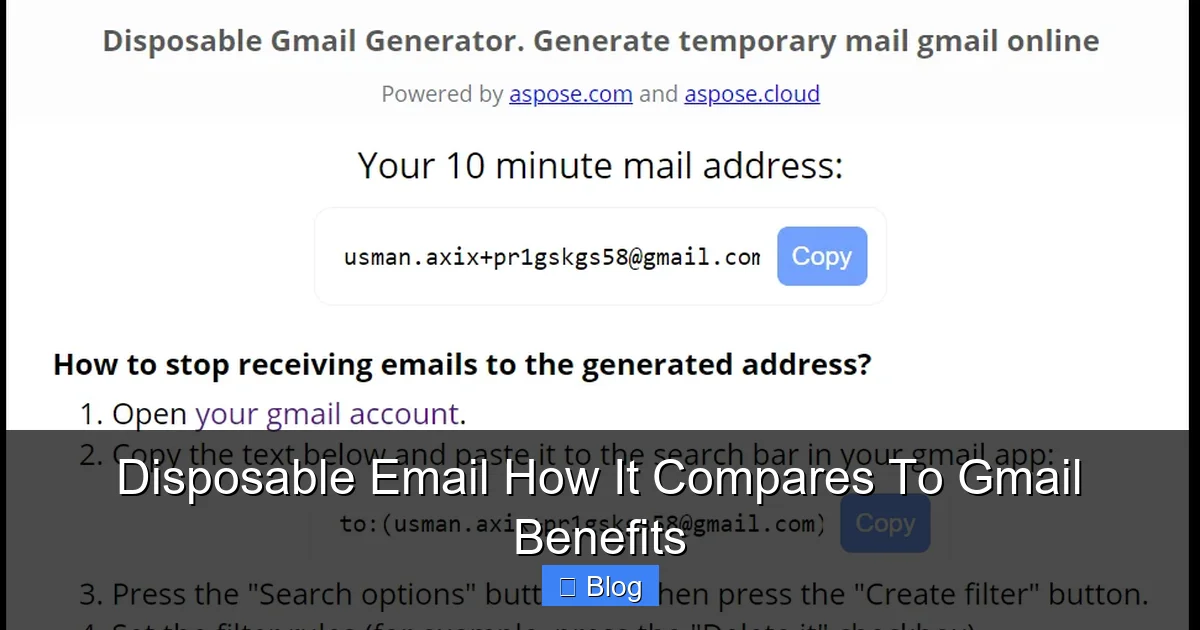
Disposable email services create temporary, throwaway addresses to shield your real inbox from spam and tracking, while Gmail offers robust features but collects your data. Use disposable emails for risky sign-ups and newsletters; stick with Gmail for important communications and accounts. Choosing wisely boosts privacy and reduces inbox chaos.
Key Takeaways
- Privacy Focus: Disposable email hides your real address from spammers and trackers, while Gmail’s free service relies on data collection for ads.
- Spam Defense: Disposable addresses automatically expire or forward spam away from your main inbox; Gmail filters spam but still delivers it to your account.
- Feature Trade-off: Gmail provides powerful tools (calendar, drive, search), but disposable services offer minimal features beyond basic forwarding.
- Best Use Cases: Use disposable email for one-time sign-ups, coupons, and untrusted sites; reserve Gmail for banking, work, and personal relationships.
- Security Reality: Neither is “hack-proof,” but disposable email limits damage if a service leaks your address; Gmail’s security depends on your password strength.
- Long-Term Management: Disposable emails require active management to avoid losing access; Gmail offers reliable, permanent storage for critical messages.
- Hybrid Approach Wins: Smart users combine both: Gmail for essentials, disposable aliases for everything else, maximizing privacy without sacrificing functionality.
📑 Table of Contents
- Your Inbox Nightmare: Spam, Trackers, and the Privacy Panic
- What Exactly is Disposable Email? (It’s Not What You Think)
- Gmail: The Powerhouse (With Hidden Costs)
- Head-to-Head: Disposable Email vs. Gmail – The Real Comparison
- When to Use Disposable Email (And When to Stick with Gmail)
- Getting Started: Simple Steps for Both Approaches
- The Verdict: It’s Not Either/Or, It’s Both/And
Your Inbox Nightmare: Spam, Trackers, and the Privacy Panic
Remember signing up for that cool new app or a discount newsletter, only to watch your inbox slowly drown in unwanted emails? You clicked “I agree” without reading the fine print, and now your carefully curated Gmail feels like a public billboard. Every time you open an email, invisible trackers might be reporting your location, device, and reading habits back to advertisers. It’s exhausting. You want convenience – a reliable email for work, family, and important stuff – but you also crave peace of mind. Enter the great debate: disposable email versus the email giant, Gmail. Which one truly protects you? Which one makes your digital life simpler? Let’s cut through the noise and compare these two approaches head-to-head.
Gmail is the familiar friend we all rely on. It’s free, packed with features like Google Drive storage, a killer calendar, and smart spam filtering. But that “free” tag comes with a price: Google scans your emails (though less for ads now) and builds a profile of you. Your real email address is out there, vulnerable every time you sign up for a new service. Disposable email, on the other hand, is like a digital mask. It creates a temporary, unique email address that forwards messages to your real inbox (usually Gmail or another provider) but shields your actual address. When that mask gets dirty with spam, you simply toss it away and create a new one. It’s privacy armor for the modern web. But is it practical? Does it actually work better than Gmail’s built-in tools? Let’s dive deep.
What Exactly is Disposable Email? (It’s Not What You Think)
First, let’s clear up a common confusion. “Disposable email” often gets lumped together with “burner email” or “temporary email.” While similar, there’s a key difference. True disposable email services (like SimpleLogin, AnonAddy, or Firefox Relay) create *persistent but masked* aliases. You set them up once, and they work for as long as you want – days, weeks, or years. They aren’t just 10-minute throwaways (though some services offer those too). The magic is in the forwarding: emails sent to your disposable address (e.g., `yourname.shopping@simplelogin.com`) land in your *real* inbox, but the sender only sees the disposable alias. If spam floods that alias, you disable it instantly, and the spam stops. Your real address remains untouched.
Visual guide about Disposable Email How It Compares To Gmail Benefits
Image source: blog.aspose.com
How Disposable Email Actually Works (The Simple Version)
Imagine you’re signing up for a new online store. Instead of typing `yourrealname@gmail.com`, you fire up your disposable email service. With one click, it generates a unique alias like `yourrealname.shopping123@simplelogin.com`. You use *that* address for the sign-up. Here’s the clever part:
- Forwarding: Any email sent to `shopping123@simplelogin.com` gets automatically forwarded to your real Gmail inbox.
- Masking: The store (and any trackers in their emails) only sees `shopping123@simplelogin.com`, not your real address.
- Control: If the store starts spamming you, you log into your disposable service dashboard and hit “Disable” on that alias. Instantly, all future emails to `shopping123@simplelogin.com` bounce back or get deleted. No more spam in *your* Gmail.
- Reply Anonymously (Optional): Many services let you reply to emails *through* the alias. The recipient sees the disposable address, not your real one, keeping your identity hidden.
It’s like having a personal assistant who takes messages for you using a fake name. If someone starts bothering the assistant, you fire them, and the骚扰 stops. Your real name stays safe.
Common Misconceptions About Disposable Email
People often think disposable email is:
- Only for shady activities: Nope! It’s perfect for legitimate but low-trust interactions: newsletters, coupon sites, app trials, or forums. Protecting your real address isn’t sketchy; it’s smart hygiene.
- Complicated to set up: Most modern services integrate seamlessly with Gmail. You often just install a browser extension or add a custom domain. Setup takes 5 minutes.
- Unreliable for important emails: Since emails forward to your real inbox, you never miss critical messages. The risk is minimal if you use a reputable service.
- The same as temporary email: Temporary email (like 10MinuteMail) gives you a random address that vanishes after 10-60 minutes. Disposable email aliases are *yours* to control and keep as long as needed.
Disposable email isn’t about hiding *who you are* from legitimate contacts; it’s about hiding *your real address* from the vast, often untrustworthy, ecosystem of online services.
Gmail: The Powerhouse (With Hidden Costs)
Gmail is the undisputed king of free email. With over 1.8 billion users, it’s synonymous with email for most people. Its strengths are undeniable:
- Free & Feature-Rich: Generous storage (15GB shared with Drive/Photos), powerful search, integrated Calendar, Meet, Chat, and seamless Android integration.
- Smart Spam Filtering: Google’s AI is incredibly good at catching obvious spam and phishing attempts, keeping your primary inbox relatively clean.
- Reliability & Uptime: Google’s infrastructure means near-perfect uptime. Your email is almost always accessible.
- Familiarity: Everyone knows how to use Gmail. Sharing your address is effortless.
But let’s be real: Gmail isn’t a privacy fortress. Its business model has always involved understanding user data to serve ads (though Google claims it no longer scans *content* for ads, your activity still fuels its profiling). More importantly for our comparison:
Gmail’s Privacy Limitations
When you use your real Gmail address everywhere:
- Your Address is Exposed: Every website, app, or service you sign up for gets `yourrealname@gmail.com`. If *any* of those services suffers a data breach (and they do, constantly), your real email is leaked onto the dark web, making you a target for phishing and spam.
- Tracking is Rampant: Email marketers embed invisible pixels in newsletters. When you open the email in Gmail, those pixels notify the sender you opened it, often revealing your IP address, location, and device. Gmail doesn’t block this by default.
- Limited Alias Control: Gmail offers “plus addressing” (`yourname+shopping@gmail.com`) and “dot addressing” (`y.our.name@gmail.com`). While these *can* help filter spam, they have major flaws:
- Many websites reject addresses with `+` symbols.
- They don’t hide your real address – the sender still sees `yourname@gmail.com` (the `+shopping` part is often ignored by the sender’s system).
- You can’t easily *disable* a specific alias like with dedicated disposable services. You’d have to filter all `+shopping` emails to trash, which is messy.
- Data Collection: Even without ad scanning, Google collects metadata (who you email, when, subject lines) and uses your activity across its ecosystem (Search, YouTube, Maps) to build a detailed profile.
Gmail is fantastic for *managing* your email life, but it does little to *protect* your real address from the outside world. It’s like having a beautiful, secure house (Gmail’s infrastructure) but leaving your front door (your email address) wide open for anyone to peek through.
Head-to-Head: Disposable Email vs. Gmail – The Real Comparison
Let’s break down the critical factors where these two approaches differ significantly. This isn’t about which is “better” overall – it’s about which serves *your specific need* better.
Privacy Protection: The Core Battle
This is where disposable email shines brightest.
- Disposable Email: Your real address is never shared. Senders only see the alias. If a service leaks data, *only that specific alias* is compromised. You disable it, and the leak stops affecting *you*. Trackers in emails sent to the alias can’t directly link back to your real identity or primary Gmail account. It fundamentally breaks the chain connecting your real identity to low-trust services.
- Gmail: Your real address is exposed with every sign-up. A single data breach at a sketchy coupon site can flood your *main* inbox with spam for years. Trackers in emails sent to your real address report directly back to your identity. Plus addressing offers minimal protection – the core address is still visible.
- Disposable Email: Focuses on *prevention* and *containment*. By using unique aliases per service, spam is isolated. If `alias1@service.com` gets spammed, you kill `alias1`. Spam never reaches your main inbox from that source again. It’s proactive defense.
- Gmail: Relies on *filtering* after the fact. Its AI is excellent at catching obvious spam, but sophisticated phishing or newsletter spam often slips through to your Promotions or even Primary tab. You then have to manually unsubscribe or create filters. Plus addressing can help filter, but spam still lands *in your account* first.
- Disposable Email: Limits the blast radius. If a service you signed up for using a disposable alias gets hacked, *only that alias* is exposed. Your real Gmail password and other accounts remain secure. Even if someone gets the alias, they can’t use it to reset passwords for your *real* email or bank account (assuming you use unique passwords everywhere).
- Gmail: If your *real* Gmail address is leaked (which it will be, repeatedly), attackers can target it for phishing, password reset attempts on *other* sites (if you reused passwords), and social engineering. A breach of your Gmail account itself is catastrophic.
- Disposable Email: Core function is forwarding and alias management. Features are minimal: basic inbox view (sometimes), reply-as-alias, alias disabling. No calendar, no cloud storage, no advanced search *within the disposable service itself*. You rely on your *real* inbox (like Gmail) for reading and managing the forwarded emails. Setup requires an extra step (generating the alias).
- Gmail: A full productivity suite. Powerful search, labels, filters, snooze, undo send, integrated Calendar/Drive/Meet, smart compose, confidential mode. It’s designed for managing *all* your email life in one place. Zero setup beyond creating the account.
- Disposable Email: Requires active management. You need to remember which alias is for which service (good services show this clearly). If you disable an alias, you lose access to *any* future emails from that service unless you create a new alias and update your account (which is often impossible). Finding old emails sent to a specific alias might require searching your *real* inbox for the alias address.
- Gmail: Set it and forget it (mostly). Your address is permanent. All emails are stored in one searchable location. No risk of accidentally losing access to important historical emails due to an alias change. Filters and labels help organize.
- Newsletters & Marketing: Sign up for that daily deal site or fashion newsletter using a disposable alias. If they start spamming you or sell your address, kill the alias. Your main inbox stays clean. Tip: Name aliases clearly (e.g., `deals.nike@service.com`) so you know what they’re for.
- One-Time Sign-Ups & Trials: Downloading a free ebook, signing up for a 7-day app trial, or entering a contest? Use a disposable alias. Once the trial ends or you get the ebook, disable it. No lasting spam trail.
- Untrusted or Sketchy Websites: That coupon site with a questionable privacy policy? The forum requiring an email? The foreign e-commerce site? Shield your real address with a disposable alias. If the site turns out to be malicious, your damage is contained.
- Online Shopping (Especially New Retailers): Before committing to a major purchase from a new store, use a disposable alias for the account creation. If the store’s email practices are poor, you can ditch the alias without affecting your primary shopping accounts (like Amazon).
- Protecting Your Identity in Public Forums: Participating in online discussions? Use a disposable alias so your real email isn’t visible to other users or scraped by bots.
- Financial Accounts: Banks, investment platforms, PayPal. These require your real, verifiable email for security alerts, password resets, and legal communications. Using a disposable alias here is risky and often impossible.
- Work & Professional Communications: Your company email, LinkedIn, professional networks. Your real identity is crucial here.
- Important Personal Accounts: Healthcare portals, government services (taxes, licenses), your primary cloud storage (iCloud, Dropbox). Reliability and direct communication are paramount.
- Accounts Where You Need Long-Term Access & History: Your main Amazon account, your primary social media profiles (though consider a separate email just for social media if possible). You need to be able to recover access and find old order confirmations years later.
- Communicating with People You Know: Friends, family, your doctor. Using a disposable alias here would be confusing and counterproductive.
- SimpleLogin: (simplelogin.io) Free tier offers unlimited aliases, custom domains (paid), browser extensions. Very user-friendly.
- AnonAddy: (anonaddy.com) Free tier includes 20 aliases, custom domains (paid), good privacy focus.
- Firefox Relay: (relay.firefox.com) Free, simple, integrates with Firefox. Great for basic needs.
- Enable 2-Step Verification (2SV): NON-NEGOTIABLE. Go to `myaccount.google.com` > Security > 2-Step Verification. Use an authenticator app or security key, not SMS if possible.
- Use Strong, Unique Passwords: Never reuse passwords. Use a password manager (Bitwarden, 1Password, KeePass).
- Leverage Filters (Cautiously): For services you *must* use your real Gmail with (like Amazon), create a filter: `From: (amazon@example.com) Apply label: Amazon`. This keeps their emails organized but doesn’t hide your address.
- Review Permissions Regularly: Check `myaccount.google.com` > Security > Third-party apps with account access. Revoke access for apps you no longer use.
- Consider a Separate “Social” Gmail: Create a *second* Gmail account *just* for social media sign-ups (Facebook, Instagram, Twitter). This isolates that activity from your primary personal/professional Gmail. Still use disposable email *within* this secondary account for extra protection on individual platforms!
Verdict: Disposable email is the clear winner for *preventing* your real address from being harvested and abused. Gmail offers no meaningful protection here.
Spam Management: Filtering vs. Prevention
Both handle spam, but in fundamentally different ways.
Verdict: Disposable email is superior for *stopping spam at the source* before it hits your inbox. Gmail is great at *filtering* spam that’s already been delivered to your address.
Security: Damage Control vs. Fort Knox
Neither makes you unhackable, but they handle breaches differently.
Verdict: Disposable email provides crucial *damage limitation*. Gmail’s security is strong *if* your password is unique and you use 2FA, but a leaked address creates widespread vulnerability.
Features & Usability: Power vs. Simplicity
This is Gmail’s home turf.
Verdict: Gmail wins hands-down for features and seamless usability. Disposable email is a specialized tool, not a replacement for your primary inbox.
Long-Term Management: Control vs. Convenience
Think about the months and years ahead.
Verdict: Gmail is vastly superior for long-term, reliable storage and access to *all* your communications. Disposable email requires more vigilance to avoid losing touch with services.
When to Use Disposable Email (And When to Stick with Gmail)
The magic happens when you use *both* strategically. Here’s your battle plan:
Perfect Jobs for Disposable Email
Jobs Where Gmail (Your Real Address) is Essential
The Hybrid Strategy is King: Use Gmail as your central hub for *everything*. Then, layer disposable email on top for *all* external interactions where you don’t fully trust the service or don’t need long-term access. It’s like having a main house (Gmail) and a secure mailbox for junk mail (disposable aliases).
Getting Started: Simple Steps for Both Approaches
Ready to take control? Here’s how to implement both strategies without hassle.
Setting Up Disposable Email (5 Minutes or Less)
1. Choose a Reputable Service: For most users, start with free tiers:
2. Sign Up & Connect Your Gmail: Create an account with the disposable service. They’ll guide you to add your Gmail address as the forwarding destination (usually via a simple verification email).
3. Install the Browser Extension (Highly Recommended): This is the game-changer. When you’re on a sign-up form, the extension detects the email field and offers to generate a new disposable alias with one click. No copying/pasting needed!
4. Use It! Next time you sign up for a newsletter or app, click the extension button. It fills in a unique alias. Emails arrive in your Gmail. If spam starts, log into the disposable service dashboard and disable that alias.
Pro Tip: Use the service’s naming feature (e.g., `news.techcrunch@simplelogin.com`) so you instantly know what each alias is for when managing them.
Maximizing Gmail’s Built-in Tools (For the Essentials)
While not a replacement for disposable email, optimize Gmail for your critical accounts:
The Verdict: It’s Not Either/Or, It’s Both/And
After comparing disposable email and Gmail across privacy, spam, security, features, and usability, the conclusion is clear: they solve different problems. Gmail is the indispensable workhorse for managing your core digital life – reliable, feature-packed, and essential for important communications. But it leaves your real address dangerously exposed in the wild west of the internet.
Disposable email isn’t a Gmail replacement; it’s a privacy shield *for* Gmail (or any primary inbox). It tackles the specific, pervasive problem of address harvesting and spam proliferation at the source. By generating unique, controllable aliases for every low-trust interaction, it prevents your real inbox from becoming a spam landfill and limits the damage from inevitable data breaches.
The smartest approach isn’t choosing one over the other. It’s adopting a hybrid strategy: Use Gmail as your central, trusted hub for everything critical – finances, work, loved ones. Then, deploy disposable email as your frontline defense for everything else – newsletters, trials, coupons, forums, and any site that makes you hesitate before typing your real address. This combination delivers the best of both worlds: Gmail’s power and reliability for what matters most, plus disposable email’s robust privacy and spam protection for the rest.
Implementing this takes minimal effort (especially with browser extensions) but yields massive rewards: a cleaner inbox, reduced anxiety about data breaches, and genuine control over your digital footprint. Stop letting spammers and trackers invade your primary space. Start using disposable email strategically, and reclaim your inbox peace of mind. Your future self, free from relentless promotional emails and phishing attempts, will thank you.
Frequently Asked Questions
Is disposable email safe to use for important accounts?
No, avoid using disposable email for critical accounts like banking, government services, or your primary cloud storage. These require a permanent, verifiable email address for security alerts and recovery. Reserve disposable aliases for low-risk sign-ups where long-term access isn’t essential.
Can I receive attachments with a disposable email address?
Yes, most reputable disposable email services (like SimpleLogin or AnonAddy) forward attachments along with the email to your real inbox. However, free tiers might have size limits (e.g., 10-25MB), and very large attachments could be blocked. Always check your service’s specifics.
Does Gmail block emails from disposable email services?
Rarely. Major disposable services use proper email authentication (SPF, DKIM, DMARC) to avoid being flagged as spam. Emails forwarded to your Gmail should land normally. If they go to spam, check Gmail’s filters – you might need to whitelist the disposable service’s domain.
How many disposable email addresses can I create?
It depends on the service. Free tiers (like SimpleLogin’s) typically offer unlimited aliases. Paid tiers might include extra features like custom domains or more advanced analytics, but the core alias creation is usually unlimited even on free plans.
What happens if I disable a disposable email alias?
Disabling an alias stops all future emails sent to that specific address. They will bounce back to the sender or be deleted by the disposable service. You won’t receive *any* new emails for that service via that alias. Past emails already forwarded to your real inbox remain there.
Is using disposable email legal?
Absolutely. Using a disposable email address to protect your privacy during sign-ups is a legitimate and common security practice. It’s not about hiding illegal activity; it’s about preventing spam and safeguarding your real identity from data brokers and breaches. Reputable services operate transparently.