
Temp mail creates disposable email addresses that vanish after use, blocking spam before it reaches your real inbox. It’s a simple, free tool that protects your privacy and stops unwanted emails instantly. Use it for any online sign-up to keep your primary email spam-free.
Key Takeaways
- Blocks spam at the source: Temp mail intercepts promotional and malicious emails using throwaway addresses, keeping your real inbox clean.
- Protects your real email: By never sharing your primary address, you avoid data breaches and targeted phishing attacks.
- Enhances privacy: Sites can’t track you or build profiles using your personal email when you use temporary alternatives.
- Free and instant: Most temp mail services require no registration and generate addresses in seconds.
- Ideal for one-time sign-ups: Perfect for newsletters, free trials, downloads, or contests where you don’t want ongoing emails.
- Reduces data breach risks: If a temp address is leaked, your real identity and other accounts remain safe.
📑 Table of Contents
- Why Your Inbox is Under Siege (And What You Can Do)
- What Exactly is Temp Mail? (It’s Simpler Than You Think)
- How Temp Mail Stops Spam in Its Tracks: The Direct Impact
- Beyond Spam: The Surprising Benefits of Using Temp Mail
- How to Use Temp Mail Effectively: A Practical Guide
- Understanding the Limitations and Using Temp Mail Wisely
- Conclusion: Take Back Control of Your Inbox Today
Why Your Inbox is Under Siege (And What You Can Do)
Let’s be honest: your email inbox is probably a warzone. Between newsletters you forgot you signed up for, promotional blasts from sketchy websites, and downright malicious phishing attempts, it’s hard to find the important messages. You open your inbox and groan. Another 20 unread emails, most of them spam. It’s frustrating, time-consuming, and frankly, a bit scary. How did all these companies get your email? Why does the spam never stop? The truth is, your primary email address is likely circulating in places you never intended. Every time you sign up for a free PDF, enter a contest, or create an account on a new app, you’re potentially handing over your digital lifeline to spammers. But what if you could stop this cycle before it starts? What if you could interact online without sacrificing your inbox peace? That’s where temp mail comes in – your secret weapon against the spam tsunami.
Temp mail, short for temporary email, is a simple yet revolutionary concept. Instead of giving out your real, personal email address (the one you use for banking, family, and important work), you use a disposable address that exists only for a short time. Think of it like a burner phone number for your email. You use it for that one specific purpose – downloading a whitepaper, signing up for a free trial, or verifying an account on a site you’re just testing. Once you’re done, the address vanishes. Poof! Gone. Any emails sent to that address after it expires? They’re lost in the digital void, never reaching your real inbox. This isn’t just convenient; it’s a fundamental shift in how you protect your online identity. It directly tackles the root cause of most spam: the uncontrolled sharing of your primary email address.
What Exactly is Temp Mail? (It’s Simpler Than You Think)
Temp mail services provide you with a randomly generated email address that you can use temporarily. These addresses typically follow a format like randomstring@tempmailprovider.com. The magic lies in the “temporary” part. Unlike your permanent Gmail or Outlook address, a temp mail address has a limited lifespan – it could be 10 minutes, an hour, a day, or sometimes longer, depending on the service. Once that time is up, the address is deactivated. Any emails sent to it after deactivation are simply discarded. You don’t need to create an account with the temp mail service itself (though some offer enhanced features if you do). Often, it’s as easy as visiting a website, and it instantly gives you a fresh, disposable address.
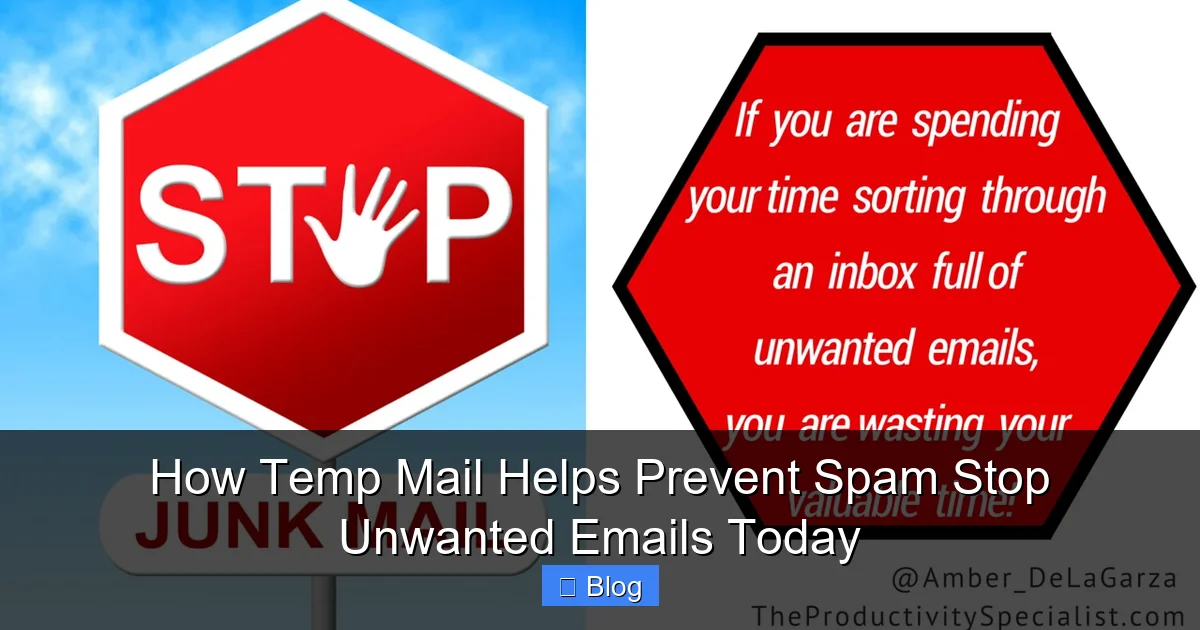
Visual guide about How Temp Mail Helps Prevent Spam Stop Unwanted Emails Today
Image source: amberdelagarza.com
How Temp Mail Works: The Simple Mechanics
The process is incredibly straightforward, designed for maximum ease of use:
- Generate: You visit a temp mail website (like TempMail, 10MinuteMail, Guerrilla Mail, or many others). The site automatically creates a unique, random email address for you. No sign-up needed.
- Use: You copy that address and paste it wherever an email is required online – signing up for a service, downloading a resource, verifying an account.
- Receive (Temporarily): Any emails sent to that address appear in the temp mail service’s web interface. You can read them, download attachments, or click verification links – all within the browser window of the temp mail site.
- Expire: After the set time (or when you close the browser tab, depending on the service), the address becomes invalid. Future emails sent to it are rejected or ignored.
This entire cycle happens without ever involving your real email server. The temp mail service acts as a middleman, filtering and holding the messages only for the brief period you need them. It’s like having a virtual mailbox that self-destructs after you pick up your package.
Why “Temporary” is the Key to Spam Prevention
The core power of temp mail for spam prevention lies in its impermanence. Spammers rely on having a valid, long-term email address to bombard with unwanted content. They harvest addresses from data breaches, website sign-up forms, and even by scraping the web. Once they have an address, they know it will likely remain active for years, making it a valuable target for repeated spam campaigns. Temp mail shatters this model. By using a disposable address:
- You deny spammers a permanent target: Even if a spammer somehow gets hold of your temp address (e.g., from a compromised sign-up form), it will stop working soon. They waste their effort sending emails to an address that no longer exists.
- You break the data trail: Sites you interact with only see the temp address, not your real one. This prevents them from building a profile of you based on your email or selling your *real* address to data brokers.
- You control the exposure window: You decide how long the address lives. Need it just for a 5-minute verification? Use a 10-minute service. Signing up for a week-long trial? Choose a service offering longer durations. You minimize the time spammers have to potentially discover and abuse the address.
This impermanence is the genius behind how temp mail helps prevent spam. It removes the long-term value of your email address to spammers, making it a far less attractive target.
How Temp Mail Stops Spam in Its Tracks: The Direct Impact
Understanding the mechanics is one thing, but seeing exactly how temp mail disrupts the spam pipeline makes its value undeniable. It’s not just about convenience; it’s a proactive defense strategy. Here’s the step-by-step breakdown of how temp mail helps prevent spam from ever cluttering your main inbox:
1. Eliminating the Primary Vector: Your Real Email Address
This is the most crucial point. The single biggest reason spam floods your inbox is because your real email address is out there. Every time you use it on a website, forum, or app, you create a potential entry point for spammers. Temp mail completely removes this vector for one-time or low-trust interactions. When you sign up for that free webinar using a temp address instead of your Gmail, the webinar platform only ever knows the temp address. If they later get hacked, or if they decide to sell their email list (a common practice), your *real* email is safe. The leaked data contains only the disposable address, which is already expired or soon will be. Spammers get a useless string of characters, not a valuable, active inbox to target. This directly prevents the initial exposure that leads to spam.
2. Stopping Verification Emails and Welcome Series
Many spam complaints start with a simple verification email. You sign up for something, they send a “Confirm Your Email” link, and then… the welcome series begins. Before you know it, you’re getting daily promotional emails. Temp mail intercepts this entire sequence. You use the temp address to sign up and click the verification link (all done within the temp mail interface). The welcome emails and subsequent promotions are sent to the temp address. You read the initial verification email if needed, but the ongoing marketing barrage is contained within the temp mail service’s inbox, which you can check briefly or ignore entirely. Once the temp address expires, those promotional emails have nowhere to go. They bounce or get discarded, stopping the spam cycle before it even begins in your real inbox.
3. Containing Data Breach Fallout
Data breaches are terrifyingly common. Millions of email addresses and passwords are leaked online every year. If your real email is part of a breach, spammers immediately add it to their lists for phishing, malware, and relentless promotion. Temp mail acts as a shield. If you used a temp address for a service that later suffers a breach, only that disposable address is compromised. Your real email, linked to your bank, social media, and important accounts, remains untouched. Even if the breached service sells the temp address list, spammers find only expired or soon-to-expire addresses. This significantly reduces the risk of your primary inbox being flooded due to breaches on unrelated sites.
4. Preventing List Building and Profiling
Legitimate businesses (and less scrupulous ones) build email lists to send newsletters and promotions. While some are welcome, many are not, and it’s hard to unsubscribe from everything. More insidiously, your email address is a key identifier for tracking your online behavior across different sites. Data brokers aggregate this information to build detailed profiles for advertising. By using temp mail for sign-ups, you prevent these entities from linking the activity back to your real identity. The temp address is a dead end for profiling. They can’t build a comprehensive picture of *you* based on that single, temporary interaction, limiting the amount of targeted spam and data collection associated with your primary identity.
5. Blocking Malicious Sign-up Attempts
Sometimes, spammers or bots try to sign *you* up for unwanted services using your real email address (a tactic called “email bombing” or “list bombing”). This floods your inbox with verification requests from services you never intended to join. Temp mail can help mitigate this *if* you catch it early. If you notice a sudden surge of verification emails, you could potentially use a temp address to investigate the source (though this is less common). More importantly, by consistently using temp mail for your *own* sign-ups, you reduce the chances of your real address being harvested in the first place through those initial interactions, making you a less attractive target for such attacks.
In essence, temp mail acts as a spam filter at the very source – the point where your email address is shared. It ensures that only the emails you *expect* and *need* for that specific, temporary interaction reach you, while everything else is siloed and discarded.
Beyond Spam: The Surprising Benefits of Using Temp Mail
While stopping spam is the headline benefit, temp mail offers a richer set of advantages that enhance your overall online experience and security. It’s not just a spam shield; it’s a tool for smarter, safer internet usage.
Enhanced Privacy Protection
Your email address is often the key to your digital life. It’s used for password resets, account recovery, and as a primary identifier. Sharing it widely erodes your privacy. Temp mail acts as a privacy buffer. When you download a free ebook from an unknown publisher, enter a contest on a small blog, or comment on a forum, you use a temp address. The publisher, blog owner, or forum only sees the disposable email. They cannot:
- Link that activity back to your real name or other accounts.
- Use the address for targeted advertising across the web.
- Build a profile of your interests based on your email.
- Sell your *real* contact information to data brokers.
This compartmentalization is crucial in an age of pervasive data collection. Temp mail helps you maintain anonymity for low-stakes online interactions, keeping your primary identity private.
Reduced Risk of Phishing and Scams
Phishing attacks often start with a seemingly legitimate email designed to steal your login credentials or financial information. These attacks are frequently targeted based on data breaches or purchased email lists. By using temp mail for non-essential sign-ups, you significantly reduce the chances of your *real* email appearing on lists used by phishers. Even if a phishing email slips through to your temp address (unlikely, but possible if the service is compromised), the damage is contained. You’re not logging into your bank using a link from a temp mail inbox. Your critical accounts remain protected because the phishing attempt never reached your primary, trusted inbox where you handle sensitive matters.
Simplified Email Management
Temp mail declutters your main inbox in a very practical way. Instead of having dozens of “Welcome to [Service]!” emails, promotional blasts, and forgotten newsletter subscriptions mixed in with important messages from family, work, or your bank, those low-priority communications are handled separately. You only check the temp mail inbox when you specifically expect an email (like a verification link). This makes managing your real inbox faster and less stressful. You spend less time deleting spam and more time focusing on what matters. It’s a simple organizational hack with a big impact on productivity.
Testing Services Risk-Free
Curious about a new app, website, or online tool but wary of committing your real email? Temp mail is perfect for this. Sign up using a disposable address. Explore the service. If you like it and want to keep using it, you can often add your real email later (though check the service’s policy). If it’s spammy, low-quality, or just not for you, simply let the temp address expire. You’ve avoided polluting your inbox and protected your real address from potential future spam from that service. It’s the ultimate low-commitment trial.
Free and Accessible
One of the best things about temp mail? It’s almost always completely free for basic use. No subscriptions, no hidden fees. You visit a website, get an address, and use it. Many services also offer browser extensions for even faster access. This low barrier to entry makes it an incredibly accessible tool for anyone looking to take control of their email experience, regardless of technical skill or budget.
These benefits compound the core spam-prevention function, making temp mail a versatile tool for anyone serious about online safety and efficiency.
How to Use Temp Mail Effectively: A Practical Guide
Using temp mail is incredibly easy, but knowing the best practices ensures you get the most out of it for spam prevention. Here’s how to integrate it seamlessly into your online routine:
Choosing a Reliable Temp Mail Service
Numerous free temp mail services exist. Popular options include:
- TempMail.org: Simple, clean interface, addresses last 1 hour (extendable).
- 10MinuteMail.com: Exactly what it says – addresses last 10 minutes (can be refreshed).
- GuerrillaMail.com: Offers disposable addresses with a spam filter, addresses last 60 minutes.
- MinuteInbox.com: Very straightforward, 10-minute addresses.
- Mail.tm: Modern interface, addresses last 30 days (good for slightly longer needs).
When choosing:
- Check Duration: Match the lifespan to your need (10 mins for quick verifications, longer for trials).
- Look for Simplicity: Avoid services cluttered with ads or requiring excessive permissions.
- Consider Security: Reputable services won’t misuse your data (they don’t have much anyway!). Avoid services asking for your real email to sign up.
- Browser Extension: Many offer extensions (Chrome, Firefox) for one-click address generation – highly recommended for frequent use.
Step-by-Step: Using Temp Mail for a Typical Sign-Up
Let’s walk through a common scenario: downloading a free industry report that requires an email.
- Find the Temp Mail Service: Open your preferred temp mail website (e.g., TempMail.org) in a new browser tab. *Do this before navigating to the site requiring your email.*
- Generate the Address: The site usually auto-generates an address (e.g.,
f7g3hj2k@tempmail.org). If not, click “Generate” or “New Email”. Copy this address to your clipboard (most sites have a copy button). - Go to the Target Site: Navigate to the website offering the free report.
- Paste the Temp Address: When the sign-up form asks for your email, paste the copied temp address.
- Submit and Verify: Submit the form. The site will send a verification email (or the report link) to your temp address.
- Check the Temp Inbox: Switch back to your temp mail service tab. Refresh the inbox (or wait a moment). The email from the report site should appear.
- Access the Content: Click the verification link or download the report directly from the email within the temp mail interface.
- Done! Close the temp mail tab. The address will expire soon. Any follow-up emails from the report site (like a newsletter) will go to the void.
Best Practices for Maximum Spam Prevention
To truly leverage temp mail for stopping spam:
- Use It for EVERY Non-Essential Sign-Up: This is the golden rule. Newsletters, free trials, contests, forum comments, downloading resources – if it’s not critical (like your bank or primary work account), use temp mail.
- Don’t Use It for Important Accounts: Never use temp mail for your email, banking, social media (Facebook, Instagram), or any account where you need long-term access or password recovery. These require your real, permanent email.
- Be Wary of Links in Temp Emails: While generally safe for verifications, be cautious clicking links in emails from unknown senders, even in temp mail. Ensure the sender looks legitimate before clicking.
- Don’t Forward Temp Emails: Forwarding an email from your temp inbox to your real email defeats the purpose and exposes your real address.
- Understand the Expiry: Know how long your chosen service’s addresses last. If you need the address active longer (e.g., for a 7-day trial), choose a service with a longer duration or refresh the inbox periodically (if the service allows).
- Combine with Other Tools: Temp mail is powerful, but pair it with a good spam filter on your primary email and strong, unique passwords for full protection.
Real-World Examples: Where Temp Mail Shines
- Free Software Trials: Signing up for a 14-day trial of project management software? Use temp mail. Get the trial link, use the software. After 14 days, the temp address expires, stopping any post-trial spam.
- Downloading Whitepapers/Ebooks: Need a report from a vendor? Temp mail gets you the download link without committing to their newsletter.
- Online Contests/Giveaways: Entering a contest on a brand’s social media? Temp mail ensures you only get the winner notification (if you win!), not endless promotional emails.
- Commenting on Blogs/Forums: Want to leave a comment without revealing your email? Many platforms allow temp mail for registration/verification.
- Testing New Apps/Services: Curious about a new productivity app? Sign up with temp mail. If you like it, add your real email later; if not, walk away spam-free.
By making temp mail your default for these interactions, you drastically reduce the volume of spam entering your life.
Understanding the Limitations and Using Temp Mail Wisely
Temp mail is a fantastic tool, but it’s not a magic bullet for *all* email problems. Being aware of its limitations ensures you use it effectively and don’t create new issues.
What Temp Mail CAN’T Do
- Protect Your Real Email from Direct Attacks: If you *do* use your real email on a malicious site, or fall for a phishing scam, temp mail won’t help. It only protects the addresses you *don’t* share.
- Stop Spam Sent Directly to Your Real Address: Temp mail doesn’t filter spam already targeting your primary inbox. You still need a good spam filter there.
- Provide Long-Term Account Access: As mentioned, never use it for critical accounts. If you lose access to the temp address (it expires), you lose access to that account. Password recovery becomes impossible.
- Guarantee 100% Anonymity: While it hides your email, other tracking methods (IP address, browser fingerprinting) can still potentially link activity. Temp mail is one layer of privacy, not total invisibility.
- Receive Emails After Expiry: If you need an email sent to the temp address *after* it expires (e.g., a delayed verification), you’re out of luck. Plan accordingly.
When NOT to Use Temp Mail
Resist the urge to use temp mail everywhere. Avoid it for:
- Primary Email Account: Obviously.
- Banking and Financial Services: Password recovery and security alerts are critical.
- Social Media (Facebook, Instagram, Twitter/X, LinkedIn): These platforms often require email for login and recovery. Using temp mail here will lock you out permanently.
- Work or School Accounts: Your organization controls these.
- Services Where You Need Ongoing Communication: If you *want* regular updates from a trusted source (e.g., a favorite news site you read daily), use your real email or a dedicated alias (see below).
- Accounts Where You Might Need Support: Customer support often requires verifying ownership via the registered email.
Best Practices for Safe and Effective Use
To maximize benefits and avoid pitfalls:
- Reserve Real Email for Trusted, Essential Services: Be intentional. Only give your real address to entities you deeply trust and interact with regularly.
- Consider Email Aliases for Semi-Trusted Services: Services like SimpleLogin, AnonAddy, or even some email providers (like Apple Hide My Email, Firefox Relay) create unique, forwardable aliases that point to your real inbox. These are more permanent than temp mail but still protect your real address. Use these for services you might use long-term but don’t fully trust (e.g., online shopping). Temp mail is better for truly one-off interactions.
- Never Share Temp Addresses Publicly: Don’t post your temp address on public forums or social media; it defeats the purpose and could be harvested immediately.
- Be Mindful of Attachments: While rare in temp mail, be cautious opening unexpected attachments, just as you would with your real email.
- Don’t Rely Solely on Temp Mail: Combine it with strong passwords, two-factor authentication (2FA) on important accounts, and regular inbox maintenance (unsubscribing, using filters).
Understanding these boundaries ensures temp mail remains a powerful spam-prevention tool without causing frustration or security gaps.
Conclusion: Take Back Control of Your Inbox Today
Spam isn’t just an annoyance; it’s a constant drain on your time, a potential security risk, and a violation of your digital peace. The good news is, you have a simple, powerful, and free solution right at your fingertips: temp mail. By understanding how temp mail helps prevent spam – by acting as a disposable shield that intercepts unwanted emails before they ever touch your real inbox – you gain immediate control.
Think about the last time you signed up for something online and immediately regretted it as spam flooded in. That cycle can stop. Temp mail empowers you to interact with the vast digital world without leaving your primary email address exposed. It protects you from data breaches on unknown sites, stops unwanted newsletters and promotions at the source, and shields your privacy from relentless data brokers. It’s not about hiding; it’s about being smart and intentional with your most valuable digital asset: your identity.
You don’t need to be a tech expert to use it. Visit a temp mail website, copy the address, paste it where needed, and watch the spam get contained. Make it your default for every non-essential sign-up – the free trials, the downloads, the contests, the forum comments. Reserve your real email only for the truly important connections: your bank, your closest family, your workplace. The difference in your inbox cleanliness and your peace of mind will be staggering. Stop letting spammers dictate your email experience. Embrace the simplicity of temp mail and reclaim your inbox. Your future spam-free self will thank you. Try it on your next online interaction – you’ll wonder how you ever managed without it.
Frequently Asked Questions
Is using temp mail safe?
Yes, using reputable temp mail services is generally safe for its intended purpose. Since you’re not sharing your real email and the addresses are temporary, the risk to your primary accounts is minimal. However, always be cautious about clicking links or downloading attachments from *any* email, even in temp mail, as they could be malicious.
Can I use temp mail for important accounts like banking?
Absolutely not. Never use temp mail for banking, social media, email, or any account requiring long-term access, password recovery, or critical security alerts. If the temp address expires, you will permanently lose access to that account. Reserve your real email for these essential services.
Do temp mail services read my emails?
Reputable free temp mail services typically do not read or store the content of your emails beyond what’s necessary to deliver them to your temporary inbox. However, always review the privacy policy of any service you use. Avoid services that seem overly intrusive or ask for unnecessary permissions.
What happens if I need an email sent to my temp address after it expires?
Once a temp mail address expires, any emails sent to it will bounce back to the sender or be discarded by the temp mail service. You will not be able to receive them. Choose a service with an appropriate duration for your needs, or refresh the inbox periodically if the service allows it.
Can businesses detect and block temp mail addresses?
Yes, some businesses, especially those focused on security or fraud prevention (like financial institutions or large e-commerce sites), maintain lists of known temp mail domains and may block sign-ups from them. This is why you should never use temp mail for critical accounts. For most general websites and services, temp mail works perfectly fine.
Are there alternatives to temp mail for preventing spam?
Yes. Email aliases (like SimpleLogin, AnonAddy, Apple Hide My Email, Firefox Relay) create unique, forwardable addresses that point to your real inbox, offering more permanence than temp mail while still protecting your real address. Dedicated spam filters on your primary email and being very selective about where you share your real address are also crucial complementary strategies.