
Developers use temp mail to bypass spam, test email systems safely, and protect personal inboxes during development. It’s a crucial tool for validating signup flows, handling password resets, and avoiding blacklists without risking real accounts. Temp mail streamlines workflows while keeping sensitive data secure.
Key Takeaways
- Spam Prevention: Temp mail shields personal/professional inboxes from endless test emails during development cycles.
- Email Flow Testing: Developers validate signup, verification, and notification systems using disposable addresses without manual cleanup.
- Privacy Protection: Avoids exposing real email addresses when signing up for third-party services or APIs during integration.
- Blacklist Avoidance: Prevents test accounts from triggering spam filters that could block legitimate user emails.
- Security Testing: Safely checks how applications handle suspicious signups or brute-force attacks using disposable addresses.
- Workflow Efficiency: Automates email-dependent tasks (like OTP retrieval) via APIs, saving hours of manual effort.
📑 Table of Contents
- Why Temp Mail is a Developer’s Secret Weapon
- What Exactly Is Temp Mail (And How Does It Work)?
- Top 5 Use Cases: Where Temp Mail Shines
- Choosing the Right Temp Mail Service: A Developer’s Checklist
- Best Practices: Using Temp Mail Like a Pro
- The Future of Temp Mail in Development
- Conclusion: Temp Mail as a Development Essential
Why Temp Mail is a Developer’s Secret Weapon
Picture this: You’re building a sleek new app. Users sign up, verify emails, reset passwords—all standard stuff. But every test? It floods your personal inbox with “Welcome!” and “Confirm Your Account” messages. Sound familiar? That’s where temp mail steps in. It’s not just a throwaway email; it’s a developer’s Swiss Army knife for handling email chaos.
Temp mail services generate short-lived, disposable email addresses. Think of them as digital aliases that vanish after 10 minutes, an hour, or a day. No registration. No passwords. Just a fresh inbox for testing. For developers, this isn’t convenience—it’s necessity. Real email addresses are precious. They’re tied to careers, personal life, and security. Temp mail keeps them pristine while you break things (safely) in development.
But why do devs really reach for temp mail? It’s not just about avoiding spam. It’s about speed, security, and sanity. When you’re debugging a signup flow at 2 a.m., you don’t want to juggle 50 real inboxes. Temp mail automates the grunt work. In this guide, we’ll unpack exactly how developers use temp mail—from testing APIs to dodging blacklists—and why it’s non-negotiable in modern workflows.
What Exactly Is Temp Mail (And How Does It Work)?
Temp mail is a service that creates temporary email addresses on demand. Unlike permanent emails, these addresses self-destruct after a set time. No signup. No recovery. Just pure, disposable utility. But how does it actually function under the hood?

Visual guide about How Developers Use Temp Mail
Image source: opengraph.githubassets.com
The Tech Behind the Magic
Most temp mail services operate via simple APIs or web interfaces. When a developer requests a new address, the service:
- Generates a random string (e.g.,
bluecat789@tempmail.dev). - Routes all incoming mail to a temporary inbox.
- Automatically deletes the address and its contents after expiration.
No data persists. No logs. It’s ephemeral by design. Popular services like Mailinator, TempMail API, or Guerrilla Mail handle this seamlessly. Developers often integrate them directly into scripts using REST APIs. For example:
curl -X POST "https://api.tempmail.dev/generate"
  -H "Authorization: Bearer YOUR_API_KEY"
  -d '{"domain": "tempmail.dev"}'
This returns a fresh address in milliseconds. The beauty? It’s stateless. No sessions. No cookies. Just a clean slate for every test.
Why Developers Prefer Temp Mail Over Alternatives
You might wonder: “Can’t I just use a Gmail alias or a burner account?” Technically, yes—but it’s inefficient. Real email accounts require:
- Manual setup (username/password).
- Ongoing management (password resets, security checks).
- Risk of accidental reuse or blacklisting.
Temp mail eliminates all that. It’s instant, automated, and risk-free. For a developer testing 100 signups in an hour, temp mail saves hours of inbox management. Plus, services often include features like:
- API access for fetching emails programmatically.
- Webhooks to trigger actions when mail arrives.
- Custom domains for branded testing (e.g.,
test@yourapp.dev).
In short: Temp mail turns email testing from a chore into a one-click task.
Top 5 Use Cases: Where Temp Mail Shines
Temp mail isn’t a niche tool—it’s embedded in daily dev workflows. Here’s how developers actually use it in the trenches.
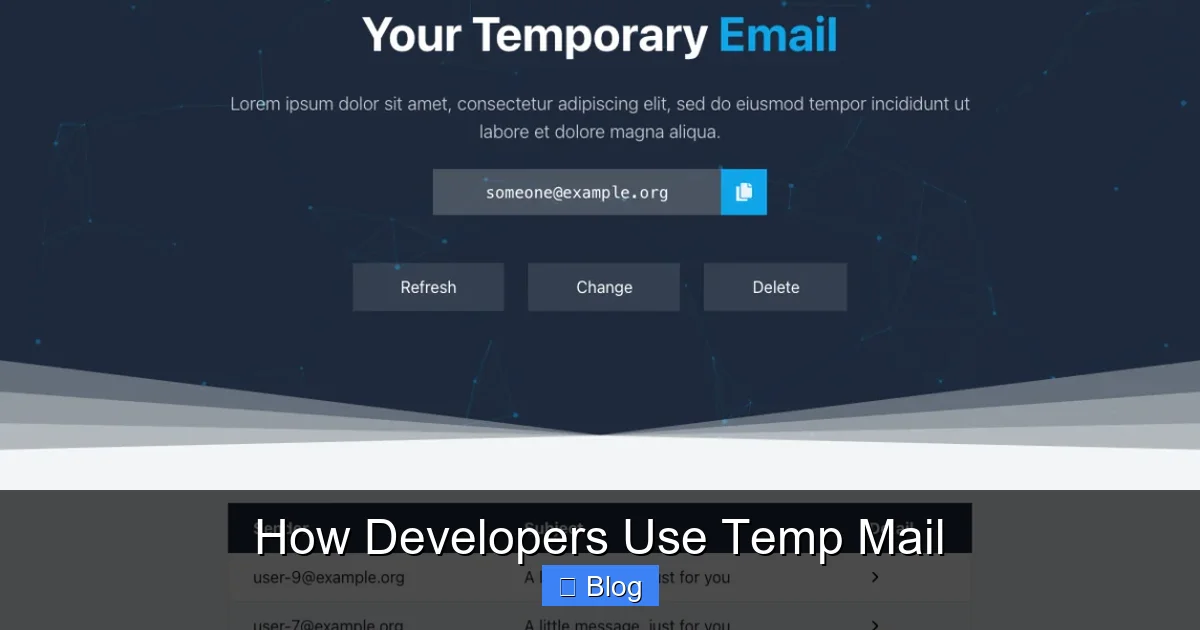
Visual guide about How Developers Use Temp Mail
Image source: i0.wp.com
1. Testing Signup and Verification Flows
Every app needs user signups. But testing email verification? It’s tedious. Without temp mail, devs might:
- Use personal emails (risking spam).
- Create dummy accounts (wasting time).
- Skip tests (inviting bugs).
Temp mail fixes this. A developer can:
- Generate a temp address via API.
- Submit it during signup.
- Fetch the verification email instantly.
- Extract the link/code and complete the flow.
Example: Testing a React signup form with Node.js backend:
// Generate temp email
const tempEmail = await fetchTempEmail();

// Submit signup
await axios.post('/api/signup', { email: tempEmail });

// Fetch verification email
const email = await fetchLatestEmail(tempEmail);
const verifyLink = extractLink(email.body);

// Complete verification
await axios.get(verifyLink);
This entire process takes seconds—not minutes. No manual inbox checks. No clutter.
2. Handling Password Resets and OTPs
Password reset flows are critical (and often broken). Temp mail lets devs test them end-to-end:
- Request a reset for a temp address.
- Retrieve the OTP or link via API.
- Validate the reset succeeds.
Why does this matter? Real users get locked out if resets fail. Temp mail catches these bugs early. Plus, it avoids spamming real users during testing. One developer shared: “I found a bug where OTPs expired in 30 seconds—not 10 minutes—because I could test 50 resets in a row with temp mail.”
3. Avoiding Blacklists and Spam Filters
Email providers like Gmail or SendGrid flag domains sending “suspicious” volumes. If you test 100 signups from @yourcompany.com, you might get blacklisted. Temp mail sidesteps this:
- Test emails go to disposable domains (e.g.,
@tempmail.dev). - No risk to your primary domain’s reputation.
- Safe for high-volume testing (e.g., load tests).
This is huge for SaaS teams. One startup avoided a crisis when their staging environment sent 500 test emails/hour—all via temp mail. Their production domain stayed pristine.
4. Privacy Protection with Third-Party Services
Integrating APIs like Stripe or Twilio? You often need to sign up for sandbox accounts. But handing over your real email? Risky. Temp mail lets you:
- Create sandbox accounts anonymously.
- Test webhooks without exposing personal data.
- Delete accounts instantly after testing.
Example: Testing a payment webhook:
// Sign up for Stripe test account with temp email
const tempEmail = generateTempEmail();
await stripe.createTestAccount({ email: tempEmail });

// Trigger a test payment
await stripe.createPaymentIntent();

// Verify webhook hit your endpoint
No trace left behind. Your real inbox stays clean.
5. Security Testing and Threat Simulation
Temp mail is a hacker’s best friend (in a good way!). Developers use it to:
- Simulate brute-force attacks (e.g., 100 signup attempts).
- Test how apps handle suspicious emails (e.g., from blacklisted domains).
- Validate rate-limiting on email endpoints.
One security engineer noted: “We used temp mail to flood our signup API with 1,000 requests. It exposed a flaw where we weren’t blocking disposable domains—fixing it prevented real abuse.”
Choosing the Right Temp Mail Service: A Developer’s Checklist
Not all temp mail services are equal. Picking the wrong one can waste time or compromise security. Here’s what devs prioritize.

Visual guide about How Developers Use Temp Mail
Image source: opengraph.githubassets.com
API Reliability and Speed
Temp mail is useless if it’s slow. Developers need:
- Low latency: Address generation in < 500ms.
- High uptime: 99.9%+ SLA for critical workflows.
- Rate limits: Enough throughput for load tests (e.g., 100 reqs/sec).
Top services like TempMail API or Mailosaur excel here. Avoid free tiers with 10-req/minute limits—they’ll bottleneck your tests.
Security and Compliance
Temp mail handles sensitive data (verification links, OTPs). Ensure the service:
- Uses HTTPS for all requests.
- Doesn’t store emails beyond expiration.
- Complies with GDPR/CCPA (if testing EU users).
Never use sketchy free services that sell email data. Stick to reputable providers with clear privacy policies.
Integration Flexibility
The best temp mail tools play nice with dev stacks:
- Language support: SDKs for Python, Node.js, Ruby, etc.
- Webhook support: Push emails to your endpoint instead of polling.
- Custom domains: Use
@yourapp.testfor realistic testing.
For example, Mailosaur offers a Node.js SDK that simplifies email fetching:
const mailosaur = require('mailosaur')(API_KEY);
const serverId = 'test123';
const email = await mailosaur.messages.get(serverId, {
  sentTo: 'test@yourapp.test'
});
Cost vs. Value
Free services work for hobby projects, but teams need paid tiers:
- Free: Good for learning (e.g., Guerrilla Mail).
- Paid: Essential for teams (e.g., $10–$50/month for 10K emails).
Calculate ROI: If temp mail saves 5 hours/week of manual testing, it pays for itself at $20/month.
Best Practices: Using Temp Mail Like a Pro
Temp mail is powerful—but misuse causes headaches. Follow these developer-tested tips.
Automate Everything
Manual temp mail checks kill productivity. Instead:
- Wrap temp mail calls in reusable functions (e.g.,
getTempEmail()). - Use webhooks to auto-process incoming emails.
- Integrate with testing frameworks (e.g., Jest, Cypress).
Example Cypress test for signup:
it('completes signup', () => {
  cy.generateTempEmail().then((email) => {
    cy.visit('/signup');
    cy.get('#email').type(email);
    cy.get('#submit').click();
    cy.fetchVerificationEmail(email).then((link) => {
      cy.visit(link);
      cy.contains('Welcome!');
    });
  });
});
Clean Up Relentlessly
Temp mail addresses expire, but test data lingers. Always:
- Delete test accounts after validation.
- Reset databases between test runs.
- Use transactional emails (not marketing) for tests.
One team avoided a production bug by cleaning temp accounts post-test—otherwise, real users saw “email already exists” errors.
Combine with Other Testing Tools
Temp mail shines when paired with:
- Mock services: Simulate email sends without real delivery.
- Local SMTP servers: Like MailHog for offline testing.
- Browser automation: Selenium/Cypress to handle email links.
For instance, use MailHog to catch emails locally, then temp mail for edge cases (e.g., testing with real providers).
Ethical Boundaries: What NOT to Do
Temp mail is for testing—not deception. Avoid:
- Using it to bypass signup limits on production apps.
- Creating fake accounts for fraud or spam.
- Ignoring terms of service (some sites ban disposable emails).
When in doubt: If it feels shady, don’t do it. Temp mail’s value is in responsible development.
The Future of Temp Mail in Development
Temp mail isn’t going away—it’s evolving. Here’s what’s next.
AI-Powered Email Analysis
Future services will auto-parse emails for:
- Verification links (no manual extraction).
- OTP codes (directly inject into tests).
- Error messages (e.g., “Invalid email” alerts).
Imagine: Your test framework reads an email and auto-clicks the “Confirm” button. No code needed.
Seamless CI/CD Integration
Temp mail will become native to pipelines:
- Generate addresses during build stages.
- Run email tests in parallel.
- Fail builds if verification fails.
Tools like GitHub Actions could soon include temp mail steps out-of-the-box.
Enhanced Security Features
As threats grow, expect:
- Temp domains with DMARC/SPF pre-configured.
- Anomaly detection (e.g., flagging suspicious test patterns).
- Compliance certifications (SOC 2, HIPAA).
For healthcare or finance apps, this is non-negotiable.
The Rise of “Smart” Disposable Emails
Beyond basic temp mail, services will offer:
- Context-aware addresses: e.g.,
signup-test-2024@yourapp.devfor traceability. - Team sharing: Collaborate on test inboxes.
- Historical logs: Audit trails for compliance.
Temp mail is maturing from a hack to a professional tool.
Conclusion: Temp Mail as a Development Essential
Temp mail isn’t just a convenience—it’s a cornerstone of modern development. It solves real problems: spam overload, testing bottlenecks, privacy risks, and security gaps. By automating email-dependent workflows, it frees developers to focus on building great products, not inbox management.
The best part? It’s accessible to everyone. Whether you’re a solo dev or part of a 100-person team, temp mail scales with you. Start small: Use it for your next signup test. Automate one workflow. Feel the time savings. As one senior engineer told me: “I can’t imagine testing without temp mail now. It’s like forgetting your keyboard existed.”
So, next time you’re drowning in test emails, remember: Temp mail is your lifeline. Embrace it, use it ethically, and watch your productivity soar. Your inbox (and your sanity) will thank you.
Frequently Asked Questions
Is temp mail safe for testing sensitive data?
Yes, when used correctly. Reputable temp mail services don’t store emails beyond expiration and use encryption. Avoid free services with unclear privacy policies. Never send real PII (like credit cards) through temp mail—use mock data instead.
Can temp mail addresses receive attachments?
Most services support attachments, but size limits vary (typically 10–25 MB). Check your provider’s docs. For large files, pair temp mail with cloud storage links in test emails.
Will using temp mail get my domain blacklisted?
No—if you’re sending from your domain to temp mail addresses. Blacklists target senders, not recipients. Just avoid sending high volumes of test emails from production domains; use staging environments instead.
Are there legal restrictions on using temp mail?
Generally no for development/testing. However, avoid using it to bypass signup limits on production apps (violates most ToS). Always use temp mail ethically—never for fraud or spam.
How do I handle emails that never arrive in temp mail?
First, check spam filters in your temp mail dashboard. Ensure your app isn’t blocking disposable domains. Use services with real-time delivery logs. If issues persist, switch providers—reliability varies.
Can I use temp mail for production user signups?
Not recommended. Many legitimate users avoid disposable emails, and some services (like banking apps) block them. Use temp mail only for testing. For production, validate real emails via double opt-in.