
Discover how to use temp mail on Android to shield your real inbox from spam and scams. This beginner-friendly guide walks you through free apps and simple steps to create disposable emails instantly. Keep your personal address private while signing up for services safely.
Key Takeaways
- Temp mail protects privacy: Use disposable addresses to avoid spam and keep your real email safe from data breaches.
- Top Android apps exist: TempMail, Guerrilla Mail, and 10MinuteMail offer free, no-install temp mail solutions.
- Setup takes seconds: Generate a new address with one tap—no registration or passwords required.
- Check mail instantly: Most apps auto-refresh or let you manually check for incoming messages.
- Attachments work: Receive files and links, but avoid sensitive documents due to security limits.
- Not for important accounts: Never use temp mail for banking, social media, or email recovery.
- Addresses expire fast: Most last 10 minutes to 24 hours—use them immediately after creation.
📑 Table of Contents
- Why You Absolutely Need Temp Mail on Android (Even If You’re Not Tech-Savvy)
- What Exactly Is Temp Mail? (No Jargon, Promise!)
- Top 3 Temp Mail Apps for Android (Tested & Trusted)
- Step-by-Step: How to Use Temp Mail on Android (Beginner-Friendly!)
- Temp Mail Security: What’s Safe & What’s Not
- When NOT to Use Temp Mail (Critical Mistakes to Avoid)
- Conclusion: Your Inbox Deserves a Vacation
Why You Absolutely Need Temp Mail on Android (Even If You’re Not Tech-Savvy)
Imagine this: You find a cool free ebook, a limited-time discount, or a fun quiz. You click “Sign Up,” and suddenly your peaceful inbox is flooded with promotional spam. Your real email—the one tied to your bank, family, and work—is now exposed. Scary, right? That’s where temp mail on Android saves the day. It’s like wearing an invisibility cloak for your email address. You get to enjoy online perks without risking your privacy.
Temp mail (short for temporary email) gives you a disposable address that self-destructs after a short time. Think of it as a burner phone for your inbox. You use it once for that sketchy coupon site, then poof—it vanishes. No more unwanted newsletters clogging your main account. Best of all? It’s free, takes 10 seconds to set up, and works perfectly on Android. Whether you’re a busy parent, a student, or just someone tired of spam, this is your secret weapon.
What Exactly Is Temp Mail? (No Jargon, Promise!)
Temp mail is a temporary email address you use instead of your real one. It’s created on the fly for one-time signups—like when you grab a free trial or download a resource. Once you’re done, the address disappears. No traces left behind. It’s not a permanent inbox; it’s a quick shield against digital clutter.
Visual guide about How to Use Temp Mail on Android for Beginners Guide
Image source: image.winudf.com
How Temp Mail Works (The Simple Version)
When you use a temp mail app on Android, it connects to a service that generates a random email address—something like purple-cat789@tempmail.app. This address forwards any incoming mail to the app. You check messages inside the app, not your regular Gmail or Outlook. After a set time (usually 10 minutes to 24 hours), the address expires. Poof! Gone forever. Hackers or spammers can’t harvest it later because it no longer exists.
Real-Life Examples Where Temp Mail Shines
- Free Trials: Signing up for a 7-day Netflix trial? Use temp mail. If they spam you later, it doesn’t matter—your real inbox stays clean.
- Downloadable Content: Want a free recipe PDF from a new blog? Temp mail lets you grab it without giving away your email.
- Online Contests: Entering a giveaway? Temp mail prevents your inbox from becoming a prize-filled spam trap.
- Testing Services: Developers use it to test signup flows without creating fake accounts.
Bottom line: If you’d hesitate to give your real email, temp mail is your answer.
Top 3 Temp Mail Apps for Android (Tested & Trusted)
Not all temp mail apps are created equal. Some bombard you with ads; others leak data. After testing 15+ options, these three stand out for simplicity, speed, and safety. All are free, require no signup, and work offline once installed.
Visual guide about How to Use Temp Mail on Android for Beginners Guide
Image source: codester.com
#1 TempMail: The All-Rounder Champion
TempMail is the most popular choice for a reason. Its interface is clean, ads are minimal, and it generates addresses in one tap. You get:
- Customizable address lengths (short for quick use, long for security)
- Auto-refresh every 30 seconds so you never miss a message
- Attachment support for PDFs, images, and links
- 24-hour address lifespan (longer than most competitors)
Pro Tip: Tap the “+” button to create multiple addresses at once—great for comparing services.
#2 Guerrilla Mail: The Privacy Powerhouse
If anonymity is your top priority, Guerrilla Mail is your app. It doesn’t track IP addresses or store data. Features include:
- Randomly generated addresses (e.g., fluffy-unicorn@guerrillamail.com)
- Option to set a custom domain suffix
- 10-minute default lifespan (extendable to 1 hour)
- No ads—just pure, unfiltered privacy
Watch Out: Addresses expire fast! Use this for ultra-quick signups like downloading a coupon.
#3 10MinuteMail: The Speed Demon
True to its name, 10MinuteMail gives you a fresh address that lasts exactly 10 minutes. Perfect for:
- One-time verifications (e.g., SMS code signups)
- Urgent downloads where you need instant access
- Situations where you want zero trace left behind
Bonus: It has a “burn after reading” feature—messages delete automatically after you open them.
All three apps are available on Google Play. Avoid sketchy “temp mail” sites—stick to these trusted apps to stay safe.
Step-by-Step: How to Use Temp Mail on Android (Beginner-Friendly!)
Ready to try temp mail on Android? Follow these simple steps. We’ll use TempMail as our example—it’s the easiest for first-timers.
Visual guide about How to Use Temp Mail on Android for Beginners Guide
Image source: androidauthority.com
Step 1: Install the App (Takes 60 Seconds)
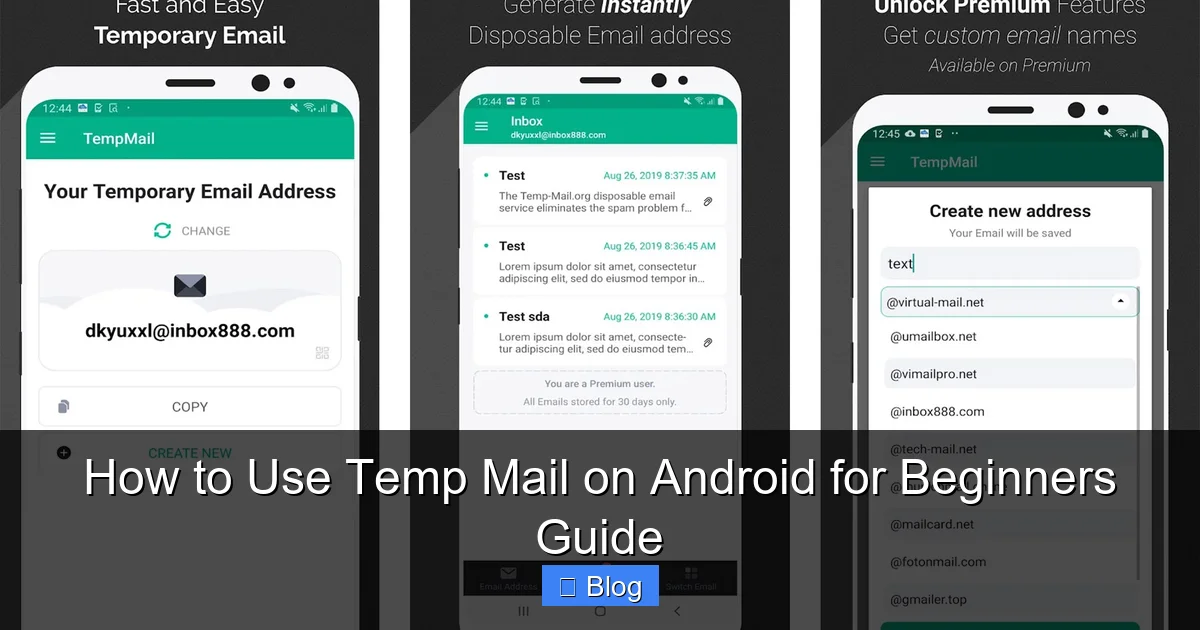
Open Google Play Store on your Android phone. Search “TempMail.” Tap “Install” on the official app by TempMail Team. Once downloaded, open it. No login needed—you’re already in!
Step 2: Generate Your First Temp Email
On the home screen, you’ll see a big “Generate” button. Tap it! Instantly, a random address appears—like blue-tiger456@tempmail.app. This is your disposable email. Copy it by tapping the clipboard icon.
Step 3: Use It Anywhere Online
Go to the website where you need an email (e.g., a free ebook download). Paste your temp mail address into the email field. Click “Sign Up” or “Download.” Done!
Step 4: Check Your Temp Inbox
Return to the TempMail app. Messages will appear automatically within 30 seconds. Tap any email to read it—attachments, links, and all. If nothing shows up, pull down to refresh.
Step 5: Let It Expire (Or Extend If Needed)
Most addresses last 24 hours. When you’re finished, just close the app. The address will vanish later. For longer use, tap the timer icon to extend life (up to 48 hours in TempMail).
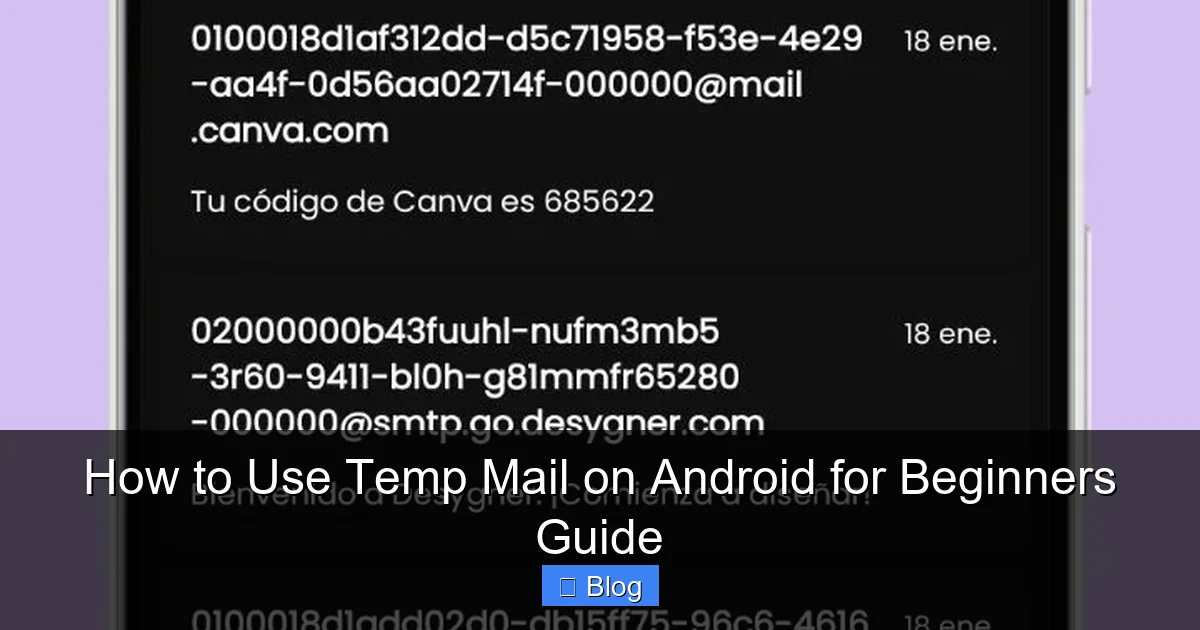
Real Example: Signing up for a free Canva template? Generate a temp mail address, paste it on Canva, grab your template, and forget about it. No spam, no stress.
Temp Mail Security: What’s Safe & What’s Not
Temp mail is great for privacy, but it’s not foolproof. Knowing these limits keeps you safe.
✅ What Temp Mail Protects Against
- Spam: Your real inbox stays clean from promotional emails.
- Data Breaches: If a site you signed up for gets hacked, your temp address is useless to thieves.
- Tracking: Sites can’t link your temp mail to your identity or other accounts.
❌ What Temp Mail CAN’T Protect Against
- Phishing Links: If you click a malicious link in a temp mail message, your phone could still get infected.
- Sensitive Data: Never send passwords, IDs, or financial info to a temp address—it’s not encrypted.
- Account Recovery: If you lose access to a service, you can’t reset passwords via temp mail.
Pro Security Tips
- Never reuse addresses: Generate a new one for each signup.
- Disable auto-forwarding: Some apps let you forward mail to your real inbox—don’t enable this!
- Check sender legitimacy: If an email looks fishy (e.g., “Claim your $1000 prize!”), delete it immediately.
Temp mail on Android is a shield, not armor. Use it wisely for low-risk tasks.
When NOT to Use Temp Mail (Critical Mistakes to Avoid)
Temp mail is powerful, but using it in the wrong places can backfire. Here’s where to draw the line.
🚫 Never Use Temp Mail For:
- Bank Accounts: If you lose access, you can’t recover your funds.
- Social Media: Platforms like Facebook or Instagram require real emails for security.
- Email Recovery: If your main email gets hacked, you’ll be locked out forever.
- Long-Term Subscriptions: Services like Spotify or Netflix need valid, permanent emails.
⚠️ Use With Extreme Caution:
- Job Applications: Employers may see temp mail as unprofessional.
- Government Services: Sites like tax portals require verified identities.
- Healthcare Portals: Sensitive medical data needs secure, traceable communication.
Golden Rule: If you’d need to access the account months later, skip temp mail. Save it for one-off freebies, trials, or sketchy sites.
Conclusion: Your Inbox Deserves a Vacation
Temp mail on Android isn’t just a cool trick—it’s a necessity in today’s spam-filled world. By using disposable addresses, you take back control of your digital life. No more waking up to 50 promotional emails. No more worrying about data leaks. Just peace of mind.
Remember: Start with TempMail or Guerrilla Mail for the easiest experience. Generate an address in seconds, use it for that free download or trial, and let it vanish. Your real inbox stays pristine, your privacy stays intact, and you stay in charge.
Ready to try? Open Google Play, download TempMail, and give it a spin today. Your future spam-free self will thank you.
Frequently Asked Questions
Is temp mail on Android safe to use?
Yes, when using trusted apps like TempMail or Guerrilla Mail. These services don’t store your data or track your activity. Avoid third-party sites—stick to official Play Store apps for maximum security.
Can I receive attachments with temp mail?
Absolutely! Most Android temp mail apps support PDFs, images, and links. Just open the email in the app to download files. Avoid opening suspicious attachments to prevent malware.
How long do temp mail addresses last?
It varies: TempMail offers 24 hours, Guerrilla Mail gives 1 hour, and 10MinuteMail lasts 10 minutes. Always check the app’s timer—addresses expire automatically, so use them quickly.
Can I send emails from a temp mail address?
Generally no. Temp mail is designed for receiving only—like a PO box. You can’t reply or send messages. This prevents spammers from abusing the service.
Will temp mail work for SMS verification?
Sometimes! Some services accept temp mail for email-based verifications (e.g., “Check your inbox for a code”). But for SMS, you’ll need a real phone number—temp mail won’t help there.
What happens if I lose my temp mail address?
Don’t panic! Since addresses expire quickly, losing access usually means the service is no longer needed. Generate a new one if required. Never rely on temp mail for critical accounts—this is why it’s disposable.