
Using temp mail for Netflix offers quick privacy during sign-up but carries significant risks like account suspension or blocked access. While it hides your real email from spam, Netflix’s systems often detect and restrict disposable addresses. This guide explains the process honestly, highlights critical limitations, and suggests safer alternatives for managing your streaming privacy.
Key Takeaways
- Temp mail provides short-term privacy: It shields your primary email from Netflix’s marketing and potential data breaches during initial sign-up.
- High risk of account issues: Netflix frequently blocks or suspends accounts using disposable emails due to fraud prevention policies.
- Free trials are often unusable: Most temp mail services won’t receive Netflix’s verification or payment confirmation emails, blocking trial activation.
- Not suitable for long-term use: You’ll lose access to account recovery, billing notices, and important service updates sent to the temp address.
- Safer alternatives exist: Consider burner email services with longer lifespans, alias features (like Apple Hide My Email), or dedicated streaming emails.
- Always check Netflix’s Terms: Using temp mail may violate Netflix’s policies, potentially leading to permanent account termination.
- Privacy vs. functionality trade-off: Weigh the minor privacy gain against the high likelihood of losing access to your Netflix account and content.
📑 Table of Contents
- Why Would Someone Want Temp Mail for Netflix?
- What Exactly is Temp Mail (and How Does it Work)?
- Step-by-Step: Attempting to Use Temp Mail for Netflix Sign-Up
- The Ugly Truth: Risks and Limitations of Temp Mail for Netflix
- Safer, Smarter Alternatives to Temp Mail for Netflix Privacy
- When Temp Mail *Might* Be Tolerable (Rare Exceptions)
- Conclusion: Prioritize Functionality Over Fleeting Privacy
Why Would Someone Want Temp Mail for Netflix?
Let’s be real: signing up for yet another streaming service can feel like handing over your personal info on a silver platter. You type in your real email, hit submit, and *bam* – your inbox is suddenly flooded with Netflix newsletters, promotional offers, and “you might also like” suggestions. For many folks, the idea of using a temporary email address (temp mail) for Netflix seems like a simple privacy hack. It promises to keep your main email address hidden from Netflix’s marketing machines and shield you from potential spam if their systems ever get compromised.
The appeal is easy to understand. Temp mail services generate brand-new, disposable email addresses in seconds. You use this fake address solely for the Netflix sign-up process. Once you’re done, the address vanishes or becomes inactive, theoretically cutting off the spam stream at the source. It feels like a clever workaround, especially if you’re just testing out Netflix’s free trial or sharing an account temporarily. But here’s the crucial part: Netflix isn’t stupid. Their systems are sophisticated, designed to catch fraud and abuse. What seems like a harmless privacy trick often triggers red flags, leading to blocked sign-ups, suspended accounts, or worse. Before you grab that temp mail link, let’s dive deep into how it *actually* works with Netflix – the good, the bad, and the downright frustrating.
What Exactly is Temp Mail (and How Does it Work)?
Temp mail, short for temporary email, is a service that provides you with a random, disposable email address. Think of it like a一次性 phone number for your inbox. You visit a temp mail website (like TempMail.org, 10MinuteMail.com, or Guerrilla Mail), and it instantly generates a unique email address – something like bluecat789@tempmail.io. This address exists only for a short period, usually 10 minutes to a few hours, though some services offer longer durations.
Visual guide about How To Use Temp Mail For Netflix
Image source: tab-tv.com
The Basic Mechanics: A Quick Breakdown
Here’s the simple flow:
- Generate: You visit a temp mail site. No sign-up needed. It creates a random email address for you.
- Use: You copy that address and paste it wherever a real email is required – like during Netflix sign-up.
- Receive (Maybe): If the service (Netflix) sends a verification email, it lands in the temp mail inbox on that same website. You can refresh the page to check for it.
- Expire: After the set time (or when you close the tab), the address becomes invalid. Any emails sent to it afterward bounce or are lost forever.
The core promise is anonymity and spam prevention. Your real email stays private. But this very nature – short-lived, random, and often linked to known disposable domains – is what makes temp mail a red flag for services like Netflix. They see thousands of sign-ups from these domains daily, often associated with fraud, fake accounts, or trial abuse. It’s like trying to enter a club using a fake ID that screams “I’m not real” to the bouncer.
Step-by-Step: Attempting to Use Temp Mail for Netflix Sign-Up
Okay, you’ve decided to give it a shot despite the warnings. Here’s exactly how the process *typically* unfolds. Remember, success is far from guaranteed, and Netflix frequently blocks these attempts outright.
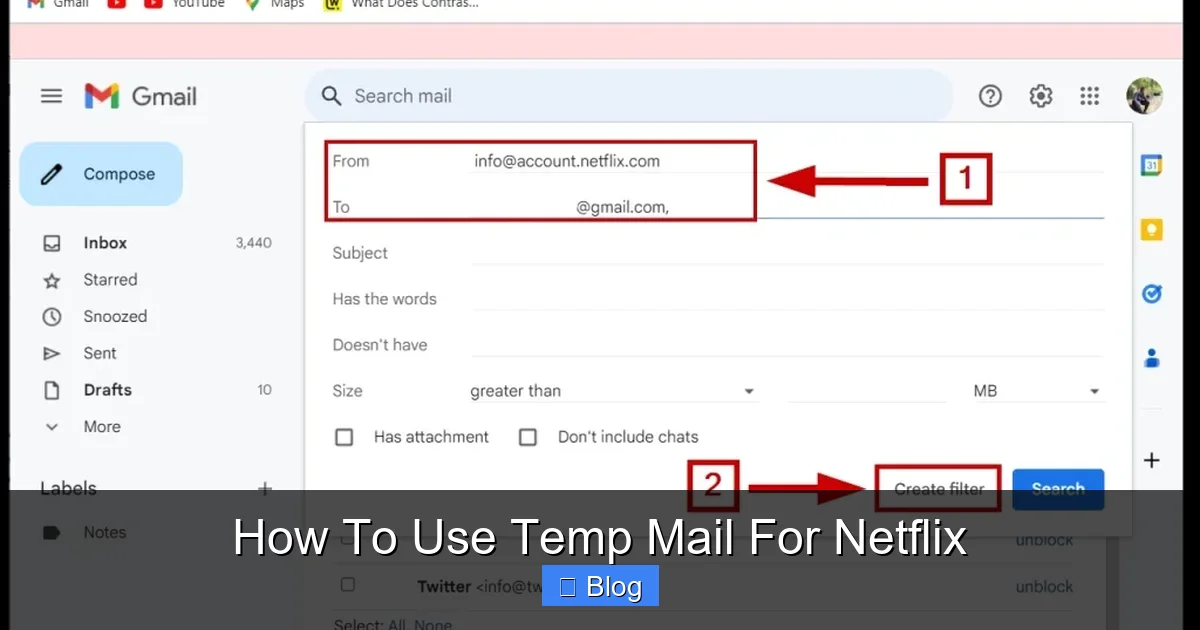
Visual guide about How To Use Temp Mail For Netflix
Image source: tab-tv.com
Step 1: Choosing and Generating Your Temp Mail Address
Fire up your favorite temp mail service in a new browser tab. Popular free options include:
- TempMail.org
- 10MinuteMail.com
- Guerrilla Mail
- Mail.tm
- EmailOnDeck
Most sites require just one click to generate an address. Avoid services asking for your real email or payment – that defeats the purpose! Copy the generated address (e.g., streamingfan456@maildrop.cc) to your clipboard. Crucial Tip: Keep this temp mail tab open! You’ll need it to check for Netflix’s verification email.
Step 2: Starting the Netflix Sign-Up Process
Open a new tab or window and go to netflix.com. Click “Sign Up” or “Get Started.” Fill in the basic details: your name, the temp mail address you just copied, and create a password. Proceed through the steps as usual – selecting a plan, entering payment information (this is where things often go sideways).
Step 3: The Critical Verification Hurdle (Where Most Fail)
This is the make-or-break moment. After entering payment details, Netflix almost always sends a verification email to the address you provided. Here’s what happens next:
- Scenario A (Rare Success): You quickly switch back to your temp mail tab, refresh the inbox, and see Netflix’s “Verify Your Email” message. You click the link inside it within the temp mail service’s timeframe (often 10-30 mins). This might work if the temp mail domain isn’t yet blacklisted by Netflix.
- Scenario B (Common Failure – Domain Blocked): You refresh the temp mail inbox repeatedly… but nothing arrives. Netflix’s system detected the disposable domain (like
@maildrop.cc) and blocked the email from being sent, or flagged the entire sign-up attempt as suspicious. You might see an error on Netflix like “Invalid email” or “Sign-up failed” even before payment. - Scenario C (Common Failure – Trial Blocked): You get the verification email and click the link, but when Netflix tries to activate your free trial, it fails. Why? Because temp mail services often cannot receive payment confirmation emails or additional security checks required for trial activation. Netflix knows trials are prime targets for abuse with disposable emails.
Pro Tip (Limited Usefulness): Some users try generating a *new* temp mail address *after* entering payment but *before* verification, hoping a fresher domain slips through. This rarely works as Netflix’s systems update blocklists constantly.
Step 4: The Inevitable Dead End (Usually)
Even if you miraculously get past verification and trial activation (highly unlikely), you’ve created a massive problem: account recovery is impossible. If you forget your password, need to update payment info, or Netflix sends a critical security alert, that email goes to your vanished temp address. You are permanently locked out. Netflix support will not help you recover an account tied to a disposable email. Your only option is to create a brand new account with a real email – and you’ve likely wasted your one-time free trial.
The Ugly Truth: Risks and Limitations of Temp Mail for Netflix
Let’s cut through the hype. Using temp mail for Netflix isn’t just inconvenient; it’s actively risky and often counterproductive. Here’s why it’s generally a terrible idea:
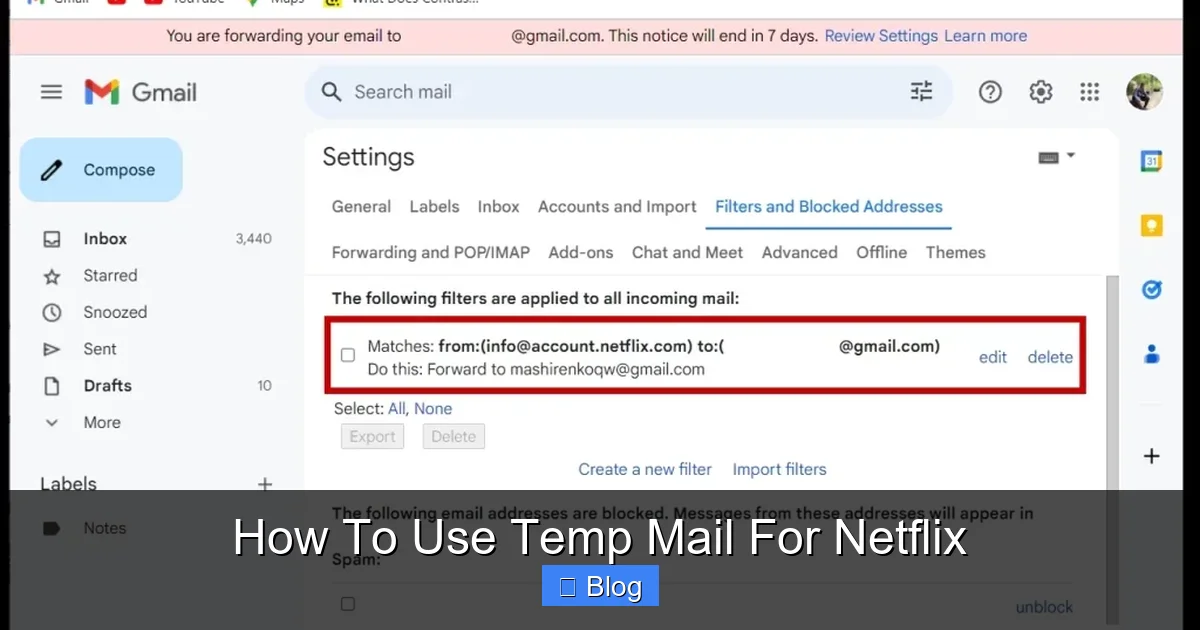
Visual guide about How To Use Temp Mail For Netflix
Image source: tab-tv.com
Netflix’s Aggressive Anti-Fraud Systems
Netflix invests heavily in preventing fraud, fake accounts, and trial abuse. Disposable email domains are a massive red flag in their system. They maintain extensive, constantly updated blocklists of known temp mail providers. When you sign up with an address from @tempmail.io or @10minutemail.net, their algorithms instantly flag it. Consequences are swift:
- Immediate Sign-Up Block: You get an error message before even entering payment details.
- Payment Verification Failure: Your card is charged (or a hold is placed), but the account isn’t activated because the email verification fails.
- Account Suspension: If you somehow get an account created, Netflix may suspend it days or weeks later during a routine fraud scan, locking you out of your content.
- Permanent Ban Risk: Repeated attempts or suspicious activity linked to your payment method could lead to a ban on that card or even your IP address.
It’s not paranoia; it’s standard practice for any major online service handling payments. Temp mail is the digital equivalent of trying to pay with a counterfeit bill.
The Free Trial Trap
This is the biggest practical killer. Netflix’s free trial is a prime target for abusers creating multiple accounts. Temp mail is the tool of choice for these scammers. As a result:
- Netflix has specifically hardened trial sign-ups against disposable emails.
- Verification emails for trials are often blocked at the server level before they even leave Netflix’s system.
- Even if you verify, the trial activation step frequently fails because the system detects the email’s disposable nature during the payment confirmation phase.
- You end up charged for a full month because the trial didn’t activate properly, with no way to recover the account to cancel.
Using temp mail for a Netflix trial is like bringing a water pistol to a gunfight – you’re almost certainly going to lose and get soaked (or charged).
Account Management Nightmare
Imagine this: You somehow got a Netflix account using temp mail. A month later, you want to:
- Change your password because you forgot it.
- Update your credit card because the old one expired.
- Check why your subscription renewed unexpectedly.
- Receive a security alert about a login from a new device.
Every single one of these actions requires an email sent to your account’s registered address. Since your temp mail address is long gone, you are completely locked out. Netflix’s help center will direct you to reset via email – which you can’t do. Calling support is futile; they cannot verify your identity without access to that email. Your account, and any profiles/watch history within it, is effectively orphaned. You’ve paid for a service you can’t use or manage.
Violation of Netflix’s Terms of Use
While not always explicitly stated in the main Terms, Netflix’s Acceptable Use Policy and general terms governing account creation strongly imply that providing accurate, verifiable information is required. Using a deliberately fake, non-functional email address to circumvent their systems almost certainly violates these terms. If Netflix discovers it (and they will, eventually), they reserve the right to:
- Terminate your account immediately without refund.
- Ban your payment method from future sign-ups.
- Take legal action in cases of significant fraud (though rare for individual users).
It’s simply not worth the risk of losing access to your favorite shows over a minor privacy concern that has better solutions.
Safer, Smarter Alternatives to Temp Mail for Netflix Privacy
Protecting your email privacy with Netflix doesn’t require risky temp mail gymnastics. Here are far more effective and reliable strategies:
Use a Dedicated “Streaming” Email Address
This is the gold standard for privacy-conscious streamers. Create a permanent, dedicated email address solely for your streaming services (Netflix, Hulu, Disney+, etc.). You can do this easily:
- Gmail: Create a new account like
netflix.streaming@gmail.com. Use Gmail’s powerful filters to automatically archive or label Netflix emails, keeping your main inbox clean. - ProtonMail/Tutanota: Use privacy-focused email providers. Create a specific address for streaming.
- SimpleLogin/AnonAddy: These services generate unique, forwardable email aliases (e.g.,
netflix.yourname@simplelogin.com) that forward to your real inbox. You can disable or delete the alias anytime if spam starts. This is arguably the BEST solution – you get privacy, full functionality, and control.
Why it’s better: Your account is fully functional. You receive all critical emails (verification, billing, security). You can manage the account forever. Netflix sees a “real” (though not your primary) email address, avoiding blocklists. Spam is contained to one inbox you can filter aggressively.
Leverage Email Aliasing (If Your Provider Supports It)
Some email providers offer built-in aliasing:
- Apple Hide My Email: (Part of iCloud+) Generates random, forwardable addresses that look real (e.g.,
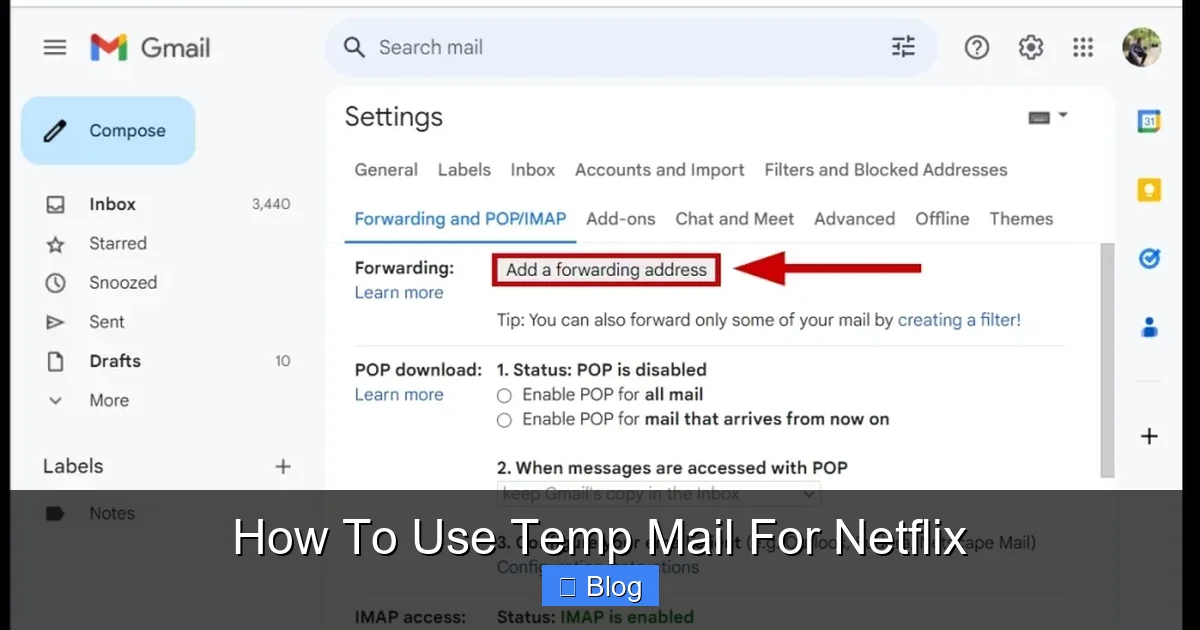
bluecat789@privaterelay.appleid.com). Emails forward to your iCloud inbox. You can disable the alias instantly. Works seamlessly with Netflix sign-up. - Gmail “Plus” Addressing: Add
+netflixto your username (e.g.,yourname+netflix@gmail.com). Netflix sees a unique address, but all mail goes to your main inbox. Use filters to manage it. (Note: Some services ignore the+part, but Netflix generally handles it correctly). - Firefox Relay: Similar to Apple’s service, generates email aliases.
Why it’s better: You maintain full control and access. Aliases appear legitimate to Netflix. You can easily block spam by disabling the alias without losing account access. No risk of being locked out.
Optimize Your Existing Email’s Privacy Settings
Before creating new addresses, maximize privacy on your current one:
- Unsubscribe Aggressively: Use Netflix’s own unsubscribe link in their marketing emails. It usually works.
- Use Filters/Labels: In Gmail/Outlook, create a filter that automatically applies a label (like “Netflix”) and skips the inbox for emails from
no-reply@netflix.comor similar. Check this folder periodically for important notices. - Disable Marketing Preferences: Log into your Netflix account > Profile & Parental Controls > Account > Communication Preferences. Turn off “Netflix marketing emails” and “Third-party marketing emails.” This significantly reduces spam at the source.
Why it’s better: Zero risk of account issues. Uses the email address Netflix already trusts. Simple to set up and maintain.
Consider a “Burner” Email Service (Use with Caution)
If you absolutely need a separate address but want more longevity than temp mail, consider services offering longer-lived disposable addresses:
- SimpleLogin/AnonAddy: As mentioned earlier, these are ideal. Aliases can be permanent or set to expire after a long time (e.g., 1 year).
- Firefox Relay: Offers persistent aliases.
- Some “Premium” Temp Mail: A few services (like Mail.tm) offer addresses that last days or weeks for a small fee, but Netflix may still block them. Proceed with extreme caution.
Crucial Note: Even these “better” disposable options carry some risk of being blocked by Netflix over time, though less immediately than classic 10-minute temp mail. They are still inferior to a dedicated permanent address or aliasing service for long-term account management.
When Temp Mail *Might* Be Tolerable (Rare Exceptions)
Let’s be clear: We do not recommend using temp mail for Netflix. The risks vastly outweigh any minor benefit. However, if you’re still curious about scenarios where it *least* likely to cause immediate disaster (though problems will likely arise later), consider:
Testing a New Temp Mail Service (Not for Real Use)
If you’re evaluating a *new* temp mail provider and want to see if Netflix blocks it *right now*, you could attempt a sign-up purely for research. Do not use real payment info! Use a virtual card with a $0.01 limit or a disposable card service (like Privacy.com) set to block charges above $0.01. Understand that even this “test” might fail due to domain blocking, and the result only tells you about *that specific moment* – blocklists update hourly.
Extreme, Short-Term Privacy Paranoia (Not Recommended)
If you’re signing up on a public computer in a high-surveillance environment and are terrified of your *real* email being logged, temp mail *might* add a tiny layer of obfuscation for the initial sign-up step. However:
- Netflix will still link the account to your payment method (the real identifier).
- You’ll be locked out immediately after sign-up due to lack of verification.
- Using a dedicated burner email (as described earlier) is a vastly superior solution for this scenario.
Even in this edge case, the downsides make temp mail a poor choice. The privacy gain is negligible compared to the functional loss.
The Verdict on Exceptions
Honestly? There are no good, practical reasons to use standard temp mail for a real, functional Netflix account you intend to keep and use. The potential for immediate failure, account lockout, and violation of terms is simply too high. The alternatives listed above are easier, safer, and more reliable. Save the temp mail for truly disposable sign-ups where account recovery doesn’t matter – like a one-time forum comment or a website that requires email but offers no value beyond that single interaction. Netflix is not that website.
Conclusion: Prioritize Functionality Over Fleeting Privacy
Let’s wrap this up plainly: Don’t use temp mail for Netflix. It’s a solution in search of a problem, and the problem it solves (minor email spam) is easily addressed with far better tools that don’t jeopardize your access to Stranger Things or The Crown. The allure of hiding your email for a few minutes is completely overshadowed by the high probability of getting your account blocked, losing your free trial, or being permanently locked out when you need to manage your subscription.
Netflix’s systems are designed to protect themselves and legitimate users. Disposable emails are a glaring signal of potential abuse in their eyes. Fighting this system with temp mail is like trying to sneak past a bouncer by wearing a disguise made of tissue paper – it might work for a split second, but you’ll be spotted and ejected before you reach the bar. The frustration of a failed sign-up or a suspended account isn’t worth the negligible privacy benefit.
Instead, invest five minutes in a smarter approach. Create a dedicated streaming email address, set up a simple alias using Apple Hide My Email or SimpleLogin, or just tweak the filters on your existing inbox. These methods give you genuine, long-term privacy control without the constant fear of losing access. You’ll keep your account secure, receive important notifications, and avoid the headache of explaining to Netflix support why you can’t access the email tied to your account (spoiler: they won’t help).
Your streaming experience should be about enjoying great content, not wrestling with email verification failures. Ditch the temp mail gamble. Embrace a solution that actually works – your future self, trying to reset a password at 2 AM, will thank you. Protect your privacy intelligently, and keep the focus on what really matters: finding that perfect show to binge.
Frequently Asked Questions
Can Netflix detect and block temp mail addresses?
Absolutely yes. Netflix employs sophisticated fraud detection systems that actively maintain blocklists of known disposable email domains. Sign-ups using addresses from services like TempMail.org or 10MinuteMail.com are frequently blocked immediately during registration or shortly after, often before the free trial can even activate.
Will using temp mail get my Netflix account suspended?
Yes, it’s highly likely. Even if you manage to create an account using temp mail, Netflix routinely scans for accounts with disposable emails. Discovery usually results in immediate suspension or termination of the account, as it violates their policies against providing false or non-functional contact information. You will lose access to all content and profiles.
Can I use temp mail to get the Netflix free trial?
Practically no. Netflix has specifically hardened its free trial process against disposable emails. Verification emails are often blocked from being sent to temp mail domains, and even if received, the trial activation step frequently fails due to the email’s disposable nature. You’re very likely to be charged for a full month without ever getting the trial.
What happens if I lose access to the temp mail address after signing up?
You are completely locked out of your Netflix account forever. Password resets, billing updates, security alerts, and any account recovery process require access to the registered email. Since the temp mail address expires quickly and cannot be recovered, Netflix support cannot verify your identity or help you regain access. Your account becomes unusable.
Is using temp mail for Netflix safe for my payment information?
While your payment details are processed securely by Netflix (or their payment processor), using temp mail introduces significant risk. If the sign-up fails due to email issues, you might still see a charge or authorization hold on your card for a service you can’t access. More critically, the account lockout means you can’t easily manage or cancel the subscription later, potentially leading to unexpected charges.
What’s the best alternative to temp mail for Netflix privacy?
The best alternatives are email aliasing services like Apple Hide My Email, SimpleLogin, or AnonAddy. These generate unique, forwardable email addresses that look legitimate to Netflix but route mail to your real inbox. You retain full account access, receive all critical emails, and can disable the alias instantly if spam becomes an issue – all without triggering Netflix’s fraud systems.