
Temp mail lets you create disposable email addresses instantly, shielding your real inbox from spam and scams. This beginner-friendly tutorial walks you through every step—from choosing a service to receiving and managing emails—so you can sign up for free trials, forums, or newsletters without risking your primary email. It’s fast, free, and essential for modern online privacy.
Key Takeaways
- Temp mail creates disposable email addresses: Generate unique, short-lived inboxes to protect your real email from spam and data breaches.
- It’s incredibly easy to use: Most services require just one click—no sign-ups, downloads, or technical skills needed.
- Ideal for one-time sign-ups: Perfect for free trials, forums, downloads, or newsletters where you don’t want long-term contact.
- Emails expire automatically: Inboxes typically last 10 minutes to 48 hours, keeping your digital footprint clean.
- Never use for sensitive accounts: Avoid banking, social media, or important services—temp mail isn’t secure for critical data.
- Multiple services exist: Popular options include TempMail, 10MinuteMail, and Guerrilla Mail—all free and browser-based.
- Always check spam risks: Some sites block temp mail domains, so have a backup plan if a sign-up fails.
📑 Table of Contents
- Why Temp Mail Is Your Secret Weapon for Online Privacy
- What Exactly Is Temp Mail? (And Why You Need It)
- Choosing the Right Temp Mail Service for Beginners
- How to Use Temp Mail Step by Step: A Beginner’s Walkthrough
- Advanced Temp Mail Tips: Beyond the Basics
- Temp Mail Safety: What You MUST Know
- Conclusion: Take Control of Your Inbox Today
Why Temp Mail Is Your Secret Weapon for Online Privacy
Imagine signing up for a free Netflix trial, downloading a cool app, or joining a forum—only to have your inbox flooded with spam for months. Sound familiar? That’s where temp mail saves the day. Temp mail (short for “temporary email”) gives you a disposable email address that self-destructs after a short time. Think of it like a burner phone for your inbox: use it once, then toss it. No strings attached.
In today’s world, sharing your real email feels risky. Hackers target data breaches, companies sell your info, and even innocent sign-ups can lead to relentless marketing emails. Temp mail acts as a shield. You get the access you need—without handing over your personal identity. Best of all? It takes less than 60 seconds to set up. Whether you’re a casual internet user or a privacy pro, this tool is a game-changer. Let’s dive into how to use temp mail step by step—no tech expertise required.
What Exactly Is Temp Mail? (And Why You Need It)
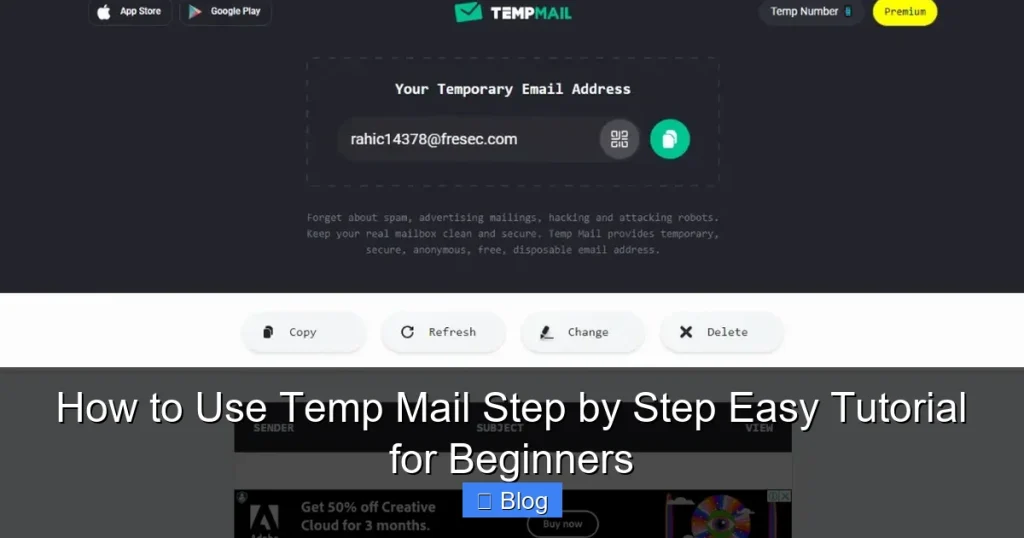
Temp mail is a free service that generates a random email address on the fly. Unlike your Gmail or Outlook, this address isn’t permanent. It lives in a temporary inbox hosted by the service provider—and vanishes after a set time. Most temp mail inboxes expire in 10 minutes to 48 hours, though some let you extend them.

Visual guide about How to Use Temp Mail Step by Step Easy Tutorial for Beginners
Image source: temp-mail.io
How Temp Mail Works Behind the Scenes
When you visit a temp mail website, it instantly creates a unique email address—like bluecat742@tempmail.com. This address routes all incoming emails to a virtual inbox you control via the website. No app installs, no passwords, no fuss. When the inbox expires, the address disappears forever. Your real email? Untouched.
Real-Life Scenarios Where Temp Mail Shines
- Free trials: Sign up for Spotify Premium or Amazon Prime without committing your main email.
- One-time downloads: Grab a free ebook or software tool from a sketchy site.
- Forum registrations: Join Reddit or niche communities anonymously.
- Newsletter sampling: Test a newsletter before using your real address.
- Avoiding spam traps: Sites like Craigslist or classifieds often require email verification—temp mail keeps your inbox clean.
For example, say you want to download a free Photoshop brush pack from a forum. Instead of using your personal Gmail, you generate a temp mail address. The forum sends a verification link to that temp inbox—you click it, get your brushes, and walk away. No spam, no trace.
Choosing the Right Temp Mail Service for Beginners
Not all temp mail services are created equal. Some offer longer inboxes, extra features, or better reliability. As a beginner, prioritize simplicity and speed. Here’s what to look for:
Visual guide about How to Use Temp Mail Step by Step Easy Tutorial for Beginners
Image source: cdn.browsercam.com
Top 3 Beginner-Friendly Temp Mail Services
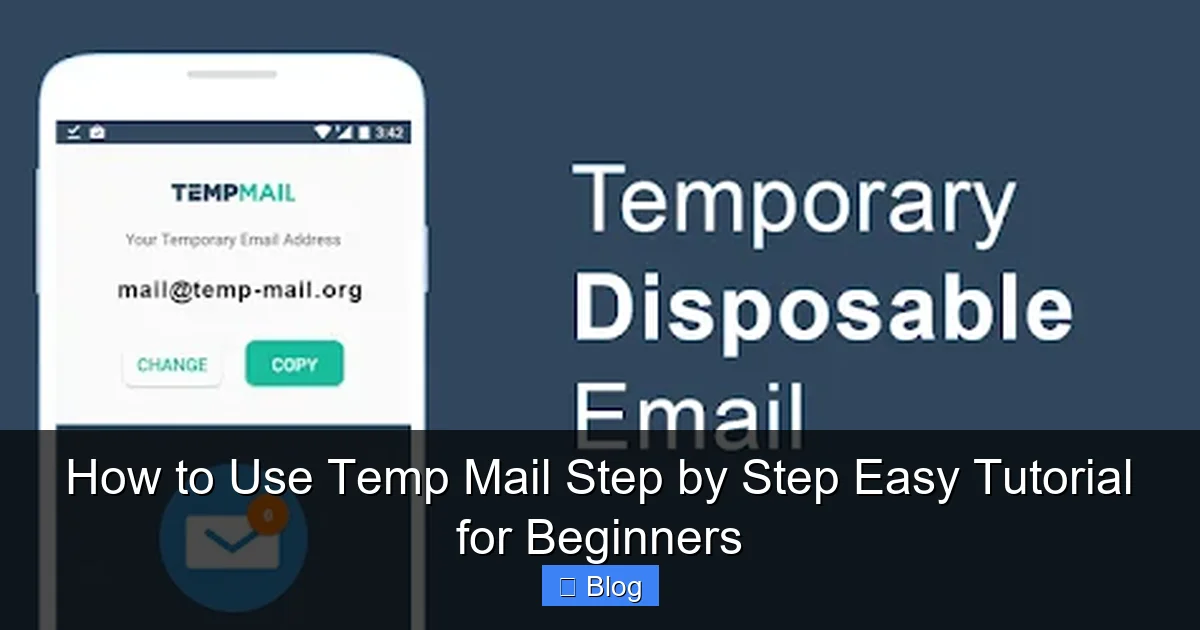
- TempMail.org: The most popular choice. Generates addresses instantly, supports 48-hour inboxes, and has a clean interface. No ads clutter the screen.
- 10MinuteMail.com: As the name suggests, inboxes last 10 minutes (extendable to 60). Perfect for ultra-quick sign-ups like coupon downloads.
- GuerrillaMail.com: Offers 60-minute inboxes and lets you customize your address (e.g., yourname@guerrillamail.com). Great if you want a slightly more personal touch.
Key Features to Compare
When picking a service, check:
- Inbox lifespan: How long do emails stay? (Aim for 10+ minutes for most tasks.)
- Ease of use: Can you generate an address in one click?
- Mobile-friendliness: Does it work smoothly on phones?
- Ad intrusion: Some free services bombard you with pop-ups—avoid those.
- Domain variety: Services with multiple domains (e.g., @tempmail.net, @mailtemp.org) reduce the chance of being blocked.
Pro tip: Bookmark your favorite temp mail site. When you need it, just open the tab—no searching required. For absolute beginners, TempMail.org is the safest starting point. It’s intuitive, reliable, and works on any device.
How to Use Temp Mail Step by Step: A Beginner’s Walkthrough
Ready to try temp mail? Follow these simple steps. We’ll use TempMail.org as our example—it’s the most beginner-friendly platform. The whole process takes under 2 minutes.
Visual guide about How to Use Temp Mail Step by Step Easy Tutorial for Beginners
Image source: businesspara.com
Step 1: Open the Temp Mail Website
Open your browser (Chrome, Safari, Firefox—any works). Type tempmail.org into the address bar and hit Enter. You’ll land on a clean page with a big orange button labeled “Generate Email.” No sign-up needed—this is the magic of temp mail.
Step 2: Generate Your Temporary Email Address
Click the “Generate Email” button. Instantly, a random address appears—like jollypanda42@tempmail.org. This is your disposable inbox. The page also shows a timer counting down from 48:00:00 (hours:minutes:seconds). That’s how long your inbox stays active.
Pro tip: If you don’t like the address, click “Generate Email” again. You can refresh it as many times as you want!
Step 3: Copy Your Temp Mail Address
Click the clipboard icon next to your email address. It copies to your clipboard automatically. Now, navigate to the website where you need to sign up—say, a free Canva template library or a gaming forum.
Step 4: Paste the Address and Complete Sign-Up
On the sign-up page, paste your temp mail address into the email field (Ctrl+V or Cmd+V). Fill in any other required details—username, password, etc. Hit “Sign Up” or “Register.”
Example: You’re signing up for a free Udemy course. Paste your temp mail address, add a password, and click “Join Now.” The site will send a verification email to your temp inbox.
Step 5: Check Your Temp Mail Inbox
Go back to tempmail.org. Your inbox will now show the verification email. Click “Refresh” if it doesn’t appear immediately (emails can take 10-30 seconds). Open the email and click any links inside—like “Verify Email” or “Confirm Account.”
Troubleshooting tip: If the email isn’t there, check the “Spam” folder on the temp mail site. Some services route automated emails there first.
Step 6: Use Your Account (Then Walk Away)
Once verified, you’re all set! Use the service as needed—download your file, access the course, etc. When you’re done, simply close the tab. Your temp mail inbox will expire in 48 hours (or whatever timeframe you chose), and the address vanishes forever.
Important: Never use temp mail for accounts requiring long-term access—like banking or social media. If you need to log back in later, you’ll lose access when the inbox expires.
Advanced Temp Mail Tips: Beyond the Basics
Once you’ve mastered the basics, these tricks will make temp mail even more powerful. They’re optional but super handy for frequent users.
Extending Your Inbox Lifespan
Most services let you “renew” your inbox. On TempMail.org, click the “Extend” button next to the timer. This adds 1 hour (or more, depending on the service). Use this if you’re waiting for a slow verification email or need extra time.
Customizing Your Email Address
Services like GuerrillaMail let you create semi-personalized addresses. Instead of random123@guerrillamail.com, try yourname@guerrillamail.com. This feels less spammy for certain sign-ups—like professional forums—while still keeping your real email private.
Using Temp Mail on Mobile Devices
Temp mail works flawlessly on phones. Open your mobile browser, go to the service’s site, and follow the same steps. For quicker access, add the site to your home screen (Chrome: tap the three dots > “Add to Home screen”). Now it’s just a tap away—no app store download needed.
Handling Email Forwarding (Rare but Useful)
A few premium temp mail services (like TempMail Pro) offer forwarding. This sends temp mail to your real inbox. Avoid this as a beginner—it defeats the purpose of anonymity. Only use it if you fully trust the service and need a temporary bridge for low-risk tasks.
What If a Site Blocks Temp Mail?
Some platforms (like PayPal or government sites) ban temp mail domains to prevent fraud. If you see “Invalid email” or “Disposable email not allowed,” try:
- Switching to a different temp mail service (e.g., from TempMail to 10MinuteMail).
- Using a less common domain (e.g., @mailtemp.org instead of @tempmail.com).
- Creating a dedicated “junk” email (like Gmail’s “plus addressing”: yourname+spam@gmail.com).
When all else fails, bite the bullet and use your real email—but unsubscribe immediately after.
Temp Mail Safety: What You MUST Know
Temp mail is fantastic for privacy—but it’s not foolproof. Treat it like a disposable coffee cup: great for one use, but don’t store your life savings in it.
Never Use Temp Mail For:
- Financial accounts: Banking, PayPal, or investment platforms require permanent, verified emails.
- Social media: If you lose access to your temp inbox, you lose your Facebook/Twitter account forever.
- Important communications: Job applications, medical portals, or legal documents need reliable email access.
- Password resets: If you forget a password, you’ll need that email to recover the account.
Security Risks to Avoid
While temp mail hides your real address, it doesn’t encrypt emails. Anyone with access to the temp mail service could theoretically read your messages. Never send sensitive data—like credit card numbers or personal IDs—to a temp inbox.
Also, some shady temp mail sites inject malware or track your activity. Stick to reputable services (TempMail, 10MinuteMail, GuerrillaMail) and avoid pop-up-heavy alternatives.
Temp Mail vs. Aliases: Which Is Safer?
Email aliases (like Apple’s Hide My Email or Firefox Relay) create permanent masked addresses that forward to your real inbox. They’re more secure for recurring use but require setup. Temp mail is better for true one-offs. Use aliases for newsletters you might keep; temp mail for that one-time forum sign-up.
Remember: Temp mail isn’t anonymous. Your IP address is still visible to the temp mail service. For true anonymity, pair it with a VPN—but that’s overkill for most beginners.
Conclusion: Take Control of Your Inbox Today
Temp mail is the unsung hero of online privacy. In just a few clicks, you shield your real email from spam, scams, and data leaks. No more deleting hundreds of promotional emails or worrying about breaches. You get instant access to free resources, trials, and communities—without leaving a trace.
As a beginner, start simple: bookmark TempMail.org, use it for your next free download, and see how liberating it feels. You’ll wonder how you ever browsed the web without it. Remember, temp mail isn’t about hiding from the law—it’s about reclaiming your right to privacy in a world that constantly demands your personal data. So go ahead, generate that disposable address, and enjoy a cleaner, safer inbox. Your future self will thank you.
Frequently Asked Questions
Is temp mail legal to use?
Yes, temp mail is completely legal. It’s a privacy tool designed to protect users from spam and data harvesting. However, using it for fraudulent activities (like fake sign-ups to scam services) is illegal—just like misusing any tool.
How long do temp mail inboxes last?
Most temp mail inboxes last between 10 minutes and 48 hours. Services like 10MinuteMail expire quickly (10-60 minutes), while TempMail.org offers 48-hour windows. You can often extend the time if needed.
Can I send emails from a temp mail address?
Generally, no. Temp mail services are receive-only—they’re designed for signing up to other sites, not sending messages. If you need to reply, use your real email or a dedicated service like SimpleLogin.
Will temp mail work for all websites?
Most sites accept temp mail, but some (like PayPal, government portals, or banking apps) block disposable domains to prevent fraud. If a site rejects your temp mail, try a different service or use a dedicated “junk” email address.
Is temp mail safe for downloading files?
Temp mail itself is safe for receiving download links, but always scan files for malware. The real risk comes from the source—avoid downloading from untrusted sites, even with temp mail protection.
Can I recover emails after the inbox expires?
No. Once the temp mail inbox expires, all emails are permanently deleted. If you need long-term access to something (like a course login), use a permanent email address instead.


