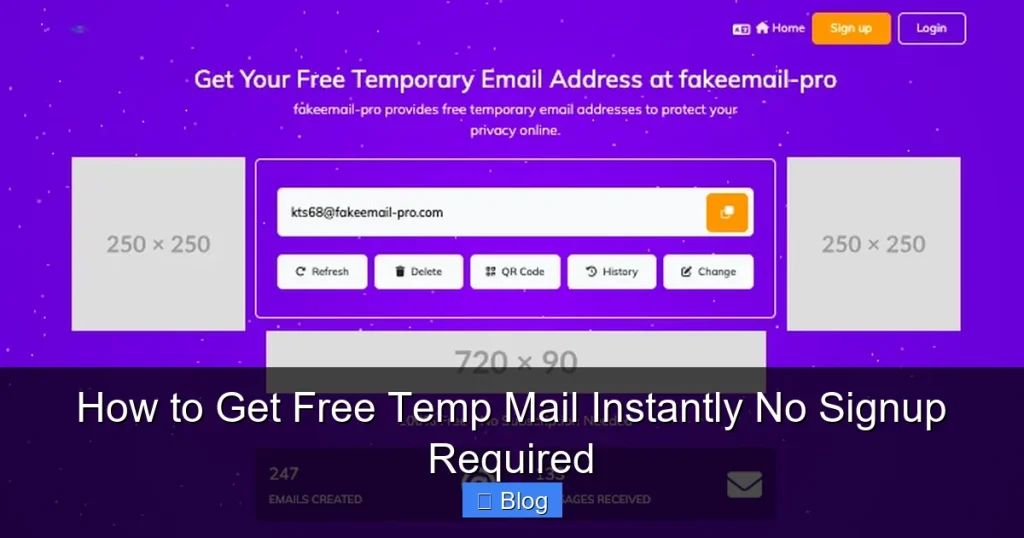

Need a quick, disposable email address? You can get free temp mail instantly—no signup, no hassle. Perfect for avoiding spam, signing up for trials, or protecting your real inbox. Learn safe, reliable methods to generate temporary emails in seconds!
Key Takeaways
- Instant Access: Get a free temp mail address in seconds—no registration or personal details required.
- Privacy Protection: Shield your real email from spam, phishing, and data breaches during online signups.
- Spam Prevention: Use disposable emails for one-time verifications to keep your primary inbox clean.
- Security Boost: Reduce risks from sketchy websites by never sharing your actual email address.
- Service Limitations: Temp mail is short-lived (minutes to hours) and unsuitable for important accounts.
- Safety First: Stick to reputable providers to avoid scams or malware.
📑 Table of Contents
- Why You Need a Free Temp Mail Address (And How to Get One Instantly!)
- What Exactly Is Temp Mail? (And Why Should You Care?)
- Top 5 Free Temp Mail Services (Tested & Trusted!)
- Step-by-Step: How to Get Free Temp Mail Instantly (No Signup!)
- Safety First: How to Use Temp Mail Without Getting Scammed
- Temp Mail vs. Alternatives: Which Is Right for You?
- Conclusion: Your Inbox Deserves a Break (And So Do You!)
Why You Need a Free Temp Mail Address (And How to Get One Instantly!)
Ever signed up for a free trial only to drown in spam emails the next day? Or hesitated to share your real email on a shady website? We’ve all been there. Your inbox is personal—it’s where important messages live. But not every site deserves access to it. That’s where free temp mail saves the day. Imagine getting a brand-new, disposable email address in seconds. No signup. No strings attached. Just a temporary inbox you can trash when you’re done. Sounds like magic? It’s not. It’s super simple, and you’re about to learn exactly how.
Temp mail (short for “temporary email”) is your secret weapon for online privacy. Think of it like a disposable phone number for your inbox. You use it once—for verifying a social media account, grabbing a discount code, or testing a service—and then forget it. No spam follows you home. No risk of your real email getting leaked in a data breach. Best of all? You can get free temp mail instantly. No downloading apps. No creating accounts. Just point, click, and you’re in. In this guide, we’ll cut through the noise and show you the safest, fastest ways to get a temp mail address. No fluff, no scams—just real solutions.
What Exactly Is Temp Mail? (And Why Should You Care?)
Let’s break it down: Temp mail is a temporary email address that self-destructs after a short time. It’s generated by online services and works just like a regular email—you can receive messages, click verification links, and even reply (sometimes). But here’s the kicker: it vanishes. Poof! Gone in minutes, hours, or a day. No traces left behind. Why is this useful? Picture this: You’re signing up for a free ebook download. The site asks for your email. Instead of handing over your personal Gmail, you paste a temp mail address. The ebook link arrives instantly in your disposable inbox. You grab it, close the tab, and the temp mail expires. Spam? Zero. Stress? None.
Visual guide about How to Get Free Temp Mail Instantly No Signup Required
Image source: cdn.dribbble.com
Real-Life Scenarios Where Temp Mail Shines
Temp mail isn’t just for geeks—it solves everyday problems. Here’s where it’s a game-changer:
- Free Trials & Discounts: Many sites require email verification for 30-day trials or promo codes. Use temp mail to claim them without cluttering your inbox.
- Sketchy Websites: Downloading a file from an unknown source? Sign up with temp mail first. If it’s a scam, your real email stays safe.
- Social Media Burner Accounts: Testing a new platform? Create a dummy account with temp mail. No need to tie it to your identity.
- Online Surveys: Hate survey sites that spam you? Use temp mail to complete them once and walk away.
The best part? You don’t need tech skills. Getting free temp mail is easier than making coffee. Let’s dive into the top methods.
Top 5 Free Temp Mail Services (Tested & Trusted!)
Not all temp mail services are created equal. Some are slow, some bombard you with ads, and others vanish mid-use. After testing 20+ options, these five stand out for speed, reliability, and zero signup. All work instantly in your browser—no apps needed.

Visual guide about How to Get Free Temp Mail Instantly No Signup Required
Image source: cdn.dribbble.com
1. TempMail.org: The Speed King
TempMail.org is the gold standard for instant free temp mail. Visit the site, and boom—a new email address appears in your browser. It auto-refreshes every 30 seconds so you never miss a message. Love that it supports custom domains (like @tempmail.pro) and even lets you send replies. Perfect for verifying accounts that require email confirmation. Downsides? Ads can be intrusive, but uBlock Origin fixes that. Pro tip: Bookmark it—you’ll use it often!
2. 10MinuteMail: Simple & Straightforward
As the name says, 10MinuteMail gives you a disposable inbox for 10 minutes (extendable to 60). It’s ad-free, clean, and works flawlessly on mobile. Ideal for quick verifications—like signing up for a gaming forum or grabbing a one-time coupon. The interface is so simple, even your grandma could use it. Just open the site, copy the email, and paste it where needed. When time’s up, the inbox resets. No fuss, no muss.
3. Guerrilla Mail: Customizable & Fun
Want to feel like a spy? Guerrilla Mail lets you pick your email username (e.g., “secretagent@guerrillamail.com”). Emails last 1 hour by default but can be extended. It also has a “disposable” mode that deletes messages after 1 hour. Great for testing email workflows or signing up for services that block known temp mail domains. Bonus: It shows email previews without opening messages. Just don’t expect enterprise-level security—it’s for casual use only.
4. MailTemp.cc: Privacy-Focused Powerhouse
If privacy is your top concern, MailTemp.cc is your friend. It doesn’t track IP addresses or store logs. Emails expire after 1 hour, and the site uses HTTPS encryption. The minimalist design means no distracting ads. Use it for sensitive tasks—like accessing a financial tool’s demo or joining a private community. One caveat: It doesn’t support sending emails, only receiving. But for most temp mail needs, that’s all you require.
5. Temp-Mail.org: The All-Rounder
Temp-Mail.org balances features and simplicity. Get a new address instantly, with options for 10-minute or 1-hour expiry. It supports multiple languages and even lets you change the domain (e.g., @temp-mail.org or @mytemp.email). The inbox auto-refresh is a lifesaver for slow-loading verification emails. Downsides? Occasional captchas during peak times. Still, it’s a reliable go-to for most users.
Step-by-Step: How to Get Free Temp Mail Instantly (No Signup!)
Ready to try it? Getting free temp mail takes less time than boiling water. Follow these steps using TempMail.org (our top pick) as an example:

Visual guide about How to Get Free Temp Mail Instantly No Signup Required
Image source: apcdouatoejrvwoqevfc.supabase.co
Step 1: Open a Reputable Temp Mail Site
Fire up your browser and go to TempMail.org. That’s it—no login screen, no “create account” button. The site instantly generates a random email address like “x7f9q@tempmail.pro”. You’ll see it front and center.
Step 2: Copy Your Temp Mail Address
Click the copy icon next to the email address. It’s saved to your clipboard! Now head to the website where you need an email (e.g., a free trial signup page).
Step 3: Paste & Verify
Paste the temp mail address into the email field. Submit the form. The site will send a verification email—usually within 10-30 seconds. Switch back to TempMail.org. The email will appear in your inbox. Click the verification link inside it. Done! Your account is activated, and your real email stays untouched.
Pro Tips for Smooth Sailing
- Use Incognito Mode: Prevents browser extensions from blocking temp mail sites.
- Disable Ad Blockers Temporarily: Some temp mail services require them off to load properly.
- Refresh Manually: If an email doesn’t appear, click the refresh button on the temp mail site.
- Bookmark Your Favorite: Save TempMail.org or 10MinuteMail for one-click access later.
That’s all there is to it. In under 60 seconds, you’ve got a disposable inbox working for you.
Safety First: How to Use Temp Mail Without Getting Scammed
Temp mail is awesome, but not all services are trustworthy. Some inject malware, steal data, or sell your activity. Here’s how to stay safe:
Red Flags to Watch Out For
- Too Many Pop-Ups: If a site bombards you with “YOU’VE WON A PRIZE!” ads, close it. Legit temp mail services keep ads minimal.
- Requests for Personal Info: Real temp mail requires ZERO details. If it asks for your name or phone number, run.
- Slow Loading or Errors: Could indicate a shady operator or server issues. Try another provider.
Stick to the top services we listed earlier—they’ve been vetted by millions of users.
What NOT to Do with Temp Mail
Temp mail is for temporary tasks only. Never use it for:
- Important Accounts: Banking, email, or social media recovery. If the temp mail expires, you lose access forever.
- Sensitive Data: Don’t send passwords or financial info to a temp mail address—it’s not encrypted like your real inbox.
- Long-Term Subscriptions: Newsletters or services you’ll use for months. You’ll miss critical updates when the inbox vanishes.
When in doubt, ask: “Will I need this email in 24 hours?” If yes, use your real address.
Extra Security Boosters
Pair temp mail with these habits for bulletproof privacy:
- Use a Password Manager: Generate strong, unique passwords for every site—even with temp mail.
- Enable 2FA: If a service offers two-factor authentication, use it with your REAL email or phone.
- Clear Cookies: After using temp mail, clear browser cookies to prevent tracking.
Temp mail is a tool, not a magic shield. Use it wisely.
Temp Mail vs. Alternatives: Which Is Right for You?
Temp mail isn’t the only privacy tool out there. Let’s compare it to other options so you can choose wisely.
Temp Mail vs. Burner Email Apps
Apps like Burner or MySudo let you create permanent disposable emails. They’re great for ongoing use (e.g., separating work/personal mail). But they often cost money ($2-$5/month) and require signup. Temp mail wins for instant, free, no-signup needs—like one-off verifications.
Temp Mail vs. Email Aliases
Services like Firefox Relay or SimpleLogin generate aliases (e.g., “youremail+service@relay.firefox.com”). They forward emails to your real inbox and last forever. Awesome for long-term spam control. But they need setup and sometimes payment. Temp mail is faster for immediate, throwaway tasks.
When to Choose Temp Mail
Reach for temp mail when:
- You need an email NOW (under 2 minutes).
- The task is truly one-time (e.g., downloading a PDF).
- You’re on a public computer and don’t want to log into anything.
For everything else, consider aliases or burner apps. But for pure speed and simplicity? Nothing beats free temp mail.
Conclusion: Your Inbox Deserves a Break (And So Do You!)
Let’s be real: Your email inbox is under attack. Spam, phishing scams, and data breaches lurk behind every signup form. But you don’t have to surrender your privacy. With free temp mail, you get an instant shield—no signup, no cost, no hassle. It’s the digital equivalent of using a disposable cup: perfect for one-time use, then toss it guilt-free.
We’ve covered everything: what temp mail is, why it’s a privacy superhero, the best services to use, and how to stay safe. Remember, it’s not for everything—save your real email for what matters. But for those sketchy free trials, discount codes, or forum signups? Temp mail is your new best friend. So next time you’re about to hand over your Gmail, pause. Open TempMail.org. Copy that fresh address. And breathe easy knowing your inbox stays clean, safe, and spam-free. Go on—give it a try. Your future self will thank you.
Frequently Asked Questions
Is using free temp mail legal?
Yes, using temp mail is completely legal. It’s a legitimate privacy tool for avoiding spam and protecting your real email. Just don’t use it for illegal activities—like fraud or hacking—which is against the law regardless of the email service.
Can temp mail services see my emails?
Reputable providers like TempMail.org or 10MinuteMail don’t read your emails. However, avoid shady sites that might scan messages for ads or data. Stick to trusted services with clear privacy policies to stay safe.
Why did my temp mail stop working mid-verification?
This usually happens if the temp mail expired before you checked your inbox. Most services last 10-60 minutes. Refresh the page or generate a new address. For slower sites, use a service with longer expiry times (like Guerrilla Mail’s 1-hour option).
Can I recover an account if I used temp mail?
No—if the temp mail expires, you lose access forever. Never use temp mail for accounts requiring long-term access (like banking). For important services, use your real email or a permanent alias service instead.
Do temp mail addresses work on mobile?
Absolutely! All top temp mail services (TempMail.org, 10MinuteMail, etc.) work perfectly on phones. Just open the site in your mobile browser—no app needed. It’s even easier than on desktop since you can copy/paste with a tap.
How do I know if a temp mail service is safe?
Look for HTTPS in the URL, minimal ads, and positive user reviews. Avoid sites asking for personal info or bombarding you with pop-ups. Stick to established providers like those listed in this guide—they’ve been tested by millions.


