
Stop giving out your real email address! A temporary email inbox lets you sign up for websites, trials, and services anonymously with a disposable address that self-destructs. It’s your instant shield against spam, phishing, and data leaks—no tech skills needed.
Key Takeaways
- Instant Privacy Shield: A temporary email inbox creates a disposable address for one-time sign-ups, keeping your real email safe from spam and data harvesting.
- Zero Commitment, Zero Clutter: These inboxes auto-delete after hours or days, eliminating unwanted newsletters and freeing your main inbox from junk.
- Free & Easy to Use: Most services require no registration—just visit a website, get a random address, and use it immediately.
- Critical for High-Risk Sites: Always use a temporary inbox for sketchy freebies, pirated content, or unknown platforms to avoid malware and scams.
- Not for Sensitive Logins: Never use disposable emails for banking, email, or accounts where you need long-term access or password resets.
- Mobile-Friendly Options Exist: Many services work seamlessly on phones via apps or mobile sites, so privacy protection is always in your pocket.
📑 Table of Contents
- What Is a Temporary Email Inbox? Your Privacy Power-Up
- Why Your Privacy Is Under Siege (And How a Temporary Inbox Fights Back)
- How to Use a Temporary Email Inbox: A Step-by-Step Guide
- Top Temporary Email Services Compared: Which One’s Right for You?
- Advanced Tips: Maximizing Your Temporary Email Inbox
- The Future of Temporary Email: Where Privacy Is Headed
- Conclusion: Your Privacy, Upgraded
What Is a Temporary Email Inbox? Your Privacy Power-Up
Imagine signing up for a free ebook, a discount code, or a quirky online quiz. You hand over your precious email address… and then the spam floodgates open. Suddenly, your inbox is drowning in promotional emails, suspicious links, and offers you never wanted. Sound familiar? This is where a temporary email inbox becomes your secret weapon.
A temporary email inbox isn’t magic—it’s a smart, disposable email address generated on the fly. Think of it like a burner phone number for your digital life. You use it for a single purpose (like claiming that free trial), and then it vanishes. Poof! No more spam cluttering your real inbox. No risk of your primary email being sold to data brokers. No fear of phishing attacks targeting your main account. It’s privacy, simplified.
How Does a Temporary Email Inbox Actually Work?
Here’s the beauty: it’s incredibly straightforward. You visit a temporary email service website (like TempMail, 10MinuteMail, or Guerrilla Mail). The site instantly generates a random, unique email address—something like bluecat732@tempmail.io. This address is yours to use for as long as the service keeps it active (usually 10 minutes to 48 hours).
When someone sends an email to that temporary address, the service captures it and displays it in your browser. You can read it, download attachments, or even reply—all without revealing your real email. Once the time limit expires, the address and all its emails disappear forever. No traces left behind. It’s like having a private mailbox that self-destructs after you’re done.
Why You Need This Privacy Tool Right Now
We live in an age of data exploitation. Every website you visit, every free app you download, and every contest you enter wants your email. And once they have it? It’s often sold, shared, or leaked in breaches. Remember the hundreds of data breaches reported yearly? Your email is likely floating around dark web markets right now.
A temporary email inbox cuts this risk at the source. By using a disposable address for non-essential sign-ups, you:
- Slash spam instantly: Say goodbye to endless “special offers” from sites you barely remember.
- Block phishing attempts: Sketchy sites can’t target your real email with malicious links.
- Prevent data harvesting: Stop companies from building detailed profiles of your online habits.
- Keep your inbox clean: Reserve your primary email for people and services that truly matter.
It’s not about being paranoid—it’s about being practical. Why give your real email to a site selling cat memes when a temporary one works just as well?
Why Your Privacy Is Under Siege (And How a Temporary Inbox Fights Back)
Let’s be real: your email address is digital gold. It’s the key to your online identity—used for everything from social media logins to banking alerts. Yet, we hand it out like candy. Free Wi-Fi at a café? Email required. Downloading a font? Email required. Signing up for a meme generator? You guessed it.
Visual guide about Temporary Email Inbox Your Secret Weapon for Privacy
Image source: blog.jvzoo.com
This casual sharing has consequences. Data brokers scrape emails from websites, building shadow profiles of your interests, location, and behavior. Spammers buy these lists and bombard you with scams. Hackers use leaked emails in credential-stuffing attacks (trying your email/password combo on other sites). And let’s not forget the sheer annoyance of a flooded inbox.
The Real Cost of “Just One Sign-Up”
That “free” PDF you downloaded? The site likely:
- Added your email to a mailing list you never consented to.
- Sold your address to third-party advertisers.
- Stored it in a database later hacked (exposing your email + IP address).
Within hours, you might see targeted ads for “PDF tools” or get phishing emails pretending to be from the site. A temporary email inbox stops this chain reaction before it starts. You get the resource (the PDF), and the site gets… nothing useful. Win-win.
Beyond Spam: Protecting Yourself from Bigger Threats
Temporary emails aren’t just spam filters—they’re armor against sophisticated attacks:
- Phishing defense: If a malicious site sends a fake “account verification” email, it goes to your disposable inbox. You never interact with it using your real email, so no risk of accidentally clicking a harmful link.
- Malware containment: Downloading a suspicious file? Have it sent to a temporary inbox first. If it’s infected, the damage is contained—your main email and devices stay safe.
- Identity theft prevention: Many scams start with harvesting emails. By using a burner address for low-stakes interactions, you keep your primary email out of criminal databases.
In short: a temporary email inbox turns risky online interactions into safe, anonymous transactions. It’s the digital equivalent of wearing a disguise to a crowded party—you get what you need without being recognized.
How to Use a Temporary Email Inbox: A Step-by-Step Guide
Using a temporary email inbox is easier than making coffee. Seriously. No apps to install, no accounts to create—just pure, instant privacy. Here’s how to do it:
Visual guide about Temporary Email Inbox Your Secret Weapon for Privacy
Image source: codester.com
Step 1: Pick a Reliable Service
Not all temporary email services are equal. Some are clunky, some have short lifespans, and a few might even log your data (yikes!). Stick with trusted names:
- TempMail.org: Huge address pool, 24-hour lifespan, clean interface.
- 10MinuteMail.com: Exactly what it says—10 minutes of anonymity. Perfect for quick verifications.
- GuerrillaMail.com: Customizable addresses, 60-minute default, spam filtering.
- MinuteInbox.com: Simple, mobile-friendly, 60-minute lifespan.
Pro Tip: Bookmark your favorite service! You’ll use it more than you think.
Step 2: Generate Your Disposable Address
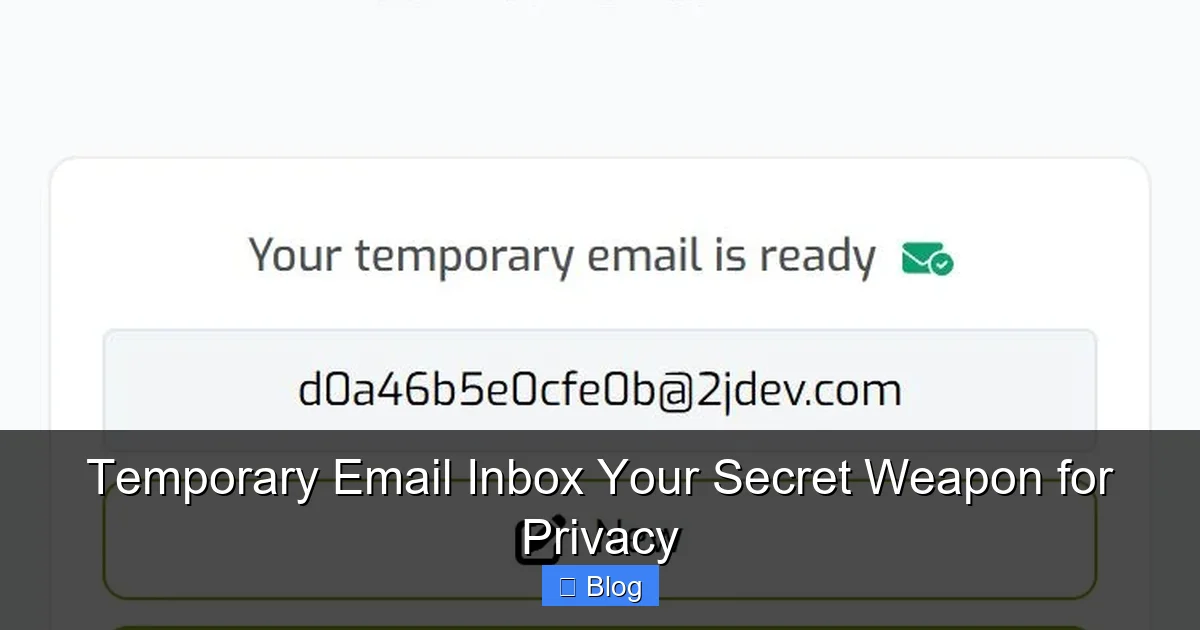
Visit the service’s website. Most will auto-generate an address the moment you land on the page. You’ll see something like:
yourbrandnewemail@tempmail.io
That’s it! No clicking “Generate” buttons—it’s ready to use. Some services let you customize the prefix (e.g., myfreeebook@tempmail.io), but random is usually safest.
Step 3: Use It Like a Real Email
Copy that temporary address and paste it wherever a website asks for your email. Sign up for that free webinar. Claim your discount code. Download that font. The site will send a confirmation email to your disposable inbox.
Step 4: Check Your Temporary Inbox
Stay on the temporary email service’s page. When the confirmation email arrives (usually within seconds), it’ll appear in a list. Click to open it—just like a regular inbox. Need to click a verification link? Do it right there. Downloading an attachment? Safe and easy.
Step 5: Let It Expire (or Extend It)
Most services auto-delete the inbox after a set time. TempMail keeps it for 24 hours; 10MinuteMail for… well, 10 minutes. If you need more time, many let you “renew” the inbox with one click. Once done, close the tab. The address vanishes, and all emails with it.
Real-Life Example: Claiming a Free Trial
You find a 30-day free trial for a project management tool. Normally, you’d hesitate—giving your email feels risky. Instead:
- Open TempMail.org in a new tab.
- Copy the auto-generated address: trialuser456@tempmail.io.
- Paste it into the sign-up form on the tool’s site.
- Check TempMail—click the confirmation link in seconds.
- Use the trial. When it ends, your real inbox stays spam-free.
No credit card needed. No future spam. Total peace of mind.
Top Temporary Email Services Compared: Which One’s Right for You?
With dozens of services out there, how do you choose? It depends on your needs. Let’s break down the best options:
Best for Quick Verifications: 10MinuteMail
If you just need to bypass an email check on a forum or download a file, 10MinuteMail is perfect. It gives you exactly 10 minutes—no more, no less. The interface is barebones but lightning-fast. No ads, no distractions. Ideal for one-off tasks where speed is key.
Best for Longer Tasks: TempMail
Need 24 hours to test a service or wait for a delayed confirmation? TempMail is the gold standard. It offers:
- A massive pool of domains (tempmail.io, tempmail.pro, etc.).
- 24-hour inbox lifespan (renewable).
- Clean, ad-light design.
- Mobile apps for iOS and Android.
It’s the most versatile choice for most users.
Best for Customization: Guerrilla Mail
Want to feel like a spy? Guerrilla Mail lets you set a custom prefix (e.g., mysecretcode@guerrillamail.com) and choose how long the inbox lasts (1-60 minutes). It also filters spam aggressively. Great if you’re signing up for multiple services and want to track which one sent what.
Best for Mobile Users: MinuteInbox
Most temporary email sites work on phones, but MinuteInbox is optimized for small screens. The layout is simple, buttons are large, and it loads fast on cellular data. No app needed—just visit the site in Safari or Chrome.
What to Avoid: Sketchy Services
Steer clear of services that:
- Require your real email to “activate” the temporary one.
- Have excessive pop-up ads or redirects.
- Don’t clearly state their privacy policy.
If a service feels shady, close the tab. Your privacy is worth more than a few seconds of convenience.
Advanced Tips: Maximizing Your Temporary Email Inbox
Once you’ve mastered the basics, these pro tips will make your temporary email inbox even more powerful:
Use It for Loyalty Programs & Newsletters
Signing up for a store’s loyalty program? Use a temporary email. You’ll get the discount code without future promotional emails. Same for newsletters—curious about a niche blog? Grab a disposable address. If you like it, switch to your real email later. If not? No harm done.
Create “Alias” Addresses for Specific Sites
Some services (like SimpleLogin or AnonAddy) let you create permanent aliases that forward to your real email. But for true one-offs, a temporary inbox is faster. For example:
- netflix_temp@tempmail.io for a free trial.
- amazon_giftcard@tempmail.io for a one-time purchase.
If you ever get spam from that address, you know exactly which site leaked it.
Combine with Other Privacy Tools
A temporary email inbox works best as part of a privacy stack:
- Use a password manager: Generate strong, unique passwords for every site—even those using temporary emails.
- Enable 2FA: Always add two-factor authentication to important accounts (but never use a temporary email for the 2FA setup!).
- Pair with a VPN: Hide your IP address while using disposable emails for extra anonymity.
This layered approach makes you nearly invisible online.
Avoid These Common Mistakes
Even pros slip up. Don’t:
- Use it for password resets: If you lose access to the temporary inbox, you’re locked out forever.
- Share it publicly: Posting a disposable address on social media defeats the purpose—spammers will flood it.
- Trust it with sensitive data: Never send financial docs or personal info to a temporary inbox.
Remember: it’s a shield for low-risk interactions, not a fortress for your life.
The Future of Temporary Email: Where Privacy Is Headed
Temporary email inboxes aren’t going away—they’re evolving. As data privacy laws tighten (like GDPR and CCPA) and users demand more control, disposable email tech is getting smarter:
AI-Powered Spam Filtering
Future services will use AI to instantly identify and block phishing attempts or malicious attachments—before they even hit your temporary inbox. Imagine a service that scans links in real-time and warns you: “This link leads to a known scam site.”
Seamless Browser Integration
Expect browser extensions that auto-generate temporary emails when you land on a sign-up page. One click, and the field fills with a disposable address—no tabs to switch or sites to visit.
Enterprise-Grade Disposable Emails
Businesses are adopting temporary email solutions for customer support and lead generation. Instead of giving clients their real support email, they use short-lived addresses that expire after the ticket closes. This reduces internal spam and protects employee inboxes.
The Push for Decentralization
New blockchain-based services are emerging, promising truly anonymous temporary emails with no central server to hack. While still niche, this could revolutionize privacy for activists, journalists, and everyday users.
One thing’s certain: as long as companies profit from your data, temporary email inboxes will remain essential. They’re not a trend—they’re a fundamental tool for digital self-defense.
Conclusion: Your Privacy, Upgraded
Let’s recap: a temporary email inbox is a free, foolproof way to keep your real email address out of the hands of spammers, scammers, and data hoarders. It takes seconds to use, requires zero technical skill, and delivers instant peace of mind. Whether you’re downloading a free resource, testing a new app, or signing up for a contest, this disposable address is your privacy power-up.
You wouldn’t hand your house keys to a stranger—so why give your email to every website that asks? With a temporary inbox, you get the best of both worlds: access to online services without the baggage. Your main inbox stays clean, your data stays private, and you stay in control.
Ready to try it? Bookmark TempMail.org or 10MinuteMail.com today. The next time a site demands your email, fire up your temporary inbox and sign up with confidence. Your future spam-free self will thank you.
Frequently Asked Questions
Is using a temporary email inbox legal?
Absolutely! Using disposable emails for privacy is 100% legal and ethical. It’s no different than using a PO box for mail—you’re simply controlling who gets your real contact information. Just avoid using them for illegal activities, which is true for any tool.
Can temporary email services read my emails?
Reputable services like TempMail or 10MinuteMail have strict privacy policies stating they don’t scan or store your email content. However, always check a service’s policy before using it—avoid ones that vague about data handling.
What happens if I need to recover an account later?
You can’t! That’s why temporary emails are only for one-time use. If you might need long-term access (like for a paid service), use your real email or a dedicated alias service instead. Never use a disposable inbox for banking, email, or critical accounts.
Do temporary emails work with all websites?
Most do, but some sites (like Facebook or Google) block known disposable email domains to prevent spam. For these, you’ll need your real email. Always have a backup plan—like a secondary personal email—for high-security sites.
Are mobile apps for temporary emails safe?
Official apps from trusted services (like TempMail’s iOS/Android apps) are generally safe. Avoid third-party apps with excessive permissions or poor reviews. When in doubt, use the mobile website version—it’s just as secure.
Can I send emails from a temporary inbox?
Yes! Most services let you reply to incoming emails or send new ones from the temporary address. However, replies often go to spam since disposable domains have low reputation scores. Use this feature sparingly—it’s mainly for verifying sign-ups.