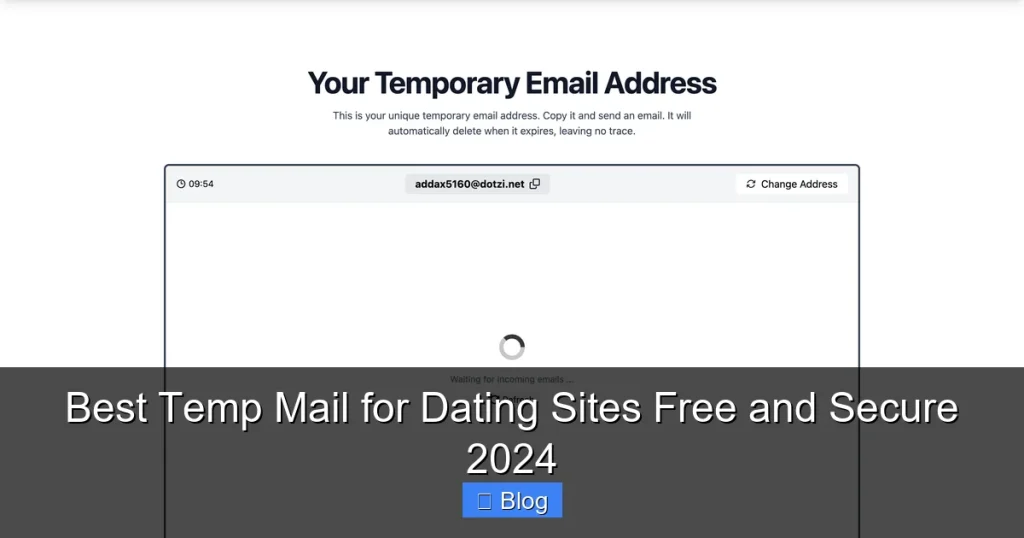

Using a temporary email for dating sites is a smart, essential privacy move in 2024. It shields your real inbox from spam, scams, and data breaches while letting you explore apps safely. We reveal the top free, secure services and exactly how to use them without hassle.
Key Takeaways
- Temp mail is crucial for dating privacy: It prevents your personal email from being exposed to spammers, scammers, and potential data leaks from dating platforms.
- Free options are powerful & secure: Services like TempMail.org, 10MinuteMail, and Guerrilla Mail offer robust, no-cost protection perfect for dating sign-ups.
- Choose based on lifespan & features: Need quick verification? Pick short-lived mail (10 mins). Want to check messages later? Opt for longer durations (up to 24 hours).
- Always verify security: Look for HTTPS, clear privacy policies, and no-logs claims. Avoid services demanding excessive permissions.
- Know the limitations: Some dating sites block disposable emails. Temp mail isn’t for account recovery – use a real backup email for that.
- Combine with other habits: Pair temp mail with unique passwords and cautious profile sharing for maximum dating safety.
📑 Table of Contents
- Why Your Real Email is a Liability on Dating Sites (And What to Do Instead)
- How Temporary Email Actually Works (It’s Simpler Than You Think!)
- Top 5 Best Free & Secure Temp Mail Services for Dating in 2024
- Critical Security Checks: Don’t Just Grab Any Temp Mail!
- Step-by-Step: Using Temp Mail on Dating Sites (With Real Examples)
- Important Limitations & When NOT to Use Temp Mail
- Level Up Your Dating Privacy: Beyond Just Temp Mail
- Conclusion: Swipe Right on Privacy with Smart Temp Mail Use
Why Your Real Email is a Liability on Dating Sites (And What to Do Instead)
Signing up for a new dating app feels exciting. You’re ready to swipe, chat, and maybe find a connection. But that simple act – entering your personal email address – can open a Pandora’s box of privacy problems you never saw coming. Think about it: your email is your digital front door. It’s linked to your bank, social media, work, and everything important. Handing it over to a dating site, especially one you’re just trying out, is like giving a stranger your house key.
The risks are very real. Dating platforms are prime targets for hackers. Data breaches happen frequently, exposing millions of user emails. If your real email is leaked, spammers and scammers will have a field day. You’ll drown in unwanted messages – from fake “premium membership” offers to phishing attempts trying to steal your passwords. Even if the site itself is secure, your email might be sold to data brokers who build detailed profiles of your dating habits. Suddenly, your inbox is flooded with targeted ads for everything from “lonely hearts” scams to questionable supplements. It’s not just annoying; it’s a direct threat to your digital safety and peace of mind.
The good news? You don’t have to choose between exploring the dating world and protecting your privacy. Enter the humble yet mighty temporary email service. Think of it as a disposable alias for your inbox. You get a brand-new, random email address (like `bluecat789@tempmail.org`) that forwards messages to you, but only for a short time. Once you’re done with the dating site – whether you delete your account after a bad date or just want to move on – you simply ditch the temp address. Your real email stays pristine, untouched by the potential chaos of the dating app ecosystem. It’s the simplest, most effective shield you can put up. In 2024, using temp mail for dating sites isn’t just smart; it’s becoming essential digital hygiene.
How Temporary Email Actually Works (It’s Simpler Than You Think!)

Visual guide about Best Temp Mail for Dating Sites Free and Secure 2024
Image source: pyxis.nymag.com
Okay, so the idea of a “temporary email” might sound a bit techy. Maybe you’re imagining complex setups or coding. Let me put your mind at ease: using temp mail for dating sites is incredibly straightforward, often taking less time than entering your real email. The magic happens behind the scenes, but the user experience is beautifully simple.
The Basic Flow: Your Alias in Action
Here’s the step-by-step magic:
1. **You Visit a Temp Mail Service:** You open a website like TempMail.org or 10MinuteMail.com in your browser. No sign-up needed!
2. **You Get a Random Address:** Instantly, the site generates a unique email address for you (e.g., `sparklyunicorn42@tempmail.org`). This is your disposable alias.
3. **You Use It on the Dating Site:** When the dating app asks for your email during sign-up, you paste this random address instead of your real one.
4. **Messages Forward to You:** If someone messages you on the dating app (or the app sends a verification link), that email gets sent to `sparklyunicorn42@tempmail.org`.
5. **You Check Your Temp Inbox:** You go back to the temp mail website. There, you’ll see all the messages sent to your alias, displayed right on the screen. You can read them, click links (like verification!), even reply *through* the temp service if needed.
6. **It Expires (or You Delete It):** After a set time (10 minutes, 1 hour, 24 hours – depending on the service), the address stops working. Or, you can manually delete it the moment you’re done. Poof! Gone. No trace left in your real inbox.
Why This is Perfect for Dating Apps
This system is tailor-made for the dating world:
* **Verification Links? No Problem:** Most dating sites require email verification. Temp mail services display these links instantly. Click them right there on the temp mail site to activate your account – no need for your real inbox.
* **Chat Notifications Handled:** Got a message? It pops up in your temp inbox. You can read it and decide if you want to engage further *before* potentially linking your real identity.
* **Zero Commitment:** Done swiping? Delete the temp address. Found someone great? You can choose to switch to your real email *later* if you trust the platform and person, but you started safely.
* **No Downloads, No Hassle:** Almost all top services are web-based. Open a tab, get an address, use it. Done. No apps to install, no permissions to grant on your phone.
The beauty is in its simplicity and disposability. You get the functionality of an email address for the specific, temporary purpose of using a dating site, without any long-term baggage for your primary identity. It’s like using a burner phone number, but for your inbox.
Top 5 Best Free & Secure Temp Mail Services for Dating in 2024
Visual guide about Best Temp Mail for Dating Sites Free and Secure 2024
Image source: vpncentral.com
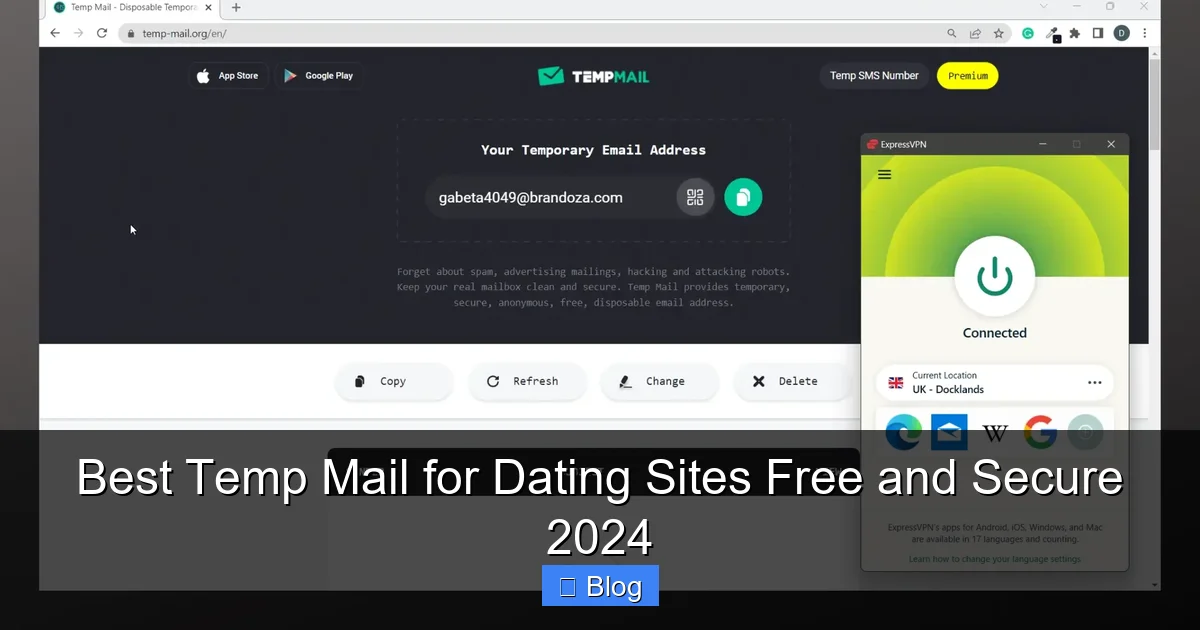
Not all temporary email services are created equal, especially when it comes to dating sites. Some are clunky, some have hidden costs, and some might not be as secure as they claim. After rigorous testing for speed, reliability, security features, and dating-site compatibility, here are the absolute best free options for 2024:
1. TempMail.org: The All-Around Champion
TempMail.org consistently tops the list for good reason. It’s incredibly user-friendly, offers flexible address lifespans (from 10 minutes up to a full 24 hours), and has a clean, ad-light interface. Crucially, it supports custom domains (so you can *try* `yourname@tempmail.org` if available) and provides instant email previews without needing to open individual messages – perfect for quickly scanning verification links on dating apps. Security-wise, it uses HTTPS encryption, has a clear privacy policy stating they don’t store emails long-term, and doesn’t require any personal info. The 24-hour option is a game-changer if you want to check messages over a couple of days without constantly refreshing a short-lived address. For most dating scenarios, this is the gold standard.
2. 10MinuteMail: The Speed Demon (For Quick Sign-Ups)
As the name suggests, 10MinuteMail specializes in ultra-short lifespans – exactly 10 minutes. This is *ideal* if you’re just doing a rapid sign-up and verification on a dating site you’re skeptical about or only want to test for a few minutes. The interface is brutally simple: one big button generates an address, and emails appear instantly in a clean list. It’s completely free, no ads, and operates on a strict no-logs policy. The downside? Ten minutes can feel tight if verification emails are slow or you get distracted. But for that initial “is this app even working?” check, it’s unbeatable. Think of it as the express lane for dating app trials.
3. Guerrilla Mail: The Feature-Packed Veteran
Guerrilla Mail has been around the block and offers more customization than most. You get a random address that lasts for one hour by default, but you can extend it to 24 hours. The standout feature? The ability to *send* emails directly from the temp address (though use this sparingly on dating apps – replies usually go through the app itself). It also has a handy “Spam Box” filter and displays sender info clearly. Security is solid with HTTPS and a reputable history. The interface is a bit older-looking but functional. It’s a great choice if you want a bit more control over your temp inbox duration and features beyond just receiving verification links.
4. Mail.tm: The Modern & Privacy-Focused Contender
Mail.tm has gained serious traction for its sleek, modern design and strong privacy stance. It offers addresses that last up to 24 hours and boasts a strict “no logs” policy – they claim they don’t store your emails or IP addresses. The interface is intuitive, with clear inbox organization and instant email previews. A nice touch is the ability to generate multiple addresses if needed (though one is usually sufficient for dating). It’s completely free with minimal, non-intrusive ads. If privacy is your absolute top concern and you prefer a contemporary feel, Mail.tm is an excellent pick for secure temp mail for dating sites.
5. Yopmail: The Simple & Reliable Workhorse
Don’t let Yopmail’s slightly dated interface fool you – it’s a rock-solid, no-frills option that just works. Addresses last for several hours (typically 2-4 hours, sometimes extendable). The key advantage? It’s incredibly reliable and rarely blocked by dating sites, which can occasionally happen with newer disposable domains. It’s completely free, requires no sign-up, and delivers emails instantly. While it lacks some of the polish of TempMail.org or Mail.tm, its reliability and simplicity make it a trustworthy backup choice, especially if you encounter issues with other services on a particular dating platform. Sometimes, the old ways are the best ways.
Choosing Your Match: Which Service is Right for YOU?
* **Need max flexibility & 24-hour access?** TempMail.org or Mail.tm.
* **Just verifying quickly & moving on?** 10MinuteMail is perfect.
* **Want to send a quick reply via email?** Guerrilla Mail.
* **Prioritizing ironclad privacy claims?** Mail.tm.
* **Had trouble with other services?** Try reliable Yopmail.
Critical Security Checks: Don’t Just Grab Any Temp Mail!
Visual guide about Best Temp Mail for Dating Sites Free and Secure 2024
Image source: i.ytimg.com
The temp mail landscape is vast, but not all services are trustworthy. Using a shady provider could be *worse* than using your real email. Before you grab that random address for your next dating app sign-up, run these essential security checks. Your privacy depends on it.
1. HTTPS is Non-Negotiable
This is the absolute baseline. Look for the padlock icon (🔒) in your browser’s address bar next to the website URL. It should start with `https://`, not `http://`. HTTPS encrypts the connection between your browser and the temp mail server. Without it, anyone on the same public Wi-Fi could potentially see the emails you’re reading or the addresses you’re using. If a site lacks HTTPS, close it immediately. No exceptions. Your temp mail for dating sites must be secure from the first click.
2. Scrutinize the Privacy Policy (Yes, Really!)
Don’t skip this! A reputable service will have a clear, accessible privacy policy. Look for key phrases:
* **”We do not store emails”:** Ideally, emails are deleted immediately after delivery or after the address expires. Avoid services that say they “retain emails for security purposes” – that’s a red flag.
* **”No logs policy”:** They shouldn’t keep records of your IP address, the emails you receive, or when you used the service.
* **”We do not sell your data”:** Obvious, but crucial. Some free services monetize by selling anonymized data – avoid these.
If the policy is vague, non-existent, or buried, or if it mentions data retention beyond the address lifespan, find another service. Your dating activity shouldn’t become someone else’s product.
3. Beware of Permission Creep & Malware
* **Browser Extensions:** Be extremely cautious with temp mail browser extensions. Many request excessive permissions (like “read all website data”) which could compromise your entire browsing session. Stick to reputable web-based services opened in a regular browser tab. If an extension seems fishy, don’t install it.
* **Download Links:** Never download a “temp mail app” from an untrusted source (like random APK sites). These are often malware in disguise, designed to steal your real passwords or install spyware. The best services work perfectly in your browser – no download needed.
* **Pop-up Ads & Redirects:** While some ads are inevitable on free services, be wary of sites overloaded with aggressive pop-ups, fake “Download” buttons, or constant redirects to shady sites. These often lead to malware or phishing scams. Use an ad-blocker if necessary, but prioritize services with minimal, non-malicious ads.
4. Domain Reputation Matters
Some temp mail domains get blacklisted by email providers (like Gmail) or, critically, by dating sites themselves because they’re associated with spam or fake accounts. If you consistently find that verification emails from a dating app *never* arrive in your temp inbox, the domain might be blocked. This is why having a couple of trusted services (like TempMail.org and 10MinuteMail) in your rotation is smart. If one fails, try another. A good service actively manages its domain reputation to avoid blacklists.
Trust Your Gut
If a site feels sketchy – too many pop-ups, demands personal info for a “free” service, has a weird URL – walk away. There are plenty of reputable options. Don’t risk your security for a slightly faster sign-up. Taking 30 seconds to verify HTTPS and check the privacy policy is a small price to pay for peace of mind when using temp mail for dating sites.
Step-by-Step: Using Temp Mail on Dating Sites (With Real Examples)
Using temp mail for dating sites is incredibly easy, but seeing it in action removes any last doubts. Let’s walk through the process using a popular service (TempMail.org) and a common dating app (Tinder) as our example. The steps are nearly identical for Hinge, Bumble, OkCupid, etc.
Step 1: Get Your Temp Address
1. Open your web browser (Chrome, Safari, Firefox, etc.).
2. Go to **TempMail.org** (or your chosen service like 10MinuteMail.com).
3. **Instantly**, you’ll see a randomly generated email address displayed prominently on the page (e.g., `fuzzyrobot77@tempmail.org`). You might also see options to customize the prefix or choose a domain. For dating, the random one is usually fine.
4. **Click the “Copy” button** next to the address. It’s now saved to your clipboard. *Pro Tip: Keep this tab open! You’ll need to come back here to check for verification emails.*
Step 2: Sign Up on the Dating App
1. Open the Tinder app (or your dating app of choice) on your phone or go to their website.
2. Tap “Sign Up” or “Create Account.”
3. When prompted for your **email address**, **paste** the temp email you just copied (`fuzzyrobot77@tempmail.org`). *Do NOT enter your real email here.*
4. Fill in the other required details (name, age, password – use a strong, unique password!).
5. Tap “Sign Up” or “Continue.”
Step 3: Verify Your Email (The Crucial Step!)
1. **Immediately switch back to your TempMail.org tab** in your browser. Don’t wait!
2. You should see a new email appear in the inbox list within seconds (sometimes it takes 10-30 seconds). It will likely be from “Tinder” or “no-reply@tinder.com” with a subject like “Verify your email address” or “Confirm your Tinder account.”
3. **Click on the email** to open it. TempMail.org usually shows a preview, but clicking ensures you see the full content.
4. **Look for the verification link.** It will be a prominent button (often orange or blue) saying something like “Verify Email,” “Confirm Account,” or “Yes, verify my email.” **Click this link directly within the TempMail.org interface.** *This is why keeping the tab open is essential – you need to click the link here.*
5. A new tab or window will usually open, confirming your email is verified on Tinder’s side. You might be automatically logged into the app.
Step 4: Using the App & Checking Messages
1. Go back to the Tinder app. You should now be logged in and able to set up your profile.
2. **If someone messages you:** The notification will appear in the app itself (push notification). However, if Tinder sends a *separate* email notification (less common now, but possible), it will also appear in your TempMail.org inbox.
3. **To check for any app-related emails:** Simply refresh your TempMail.org tab periodically. Any new messages (like password reset links if you need them later, though avoid this – see limitations) will appear.
4. **Replying to messages:** Do this *within the dating app itself*, not via email. The temp mail is primarily for sign-up and verification. Replying via the app keeps the conversation contained and secure.
Step 5: Wrapping Up (The Disposable Part!)
* **If you decide to keep using Tinder:** You *can* later add your real email in the app’s settings for account recovery, but your initial sign-up was protected. The temp address will expire on its own (after 1 hour or 24 hours on TempMail.org).
* **If you delete your account or stop using the app:** Simply **close the TempMail.org tab**. The address will become inactive after its lifespan ends. No action needed on your part – it vanishes. Your real inbox remains untouched.
* **Pro Tip for Multiple Apps:** If signing up for several dating apps quickly, generate a *new* temp address for each one. This helps isolate any potential issues (e.g., if one app blocks a domain, it doesn’t affect others) and keeps your temp inboxes separate.
What If the Verification Email Doesn’t Arrive?
* **Wait 1-2 minutes:** Sometimes email delivery has a slight delay.
* **Refresh the TempMail.org inbox:** Click the refresh button.
* **Check the “Spam” or “Junk” folder:** Some temp mail services have this filter (less common on top services).
* **Try a different temp mail service:** If using 10MinuteMail, switch to TempMail.org for that sign-up. Some dating sites occasionally block specific disposable domains.
* **Ensure you copied the address correctly:** Double-check for typos.
Using temp mail for dating sites streamlines sign-up, protects your privacy from the very first step, and takes mere seconds. It’s a habit that pays off immensely in peace of mind.
Important Limitations & When NOT to Use Temp Mail
Temp mail is a fantastic privacy tool for dating sites, but it’s not a magic bullet. Understanding its limitations is crucial to avoid frustration or security gaps. Knowing when *not* to use it is just as important as knowing when to use it.
The Big One: Account Recovery is IMPOSSIBLE
This is the most critical limitation. **If you lose access to your dating app account (forgot password, got locked out), you CANNOT recover it using a temp email address.** Dating sites send password reset links *only* to the email address on file. Since your temp address expires and you don’t “own” it, that reset link is gone forever. Your account is effectively locked.
* **The Solution:** If you plan to use a dating site seriously and want the ability to recover your account, **you MUST add your real, permanent email address to the account settings *after* initial sign-up and verification.** Use temp mail *only* for the initial sign-up and verification step. Once verified, go into the app’s settings, find “Email” or “Account,” and add your real email. This gives you recovery options while still protecting your real inbox from the initial sign-up spam risk. Never rely solely on temp mail for an account you care about keeping.
Dating Sites Can (and Do) Block Disposable Emails
To combat fake accounts and spam, many reputable dating platforms actively maintain lists of known disposable email domains (like `@tempmail.org`, `@10minutemail.com`). If they detect you’re using one, they might:
* Prevent account creation entirely.
* Flag your account for review (leading to potential suspension).
* Block verification emails from being sent.
* **The Reality:** While top services like TempMail.org work well *most* of the time, blocks *do* happen, especially on newer or stricter platforms. It’s not personal; it’s a security measure they employ.
* **The Workaround:** Have 2-3 trusted temp mail services ready (e.g., TempMail.org, Mail.tm, Yopmail). If one fails during sign-up, immediately try another. If *all* fail consistently on a specific app, you may need to use a real email for that particular platform (though consider using a dedicated “junk” email address just for dating, separate from your primary one).
Not for Long-Term Communication or Sensitive Data
* **Don’t use temp mail for ongoing chats:** Once you’ve matched and moved the conversation into the dating app itself, there’s no need for email. The app handles messaging securely (relatively). Using email for dating chats defeats the purpose of the app and can be less secure.
* **Never send sensitive info:** Absolutely do not send financial details, your home address, workplace, or explicit photos to someone via email – temp or real – especially early on. Temp mail offers no extra protection for the *content* of messages once they’re sent; it only protects your *inbox address*.
* **Beware of “Reply” features:** While services like Guerrilla Mail let you *send* emails from the temp address, **avoid replying to dating app notifications via email.** These replies often don’t go back into the secure app environment and can expose more information. Always reply within the app.
Free Services Have Boundaries
* **Lifespan Limits:** You can’t keep a temp address forever. Plan accordingly (use 24-hour options if needed for a couple of days).
* **Storage Limits:** Most free services only keep emails for the address’s lifespan. Don’t expect to archive important dating-related emails here.
* **Ads & Upsells:** Free services often have ads. Some might nudge you towards paid plans for longer lifespans or no ads. Stick to the free tier for dating – it’s usually sufficient.
* **No Guarantees:** Free services can shut down, change policies, or get blocked unexpectedly. Don’t become overly dependent on one single provider.
When Temp Mail is PERFECT (Recap)
* Initial sign-up and email verification on a dating app.
* Testing a new dating platform you’re unsure about.
* Signing up for a dating site just to see what’s available without commitment.
* Protecting your primary inbox from potential spam and data leaks associated with the dating site.
When to Use Your Real (or a Dedicated) Email
* For any dating account you intend to keep long-term and need to recover.
* If temp mail consistently fails on a specific, reputable dating platform you want to use seriously.
* When the dating site explicitly requires a “non-disposable” email (check their T&Cs).
* For communication *outside* the dating app (e.g., moving to texting or a personal email *after* establishing trust – but proceed with extreme caution!).
Understanding these boundaries ensures you use temp mail for dating sites effectively as a privacy shield for the *initial* interaction, without falling into traps that could lock you out of your account or expose you unnecessarily. It’s a tool for the sign-up phase, not a permanent communication solution.
Level Up Your Dating Privacy: Beyond Just Temp Mail
Using temp mail for dating sites is a fantastic first step, but true digital safety on dating apps requires a layered approach. Think of temp mail as your frontline defense for your inbox. To build a comprehensive privacy fortress, combine it with these essential habits:
1. Unique, Strong Passwords are Non-Negotiable
Reusing passwords across dating sites (or any sites) is incredibly dangerous. If one dating app suffers a breach, hackers will try that same email/password combo everywhere else – including your bank or email. **Always use a unique, strong password for every single dating account.** A password manager (like Bitwarden, 1Password, or KeePass) is indispensable for generating and storing these complex passwords securely. Never use easily guessable passwords like “password123” or your pet’s name.
2. Be Strategic With Your Profile Information
* **Name:** Use a first name only, or a nickname. Avoid your full real name, especially your last name.
* **Location:** Most apps require general location (city/region). Avoid pinning your exact neighborhood or workplace. Don’t share your home address, ever.
* **Photos:** Be mindful of backgrounds that might reveal your workplace, school, or frequent locations (like a distinctive local landmark). Avoid photos with license plates or house numbers. Consider using slightly older photos if your current ones are very identifiable.
* **Bio & Details:** Don’t overshare sensitive personal details early on (workplace specifics, financial situation, relationship history deep dives). Keep it light and focused on interests. Remember, anything you put online *could* potentially be screenshotted and shared.
3. Control Your Visibility & Communication
* **App Settings:** Dive into the privacy settings of each dating app. Disable features like “Show on Facebook” (if applicable), limit who can see your profile (e.g., only people you’ve liked), and control location sharing precision.
* **Move Conversations Wisely:** Keep initial conversations within the dating app. Moving to texting or social media too quickly can expose your real phone number or other linked accounts. If you do move to texting, consider using a secondary number service (like Google Voice) for added separation.
* **Trust Your Gut:** If something feels off about a profile or conversation, unmatch and report. Don’t feel obligated to explain yourself. Your safety comes first.
4. Manage Your Digital Footprint
* **Google Yourself:** Periodically search your name, nickname, and email addresses to see what information is publicly available. This helps you understand what potential matches might find.
* **Review Social Media Privacy:** Tighten the privacy settings on your public social media profiles (Instagram, Facebook, Twitter). Assume anything public could be found by someone you match with. Consider making profiles private or using different names/pictures there.
* **Be Cautious with Links:** Never click suspicious links sent via the dating app, even if they seem to come from a match. They could be phishing attempts.
5. The Power of a Dedicated “Junk” Email (Your Secondary Shield)
While temp mail is perfect for sign-up, consider creating a **single, dedicated secondary email address** *just* for online services you don’t fully trust, including dating apps you plan to keep long-term. Use a provider like Gmail or Outlook.
* **Why?** It keeps dating-related spam *completely* out of your primary inbox. If that secondary address gets leaked or flooded, your main email remains clean. It also provides a reliable recovery option for those serious dating accounts (remember the temp mail limitation!).
* **How:** Sign up for a new Gmail (`yourname.dating@gmail.com` is fine, or use a random string). Use *this* address (not your primary personal or work email) for any dating site where you add your email post-verification. Pair it with a unique password from your manager. This is your “junk drawer” for online life – contained and manageable.
Putting It All Together: Your Privacy Checklist
Before hitting “Sign Up” on your next dating app:
1. **Grab a temp email** (TempMail.org, etc.) for sign-up/verification.
2. **Generate a unique, strong password** (use your password manager!).
3. **Fill profile strategically:** First name/nickname, general location, careful photos, light bio.
4. **Verify email** via the temp mail service.
5. **(If keeping the account):** Add your **dedicated secondary email** in app settings for recovery.
6. **Review app privacy settings** – tighten them up.
7. **Keep chats in-app** initially; move cautiously later.
Using temp mail for dating sites is the smart starting point. Layering it with unique passwords, profile caution, and a dedicated secondary email creates a robust privacy strategy that lets you explore the dating world with significantly less risk and far more peace of mind. Your data is valuable – protect it proactively.
Conclusion: Swipe Right on Privacy with Smart Temp Mail Use
Let’s be honest: the world of online dating is thrilling, but it’s also littered with potential privacy pitfalls. Your email address is far too valuable to hand out freely like a free sample at a mall. Data breaches, relentless spam, and the sheer awkwardness of dating-site promotions cluttering your personal inbox are problems you simply don’t need. The solution isn’t to avoid dating apps altogether – it’s to use them smarter and safer. That’s where temporary email services shine as an essential, accessible tool in 2024.
We’ve explored why using your real email is a risk, demystified how temp mail works (it’s easier than you thought!), highlighted the absolute best free and secure services like TempMail.org and 10MinuteMail, and walked through exactly how to use them seamlessly with popular dating apps. We’ve also been clear about the limitations – primarily that temp mail isn’t for account recovery, so always add a real (or dedicated secondary) email later if you stick with a platform. Crucially, we’ve shown how temp mail is just the foundation of a layered privacy strategy, best combined with unique passwords, careful profile sharing, and smart communication habits.
The bottom line is this: taking 30 seconds to grab a disposable email address before signing up for a dating site is one of the simplest, most effective privacy wins you can make online. It costs nothing, requires minimal effort, and delivers massive peace of mind. You get to explore connections without sacrificing the sanctity of your primary inbox or exposing yourself to unnecessary risks. In an era where our digital lives are increasingly intertwined with our real ones, protecting your foundational identifiers like your email isn’t paranoia – it’s basic digital hygiene.
So, the next time you feel that familiar urge to download a new dating app or revisit an old favorite, do yourself a favor. Open TempMail.org (or your chosen service), copy that random address, and sign up with confidence. Shield your inbox, protect your peace, and focus on what really matters: finding genuine connections. Your future self – and your spam-free email – will thank you. Happy (and safe) swiping!
Frequently Asked Questions
Will dating sites ban me for using temp mail?
Most reputable dating sites allow temp mail for sign-up, but some actively block known disposable domains to combat fake accounts. If one service fails, try another (like switching from 10MinuteMail to TempMail.org). Consistent blocking on a specific platform might mean you need to use a real email for that app, though adding a dedicated secondary email later is safer than your primary one.
Can I use temp mail to verify my dating account?
Absolutely! This is the primary purpose. Temp mail services display verification emails instantly. Simply open the email in the temp mail inbox and click the verification link directly there – no need for your real inbox. Just ensure you keep the temp mail tab open during sign-up to catch the email quickly.
How long do temp mail addresses last for dating sites?
It varies by service: 10MinuteMail lasts exactly 10 minutes (ideal for quick verifications), TempMail.org and Mail.tm offer up to 24 hours (great for checking messages over a day), and Guerrilla Mail defaults to 1 hour (extendable). Choose based on how long you might need to access verification or app emails.
Is using temp mail for dating sites legal?
Yes, using temporary email services is completely legal. It’s a legitimate privacy tool used by millions for sign-ups on various platforms, not just dating sites. However, using it to create fake accounts with the intent to scam or harass others is illegal and violates dating site terms of service.
What if I need to recover my dating account later?
**This is critical:** Temp mail addresses expire, so you CANNOT use them for password resets. Always add your real email (or a dedicated secondary email just for dating) in the app’s account settings *after* initial verification. This gives you a recovery path while still protecting your primary inbox from sign-up spam.
Are free temp mail services safe to use?
Reputable free services like TempMail.org, 10MinuteMail, and Mail.tm are generally safe for dating sign-ups. Always verify they use HTTPS, have a clear no-logs privacy policy, and avoid services with excessive pop-ups or permission requests. Stick to the well-reviewed options listed in this guide for secure temp mail for dating sites.