
Temp mail for OTP lets you verify accounts anonymously while shielding your real inbox from spam forever. Get verified in seconds using disposable emails that vanish after use, keeping your personal data safe and your mailbox clean. It’s the smart, fast solution for hassle-free online sign-ups.
Key Takeaways
- Stop Email Spam Instantly: Temp mail blocks promotional emails, phishing attempts, and data leaks from ever reaching your primary inbox.
- Verify Accounts Anonymously: Use disposable emails for OTP verification without linking your real identity to new services or apps.
- Boost Security Effortlessly: Reduce risks of targeted attacks by never exposing your main email during sign-ups or trials.
- Save Time Daily: Skip manual email filtering – temporary inboxes auto-delete, freeing you from constant inbox management.
- Works Everywhere: Reliable for social media, e-commerce, forums, and apps requiring quick email verification.
- Free & User-Friendly: Most top services offer free, no-download access with one-click email generation and OTP retrieval.
- Use Wisely: Ideal for short-term needs; avoid for critical accounts like banking or permanent services.
📑 Table of Contents
- Why Your Inbox is Under Attack (And How Temp Mail Saves You)
- What Exactly is Temp Mail for OTP? (No Tech Jargon!)
- Stop Spam Before It Starts: The Core Benefits of Temp Mail for OTP
- How Temp Mail for OTP Actually Works (Step-by-Step)
- Choosing the Best Temp Mail Service: Top Picks for OTP
- Temp Mail for OTP: Smart Usage Tips & Critical Limits
- Beyond OTP: Other Clever Uses for Temp Mail
- Conclusion: Take Back Control of Your Inbox Today
Why Your Inbox is Under Attack (And How Temp Mail Saves You)
Picture this: You sign up for a free recipe app. Suddenly, your inbox floods with “exclusive deals” from unfamiliar brands. Next, a phishing email disguised as a delivery notification lands in your promotions tab. Sound familiar? This is the daily reality for anyone using their real email for online sign-ups. Every time you enter your primary email address – whether for a discount code, a forum comment, or a streaming trial – you’re handing spammers and data brokers a golden ticket. They harvest emails, sell them to marketers, and leave you drowning in unwanted messages. The worst part? You often can’t even use the service without verifying via email first. That’s where temp mail for OTP becomes your secret weapon.
One-time passwords (OTPs) are essential security tools. They confirm you own the email linked to an account during sign-up or login. But requiring your *real* email for this step creates a massive vulnerability. Hackers exploit leaked databases. Companies share your email with “partners.” Even legitimate services might send follow-up emails you never wanted. Temp mail solves this by giving you a disposable, temporary email address *just* for that OTP verification. It’s like using a disposable cup at a party – you get what you need (the drink/OTP), then toss it without a trace. No spam follows you home. No data trails lead back to you. It’s privacy, security, and sanity in one simple click.
What Exactly is Temp Mail for OTP? (No Tech Jargon!)
Think of temp mail as a virtual mailbox that exists for minutes or hours, not years. When you need to verify an account via email OTP, you generate a brand-new, random email address (like bluecat789@tempmail.io) through a temp mail service. This address isn’t yours – it’s a temporary alias created on the spot. You give *this* address to the website or app requiring verification. When they send the OTP email, it lands in your temp mail inbox, which you can access instantly through the service’s website or app. You grab the code, paste it back into the sign-up form, and boom – verified! The best part? That email address usually self-destructs after a short time (often 10-60 minutes), or you can manually delete it. Poof! Gone forever.

Visual guide about Temp Mail for OTP Stop Spam Get Verified Now
Image source: tmailor.com
How It Differs From Regular Email
Your personal Gmail or Outlook account is permanent. It’s tied to your identity, your contacts, your entire digital life. Temp mail is the opposite: ephemeral and anonymous. Regular email is like your home address – you give it out carefully. Temp mail is like a PO Box you rent for one afternoon to pick up a package, then close immediately. There’s no long-term commitment, no personal data attached, and crucially, no spam residue left in your main inbox. While regular email builds your digital footprint, temp mail helps you tread lightly online.
Why OTP Verification is the Perfect Use Case
OTP verification is inherently short-term. You need that code *once* to prove email ownership, then the email address itself often becomes irrelevant for the service. Temp mail shines here because:
- It’s temporary by design: Matches the short lifespan of the OTP need.
- It’s disposable: No need to maintain or check the address later.
- It’s secure: Prevents your real email from being exposed in databases that might leak.
- It’s fast: Generate and access the inbox in seconds, no app installs needed.
Using your real email for a one-time OTP is like using your passport to get a library card – massive overkill with unnecessary risk. Temp mail provides the perfect, minimal credential.
Stop Spam Before It Starts: The Core Benefits of Temp Mail for OTP
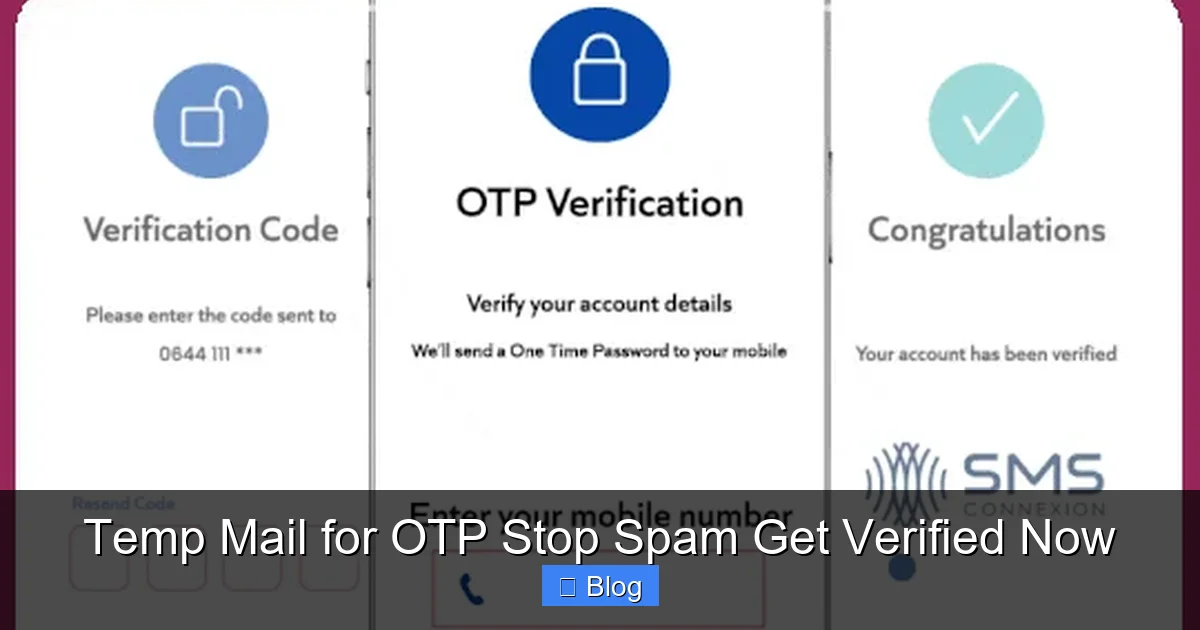
The spam deluge isn’t just annoying – it’s dangerous. Phishing scams, malware links, and identity theft often start with a single unsolicited email. Temp mail acts as a force field, stopping this chaos at the source. Here’s how it transforms your online experience:
Visual guide about Temp Mail for OTP Stop Spam Get Verified Now
Image source: sms.cx
Your Primary Inbox Stays Pristine
Imagine opening your email and seeing only messages that matter: family updates, work communications, important newsletters you *actually* signed up for. No more scrolling past “HOT SINGLES IN YOUR AREA!!!” or fake “Amazon Order Confirmation” scams. Temp mail ensures every promotional email, trial follow-up, or data-broker blast gets trapped in the disposable inbox. Since that address vanishes, spammers have nothing to harvest or resell. Your real email remains a trusted space, not a spam landfill. This alone saves hours of weekly inbox triage.
Shield Your Identity from Data Brokers
Every email address you use online is a data point. Companies track which services you sign up for, building detailed profiles to sell to advertisers (or worse). Temp mail breaks this chain. By using a unique, random address for each sign-up, you prevent services from linking your activity across the web. Data brokers can’t build a profile around “bluecat789@tempmail.io” because it doesn’t exist beyond that one verification. It’s digital camouflage for your privacy.
Slash Your Phishing Risk
Phishing attacks often target users who’ve recently signed up for new services. Hackers scrape email lists from breached databases and send fake “account suspension” or “security alert” emails. If you used temp mail for that sign-up, the breach only exposes the disposable address – which is already dead. Attackers get a useless inbox. Your real email, with all its sensitive history, stays safe from these targeted traps. It’s a simple layer that dramatically reduces your attack surface.
Skip the “Unsubscribe” Nightmare
We’ve all been there: You sign up for a free trial, get bombarded with emails, and spend 10 minutes hunting for the tiny “unsubscribe” link buried in the footer. Often, clicking it just confirms your email is active to spammers! Temp mail eliminates this entirely. No unsubscribe links needed. No confirmation emails. The address expires, and the spam stops automatically. Pure, effortless peace of mind.
How Temp Mail for OTP Actually Works (Step-by-Step)
Using temp mail for OTP verification is incredibly simple – often easier than managing your regular email. No technical skills required. Here’s the typical flow, using a popular service like TempMail.org or 10MinuteMail.com as an example:

Visual guide about Temp Mail for OTP Stop Spam Get Verified Now
Image source: mir-s3-cdn-cf.behance.net
Step 1: Generate Your Disposable Address
Open your preferred temp mail service in a new browser tab (keep this tab open!). The site usually auto-generates a random email address like sparklyunicorn42@mailtemp.org the moment you land. No sign-up, no password, nothing. You can often click “Generate New” if you want a fresh one. This address is now active and ready to receive emails for the next 10-60 minutes.
Step 2: Use It for Sign-Up
Go back to the website or app where you’re creating an account (e.g., a new social media platform, a shopping site offering a discount, a forum). When it asks for your email address to send an OTP, paste the disposable address from your temp mail tab. Double-check it’s copied correctly – no typos!
Step 3: Grab the OTP Instantly
Click “Send OTP” or “Verify Email” on the sign-up page. Switch back to your temp mail tab. Refresh the inbox (or it may auto-refresh). Within seconds, you’ll see the verification email arrive – often labeled clearly as “Your OTP is…” or “Verify your account.” Click the email to open it. The OTP code (usually 4-6 digits) will be prominently displayed. Copy that code.
Step 4: Verify and Done!
Paste the OTP code back into the original sign-up form and submit. Congratulations! Your account is verified. You can now close the temp mail tab. The disposable email address will expire soon, taking any potential spam with it. Total time? Usually under 30 seconds.
Pro Tips for Smooth Sailing
- Keep Both Tabs Open: Don’t close the temp mail tab until you’ve successfully pasted the OTP. Refreshing is key!
- Check Spam/Junk Folders (Rarely Needed): Most legit services send OTPs directly to the inbox, but if you don’t see it, glance at the temp mail’s “Spam” section.
- Use Browser Extensions (Optional): Services like “Temp Mail” for Chrome let you generate and check disposable emails without leaving the sign-up page – super handy!
- Know the Expiry: If the OTP doesn’t arrive within 2 minutes, generate a new temp address. Some services have short windows.
It’s that straightforward. No apps to install, no credit cards, no long-term commitments. Just instant verification without the baggage.
Choosing the Best Temp Mail Service: Top Picks for OTP
Not all temp mail services are created equal. Some are clunky, some have hidden limits, and a few might even be sketchy. For reliable OTP verification, prioritize speed, simplicity, and security. Here are the top contenders based on real-world testing:
1. TempMail.org (The All-Rounder)
TempMail.org is a favorite for good reason. It generates addresses instantly, has a clean interface, and reliably receives OTP emails within seconds. Key perks:
- Free, no registration required.
- Addresses last 60 minutes (plenty for OTP).
- Supports custom domain aliases (e.g., yourname@custom.tempmail.org).
- Mobile-friendly and has a handy browser extension.
- Consistently handles high-volume OTP sends from major platforms.
Best for: Most users needing a reliable, no-frills solution for social media, shopping, and app sign-ups.
2. 10MinuteMail.com (The Speed Demon)
True to its name, 10MinuteMail gives you a disposable address valid for exactly 10 minutes – perfect for quick OTP verifications where speed is critical. Highlights:
- Ultra-fast email delivery (often under 10 seconds).
- Simple, ad-light interface.
- Auto-refreshes inbox so you don’t miss the OTP.
- Free with optional premium for longer expiry.
- Excellent for time-sensitive sign-ups (e.g., limited-time offers).
Best for: Users who need verification *right now* and want minimal waiting.
3. GuerillaMail.com (The Feature-Packed)
GuerillaMail offers more customization than most. You can set a temporary address to last up to 60 minutes, choose a custom prefix (e.g., myotp@guerrillamail.com), and even get SMS notifications for new emails. Why it stands out:
- Flexible expiry times (10 min to 60 min).
- Custom email prefix option.
- Disposable addresses can be “frozen” for later use (rarely needed for OTP).
- Strong privacy focus – no logs kept.
- Free tier is robust; premium adds features like longer storage.
Best for: Users wanting more control over their temp address or needing slightly longer windows.
4. Temp-Mail.org (The Privacy Powerhouse)
If maximum anonymity is your top concern, Temp-Mail.org is worth a look. It emphasizes encryption and minimal data retention. Features include:
- End-to-end encrypted inbox (emails are scrambled).
- No IP logging – harder to trace usage.
- Addresses last 24 hours (overkill for OTP but great for multi-step verifications).
- Free with optional donations.
- Supports multiple languages.
Best for: Privacy-conscious users verifying on sensitive platforms or in regions with heavy surveillance.
What to Avoid
Steer clear of services that:
- Require phone number verification just to generate an email (defeats the purpose!).
- Have excessive pop-up ads or redirects (security risk).
- Don’t clearly state their privacy policy (where is your data going?).
- Have slow email delivery (OTP expired before you see it).
Stick to the reputable names above for a smooth, secure OTP experience.
Temp Mail for OTP: Smart Usage Tips & Critical Limits
Temp mail is incredibly powerful for OTP verification, but it’s not a magic bullet for *all* email needs. Using it wisely maximizes benefits and avoids frustration. Here’s how to be a temp mail pro:
When to Use Temp Mail (The Sweet Spot)
- One-Time Sign-Ups: Free trials, discount codes, forum registrations, app downloads requiring email verification.
- Low-Trust Websites: Sites you’re unsure about, unfamiliar apps, or platforms known for aggressive marketing.
- Short-Term Access: Services you’ll use once (e.g., event check-in, temporary project collaboration).
- Testing & Development: Developers verifying test accounts without cluttering real inboxes.
- Regional Access: Signing up for services geo-restricted in your area (using a temp address from that region if supported).
Example: You see a “20% off first order” pop-up on a new fashion site. Instead of using your Gmail, generate a temp mail address. Get the OTP, verify, place your order, and never hear from them again unless you *want* to.
When NOT to Use Temp Mail (Critical!)
- Permanent Accounts: Banking, email providers, cloud storage (Google Drive, iCloud), government services. If you lose access to the email, you lose your account forever.
- Recovery Email: Never set a temp mail address as your account recovery option. If you lose your password, you’re locked out.
- Important Communications: Job applications, university portals, medical records. You *need* reliable, long-term access.
- Services Requiring Ongoing Email: Newsletters you actually read, subscription services with billing updates.
Example: Setting up a new PayPal account? Use your real email. PayPal sends critical security alerts and transaction confirmations – you need permanent access. Temp mail here = account lockout risk.
Security Best Practices
- Never Share Sensitive Info: Treat the temp inbox like a public space. Don’t enter passwords, credit cards, or personal details sent *to* the temp address.
- Close the Tab After Use: Minimizes any (theoretical) session hijacking risk.
- Avoid Public Wi-Fi for Critical Verifications: While temp mail itself is low-risk, always use secure networks for any sign-up involving payment.
- Use Different Addresses: Generate a new temp address for *each* service. This prevents cross-site tracking if one service leaks data.
Myth Busting: “Temp Mail is Illegal or Unsafe”
This is a common misconception. Using temp mail for legitimate OTP verification is:
- Legal: In virtually all countries, using disposable email for privacy is perfectly lawful. It’s not hacking or fraud.
- Safe (When Used Correctly):strong> Reputable services don’t steal your data. The risk comes from *how* you use it (e.g., signing up for shady sites), not the temp mail itself.
- Ethical: You’re protecting your privacy, not deceiving services. Most platforms allow temp mail – check their TOS if unsure.
The danger lies in using temp mail for *illegal* activities (spamming, fraud), not for avoiding spam during sign-ups.
Beyond OTP: Other Clever Uses for Temp Mail
While OTP verification is the killer app, temp mail’s versatility extends further. Here’s how smart users leverage disposable emails beyond just verification codes:
1. Downloading Free Resources Without Commitment
Many blogs and tools offer free ebooks, templates, or software in exchange for your email. Instead of handing over your primary address (and getting endless follow-up emails), use temp mail. Get the download link instantly, then the address expires. You keep the resource; your inbox stays clean. Perfect for lead magnets where you just want the file, not the sales pitch.
2. Participating in Online Discussions Anonymously
Want to comment on a controversial forum or news site without linking your identity? Sign up with a temp mail address. You can engage in discussions freely, knowing your real email isn’t exposed to trolls, doxxers, or data harvesters. Just remember: the account itself might be temporary too if the site requires ongoing email access.
3. Testing Email Marketing Campaigns
Marketers and developers use temp mail to rigorously test sign-up flows, confirmation emails, and OTP delivery *before* sending to real users. It catches formatting errors, broken links, and delivery issues without spamming colleagues or clients. Services like Mailtrap integrate temp mail specifically for this purpose.
4. Accessing Region-Locked Content Trials
Some streaming services or apps offer free trials only in specific countries. While not foolproof (IP location matters most), using a temp mail address from that region (if the service offers it) can sometimes complement a VPN to bypass initial geo-checks during sign-up. Manage expectations – this isn’t guaranteed, but it’s worth a try for short-term access.
5. Protecting Your Real Email in Data Breaches
When a service you signed up for (using temp mail!) suffers a breach, *only* the disposable address is exposed. Your real email remains safe from being added to spam lists or targeted in subsequent attacks. It’s a proactive shield against the inevitable leaks happening across the web.
The key is recognizing temp mail as a tool for *specific, short-term interactions* where email is a necessary hurdle, not a long-term communication channel. Use it strategically to minimize your digital footprint.
Conclusion: Take Back Control of Your Inbox Today
Your email inbox should be a sanctuary, not a battleground. The constant barrage of spam, phishing attempts, and unwanted promotions isn’t just irritating – it erodes your privacy and security every single day. Temp mail for OTP is the elegant, effortless solution you’ve been missing. It transforms the tedious, risky process of email verification into a seamless, anonymous step. No more sacrificing your primary email address for a one-time code. No more wrestling with unsubscribe links or fearing data breaches. Just generate a disposable address, grab your OTP, and move on – leaving spam and spamsters behind.
Think about the time you’ll save. The mental energy freed from inbox anxiety. The enhanced security knowing your real email isn’t floating around in who-knows-how-many databases. It’s not about hiding from the internet; it’s about engaging with it on *your* terms. You deserve to explore new apps, claim discounts, and participate online without paying the price of a cluttered, compromised inbox. The best part? Getting started takes less than a minute. Pick a reputable service like TempMail.org or 10MinuteMail.com, head to their site, and generate your first disposable address. Use it for your next sign-up. Feel the relief as your real inbox stays pristine. Stop spam before it starts. Get verified instantly. Protect your privacy now. Your future self – and your cleaner inbox – will thank you.
Frequently Asked Questions
Is using temp mail for OTP safe and legal?
Yes, using reputable temp mail services for legitimate OTP verification is completely safe and legal in most countries. It’s a privacy tool, not a method for fraud. Stick to well-known services like TempMail.org to avoid sketchy providers.
Will I lose access to my account if I use temp mail for OTP?
Only if you use the temp mail address as your *primary* account email or recovery option. For OTP verification alone, you verify the account using the temp address, but then set your *real* email (or username) as the account identifier. The temp address expires after verification, but your account access remains intact.
Do all websites accept temp mail addresses for sign-up?
Most do, but some services (especially banks, government sites, or high-security platforms) actively block known temp mail domains to prevent abuse. If a site rejects your temp address, you’ll need to use a real email – but this is increasingly rare for standard apps and retailers.
How long do temp mail addresses last?
Typically 10 minutes to 60 minutes, depending on the service. TempMail.org offers 60 minutes, while 10MinuteMail.com is exactly 10 minutes. This is ample time for OTP verification, which usually requires the code within 5-15 minutes.
Can I use temp mail for services requiring ongoing email communication?
No. Temp mail is designed for short-term, one-off interactions like OTP verification. If a service sends regular updates, billing info, or security alerts (e.g., Netflix, your bank), you must use a permanent, accessible email address. Temp mail addresses expire, so you’d lose critical communications.
Are free temp mail services reliable for OTP?
Yes, top free services like TempMail.org and 10MinuteMail.com are highly reliable for OTP delivery. They prioritize speed and simplicity for this exact use case. Avoid services with excessive ads or those requiring personal info, as they may be less trustworthy or slower.