
Stop giving out your real email everywhere! Temporary email cloud based services create disposable inboxes in seconds, shielding your primary account from spam and phishing. They’re free, require no apps, and work instantly in your browser for safer online sign-ups.
Key Takeaways
- Instant Spam Shield: Generate unique, throwaway email addresses on-demand to keep your main inbox clean and protected from unwanted newsletters and scams.
- Zero Installation Needed: Access these services directly through your web browser – no downloads, apps, or complex setup required. It’s truly cloud-based convenience.
- Enhanced Privacy & Security: Prevent websites from tracking your real identity and reduce exposure to data breaches by using disposable addresses for low-trust sign-ups.
- Effortless Management: Most services offer simple web dashboards to view incoming mail, forward important messages, or delete addresses instantly – all without logging into multiple accounts.
- Wide Range of Use Cases: Perfect for free trials, online forms, forums, coupon sites, and any situation where you’d hesitate to share your personal or work email.
- Free & Accessible: The majority of top temporary email cloud services are completely free to use, offering robust features without hidden costs.
📑 Table of Contents
- Why Your Inbox Deserves a Bodyguard: The Rise of Temporary Email Cloud Services
- What Exactly is a Temporary Email Cloud Based Service? (It’s Simpler Than You Think!)
- Why You Absolutely Need a Temporary Email Cloud Service (Top Benefits Explained)
- Choosing Your Perfect Temporary Email Cloud Service: A Practical Guide
- Real-World Uses: Where Temporary Email Cloud Services Shine Brightest
- Security & Privacy: Using Temporary Email Cloud Services Wisely
- Conclusion: Take Control of Your Inbox, Starting Today
Why Your Inbox Deserves a Bodyguard: The Rise of Temporary Email Cloud Services
Let’s be honest: your primary email inbox is probably a cluttered mess. It’s flooded with promotional emails you never wanted, newsletters from sites you signed up for once five years ago, and worst of all, potential phishing attempts lurking in the shadows. Every time you sign up for a new app, download a free guide, or enter a contest, you’re handing out your most personal digital key – your email address. And what happens? Spam. Endless spam. Security risks. It’s enough to make anyone want to hide their inbox under a digital rock.
Enter the temporary email cloud based service. Think of it as your personal email bodyguard. Instead of giving out your real address, you generate a unique, disposable email address on the fly. This address lives in the cloud, managed by a dedicated service. You use it for that one-time sign-up, and when you’re done? Poof! It vanishes (or you delete it), taking all the potential spam and security headaches with it. No more wrestling with unsubscribe links that don’t work. No more worrying if that sketchy website just sold your email to a hundred spammers. It’s a simple, brilliant solution to a modern digital headache. The best part? It’s usually free, requires no software installation, and works instantly right in your browser. Welcome to the effortless world of cloud-based disposable email.
What Exactly is a Temporary Email Cloud Based Service? (It’s Simpler Than You Think!)
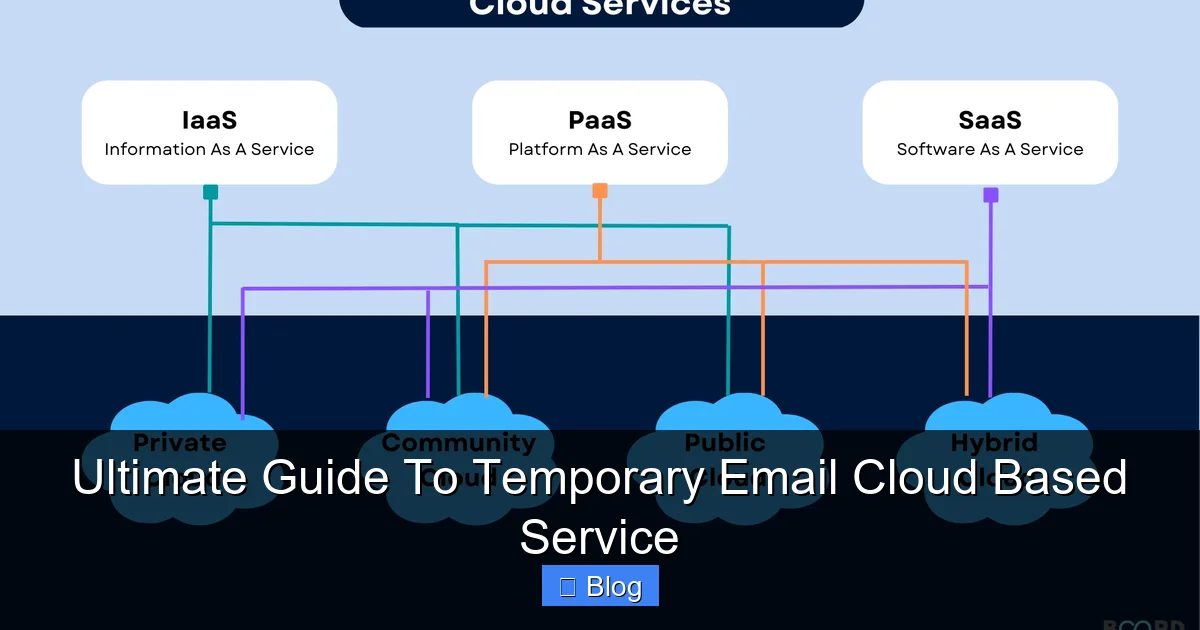
Visual guide about Ultimate Guide To Temporary Email Cloud Based Service
Image source: boardinfinity.com
Forget complex jargon. A temporary email cloud based service is fundamentally a web application hosted on remote servers (the “cloud”). Its sole purpose? To create and manage short-lived email addresses for you. You access it entirely through your web browser – Chrome, Firefox, Safari, Edge – no need to download an app or configure anything on your device. It’s pure, instant convenience.
How It Works: Behind the Magic Curtain
Here’s the beautiful simplicity:
1. **You Visit the Service:** Open your browser and go to a temporary email provider’s website (like TempMail, 10MinuteMail, Guerrilla Mail, or many others).
2. **Instant Address Generation:** The service *automatically* creates a unique, random email address for you (e.g., `bluecat789@tempmail.cloud`). This happens in seconds, often before the page even fully loads.
3. **Your Cloud Inbox Appears:** You’re immediately presented with a simple web-based inbox. This is where any emails sent to that disposable address will land.
4. **Receive & Manage Mail:** You can read incoming messages directly in your browser. Most services let you:
* View the full email content (including HTML).
* Download attachments (crucial for verifying sign-ups!).
* Forward important messages to your *real* email (if needed).
* Delete the entire address or individual emails instantly.
5. **Expiration or Deletion:** The address typically expires after a set time (10 minutes, 1 hour, 24 hours, or sometimes longer) or when you manually delete it. Once gone, any mail sent to it is lost forever – which is exactly the point for privacy!
Cloud-Based vs. Old-School Temp Email: Why the Cloud Wins
Remember those clunky desktop apps or browser extensions for temp email? They’re outdated. Cloud-based services dominate now because:
* **True Accessibility:** Work on *any* device with a browser – your laptop, phone, tablet, even a library computer. No installation needed.
* **Always Updated:** The service provider handles all updates and security patches on their servers. You always get the latest features without lifting a finger.
* **Reliability & Uptime:** Reputable cloud services run on robust infrastructure, meaning fewer crashes or downtime compared to a flaky browser extension.
* **Simplicity:** No configuration, no local storage worries, no compatibility issues with your OS. Just open the site and go.
Why You Absolutely Need a Temporary Email Cloud Service (Top Benefits Explained)
It’s not just about avoiding spam (though that’s a huge perk!). Using a temporary email cloud based service delivers tangible advantages that make your online life significantly safer and smoother.
1. Slay the Spam Dragon (For Good!)
This is the #1 reason people flock to these services. Every website, app, or service that asks for your email is a potential spam vector. By using a disposable address, you:
* **Isolate Promotional Noise:** Keep your primary inbox pristine for truly important communications (family, work, critical accounts).
* **Break the Tracking Chain:** Prevent companies from building detailed profiles of your online activity by linking all your sign-ups to one persistent email.
* **Test the Waters:** Sign up for that free trial without committing your real address. If the service turns out to be spammy, simply delete the temp address – no lasting damage.
2. Fort Knox-Level Security for Low-Trust Situations
Not all websites are created equal. Some have poor security practices, are outright scams, or might get hacked. Using your real email on these is like handing over your house keys.
* **Minimize Data Breach Impact:** If a site you signed up for with a temp email gets hacked, your *real* email isn’t exposed in the breach. Your sensitive accounts (banking, social media) remain protected.
* **Avoid Phishing Traps:** Sketchy sites often send fake “verification” or “account update” emails designed to steal credentials. Receiving these at a disposable address means they can’t target your real accounts.
* **Safe Coupon & Deal Hunting:** Many discount sites require an email. Use a temp address to grab the deal without inviting future spam.
3. Effortless Privacy Protection
Your email address is a unique identifier. Sharing it widely erodes your digital anonymity.
* **Anonymous Sign-Ups:** Participate in forums, comment on articles, or access region-locked content without revealing your identity.
* **Protect Personal Information:** Avoid associating your real name or personal details with every minor online interaction.
* **Control Your Digital Footprint:** Decide exactly which entities get a lasting connection to your identity. Everything else gets a temporary pass.
4. Ultimate Convenience & Time Savings
Managing spam is a massive time-sink. Temp email services flip the script:
* **No More Unsubscribe Hell:** Skip the tedious process of finding and clicking unreliable unsubscribe links. Delete the address and the spam stops instantly.
* **Instant Setup:** Get a new address in seconds, not minutes. Perfect for quick sign-ups while browsing.
* **Centralized Management:** View all your temporary inboxes in one simple web interface, no juggling multiple accounts.
5. Free & Accessible to Everyone
Unlike many privacy tools, top-tier temporary email cloud services are predominantly free. You get robust functionality – generating addresses, receiving mail, downloading attachments – without paying a dime. Premium tiers might offer longer expiration times or custom addresses, but the core service is almost always gratis.
Choosing Your Perfect Temporary Email Cloud Service: A Practical Guide
The market is crowded! How do you pick the best temporary email cloud based service for *your* needs? Don’t just grab the first Google result. Consider these key factors:
Expiration Time: How Long Do You Need It?
* **Ultra-Short (10-60 mins):** Ideal for instant verifications (e.g., downloading a PDF, one-time forum post). Services like 10MinuteMail excel here.
* **Short-Term (1-24 hours):** Perfect for free trials, coupon sites, or signing up for a service you might use briefly. Most mainstream services (TempMail, Guerrilla Mail) fit here.
* **Longer-Term (Days/Weeks):** Needed for ongoing but temporary projects (e.g., collaborating on a short-term tool). Look for services offering custom expiration or “keep alive” features. Some premium tiers provide this.
* **Tip:** If you’re unsure, start with a service offering 1-24 hours. You can always generate a new address if needed.
Features That Matter: Beyond Basic Receiving
Don’t settle for just an inbox. Look for:
* **Attachment Support:** Can you download files (PDFs, images, verification codes)? *Essential* for many sign-ups. Verify this before relying on the service.
* **Forwarding Capability:** Need to send that important verification link to your real email? Forwarding is crucial. Not all free services offer it.
* **Custom Addresses (Optional):** Some services let you create addresses with specific prefixes (e.g., `myproject@tempmail.cloud`). Great for organization, but often a premium feature.
* **Ad-Free Experience:** Some free services bombard you with ads. Others keep it clean. Check reviews!
* **Mobile-Friendly Interface:** Will you use it on your phone? Ensure the website works well on smaller screens.
Reputation & Reliability: Don’t Get Locked Out
* **Uptime:** Does the service crash often? Check recent user reviews or status pages.
* **Privacy Policy:** Does the service *actually* delete emails after expiration? Do they log your IP? Reputable providers are transparent. Avoid services with vague or concerning policies.
* **Security:** Look for HTTPS (the padlock icon). While not foolproof, it’s a basic necessity for any web service handling your data.
* **Tip:** Stick with well-known, established names (TempMail, 10MinuteMail, Guerrilla Mail, Mail.tm) for the best balance of features and reliability. Avoid obscure sites promising “unlimited” addresses – they often have hidden limitations or poor security.
Practical Example: Choosing for a Free Software Trial
* **Scenario:** You want to test a project management tool offering a 14-day free trial.
* **Needs:** You’ll need the email for at least 14 days to complete the trial. You’ll likely receive onboarding emails and might need to download a report.
* **Service Choice:** Prioritize a service with a *minimum* 14-day expiration (or the ability to extend it). Ensure it supports attachments (for the report) and ideally forwarding (if you want trial info sent to your work email later). A service like Mail.tm or a premium tier of TempMail might fit best. Avoid a 10-minute service – you’ll lose access before the trial ends!
Real-World Uses: Where Temporary Email Cloud Services Shine Brightest
These services aren’t just theoretical; they solve concrete problems in everyday digital life. Here’s where a temporary email cloud based service becomes your secret weapon:
1. Free Trials & Demos: Test Drive Without Commitment
Signing up for a SaaS tool, streaming service, or premium app? Use a temp email. If you love it, you can later migrate to your real address (if the service allows). If it’s mediocre or spammy? Delete the temp address and walk away clean. No lingering “free trial expired” emails clogging your inbox.
2. Downloading Resources: Grab That Ebook or Template Safely
Countless blogs and sites gate downloads (ebooks, checklists, templates) behind email sign-ups. Instead of giving your real address for a one-time download, use a temp email. Get your resource, then forget the address. No more “weekly tips” newsletters you never wanted.
3. Online Forms & Contests: Enter Without Exposure
Newsletter sign-up forms, contest entries, event registrations – they all want your email. Use a disposable address. You get the entry or info, but your primary inbox stays untouched by potential future promotions or data sharing.
4. Forum & Community Sign-Ups: Participate Anonymously
Joining a niche forum, commenting on a news site, or participating in a Reddit thread? A temp email lets you engage without linking your identity to your real email address, enhancing privacy and reducing targeted ads based on forum activity.
5. Coupon & Deal Sites: Score Savings, Skip the Spam
Sites like RetailMeNot or Honey often require an email for exclusive codes. Use a temp address to grab the discount code instantly, then delete the address. Avoid the flood of “daily deal” emails that typically follow.
6. Verifying Accounts on Low-Trust Platforms
Signing up for a service you’re unsure about – maybe a new crypto exchange, a foreign marketplace, or a gaming platform with a dubious reputation? A temp email acts as a buffer. If the platform turns out to be malicious or spammy, your real identity remains protected.
7. Short-Term Collaborations & Projects
Working with a freelancer on a one-off project via a platform that requires email communication? Or setting up a temporary shared inbox for a team event? A temp email provides a dedicated, disposable channel that disappears when the project ends, keeping your personal and work inboxes separate.
Pro Tip: The “Two-Address Rule”
For maximum organization:
1. **Primary Temp Address:** For general sign-ups (forms, downloads, trials).
2. **Project-Specific Temp Address:** For anything requiring longer interaction (e.g., a specific free trial you’re actively using, a forum you frequent occasionally).
This makes it easy to manage and delete addresses when their purpose is served.
Security & Privacy: Using Temporary Email Cloud Services Wisely
While temporary email cloud services significantly boost your security posture, it’s crucial to use them intelligently. They aren’t a magic bullet, but a powerful tool when handled correctly.
What Temp Email Services *Do* Protect You From
* **Spam Flooding:** As discussed, this is their core function.
* **Primary Email Exposure in Breaches:** Your real email isn’t on the compromised site’s list.
* **Persistent Tracking:** Breaks the link between disparate online activities tied to one email.
* **Phishing Targeting Real Accounts:** Malicious emails land in the disposable inbox, not your bank or social media accounts.
Crucial Limitations & Smart Practices
* **NOT for Sensitive Accounts:** **NEVER** use a temporary email for your bank, primary email provider (Gmail, Outlook), government services, or anything tied to your core identity or finances. If the temp address expires or is compromised, you lose access permanently. Your real email is essential for account recovery.
* **Beware of “Verification” Scams:** Some malicious sites send fake “your account is locked” emails to temp addresses, urging you to click a link. Treat *all* unsolicited emails, even in temp inboxes, with extreme skepticism. Don’t click links or download attachments unless you’re 100% sure of the sender.
* **Understand the Service’s Privacy:** Reputable services state they don’t permanently store your emails or sell data. However, *technically*, they receive the mail. Choose services with clear, privacy-respecting policies. Avoid services that seem shady or overly intrusive.
* **Attachments Can Be Risky:** Just like with your real email, attachments in temp inboxes can contain malware. Only open attachments you explicitly requested (like a verification code PDF) and from a sender you expected.
* **Expiration is Final:** Once the address expires or you delete it, *all* mail is gone forever. Don’t rely on it for anything you might need later. If you need to keep something, forward it to your real email *before* the temp address disappears.
* **Tip: The “Burner” Mindset:** Treat each temp address like a disposable phone number. Use it for its specific, short-term purpose, then consciously discard it. Don’t try to “reuse” an address meant to be temporary.
Maximizing Your Security Posture
* **Use a Password Manager:** Always pair your temp email with a *unique, strong password* for each sign-up. This prevents credential stuffing attacks if one site is breached.
* **Enable 2FA (Where Possible):** If the service you’re signing up for offers Two-Factor Authentication, use it – but send the 2FA code to your *real* phone number or authenticator app, NOT the temp email (which might expire).
* **Regularly Audit & Delete:** Periodically check your temp email service dashboard and delete old, unused addresses. Less clutter means less risk.
* **Combine with Other Tools:** Use temp email alongside a good ad-blocker and privacy-focused browser for layered protection.
Conclusion: Take Control of Your Inbox, Starting Today
Your email inbox shouldn’t feel like a digital landfill. It should be a streamlined, secure space for the communications that truly matter. Temporary email cloud based services are the simple, powerful solution we’ve all been waiting for. They transform the tedious, risky process of online sign-ups into a frictionless, private experience – all without costing you a penny or requiring any technical know-how.
By generating disposable addresses on-demand through a secure cloud platform, you instantly shield your primary email from the relentless tide of spam, the lurking dangers of data breaches, and the erosion of your digital privacy. Whether you’re grabbing a one-time download, testing a new app, entering a contest, or just browsing forums, a temp email gives you the freedom to engage online without leaving a permanent, trackable footprint.
The beauty lies in its effortless integration into your existing workflow. No apps to install, no complex settings to configure. Just open your browser, visit a trusted service, and you’re protected in seconds. It’s digital hygiene made incredibly easy. So, the next time a website demands your email, pause. Ask yourself: “Do I *really* want this connected to my identity forever?” If the answer is no (and often, it is), fire up a temporary email cloud based service. Generate that disposable address. Complete your task. And then, with a single click, make the potential spam and security risks vanish. Your inbox – and your peace of mind – will thank you. Take control. Stay safe. Browse smarter.
Frequently Asked Questions
Are temporary email cloud services legal to use?
Yes, using temporary email services is completely legal. They are a legitimate privacy tool used by millions worldwide. However, using them for illegal activities (like fraud or spamming) remains illegal, just as using a regular email for those purposes would be.
How long do emails in a temporary inbox usually last?
Expiration times vary significantly by service. Most free services keep emails for 10 minutes to 24 hours. Some offer longer durations (up to a week) or allow you to manually extend the life of an address. Always check the specific service’s policy before relying on it for something time-sensitive.
Is it safe to use temporary email for important account verifications?
It depends on the importance. **Never** use a temporary email for critical accounts like your bank, primary email provider, or government services – you risk permanent lockout if the address expires. It’s generally safe for low-stakes verifications like downloading a resource, signing up for a free trial, or forum registration, as long as you retrieve the verification link/code before the address expires.
Can I send emails from a temporary email address?
Most free temporary email cloud services are designed *only* for receiving emails. Sending capabilities are rare in the free tier and often a premium feature. If you need to send mail, you’ll likely need to upgrade or use a different service. Always check the service’s features before assuming you can send.
Do temporary email services work on mobile phones?
Absolutely! Since they are cloud-based web applications, they work perfectly on any smartphone or tablet through your mobile browser (Chrome, Safari, etc.). Look for services with a mobile-friendly interface for the best experience on smaller screens.
Can businesses use temporary email cloud services?
Yes, businesses can leverage them strategically. They’re useful for employees signing up for free trials of potential tools, accessing industry reports gated by email, or participating in external forums without exposing corporate email addresses. However, they should not replace official business communication channels for core operations or client interactions.