
Stop drowning in spam and sacrificing your privacy! Temporary email services offer instant, disposable addresses perfect for risky signups, testing, and avoiding email clutter. This essential digital tool keeps your main inbox clean and your data secure—adopt it today for smarter, safer online living.
Key Takeaways
- Privacy Shield: Temporary email hides your real address from data-hungry sites, preventing tracking and unwanted profiling.
- Spam Annihilator: Use disposable addresses for newsletters, coupons, and promotions to keep your primary inbox spam-free forever.
- Developer & Tester’s Best Friend: Perfect for verifying email workflows, testing signups, and debugging without polluting real accounts.
- Security Boost: Isolate phishing risks and malware by using temporary emails for suspicious links or unknown senders.
- Effortless Convenience: Sign up for one-time services (like travel deals or event access) without long-term email commitments.
- Promotion Avoidance: Skip relentless marketing emails from retailers by using a temporary address for discount signups.
- Account Management Simplicity: Easily create and discard accounts for forums, social media, or apps without cluttering your digital identity.
📑 Table of Contents
Why Your Inbox is a Mess (And How Temporary Email Fixes It)
Hey there! Let’s talk about your email inbox. Seriously, take a quick peek right now. Is it overflowing with newsletters you never read? Buried under promotional blasts from that one store you bought socks from six months ago? Maybe you’re nervously eyeing a suspicious “verify your account” email from a site you barely remember signing up for. Sound familiar? You’re not alone. Our primary email addresses have become dumping grounds for digital junk, privacy risks, and endless marketing noise. It’s exhausting, time-consuming, and frankly, a bit scary.
The truth is, we hand out our real email address like candy online. Free ebook? Here’s my email. Discount code? Sure, take it. Forum signup? Why not? But every single one of those signups is a potential leak in your privacy dam. Companies sell your data, spammers harvest it, and hackers target it. Your precious inbox—meant for important messages from family, friends, and work—gets hijacked by the digital equivalent of junk mail. It’s not just annoying; it’s a security risk and a productivity killer. You deserve better. And the solution might be simpler than you think: temporary email.
What Exactly is a Temporary Email (And Why Should You Care?)
Before we dive into the “why,” let’s clear up the “what.” A temporary email service gives you a brand-new, completely disposable email address. Think of it like a burner phone number for your inbox. You generate it instantly, usually with just one click, and it works for receiving emails—just like your real address. The magic? It self-destructs after a short time (minutes, hours, or days, depending on the service) or after you close the browser tab. Poof! Gone. No trace left behind.
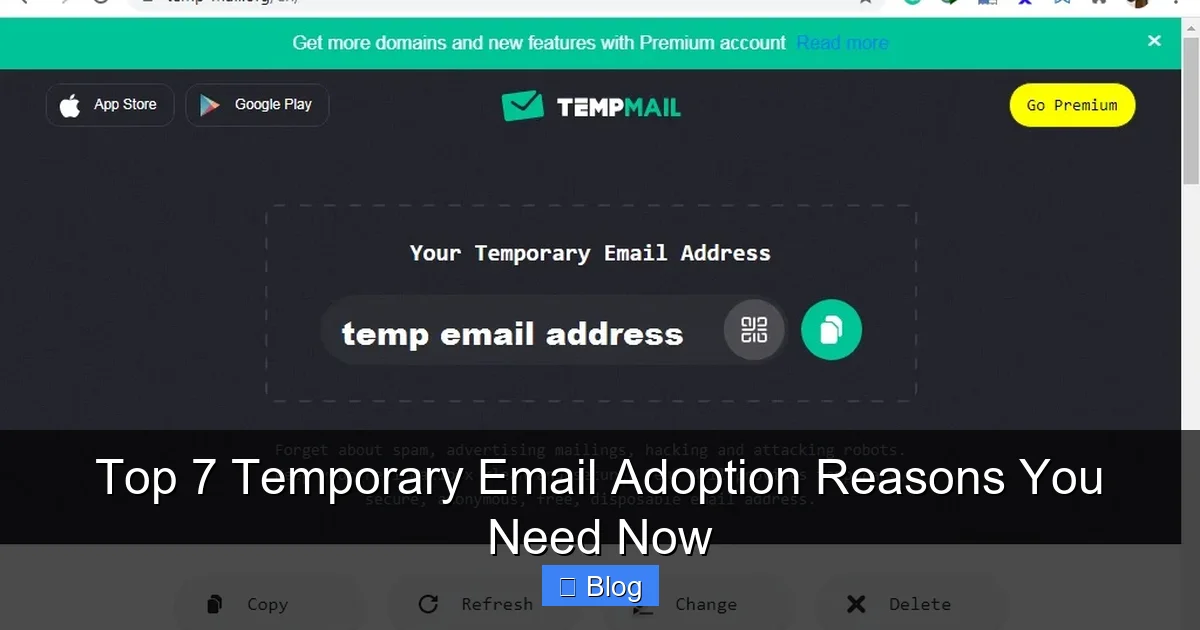
Visual guide about Top 7 Temporary Email Adoption Reasons You Need Now
Image source: lunarcomputercollege.com
This isn’t some sketchy, complicated tech. Reputable temporary email services (like TempMail, 10MinuteMail, Guerrilla Mail, or even built-in features in some password managers) are free, easy to use, and accessible directly in your web browser. No downloads, no signups for *them*—just instant anonymity. You paste the temporary address wherever a website asks for your email. Any confirmation links, welcome messages, or spam sent to that address land in the temporary inbox, which you can check right there in the service’s interface. Once you’re done (you got your coupon code, verified your test account, or read the one email you needed), you walk away. The address vanishes, taking all that potential spam and tracking risk with it. It’s digital hygiene at its finest.
How Temporary Email Works: Simple as 1-2-3
Using a temporary email is incredibly straightforward. Here’s the typical flow:
- Step 1: Generate: Go to a temporary email website (e.g., temp-mail.org). It instantly creates a random address like `bluecat789@tempmail.com` and displays it prominently.
- Step 2: Use: Copy that address and paste it into the email field on *any* website where you need to sign up, verify, or receive something—but don’t want to use your real email.
- Step 3: Check & Discard: If the site sends an email (like a verification link), it appears in the temporary inbox on the same page. Click the link or read the message. When finished, simply close the tab or refresh the page. The address is now useless to anyone else.
No passwords to remember, no accounts to create for the *service* itself, and zero long-term commitment. It’s the ultimate “set it and forget it” tool for managing your digital footprint.
Top 7 Reasons You Absolutely Need Temporary Email Adoption Now
Okay, you get the concept. But why is this *essential* for you *right now*? Let’s break down the top 7 compelling reasons why adopting temporary email isn’t just a neat trick—it’s a fundamental shift towards smarter, safer, and saner online living. These aren’t hypothetical benefits; they solve real, everyday problems you face.
1. Fort Knox for Your Privacy (Stop Being Tracked!)
This is the heavyweight champion reason. Your real email address is a golden ticket for data brokers, advertisers, and even malicious actors. Every time you use it, you’re potentially:
- Giving websites permission to track your behavior across the internet via email-based identifiers.
- Allowing companies to build detailed profiles of your interests, purchases, and habits by linking your email to their databases (and selling that data).
- Exposing your identity if a site you signed up for suffers a data breach (which happens constantly).
Temporary email acts like a privacy force field. By using a unique, disposable address for each signup, you shatter the link between your real identity and that specific online interaction. Data brokers can’t connect “bluecat789@tempmail.com” to *you* personally. Advertisers can’t build a persistent profile based on that one-time forum signup. If the site gets hacked, the breached data is just a random temporary address—useless to attackers and completely disconnected from your real life. It’s the simplest, most effective way to take back control of your digital anonymity. Imagine signing up for a niche fitness app without worrying it will suddenly start sending you targeted ads for protein powder *everywhere* you go online. That’s the power of temporary email.
2. Declare War on Spam (Reclaim Your Inbox!)
Let’s be honest: your primary inbox is probably a war zone. Promotional emails, abandoned cart reminders, “we miss you” blasts, and newsletters you half-remember signing up for—they multiply like rabbits. Unsubscribing is often a tedious chore buried in tiny links, and even then, it can take weeks for the emails to stop. The result? Important emails from your boss, your kid’s school, or your doctor get lost in the noise. You waste precious time sifting through junk.
Temporary email is your spam assassin. Use it *exclusively* for:
- Newsletter signups (even ones you *think* you might read).
- Online store accounts (especially for one-off purchases).
- Coupon/discount code requests.
- Free trial signups (software, streaming services).
Any email sent to that temporary address stays *there*. It never hits your real inbox. When the address expires, so does the spam stream. Forever. No more wrestling with unsubscribe pages. No more accidental clicks on promotional emails. Your main inbox becomes a sanctuary for truly important communication. Think of the time and mental energy you’ll save! Instead of spending 10 minutes every morning deleting spam, you reclaim that time for things that actually matter.
3. The Developer & Tester’s Secret Weapon (Work Smarter!)
If you work in tech—whether you’re a developer, QA tester, marketer, or product manager—temporary email isn’t just convenient; it’s a productivity powerhouse. Here’s why professionals swear by it:
- Testing Signup Flows: Need to verify that your app’s registration email sends correctly? Generate a temp address, sign up, and instantly see if the confirmation email arrives and works. No need to clutter your work或个人邮箱 with test accounts.
- Debugging Email Templates: Checking how a password reset email renders across different clients? Use a temp address to receive it and inspect the raw HTML or rendering without involving real users.
- Marketing Campaign Verification: Did that promotional email blast actually go out? Send a test to a temp address to confirm delivery and content before hitting “send” to your entire list.
- Isolating Environments: Testing in a staging environment? Use temp emails to avoid accidentally sending real notifications to customers or creating fake user data in production systems.
For non-techies, this applies too! Are you a blogger testing a new email marketing plugin? A small business owner setting up a contact form? A social media manager verifying a new platform’s notification system? Temporary email lets you interact with these systems safely and cleanly, without polluting your primary communication channels. It’s like having an infinite supply of test dummies for your email-related tasks.
4. Your First Line of Defense Against Cyber Threats
The internet is full of traps. Phishing emails disguised as legitimate companies, malicious links in “free gift” offers, websites packed with malware—they’re everywhere. Using your real email address for *any* interaction, especially with unfamiliar sites, is rolling out the red carpet for trouble. One wrong click on a verification link sent to your main inbox could compromise your entire account.
Temporary email acts as a critical security buffer:
- Phishing Isolation: If a suspicious site sends a phishing email to your temp address, the threat is contained. Clicking a bad link *there* won’t give attackers access to your real email, banking, or social media accounts linked to your primary address.
- Malware Testing Ground: Need to check an email from an unknown sender? Open it in the temp inbox first. If it contains malware, it only affects the disposable environment, not your main system.
- Reduced Attack Surface: By minimizing how many places your *real* email address exists online, you drastically reduce the chances of it being harvested for targeted attacks. Hackers can’t phish what they don’t have.
Think of it as wearing a hazmat suit when entering a potentially contaminated zone. You interact with the risky element (the suspicious website or email), but your core identity (your real inbox and accounts) remains protected. It’s a simple habit that significantly lowers your risk profile.
5. Ultimate Convenience for One-Time & Travel Needs
Life is full of fleeting online interactions where using your real email feels like overkill. Temporary email shines brightest here:
- Travel & Event Bookings: Need to sign up for a local tour operator’s site just to book one activity? Use a temp email. Downloading a city guide PDF that requires an email? Temp address. You get the info you need without committing to future spam from a business you’ll likely never use again.
- Free Content Gating: That interesting whitepaper or webinar registration demanding your email? Grab a temp address, get the content, and walk away. No follow-up sales pitches.
- Public Wi-Fi Logins: Many airports, cafes, or hotels require an email to access free Wi-Fi. Using a temp address protects your real identity from the network operator’s logs.
- Quick Forum Participation: Want to ask one question on a niche forum without creating a permanent account? Temp email lets you sign up, post, and disappear.
The beauty is the zero commitment. You don’t have to remember passwords for dozens of throwaway accounts. You don’t have to manage unsubscribes later. You get instant access to what you need, exactly when you need it, with zero long-term baggage. It’s the digital equivalent of using a disposable cup—perfect for the occasion, easy to discard.
6. Escape the Marketing Machine (No More Relentless Promos!)
Retailers and online services are *obsessed* with getting your email. Why? Because it’s their direct line to your wallet. Sign up for a 10% off coupon? Congratulations, you’ve just signed up for daily “exclusive” offers, flash sale alerts, birthday discounts, and “we noticed you left something in your cart” reminders—for *years*. Even if you unsubscribe, the initial flood can be overwhelming, and some companies are notoriously slow to honor opt-outs.
Temporary email is your get-out-of-jail-free card for marketing overload:
- Use a unique temp address *only* for that initial coupon signup.
- Grab your discount code or welcome offer.
- Close the tab. The temp address expires.
Poof! The retailer has no way to contact you again. No more inbox flooding with “HOT DEAL INSIDE!!!” at 2 AM. No more guilt trips about abandoned carts. You enjoyed the immediate benefit (the discount) without paying the long-term price (the spam). It’s especially powerful for:
- Online stores you rarely shop at.
- Restaurant loyalty programs (just for the signup bonus).
- Event ticketing platforms (for one-time purchases).
- Any service where the primary value is a one-time discount or perk.
You stay in control, not the marketers.
7. Effortless Management of Multiple Online Identities
We all wear different hats online. The professional on LinkedIn, the gamer on Discord, the hobbyist on niche forums, the casual social media user—each might warrant a slightly different digital persona. Managing separate *real* email addresses for each is a nightmare (remembering passwords, checking multiple inboxes). Using your primary email everywhere blurs these lines and risks context collapse (e.g., your boss seeing your silly meme forum posts).
Temporary email simplifies this beautifully:
- Create a dedicated temp address for your gaming community.
- Use another for your photography forum.
- Yet another for your local hiking group’s signup.
Each community gets its own isolated inbox. You can engage freely within each space without worrying about cross-contamination of your identities or inboxes. When you’re done with a particular community (or it becomes inactive), the temp address expires, neatly closing that chapter. It’s a lightweight, flexible way to compartmentalize your online life without the overhead of managing numerous permanent email accounts. No more frantic searches for “which email did I use for that forum again?”
How to Start Using Temporary Email Today (Simple Tips & Tricks)
Ready to give it a try? It’s easier than you think. Here’s how to adopt temporary email smoothly:
- Pick a Reputable Service: Stick with well-known, established providers like TempMail, 10MinuteMail, Guerrilla Mail, or Mail.tm. Avoid obscure sites that might log your activity or inject ads. Many password managers (like Bitwarden or 1Password) also offer built-in temporary email generators—great for added security!
- Bookmark Your Go-To: Save the temporary email service you like in your browser bookmarks for instant access.
- Use It Strategically: Don’t use temp email for anything critical (banking, primary work account, important personal communications). Reserve it for signups, verifications, and interactions where you expect spam or don’t need long-term access.
- Check the Inbox Promptly: If you need a verification link, check the temp inbox immediately after signing up. Some services have short expiration times (10-30 mins).
- Combine with Other Tools: Use temp email *with* a password manager (for unique passwords) and an ad-blocker for maximum privacy and security.
- Start Small: Next time you see a “Sign up for 15% off!” pop-up, *don’t* use your real email. Pause, open your temp email service, generate an address, and use that instead. Feel the instant relief!
Remember, the goal isn’t to replace your primary email—it’s to protect it. Think of temporary email as a specialized tool in your digital toolkit, perfect for specific, high-risk, or short-term tasks.
The Future is Disposable (Embrace the Shift)
Temporary email adoption isn’t just a trend; it’s a logical response to the increasingly messy and risky digital landscape we navigate daily. Our personal information is constantly under threat, our attention is a valuable commodity sold to the highest bidder, and our inboxes are battlegrounds for our own sanity. Relying solely on a single, permanent email address for *everything* online is like using the same key for your house, car, office, and safety deposit box—it’s incredibly risky and inefficient.
By adopting temporary email, you take a proactive step towards reclaiming control. You reduce your digital footprint, shield your privacy from pervasive tracking, eliminate a massive source of stress (spam), and add a crucial layer of security between you and potential threats. It’s a simple habit with profound benefits: more peace of mind, a cleaner inbox, and a safer online experience. The tools are free, the learning curve is negligible, and the payoff is immediate. Why keep letting random websites and marketers dictate the health of your primary inbox? It’s time to work smarter, not harder. Generate that first temporary address today—your future, spam-free self will thank you.
Frequently Asked Questions
Is using a temporary email address safe and legal?
Yes, using reputable temporary email services is completely legal and safe for legitimate purposes like avoiding spam or testing. It’s simply a tool for privacy and convenience. However, avoid using it for illegal activities, fraud, or to bypass security measures on sites that explicitly prohibit disposable emails.
Can temporary email addresses receive important or sensitive information?
Temporary emails are designed for short-term, low-stakes interactions. They *can* receive verification links or one-time codes, but they are NOT suitable for important communications like bank statements, legal documents, or permanent account recovery. Always use your secure, primary email for anything critical or long-term.
Do temporary email services store my data or read my emails?
Reputable services prioritize privacy and typically do not store your emails long-term or read their contents. However, always review the privacy policy of any service you use. Avoid obscure providers, as some may log data or inject ads. Services integrated into password managers often have stronger privacy guarantees.
Can businesses or websites block temporary email addresses?
Yes, some websites, especially financial institutions or high-security platforms, actively block known temporary email domains to prevent fraud or abuse. If a site rejects a temp address, you’ll need to use your real email (or a dedicated secondary address) for that specific purpose. It’s not a universal solution, but works for the vast majority of everyday signups.
How long do temporary email addresses usually last?
Lifespans vary by service. Some expire in 10-30 minutes (ideal for quick verifications), others last 1-24 hours, and a few offer addresses that persist until you manually delete them or close the browser tab. Always check the service’s details—most display the expiration time clearly.
Will using temporary email protect my main email from all spam?
Using temp email significantly *reduces* spam by preventing your real address from being harvested for promotions and newsletters. However, it won’t stop spam sent *directly* to your main address (e.g., from contacts who forward chain emails). Combine temp email with strong spam filters and cautious sharing of your primary address for best results.


