Struggling with spam and privacy risks from endless sign-ups? This guide compares the best temporary email services to help you choose wisely. Discover which options offer the strongest security, easiest use, and best features for your needs—without revealing your real email.
Key Takeaways
- Privacy is the primary goal: Temporary emails shield your real inbox from spam, phishing, and data harvesting during low-stakes sign-ups.
- Ease of use varies significantly: Some services generate addresses instantly with one click, while others require manual refreshing or offer custom aliases.
- Features impact functionality: Look for inbox lifespan (minutes vs. days), attachment support, spam filtering, and mobile app availability based on your use case.
- Security limitations exist: Never use temp emails for sensitive accounts (banking, email recovery); they lack encryption and are inherently less secure.
- Free vs. paid trade-offs: Free services often have ads, shorter lifespans, and fewer features; paid options offer reliability, custom domains, and enhanced privacy.
- Choose based on your need: Quick forum sign-up? A simple service suffices. Downloading a resource needing longer access? Prioritize longer inbox life.
📑 Table of Contents
- Why Bother with a Temporary Email? Your Inbox Will Thank You
- How Do Temporary Emails Actually Work? (It’s Simpler Than You Think)
- Top Temporary Email Services Compared: Features, Pros & Cons
- When Should You Absolutely Use a Temporary Email? (And When You Shouldn’t)
- Security & Privacy: What You MUST Know Before Using Temp Emails
- How to Choose the BEST Temporary Email Service for YOU
- Conclusion: Take Control of Your Inbox, One Disposable Address at a Time
Why Bother with a Temporary Email? Your Inbox Will Thank You
Let’s be honest: your primary email inbox is probably a disaster zone. It’s flooded with promotional spam from that one-time newsletter sign-up, forgotten forum registrations, and sketchy “free trial” confirmations you never wanted. Every time you hand over your real email address, you’re essentially opening the door for marketers, data brokers, and potentially even scammers to track your activity and bombard you with unwanted messages. It’s exhausting, and frankly, a bit risky.
This is where the temporary email comparison guide becomes your secret weapon. Temporary email services (also called disposable email addresses or burner inboxes) give you a brand-new, completely anonymous email address for just a few minutes, hours, or days. Use it to sign up for that one-off service, download a resource, or verify an account you don’t plan to use long-term. Once you’re done? Poof! The address vanishes, taking all that potential spam and privacy risk with it. No more clutter, no more unwanted emails cluttering your real inbox, and significantly less worry about your personal data being harvested. It’s like having a disposable phone number for the digital world – perfect for situations where you need an email address but don’t want the long-term commitment (or consequences).
How Do Temporary Emails Actually Work? (It’s Simpler Than You Think)
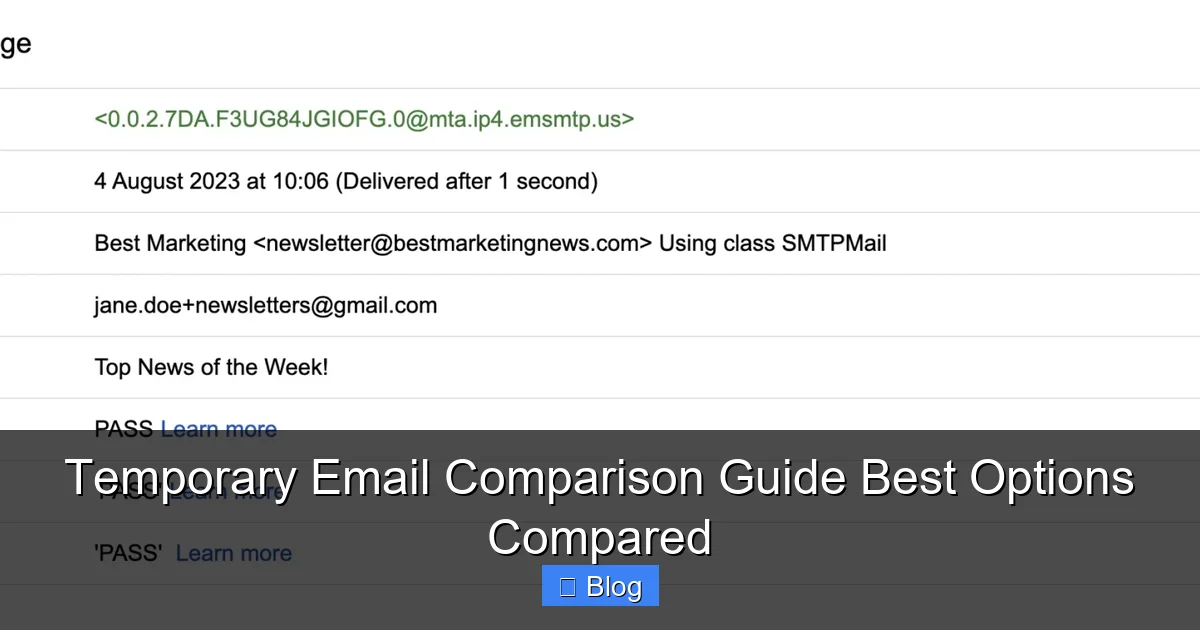
Forget complex tech jargon. Using a temporary email service is usually as easy as visiting a website. Here’s the basic flow:
Visual guide about Temporary Email Comparison Guide Best Options Compared
Image source: selzy.com
The Magic Behind the Scenes
When you go to a temp email site like Mailinator or Guerrilla Mail, the service instantly generates a unique, random email address (like bluecat42@mailinator.com). This address isn’t tied to *you* personally; it’s just a mailbox the service creates on the fly. You don’t need to register, create a password, or give any personal info. It’s truly anonymous.
Using Your Disposable Address
Copy that random address and paste it wherever you need an email – signing up for a forum, downloading a whitepaper, verifying a social media account, or even just getting a discount code. Any emails sent to that address will magically appear in the temp email service’s web interface. You can read them, download attachments (if supported), and even reply *from* that address if the service allows it. The key is, you access everything through the temp email website or app, not your regular email client.
When the Party Ends: Inbox Lifespan
This is where services differ wildly. Some, like 10MinuteMail, automatically delete the inbox after exactly 10 minutes. Others, like TempMail, keep it alive for a few hours or even days (often 24-72 hours). Paid services might offer indefinite storage or custom expiration times. Once the time limit hits, or if the service purges inactive inboxes, that address and all its contents vanish forever. No traces left in your real inbox. This ephemeral nature is the core privacy benefit.
Top Temporary Email Services Compared: Features, Pros & Cons
Not all temp email services are created equal. Let’s dive deep into the most popular options, comparing their strengths, weaknesses, and ideal use cases. This is the heart of our temporary email comparison guide.
1. Mailinator: The Veteran Workhorse
Mailinator is arguably the most well-known free temp email service. It’s been around for ages and is incredibly simple.
- How it Works: Visit mailinator.com, and it instantly generates a random address (e.g.,
randomstring@mailinator.com). No sign-up needed. Check the inbox on the same page. - Key Features: Very fast, no registration, public inboxes (anyone can send to any @mailinator.com address), basic spam filtering, supports attachments. Offers a "Private" inbox option (requires visiting a specific URL) for slightly more privacy.
- Pros: Blazing fast, completely free, no ads cluttering the main interface (though they have a separate ad-supported site), huge capacity, reliable.
- Cons: Public inboxes mean *anyone* can send emails to any @mailinator address (potential for spam flooding), no custom address names (only random strings), inbox lifespan is short (typically 1-2 hours of inactivity), no mobile app, limited security.
- Best For: Quick, one-off verifications where speed is paramount and you don’t expect sensitive info (e.g., signing up for a casual forum, getting a one-time download link). Avoid for anything requiring longer access or containing private data.
2. Guerrilla Mail: Custom Aliases & Decent Lifespan
Guerrilla Mail offers a bit more flexibility than Mailinator, especially with custom addresses.
- How it Works: Go to guerrillamail.com. It generates a random address, but you can also type in a custom prefix (e.g.,
mycustomname@guerrillamail.com) before hitting "Set". Check the inbox on the site. - Key Features: Custom email aliases, inbox lifespan of 60 minutes (extendable by refreshing), spam filter, supports attachments, disposable address generator, simple interface.
- Pros: Custom addresses are great for organization (e.g.,
netflix_temp@guerrillamail.com), decent 60-minute window (extendable), clean interface, free. - Cons: 60 minutes might be too short for some tasks (like waiting for a slow download link), no mobile app, inbox is public if you use a common custom name, limited advanced features.
- Best For: Situations where you want a slightly more memorable or organized temp address and need up to an hour (or a bit more) to access the email. Good for newsletter sign-ups or medium-priority verifications.
3. TempMail: Clean Interface & Mobile App
TempMail (tempmail.io) focuses on a user-friendly experience and cross-device accessibility.
- How it Works: Visit the site or use their mobile app. Generates a random address instantly. Offers custom domains (like @tempmail.io, @dropmail.me) and sometimes custom prefixes.
- Key Features: Very clean, modern web interface, dedicated iOS and Android apps, multiple domain options, inbox lifespan typically 24-72 hours, spam filter, attachment support, option to extend inbox life.
- Pros: Excellent mobile experience (huge plus!), longer inbox lifespan than Mailinator/Guerrilla, clean UI, multiple domain choices, free tier is robust.
- Cons: Free version has ads, custom prefixes might be limited or require waiting, inbox lifespan isn't always guaranteed (can vary), less "anonymous" feeling due to app requirement for best experience.
- Best For: Users who frequently need temp emails on their phone, need access for a day or two (e.g., waiting for a confirmation email after signing up for a service with slower processing), or prefer a polished interface. Great balance for many common uses.
4. 10MinuteMail: The Ultra-Quick Specialist
As the name screams, 10MinuteMail is all about speed and brevity.
- How it Works: Visit 10minutemail.com. A random address is generated instantly. The clock starts ticking immediately.
- Key Features: Exactly 10 minutes of inbox life (hence the name), simple one-page interface, no registration, supports attachments.
- Pros: Blazing fast setup, completely free, no ads on the main page, perfect for truly instant needs.
- Cons: 10 minutes is VERY short – easy to miss an email if the sender is slow or you get distracted, no custom addresses, no mobile app, inbox vanishes abruptly.
- Best For: Situations demanding immediate, one-time verification where you know the email will arrive within seconds (e.g., signing up for a live chat service, getting a instant discount code). Not suitable for anything requiring waiting.
5. AnonAddy: The Privacy-Focused Powerhouse (Free & Paid)
AnonAddy takes a different approach, focusing on forwarding emails to your *real* inbox while keeping your identity hidden.
- How it Works: Sign up for a free account. Create "aliases" (e.g.,
service_name@anonaddy.me). Emails sent to this alias are forwarded to your real email. You can reply anonymously. Paid plans offer more features. - Key Features: Email forwarding (not a separate inbox), custom aliases, unlimited aliases (free tier has limits), PGP encryption option (paid), spam filtering, domain support (paid), detailed stats.
- Pros: Unbeatable for ongoing privacy – you keep using your real email client, aliases can be disabled instantly if spammed, strong privacy focus, PGP support enhances security, free tier is generous.
- Cons: Not a true "temporary" inbox in the classic sense (aliases persist until deleted), requires signing up for an account (less anonymous initially), free tier has alias limits and no custom domains, slightly steeper learning curve.
- Best For: Users who want long-term privacy for recurring services (like newsletters or shopping sites) without revealing their real email, need the ability to reply anonymously, and prioritize security. Ideal for managing multiple ongoing subscriptions privately.
When Should You Absolutely Use a Temporary Email? (And When You Shouldn't)
Knowing *when* to deploy a temp email is just as crucial as choosing the right service. Using it wisely maximizes privacy; using it poorly can cause headaches.
Perfect Use Cases: Embrace the Burner
- One-Time Sign-Ups: Downloading a free ebook, whitepaper, or software trial that requires an email. Once you have the resource, you're done.
- Forum Registrations: Participating in a niche forum or comment section just once. Avoids cluttering your main inbox with notifications.
- Discount Codes & Newsletters: Signing up for a store's newsletter solely to get a first-purchase discount. Unsubscribe later? No problem – the temp address is gone anyway.
- Low-Stakes Verifications: Verifying an account on a service you're just testing, like a new social media platform or a game demo.
- Avoiding Spam Lists: Preventing your primary email from being added to aggressive marketing lists during initial sign-ups.
Pro Tip: If you're signing up for something you genuinely plan to use regularly (like a bank, your main social media, or email recovery), **DO NOT** use a temp email. You'll lose access forever when the inbox expires.
Critical Times to Avoid Temporary Emails
- Financial Accounts: Banking, investment platforms, PayPal, etc. Recovery options and security alerts MUST go to a permanent, secure email you control.
- Primary Email Recovery: Never use a temp email as the recovery address for your *main* email account. If you lose access to your main email, you're locked out permanently.
- Important Communications: Job applications, official government correspondence, legal documents. You need a reliable, permanent address.
- Services Requiring Long-Term Access: Anything you'll need to log into weeks or months later. The temp inbox will be long gone.
- Sensitive Information: If the email contains highly confidential data (tax docs, medical info), a temp email's inherent lack of security is a major risk.
Remember: Temporary emails are a shield for low-risk interactions, not a replacement for your primary communication channel. Use them strategically.
Security & Privacy: What You MUST Know Before Using Temp Emails
While temp emails boost privacy by hiding your real address, they aren't inherently "secure." Understanding the limitations is vital.
The Privacy Promise (and Its Limits)
The core privacy benefit is clear: your real email address stays hidden from the service you're signing up for. This prevents them from directly adding you to their marketing lists or selling your address. However, the temp email service itself sees all your traffic. Choose reputable providers with clear privacy policies stating they don't log or sell your data. Free services are more likely to monetize via ads or data, so be cautious.
Security Realities: Proceed with Caution
- No Encryption: Most free temp email services do not use end-to-end encryption. Emails are transmitted and stored in plain text on their servers. Anyone with access to those servers (or who intercepts the traffic) could read your emails. Never send passwords, financial details, or highly sensitive info via a temp email.
- Public Inboxes (Risk): Services like Mailinator have public inboxes. If someone guesses your random address (e.g.,
user123@mailinator.com), they could potentially send you malicious links or view emails if they arrive before you do. Using custom aliases on Guerrilla Mail reduces this risk slightly, but isn't foolproof. - Service Reliability: Free services can disappear, change policies, or get blocked by major platforms at any time. Don't rely on them for anything critical.
- Phishing Risk: Be extra vigilant. Scammers know people use temp emails. An email arriving in your temp inbox claiming to be from "support" with a link to "verify your account" is almost certainly phishing. Verify the sender's legitimacy independently.
Maximizing Your Safety
- Stick to Reputable Services: Research the provider. Look for clear privacy policies and a history of operation.
- Avoid Sensitive Data: This cannot be overstated. No passwords, no financial info, no personal details beyond what's absolutely necessary for the sign-up.
- Use for Low-Risk Only: Reserve temp emails for truly disposable interactions.
- Consider Paid Options for Sensitivity: If you *must* handle slightly more sensitive info temporarily (e.g., a non-critical work document), a paid service like AnonAddy (with PGP) offers better security than free public inboxes.
- Don't Click Suspicious Links: Treat every email in a temp inbox as potentially malicious until verified.
How to Choose the BEST Temporary Email Service for YOU
With so many options, how do you pick? It boils down to matching the service's features to your specific need. Forget finding one "best" service; find the best *for your task*.
Ask Yourself These Key Questions
- How long do I need access? Need it for 5 minutes? 10MinuteMail or Mailinator. Need it for a day or two? TempMail or Guerrilla Mail (extended). Need ongoing privacy? AnonAddy.
- Do I need a custom address? For organization (e.g.,
amazon_temp@...), Guerrilla Mail or AnonAddy are better. Random strings are fine for pure speed (Mailinator). - Will I be using this on my phone? TempMail's app is a huge advantage here. Mailinator/Guerrilla Mail are web-only.
- How important is a clean, ad-free interface? TempMail (free has ads) or paid services offer cleaner experiences than ad-heavy free options.
- Do I need to reply to emails? Most free services allow replying *from* the temp address within their interface. AnonAddy allows replying anonymously via forwarding.
- Is security a major concern for this task? If handling anything remotely sensitive, lean towards AnonAddy (with PGP) or avoid temp emails altogether for that task.
Quick Decision Flowchart
- Need it RIGHT NOW for a super quick sign-up (under 10 mins)? -> 10MinuteMail or Mailinator.
- Need it for an hour or so, maybe want a custom name? -> Guerrilla Mail.
- Need it for a day or two, especially on mobile? -> TempMail.
- Need ongoing privacy for recurring services, want to reply anonymously? -> AnonAddy (Free or Paid).
- Handling anything sensitive? -> **Reconsider using a temp email.** Use your real, secure email or find another solution.
Pro Tip: Bookmark 2-3 services that cover your most common needs (e.g., Mailinator for speed, TempMail for mobile/longer access). Switch between them based on the task.
Conclusion: Take Control of Your Inbox, One Disposable Address at a Time
Your email inbox is valuable real estate. It shouldn't be overrun by the digital equivalent of junk mail from services you barely remember signing up for. A temporary email service is a simple, powerful tool to reclaim that space and protect your privacy during the countless low-stakes interactions that fill our online lives. As this temporary email comparison guide shows, there's no single "best" option – the right choice depends entirely on what you need *right now*.
Whether you need lightning-fast access for a 5-minute verification (Mailinator, 10MinuteMail), a slightly more organized alias for a day's use (Guerrilla Mail, TempMail), or robust, ongoing privacy for managing subscriptions (AnonAddy), understanding the strengths and weaknesses of each service empowers you to make the smart choice. Remember the golden rules: never use temp emails for anything sensitive or permanent, prioritize reputable services, and always be mindful of the security limitations.
By strategically deploying disposable addresses, you dramatically reduce spam, minimize your digital footprint, and keep your primary inbox clean and focused on what truly matters. It’s a small habit with a massive payoff for your online sanity and security. So next time you're about to hand over your real email for that one-time download or forum sign-up, pause. Fire up your chosen temp email service, grab that disposable address, and sign up with confidence. Your future, spam-free self will thank you.
Frequently Asked Questions
Is using a temporary email address legal?
Yes, using temporary email services is completely legal in most countries. It's a legitimate privacy tool for avoiding spam and protecting your primary email address during low-risk sign-ups. However, using them for illegal activities (like fraud or harassment) is, of course, illegal regardless of the email type.
Can temporary email services be traced back to me?
Generally, no. Reputable temporary email services are designed to be anonymous – they don't require personal information to generate an address, and the random address isn't linked to your identity. However, the *service itself* might log your IP address temporarily for operational purposes (check their privacy policy). Your real identity isn't revealed to the website you're signing up for.
Why did my temporary email address not receive the verification email?
This is common! Possible reasons include: the sender's server blocked the temp email domain (some services blacklist known temp email providers), the email was caught in the temp service's spam filter (check the spam folder within the temp inbox), the inbox expired before the email arrived (especially with short-lived services), or there was a typo in the address you provided.
Can I use a temporary email for PayPal or banking?
Absolutely not. Financial institutions require permanent, verifiable email addresses for security alerts, password resets, and critical communications. Using a temporary email will lock you out of your account permanently when the inbox expires. Always use your secure, personal email for banking and financial services.
Do temporary email services store my emails forever?
No, that's the point! Emails are stored only for the lifespan of the temporary inbox, which ranges from minutes (10MinuteMail) to days (TempMail, Guerrilla Mail extended). Once the inbox expires or is purged due to inactivity, all emails and the address itself are permanently deleted from the service's servers.
Are paid temporary email services worth it?
It depends on your needs. Paid services (like AnonAddy premium or TempMail Pro) often offer longer inbox lifespans, custom domains, no ads, PGP encryption, more aliases, and better reliability. If you frequently need temp emails for slightly more sensitive tasks or require ongoing privacy management, the small fee can be worthwhile for the enhanced features and security. For occasional, low-risk use, free services usually suffice.