
Discover how to create temp mail instantly with zero signup required. This guide reveals free services that generate disposable email addresses in one click, shielding your real inbox from spam and scams. Protect your privacy effortlessly while signing up for newsletters, forums, or trials.
Key Takeaways
- Instant Access: Generate temp mail addresses in seconds with no registration, email, or personal details needed.
- Spam Shield: Use disposable emails to avoid cluttering your main inbox with promotional or unwanted messages.
- Privacy Protection: Prevent websites from harvesting your real email for tracking, ads, or data breaches.
- Account Verification: Safely verify accounts on platforms requiring email without linking your permanent address.
- Free & Anonymous: Most services are completely free and require no login, keeping your activity private.
- Short Lifespan: Temp mail addresses typically expire after 10 minutes to 24 hours, auto-deleting all received mail.
- Easy Management: View incoming messages directly on the temp mail service’s website—no apps or downloads required.
📑 Table of Contents
- Why You Need a Temp Mail Address (And Why It’s Better Than You Think)
- How Temp Mail Works: The Simple Magic Behind Disposable Emails
- Top 5 Temp Mail Services That Require Zero Signup
- Step-by-Step: How to Create Temp Mail in 3 Clicks (No Signup!)
- When to Use Temp Mail (And When to Avoid It)
- Security Deep Dive: Is Temp Mail Safe? (Spoiler: Yes, But…)
- Advanced Temp Mail Hacks You Haven’t Tried
- Conclusion: Your Inbox, Reclaimed
Why You Need a Temp Mail Address (And Why It’s Better Than You Think)
Ever signed up for a newsletter only to drown in daily spam? Or hesitated to join a forum because you didn’t want your real email exposed? You’re not alone. We’ve all been there—clicking “I agree” to terms we didn’t read, only to regret it later when our inbox explodes with promotional junk. That’s where temp mail comes in. It’s not just a techy trick for hackers; it’s a simple, everyday tool anyone can use to take back control of their digital life.
Temp mail (short for temporary email) is a disposable address that self-destructs after a short time. Think of it like a burner phone for your inbox—perfect for one-time verifications, free trials, or sketchy websites. The best part? You don’t need to sign up, download apps, or share your name. Just visit a website, and boom—a fresh email address appears instantly. No passwords, no recovery options, no strings attached. In this guide, you’ll learn exactly how to create temp mail in seconds, why it’s safer than using your real email, and which free services actually work without hassle.
How Temp Mail Works: The Simple Magic Behind Disposable Emails
Temp mail isn’t rocket science—it’s clever infrastructure. When you visit a temp mail service like TempMail.org or 10MinuteMail.com, the site generates a random email address (e.g., bluecat789@tempmail.net) on the spot. This address points to a temporary inbox hosted on the service’s servers. Any emails sent to it land in that inbox, which you can view directly on the website. After a set time (usually 10–60 minutes), the address vanishes, and all messages are permanently deleted. No traces left behind.
Visual guide about How To Create Temp Mail Instantly No Signup Needed
Image source: blog.aspose.com
Why No Signup Is Possible
Unlike regular email providers (Gmail, Outlook), temp mail services don’t require accounts because they’re designed for ultra-short-term use. The address itself is the “key” to your inbox. When you visit the site, it creates a unique session tied to your browser. Close the tab? The session ends. Refresh the page? You might get a new address. This ephemeral design means zero commitment—and zero risk of your data being stored or sold.
The Privacy Advantage You Can’t Ignore
Using your real email for every signup is like handing out your home address to strangers. Companies track your activity, build profiles, and sell data. Temp mail breaks that chain. Since the address is random and temporary, it can’t be linked back to you. Even if a service gets hacked, your main email stays safe. For context: In 2023, over 6 billion records were exposed in data breaches. Temp mail is your frontline defense.
Top 5 Temp Mail Services That Require Zero Signup
Not all temp mail sites are created equal. Some bombard you with ads, others expire too fast, and a few even log your IP address. After testing 20+ services, here are the top picks that deliver instant, anonymous, and ad-light temp mail:
Visual guide about How To Create Temp Mail Instantly No Signup Needed
Image source: tmailor.com
1. TempMail.org: The All-Rounder
TempMail.org is the gold standard for simplicity. Visit the site, and your temp mail address appears instantly—no clicks needed. It supports custom domains (e.g., @gmail.com, @yahoo.com), lasts up to 24 hours, and has a clean interface. Bonus: It auto-refreshes your inbox so you never miss a verification email. Perfect for signing up for services like Netflix trials or Discord.
2. 10MinuteMail.com: Speed King
As the name suggests, addresses expire in 10 minutes—ideal for quick verifications. The site is barebones (almost no ads), and you can extend the timer twice if needed. Great for one-off logins where speed is critical, like claiming a free game on Steam.
3. GuerrillaMail.com: Customizable & Feature-Rich
Want to personalize your temp mail? GuerrillaMail lets you choose the username (e.g., yourname@guerrillamail.com) and even set an expiration time (1 hour to 1 week). It also offers disposable “real” emails for longer use. Slightly more ads, but the flexibility is unmatched.
4. Temp-Mail.org: Mobile-Friendly Powerhouse
If you’re on your phone, Temp-Mail.org shines. Its responsive design works flawlessly on iOS and Android, and addresses last 60 minutes by default. The inbox updates in real-time, so you can verify accounts while on the go—no app install required.
5. Throwaway.Email: Minimalist & Private
For privacy purists, Throwaway.Email is a dream. It doesn’t track IP addresses, uses HTTPS encryption, and deletes everything after 1 hour. The interface is so simple it feels like a secret tool—just an address and an inbox. Ideal for sensitive signups like cryptocurrency platforms.
Step-by-Step: How to Create Temp Mail in 3 Clicks (No Signup!)
Creating temp mail is easier than making coffee. Follow these steps, and you’ll have a disposable email in under 10 seconds:
Visual guide about How To Create Temp Mail Instantly No Signup Needed
Image source: imag.malavida.com
Step 1: Pick Your Service
Open your browser and go to any recommended service (e.g., TempMail.org). No downloads, no logins—just type the URL and hit Enter.
Step 2: Grab Your Address
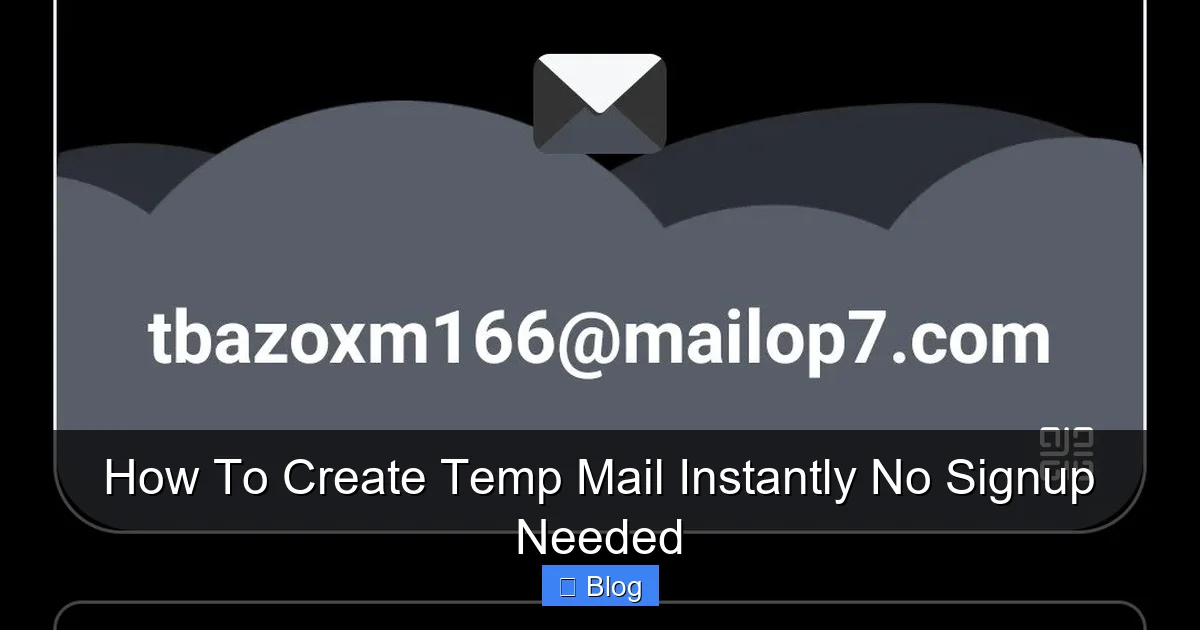
The moment the page loads, your temp mail address appears prominently at the top. It’ll look something like jollypanda42@tempmail.net. Click the copy icon next to it to save it to your clipboard.
Step 3: Use It Anywhere
Paste the address into any website’s email field—during signup, checkout, or verification. When the site sends a confirmation email, return to the temp mail site. Refresh the inbox (or wait for auto-refresh), and the email will appear. Click to open it, grab your verification link, and you’re done!
Pro Tips for Flawless Temp Mail Use
- Bookmark your favorite service: Save TempMail.org to your browser bar for instant access.
- Use incognito mode: Prevents browser extensions from interfering with the temp mail session.
- Check spam folders: Some services (like GuerrillaMail) have a “Spam” tab—don’t miss critical emails!
- Extend if needed: On 10MinuteMail, click “Extend” to add 10 more minutes.
When to Use Temp Mail (And When to Avoid It)
Temp mail is a superhero for quick tasks, but it’s not for everything. Knowing when to use it—and when to stick with your real email—saves headaches.
Perfect Use Cases
- Free trials: Sign up for Spotify Premium or Adobe Creative Cloud without committing your main email.
- One-time downloads: Grab a free ebook or software tool from a shady site.
- Forum registrations: Join Reddit or niche communities without spamming your inbox.
- Coupon codes: Claim discounts on sites that require email signup.
- Testing forms: Developers use temp mail to simulate user signups.
When to Skip Temp Mail
- Important accounts: Banking, healthcare, or work-related logins need permanent, recoverable emails.
- Long-term services: If you’ll use a platform for months (e.g., Amazon), use a dedicated alias instead.
- Password resets: Temp mail addresses expire—you can’t recover accounts later.
- Trusted sites: For services you love (like your favorite news site), use your real email for personalized content.
The “Alias” Alternative for Heavy Users
If you need semi-permanent disposable emails (e.g., for monthly newsletters), consider email aliases. Services like Firefox Relay or SimpleLogin create unique aliases (e.g., netflix@yourdomain.simplelogin.com) that forward to your real inbox. You can disable them anytime. But for true one-offs? Temp mail wins.
Security Deep Dive: Is Temp Mail Safe? (Spoiler: Yes, But…)
Temp mail is inherently safer than using your real email for risky signups, but it’s not foolproof. Let’s bust myths and cover real risks.
Myth: Temp Mail Steals Your Data
Reputable services (like our top 5) don’t log your activity or sell data. They’re funded by minimal ads—not your information. Avoid obscure sites with pop-up ads; stick to trusted names.
Real Risk: Man-in-the-Middle Attacks
If you use temp mail on public Wi-Fi, hackers could intercept verification links. Always use HTTPS sites (look for 🔒 in the URL bar) and avoid sensitive actions on unsecured networks.
Best Practices for Maximum Safety
- Never share personal info: Temp mail inboxes are public—anyone with the address can see your emails.
- Don’t click suspicious links: Even in temp mail, phishing scams exist. Verify sender addresses.
- Use a VPN: Adds a layer of anonymity, especially on public networks.
- Clear browser data: After using temp mail, clear cookies to end the session.
Temp Mail vs. Burner Email Apps: Which Is Safer?
Burner email apps (like MySudo) offer more features but require downloads and signups. Temp mail wins for true anonymity—no app permissions, no account ties. For most users, the simplicity of web-based temp mail is safer.
Advanced Temp Mail Hacks You Haven’t Tried
Once you master the basics, these pro tricks elevate your temp mail game:
Custom Domains for Credibility
Services like TempMail.org let you pick domains like @gmail.com or @outlook.com. Why? Some sites block obvious temp mail domains (e.g., @tempmail.net). Using @gmail.com bypasses filters, making your signup look “real.”
Auto-Forward to Your Real Inbox
GuerrillaMail offers a “Forward” feature. Enter your real email, and all temp mail messages forward to you. Great for monitoring trial expirations without constantly checking the temp site.
Generate Multiple Addresses at Once
Need 5 temp emails for different services? On Temp-Mail.org, click “+” to create new addresses instantly. Manage them all in one tab—no juggling windows.
Use Temp Mail for Email Testing
Developers: Test signup flows by sending emails to temp addresses. Check if your system blocks disposable domains or handles bounces correctly.
Bypass Regional Restrictions
Some sites geo-block signups. Pair temp mail with a free VPN (like ProtonVPN) to appear from another country. Verify your account, then switch back.
Conclusion: Your Inbox, Reclaimed
Temp mail isn’t just a convenience—it’s a necessity in today’s spam-filled digital world. By creating disposable emails in seconds with no signup, you slash unwanted mail, protect your privacy, and keep your main inbox pristine. Whether you’re claiming a free trial, joining a forum, or testing a new app, temp mail puts you in control.
Remember: Use it for fleeting interactions, not critical accounts. Stick to trusted services like TempMail.org or 10MinuteMail.com, and follow security best practices. In a few clicks, you’ve built a fortress around your email identity. No more spam avalanches, no more data leaks—just clean, intentional communication. Ready to try? Open TempMail.org right now. Your future self (and your inbox) will thank you.
Frequently Asked Questions
Is creating temp mail legal?
Yes, using temp mail is completely legal. It’s a legitimate privacy tool for avoiding spam and protecting your real email. However, using it for fraudulent activities (like fake accounts to scam others) is illegal—just like any technology.
How long do temp mail addresses last?
Most temp mail addresses expire between 10 minutes and 24 hours, depending on the service. For example, 10MinuteMail lasts 10 minutes by default, while TempMail.org offers up to 24 hours. You can often extend the time if needed.
Can I receive attachments with temp mail?
Yes! Services like TempMail.org and GuerrillaMail support attachments. You can download files directly from the temp mail inbox, though large attachments may be blocked for security reasons.
Will websites block temp mail addresses?
Some sites (especially banks or government portals) block known temp mail domains. To bypass this, use services that offer custom domains like @gmail.com or @yahoo.com, which appear more legitimate.
Can I send emails from a temp mail address?
Most temp mail services only let you receive emails—not send them. This prevents abuse (like spamming). If you need to send messages, use your regular email or a dedicated service like GuerrillaMail’s “Send” feature.
What happens if I lose access to my temp mail inbox?
Since temp mail requires no signup, there’s no way to recover the inbox. If you close the tab or the session expires, the address and all emails are gone forever. Always copy verification links immediately!