
Temporary email servers generate disposable inboxes in seconds that automatically vanish after a set time. They act as a shield between your real email and websites requiring registration, blocking spam and phishing attempts. Simply visit a service, grab a random address, and use it worry-free – no signup or personal details needed.
Key Takeaways
- Instant disposable inboxes: Temporary email servers create unique, random email addresses on-demand without any user registration or personal information.
- Automatic expiration: These inboxes self-destruct after minutes, hours, or days (configurable by the service), permanently deleting all received messages.
- Spam and phishing shield: They protect your primary email from unwanted marketing emails and malicious links during one-time sign-ups or suspicious website interactions.
- Zero personal data required: Using a temporary email involves no name, phone number, or real email address – just visit the site and start using the generated address.
- Not for important accounts: Avoid using temporary emails for banking, social media, or services where account recovery or long-term access is essential.
- Security limitations: While great for privacy, they offer no encryption for sensitive data and shouldn’t replace strong passwords or 2FA on critical accounts.
- Wide service variety: Options range from simple web interfaces (like TempMail) to browser extensions and API services for developers, each with different expiry times and features.
📑 Table of Contents
- What Are Temporary Email Servers? (And Why Should You Care?)
- How Temporary Email Servers Actually Work: The Step-by-Step Process
- Why People Use Temporary Email Servers: The Real Benefits
- Security and Privacy: The Pros and Cons You Need to Know
- Understanding the Limitations: When NOT to Use a Temporary Email
- Choosing the Right Temporary Email Service: Features to Consider
- Conclusion: Your Privacy Shield in the Digital Age
What Are Temporary Email Servers? (And Why Should You Care?)
Ever signed up for a website just to download a free template or read an article, only to be bombarded with spam emails for weeks? That’s where temporary email servers come in – your secret weapon for online privacy. Think of them as disposable email aliases that vanish into thin air after you’re done using them. No more cluttered inboxes, no more unwanted marketing, and definitely no more worrying about your real email address falling into the wrong hands.
These services aren’t new, but they’ve become essential in our spam-filled digital world. Temporary email servers operate by generating random email addresses (like “bluecat789@tempmail.com”) the moment you visit their website or activate their app. You use this address exactly like a real one – entering it during sign-ups, receiving verification codes, or confirming accounts. The magic happens behind the scenes: the server catches any emails sent to that address and displays them in your temporary inbox. Once the set time expires (say, 10 minutes or 24 hours), the entire inbox disappears forever. It’s like having a pop-up email booth that vanishes after you leave.
How Temporary Email Servers Actually Work: The Step-by-Step Process
Understanding how temporary email servers work is simpler than you might think. There’s no complex setup or technical jargon involved. It’s all about instant creation, temporary storage, and automatic cleanup. Let’s break down the journey of an email sent to a temporary address.
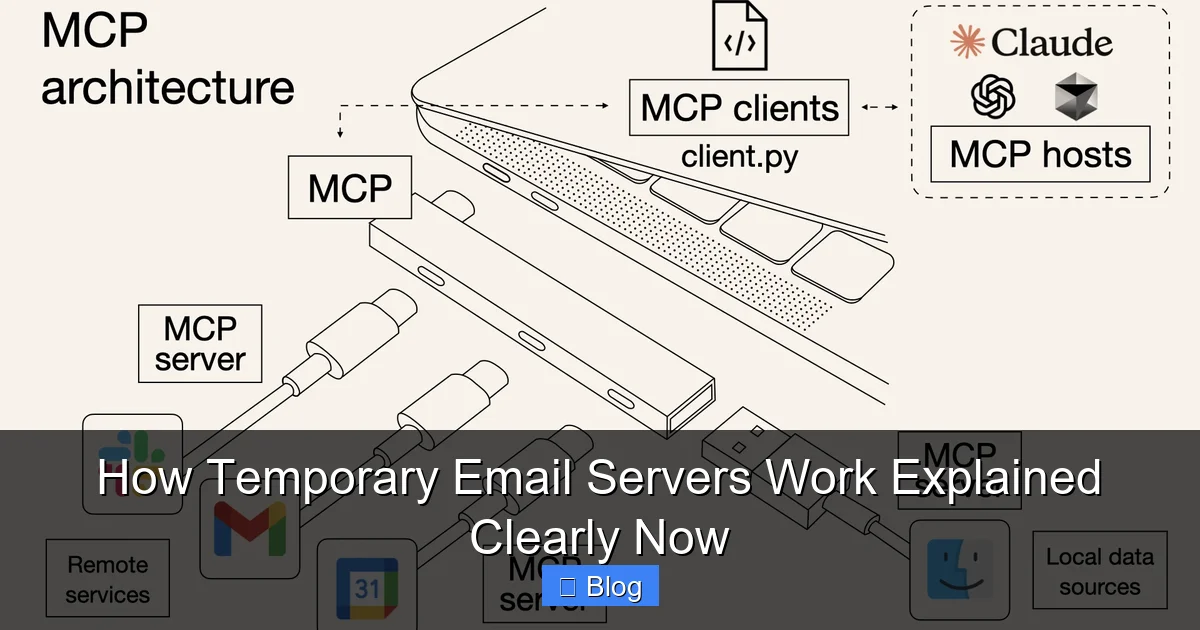
Visual guide about How Temporary Email Servers Work Explained Clearly Now
Image source: assets.apidog.com
Step 1: Generating Your Disposable Address
When you open a temporary email service website (like TempMail.org, 10MinuteMail.com, or GuerrillaMail.com), the server instantly creates a brand new, random email address for you. This happens in milliseconds. The address typically combines random words, numbers, or characters followed by the service’s domain (e.g., “sunnyTiger42@temp-mail.org”). Crucially, you don’t provide any personal information to get this address. No name, no phone number, no existing email required. The server simply assigns you a unique identifier and links it to a temporary mailbox on their system.
This randomness is key to security. Since the address is unpredictable, spammers can’t easily guess it to flood your temporary inbox. It’s generated specifically for your session, making it useless to anyone else. Some services even let you customize the prefix (the part before the @), but the domain remains fixed to the service provider.
Step 2: Receiving and Displaying Emails
Now, imagine you use “sunnyTiger42@temp-mail.org” to sign up for a newsletter or download a resource. When the website sends a confirmation email to that address, here’s what happens:
- The email is routed through the public internet to the mail server hosting the “temp-mail.org” domain.
- The temporary email server recognizes “sunnyTiger42” as one of its active, temporary mailboxes.
- Instead of delivering the email to a physical inbox (like a traditional email provider would), the server stores it temporarily in its database or memory, linked to your unique session.
- When you refresh your temporary email service’s webpage or app, it fetches all emails stored for “sunnyTiger42” and displays them neatly in your browser interface – just like Gmail or Outlook, but without needing to log in.
You can read the email content, click links (often with a warning about security), and even download attachments directly within the service’s interface. The server acts as a middleman, holding the email just long enough for you to access it during your session.
Step 3: The Automatic Cleanup (Expiration)
This is where temporary email servers truly shine and differentiate themselves. Unlike regular email, these inboxes aren’t meant to last. Each temporary address has a built-in expiration timer, set by the service provider. Common timeframes include:
- Ultra-Short Term: 10 minutes, 30 minutes (common for quick verifications).
- Short Term: 1 hour, 24 hours (suitable for most sign-ups).
- Longer Term (Less Common): 48 hours, 1 week (for specific use cases).
Once the timer runs out:
- All emails stored in that specific temporary inbox are permanently deleted from the server’s database.
- The random email address (“sunnyTiger42@temp-mail.org”) becomes completely invalid and unusable.
- Any future emails sent to that address will bounce back to the sender as “undeliverable” or simply be discarded by the server.
This automatic deletion is the core privacy feature. It ensures no trace of your activity remains on the server, protecting you from long-term data collection or potential server breaches exposing your temporary communications.
Why People Use Temporary Email Servers: The Real Benefits
Temporary email servers aren’t just a tech novelty; they solve genuine problems millions of internet users face daily. Here’s why they’ve become so popular:
Escaping the Spam Tsunami
This is the #1 reason people turn to temporary emails. Signing up for a single free resource, a forum, or a trial service often means surrendering your primary email to a company’s marketing list. Within hours, your inbox is flooded with promotional emails, newsletters you never wanted, and potentially even emails from data brokers who purchased your address. Temporary email servers act as a spam firewall. The website gets an email address to send its confirmation or marketing, but that address vanishes shortly after. The spam emails have nowhere to go – they bounce or get deleted automatically. Your real inbox stays clean and focused on important communications.
Protecting Against Phishing and Malware
Not all websites are trustworthy. Some are designed specifically to harvest email addresses for spam or phishing campaigns. Others might have poor security, making your email address vulnerable if they get hacked. By using a temporary email, you isolate the risk. If a malicious site tries to send you a phishing link or malware-laden attachment, it only reaches your disposable inbox. You can inspect the email safely within the temporary service’s interface (which often has basic security warnings) without risking your primary email account or device. Even if the temporary inbox gets compromised, the damage is contained and temporary.
Maintaining Anonymity During Sign-Ups
Sometimes, you just want to browse or access content without linking it to your real identity. Temporary email servers provide a layer of anonymity. When signing up for a forum, leaving a comment, accessing a free download, or even testing a new service, you can use a random temporary address. This prevents the website from building a profile of your activity tied directly to your personal email. While not foolproof anonymity (your IP address might still be logged), it significantly reduces the personal data footprint you leave behind for casual online interactions.
Testing and Development Made Easy
Developers and testers love temporary email servers. Need to verify an email confirmation flow for a new app? Sign up using a temporary address and instantly see if the email arrives correctly. Testing how a website handles multiple user registrations? Generate dozens of unique temporary emails in seconds without creating real accounts. It streamlines QA processes, saves time, and avoids polluting real email accounts with test data. Many services even offer APIs specifically for this purpose, allowing automated testing scripts to create and check temporary inboxes programmatically.
Security and Privacy: The Pros and Cons You Need to Know
While temporary email servers are fantastic tools, it’s crucial to understand their security landscape. They enhance privacy in specific ways but aren’t a silver bullet for all online security concerns.
The Privacy Advantages
- Reduced Data Exposure: You never give your real email to potentially shady websites, minimizing the risk of your primary address being sold, leaked, or targeted.
- No Long-Term Storage: Emails vanish automatically, meaning even if the temporary email service itself suffers a breach, the window of exposure for your specific communications is very short (only until the inbox expires).
- Compartmentalization: Isolates risky sign-ups from your main digital identity. A compromise on a low-stakes site doesn’t threaten your bank account or social media.
The Security Limitations and Risks
- No End-to-End Encryption: Emails sent to your temporary inbox are typically not encrypted in transit or at rest on the server. Avoid sending highly sensitive information (like passwords, financial details, or personal documents) to a temporary address. Assume anyone with access to the server could potentially read them during the short storage period.
- Session Dependency: Your access to the temporary inbox is usually tied to your browser session or a cookie. Clearing your browser data or closing the tab might make it harder to retrieve the inbox later, even before the expiration time. Some services offer a “save this inbox” link, but this creates a longer-lived (though still temporary) access point.
- Service Trustworthiness: You’re relying on the temporary email provider’s infrastructure and policies. Choose reputable services with clear privacy policies stating they don’t log or misuse your temporary email content. Free services might have less robust security than paid alternatives.
- Not for Account Recovery: This is critical: Never use a temporary email for accounts where you might need password reset or long-term access, like your bank, email, social media, or cloud storage. If you lose access to the temporary address (which you will when it expires), you lose access to the linked account forever. Use your real, secure email for anything important.
Best Security Practices When Using Temporary Emails
- Reserve for Low-Risk Activities: Perfect for one-time downloads, forum sign-ups, newsletter trials, or testing. Avoid for financial services, healthcare portals, or primary social media.
- Never Share Sensitive Data: Treat the temporary inbox like a public bulletin board – don’t send anything you wouldn’t want potentially exposed.
- Beware of Links: Be extra cautious clicking links in emails received via temporary addresses, as the source might be less trustworthy. Hover to check the URL first.
- Use Reputable Services: Stick with well-known, established temporary email providers with positive user reviews and transparent practices.
- Combine with Other Security: Temporary emails are just one tool. Always use strong, unique passwords and enable Two-Factor Authentication (2FA) on your *real* important accounts.
Understanding the Limitations: When NOT to Use a Temporary Email
Temporary email servers are incredibly useful, but they aren’t a replacement for your primary email. Knowing their boundaries is essential to avoid frustrating situations.
Critical Accounts Demand Real Emails
This cannot be overstated. Your bank, investment accounts, primary email provider (like Gmail or Outlook), social media profiles (Facebook, Instagram, Twitter/X), cloud storage (Google Drive, iCloud), and government portals must use your permanent, secure email address. Why?
- Account Recovery: If you get locked out, the password reset link *must* go to an address you control long-term. A temporary email expires, making recovery impossible.
- Security Alerts: Banks and services send critical security notifications (logins from new devices, suspicious activity) to your registered email. Missing these could mean missing fraud alerts.
- Long-Term Communication: You need a stable point of contact for statements, updates, and customer support interactions that span months or years.
Using a temporary email here is like giving a stranger your house key and expecting them to mail it back later – it’s a recipe for permanent loss of access.
Legitimate Ongoing Relationships
If you plan to use a service regularly or build a relationship with a business, a temporary email creates unnecessary friction:
- Newsletters You Actually Want: If you enjoy a specific newsletter, using a temporary email means you’ll stop receiving it once the inbox expires. You’d have to sign up again with a new address, defeating the purpose.
- Customer Support: Needing help from a company? They’ll likely require you to log in or verify your account via the email you signed up with. A vanished temporary address makes support impossible.
- Building Reputation: On forums or communities where reputation matters (like Reddit or specialized boards), using a temporary email for sign-up might limit features or raise suspicion, as the address isn’t verifiable long-term.
Services That Detect and Block Disposable Emails
Many reputable services, especially those handling payments or sensitive data, actively block known temporary email domains. They use databases that flag addresses from services like TempMail, 10MinuteMail, etc. If you try to sign up for:
- A paid subscription (Netflix, Spotify, SaaS tools)
- An e-commerce site for purchasing goods
- A financial service (even some crypto exchanges)
- Certain professional networks
…you’ll likely encounter an error message: “Disposable email addresses are not allowed” or “Please use a valid personal or business email.” Attempting to bypass this often violates the service’s terms and could lead to account suspension. Always check if a service blocks temporary emails before trying to use one.
The “Forgot Password” Trap
This is a common pitfall. You sign up for a service with a temporary email, use it once, and forget about it. Months later, you want to log back in but can’t remember the password. You click “Forgot Password,” but the reset link goes to the expired temporary address – which no longer exists. Game over. You’ve permanently lost access to that account. This is why temporary emails are only suitable for truly disposable, one-off interactions where losing access later is acceptable.
Choosing the Right Temporary Email Service: Features to Consider
Not all temporary email servers are created equal. With dozens of options available, knowing what to look for ensures you get the best tool for your needs.
Expiry Time: How Long Do You Need It?
This is the most crucial factor. Match the expiry time to your task:
- 10-30 Minutes: Ideal for instant email verifications (e.g., signing up for a forum, downloading a file). Services like 10MinuteMail specialize in this.
- 1-24 Hours: The sweet spot for most sign-ups where you might need to check back once (e.g., confirming a newsletter, accessing a trial). Many general services (TempMail, GuerrillaMail) offer this range.
- 48 Hours – 1 Week: Less common, but useful for specific scenarios like waiting for a slower confirmation email or testing over a weekend. Some services offer customizable expiry times.
Ask yourself: “How long will I realistically need to access this inbox?” Don’t choose a 10-minute expiry if you might be away from your computer for an hour.
Ease of Use and Interface
How simple is it to get an address and check mail?
- Web-Based: Most common. Just visit the site, and an address is generated instantly. Look for clean interfaces with clear inbox displays and easy email viewing. (e.g., TempMail.org, Mail.tm).
- Browser Extensions: Convenient for frequent users. Adds a button to your browser toolbar for instant access to a new temporary inbox without visiting a website. (e.g., Temp Mail for Chrome).
- Mobile Apps: Handy if you primarily use your phone for sign-ups. Ensure the app is well-reviewed and from a trusted developer.
- API Access: Essential for developers needing to automate email creation and checking within their applications or testing scripts.
Try a few services. Which one feels intuitive and fast for *you*?
Additional Features That Matter
- Custom Address Prefix: Can you choose part of the email (e.g., “myname@tempmail.com”)? Useful for slightly more memorable addresses, though less random.
- Email Forwarding: Some services let you forward received emails to your real inbox (for a limited time). Handy if you need to keep a specific confirmation email but don’t want to use your real address for sign-up.
- Attachment Handling: Can you easily download attachments? Is there a size limit?
- Ad Experience: Free services often rely on ads. Are they intrusive pop-ups, or just small banners? Excessive ads can ruin the experience.
- Privacy Policy: Does the service clearly state they don’t log email content or misuse data? Reputable providers are transparent.
Top Reputable Services to Consider
While the landscape changes, these are consistently well-regarded:
- TempMail.org: Very popular, clean interface, multiple expiry options (10 min to 24h), custom addresses, browser extension.
- 10MinuteMail.com: The original short-term specialist (10 minutes), simple and fast, no frills.
- GuerrillaMail.com: Offers 60-minute inboxes, custom addresses, disposable email forwarding, and a “spam score” for incoming mail.
- Mail.tm: Modern interface, offers 24-hour inboxes, custom domains (paid feature), mobile apps.
- MinuteInbox.com: Focuses on simplicity with 60-minute inboxes.
Start with TempMail or 10MinuteMail for most general needs. Explore others based on specific expiry time or feature requirements.
Conclusion: Your Privacy Shield in the Digital Age
Temporary email servers are far more than just a tech trick; they’re a fundamental privacy tool for navigating the modern internet safely. By understanding how temporary email servers work – the instant creation of disposable addresses, the temporary storage of emails, and the crucial automatic expiration – you gain control over your digital footprint. They empower you to engage with online services without surrendering your primary email address to the spam vortex or potential security risks.
Remember their superpower: they make email addresses vanish. This simple mechanism solves the persistent problem of unwanted marketing and shields you from low-level phishing attempts during casual online interactions. Use them wisely for downloading resources, signing up for trials, testing websites, or accessing content where long-term identity isn’t needed. But always respect their limitations: never use them for banking, critical accounts, or anything where losing access would be catastrophic.
In a world where your email address is often the key to your digital life, temporary email servers provide an essential layer of defense. They remind us that privacy isn’t about hiding everything, but about being intentional with what we share and for how long. So next time you’re about to enter your real email for a one-off download, pause. Fire up a trusted temporary email service. Grab that disposable address. Use it confidently. And then, when the timer runs out, walk away knowing your real inbox – and your peace of mind – remain untouched. It’s a small step with a big impact on your online well-being.
Frequently Asked Questions
Are temporary email servers legal to use?
Yes, using temporary email servers is completely legal. They are legitimate privacy tools designed to protect users from spam and unwanted solicitations. However, using them to commit fraud, evade bans on services where they’re prohibited, or engage in illegal activities is against the law and the terms of service of most platforms.
Can I recover emails from an expired temporary inbox?
No, you cannot recover emails once a temporary inbox has expired. The entire purpose of these services is automatic, permanent deletion of all data after the set time period. If you need to keep an email, forward it to your real address *before* the temporary inbox expires or download any important attachments immediately.
Do temporary email services read my emails?
Reputable temporary email services state in their privacy policies that they do not read, log, or misuse the content of your temporary emails. However, because the emails are stored on their servers (even briefly), there’s always a theoretical risk. Stick with well-established, transparent services and avoid sending highly sensitive information to any temporary inbox.
Why do some websites block temporary email addresses?
Websites block temporary email domains to reduce fraud, fake account creation, spam sign-ups, and abuse. Services handling payments, valuable accounts, or community features often see a high volume of malicious activity originating from disposable emails. Blocking them helps maintain security, quality, and compliance with regulations, though it can inconvenience legitimate users seeking privacy.
Can I use a temporary email for Two-Factor Authentication (2FA)?
Generally, no. Most 2FA systems send codes via SMS or authenticator apps, not email. However, if a service *does* offer email-based 2FA (less common and less secure), using a temporary email would be disastrous. If the inbox expires before you retrieve the code, you’re locked out. Always use your primary, permanent email or a dedicated authenticator app for 2FA on important accounts.
Are temporary email servers safe for downloading attachments?
You can download attachments, but exercise caution. Treat attachments from temporary inboxes with the same skepticism as any unsolicited email – because they often are. Scan files with antivirus software before opening. Avoid opening executable files (.exe, .scr) or documents from unknown senders, as they could contain malware. The temporary nature doesn’t make the attachment itself safer.